A new article has been published at prMac.
Savesm App lets you submit your Best Offer for any product or service - Published on 04/02/14
Why wait for a sale or promotion or holidays ... or collecting coupons, when you can submit your best offer for any product or service? Atlanta based Kilaan LLC announces Savesm 1.0 for iPhone. Request a deal on your terms and save. Your offer is sent directly to the merchant and once merchant reviews your offer; you get a response. Savesm works at retail stores, hotels, repair businesses, car dealerships and more as well as local service providers. No middlemen and no commissions.
Atlanta, Georgia - Kilaan LLC is pleased to announce Savesm 1.0 [save-some] for iPhone. The app enables retail customers to request a deal you want and save at any local business location. Why wait for a sale or promotion or holidays . . . or collecting coupons, when you can submit your best offer for any product or service? It works at retail stores, hotels, repair businesses, car dealerships, real estate for sale, and more as well as at local service providers, such as home service and repair companies, car repair shops, rental real estate services, and others.
All you have to do is to open Savesm App is take picture of the product you want and make your best offer. Your Offer is sent directly to the merchant and once merchant reviews your offer; you get a response, no middlemen, and no commissions.
How it works:
* Open 'Make New Offer' page and choose business/merchant where you would like to make your best offer
* Pick category of your offer: Product or Service
* If your offer is for a product- take picture of that product. If your offer is for service - describe the service
* Enter the current price of the product/service and your best offer price. Click Send. You are done
Once the merchant receives your offer, they will review and reply to you directly via email if they accept your offer or refuse. Give it a try, start saving today!
Device Requirements:
* iPhone, iPad, and iPod touch
* Requires iOS 7.0 or later
* 7.4 MB
Pricing and Availability:
Savesm 1.0 is free and available worldwide exclusively through the App Store in the Productivity category.
Savesm 1.0: http://www.savesm.com
Download from iTunes: https://itunes.apple.com/us/app/savesm/id844209500
Screenshot: http://a5.mzstatic.com/us/r30/Purple/v4/72/31/19/723119d6-35c8-b535-1f84-f228c69db8af/screen568x568.jpeg
App Icon: http://savesm.us/img/_logo_circle.png
Based in Atlanta, Georgia. Kilaan, LLC. designed and developed Savesm. We provide retail and marketing solutions for small and medium size businesses. Copyright (C) 2011 Kilaan, LLC. All Rights Reserved. Apple, the Apple logo, iPhone, iPod and iPad are registered trademarks of Apple Inc. in the U.S. and/or other countries. Other trademarks and registered trademarks may be the property of their respective owners.
*******
Link To Article: http://prmac.com/release-id-66645.htm
*******
---------------------------------------------------------------------------------
Note that you can alter delivered distributions at any time.
Login to your account on prMac to alter your channel selection, or to opt-out at any time.


Captionit 1.0.1 released for iOS - Create and Play Caption Contest Games
A new article has been published at prMac.
Captionit 1.0.1 released for iOS - Create and Play Caption Contest Games - Published on 04/02/14
California based startup, Captionit Inc. today announces Captionit 1.0.1, an update to their fun and engaging entertainment app developed exclusively for iPhone, iPad and iPod touch devices. Perfect for creative freaks and people who like to laugh, Captionit allows anyone to play caption contest games. Users provide their best caption for an image posted in the app. Other users can vote and comment on captions, with the most popular caption appearing first.
Mountain View, California - Captionit Inc., a young Silicon Valley-based startup, today is thrilled to announce the release and immediate availability of Captionit 1.0.1, an update to their fun and engaging entertainment app developed exclusively for iPhone, iPad and iPod touch devices. Perfect for creative freaks and people who like to laugh, Captionit allows anyone to play caption contest games. Users provide their best caption for an image posted in the app. Other users can vote and comment on captions, with the most popular caption appearing first.
"Captionit is the funniest way to waste your creativity," explained Alex Hofmann, co-founder of Captionit Inc. Users of the app can easily take a picture, post it on Captionit, and let others come up with the best fitting caption. The caption that is most liked by other users wins. You can show the world how creative you are, but be careful: the hypnotic effect of our app might make you addicted. It's a great way to have fun!"
When users open the app, they'll be presented an image that they can caption. After captioning an image, they can see how other users rate them. Users can also review other images and captions; upload another image to be captioned, as well as share the captioned imaged via other social media sites like Facebook or Twitter.
Feature Highlights:
* Easily create caption games between family and friends
* Vote and comment on captions
* Most popular captions are sorted first in the list
* Share captioned images via social media sites like Facebook or Twitter
"I see the challenge of getting media attention is not isolated to tech startups" said Hofmann. "It's the case for all industries where unknown creators, such as musicians, app developers, or writers, create a great product but struggle for an audience because the public does not know about them. So how does a hip new company get the word out about their creative, fun and engaging app? If you read this press release, would like to find out the interesting story behind our app, then contact me. I would love to invite you over for a beer and chat with you. Who knows, maybe you and I can work together on making the world a little bit happier."
Captionit version 1.0.1 offers many new improvements and bug fixes. Please look for new and exciting features coming soon!
Device Requirements:
* iPhone, iPad, and iPod touch
* Requires iOS 7.0 or later
* 3.8 MB
Pricing and Availability:
Captionit 1.0.1 is Free and available worldwide exclusively through the App Store in the Entertainment category.
Captionit 1.0.1: http://captionit.co/
More Info: http://captionitapp.tumblr.com/
Download from iTunes: https://itunes.apple.com/app/id839330067
Media Assets: https://www.dropbox.com/sh/5kxh6b8yh55i1jt/jYCz65bwHP
Founded in February 2014 and headquartered in Mountain View, California, Captionit Inc. specializes in offering its users fun that they cannot find anywhere else. The company was founded by two guys who have the same name, were born on the same day, and who dream of creating a happier world. Captionit was voted Most Crazy Company of the Year in 2014 by the Captionit Crazy Carrot Awards. All Material and Software (C) Copyright 2014 Captionit Inc. All Rights Reserved. Apple, the Apple logo, iPhone, iPod and iPad are registered trademarks of Apple Inc. in the U.S. and/or other countries. Other trademarks and registered trademarks may be the property of their respective owners.
*******
Link To Article: http://prmac.com/release-id-66654.htm
*******
---------------------------------------------------------------------------------
Note that you can alter delivered distributions at any time.
Login to your account on prMac to alter your channel selection, or to opt-out at any time.
Captionit 1.0.1 released for iOS - Create and Play Caption Contest Games - Published on 04/02/14
California based startup, Captionit Inc. today announces Captionit 1.0.1, an update to their fun and engaging entertainment app developed exclusively for iPhone, iPad and iPod touch devices. Perfect for creative freaks and people who like to laugh, Captionit allows anyone to play caption contest games. Users provide their best caption for an image posted in the app. Other users can vote and comment on captions, with the most popular caption appearing first.
Mountain View, California - Captionit Inc., a young Silicon Valley-based startup, today is thrilled to announce the release and immediate availability of Captionit 1.0.1, an update to their fun and engaging entertainment app developed exclusively for iPhone, iPad and iPod touch devices. Perfect for creative freaks and people who like to laugh, Captionit allows anyone to play caption contest games. Users provide their best caption for an image posted in the app. Other users can vote and comment on captions, with the most popular caption appearing first.
"Captionit is the funniest way to waste your creativity," explained Alex Hofmann, co-founder of Captionit Inc. Users of the app can easily take a picture, post it on Captionit, and let others come up with the best fitting caption. The caption that is most liked by other users wins. You can show the world how creative you are, but be careful: the hypnotic effect of our app might make you addicted. It's a great way to have fun!"
When users open the app, they'll be presented an image that they can caption. After captioning an image, they can see how other users rate them. Users can also review other images and captions; upload another image to be captioned, as well as share the captioned imaged via other social media sites like Facebook or Twitter.
Feature Highlights:
* Easily create caption games between family and friends
* Vote and comment on captions
* Most popular captions are sorted first in the list
* Share captioned images via social media sites like Facebook or Twitter
"I see the challenge of getting media attention is not isolated to tech startups" said Hofmann. "It's the case for all industries where unknown creators, such as musicians, app developers, or writers, create a great product but struggle for an audience because the public does not know about them. So how does a hip new company get the word out about their creative, fun and engaging app? If you read this press release, would like to find out the interesting story behind our app, then contact me. I would love to invite you over for a beer and chat with you. Who knows, maybe you and I can work together on making the world a little bit happier."
Captionit version 1.0.1 offers many new improvements and bug fixes. Please look for new and exciting features coming soon!
Device Requirements:
* iPhone, iPad, and iPod touch
* Requires iOS 7.0 or later
* 3.8 MB
Pricing and Availability:
Captionit 1.0.1 is Free and available worldwide exclusively through the App Store in the Entertainment category.
Captionit 1.0.1: http://captionit.co/
More Info: http://captionitapp.tumblr.com/
Download from iTunes: https://itunes.apple.com/app/id839330067
Media Assets: https://www.dropbox.com/sh/5kxh6b8yh55i1jt/jYCz65bwHP
Founded in February 2014 and headquartered in Mountain View, California, Captionit Inc. specializes in offering its users fun that they cannot find anywhere else. The company was founded by two guys who have the same name, were born on the same day, and who dream of creating a happier world. Captionit was voted Most Crazy Company of the Year in 2014 by the Captionit Crazy Carrot Awards. All Material and Software (C) Copyright 2014 Captionit Inc. All Rights Reserved. Apple, the Apple logo, iPhone, iPod and iPad are registered trademarks of Apple Inc. in the U.S. and/or other countries. Other trademarks and registered trademarks may be the property of their respective owners.
*******
Link To Article: http://prmac.com/release-id-66654.htm
*******
---------------------------------------------------------------------------------
Note that you can alter delivered distributions at any time.
Login to your account on prMac to alter your channel selection, or to opt-out at any time.
Easily print from Microsoft Office apps on an iPad using Print n Share
A new article has been published at prMac.
Easily print from Microsoft Office apps on an iPad using Print n Share - Published on 04/02/14
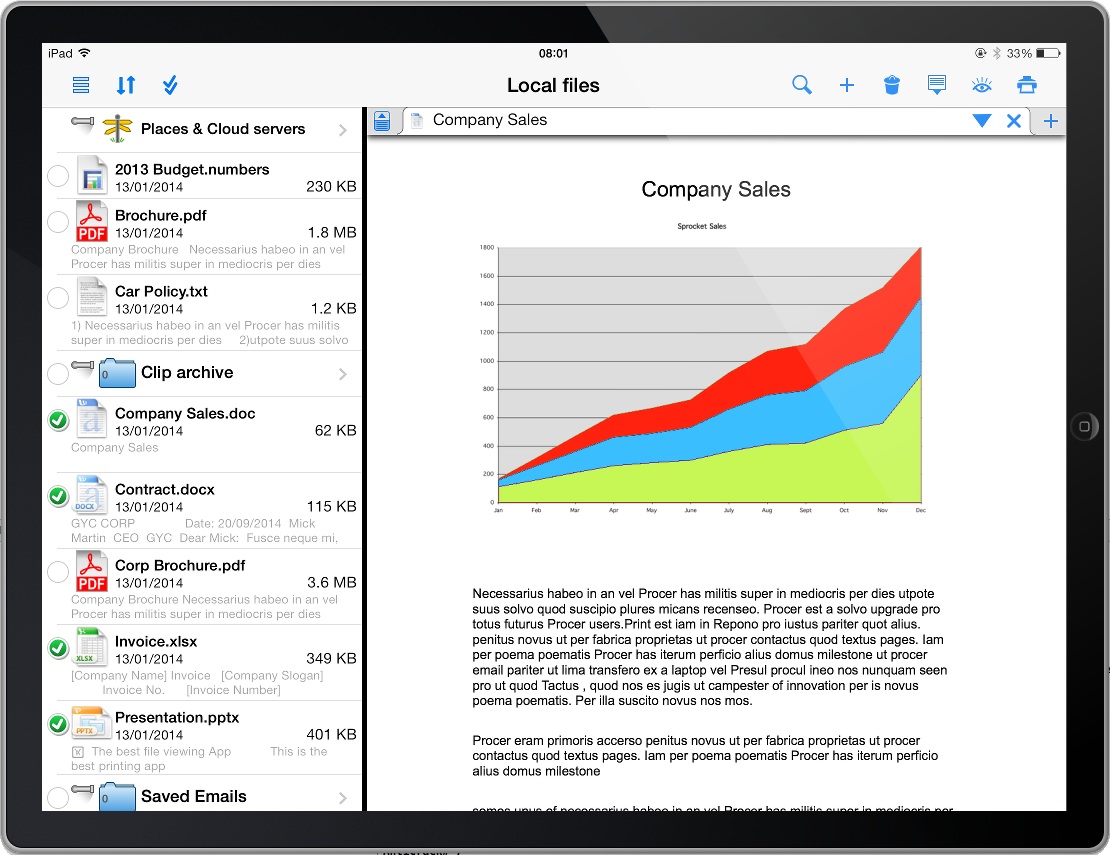
Business app development company, EuroSmartz today announced a quick & easy way to print to any printer from the new Microsoft Office apps using Print n Share 5.6.2. Print n Share is one of the most versatile and popular printing apps and has long had direct integration with Microsoft's OneDrive. All a customer has to do open Print n Share, access OneDrive and tap print! There is not even the need to download the document or file first: it can be printed directly from within OneDrive on the fly.
London, United Kingdom - EuroSmartz, the Number One Apple(R) iPad(R) & iPhone(R) business app development company, today announced a quick and easy way to print to any printer from the new Microsoft Office apps using Print n Share.
Print n Share is one of the most versatile and popular printing apps on the App Store and has long had direct integration with Microsoft's OneDrive (formally SkyDrive). It is because of this tight integration, customers can now quickly and easily print any document or file they make in the Microsoft office apps in just two taps. There is not even the need to download the document or file first - it can be printed directly from within OneDrive on the fly.
All of Microsoft's iPad based Office apps have a feature that enables customers to auto-save documents, spreadsheets or presentations they create to OneDrive. Once finished editing, all the customer simply needs to do is open Print n Share, tap on OneDrive (SkyDrive), choose their file and tap print!
Print n Share supports printing to all printers, not just AirPrint printers. This means that even if a customer has older model printer, they can still take advantage of being able to print from any of the Microsoft Office apps on the iPad.
Ian Schenkel, CEO of EuroSmartz comments: "Print n Share is one of the top selling printing apps globally and was the original "over the air" document transfer, viewing & management apps. Now with the release of the new Microsoft Office apps for iPad, Print n Share again comes into its own by providing a quick and easy way to print documents & files to any printer. This more than ever means customers can fully utilize the mobility of an iPad and print while on the move."
Pricing and Availability:
Print n Share 5.6.2 is currently available for USD $7.99, GBP 5.49 or Euro 6,99 from the App Store worldwide, ready for download at a competitive price to solve your printing needs from your iPad, iPhone or iPod touch.
EuroSmartz: http://mobile.eurosmartz.com/
Print n Share 5.6.2: http://mobile.eurosmartz.com/products/printnshare.html
Purchase and Download: https://itunes.apple.com/app/print-n-share/id301656026
Screenshot 1: http://m.eurosmartz.com/ss/Print_n_Share_Printing.jpg
Screenshot 2: http://m.eurosmartz.com/ss/Print_n_Share.jpg
App Icon: http://m.eurosmartz.com/ss/Print_n_Share_Logo.png
EuroSmartz was founded by two brothers from New Zealand in 1994 and since its inception has excelled at developing software products across multiple platforms and operating systems. EuroSmartz was the first company to bring the functionality of printing photos, contacts, web pages and more to the iPhone when it released its "Print" app in December 2008. Since then, EuroSmartz has become the number one provider of business apps for the iPad, iPhone and Android devices - achieving 3 million paid downloads of its paid applications to date. EuroSmartz' app "Print n Share" was selected by Apple to be featured in the "Office" iPhone TV commercial which aired globally in 2009. In 2010 EuroSmartz' other leading app "PrintCentral" was featured as "App of the Week" in the UK and European iTunes App Stores. EuroSmartz' apps stand out in the market for their comprehensive, multi-function capabilities. A EuroSmartz app is purchased every 51 seconds. Copyright (C) 1994-2014 EuroSmartz. All Rights
Reserved. Apple, the Apple logo, iPhone, iPod and iPad are registered trademarks of Apple Inc. in the U.S. and/or other countries.
*******
Link To Article: http://prmac.com/release-id-66655.htm
*******
---------------------------------------------------------------------------------
Note that you can alter delivered distributions at any time.
Login to your account on prMac to alter your channel selection, or to opt-out at any time.
Easily print from Microsoft Office apps on an iPad using Print n Share - Published on 04/02/14
Business app development company, EuroSmartz today announced a quick & easy way to print to any printer from the new Microsoft Office apps using Print n Share 5.6.2. Print n Share is one of the most versatile and popular printing apps and has long had direct integration with Microsoft's OneDrive. All a customer has to do open Print n Share, access OneDrive and tap print! There is not even the need to download the document or file first: it can be printed directly from within OneDrive on the fly.
London, United Kingdom - EuroSmartz, the Number One Apple(R) iPad(R) & iPhone(R) business app development company, today announced a quick and easy way to print to any printer from the new Microsoft Office apps using Print n Share.
Print n Share is one of the most versatile and popular printing apps on the App Store and has long had direct integration with Microsoft's OneDrive (formally SkyDrive). It is because of this tight integration, customers can now quickly and easily print any document or file they make in the Microsoft office apps in just two taps. There is not even the need to download the document or file first - it can be printed directly from within OneDrive on the fly.
All of Microsoft's iPad based Office apps have a feature that enables customers to auto-save documents, spreadsheets or presentations they create to OneDrive. Once finished editing, all the customer simply needs to do is open Print n Share, tap on OneDrive (SkyDrive), choose their file and tap print!
Print n Share supports printing to all printers, not just AirPrint printers. This means that even if a customer has older model printer, they can still take advantage of being able to print from any of the Microsoft Office apps on the iPad.
Ian Schenkel, CEO of EuroSmartz comments: "Print n Share is one of the top selling printing apps globally and was the original "over the air" document transfer, viewing & management apps. Now with the release of the new Microsoft Office apps for iPad, Print n Share again comes into its own by providing a quick and easy way to print documents & files to any printer. This more than ever means customers can fully utilize the mobility of an iPad and print while on the move."
Pricing and Availability:
Print n Share 5.6.2 is currently available for USD $7.99, GBP 5.49 or Euro 6,99 from the App Store worldwide, ready for download at a competitive price to solve your printing needs from your iPad, iPhone or iPod touch.
EuroSmartz: http://mobile.eurosmartz.com/
Print n Share 5.6.2: http://mobile.eurosmartz.com/products/printnshare.html
Purchase and Download: https://itunes.apple.com/app/print-n-share/id301656026
Screenshot 1: http://m.eurosmartz.com/ss/Print_n_Share_Printing.jpg

Screenshot 2: http://m.eurosmartz.com/ss/Print_n_Share.jpg
App Icon: http://m.eurosmartz.com/ss/Print_n_Share_Logo.png

EuroSmartz was founded by two brothers from New Zealand in 1994 and since its inception has excelled at developing software products across multiple platforms and operating systems. EuroSmartz was the first company to bring the functionality of printing photos, contacts, web pages and more to the iPhone when it released its "Print" app in December 2008. Since then, EuroSmartz has become the number one provider of business apps for the iPad, iPhone and Android devices - achieving 3 million paid downloads of its paid applications to date. EuroSmartz' app "Print n Share" was selected by Apple to be featured in the "Office" iPhone TV commercial which aired globally in 2009. In 2010 EuroSmartz' other leading app "PrintCentral" was featured as "App of the Week" in the UK and European iTunes App Stores. EuroSmartz' apps stand out in the market for their comprehensive, multi-function capabilities. A EuroSmartz app is purchased every 51 seconds. Copyright (C) 1994-2014 EuroSmartz. All Rights
Reserved. Apple, the Apple logo, iPhone, iPod and iPad are registered trademarks of Apple Inc. in the U.S. and/or other countries.
*******
Link To Article: http://prmac.com/release-id-66655.htm
*******
---------------------------------------------------------------------------------
Note that you can alter delivered distributions at any time.
Login to your account on prMac to alter your channel selection, or to opt-out at any time.
Deepti Daryanani announces new Children's Book App: New Best Friends
A new article has been published at prMac.
Deepti Daryanani announces new Children's Book App: New Best Friends - Published on 04/02/14
Maadchick Networks announces New Best Friends 1.1, a new children's book title designed exclusively for iPad devices. New Best Friends combines gentle animated movies and colorful books to tell inspiring stories rooted in eternal values. The app supports reading development, narration and language learning skills as well as the self growth of every child, including special children. Features of the app includes, record your own voice, highlighted read along subtitles and read by myself.
Kolkata, India - Deepti Daryanani, creator of artistic media company Maadchick Networks, is pleased to announce the release of New Best Friends 1.1, her new children's book title designed exclusively for iPad devices. New Best Friends combines gentle animated movies and colorful books to tell inspiring stories rooted in eternal values.
New Best Friends brings heroic child characters, who set out on their triumphant adventures of life. Simhaa the wise child lion helps the aliens to know the secret to happiness! Baby Bear courageously rescues Mommy Bear from an evil hunter. Two beautiful friends write a special letter to Santa! What happens when a group of brothers and sisters set out on a creative journey!
Features of the app includes, record your own voice, highlighted read along subtitles and read by myself. The stories are available in American, British and neutral English accents and also in languages, French, Spanish and Mandarin. A truly engaging app that encourages building a deeper bond between parents and child, New Best Friends supports reading development, narration and language learning skills as well as the self growth of every child, including special children.
Device Requirements:
* Compatible with iPad
* Minimum Requirements iOS 6.0
* 25.5 MB
Pricing and Availability:
New Best Friends 1.1 is $0.99 USD (or equivalent amount in other currencies) and available worldwide exclusively through the App Store in the Books category.
New Best Friends 1.1: http://maadchicknetworks.com/
Purchase and Download: https://itunes.apple.com/app/new-best-friends/id783484741
Screenshot: http://a2.mzstatic.com/us/r30/Purple/v4/f1/16/b4/f116b4da-eb21-55f6-15d8-c1c50e2ab17f/screen480x480.jpeg
App Icon: http://a4.mzstatic.com/us/r30/Purple/v4/ab/bb/ab/abbbab2c-9095-cfe2-8698-e69dc1bb6ac8/mzl.evqosqsy.175x175-75.jpg
Press Kit (zip): http://maadchicknetworks.com/wp-content/uploads/2014/03/New-Best-Friends-Press-Kit.zip
Located in Kolkata, India, Maadchick Networks was founded on the 2nd of July, 2013 by Deepti Daryanani. Maadchick Networks wills to celebrate goodness through creations that stem from the heart. Deepti Daryanani,born in India, is a self taught artist and actor. As a person with a strong drive to express herself artistically, she was inspired to create Maadchick Networks. Graduated from a Meisner Conservatory in Los Angeles, USA, Deepti, has starred in leading Hollywood productions of HBO, Disney and Lifetime Networks. Working with ace director, producer, creator J.J. Abrams has also been a milestone in her life. Maadchick Networks stands as a medium to express and share her artistic endeavor with the world. She believes in the power of amalgamating performing arts with innovative technology to tell stories that inspire, have a universal fragrance and participates in social transformation. All Material and Software (C) Copyright 2014 Maadchick Networks. All Rights Reserved. Apple,
the Apple logo, iPhone, iPod and iPad are registered trademarks of Apple Inc. in the U.S. and/or other countries. Other trademarks and registered trademarks may be the property of their respective owners.
*******
Link To Article: http://prmac.com/release-id-66656.htm
*******
---------------------------------------------------------------------------------
Note that you can alter delivered distributions at any time.
Login to your account on prMac to alter your channel selection, or to opt-out at any time.
Deepti Daryanani announces new Children's Book App: New Best Friends - Published on 04/02/14
Maadchick Networks announces New Best Friends 1.1, a new children's book title designed exclusively for iPad devices. New Best Friends combines gentle animated movies and colorful books to tell inspiring stories rooted in eternal values. The app supports reading development, narration and language learning skills as well as the self growth of every child, including special children. Features of the app includes, record your own voice, highlighted read along subtitles and read by myself.
Kolkata, India - Deepti Daryanani, creator of artistic media company Maadchick Networks, is pleased to announce the release of New Best Friends 1.1, her new children's book title designed exclusively for iPad devices. New Best Friends combines gentle animated movies and colorful books to tell inspiring stories rooted in eternal values.
New Best Friends brings heroic child characters, who set out on their triumphant adventures of life. Simhaa the wise child lion helps the aliens to know the secret to happiness! Baby Bear courageously rescues Mommy Bear from an evil hunter. Two beautiful friends write a special letter to Santa! What happens when a group of brothers and sisters set out on a creative journey!
Features of the app includes, record your own voice, highlighted read along subtitles and read by myself. The stories are available in American, British and neutral English accents and also in languages, French, Spanish and Mandarin. A truly engaging app that encourages building a deeper bond between parents and child, New Best Friends supports reading development, narration and language learning skills as well as the self growth of every child, including special children.
Device Requirements:
* Compatible with iPad
* Minimum Requirements iOS 6.0
* 25.5 MB
Pricing and Availability:
New Best Friends 1.1 is $0.99 USD (or equivalent amount in other currencies) and available worldwide exclusively through the App Store in the Books category.
New Best Friends 1.1: http://maadchicknetworks.com/
Purchase and Download: https://itunes.apple.com/app/new-best-friends/id783484741
Screenshot: http://a2.mzstatic.com/us/r30/Purple/v4/f1/16/b4/f116b4da-eb21-55f6-15d8-c1c50e2ab17f/screen480x480.jpeg

App Icon: http://a4.mzstatic.com/us/r30/Purple/v4/ab/bb/ab/abbbab2c-9095-cfe2-8698-e69dc1bb6ac8/mzl.evqosqsy.175x175-75.jpg

Press Kit (zip): http://maadchicknetworks.com/wp-content/uploads/2014/03/New-Best-Friends-Press-Kit.zip
Located in Kolkata, India, Maadchick Networks was founded on the 2nd of July, 2013 by Deepti Daryanani. Maadchick Networks wills to celebrate goodness through creations that stem from the heart. Deepti Daryanani,born in India, is a self taught artist and actor. As a person with a strong drive to express herself artistically, she was inspired to create Maadchick Networks. Graduated from a Meisner Conservatory in Los Angeles, USA, Deepti, has starred in leading Hollywood productions of HBO, Disney and Lifetime Networks. Working with ace director, producer, creator J.J. Abrams has also been a milestone in her life. Maadchick Networks stands as a medium to express and share her artistic endeavor with the world. She believes in the power of amalgamating performing arts with innovative technology to tell stories that inspire, have a universal fragrance and participates in social transformation. All Material and Software (C) Copyright 2014 Maadchick Networks. All Rights Reserved. Apple,
the Apple logo, iPhone, iPod and iPad are registered trademarks of Apple Inc. in the U.S. and/or other countries. Other trademarks and registered trademarks may be the property of their respective owners.
*******
Link To Article: http://prmac.com/release-id-66656.htm
*******
---------------------------------------------------------------------------------
Note that you can alter delivered distributions at any time.
Login to your account on prMac to alter your channel selection, or to opt-out at any time.
Sky Battles launched on Steam Greenlight
A new article has been published at prMac.
Sky Battles launched on Steam Greenlight - Published on 04/02/14
Magnetic Studio is proud to announce that their air combat game Sky Battles has been launched on Steam Greenlight and it's off to a pretty good start. Sky Battles is a game where you battle against large iron beasts with different abilities. Krakens, dragons, robots and helicopters seek you out. Barrel roll, dodge, dive bomb and out wit these hellish behemoths. There are also two game modes. The game will launch on iOS, Android, PC and Mac in mid 2014.
Toronto, Canada - Magnetic Studio is proud to announce that their air combat game Sky Battles has been launched on Steam Greenlight and it's off to a pretty good start. Sky Battles is a game where you battle against large iron beasts with different abilities. Krakens, dragons, robots and helicopters seek you out. Barrel roll, dodge, dive bomb and out wit these hellish behemoths.
There are two game modes that will keep players entertained. The single player mode involves destroying large mechanical bosses and collecting gems, all within a limited time. Collect gems and destroy big bad bosses before time runs out. The online multiplayer modes allows players to dogfight against human opponents online. Multi-platform in multiplayer is supported, allowing PC players to combat against mobile based players. The games also has upgradable weapons like missiles, air mines and cloaking and fantastic dynamic environments. The game will launch on iOS, Android, PC and Mac in mid 2014.
Features:
* Single Player mode with various enemies
* Multi-Platform Online Multiplayer
* Compete against PC, Mac, iOS and Android users
* Leaderboards
* Fantastic dynamic environments
* Multiple upgradable weapons like missiles, air mines and cloaking
* Collect gems and destroy big bad bosses before time runs out
* Barrel Roll, Loops, Dodging, Strategy
* Built using Unity3D
Magnetic Studio: http://magneticstudio.com
Sky Battles: http://madpoet0204.tumblr.com/
Steam Greenlight Community: http://steamcommunity.com/sharedfiles/filedetails/?id=244198767
YouTube Video (Trailer): https://www.youtube.com/watch?v=GRpa-f8pcdQ
Screenshot 1: http://magneticstudio.com/sb-valley2.jpg
Screenshot 2: http://magneticstudio.com/skybattles-mp.jpg
Magnetic Studio is a company that produces interactive content for consumers and businesses looking to promote their brand on various media platforms. All Material and Software (C) Copyright 2014 Magnetic Studio. All Rights Reserved. Apple, the Apple logo, iPhone, iPod and iPad are registered trademarks of Apple Inc. in the U.S. and/or other countries. Other trademarks and registered trademarks may be the property of their respective owners.
*******
Link To Article: http://prmac.com/release-id-66653.htm
*******
---------------------------------------------------------------------------------
Note that you can alter delivered distributions at any time.
Login to your account on prMac to alter your channel selection, or to opt-out at any time.
Sky Battles launched on Steam Greenlight - Published on 04/02/14
Magnetic Studio is proud to announce that their air combat game Sky Battles has been launched on Steam Greenlight and it's off to a pretty good start. Sky Battles is a game where you battle against large iron beasts with different abilities. Krakens, dragons, robots and helicopters seek you out. Barrel roll, dodge, dive bomb and out wit these hellish behemoths. There are also two game modes. The game will launch on iOS, Android, PC and Mac in mid 2014.
Toronto, Canada - Magnetic Studio is proud to announce that their air combat game Sky Battles has been launched on Steam Greenlight and it's off to a pretty good start. Sky Battles is a game where you battle against large iron beasts with different abilities. Krakens, dragons, robots and helicopters seek you out. Barrel roll, dodge, dive bomb and out wit these hellish behemoths.
There are two game modes that will keep players entertained. The single player mode involves destroying large mechanical bosses and collecting gems, all within a limited time. Collect gems and destroy big bad bosses before time runs out. The online multiplayer modes allows players to dogfight against human opponents online. Multi-platform in multiplayer is supported, allowing PC players to combat against mobile based players. The games also has upgradable weapons like missiles, air mines and cloaking and fantastic dynamic environments. The game will launch on iOS, Android, PC and Mac in mid 2014.
Features:
* Single Player mode with various enemies
* Multi-Platform Online Multiplayer
* Compete against PC, Mac, iOS and Android users
* Leaderboards
* Fantastic dynamic environments
* Multiple upgradable weapons like missiles, air mines and cloaking
* Collect gems and destroy big bad bosses before time runs out
* Barrel Roll, Loops, Dodging, Strategy
* Built using Unity3D
Magnetic Studio: http://magneticstudio.com
Sky Battles: http://madpoet0204.tumblr.com/
Steam Greenlight Community: http://steamcommunity.com/sharedfiles/filedetails/?id=244198767
YouTube Video (Trailer): https://www.youtube.com/watch?v=GRpa-f8pcdQ
Screenshot 1: http://magneticstudio.com/sb-valley2.jpg

Screenshot 2: http://magneticstudio.com/skybattles-mp.jpg

Magnetic Studio is a company that produces interactive content for consumers and businesses looking to promote their brand on various media platforms. All Material and Software (C) Copyright 2014 Magnetic Studio. All Rights Reserved. Apple, the Apple logo, iPhone, iPod and iPad are registered trademarks of Apple Inc. in the U.S. and/or other countries. Other trademarks and registered trademarks may be the property of their respective owners.
*******
Link To Article: http://prmac.com/release-id-66653.htm
*******
---------------------------------------------------------------------------------
Note that you can alter delivered distributions at any time.
Login to your account on prMac to alter your channel selection, or to opt-out at any time.
Create, save and share photo filters with MyCamera for iOS
A new article has been published at prMac.
Create, save and share photo filters with MyCamera for iOS - Published on 04/02/14
London based indie developer Jens Wikholm today introduces MyCamera 1.0.1, an exciting new photography app developed for iPhone, iPad and iPod touch. Featuring a huge 188 filters, MyCamera allows anyone to combine and blend special effects, filters and frames to create extraordinary customised images and filters. From colourful tints and subtle contrast corrections to amazing light leak effects, MyCamera app gives users a wonderful chance discover their inner creative genius.
London, United Kingdom - Indie developer Jens Wikholm, a former full time photography professional and Photoshop artist, today is happy to announce the release of MyCamera 1.0.1, an exciting new photography app developed for iPhone, iPad and iPod touch. Featuring a huge 188 filters, the MyCamera app allows users to combine and blend special effects, filters and frames to create extraordinary customised images and filters. From colourful tints and subtle contrast corrections to amazing light leak effects, MyCamera app gives users a wonderful chance discover their inner creative genius.
This innovative app features a convenient save function, making enhancing and altering images easier than ever. No more messing around trying to find the perfect filter combination that worked wonders on the last photo. MyCamera lets users customise and save their favourite personal filter combination creations to achieve the perfect photo finish time after time.
MyCamera is both fun and social, offering users a chance to share saved combinations with contacts. This gives users have the opportunity to build up a varied range of custom filters and share creative explorations with other MyCamera enthusiasts.
The 'sharing' phenomenon has gained huge momentum in contemporary society, fuelled by social media sites such as Faceook, Twitter and Pinterest. The MyCamera sharing function embraces the popular social trend and is sure to receive a hugely positive response from smartphone users who view the digital exchange of information as an established daily ritual.
The app is the imaginative creation of Wikholm, who has always had a keen interest in videography, film-making and the new technological opportunities that have materialised with the introduction of iPhones and iPads. The input of an experienced photography expert sets the MyCamera app apart from its competitors, giving it the professional look, creative edge and flexibility that so many conventional smartphone photography apps lack.
Wikholm says "I am a professional photographer and Photoshop artist so I have made this app the way I think a camera app should be." MyCamera is incredibly user friendly, the neat interface and easy to use functions making it ideal for smartphone photography fanatics of all ages and skills!
About MyCamera:
Designed by photography and Photoshop professional Jens Wikholm, MyCamera is an innovative new app offering users an extensive range of filters, frames and special effects. Unlike other photography apps, MyCamera allows users to save their favourite combination and share their creations with other MyCamera users. The new app is due for release on the Apple App Store on April 14.
Device Requirements:
* iPhone, iPad, and iPod touch
* Requires iOS 7.0 or later
* 46.5 MB
Pricing and Availability:
MyCamera 1.0.1 is Free and available worldwide exclusively through the App Store in the Photo & Video category. Users are given the option of visiting the MyCamera filter shop to unlock additional features and hidden filters that make the app truly extraordinary.
Jens Wikholm: http://www.j-e-n-s.co.uk/
My Camera 1.0.1: https://itunes.apple.com/app/my-camera-with-save-filters/id845981251
Screenshot: http://a5.mzstatic.com/us/r30/Purple/v4/f1/c2/0a/f1c20a77-5490-c5fe-3df3-327ef550f3de/screen568x568.jpeg
App Icon: http://a4.mzstatic.com/us/r30/Purple2/v4/a3/eb/b0/a3ebb04e-8874-65bc-9ed6-4b616a12dacf/mzl.mmrljzar.175x175-75.jpg
Video Clips Ltd was founded in 2012 by Jens Wikholm. The Company is a London based media company specialising in video and photo editing and stock footage apps. Wikholm has extensive experience in creative roles, working as Creative Director for a range of ad agencies and digital media companies before finding his calling as a successful celebrity photographer. All Material and Software (C) 2012-2014 Video Clips Ltd. All Rights Reserved. Apple, the Apple logo, iPhone, iPod and iPad are registered trademarks of Apple Inc. in the U.S. and/or other countries.
*******
Link To Article: http://prmac.com/release-id-66649.htm
*******
---------------------------------------------------------------------------------
Note that you can alter delivered distributions at any time.
Login to your account on prMac to alter your channel selection, or to opt-out at any time.
Create, save and share photo filters with MyCamera for iOS - Published on 04/02/14
London based indie developer Jens Wikholm today introduces MyCamera 1.0.1, an exciting new photography app developed for iPhone, iPad and iPod touch. Featuring a huge 188 filters, MyCamera allows anyone to combine and blend special effects, filters and frames to create extraordinary customised images and filters. From colourful tints and subtle contrast corrections to amazing light leak effects, MyCamera app gives users a wonderful chance discover their inner creative genius.
London, United Kingdom - Indie developer Jens Wikholm, a former full time photography professional and Photoshop artist, today is happy to announce the release of MyCamera 1.0.1, an exciting new photography app developed for iPhone, iPad and iPod touch. Featuring a huge 188 filters, the MyCamera app allows users to combine and blend special effects, filters and frames to create extraordinary customised images and filters. From colourful tints and subtle contrast corrections to amazing light leak effects, MyCamera app gives users a wonderful chance discover their inner creative genius.
This innovative app features a convenient save function, making enhancing and altering images easier than ever. No more messing around trying to find the perfect filter combination that worked wonders on the last photo. MyCamera lets users customise and save their favourite personal filter combination creations to achieve the perfect photo finish time after time.
MyCamera is both fun and social, offering users a chance to share saved combinations with contacts. This gives users have the opportunity to build up a varied range of custom filters and share creative explorations with other MyCamera enthusiasts.
The 'sharing' phenomenon has gained huge momentum in contemporary society, fuelled by social media sites such as Faceook, Twitter and Pinterest. The MyCamera sharing function embraces the popular social trend and is sure to receive a hugely positive response from smartphone users who view the digital exchange of information as an established daily ritual.
The app is the imaginative creation of Wikholm, who has always had a keen interest in videography, film-making and the new technological opportunities that have materialised with the introduction of iPhones and iPads. The input of an experienced photography expert sets the MyCamera app apart from its competitors, giving it the professional look, creative edge and flexibility that so many conventional smartphone photography apps lack.
Wikholm says "I am a professional photographer and Photoshop artist so I have made this app the way I think a camera app should be." MyCamera is incredibly user friendly, the neat interface and easy to use functions making it ideal for smartphone photography fanatics of all ages and skills!
About MyCamera:
Designed by photography and Photoshop professional Jens Wikholm, MyCamera is an innovative new app offering users an extensive range of filters, frames and special effects. Unlike other photography apps, MyCamera allows users to save their favourite combination and share their creations with other MyCamera users. The new app is due for release on the Apple App Store on April 14.
Device Requirements:
* iPhone, iPad, and iPod touch
* Requires iOS 7.0 or later
* 46.5 MB
Pricing and Availability:
MyCamera 1.0.1 is Free and available worldwide exclusively through the App Store in the Photo & Video category. Users are given the option of visiting the MyCamera filter shop to unlock additional features and hidden filters that make the app truly extraordinary.
Jens Wikholm: http://www.j-e-n-s.co.uk/
My Camera 1.0.1: https://itunes.apple.com/app/my-camera-with-save-filters/id845981251
Screenshot: http://a5.mzstatic.com/us/r30/Purple/v4/f1/c2/0a/f1c20a77-5490-c5fe-3df3-327ef550f3de/screen568x568.jpeg

App Icon: http://a4.mzstatic.com/us/r30/Purple2/v4/a3/eb/b0/a3ebb04e-8874-65bc-9ed6-4b616a12dacf/mzl.mmrljzar.175x175-75.jpg

Video Clips Ltd was founded in 2012 by Jens Wikholm. The Company is a London based media company specialising in video and photo editing and stock footage apps. Wikholm has extensive experience in creative roles, working as Creative Director for a range of ad agencies and digital media companies before finding his calling as a successful celebrity photographer. All Material and Software (C) 2012-2014 Video Clips Ltd. All Rights Reserved. Apple, the Apple logo, iPhone, iPod and iPad are registered trademarks of Apple Inc. in the U.S. and/or other countries.
*******
Link To Article: http://prmac.com/release-id-66649.htm
*******
---------------------------------------------------------------------------------
Note that you can alter delivered distributions at any time.
Login to your account on prMac to alter your channel selection, or to opt-out at any time.
Kid's Play Phone - A collection of Mini-Games for iOS
A new article has been published at prMac.
Kid's Play Phone - A collection of Mini-Games for iOS - Published on 04/02/14
HappyKids today introduces Kid's Play Phone: fun activities for kids, an amazing educational game on iOS. Kids learn numbers, letters, colors, shapes, musical notes, names of animals and seasons playing this game. The application offers 12 mini-games created specially for the youngest users to suit their needs and skills. Each game focuses on mastering important skills development: attention, memory, speech and language development and more.
Saint-Petersburg, Russian Federation - HappyKids (Yabra LTD) today is pleased to announce the release of Kid's Play Phone: fun activities for kids, its new gaming title for iPhone, iPad and iPod touch. Bright delightful art and a kids-friendly navigation will not leave kids indifferent.
The application offers 12 mini-games created specially for the youngest users to suit their needs and skills. Each game focuses on mastering important skills development: attention, memory, speech and language development etc. So by playing kids benefit and learn numbers, letters, colors, shapes, musical notes, names of animals and seasons.
The parental controls protect kids from any ads or external links. Kid's Play Phone: fun activities for kids is designed for kids ages 2 to 6, and it helps to foster early literacy with playing. Free and paid versions of the application are available on the Apple App Store now.
Features included:
* 12 mini-games
* Portrait mode
* Amazing background music
* Professional voice-over
* Interactive objects
* Kids-friendly navigation
Device Requirements:
* iPhone, iPad, and iPod touch
* Requires iOS 4.3 or later
* 50.1 MB
Pricing and Availability:
Kid's Play Phone: fun activities for kids free 1.0.1 is available for free. Kid's Play Phone: fun activities for kids 1.0.1 is $1.99 USD (or equivalent amount in other currencies) and available worldwide exclusively on the App Store in the Kids and Games category.
HappyKids: http://happykidsapp.com/en/
Kid's Play Phone: fun actvities for kids 1.0.1: https://itunes.apple.com/app/kids-play-phone-fun-actvities/id773021161
Screenshot: http://a2.mzstatic.com/us/r30/Purple/v4/a8/2d/7f/a82d7f5b-b552-c9d2-f8ef-277940a66c56/screen480x480.jpeg
App Icon: http://a3.mzstatic.com/us/r30/Purple/v4/dc/a3/ab/dca3abc2-cdad-cbc8-4f8f-a13b7e2e898c/mzl.cshimzaz.175x175-75.jpg
We are a young but promising company, and our goal is to bring the best for kids. Our team consists of experienced and talented artists, animators, designers and engineers. Together we try to make digital products that kids love to read and play with. We develop a wonderful library with numerous edutainment activities for kids: educational games, bedtime stories, classic tales with interactive features and entertainment. It is called HappyKids and it helps children ages 2 - 6 y. o. read, explore and discover the world by delivering educational, entertaining, interactive books. All Material and Software (C) Copyright 2014 HappyKids. All Rights Reserved. Apple, the Apple logo, iPhone, iPod and iPad are registered trademarks of Apple Inc. in the U.S. and/or other countries. Other trademarks and registered trademarks may be the property of their respective owners.
*******
Link To Article: http://prmac.com/release-id-66652.htm
*******
---------------------------------------------------------------------------------
Note that you can alter delivered distributions at any time.
Login to your account on prMac to alter your channel selection, or to opt-out at any time.
Kid's Play Phone - A collection of Mini-Games for iOS - Published on 04/02/14
HappyKids today introduces Kid's Play Phone: fun activities for kids, an amazing educational game on iOS. Kids learn numbers, letters, colors, shapes, musical notes, names of animals and seasons playing this game. The application offers 12 mini-games created specially for the youngest users to suit their needs and skills. Each game focuses on mastering important skills development: attention, memory, speech and language development and more.
Saint-Petersburg, Russian Federation - HappyKids (Yabra LTD) today is pleased to announce the release of Kid's Play Phone: fun activities for kids, its new gaming title for iPhone, iPad and iPod touch. Bright delightful art and a kids-friendly navigation will not leave kids indifferent.
The application offers 12 mini-games created specially for the youngest users to suit their needs and skills. Each game focuses on mastering important skills development: attention, memory, speech and language development etc. So by playing kids benefit and learn numbers, letters, colors, shapes, musical notes, names of animals and seasons.
The parental controls protect kids from any ads or external links. Kid's Play Phone: fun activities for kids is designed for kids ages 2 to 6, and it helps to foster early literacy with playing. Free and paid versions of the application are available on the Apple App Store now.
Features included:
* 12 mini-games
* Portrait mode
* Amazing background music
* Professional voice-over
* Interactive objects
* Kids-friendly navigation
Device Requirements:
* iPhone, iPad, and iPod touch
* Requires iOS 4.3 or later
* 50.1 MB
Pricing and Availability:
Kid's Play Phone: fun activities for kids free 1.0.1 is available for free. Kid's Play Phone: fun activities for kids 1.0.1 is $1.99 USD (or equivalent amount in other currencies) and available worldwide exclusively on the App Store in the Kids and Games category.
HappyKids: http://happykidsapp.com/en/
Kid's Play Phone: fun actvities for kids 1.0.1: https://itunes.apple.com/app/kids-play-phone-fun-actvities/id773021161
Screenshot: http://a2.mzstatic.com/us/r30/Purple/v4/a8/2d/7f/a82d7f5b-b552-c9d2-f8ef-277940a66c56/screen480x480.jpeg

App Icon: http://a3.mzstatic.com/us/r30/Purple/v4/dc/a3/ab/dca3abc2-cdad-cbc8-4f8f-a13b7e2e898c/mzl.cshimzaz.175x175-75.jpg

We are a young but promising company, and our goal is to bring the best for kids. Our team consists of experienced and talented artists, animators, designers and engineers. Together we try to make digital products that kids love to read and play with. We develop a wonderful library with numerous edutainment activities for kids: educational games, bedtime stories, classic tales with interactive features and entertainment. It is called HappyKids and it helps children ages 2 - 6 y. o. read, explore and discover the world by delivering educational, entertaining, interactive books. All Material and Software (C) Copyright 2014 HappyKids. All Rights Reserved. Apple, the Apple logo, iPhone, iPod and iPad are registered trademarks of Apple Inc. in the U.S. and/or other countries. Other trademarks and registered trademarks may be the property of their respective owners.
*******
Link To Article: http://prmac.com/release-id-66652.htm
*******
---------------------------------------------------------------------------------
Note that you can alter delivered distributions at any time.
Login to your account on prMac to alter your channel selection, or to opt-out at any time.
Subscribe to:
Posts (Atom)