A new article has been published at prMac.
Put your money where your good habits are & enhance your life w/ Habitr - Published on 06/17/14
Russian based developer, APPGRANULA announces Habitr 1.0.1, its revolutionary mobile motivation app for iPhone, iPod touch, and Android devices. Habitr is the only tool that gives users the power to make real-money bets designed to help create new habits. Once a bet is made, the only way to win the money back is to keep the habit up 21 times. The app features unique QR code / barcode scan 'check in' fail-safes that ensure users don't cheat on their good habits too.
Chelyabinsk, Russian Federation - APPGRANULA, an emerging mobile application and lifestyle solutions developer, is excited to announce the that their newly released mobile motivational companion, Habitr, has already been met with critical and commercial fanfare since its arrival onto the App Store and Google Play late last month. Compatible with the iPhone, iPod touch, and most Android devices, this uniquely effective 'good habit' development aide enables users to make real-money bets against themselves to start new positive habits - from brushing teeth daily to keeping up with resolutions to go to the gym, and anything else in between - right through their mobile devices.
Once a user has completed a new habit 21 times they 'win' their bet and their money is credited back into their bank account. They'll need to check in via QR or barcode scans to prove they're on track though to keep their bet going! Proving that there's no motivation quite like money, Habitr is currently available for download on the App Store and Google Play for free in both marketplace's Productivity categories.
Life hacks are all about living better and easier, but the problem is that without real motivation to create new habits and keep up with them it's a proposition that many people simply can't commit to. The solution? Habitr. How does it work? Users simply place a 'personal bet' against themselves securely via PayPal for each new habit they want to adopt, and pick either a QR code or a barcode located wherever specific habits take place to show Habitr visual proof that they're doing what they've set out to do.
Whether its a barcode on the back of the salad box you've pledged to eat daily, a QR code on a poster at the gym, or even a QR code in the window of a shop where user's daily run ends - users simply scan it in once to attach it to a habit and re-scan daily once it's been accomplished. Once a user has completed a new habit 21 times they 'win' their bet and their money is credited back into their bank account.
It's a simple, but powerful solution that entices users to better themselves by making the sacrifices of NOT following good habits tangible, rather than abstract. Habitr is set to get even better in the coming months too with new functionalities and updates set to roll out later this year. What are you waiting for? Money doesn't just make the world go round, with Habitr it has the power to help you come around to adopting healthy new habits and enhancing your life too.
Device Requirements:
* iPhone, iPad, and iPod touch
* Requires iOS 7.0 or later
* 16.9 MB
Pricing and Availability:
Habitr - Habits and Motivation 1.0.1 is Free and available worldwide exclusively through the App Store in the Productivity category.
Habitr - Habits and Motivation 1.0.1: http://gethabitr.com/
Download from iTunes: https://itunes.apple.com/app/id881898535
Screenshot: http://a4.mzstatic.com/us/r30/Purple4/v4/59/9c/18/599c1809-c647-4c78-6c63-121d0a6d87fa/screen568x568.jpeg
App Icon: http://a1.mzstatic.com/us/r30/Purple4/v4/66/18/66/6618664f-f1e4-f2dc-80e3-df42b6b4a818/mzl.jzqiwbbg.175x175-75.jpg
Founded in Russia in 2012, APPGRANULA is committed to creating useful mobile products geared to enhance the daily lives of modern app savvy consumers on iOS and Android. (C) APPGRANULA LLC 2014. All Rights Reserved. Apple, the Apple logo, iPhone, iPod are registered trademarks of Apple Inc. in the U.S. and/or other countries. Google, and Google Play are registered trademarks of Google Inc. in the U.S. and/or other countries.
*******
Link To Article: http://prmac.com/release-id-68524.htm
*******
---------------------------------------------------------------------------------
Note that you can alter delivered distributions at any time.
Login to your account on prMac to alter your channel selection, or to opt-out at any time.


Typinator 6 - with more than 50 improvements the best text expander ever
A new article has been published at prMac.
Typinator 6 - with more than 50 improvements the best text expander ever - Published on 06/17/14
Ergonis Software has announced Typinator 6.0, a major new release of the popular text expander for OS X. Typinator has been a leader in the field of text expansion software for nearly a decade. With the new release of Typinator 6, which adds more than 50 powerful new features and improvements, this leading role is being impressively underlined. The unique support for regular expressions, top marks for speed, robustness, and ease-of use, make Typinator the clear number one in its field.
Perg, Austria - Typinator has been a leader in the field of text expansion software for nearly a decade. With the new release of Typinator 6, which adds more than 50 powerful new features and improvements, this leading role is being impressively underlined. The unique support for regular expressions, top marks for speed, robustness, and ease-of use, make Typinator the clear number one in its field.
Typinator 6 comes packed with more than 50 new features and improvements. The biggest innovation in Typinator 6 is doubtlessly the possibility to create expansions based on regular expressions. This is an extremely powerful feature that opens the door to revolutionary uses that were previously impossible with Typinator (as well as any other text expansion utility). There are tons of great use cases.
The new HTML expansions are not just text expansions that happen to contain HTML code, but rather a distinct expansion format that can be described in HTML. HTML expansions are most useful for mail applications that support rich text messages, such as Apple Mail, Microsoft Outlook, Airmail, Thunderbird, as well as many web-based mail services like iCloud Mail and Gmail.
The changes do not only affect big "power features", but also many places in the user interface of Typinator. For example, the sets and rules are now visible side by side, which makes it easier to move rules and makes the meaning of the buttons below the lists clearer. The expansion area can be resized, the Typinator menu is shorter and has a clearer structure, the wording of many messages and labels has been revised to improve the comprehensibility, and much more.
Other text expansion tools may offer many individual features, but Typniator is miles ahead in effective functionality, all this based on elegance, simplicity and clarity. Instead of confusing users with a lot of patchy simple features and preference settings, Typinator offers a reasonable number of clean concepts that form the foundation for "customizable features". As a consequence, sophisticated features do not bloat the user interface but can be added by means of predefined sets. And the features can be combined with each other in arbitrary ways, which opens the door to revolutionary use cases without complicating the user interface. For example, regular expressions can be combined with Typinator's built-in calculator to perform inline calculations of formulas as you type.
Best of all, Typinator comes with built-in sets that provide these functions right out of the box, like a list of built-in predefined sets, like autocorrection for English, German, and French, DOuble CApitals correction, auto-capitalize sentences, subscripts, superscripts, inline calculation, clipboard conversion, a HTML snippets set with over 100 abbreviations for elements of the HTML standard, and more. A steadily increasing list of further sets can be downloaded free of charge from Ergonis Software's web site.
"We are particularly proud that we managed to make Typinator 6 much more powerful than ever without increasing the complexity of the user interface. Instead of adding dozens of new adjustments to Typinator's preferences and menus, we designed new concepts that can serve many purposes. For example, Typinator can now automatically correct DOuble CAps as well as capitalize the first letters of sentences," said Gunther Blaschek, CTO of Ergonis Software. "But these are not separate features, but have become possible with the addition of regular expressions. You don't even need to learn how to write regular expressions, because Typinator comes with predefined sets that already perform these translations for you."
Typinator is a powerful, yet elegantly simple solution that boosts your productivity by automating the process of inserting frequently used text and auto-correcting typing errors. Across all applications, it detects specific sequences of typed characters and automatically replaces them with text snippets, graphics, URLs, dates and special characters.
System Requirements:
Typinator 6.0 requires Mac OS X 10.5.8 or newer and is compatible with OS X Mavericks. (The usage of regular expressions requires Mac OS X 10.7 or newer.) Typinator 6.0 is a recommended upgrade for all users running on OS X Mavericks.
Availability and Ordering:
Typinator can be purchased securely on the Ergonis Software website. The upgrade to Typinator 6 is free for anyone who purchased a license for Typinator 5 on or after October 1st 2013. Upgrade paths are available for customers who purchased their license before October 1st 2013. All customers who purchase an upgrade or a new license for Typinator now, will get all subsequent 6.x updates for free. For information about purchases, including enterprise licenses, volume discounts, and upgrade pricing offers, see the company's web site. See the company's web site for information about purchases, including enterprise licenses, volume discounts, and upgrade pricing offers.
Ergonis Software: http://www.ergonis.com/
Typinator 6.0: http://www.ergonis.com/products/typinator
Download Typinator: http://www.ergonis.com/downloads/typinator-install.dmg
Purchase Typinator: https://store.ergonis.com/products/typinator
Screenshot: http://www.ergonis.com/images/products/typi/external/typinator-screen.png
App Icon: http://www.ergonis.com/images/products/typi/external/typinator-icon.png
Headquartered in Hagenberg, Austria, Ergonis Software Gmbh is a privately held software development company founded in 2002. With a focus on innovation, Ergonis develops ergonomic and intuitive software that boosts the productivity of Mac and PC users alike. Copyright 2002-2014 Ergonis Software Gmbh. All Rights Reserved. Ergonis products are either registered trademarks or trademarks of Ergonis Software GmbH. Other company and product names may be trademarks of their respective owners.
*******
Link To Article: http://prmac.com/release-id-68523.htm
*******
---------------------------------------------------------------------------------
Note that you can alter delivered distributions at any time.
Login to your account on prMac to alter your channel selection, or to opt-out at any time.
Typinator 6 - with more than 50 improvements the best text expander ever - Published on 06/17/14
Ergonis Software has announced Typinator 6.0, a major new release of the popular text expander for OS X. Typinator has been a leader in the field of text expansion software for nearly a decade. With the new release of Typinator 6, which adds more than 50 powerful new features and improvements, this leading role is being impressively underlined. The unique support for regular expressions, top marks for speed, robustness, and ease-of use, make Typinator the clear number one in its field.
Perg, Austria - Typinator has been a leader in the field of text expansion software for nearly a decade. With the new release of Typinator 6, which adds more than 50 powerful new features and improvements, this leading role is being impressively underlined. The unique support for regular expressions, top marks for speed, robustness, and ease-of use, make Typinator the clear number one in its field.
Typinator 6 comes packed with more than 50 new features and improvements. The biggest innovation in Typinator 6 is doubtlessly the possibility to create expansions based on regular expressions. This is an extremely powerful feature that opens the door to revolutionary uses that were previously impossible with Typinator (as well as any other text expansion utility). There are tons of great use cases.
The new HTML expansions are not just text expansions that happen to contain HTML code, but rather a distinct expansion format that can be described in HTML. HTML expansions are most useful for mail applications that support rich text messages, such as Apple Mail, Microsoft Outlook, Airmail, Thunderbird, as well as many web-based mail services like iCloud Mail and Gmail.
The changes do not only affect big "power features", but also many places in the user interface of Typinator. For example, the sets and rules are now visible side by side, which makes it easier to move rules and makes the meaning of the buttons below the lists clearer. The expansion area can be resized, the Typinator menu is shorter and has a clearer structure, the wording of many messages and labels has been revised to improve the comprehensibility, and much more.
Other text expansion tools may offer many individual features, but Typniator is miles ahead in effective functionality, all this based on elegance, simplicity and clarity. Instead of confusing users with a lot of patchy simple features and preference settings, Typinator offers a reasonable number of clean concepts that form the foundation for "customizable features". As a consequence, sophisticated features do not bloat the user interface but can be added by means of predefined sets. And the features can be combined with each other in arbitrary ways, which opens the door to revolutionary use cases without complicating the user interface. For example, regular expressions can be combined with Typinator's built-in calculator to perform inline calculations of formulas as you type.
Best of all, Typinator comes with built-in sets that provide these functions right out of the box, like a list of built-in predefined sets, like autocorrection for English, German, and French, DOuble CApitals correction, auto-capitalize sentences, subscripts, superscripts, inline calculation, clipboard conversion, a HTML snippets set with over 100 abbreviations for elements of the HTML standard, and more. A steadily increasing list of further sets can be downloaded free of charge from Ergonis Software's web site.
"We are particularly proud that we managed to make Typinator 6 much more powerful than ever without increasing the complexity of the user interface. Instead of adding dozens of new adjustments to Typinator's preferences and menus, we designed new concepts that can serve many purposes. For example, Typinator can now automatically correct DOuble CAps as well as capitalize the first letters of sentences," said Gunther Blaschek, CTO of Ergonis Software. "But these are not separate features, but have become possible with the addition of regular expressions. You don't even need to learn how to write regular expressions, because Typinator comes with predefined sets that already perform these translations for you."
Typinator is a powerful, yet elegantly simple solution that boosts your productivity by automating the process of inserting frequently used text and auto-correcting typing errors. Across all applications, it detects specific sequences of typed characters and automatically replaces them with text snippets, graphics, URLs, dates and special characters.
System Requirements:
Typinator 6.0 requires Mac OS X 10.5.8 or newer and is compatible with OS X Mavericks. (The usage of regular expressions requires Mac OS X 10.7 or newer.) Typinator 6.0 is a recommended upgrade for all users running on OS X Mavericks.
Availability and Ordering:
Typinator can be purchased securely on the Ergonis Software website. The upgrade to Typinator 6 is free for anyone who purchased a license for Typinator 5 on or after October 1st 2013. Upgrade paths are available for customers who purchased their license before October 1st 2013. All customers who purchase an upgrade or a new license for Typinator now, will get all subsequent 6.x updates for free. For information about purchases, including enterprise licenses, volume discounts, and upgrade pricing offers, see the company's web site. See the company's web site for information about purchases, including enterprise licenses, volume discounts, and upgrade pricing offers.
Ergonis Software: http://www.ergonis.com/
Typinator 6.0: http://www.ergonis.com/products/typinator
Download Typinator: http://www.ergonis.com/downloads/typinator-install.dmg
Purchase Typinator: https://store.ergonis.com/products/typinator
Screenshot: http://www.ergonis.com/images/products/typi/external/typinator-screen.png

App Icon: http://www.ergonis.com/images/products/typi/external/typinator-icon.png

Headquartered in Hagenberg, Austria, Ergonis Software Gmbh is a privately held software development company founded in 2002. With a focus on innovation, Ergonis develops ergonomic and intuitive software that boosts the productivity of Mac and PC users alike. Copyright 2002-2014 Ergonis Software Gmbh. All Rights Reserved. Ergonis products are either registered trademarks or trademarks of Ergonis Software GmbH. Other company and product names may be trademarks of their respective owners.
*******
Link To Article: http://prmac.com/release-id-68523.htm
*******
---------------------------------------------------------------------------------
Note that you can alter delivered distributions at any time.
Login to your account on prMac to alter your channel selection, or to opt-out at any time.
Free and Powerful PDF to Image Converter for OS X
A new article has been published at prMac.
Free and Powerful PDF to Image Converter for OS X - Published on 06/17/14
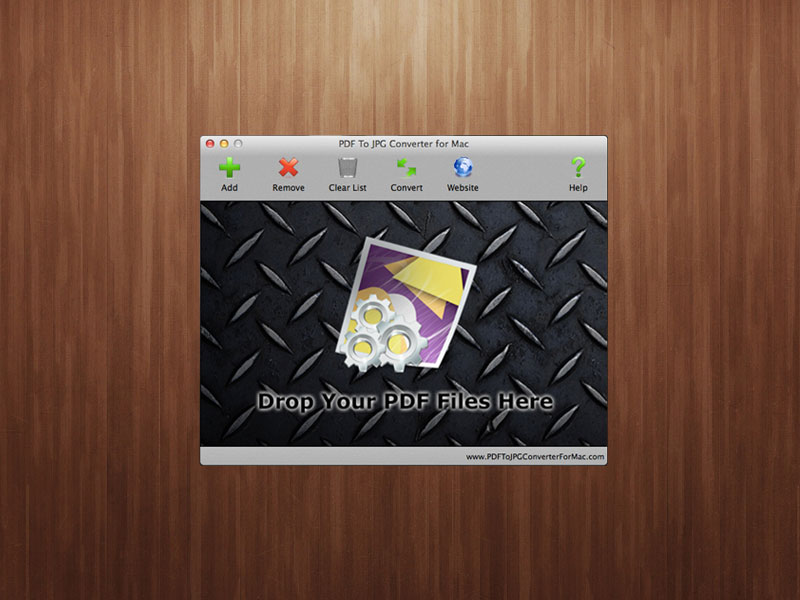
PDFtoJPGConverterForMac today announces PDF To JPG Converter For Mac, a free converter tool that can convert PDF documents to image files on Mac OS X. With this tool users can quickly export PDF files to 5 popular image formats, including JPG, PNG, GIF, BMP and TIFF. PDF To JPG Converter For Mac allows the conversion of PDF files in bulk, and has the capability to output images from each PDF file to separate folders. Users can also select the DPI value on converted images.
Xi'an, China - Today, PDFtoJPGConverterForMac is proud to announce the release of their freeware product PDF To JPG Converter For Mac, a free converter tool that can convert PDF documents to image files on Mac OS X. With this tool users can quickly export PDF files to 5 popular image formats: JPG, PNG, GIF, BMP and TIFF.
Sometimes, users may have tons of PDF documents are necessary to be converted to images. Fortunately, PDF To JPG Converter For Mac allows them to convert PDF files in bulk, and has the capability to output images from each PDF file to separated folders. So that users can easily use the exported images and won't confuse with duplicated file names.
Getting high quality images from PDF is easy since this free PDF to image converter works with the DPI option. Users only need to select a high output DPI value like 200 or 400 and the converted images will have the high quality resolution and the large print margin. Also they can change the DPI value to 32 or 64 for thumbnail images.
In addition to convert normal PDF documents to popular image formats, PDF To JPG Converter For Mac also converts restricted PDF files smoothly without asking for the owner password. There is no different between working with normal PDF files and restricted files.
Price and Availability:
PDF To JPG Converter For Mac is available for free, and requires Mac OS X version 10.8 or later. For more information and download the program, please visit PDFtoJPGConverterForMac online.
PDF to JPG Converter For Mac: http://www.pdftojpgconverterformac.com
Tutorial: http://www.pdftojpgconverterformac.com/tutorial.html
Download PDF To JPG Converter For Mac: http://www.pdftojpgconverterformac.com/download.html
Screenshot: http://www.pdftojpgconverterformac.com/pdf2jpgmac.jpg
Founded in 2008, PDFtoJPGConverterForMac develops and markets conversion software for Windows and Mac OS. The company relies on its extensive experience in developing conversion utilities that have already demonstrated their technical excellence and ease of use in thousands of homes worldwide. Copyright (C) 2008-2014 PDFtoJPGConverterForMac. All Rights Reserved. Apple, the Apple logo and Macintosh are registered trademarks of Apple Inc. in the U.S. and/or other countries.
*******
Link To Article: http://prmac.com/release-id-68505.htm
*******
---------------------------------------------------------------------------------
Note that you can alter delivered distributions at any time.
Login to your account on prMac to alter your channel selection, or to opt-out at any time.
Free and Powerful PDF to Image Converter for OS X - Published on 06/17/14
PDFtoJPGConverterForMac today announces PDF To JPG Converter For Mac, a free converter tool that can convert PDF documents to image files on Mac OS X. With this tool users can quickly export PDF files to 5 popular image formats, including JPG, PNG, GIF, BMP and TIFF. PDF To JPG Converter For Mac allows the conversion of PDF files in bulk, and has the capability to output images from each PDF file to separate folders. Users can also select the DPI value on converted images.
Xi'an, China - Today, PDFtoJPGConverterForMac is proud to announce the release of their freeware product PDF To JPG Converter For Mac, a free converter tool that can convert PDF documents to image files on Mac OS X. With this tool users can quickly export PDF files to 5 popular image formats: JPG, PNG, GIF, BMP and TIFF.
Sometimes, users may have tons of PDF documents are necessary to be converted to images. Fortunately, PDF To JPG Converter For Mac allows them to convert PDF files in bulk, and has the capability to output images from each PDF file to separated folders. So that users can easily use the exported images and won't confuse with duplicated file names.
Getting high quality images from PDF is easy since this free PDF to image converter works with the DPI option. Users only need to select a high output DPI value like 200 or 400 and the converted images will have the high quality resolution and the large print margin. Also they can change the DPI value to 32 or 64 for thumbnail images.
In addition to convert normal PDF documents to popular image formats, PDF To JPG Converter For Mac also converts restricted PDF files smoothly without asking for the owner password. There is no different between working with normal PDF files and restricted files.
Price and Availability:
PDF To JPG Converter For Mac is available for free, and requires Mac OS X version 10.8 or later. For more information and download the program, please visit PDFtoJPGConverterForMac online.
PDF to JPG Converter For Mac: http://www.pdftojpgconverterformac.com
Tutorial: http://www.pdftojpgconverterformac.com/tutorial.html
Download PDF To JPG Converter For Mac: http://www.pdftojpgconverterformac.com/download.html
Screenshot: http://www.pdftojpgconverterformac.com/pdf2jpgmac.jpg
Founded in 2008, PDFtoJPGConverterForMac develops and markets conversion software for Windows and Mac OS. The company relies on its extensive experience in developing conversion utilities that have already demonstrated their technical excellence and ease of use in thousands of homes worldwide. Copyright (C) 2008-2014 PDFtoJPGConverterForMac. All Rights Reserved. Apple, the Apple logo and Macintosh are registered trademarks of Apple Inc. in the U.S. and/or other countries.
*******
Link To Article: http://prmac.com/release-id-68505.htm
*******
---------------------------------------------------------------------------------
Note that you can alter delivered distributions at any time.
Login to your account on prMac to alter your channel selection, or to opt-out at any time.
Flip Book Software Available for Mac to Create HTML5 Animated Flipbook
A new article has been published at prMac.
Flip Book Software Available for Mac to Create HTML5 Animated Flipbook - Published on 06/17/14
FlipBuilder today announces Flip PDF for Mac, a popular flip book software solution. Flip PDF for Mac is helpful for creating wonderful animated flipbooks for reading on mobile devices. The software also allows users to customize their flip brochure by adding company logos or website for branding. Easily publish eBooks, online magazines, corporate reports, newspapers, event leaflets or flyers, business brochures, annual reports, educational books and so much more.
Hong Kong, China - With its better and effective solution, FlipBuilder is attracting users all over the world. Flip PDF for Mac, a popular flip book software solution by the company is now available online, helping people to make HTML5 animated Flipbook on Mac OS in no time.
According to the sources, the mobile version of flipbook is designed according to the technology of HTML5 that can be easily acknowledged by all mobiles including Android phones and tablets. Flip PDF for Mac is helpful for creating wonderful animated flipbooks for reading on mobile devices. To use the service, users just need to make a mobile version of their digital flipbooks. It will enable more customers to access the books online.
At present, most of users prefer using their mobiles for reading, accessing social media sites, shopping and many other tasks. So it is very important for the authors and publishers to have HTML5 mobile version of a flipbook. Creating a mobile version is simple using Flip PDF for Mac. Users just have to check the option 'also make mobile version' while exporting a flipbook.
Flip PDF for Mac also allows users to customize their flip brochure toolbar by adding the logos of their company or website in order to get better exposure for their brand. It will help them to reach to their target audiences. Accessing to international customers is also easy with the software since it provides them ease of editing their language option for showing their brochure. They can view the brochure with full screen and share on social media sites such as Google, Twitter, Facebook and others.
FlipBuilder is providing amazing series for flip book software that helps users publish eBooks, issue an online magazine, corporate reports, newspapers, event leaflets or flyers, business brochures, annual reports, educational books, newsletters, interactive books, product catalogs, sales slicks and many more.
Flip PDF for Mac: http://www.flipbuilder.com/flip-pdf-mac/
Download Flip PDF for Mac: http://www.flipbuilder.com/download/Flip-PDF-for-Mac.zip
Purchase: https://shopper.mycommerce.com/checkout/product/9891-174
E-brochure Video: http://www.flipbuilder.com/application/e-product-brochure-video.html
Multimedia Mobile Brochure Video: http://www.flipbuilder.com/application/multimeida-travel-brochure.html
YouTube Video: https://www.youtube.com/watch?v=-qHKLROAWy0
FlipBuilder is a leading name when it comes to offering professional digital publishing solutions. The company offers best software solutions to users for converting static PDF files into brilliant online flipbooks. Flipbuilder is the website of Wonder Idea Technology Limited, the company engaged in developing digital publishing tools for various platforms, including Windows and Mac. The company was founded in Hong Kong in 2008. They create a range of software for creating digital content. All tools and software are user-friendly and are available at affordable prices. All Material and Software (C) Copyright 2014 Wonder Idea Technology Limited. All Rights Reserved. Apple, the Apple logo, Macintosh and Mac OS X are registered trademarks of Apple Inc. in the U.S. and/or other countries. Other trademarks and registered trademarks may be the property of their respective owners.
*******
Link To Article: http://prmac.com/release-id-68506.htm
*******
---------------------------------------------------------------------------------
Note that you can alter delivered distributions at any time.
Login to your account on prMac to alter your channel selection, or to opt-out at any time.
Flip Book Software Available for Mac to Create HTML5 Animated Flipbook - Published on 06/17/14
FlipBuilder today announces Flip PDF for Mac, a popular flip book software solution. Flip PDF for Mac is helpful for creating wonderful animated flipbooks for reading on mobile devices. The software also allows users to customize their flip brochure by adding company logos or website for branding. Easily publish eBooks, online magazines, corporate reports, newspapers, event leaflets or flyers, business brochures, annual reports, educational books and so much more.
Hong Kong, China - With its better and effective solution, FlipBuilder is attracting users all over the world. Flip PDF for Mac, a popular flip book software solution by the company is now available online, helping people to make HTML5 animated Flipbook on Mac OS in no time.
According to the sources, the mobile version of flipbook is designed according to the technology of HTML5 that can be easily acknowledged by all mobiles including Android phones and tablets. Flip PDF for Mac is helpful for creating wonderful animated flipbooks for reading on mobile devices. To use the service, users just need to make a mobile version of their digital flipbooks. It will enable more customers to access the books online.
At present, most of users prefer using their mobiles for reading, accessing social media sites, shopping and many other tasks. So it is very important for the authors and publishers to have HTML5 mobile version of a flipbook. Creating a mobile version is simple using Flip PDF for Mac. Users just have to check the option 'also make mobile version' while exporting a flipbook.
Flip PDF for Mac also allows users to customize their flip brochure toolbar by adding the logos of their company or website in order to get better exposure for their brand. It will help them to reach to their target audiences. Accessing to international customers is also easy with the software since it provides them ease of editing their language option for showing their brochure. They can view the brochure with full screen and share on social media sites such as Google, Twitter, Facebook and others.
FlipBuilder is providing amazing series for flip book software that helps users publish eBooks, issue an online magazine, corporate reports, newspapers, event leaflets or flyers, business brochures, annual reports, educational books, newsletters, interactive books, product catalogs, sales slicks and many more.
Flip PDF for Mac: http://www.flipbuilder.com/flip-pdf-mac/
Download Flip PDF for Mac: http://www.flipbuilder.com/download/Flip-PDF-for-Mac.zip
Purchase: https://shopper.mycommerce.com/checkout/product/9891-174
E-brochure Video: http://www.flipbuilder.com/application/e-product-brochure-video.html
Multimedia Mobile Brochure Video: http://www.flipbuilder.com/application/multimeida-travel-brochure.html
YouTube Video: https://www.youtube.com/watch?v=-qHKLROAWy0
FlipBuilder is a leading name when it comes to offering professional digital publishing solutions. The company offers best software solutions to users for converting static PDF files into brilliant online flipbooks. Flipbuilder is the website of Wonder Idea Technology Limited, the company engaged in developing digital publishing tools for various platforms, including Windows and Mac. The company was founded in Hong Kong in 2008. They create a range of software for creating digital content. All tools and software are user-friendly and are available at affordable prices. All Material and Software (C) Copyright 2014 Wonder Idea Technology Limited. All Rights Reserved. Apple, the Apple logo, Macintosh and Mac OS X are registered trademarks of Apple Inc. in the U.S. and/or other countries. Other trademarks and registered trademarks may be the property of their respective owners.
*******
Link To Article: http://prmac.com/release-id-68506.htm
*******
---------------------------------------------------------------------------------
Note that you can alter delivered distributions at any time.
Login to your account on prMac to alter your channel selection, or to opt-out at any time.
DressApp - Be inspired with fancy styles and personalized looks
A new article has been published at prMac.
DressApp - Be inspired with fancy styles and personalized looks - Published on 06/17/14
DressApp Inc today announces DressApp 3.0.2, their free lifestyle app developed for iPad tablets. A must-have for fashionistas all over the world, Dressapp will help you end your ongoing hunt for fresh trends and looks, as well as inspire you to experiment with your own style. The app provides users with personalized looks and offers an opportunity to buy original clothing items as well as similar pieces in top online stores. The app's smart system forms a unique feed of looks for each person.
Wilmington, Delaware - DressApp Inc today is proud to announce the release of DressApp 3.0.2, their free lifestyle app developed for iPad tablets. A must-have for fashionistas all over the world, Dressapp provides users with personalized looks and offers an opportunity to buy original clothing items as well as similar pieces in top online stores. This app will help you end your ongoing hunt for fresh trends and looks, as well as inspire you to experiment with your own style.
DressApp Features:
* Original pieces and inspired-by products for different price brought to you by our team of professional stylists
* Save your favorite pieces for later and we will let you know as soon as they go back on sale - Never miss a chance for a great deal.
* Browse lots of hot looks and styles selected by your own criteria like style, season, occasion, etc.
The main feature is smart personalization system. It counts all users' actions; but what makes it even better - it counts users' non actions which can be even more useful in identifying users' needs. Having analysed all the data which was generated by a user, the application's smart system forms a unique feed of looks for each person.
DressApp Features:
* 12 different styles
* More than 17,000 items
* 4 stylists, working each on certain styles
* 130 trusted shops
* 15.000 users on beta stage worldwide
Making deep research and interviewing a lot of young people we designed DressApp for those, who wants to be in the trend, but save time on endless search of fancy clothes and accessories. An app is ideal for women of 20-34 years, having iPAd and who are active online shoppers. Usually, the interests of them are current fashion trends, style, appearance and fancy looks.
Device Requirements:
* Compatible with iPad
* Requires iOS 7.0 or later
* 10.6 MB
Pricing and Availability:
DressApp 3.0.2 is Free and available worldwide exclusively through the App Store in the Lifestyle category.
DressApp 3.0.2: http://dressapp.me
Download from iTunes: https://itunes.apple.com/app/dressapp-fancy-styles-looks/id864953114
Screenshot: https://www.dropbox.com/s/tgis981u4l20gnf/look-view.png
App Icon: https://www.dropbox.com/s/siggulvwzmykoxj/iTunesArtwork%402x.png
Dressapp Inc is based in Wilmington, Delaware. It was founded in 2013 by a group of passionate IT professionals. The Dressapp team specializes in developing iOS applications in the field of fashion and trends. All Material and Software (C) Copyright 2014 Dressapp Inc. All Rights Reserved. Apple, the Apple logo, iPhone, iPod and iPad are registered trademarks of Apple Inc. in the U.S. and/or other countries. Other trademarks and registered trademarks may be the property of their respective owners.
*******
Link To Article: http://prmac.com/release-id-68507.htm
*******
---------------------------------------------------------------------------------
Note that you can alter delivered distributions at any time.
Login to your account on prMac to alter your channel selection, or to opt-out at any time.
DressApp - Be inspired with fancy styles and personalized looks - Published on 06/17/14
DressApp Inc today announces DressApp 3.0.2, their free lifestyle app developed for iPad tablets. A must-have for fashionistas all over the world, Dressapp will help you end your ongoing hunt for fresh trends and looks, as well as inspire you to experiment with your own style. The app provides users with personalized looks and offers an opportunity to buy original clothing items as well as similar pieces in top online stores. The app's smart system forms a unique feed of looks for each person.
Wilmington, Delaware - DressApp Inc today is proud to announce the release of DressApp 3.0.2, their free lifestyle app developed for iPad tablets. A must-have for fashionistas all over the world, Dressapp provides users with personalized looks and offers an opportunity to buy original clothing items as well as similar pieces in top online stores. This app will help you end your ongoing hunt for fresh trends and looks, as well as inspire you to experiment with your own style.
DressApp Features:
* Original pieces and inspired-by products for different price brought to you by our team of professional stylists
* Save your favorite pieces for later and we will let you know as soon as they go back on sale - Never miss a chance for a great deal.
* Browse lots of hot looks and styles selected by your own criteria like style, season, occasion, etc.
The main feature is smart personalization system. It counts all users' actions; but what makes it even better - it counts users' non actions which can be even more useful in identifying users' needs. Having analysed all the data which was generated by a user, the application's smart system forms a unique feed of looks for each person.
DressApp Features:
* 12 different styles
* More than 17,000 items
* 4 stylists, working each on certain styles
* 130 trusted shops
* 15.000 users on beta stage worldwide
Making deep research and interviewing a lot of young people we designed DressApp for those, who wants to be in the trend, but save time on endless search of fancy clothes and accessories. An app is ideal for women of 20-34 years, having iPAd and who are active online shoppers. Usually, the interests of them are current fashion trends, style, appearance and fancy looks.
Device Requirements:
* Compatible with iPad
* Requires iOS 7.0 or later
* 10.6 MB
Pricing and Availability:
DressApp 3.0.2 is Free and available worldwide exclusively through the App Store in the Lifestyle category.
DressApp 3.0.2: http://dressapp.me
Download from iTunes: https://itunes.apple.com/app/dressapp-fancy-styles-looks/id864953114
Screenshot: https://www.dropbox.com/s/tgis981u4l20gnf/look-view.png

App Icon: https://www.dropbox.com/s/siggulvwzmykoxj/iTunesArtwork%402x.png

Dressapp Inc is based in Wilmington, Delaware. It was founded in 2013 by a group of passionate IT professionals. The Dressapp team specializes in developing iOS applications in the field of fashion and trends. All Material and Software (C) Copyright 2014 Dressapp Inc. All Rights Reserved. Apple, the Apple logo, iPhone, iPod and iPad are registered trademarks of Apple Inc. in the U.S. and/or other countries. Other trademarks and registered trademarks may be the property of their respective owners.
*******
Link To Article: http://prmac.com/release-id-68507.htm
*******
---------------------------------------------------------------------------------
Note that you can alter delivered distributions at any time.
Login to your account on prMac to alter your channel selection, or to opt-out at any time.
American Voices 1.1 for iOS - Real English through Authentic Radio
A new article has been published at prMac.
American Voices 1.1 for iOS - Real English through Authentic Radio - Published on 06/17/14
Sona Software LLC today announces American Voices 1.1 for iOS, the app that uses the best in North American radio to help learners understand English as it is really spoken. Each issue will provide a curated selection of compelling radio pieces with study aids to help students learn the rhythms, intonation, and expressions of contemporary North American English. The app also provides pre-listening questions, a transcript, glossary, and a variety of exercises and links to other resources.
Columbia, South Carolina - Sona Software LLC today is pleased to announce the release of American Voices 1.1, the app that uses the best in North American radio to help learners understand English as it is really spoken. Each issue will provide a curated selection of radio stories with study aids to help students improve their listening skills as they learn the rhythms, intonation, and expressions of contemporary North American English.
Along with the original audio, American Voices also provides pre-listening questions, a transcript, glossary, and a variety of exercises and links to other resources to help students master the new words and expressions they hear.
The welcome issue included in the free American Voices app features a broadcast story about the experiences of young immigrants in Seattle. The first full issue, available immediately through in-app purchase, includes over 30 minutes of original audio. In a segment from "America's Test Kitchen," food experts Christopher Kimble and Robb Walsh explore the social history of barbecue, and a piece from Nate DiMeo's "Memory Palace" podcast tells the true story of perhaps the strangest escape from slavery in US history. The issue finishes with photographer Lisa Hamilton's work to bridge the cultural gap between urban and rural Californians. Orientation and study materials are provided with each piece.
Dr. Curtis Ford, editor of American Voices, explains that "Millions of people around the world work hard on their English, but many still need some support when they listen to natural, unscripted speech. At the same time, a new generation of radio journalists is doing fantastic work in North America today. Our goal is to bring these two groups together with the study aids ESL students need as they begin to work with authentic materials."
All supporting materials in American Voices are designed by experienced language teachers, who have chosen truly compelling radio material for inclusion. "Learners want to explore the richness and complexity of North American culture today," explains Dr. Ford. "We want the pieces in American Voices to have listeners laughing, stifling a tear, feeling surprised, agreeing, and disagreeing. This app will be a essential resource for students of English who are ready to engage with the language on a deeper level." Teachers of ESL, he continues, will also appreciate the availability of high-quality radio journalism for listening practice for their classes.
Device Requirements:
* iPad, iPhone, and iPod touch
* iOS 6 or higher
* 5.9 MB
Pricing and Availability:
American Voices 1.1 is free and available worldwide exclusively through the App Store in the Education category, and includes the welcome issue. Additional issues will be available as In-App purchases at $4.99 USD.
American Voices 1.1: http://www.americanvoicesapp.com
Download from iTunes: https://itunes.apple.com/app/american-voices-unique-stories/id825138652
YouTube Video (English): http://www.youtube.com/watch?v=uEiBbG1xMTs
YouTube Video (Japanese): http://www.youtube.com/watch?v=H52dh895Few
Screenshot: http://kurtik.wpengine.com/wp-content/uploads/2014/06/American_Voices_iPad_menu.jpg
Screenshot/App Icon: http://kurtik.wpengine.com/wp-content/uploads/2013/10/copy-AV_work_sample.png
Located in Columbia, South Carolina, Sona Software LCC was founded by Dr. Curtis Ford, Jr. in 2008 to create high-quality tools for language learners. Previous software releases include Sona Vocabulary Assistant and Glagoly Russian Verb Assistant for iOS. All Material and Software (C) 2007-2014 Sona Software LLC / All Rights Reserved. Apple, iPhone, and iPod touch are trademarks of Apple Inc., registered in the U.S. and other countries. App Store is a service mark of Apple Inc.
*******
Link To Article: http://prmac.com/release-id-68521.htm
*******
---------------------------------------------------------------------------------
Note that you can alter delivered distributions at any time.
Login to your account on prMac to alter your channel selection, or to opt-out at any time.
American Voices 1.1 for iOS - Real English through Authentic Radio - Published on 06/17/14
Sona Software LLC today announces American Voices 1.1 for iOS, the app that uses the best in North American radio to help learners understand English as it is really spoken. Each issue will provide a curated selection of compelling radio pieces with study aids to help students learn the rhythms, intonation, and expressions of contemporary North American English. The app also provides pre-listening questions, a transcript, glossary, and a variety of exercises and links to other resources.
Columbia, South Carolina - Sona Software LLC today is pleased to announce the release of American Voices 1.1, the app that uses the best in North American radio to help learners understand English as it is really spoken. Each issue will provide a curated selection of radio stories with study aids to help students improve their listening skills as they learn the rhythms, intonation, and expressions of contemporary North American English.
Along with the original audio, American Voices also provides pre-listening questions, a transcript, glossary, and a variety of exercises and links to other resources to help students master the new words and expressions they hear.
The welcome issue included in the free American Voices app features a broadcast story about the experiences of young immigrants in Seattle. The first full issue, available immediately through in-app purchase, includes over 30 minutes of original audio. In a segment from "America's Test Kitchen," food experts Christopher Kimble and Robb Walsh explore the social history of barbecue, and a piece from Nate DiMeo's "Memory Palace" podcast tells the true story of perhaps the strangest escape from slavery in US history. The issue finishes with photographer Lisa Hamilton's work to bridge the cultural gap between urban and rural Californians. Orientation and study materials are provided with each piece.
Dr. Curtis Ford, editor of American Voices, explains that "Millions of people around the world work hard on their English, but many still need some support when they listen to natural, unscripted speech. At the same time, a new generation of radio journalists is doing fantastic work in North America today. Our goal is to bring these two groups together with the study aids ESL students need as they begin to work with authentic materials."
All supporting materials in American Voices are designed by experienced language teachers, who have chosen truly compelling radio material for inclusion. "Learners want to explore the richness and complexity of North American culture today," explains Dr. Ford. "We want the pieces in American Voices to have listeners laughing, stifling a tear, feeling surprised, agreeing, and disagreeing. This app will be a essential resource for students of English who are ready to engage with the language on a deeper level." Teachers of ESL, he continues, will also appreciate the availability of high-quality radio journalism for listening practice for their classes.
Device Requirements:
* iPad, iPhone, and iPod touch
* iOS 6 or higher
* 5.9 MB
Pricing and Availability:
American Voices 1.1 is free and available worldwide exclusively through the App Store in the Education category, and includes the welcome issue. Additional issues will be available as In-App purchases at $4.99 USD.
American Voices 1.1: http://www.americanvoicesapp.com
Download from iTunes: https://itunes.apple.com/app/american-voices-unique-stories/id825138652
YouTube Video (English): http://www.youtube.com/watch?v=uEiBbG1xMTs
YouTube Video (Japanese): http://www.youtube.com/watch?v=H52dh895Few
Screenshot: http://kurtik.wpengine.com/wp-content/uploads/2014/06/American_Voices_iPad_menu.jpg

Screenshot/App Icon: http://kurtik.wpengine.com/wp-content/uploads/2013/10/copy-AV_work_sample.png

Located in Columbia, South Carolina, Sona Software LCC was founded by Dr. Curtis Ford, Jr. in 2008 to create high-quality tools for language learners. Previous software releases include Sona Vocabulary Assistant and Glagoly Russian Verb Assistant for iOS. All Material and Software (C) 2007-2014 Sona Software LLC / All Rights Reserved. Apple, iPhone, and iPod touch are trademarks of Apple Inc., registered in the U.S. and other countries. App Store is a service mark of Apple Inc.
*******
Link To Article: http://prmac.com/release-id-68521.htm
*******
---------------------------------------------------------------------------------
Note that you can alter delivered distributions at any time.
Login to your account on prMac to alter your channel selection, or to opt-out at any time.
OneReader: the Reader for News Addicts available now for iPhone and iPad
A new article has been published at prMac.
OneReader: the Reader for News Addicts available now for iPhone and iPad - Published on 06/17/14
Paris based, Information Addicts today introduces OneReader 1.0.1 for iOS, a newsreader that combines the efficiency of the traditional RSS readers with the ways we get news today. OneReader aggregates RSS feeds and articles exchanged on social networks in an efficient interface designed to make it easy to browse a lot of content. The app is focused on efficiency and allows you to quickly scan the news whatever its origin and decide what you want to read, share, store or skip.
Paris, France - Available today, OneReader by Information Addicts is a newsreader for iPhone and iPad that combines the efficiency of the traditional RSS readers with the ways we get news today. It aggregates RSS feeds and articles exchanged on social networks in an efficient interface designed to make it easy to browse a lot of content.
No matter how you like to get your news, RSS, Twitter, Facebook... OneReader makes it easy to deal with the large number of articles you are bombarded with every day.
With OneReader:
* You are in control of your news sources: your favorite web sites through RSS feeds and your contacts on social networks. OneReader turns your Twitter, Facebook and App.net timelines into a stream of articles, presented with their title and an excerpt.
* Your friends' and contacts' posts become comments to the articles and you can reply, favorite, like directly from the app.
* You keep track of what you have read: you get each article just once, even if it is shared on multiple sources.
* You enjoy many options for sharing and storing articles (Twitter, Facebook, Evernote, Pocket, Instapaper, create task in Omnifocus or Things, etc.).
* You can read your news on any of your devices (iPad, iPhone, iPod touch) with full synchronization.
OneReader is focused on efficiency and allows you to quickly scan the news whatever its origin and decide what you want to read, share, store... or skip. This makes it the ideal news reader for those who value selecting their sources and making their own decision on which articles will interest them.
The overall aim of OneReader is to make it easy to deal with information delivered as streams. Future versions will add more sources, more sharing and storage services and will continue streamlining the interface. Later, additional features are planned to help when the streams become really too large.
Language Support:
* English and French
Device Requirements:
* iPhone, iPad, and iPod touch
* Requires iOS 7.0 or later
* Universal Application
* 15.5 MB
Pricing and Availability:
OneReader 1.0.1 is $3.99 USD (or equivalent amount in other currencies) and available worldwide exclusively through the App Store in the News category.
Information Addicts: http://www.information-addicts.com
OneReader 1.0.1: http://www.information-addicts.com/onereader/
Purchase and Download: http://itunes.apple.com/app/id880565114
Media Assets: http://information-addicts.com/press/en/OneReader.html
Located in Paris, France, Information Addicts is the one-person company of David Bonnefoy. Information Addicts develops mobile applications that make it easy to deal with the large amount of information we receive every day. All Material and Software (C) Copyright 2014 Information Addicts. All Rights Reserved. Apple, the Apple logo, iPhone, iPod and iPad are registered trademarks of Apple Inc. in the U.S. and/or other countries. Other trademarks and registered trademarks may be the property of their respective owners.
*******
Link To Article: http://prmac.com/release-id-68522.htm
*******
---------------------------------------------------------------------------------
Note that you can alter delivered distributions at any time.
Login to your account on prMac to alter your channel selection, or to opt-out at any time.
OneReader: the Reader for News Addicts available now for iPhone and iPad - Published on 06/17/14
Paris based, Information Addicts today introduces OneReader 1.0.1 for iOS, a newsreader that combines the efficiency of the traditional RSS readers with the ways we get news today. OneReader aggregates RSS feeds and articles exchanged on social networks in an efficient interface designed to make it easy to browse a lot of content. The app is focused on efficiency and allows you to quickly scan the news whatever its origin and decide what you want to read, share, store or skip.
Paris, France - Available today, OneReader by Information Addicts is a newsreader for iPhone and iPad that combines the efficiency of the traditional RSS readers with the ways we get news today. It aggregates RSS feeds and articles exchanged on social networks in an efficient interface designed to make it easy to browse a lot of content.
No matter how you like to get your news, RSS, Twitter, Facebook... OneReader makes it easy to deal with the large number of articles you are bombarded with every day.
With OneReader:
* You are in control of your news sources: your favorite web sites through RSS feeds and your contacts on social networks. OneReader turns your Twitter, Facebook and App.net timelines into a stream of articles, presented with their title and an excerpt.
* Your friends' and contacts' posts become comments to the articles and you can reply, favorite, like directly from the app.
* You keep track of what you have read: you get each article just once, even if it is shared on multiple sources.
* You enjoy many options for sharing and storing articles (Twitter, Facebook, Evernote, Pocket, Instapaper, create task in Omnifocus or Things, etc.).
* You can read your news on any of your devices (iPad, iPhone, iPod touch) with full synchronization.
OneReader is focused on efficiency and allows you to quickly scan the news whatever its origin and decide what you want to read, share, store... or skip. This makes it the ideal news reader for those who value selecting their sources and making their own decision on which articles will interest them.
The overall aim of OneReader is to make it easy to deal with information delivered as streams. Future versions will add more sources, more sharing and storage services and will continue streamlining the interface. Later, additional features are planned to help when the streams become really too large.
Language Support:
* English and French
Device Requirements:
* iPhone, iPad, and iPod touch
* Requires iOS 7.0 or later
* Universal Application
* 15.5 MB
Pricing and Availability:
OneReader 1.0.1 is $3.99 USD (or equivalent amount in other currencies) and available worldwide exclusively through the App Store in the News category.
Information Addicts: http://www.information-addicts.com
OneReader 1.0.1: http://www.information-addicts.com/onereader/
Purchase and Download: http://itunes.apple.com/app/id880565114
Media Assets: http://information-addicts.com/press/en/OneReader.html
Located in Paris, France, Information Addicts is the one-person company of David Bonnefoy. Information Addicts develops mobile applications that make it easy to deal with the large amount of information we receive every day. All Material and Software (C) Copyright 2014 Information Addicts. All Rights Reserved. Apple, the Apple logo, iPhone, iPod and iPad are registered trademarks of Apple Inc. in the U.S. and/or other countries. Other trademarks and registered trademarks may be the property of their respective owners.
*******
Link To Article: http://prmac.com/release-id-68522.htm
*******
---------------------------------------------------------------------------------
Note that you can alter delivered distributions at any time.
Login to your account on prMac to alter your channel selection, or to opt-out at any time.
Subscribe to:
Posts (Atom)