A new article has been published at prMac.
PDF Checkpoint at 50% Off on MacZOT until June 25: PDF Automation Tool - Published on 06/24/14
Zevrix Solutions announces that its PDF preflight and conversion solution PDF Checkpoint is available at 50% off on the software discount website MacZOT until June 25. Remarkably fast, PDF Checkpoint automatically preflights, converts to images, splits and optimizes multiple Adobe PDF files. Users can convert PDF colors, compress images, check documents for errors and preview them in built-in viewer. The program is equally suitable to process hundreds of files as well as single PDF documents.
Toronto (ON) Canada - Zevrix Solutions today announces that its PDF preflight and conversion tool PDF Checkpoint is available at 50% off on the software discount website MacZOT until June 25. Remarkably fast, PDF Checkpoint automatically preflights, converts to images, splits and optimizes multiple Adobe PDF files. PDF Checkpoint is an ideal program for users who need fast, affordable and easy-to-use solution for efficient PDF workflows. The discount offer lets users save $25 on each copy of the software.
PDF Checkpoint is designed to automate and simplify PDF workflows of publishers, ad agencies, prepress houses, printers and graphic designers. The program offers the following key features:
* Automatically preflight and convert multiple PDF files
* View all PDF fonts, colors, images and metadata at a glance
* Create preflight profiles for various job types
* Route files by preflight results into success and error folders
* Split files into single page PDFs
* Export PDF as images with specific resolution, color and page scale
* Preserve transparency when exporting to TIFF and PNG
* Convert PDF color mode using ICC profiles
For example, users can preflight a folder of PDF files and convert them to CMYK TIFF images at 300 dpi while scaling each page by 50%. Or optimize documents for the web and mobile devices while reducing file size dramatically by downsampling images to the screen resolution.
Pricing and Availability:
PDF Checkpoint can be purchased from form MacZOT at 50% off from until June 25 only. The discounted price is $24.97 (USD). Trial version is also available for download.. PDF Checkpoint is bundled with free Graphic Inspector software (a $40 value). PDF Checkpoint requires Mac OS X 10.5-10.9 (some features require Mac OS X 10.7 or later).
Zevrix Solutions: http://zevrix.com
PDF Checkpoint: http://maczot.com/pdfcheckpoint.html
Download PDF Checkpoint: http://zevrix.com/PDFCheckpoint.dmg
Screenshot: http://zevrix.com/screenshots/pdfcheckpoint/main-bmw-web.jpg
Located in Toronto, Canada, Zevrix Solutions provides automation and productivity solutions for Adobe Creative Suite software, PDF and graphic file diagnostics and Microsoft Office on Mac OS. Zevrix is dedicated to help professionals increase their profits through automating everyday tasks, producing error-free documents, saving disk space and cutting production costs. For more information, visit their website. Copyright (C) 2014 Zevrix Solutions. All Rights Reserved.
*******
Link To Article: http://prmac.com/release-id-68709.htm
*******
---------------------------------------------------------------------------------
Note that you can alter delivered distributions at any time.
Login to your account on prMac to alter your channel selection, or to opt-out at any time.


Share Interactive Content in Real Time With PhatWare's PhatPad for iPads
A new article has been published at prMac.
Share Interactive Content in Real Time With PhatWare's PhatPad for iPads - Published on 06/24/14
PhatWare today announces PhatPad 3.3, un update to their popular note-taking and collaboration app for iPad. PhatPad enables users to jot down ideas, bolster them with visual aides, and share finished ideas with anyone they'd like to in real time. Version 3.3 is now integrated with Moxtra power messaging technology, which allows users to share PhatPad, screen, voice, and chat in the real time. Now PhatPad users can collaborate and interact with others right over the PhatPad content.
Spokane, Washington - PhatWare is excited to announce today the new release of PhatPad for iPad, a note-taking and collaboration app featuring PhatWare's latest handwriting recognition technology. PhatPad 3.3 is now integrated with Moxtra power messaging technology, which allows users to share PhatPad, screen, voice, and chat in the real time with a touch of the button. Now PhatPad users can collaborate and interact with others right over the PhatPad content using PhatPad or any Internet browser on any desktop or mobile computer.
"We are very excited about the new version of PhatPad," said Stan Miasnikov, President and CEO of PhatWare Corp. "Moxtra service makes incredibly easy to share interactive content with other collaborators in real time, especially be adding chat and voice capabilities."
"Messaging is an integral part of the mobile experience," said Subrah Iyer, CEO and Co-Founder of Moxtra. "The Moxtra SDK helps innovative apps like PhatPad bring messaging, voice call and screen share to their users right in the app, providing seamless user experience and driving app's adoption and virality."
About PhatPad:
More than just a note-taking app, PhatPad turns an iPad into an advanced brainstorming, collaboration and presentation tool by enabling users to draw, write, and type on the iPad, then instantly share ideas via PDF, email, WiFi sync, Dropbox, Box, Google Drive, SkyDrive, Evernote, or in PhatPad's presentation mode.
PhatPad is highly regarded for its smooth-flowing digital ink technology, which lets iPad users scribble notes as if they are writing on real paper, but is best known for its powerful multilingual handwriting recognition engine which automatically converts handwritten notes into text. PhatPad is available in eleven languages, including English, German, French, Dutch, Danish, Norwegian, Finnish, Italian, Portuguese, Swedish, and Spanish.
PhatPad's presentation mode makes brainstorming and collaborating with team members simple. Users can create quick presentations, and display them on the iPad screen, or an external monitor.
About Moxtra:
Moxtra is a Power Communications platform for real-time engagement via chat, voice calls, to-dos, videos, documents, screen sharing, annotation and voice and visual notes. The Moxtra SDK allows any application on any device to integrate Moxtra capabilities with a few lines of code in a few minutes. Integrating Moxtra into a consumer app brings a new level of stickiness and helps with adoption, usage and virality. Integrating Moxtra into a business app allows teams to engage with other right in the app to get things done. For more information visit Moxtra visit online.
Device Requirements:
* Compatible with iPad
* Requires iOS 6.0 or later
* 38.6 MB
Pricing and Availability:
PhatPad for iPad 3.3 is available in the iTunes App Store and is priced at $7.99 (USD). The price includes handwriting recognition in all supported languages. It also includes a US English Medical spell checker dictionary. For a limited time, all PhatPad users have access to full Moxtra messaging and screen sharing services free of charge. For more information about the PhatPad product line, please visit PhatWare online.
PhatWare: http://www.phatware.com/
Moxtra SDK: http://sdk.moxtra.com
PhatPad 3.3: http://www.phatware.com/index.php?q=page/phatpad/ipad#
Purchase and Download: http://itunes.apple.com/app/phatpad/id406459946
Screenshot: http://www.phatware.com/_components/page/phatpad/media/i13.png
App Icon: http://a3.mzstatic.com/us/r30/Purple6/v4/d8/90/a0/d890a02c-3ce7-92c0-577a-8d0f3dca21a2/mzl.vfflwdbs.175x175-75.jpg
Founded in October 1997, PhatWare Corporation is a leading provider of easy to use powerful software products and professional services for the mobile and desktop computing marketplace. PhatWare specializes in handwriting recognition, digital ink, notetaking, database, and network management software development. Copyright (C) 2014 PhatWare(R) Corp. All Rights Reserved. PhatWare and WritePad are registered trademarks of PhatWare Corp. in the U.S. and/or other countries. Apple, the Apple logo, iPhone and iPad are registered trademarks of Apple Inc. in the U.S. and/or other countries.
*******
Link To Article: http://prmac.com/release-id-68703.htm
*******
---------------------------------------------------------------------------------
Note that you can alter delivered distributions at any time.
Login to your account on prMac to alter your channel selection, or to opt-out at any time.
Share Interactive Content in Real Time With PhatWare's PhatPad for iPads - Published on 06/24/14
PhatWare today announces PhatPad 3.3, un update to their popular note-taking and collaboration app for iPad. PhatPad enables users to jot down ideas, bolster them with visual aides, and share finished ideas with anyone they'd like to in real time. Version 3.3 is now integrated with Moxtra power messaging technology, which allows users to share PhatPad, screen, voice, and chat in the real time. Now PhatPad users can collaborate and interact with others right over the PhatPad content.
Spokane, Washington - PhatWare is excited to announce today the new release of PhatPad for iPad, a note-taking and collaboration app featuring PhatWare's latest handwriting recognition technology. PhatPad 3.3 is now integrated with Moxtra power messaging technology, which allows users to share PhatPad, screen, voice, and chat in the real time with a touch of the button. Now PhatPad users can collaborate and interact with others right over the PhatPad content using PhatPad or any Internet browser on any desktop or mobile computer.
"We are very excited about the new version of PhatPad," said Stan Miasnikov, President and CEO of PhatWare Corp. "Moxtra service makes incredibly easy to share interactive content with other collaborators in real time, especially be adding chat and voice capabilities."
"Messaging is an integral part of the mobile experience," said Subrah Iyer, CEO and Co-Founder of Moxtra. "The Moxtra SDK helps innovative apps like PhatPad bring messaging, voice call and screen share to their users right in the app, providing seamless user experience and driving app's adoption and virality."
About PhatPad:
More than just a note-taking app, PhatPad turns an iPad into an advanced brainstorming, collaboration and presentation tool by enabling users to draw, write, and type on the iPad, then instantly share ideas via PDF, email, WiFi sync, Dropbox, Box, Google Drive, SkyDrive, Evernote, or in PhatPad's presentation mode.
PhatPad is highly regarded for its smooth-flowing digital ink technology, which lets iPad users scribble notes as if they are writing on real paper, but is best known for its powerful multilingual handwriting recognition engine which automatically converts handwritten notes into text. PhatPad is available in eleven languages, including English, German, French, Dutch, Danish, Norwegian, Finnish, Italian, Portuguese, Swedish, and Spanish.
PhatPad's presentation mode makes brainstorming and collaborating with team members simple. Users can create quick presentations, and display them on the iPad screen, or an external monitor.
About Moxtra:
Moxtra is a Power Communications platform for real-time engagement via chat, voice calls, to-dos, videos, documents, screen sharing, annotation and voice and visual notes. The Moxtra SDK allows any application on any device to integrate Moxtra capabilities with a few lines of code in a few minutes. Integrating Moxtra into a consumer app brings a new level of stickiness and helps with adoption, usage and virality. Integrating Moxtra into a business app allows teams to engage with other right in the app to get things done. For more information visit Moxtra visit online.
Device Requirements:
* Compatible with iPad
* Requires iOS 6.0 or later
* 38.6 MB
Pricing and Availability:
PhatPad for iPad 3.3 is available in the iTunes App Store and is priced at $7.99 (USD). The price includes handwriting recognition in all supported languages. It also includes a US English Medical spell checker dictionary. For a limited time, all PhatPad users have access to full Moxtra messaging and screen sharing services free of charge. For more information about the PhatPad product line, please visit PhatWare online.
PhatWare: http://www.phatware.com/
Moxtra SDK: http://sdk.moxtra.com
PhatPad 3.3: http://www.phatware.com/index.php?q=page/phatpad/ipad#
Purchase and Download: http://itunes.apple.com/app/phatpad/id406459946
Screenshot: http://www.phatware.com/_components/page/phatpad/media/i13.png

App Icon: http://a3.mzstatic.com/us/r30/Purple6/v4/d8/90/a0/d890a02c-3ce7-92c0-577a-8d0f3dca21a2/mzl.vfflwdbs.175x175-75.jpg

Founded in October 1997, PhatWare Corporation is a leading provider of easy to use powerful software products and professional services for the mobile and desktop computing marketplace. PhatWare specializes in handwriting recognition, digital ink, notetaking, database, and network management software development. Copyright (C) 2014 PhatWare(R) Corp. All Rights Reserved. PhatWare and WritePad are registered trademarks of PhatWare Corp. in the U.S. and/or other countries. Apple, the Apple logo, iPhone and iPad are registered trademarks of Apple Inc. in the U.S. and/or other countries.
*******
Link To Article: http://prmac.com/release-id-68703.htm
*******
---------------------------------------------------------------------------------
Note that you can alter delivered distributions at any time.
Login to your account on prMac to alter your channel selection, or to opt-out at any time.
Post Free Classified Ads in Seconds with iSee360 2.1 for iOS and Android
A new article has been published at prMac.
Post Free Classified Ads in Seconds with iSee360 2.1 for iOS and Android - Published on 06/24/14
iSee360 Inc. today announces iSee360 2.1, an update to their business and social networking app for iOS. iSee360 makes connecting with people easier. As a business tool, iSee360 allows users to market their products quickly and effectively. Users can place classified ads up to a 60-mile radius, add an unlimited number of images to promote their product, add videos from YouTube, and promote their ad through social media channels. Users can also view ads and contact sellers directly.
Rancho Cucamonga, California - iSee360 Inc. today is proud to announce the release of iSee360 2.1, an update to their business and social networking app for iPhone, iPad, and iPod touch devices. iSee360 makes connecting with people easier by providing access to profiles of other users in their immediate environment.
Utilizing Facebook's user base to connect with people instantly, iSee360 helps facilitate meetings with other iSee360 users within a 250-foot radius. iSee360 offers two distinct profile interfaces that are uniquely designed for either business or social purposes. Profiles display relevant information about the user and can post links to other social networking sites, such as Twitter, Instagram, and LinkedIn. This makes it easy to identify potential contacts and clients who use iSee360 and create networking opportunities.
As a business tool, iSee360 allows users to market their products quickly and effectively through the iSee360 Deals button. Currently, users can experience the full potential of iSee360 by advertising up to a 60-mile radius completely FREE. The advertisement can include an unlimited number of images, as well as a YouTube video to help market the item more effectively. iSee360 can also promote ads through Facebook and Twitter. Finally, iSee360 enables users to view advertisements posted by others and contact the sellers directly through Email, instant messaging, chat, or phone.
Feature Highlights:
* Intuitive User Interface
* Instant messaging, calls, and chat
* Privacy controlled by user
* Ability to control visibility of profile
* Two different profile types: business and social
* Post classified ad up to 60-mile radius
* Geographic locations in real-time
* Include unlimited images and a YouTube video to promote classified ad
* Contact Sellers directly
* Promote products easily and effectively through Facebook and Twitter
Version 2.1 has included multiple chat enhancements to improve the experience of the user. The Deal section is also a newly added feature to help facilitate the promotion and marketing of the user's classified ads. The advertisements include information such as its rating, how many views, a description of the product, price, and the ability to contact the seller directly.
iSee360 takes the privacy of its users very seriously by allowing them full control over their privacy. Users have the freedom to decide when and how they want to interact with others. There is a visibility feature so users can determine when their profile can be seen or they can be contacted. There are also additional features such as the ability to manage contacts, view notifications, browse message logs, and control over how the app is used.
"If you have a job, a product, service, car, or boat to sell or advertise, iSee360 is the app for you!" says Joel Romo, Marketing Manager of iSee360 Inc. "Don't spend money on classified advertisements that will cost you an arm and a leg. iSee360 can easily search locally and promote any ad on your mobile device."
Device Requirements:
* iPhone, iPad, and iPod touch
* Requires iOS 4.3 or later
* 4.1 MB
Pricing and Availability:
iSee360 is free and available worldwide exclusively through the App Store in the Lifestyle category. There is also an Android version available.
iSee360 2.1: http://www.isee360.com/
Download from iTunes: https://itunes.apple.com/app/isee360-free/id546672249
Screenshot 1: http://i102.photobucket.com/albums/m86/isee360/home-1_zps7b684ae9.png
Screenshot 2: http://i102.photobucket.com/albums/m86/isee360/isee360-listings-1_zps8626557a.png
App icon: http://a4.mzstatic.com/us/r30/Purple/v4/c5/98/ce/c598ce76-f48a-6b30-0344-157c0bfd1b99/mzl.njzxqtlx.175x175-75.jpg
Based in Rancho Cucamonga, California, iSee360 Inc. was founded in 2012. Their goal is to help people advertise or sell a classified listing at an affordable price. Copyright (C) 2014 iSee360 Inc. All Rights Reserved. Apple, the Apple logo, iPhone and iPod are registered trademarks of Apple Inc. in the U.S. and/or other countries.
*******
Link To Article: http://prmac.com/release-id-68707.htm
*******
---------------------------------------------------------------------------------
Note that you can alter delivered distributions at any time.
Login to your account on prMac to alter your channel selection, or to opt-out at any time.
Post Free Classified Ads in Seconds with iSee360 2.1 for iOS and Android - Published on 06/24/14
iSee360 Inc. today announces iSee360 2.1, an update to their business and social networking app for iOS. iSee360 makes connecting with people easier. As a business tool, iSee360 allows users to market their products quickly and effectively. Users can place classified ads up to a 60-mile radius, add an unlimited number of images to promote their product, add videos from YouTube, and promote their ad through social media channels. Users can also view ads and contact sellers directly.
Rancho Cucamonga, California - iSee360 Inc. today is proud to announce the release of iSee360 2.1, an update to their business and social networking app for iPhone, iPad, and iPod touch devices. iSee360 makes connecting with people easier by providing access to profiles of other users in their immediate environment.
Utilizing Facebook's user base to connect with people instantly, iSee360 helps facilitate meetings with other iSee360 users within a 250-foot radius. iSee360 offers two distinct profile interfaces that are uniquely designed for either business or social purposes. Profiles display relevant information about the user and can post links to other social networking sites, such as Twitter, Instagram, and LinkedIn. This makes it easy to identify potential contacts and clients who use iSee360 and create networking opportunities.
As a business tool, iSee360 allows users to market their products quickly and effectively through the iSee360 Deals button. Currently, users can experience the full potential of iSee360 by advertising up to a 60-mile radius completely FREE. The advertisement can include an unlimited number of images, as well as a YouTube video to help market the item more effectively. iSee360 can also promote ads through Facebook and Twitter. Finally, iSee360 enables users to view advertisements posted by others and contact the sellers directly through Email, instant messaging, chat, or phone.
Feature Highlights:
* Intuitive User Interface
* Instant messaging, calls, and chat
* Privacy controlled by user
* Ability to control visibility of profile
* Two different profile types: business and social
* Post classified ad up to 60-mile radius
* Geographic locations in real-time
* Include unlimited images and a YouTube video to promote classified ad
* Contact Sellers directly
* Promote products easily and effectively through Facebook and Twitter
Version 2.1 has included multiple chat enhancements to improve the experience of the user. The Deal section is also a newly added feature to help facilitate the promotion and marketing of the user's classified ads. The advertisements include information such as its rating, how many views, a description of the product, price, and the ability to contact the seller directly.
iSee360 takes the privacy of its users very seriously by allowing them full control over their privacy. Users have the freedom to decide when and how they want to interact with others. There is a visibility feature so users can determine when their profile can be seen or they can be contacted. There are also additional features such as the ability to manage contacts, view notifications, browse message logs, and control over how the app is used.
"If you have a job, a product, service, car, or boat to sell or advertise, iSee360 is the app for you!" says Joel Romo, Marketing Manager of iSee360 Inc. "Don't spend money on classified advertisements that will cost you an arm and a leg. iSee360 can easily search locally and promote any ad on your mobile device."
Device Requirements:
* iPhone, iPad, and iPod touch
* Requires iOS 4.3 or later
* 4.1 MB
Pricing and Availability:
iSee360 is free and available worldwide exclusively through the App Store in the Lifestyle category. There is also an Android version available.
iSee360 2.1: http://www.isee360.com/
Download from iTunes: https://itunes.apple.com/app/isee360-free/id546672249
Screenshot 1: http://i102.photobucket.com/albums/m86/isee360/home-1_zps7b684ae9.png
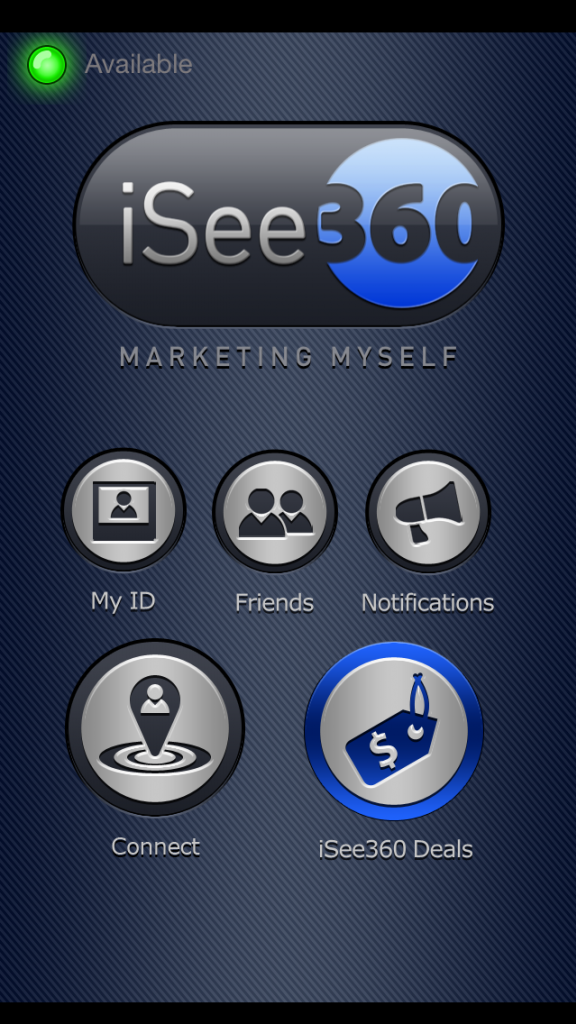
Screenshot 2: http://i102.photobucket.com/albums/m86/isee360/isee360-listings-1_zps8626557a.png

App icon: http://a4.mzstatic.com/us/r30/Purple/v4/c5/98/ce/c598ce76-f48a-6b30-0344-157c0bfd1b99/mzl.njzxqtlx.175x175-75.jpg

Based in Rancho Cucamonga, California, iSee360 Inc. was founded in 2012. Their goal is to help people advertise or sell a classified listing at an affordable price. Copyright (C) 2014 iSee360 Inc. All Rights Reserved. Apple, the Apple logo, iPhone and iPod are registered trademarks of Apple Inc. in the U.S. and/or other countries.
*******
Link To Article: http://prmac.com/release-id-68707.htm
*******
---------------------------------------------------------------------------------
Note that you can alter delivered distributions at any time.
Login to your account on prMac to alter your channel selection, or to opt-out at any time.
Jettison 1.4 - Close Your MacBook and Go
A new article has been published at prMac.
Jettison 1.4 - Close Your MacBook and Go - Published on 06/24/14
St. Clair Software has released Jettison 1.4, an update to their application that automatically ejects external drives before your Mac goes to sleep. It eliminates the hassle of manually ejecting Time Machine backup drives, network server volumes and flash drives. Just close the lid of your MacBook and Jettison does it for you! Version 1.4 includes many improvements, including hotkeys to eject and remount disks, remounting of flash drives and more robust operation.
Denver, Colorado - St. Clair Software is happy to announce the immediate release of Jettison 1.4 for Mac OS X. This update improves the handling of all types of disks, and also delivers a host of new features like hotkeys, control over which disks are ejected, and support for flash drives.
About Jettison:
Jettison is a small, purpose-built application that automatically ejects external disk drives from your Mac before you put it to sleep. Are you ready to close your MacBook and leave your desk? Jettison eliminates the hassle of manually ejecting Time Machine backup drives, network server volumes and flash drives before you put your MacBook to sleep - just close the lid and Jettison does it for you! Time Machine will be stopped and other data safely written to the drives before they're ejected.
What's New:
* Jettison can automatically eject disks at shutdown and restart as well as when your Mac goes to sleep.
* You can now assign hotkeys to eject disks, eject disks and sleep your Mac, and remount disks.
* There's a new option to reload the USB driver at wakeup so that USB flash drives will remount without removing and reinserting them.
* Previously hidden preferences are now standard, letting you select specific disks to eject or not eject.
* There's now a preference to hide the progress message displayed while Jettison is remounting disks.
* A number of bugs have been fixed, and Jettison has been enhanced to handle several special-case situations.
System Requirements:
* Mac OS X 10.6 through 10.10 (Yosemite)
Pricing and Availability:
Jettison 1.4 is a free update if you purchased an earlier version. It is available for $4.95 (USD) from St. Clair Software's web site if you haven't already bought a license.
Jettison 1.4: http://www.stclairsoft.com/Jettison/index.html
Download Jettison: http://www.stclairsoft.com/cgi-bin/dl.cgi?JT
Screenshot: http://www.stclairsoft.com/Jettison/images/menushot.png
St. Clair Software, based in Denver, CO, is a privately held company that has been specializing in utilities and custom software solutions for the Macintosh since 1988. Copyright (C) 2014 St. Clair Software. All Rights Reserved. Apple, the Apple logo, and Macintosh are registered trademarks of Apple Inc. in the U.S. and/or other countries.
*******
Link To Article: http://prmac.com/release-id-68708.htm
*******
---------------------------------------------------------------------------------
Note that you can alter delivered distributions at any time.
Login to your account on prMac to alter your channel selection, or to opt-out at any time.
Jettison 1.4 - Close Your MacBook and Go - Published on 06/24/14
St. Clair Software has released Jettison 1.4, an update to their application that automatically ejects external drives before your Mac goes to sleep. It eliminates the hassle of manually ejecting Time Machine backup drives, network server volumes and flash drives. Just close the lid of your MacBook and Jettison does it for you! Version 1.4 includes many improvements, including hotkeys to eject and remount disks, remounting of flash drives and more robust operation.
Denver, Colorado - St. Clair Software is happy to announce the immediate release of Jettison 1.4 for Mac OS X. This update improves the handling of all types of disks, and also delivers a host of new features like hotkeys, control over which disks are ejected, and support for flash drives.
About Jettison:
Jettison is a small, purpose-built application that automatically ejects external disk drives from your Mac before you put it to sleep. Are you ready to close your MacBook and leave your desk? Jettison eliminates the hassle of manually ejecting Time Machine backup drives, network server volumes and flash drives before you put your MacBook to sleep - just close the lid and Jettison does it for you! Time Machine will be stopped and other data safely written to the drives before they're ejected.
What's New:
* Jettison can automatically eject disks at shutdown and restart as well as when your Mac goes to sleep.
* You can now assign hotkeys to eject disks, eject disks and sleep your Mac, and remount disks.
* There's a new option to reload the USB driver at wakeup so that USB flash drives will remount without removing and reinserting them.
* Previously hidden preferences are now standard, letting you select specific disks to eject or not eject.
* There's now a preference to hide the progress message displayed while Jettison is remounting disks.
* A number of bugs have been fixed, and Jettison has been enhanced to handle several special-case situations.
System Requirements:
* Mac OS X 10.6 through 10.10 (Yosemite)
Pricing and Availability:
Jettison 1.4 is a free update if you purchased an earlier version. It is available for $4.95 (USD) from St. Clair Software's web site if you haven't already bought a license.
Jettison 1.4: http://www.stclairsoft.com/Jettison/index.html
Download Jettison: http://www.stclairsoft.com/cgi-bin/dl.cgi?JT
Screenshot: http://www.stclairsoft.com/Jettison/images/menushot.png

St. Clair Software, based in Denver, CO, is a privately held company that has been specializing in utilities and custom software solutions for the Macintosh since 1988. Copyright (C) 2014 St. Clair Software. All Rights Reserved. Apple, the Apple logo, and Macintosh are registered trademarks of Apple Inc. in the U.S. and/or other countries.
*******
Link To Article: http://prmac.com/release-id-68708.htm
*******
---------------------------------------------------------------------------------
Note that you can alter delivered distributions at any time.
Login to your account on prMac to alter your channel selection, or to opt-out at any time.
sympol - The ultimate gesture challenge now on iOS
A new article has been published at prMac.
sympol - The ultimate gesture challenge now on iOS - Published on 06/24/14
California based DropOut Studios today introduces sympol 1.0.0, its latest game title for iOS devices. The game challenges players to trace symbols accurately at a quickening pace. Make a mistake or run out of time and it's game over. Hone your dexterity with sympol's artistic gameplay. Master 100 unique symbols and climb the Game Center leaderboards. Share your score with friends via Facebook, Twitter, SMS and email to earn bragging rights.
Ventura, California - DropOut Studios presents their latest addition to iOS: sympol. The game challenges players to trace symbols accurately at a quickening pace. Make a mistake or run out of time and it's game over.
Trace the play symbol to start. A symbol will draw itself onto the screen, and you must trace it within 8 seconds. Succeed and another appears, but the timer is now a fraction of a second shorter. Get to 80 and the timer remains at 3 seconds per symbol. How many can you complete when speed and precision become conflicted?
Hone your dexterity with sympol's artistic gameplay. Master 100 unique symbols and climb the Game Center leaderboards. Earn achievements by completing symbols perfectly and reaching milestones of experience. Share your score with friends via Facebook, Twitter, SMS and email to earn bragging rights. Be sure to turn up the volume to get the full sympol experience.
Features:
* 100 unique symbols
* Minimalist sound effects
* Coloring Kit IAP
* Game Center leaderboards and achievements
* Score sharing via Facebook, Twitter, SMS and email
* Score syncing between devices with iCloud
Device Requirements:
* iOS 5.0
* iPhone, iPad
* 27.3 MB
Pricing and Availability:
sympol 1.0.0 is available worldwide for free on the App Store in the Games category.
DropOut Studios: http://www.dropoutstudios.net
sympol 1.0.0: http://www.dropoutstudios.net/sympol.html
Download from iTunes: https://itunes.apple.com/app/sympol/id882346069
YouTube Video: https://www.youtube.com/watch?v=k61zcaPhcIM
Screenshot: http://a3.mzstatic.com/us/r30/Purple/v4/ec/cc/40/eccc4026-ea7c-dc8f-f04c-ea547e1a005b/screen480x480.jpeg
App Icon: http://a3.mzstatic.com/us/r30/Purple/v4/e5/b3/71/e5b371d6-e63f-c314-ead3-01bef2de48fd/mzl.bosuynmx.175x175-75.jpg
Located in Ventura, California, DropOut Studios was founded in 2014 by James Peebles and Tyler Chitwood. The two former UCLA students have a passion for design and a desire to provide mobile users with unparalleled gaming experiences. Their full-time dedication enables every aspect of their projects to be independently created in-house with precision and integrity. Apple, the Apple logo, iPhone, iPod and iPad are registered trademarks of Apple Inc. in the U.S. and/or other countries. Other trademarks and registered trademarks may be the property of their respective owners.
*******
Link To Article: http://prmac.com/release-id-68706.htm
*******
---------------------------------------------------------------------------------
Note that you can alter delivered distributions at any time.
Login to your account on prMac to alter your channel selection, or to opt-out at any time.
sympol - The ultimate gesture challenge now on iOS - Published on 06/24/14
California based DropOut Studios today introduces sympol 1.0.0, its latest game title for iOS devices. The game challenges players to trace symbols accurately at a quickening pace. Make a mistake or run out of time and it's game over. Hone your dexterity with sympol's artistic gameplay. Master 100 unique symbols and climb the Game Center leaderboards. Share your score with friends via Facebook, Twitter, SMS and email to earn bragging rights.
Ventura, California - DropOut Studios presents their latest addition to iOS: sympol. The game challenges players to trace symbols accurately at a quickening pace. Make a mistake or run out of time and it's game over.
Trace the play symbol to start. A symbol will draw itself onto the screen, and you must trace it within 8 seconds. Succeed and another appears, but the timer is now a fraction of a second shorter. Get to 80 and the timer remains at 3 seconds per symbol. How many can you complete when speed and precision become conflicted?
Hone your dexterity with sympol's artistic gameplay. Master 100 unique symbols and climb the Game Center leaderboards. Earn achievements by completing symbols perfectly and reaching milestones of experience. Share your score with friends via Facebook, Twitter, SMS and email to earn bragging rights. Be sure to turn up the volume to get the full sympol experience.
Features:
* 100 unique symbols
* Minimalist sound effects
* Coloring Kit IAP
* Game Center leaderboards and achievements
* Score sharing via Facebook, Twitter, SMS and email
* Score syncing between devices with iCloud
Device Requirements:
* iOS 5.0
* iPhone, iPad
* 27.3 MB
Pricing and Availability:
sympol 1.0.0 is available worldwide for free on the App Store in the Games category.
DropOut Studios: http://www.dropoutstudios.net
sympol 1.0.0: http://www.dropoutstudios.net/sympol.html
Download from iTunes: https://itunes.apple.com/app/sympol/id882346069
YouTube Video: https://www.youtube.com/watch?v=k61zcaPhcIM
Screenshot: http://a3.mzstatic.com/us/r30/Purple/v4/ec/cc/40/eccc4026-ea7c-dc8f-f04c-ea547e1a005b/screen480x480.jpeg

App Icon: http://a3.mzstatic.com/us/r30/Purple/v4/e5/b3/71/e5b371d6-e63f-c314-ead3-01bef2de48fd/mzl.bosuynmx.175x175-75.jpg

Located in Ventura, California, DropOut Studios was founded in 2014 by James Peebles and Tyler Chitwood. The two former UCLA students have a passion for design and a desire to provide mobile users with unparalleled gaming experiences. Their full-time dedication enables every aspect of their projects to be independently created in-house with precision and integrity. Apple, the Apple logo, iPhone, iPod and iPad are registered trademarks of Apple Inc. in the U.S. and/or other countries. Other trademarks and registered trademarks may be the property of their respective owners.
*******
Link To Article: http://prmac.com/release-id-68706.htm
*******
---------------------------------------------------------------------------------
Note that you can alter delivered distributions at any time.
Login to your account on prMac to alter your channel selection, or to opt-out at any time.
Celebrate the World Cup Playing Football-Themed Games in Casino Cash
A new article has been published at prMac.
Celebrate the World Cup Playing Football-Themed Games in Casino Cash - Published on 06/24/14
Real Money Mobile Game developer, PlayScreen, LLC today announces Footie Themed Slots, Bingo and Scratch Cards in Casino Cash for iOS devices. Casino Cash gives UK-based players the ability to experience an expert-designed suite of attractive and uniquely themed slot, bingo, scratch-cardell and roulette games for Betable-powered real-money play. Casino Cash features ten beautiful and uniquely themed slots games, three innovative bingo games, three scratch-card games and a real Roulette game.
Baltimore, Maryland - Real Money Mobile Game developer PlayScreen, LLC, a leader in iOS casino gambling apps, today announced the UK release of Footie Themed Slots, Bingo and Scratch Cards in Casino Cash for iPhone, iPad and iPod touch. Casino Cash gives UK-based players the ability to experience an expert-designed suite of attractive and uniquely themed slot, bingo, scratch-cardell and roulette games for Betable-powered real-money play.
In honor of the 2014 FIFA World Cup(TM) Casino Cash features the following new games: Footie Frenzy: a fun football themed slots game, offering a high 95.55% return to the player, an interactive bonus game, and football-themed symbols. Footie Bingo: a highly interactive bingo game, where players shoot for goals to reveal numbers on player jerseys. GOAAAL: brings footie themed Scratch-Card fun to the iPad and iPhone.
"We've applied our years of experience to create an amazing casino experience for real-money gamers" said Sherri Cuono, CTO, PlayScreen, who launched one of the first online casino games in the early-'90s. "Our goal is total quality. Quality graphics, quality user interface, and an app that is true to the game of Slots."
Casino Cash features ten beautiful and uniquely themed slots games, three innovative bingo games, three scratch-card games and a real Roulette game. In addition players can earn free spins, play themed bonus mini-games and earn bonuses from repeat play and loyalty.
About Betable:
Betable, the world's only real-money gaming platform, is reinventing entertainment by merging the worlds of gaming and real-money play. Betable provides the license, support and infrastructure that allow developers to legally integrate real-money gaming into their own mobile and social games. Betable is dedicated to providing players with world-leading security, player location and identity verification to keep their funds safe and to ensure responsible gaming. The company is privately held, licensed by the United Kingdom Gambling Commission, headquartered in London, England with an office in San Francisco, USA.
Device Requirements:
* iPhone, iPad, and iPod touch
* Requires iOS 5.0 or later
* 81.1 MB
Pricing and Availability:
Casino Cash 1.7 is free to download for iOS at the UK iTunes App Store and a valid Betable account is required to play. For more details, visit PlayScreen online.
PlayScreen: http://playscreen.com
Product URL: https://itunes.apple.com/gb/app/casino-cash-real-money-slots/id674667373?mt=8
Screen Shots: https://drive.google.com/folderview?id=0B6KIjVkcmp96d2hnNFQzb3dOdGc&usp=sharing
Betable: https://developers.betable.com
From the very first iPhone game, even before the App Store was an app store, PlayScreen, LLC has been committed to creating the best in mobile, casual, and social games. PlayScreen strives to stay ahead of the curve with a single focus: the players. The company consists of gamers and veteran developers who combine strong design and gameplay with the elusive "fun factor." Copyright (C) 2014 PlayScreen, LLC. All Rights Reserved. Apple, the Apple logo, iPhone, iPod and iPad are registered trademarks of Apple Inc. in the U.S. and/or other countries.
*******
Link To Article: http://prmac.com/release-id-68704.htm
*******
---------------------------------------------------------------------------------
Note that you can alter delivered distributions at any time.
Login to your account on prMac to alter your channel selection, or to opt-out at any time.
Celebrate the World Cup Playing Football-Themed Games in Casino Cash - Published on 06/24/14
Real Money Mobile Game developer, PlayScreen, LLC today announces Footie Themed Slots, Bingo and Scratch Cards in Casino Cash for iOS devices. Casino Cash gives UK-based players the ability to experience an expert-designed suite of attractive and uniquely themed slot, bingo, scratch-cardell and roulette games for Betable-powered real-money play. Casino Cash features ten beautiful and uniquely themed slots games, three innovative bingo games, three scratch-card games and a real Roulette game.
Baltimore, Maryland - Real Money Mobile Game developer PlayScreen, LLC, a leader in iOS casino gambling apps, today announced the UK release of Footie Themed Slots, Bingo and Scratch Cards in Casino Cash for iPhone, iPad and iPod touch. Casino Cash gives UK-based players the ability to experience an expert-designed suite of attractive and uniquely themed slot, bingo, scratch-cardell and roulette games for Betable-powered real-money play.
In honor of the 2014 FIFA World Cup(TM) Casino Cash features the following new games: Footie Frenzy: a fun football themed slots game, offering a high 95.55% return to the player, an interactive bonus game, and football-themed symbols. Footie Bingo: a highly interactive bingo game, where players shoot for goals to reveal numbers on player jerseys. GOAAAL: brings footie themed Scratch-Card fun to the iPad and iPhone.
"We've applied our years of experience to create an amazing casino experience for real-money gamers" said Sherri Cuono, CTO, PlayScreen, who launched one of the first online casino games in the early-'90s. "Our goal is total quality. Quality graphics, quality user interface, and an app that is true to the game of Slots."
Casino Cash features ten beautiful and uniquely themed slots games, three innovative bingo games, three scratch-card games and a real Roulette game. In addition players can earn free spins, play themed bonus mini-games and earn bonuses from repeat play and loyalty.
About Betable:
Betable, the world's only real-money gaming platform, is reinventing entertainment by merging the worlds of gaming and real-money play. Betable provides the license, support and infrastructure that allow developers to legally integrate real-money gaming into their own mobile and social games. Betable is dedicated to providing players with world-leading security, player location and identity verification to keep their funds safe and to ensure responsible gaming. The company is privately held, licensed by the United Kingdom Gambling Commission, headquartered in London, England with an office in San Francisco, USA.
Device Requirements:
* iPhone, iPad, and iPod touch
* Requires iOS 5.0 or later
* 81.1 MB
Pricing and Availability:
Casino Cash 1.7 is free to download for iOS at the UK iTunes App Store and a valid Betable account is required to play. For more details, visit PlayScreen online.
PlayScreen: http://playscreen.com
Product URL: https://itunes.apple.com/gb/app/casino-cash-real-money-slots/id674667373?mt=8
Screen Shots: https://drive.google.com/folderview?id=0B6KIjVkcmp96d2hnNFQzb3dOdGc&usp=sharing
Betable: https://developers.betable.com
From the very first iPhone game, even before the App Store was an app store, PlayScreen, LLC has been committed to creating the best in mobile, casual, and social games. PlayScreen strives to stay ahead of the curve with a single focus: the players. The company consists of gamers and veteran developers who combine strong design and gameplay with the elusive "fun factor." Copyright (C) 2014 PlayScreen, LLC. All Rights Reserved. Apple, the Apple logo, iPhone, iPod and iPad are registered trademarks of Apple Inc. in the U.S. and/or other countries.
*******
Link To Article: http://prmac.com/release-id-68704.htm
*******
---------------------------------------------------------------------------------
Note that you can alter delivered distributions at any time.
Login to your account on prMac to alter your channel selection, or to opt-out at any time.
ClassroomPDF: Finally, a PDF App Designed for Teachers
A new article has been published at prMac.
ClassroomPDF: Finally, a PDF App Designed for Teachers - Published on 06/24/14
App studio, Qrayon today introduces ClassroomPDF 1.3 for iOS, a PDF annotation App with specially designed features for teachers and classroom discussions. In addition to an ultra-smooth annotation engine, its key feature is the ability to hide answers on the page, and reveal them with a tap. This is ideal for creating impromptu quizzes and motivating classroom discussions. Use AirPlay to project the iPad's screen to an AppleTV or other compatible AirPlay receiver, and present wirelessly.
Seattle, Washington - App studio, Qrayon today launched ClassroomPDF for iOS, a PDF annotation App with specially designed features for teachers and use in the classroom.
Annotate PDFs:
ClassroomPDF can open standard PDF files exported from other Apps such as Keynote. You can annotate them in your own handwriting using ClassroomPDF's ultra-smooth digital ink. Annotated PDFs can then be re-exported to other Apps or emailed to others.
Use this to grade or give feedback on homework, or to write in answers before or during presentations.
One-Tap Covers:
The feature that sets ClassroomPDF apart from basic PDF apps is the ability to add temporary covers over parts of the page. This is ideal for giving impromptu quizzes and motivating classroom discussions. Cover the answers and tap to reveal them as you walk through the document.
Classroom Presentations:
You can use AirPlay to project the iPad's screen to an AppleTV or other compatible AirPlay receiver, and present wirelessly. Or use a direct cable connection with the appropriate VGA or HDMI adapter.
Use the virtual laser pointer feature to call out parts of the page and guide the discussion.
Color-Coded Organization:
ClassroomPDF can store previously opened PDF documents for quick retrieval. Use color-coded categories to easily organize your documents by class or project.
Features:
* Ultra smooth ink annotation
* 4 color inks and variable sized pen
* Virtual laser pointer
* One-Tap covers
* Export annotated PDFs to other Apps or Email
* Print via AirPrint
* Organize files under 10 color-coded categories
Device Requirements:
* Compatible with iPad
* Requires iOS 7.0 or later
* 2.8 MB
Pricing and Availability:
ClassroomPDF 1.3 is $4.99 USD (or equivalent amount in other currencies) and available worldwide exclusively through the App Store in the Education category.
ClassroomPDF 1.3: http://www.qrayon.com/home/ClassroomPDF/
Purchase and Download: https://itunes.apple.com/app/classroom-pdf-annotate-present/id799652388
Media Assets: http://www.qrayon.com/home/ClassroomPDF/media.aspx
Based in Seattle, Washington, Qrayon is a pioneering developer of productivity and education Apps for the iPad and iPhone. Qrayon's suite of Apps include Vittle, Inkflow, Air Sketch, Stickyboard, Resume Star, Audio Notebook, and Air Projector. Their Apps are currently being used in classrooms and offices all over the world. All Material and Software Copyright (C) 2014 Qrayon, LLC. All Rights Reserved. Apple, the Apple logo, iPhone, iPod and iPad are registered trademarks of Apple Inc. in the U.S. and/or other countries. Other trademarks and registered trademarks may be the property of their respective owners.
*******
Link To Article: http://prmac.com/release-id-68705.htm
*******
---------------------------------------------------------------------------------
Note that you can alter delivered distributions at any time.
Login to your account on prMac to alter your channel selection, or to opt-out at any time.
ClassroomPDF: Finally, a PDF App Designed for Teachers - Published on 06/24/14
App studio, Qrayon today introduces ClassroomPDF 1.3 for iOS, a PDF annotation App with specially designed features for teachers and classroom discussions. In addition to an ultra-smooth annotation engine, its key feature is the ability to hide answers on the page, and reveal them with a tap. This is ideal for creating impromptu quizzes and motivating classroom discussions. Use AirPlay to project the iPad's screen to an AppleTV or other compatible AirPlay receiver, and present wirelessly.
Seattle, Washington - App studio, Qrayon today launched ClassroomPDF for iOS, a PDF annotation App with specially designed features for teachers and use in the classroom.
Annotate PDFs:
ClassroomPDF can open standard PDF files exported from other Apps such as Keynote. You can annotate them in your own handwriting using ClassroomPDF's ultra-smooth digital ink. Annotated PDFs can then be re-exported to other Apps or emailed to others.
Use this to grade or give feedback on homework, or to write in answers before or during presentations.
One-Tap Covers:
The feature that sets ClassroomPDF apart from basic PDF apps is the ability to add temporary covers over parts of the page. This is ideal for giving impromptu quizzes and motivating classroom discussions. Cover the answers and tap to reveal them as you walk through the document.
Classroom Presentations:
You can use AirPlay to project the iPad's screen to an AppleTV or other compatible AirPlay receiver, and present wirelessly. Or use a direct cable connection with the appropriate VGA or HDMI adapter.
Use the virtual laser pointer feature to call out parts of the page and guide the discussion.
Color-Coded Organization:
ClassroomPDF can store previously opened PDF documents for quick retrieval. Use color-coded categories to easily organize your documents by class or project.
Features:
* Ultra smooth ink annotation
* 4 color inks and variable sized pen
* Virtual laser pointer
* One-Tap covers
* Export annotated PDFs to other Apps or Email
* Print via AirPrint
* Organize files under 10 color-coded categories
Device Requirements:
* Compatible with iPad
* Requires iOS 7.0 or later
* 2.8 MB
Pricing and Availability:
ClassroomPDF 1.3 is $4.99 USD (or equivalent amount in other currencies) and available worldwide exclusively through the App Store in the Education category.
ClassroomPDF 1.3: http://www.qrayon.com/home/ClassroomPDF/
Purchase and Download: https://itunes.apple.com/app/classroom-pdf-annotate-present/id799652388
Media Assets: http://www.qrayon.com/home/ClassroomPDF/media.aspx
Based in Seattle, Washington, Qrayon is a pioneering developer of productivity and education Apps for the iPad and iPhone. Qrayon's suite of Apps include Vittle, Inkflow, Air Sketch, Stickyboard, Resume Star, Audio Notebook, and Air Projector. Their Apps are currently being used in classrooms and offices all over the world. All Material and Software Copyright (C) 2014 Qrayon, LLC. All Rights Reserved. Apple, the Apple logo, iPhone, iPod and iPad are registered trademarks of Apple Inc. in the U.S. and/or other countries. Other trademarks and registered trademarks may be the property of their respective owners.
*******
Link To Article: http://prmac.com/release-id-68705.htm
*******
---------------------------------------------------------------------------------
Note that you can alter delivered distributions at any time.
Login to your account on prMac to alter your channel selection, or to opt-out at any time.
Subscribe to:
Posts (Atom)