A new article has been published at prMac.
Kickstarter - SpeakerSlide - iPad and iPhone Accessory - Published on 08/04/14
DesignRstudio announces their new Kickstarter project for the SpeakerSlide for iOS devices. This mobile device plugs into the iPhone or iPad and redirects the sound toward the user. It makes movies, music games come alive and more enjoyable. The assessory will be manufactured from polycarbonate plastic and have a highly polished finish. The SpeakerSlide can be adjusted to fit most cases and covers and requires no batteries, cables or connections.
Manlius, New York - We really enjoy our iPads(R) & iPhones(R) and use them all of the time. The speakers on these devices have been designed to direct sound off to the side, which makes listening to videos or music less entertaining. To alleviate this problem, we often found ourselves cupping our hands around the speaker in order to redirect the sound. However, this position becomes uncomfortable after a few minutes and limits how you can hold the iPad/iPhone.
To solve this: the SpeakerSlide(TM) plugs into the iPad or iPhone and redirects sound towards you, the user. The increase in sound is remarkable. Movies, music, games and more come alive and are much more enjoyable.
Features:
* Works instantly. Just plug it in
* Listen by yourself, share with others, or fill an entire room with sound
* Notifications are louder (voicemail, text messages, phone calls and more)
* No batteries, cables or connections to fuss with
* iPad model fits the iPad Air(TM), iPad mini(TM) iPad mini (TM) with Retina display
* iPhone model fits the iPhone 5, 5c and 5s
* Apple-esque design, look, and high quality feel
* Fits with practically all cases and covers
* Can be used while charging* or not
* Designed and Manufactured in the U.S.A
* To use while charging requires the Apple(R) Lightning(TM) cable supplied with your iPad(R) or iPhone(R)
* Will not work with aftermarket third party Lightning(TM) cables
How it started:
We purchased our first Apple product, the original iPhone, on the day it was released in 2007. Since then we have become big Apple fans, using iPads, laptops, Apple TV, and of course the latest versions of the iPhones.
During the 2013 holiday season we purchased our first iPad, the Air model, and fell in love; using it constantly. While watching movies and video conferencing with friends and family, we would hold the iPad with our hands cupped around the speaker. After a little while our hands would become cramped and sore; ultimately creating an uncomfortable and less enjoyable experience.
We were constantly thinking of creative, new ways to redirect the sound, but also recognized that the solution had to work in any situation a user may encounter. For instance, your iPad may need to be charged while watching a movie. So, we knew in this scenario the SpeakerSlide needed to work while being charged or not, and IT DOES.
The next scenario to consider was using the SpeakerSlide with cases and covers. Again we knew it had had to be designed to fit all of Apple's, and most third-party's cases and covers, and IT DOES. The SpeakerSlide can be adjusted farther away or closer to the speakers, allowing clearance for cases and covers (see FAQ).
Over the past five months we have meticulously reviewed every millimeter of the SpeakerSlide in order to perfect each surface, curve, and line. Our goal was to create an item that feels solid and of high quality. A product that wouldn't interfere with your use, but rather enhance it. We think we've done just that. We designed countless versions of the SpeakerSlide and the finalized prototype far exceeded our expectations.
The SpeakerSlide will have the same appearance and feel Apple users have grown accustom to using. It will be manufactured from polycarbonate plastic and have a highly polished finish. This is the same type of plastic Apple uses for their products: all chargers, iPhone 5c, Time Capsule, Airport series, and many other products.
If you would like to see additional images or videos, please feel free to check out our website. We certainly hope that you find this campaign as exciting as we do. If you have any questions, please just ask. Thanks for your interest and pledges.
Kickstarter - SpeakerSlide: http://ks.speakerslide.com
SpeakeSlide: http://www.speakerslide.com
DesignRstudio is a small New York based design studio focused solely on creating Apple accessories that are simplistic, highly practical, and look great. All Material and Software (C) Copyright 2014 DesignRstudio. All Rights Reserved. Apple, the Apple logo, iPhone, iPod and iPad are registered trademarks of Apple Inc. in the U.S. and/or other countries. Other trademarks and registered trademarks may be the property of their respective owners.
*******
Link To Article: http://prmac.com/release-id-69621.htm
*******
---------------------------------------------------------------------------------
Note that you can alter delivered distributions at any time.
Login to your account on prMac to alter your channel selection, or to opt-out at any time.

Spottiapp for iOS - Never miss a thing
A new article has been published at prMac.
Spottiapp for iOS - Never miss a thing - Published on 08/04/14
Spottiapp, never miss a thing of what is happening around you or at another location. With Spottiapp you can leave messages at your current location, so that nearby users can read the messages on the feed screen and other users will be able to see the messages on the map screen. Spottiapp can for example be used to share news, announcements or questions. But also for car-pooling after an event or when you have lost or found something.
Amsterdam, Netherlands - Spottiapp is a local interaction app with which users can stay up to date on what is happening around them or at another location. Users can leave messages at their current location, so that other users can see the messages on the feed screen if they are nearby and on the map screen if they are further away. The app can for example be used to share news, announcements or questions. But also for car-pooling after an event or when you have lost or found something.
Spottiapp tries to show more relevant posts then for example, Facebook, which mostly shows commercial messages that have been shared by your friends. In Spottiapp users can filter which categories they want to see or if they only want to see messages from friends or groups they follow.
Users can easily log in to Spottiapp with their Facebook, Twitter or Spottiapp account. The app uses the device its GPS/Wi-Fi and internet connection to place and read messages at locations. Users can easily change filters and set the privacy settings in the settings screen.
Spottiapp has been successfully crowdfunded within 15 days in June 2013 and has launched on the 24th of July 2014. A crowdfunding campaign for the Android version will start on the 4th of August on Symbid.
Device Requirements:
* iPhone, iPad, and iPod touch
* Requires iOS 7.0 or later
* 14.9 MB
Pricing and Availability:
Spottiapp - Never miss a thing of what is happening in your area or on another location! 1.0.1 is free and available worldwide exclusively through the App Store in the Social Networking category.
Spottiapp 1.0.1: http://www.spottiapp.com
Download from iTunes: https://itunes.apple.com/app/spottiapp-never-miss-thing/id852923403
YouTube Video: https://www.youtube.com/watch?v=2K88NpnM6WA
Screenshot 1: http://www.spottiapp.com/wp-content/uploads/2014/01/Header-1.png
Screenshot 2: http://www.spottiapp.com/wp-content/uploads/2014/01/Home1.png
Screenshot 3: http://www.spottiapp.com/wp-content/uploads/2014/01/Home2.png
Spottiapp is an early phase startup that has funded the iOS app on Sellanapp and is currently crowdfunding the Android app. All Material and Software (C) Copyright 2014 Sellanapp. All Rights Reserved. Apple, the Apple logo, iPhone, iPod and iPad are registered trademarks of Apple Inc. in the U.S. and/or other countries. Other trademarks and registered trademarks may be the property of their respective owners.
*******
Link To Article: http://prmac.com/release-id-69620.htm
*******
---------------------------------------------------------------------------------
Note that you can alter delivered distributions at any time.
Login to your account on prMac to alter your channel selection, or to opt-out at any time.
Spottiapp for iOS - Never miss a thing - Published on 08/04/14
Spottiapp, never miss a thing of what is happening around you or at another location. With Spottiapp you can leave messages at your current location, so that nearby users can read the messages on the feed screen and other users will be able to see the messages on the map screen. Spottiapp can for example be used to share news, announcements or questions. But also for car-pooling after an event or when you have lost or found something.
Amsterdam, Netherlands - Spottiapp is a local interaction app with which users can stay up to date on what is happening around them or at another location. Users can leave messages at their current location, so that other users can see the messages on the feed screen if they are nearby and on the map screen if they are further away. The app can for example be used to share news, announcements or questions. But also for car-pooling after an event or when you have lost or found something.
Spottiapp tries to show more relevant posts then for example, Facebook, which mostly shows commercial messages that have been shared by your friends. In Spottiapp users can filter which categories they want to see or if they only want to see messages from friends or groups they follow.
Users can easily log in to Spottiapp with their Facebook, Twitter or Spottiapp account. The app uses the device its GPS/Wi-Fi and internet connection to place and read messages at locations. Users can easily change filters and set the privacy settings in the settings screen.
Spottiapp has been successfully crowdfunded within 15 days in June 2013 and has launched on the 24th of July 2014. A crowdfunding campaign for the Android version will start on the 4th of August on Symbid.
Device Requirements:
* iPhone, iPad, and iPod touch
* Requires iOS 7.0 or later
* 14.9 MB
Pricing and Availability:
Spottiapp - Never miss a thing of what is happening in your area or on another location! 1.0.1 is free and available worldwide exclusively through the App Store in the Social Networking category.
Spottiapp 1.0.1: http://www.spottiapp.com
Download from iTunes: https://itunes.apple.com/app/spottiapp-never-miss-thing/id852923403
YouTube Video: https://www.youtube.com/watch?v=2K88NpnM6WA
Screenshot 1: http://www.spottiapp.com/wp-content/uploads/2014/01/Header-1.png

Screenshot 2: http://www.spottiapp.com/wp-content/uploads/2014/01/Home1.png

Screenshot 3: http://www.spottiapp.com/wp-content/uploads/2014/01/Home2.png

Spottiapp is an early phase startup that has funded the iOS app on Sellanapp and is currently crowdfunding the Android app. All Material and Software (C) Copyright 2014 Sellanapp. All Rights Reserved. Apple, the Apple logo, iPhone, iPod and iPad are registered trademarks of Apple Inc. in the U.S. and/or other countries. Other trademarks and registered trademarks may be the property of their respective owners.
*******
Link To Article: http://prmac.com/release-id-69620.htm
*******
---------------------------------------------------------------------------------
Note that you can alter delivered distributions at any time.
Login to your account on prMac to alter your channel selection, or to opt-out at any time.
On WW1 Centenary, World War 1 Interactive iPad App's Price Slashed
A new article has been published at prMac.
On WW1 Centenary, World War 1 Interactive iPad App's Price Slashed - Published on 08/04/14
Touchzing Media, an app development company, has slashed the price of its historical iPad app: World War I Interactive 1.1 from $4.99 to $1.99. World War I Interactive is one of the most comprehensive apps with photos, videos, audios, interactive timelines and articles covering all the major battles/events. This app is very relevant today when the world commemorates the WW1 centenary. It is a must have for anyone who is interested in the first world war that changed world history forever.
Mumbai, India - Touchzing Media, an app development company, has slashed the price of its historical iPad app: World War I Interactive 1.1 from $4.99 to $1.99. World War I Interactive is one of the most comprehensive apps with photos, videos, audios, interactive timelines and articles covering all the major battles/events. This app is very relevant today when the world commemorates the WW1 centenary. It is a must have for anyone who is interested in the first world war that changed world history forever.
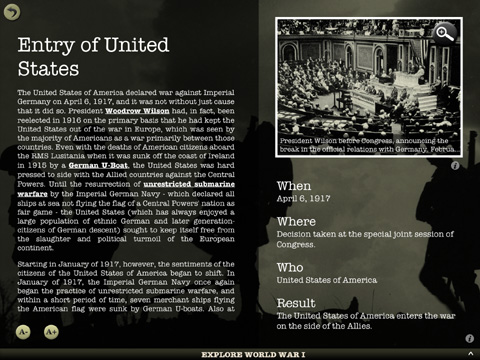
Currently, the world is commemorating the centenary of the Great War, the first world war. For the occasion, the price of the World War I Interactive app has been reduced to $1.99 till August 18, 2014. World War I Interactive app brings action from the Great War right on the iPad screen. Users can read about the major battles, events and leaders of the First World War in detail. There are interactive timelines for all the events which led to the war, for every year of the war from 1914-1918 and events which happened after the war, help the user understand every aspect of the war. One can view photographs, watch rare video clips and listen to audio clips from the great war.
Horn Book's app review says, "The app's greatest strength is its multimedia aspect. This thorough app may prove a bit too much for the casual user, but students and history buffs will appreciate its detailed look at a brutal turning point in world history."
App review website, Appcomrade writes, "A really well laid out and interesting book giving a full overview of WWI. Fun to use with interective multimedia and very easy to navigate around in. I certainly was absorbed into the book, more than I would have if it were just text in an ordinary ebook."
The WW1 App is divided into seven periods: Events leading to the war, the five years of the war (1914-1918) and the post war world. All the major battles and events (from every theater of the war) are summarized in detail. All the important leaders, generals, small events/battles, etc. have been covered in detail.
Why Must One Get The WW1 iPad app?
* It gives a complete overview of the World War One without giving extra information.
* It is very easy to navigate, use and read. With multimedia, it is better than reading a book.
* There are over 1200 rare photographs in the app.
* There are interactive timelines, videos to watch and audios to listen to.
World War I Interactive 1.1: http://www.touchzing.com/worldwar1/
Download from iTunes App Store: https://itunes.apple.com/app/world-war-i-interactive/id535095479
YouTube Video (Demo): https://www.youtube.com/watch?feature=player_embedded&v=4wTkIEnLkNY
Screenshot (Timeline): http://www.touchzing.com/worldwar1/img/scnshot1.jpg
Screenshot (Yearwise Events): http://www.touchzing.com/worldwar1/img/scnshot2.jpg
Screenshot (Major Event): http://www.touchzing.com/worldwar1/img/scnshot3.jpg
Touchzing Media was started in 2012 to develop educational apps for the iPad and other devices. Currently it is developing more apps on history and for kids. Copyright (C) 2014 Touchzing Media. All Rights Reserved. Apple, the Apple logo, iPhone, iPod and iPad are registered trademarks of Apple Inc. in the U.S. and/or other countries.
*******
Link To Article: http://prmac.com/release-id-69619.htm
*******
---------------------------------------------------------------------------------
Note that you can alter delivered distributions at any time.
Login to your account on prMac to alter your channel selection, or to opt-out at any time.
On WW1 Centenary, World War 1 Interactive iPad App's Price Slashed - Published on 08/04/14
Touchzing Media, an app development company, has slashed the price of its historical iPad app: World War I Interactive 1.1 from $4.99 to $1.99. World War I Interactive is one of the most comprehensive apps with photos, videos, audios, interactive timelines and articles covering all the major battles/events. This app is very relevant today when the world commemorates the WW1 centenary. It is a must have for anyone who is interested in the first world war that changed world history forever.
Mumbai, India - Touchzing Media, an app development company, has slashed the price of its historical iPad app: World War I Interactive 1.1 from $4.99 to $1.99. World War I Interactive is one of the most comprehensive apps with photos, videos, audios, interactive timelines and articles covering all the major battles/events. This app is very relevant today when the world commemorates the WW1 centenary. It is a must have for anyone who is interested in the first world war that changed world history forever.
Currently, the world is commemorating the centenary of the Great War, the first world war. For the occasion, the price of the World War I Interactive app has been reduced to $1.99 till August 18, 2014. World War I Interactive app brings action from the Great War right on the iPad screen. Users can read about the major battles, events and leaders of the First World War in detail. There are interactive timelines for all the events which led to the war, for every year of the war from 1914-1918 and events which happened after the war, help the user understand every aspect of the war. One can view photographs, watch rare video clips and listen to audio clips from the great war.
Horn Book's app review says, "The app's greatest strength is its multimedia aspect. This thorough app may prove a bit too much for the casual user, but students and history buffs will appreciate its detailed look at a brutal turning point in world history."
App review website, Appcomrade writes, "A really well laid out and interesting book giving a full overview of WWI. Fun to use with interective multimedia and very easy to navigate around in. I certainly was absorbed into the book, more than I would have if it were just text in an ordinary ebook."
The WW1 App is divided into seven periods: Events leading to the war, the five years of the war (1914-1918) and the post war world. All the major battles and events (from every theater of the war) are summarized in detail. All the important leaders, generals, small events/battles, etc. have been covered in detail.
Why Must One Get The WW1 iPad app?
* It gives a complete overview of the World War One without giving extra information.
* It is very easy to navigate, use and read. With multimedia, it is better than reading a book.
* There are over 1200 rare photographs in the app.
* There are interactive timelines, videos to watch and audios to listen to.
World War I Interactive 1.1: http://www.touchzing.com/worldwar1/
Download from iTunes App Store: https://itunes.apple.com/app/world-war-i-interactive/id535095479
YouTube Video (Demo): https://www.youtube.com/watch?feature=player_embedded&v=4wTkIEnLkNY
Screenshot (Timeline): http://www.touchzing.com/worldwar1/img/scnshot1.jpg

Screenshot (Yearwise Events): http://www.touchzing.com/worldwar1/img/scnshot2.jpg

Screenshot (Major Event): http://www.touchzing.com/worldwar1/img/scnshot3.jpg
Touchzing Media was started in 2012 to develop educational apps for the iPad and other devices. Currently it is developing more apps on history and for kids. Copyright (C) 2014 Touchzing Media. All Rights Reserved. Apple, the Apple logo, iPhone, iPod and iPad are registered trademarks of Apple Inc. in the U.S. and/or other countries.
*******
Link To Article: http://prmac.com/release-id-69619.htm
*******
---------------------------------------------------------------------------------
Note that you can alter delivered distributions at any time.
Login to your account on prMac to alter your channel selection, or to opt-out at any time.
OneReader: Fast all-in-one News Reader - Now including LinkedIn articles
A new article has been published at prMac.
OneReader: Fast all-in-one News Reader - Now including LinkedIn articles - Published on 08/04/14
Information Addicts today announces OneReader 1.3, a news reader for iOS that combines the efficiency of the traditional RSS readers with the various ways in which we receive the news today. It aggregates RSS feeds and articles from social networks in an efficient interface that makes it easy to breeze through a large amount of content. Version 1.3 now includes the option of receiving articles from LinkedIn in addition to the previously available RSS feeds, Twitter, Facebook and App.net.
Paris, France - Information Addicts today is proud to announce the release of OneReader 1.3, an iPhone and iPad app that enables you to receive news items from across all of your favorite news and social networking platforms (RSS feeds, Twitter, Facebook, LinkedIn...) in one place.
OneReader is focused on efficiency and allows you to quickly scan the news whatever its origin and decide what you want to read, share, store... or skip. This makes it the ideal news reader for those who value the ability to select their sources and make their own decisions on which articles will be of interest to them.
For someone who is constantly looking to discover new content, this app is pure genius. [...] It truly is the only aggregator you will ever need. - All Things Apple
Rely on this app for your news. - appPicker
With OneReader:
* You are in complete control of your news sources: your favorite web sites through RSS feeds and your contacts on social networks. OneReader turns your Twitter, Facebook, LinkedIn and App.net timelines into a stream of articles, presented with their title and an excerpt.
* Your friends' and contacts' posts become comments to the articles and you can reply, favorite or like directly from the app.
* You can keep track of what you have read: you receive each article only once, even if it is shared across multiple sources.
* You enjoy various options for sharing and storing articles (Twitter, Facebook, Evernote, Pocket, Instapaper, create task in Omnifocus or Things, etc.).
* You can read your news on any of your devices (iPad, iPhone, iPod touch) with full synchronization.
OneReader aims to make it easy to deal with information delivered as streams. Future versions will include additional sources, more sharing and storage service options as well as an even more streamlined interface. In future versions, additional features are planned to assist with managing very large streams.
Language Support:
English and French
Device Requirements:
* iPhone, iPad, and iPod touch
* Requires iOS 7.0 or later
* Universal Application
* 16 MB
Pricing and Availability:
OneReader 1.3 is $3.99 USD (or equivalent amount in other currencies) and available worldwide exclusively through the App Store in the News category.
Information Addicts: http://www.information-addicts.com/
OneReader 1.3: http://www.information-addicts.com/onereader/
Purchase and Download: http://itunes.apple.com/app/id880565114
Media Assets: http://information-addicts.com/press/en/OneReader.html
Located in Paris, France, Information Addicts is the one-person company of David Bonnefoy. Information Addicts develops mobile applications that make it easy to deal with the large amount of information we receive every day. All Material and Software (C) Copyright 2014 Information Addicts. All Rights Reserved. Apple, the Apple logo, iPhone, iPod and iPad are registered trademarks of Apple Inc. in the U.S. and/or other countries. Other trademarks and registered trademarks may be the property of their respective owners.
*******
Link To Article: http://prmac.com/release-id-69618.htm
*******
---------------------------------------------------------------------------------
Note that you can alter delivered distributions at any time.
Login to your account on prMac to alter your channel selection, or to opt-out at any time.
OneReader: Fast all-in-one News Reader - Now including LinkedIn articles - Published on 08/04/14
Information Addicts today announces OneReader 1.3, a news reader for iOS that combines the efficiency of the traditional RSS readers with the various ways in which we receive the news today. It aggregates RSS feeds and articles from social networks in an efficient interface that makes it easy to breeze through a large amount of content. Version 1.3 now includes the option of receiving articles from LinkedIn in addition to the previously available RSS feeds, Twitter, Facebook and App.net.
Paris, France - Information Addicts today is proud to announce the release of OneReader 1.3, an iPhone and iPad app that enables you to receive news items from across all of your favorite news and social networking platforms (RSS feeds, Twitter, Facebook, LinkedIn...) in one place.
OneReader is focused on efficiency and allows you to quickly scan the news whatever its origin and decide what you want to read, share, store... or skip. This makes it the ideal news reader for those who value the ability to select their sources and make their own decisions on which articles will be of interest to them.
For someone who is constantly looking to discover new content, this app is pure genius. [...] It truly is the only aggregator you will ever need. - All Things Apple
Rely on this app for your news. - appPicker
With OneReader:
* You are in complete control of your news sources: your favorite web sites through RSS feeds and your contacts on social networks. OneReader turns your Twitter, Facebook, LinkedIn and App.net timelines into a stream of articles, presented with their title and an excerpt.
* Your friends' and contacts' posts become comments to the articles and you can reply, favorite or like directly from the app.
* You can keep track of what you have read: you receive each article only once, even if it is shared across multiple sources.
* You enjoy various options for sharing and storing articles (Twitter, Facebook, Evernote, Pocket, Instapaper, create task in Omnifocus or Things, etc.).
* You can read your news on any of your devices (iPad, iPhone, iPod touch) with full synchronization.
OneReader aims to make it easy to deal with information delivered as streams. Future versions will include additional sources, more sharing and storage service options as well as an even more streamlined interface. In future versions, additional features are planned to assist with managing very large streams.
Language Support:
English and French
Device Requirements:
* iPhone, iPad, and iPod touch
* Requires iOS 7.0 or later
* Universal Application
* 16 MB
Pricing and Availability:
OneReader 1.3 is $3.99 USD (or equivalent amount in other currencies) and available worldwide exclusively through the App Store in the News category.
Information Addicts: http://www.information-addicts.com/
OneReader 1.3: http://www.information-addicts.com/onereader/
Purchase and Download: http://itunes.apple.com/app/id880565114
Media Assets: http://information-addicts.com/press/en/OneReader.html
Located in Paris, France, Information Addicts is the one-person company of David Bonnefoy. Information Addicts develops mobile applications that make it easy to deal with the large amount of information we receive every day. All Material and Software (C) Copyright 2014 Information Addicts. All Rights Reserved. Apple, the Apple logo, iPhone, iPod and iPad are registered trademarks of Apple Inc. in the U.S. and/or other countries. Other trademarks and registered trademarks may be the property of their respective owners.
*******
Link To Article: http://prmac.com/release-id-69618.htm
*******
---------------------------------------------------------------------------------
Note that you can alter delivered distributions at any time.
Login to your account on prMac to alter your channel selection, or to opt-out at any time.
DEVONtechnologies releases DEVONthink and DEVONnote 2.7.7
A new article has been published at prMac.
DEVONtechnologies releases DEVONthink and DEVONnote 2.7.7 - Published on 08/04/14
DEVONtechnologies, LLC updates all editions of its smart document and information manager DEVONthink as well as of DEVONnote and the freeware menubar launcher XMenu. The updates are free and recommended for all users. DEVONthink is the document and information manager for the Mac. Version 2.7.7 recognizes Swift source code files as plain text, retains more metadata than before when exporting documents, and prefills the Save panel with tags.
Coeur d'Alene, Idaho - DEVONtechnologies, LLC updates all editions of its smart document and information manager DEVONthink as well as of DEVONnote and the freeware menubar launcher XMenu. The updates are free and recommended for all users.
DEVONthink is *the* document and information manager for the Mac. Version 2.7.7 recognizes Swift source code files as plain text, retains more metadata than before when exporting documents, and prefills the Save panel with tags.
Many small interface improvements make using the app easier. DEVONthink now retains scroll position, insertion mark position, and selection when toggling views. Undo and Redo are better aware of the current focus.
DEVONthink indexes external folders faster and supports OS X Mavericks tags based on former labels. For HTML pages it uses Open Graph metadata. Importing from and exporting to Unix mailboxes is more reliable. By supporting OPML 1.1, DEVONthink Pro 2.7.7 is compatible to more RSS readers. The Pro and Pro Office editions also come with further enhanced AppleScript support. Finally a number of hidden preferences are now documented. The updates improve also the overall performance and reliability, and fixes some bugs.
In addition to DEVONthink and DEVONnote, DEVONtechnologies has updated the freeware menubar launcher XMenu with an improved Brasilian Portuguese localization. All updates are free and recommended for all users.
"Today pure data is not enough. For every document there's now a ton of metadata that you can use to classify it, file it, or connect it to other documents. With this release we're enhancing DEVONthink's extensive metadata handling even further. Whatever you do with your documents DEVONthink keeps as much metadata intact as possible, just as you would expect," comments Eric Bohnisch-Volkmann, President of DEVONtechnologies.
Availability and Pricing:
All editions of DEVONthink and DEVONnote require an Intel-based Mac and OS X 10.7.5 (App Store: OS X 10.8.3 or later), XMenu requires OS X 10.6.8 (App Store: OS X 10.8.3 or later). They can be downloaded from www.devontechnologies.com and DEVONthink and DEVONnote be test-driven for free before they need to be properly licensed. DEVONthink, DEVONnote, and XMenu are also available in the App Store; DEVONthink Pro and Pro Office can also be purchased together with DEVONagent Pro as Infoworker's Pro (Office) Bundle in DEVONtechnologies' online shop.
* DEVONthink Pro Office: US $149.95
* DEVONthink Pro: US $79.95
* DEVONthink Personal: US $49.95 (App Store: US $49.99)
* DEVONnote: US $24.95 (App Store: US $24.99)
* XMenu: free
DEVONtechnologies: http://www.devontechnologies.com
DEVONProducts: http://www.devontechnologies.com/redirect.php?id=products
Download: http://www.devontechnologies.com/redirect.php?id=download
Purchase: http://www.devontechnologies.com/redirect.php?id=shop
Devonian Times: http://www.devontechnologies.com/redirect.php?id=blog
DEVONtechnologies LLC creates end-user and server applications for the Mac and iOS platforms that enhance productivity, organization, and user experience with unique artificial intelligence technology. All applications are focused on both ease of use and satisfying the needs of even the most savvy users. The underlying DEVONtechnology is a flexible and versatile foundation that can be used for a large range of purposes from databases, data mining, and information retrieval to human-computer interfaces. DEVONtechnologies LLC was founded 2002 and incorporated 2004, and is today headquartered in Coeur d'Alene, Idaho, USA. All Material and Software (C) Copyright 2014 DEVONtechnologies LLC. All Rights Reserved. Apple, the Apple logo, Macintosh and Mac OS X are registered trademarks of Apple Inc. in the U.S. and/or other countries. Other trademarks and registered trademarks may be the property of their respective owners.
*******
Link To Article: http://prmac.com/release-id-69617.htm
*******
---------------------------------------------------------------------------------
Note that you can alter delivered distributions at any time.
Login to your account on prMac to alter your channel selection, or to opt-out at any time.
DEVONtechnologies releases DEVONthink and DEVONnote 2.7.7 - Published on 08/04/14
DEVONtechnologies, LLC updates all editions of its smart document and information manager DEVONthink as well as of DEVONnote and the freeware menubar launcher XMenu. The updates are free and recommended for all users. DEVONthink is the document and information manager for the Mac. Version 2.7.7 recognizes Swift source code files as plain text, retains more metadata than before when exporting documents, and prefills the Save panel with tags.
Coeur d'Alene, Idaho - DEVONtechnologies, LLC updates all editions of its smart document and information manager DEVONthink as well as of DEVONnote and the freeware menubar launcher XMenu. The updates are free and recommended for all users.
DEVONthink is *the* document and information manager for the Mac. Version 2.7.7 recognizes Swift source code files as plain text, retains more metadata than before when exporting documents, and prefills the Save panel with tags.
Many small interface improvements make using the app easier. DEVONthink now retains scroll position, insertion mark position, and selection when toggling views. Undo and Redo are better aware of the current focus.
DEVONthink indexes external folders faster and supports OS X Mavericks tags based on former labels. For HTML pages it uses Open Graph metadata. Importing from and exporting to Unix mailboxes is more reliable. By supporting OPML 1.1, DEVONthink Pro 2.7.7 is compatible to more RSS readers. The Pro and Pro Office editions also come with further enhanced AppleScript support. Finally a number of hidden preferences are now documented. The updates improve also the overall performance and reliability, and fixes some bugs.
In addition to DEVONthink and DEVONnote, DEVONtechnologies has updated the freeware menubar launcher XMenu with an improved Brasilian Portuguese localization. All updates are free and recommended for all users.
"Today pure data is not enough. For every document there's now a ton of metadata that you can use to classify it, file it, or connect it to other documents. With this release we're enhancing DEVONthink's extensive metadata handling even further. Whatever you do with your documents DEVONthink keeps as much metadata intact as possible, just as you would expect," comments Eric Bohnisch-Volkmann, President of DEVONtechnologies.
Availability and Pricing:
All editions of DEVONthink and DEVONnote require an Intel-based Mac and OS X 10.7.5 (App Store: OS X 10.8.3 or later), XMenu requires OS X 10.6.8 (App Store: OS X 10.8.3 or later). They can be downloaded from www.devontechnologies.com and DEVONthink and DEVONnote be test-driven for free before they need to be properly licensed. DEVONthink, DEVONnote, and XMenu are also available in the App Store; DEVONthink Pro and Pro Office can also be purchased together with DEVONagent Pro as Infoworker's Pro (Office) Bundle in DEVONtechnologies' online shop.
* DEVONthink Pro Office: US $149.95
* DEVONthink Pro: US $79.95
* DEVONthink Personal: US $49.95 (App Store: US $49.99)
* DEVONnote: US $24.95 (App Store: US $24.99)
* XMenu: free
DEVONtechnologies: http://www.devontechnologies.com
DEVONProducts: http://www.devontechnologies.com/redirect.php?id=products
Download: http://www.devontechnologies.com/redirect.php?id=download
Purchase: http://www.devontechnologies.com/redirect.php?id=shop
Devonian Times: http://www.devontechnologies.com/redirect.php?id=blog
DEVONtechnologies LLC creates end-user and server applications for the Mac and iOS platforms that enhance productivity, organization, and user experience with unique artificial intelligence technology. All applications are focused on both ease of use and satisfying the needs of even the most savvy users. The underlying DEVONtechnology is a flexible and versatile foundation that can be used for a large range of purposes from databases, data mining, and information retrieval to human-computer interfaces. DEVONtechnologies LLC was founded 2002 and incorporated 2004, and is today headquartered in Coeur d'Alene, Idaho, USA. All Material and Software (C) Copyright 2014 DEVONtechnologies LLC. All Rights Reserved. Apple, the Apple logo, Macintosh and Mac OS X are registered trademarks of Apple Inc. in the U.S. and/or other countries. Other trademarks and registered trademarks may be the property of their respective owners.
*******
Link To Article: http://prmac.com/release-id-69617.htm
*******
---------------------------------------------------------------------------------
Note that you can alter delivered distributions at any time.
Login to your account on prMac to alter your channel selection, or to opt-out at any time.
Learn to Know Thyself - Step by Step with a Life Inventory App
A new article has been published at prMac.
Learn to Know Thyself - Step by Step with a Life Inventory App - Published on 08/04/14
James Hollender's Life Inventory apps help users learn to "Know Thyself". These apps, once understood are amazing and built-in instructions are a great help. They guide users step by step in creating their own Moral Inventory which can provide greater self understanding of personality, strengths and weaknesses, leading to a better knowledge of self than they ever thought possible. Life Inventory guides the user through six different steps, each with its own activity grouping.
Revere, Massachusetts - James Hollender's Life Inventory apps help users learn to "Know Thyself". These apps, once understood are amazing and built-in instructions are a great help. They guide users step by step in creating their own Moral Inventory, which can provide greater self understanding of personality, strengths and weaknesses leading to a better knowledge of themselves. These apps allow any user, even someone not in a 12-Step program, to learn more about themselves than they ever thought possible and at only a small fraction the cost of a single visit to a therapist.
The Canadian Reviewer has suggested Life Inventory may even become your always available digital therapist: "If your smartphone has become your personal trainer, assistant, and even financial advisor, why not turn it into your therapist as well? Life Inventory app for iOS is here to help you understand what makes you tick. This app helps you create your own Life Inventory or Moral Inventory to provide you with better understanding of your personality, strengths, and weaknesses to help you live a better life."
Both the iPad and iPhone/iPod touch versions accomplish exactly the same thing, only the interface is considerably different for each because of the significant differences in screen size.
The process of completing a Life Inventory does not directly address anyone's specific problems, habits or addictions, but rather helps the user examine in detail events that have transpired in their life. The Life Inventory apps gently assists the user in probing into not only what happened, but also why it happened. The questions asked help the user delve into areas often never considered before, like:
* What did I want?
* Why did I want it?
* What am I not admitting?
* What lie did I tell myself?
* What did I leave out or not say?
* What lie did I tell others?
* Have I ever done the same thing?
* Was it any of my business?
* Were my expectations reasonable?
* What was the real truth?
* What was I not seeing?
* Did I fail to see the facts of the situation?
* What actions did I take to get what I wanted?
* What actions did I omit to get what I wanted?
Life Inventory guides the user through six different steps, each with its own activity grouping, for making a Life Inventory:
* Build Lists
* Causes and Effects
* My Part
* Fears Analysis
* Fear Questions
* Sex Relations
Throughout the process, users are encouraged to enter data into their Inventory, be completely honest about themselves and take advantage of encouragement and support from others.
The Inventory begins by making one simple list, which defines four fixed Categories in which to file away what are broadly categorized as Incidents:
* People
* Institutions and Organizations
* Principles, Ideals and Beliefs
* Sources of Anxiety and Excitement
Each of the four Categories will contain hierarchical sub-categories. From there, users outline Entities and then individual Incidents related each Entity.
Step-by-step, users complete the Causes and Effects of each Incident. Next, users determine the part they played in each Incident listed. It is not unusual to create hundreds of Incident forms, each devoted to a single incident. The app includes the ability to create and save all written lists and forms with password protection. Having completed all their Incident forms, users can refer to these forms to help list all their Fears. The app includes the following eight pre-defined fears, to which the user is free to add more if desired:
* Other people's opinions
* Not getting what I want
* Not having control of the situation
* Financial insecurity
* Abandonment
* Physical harm
* Failure
* Success
The fifth step is examining each Fear category and answering the following key questions:
* Why did I have this fear?
* When did I first notice this fear in my life?
* How did I hold on to this fear?
* What did this fear make me do?
* What chain of circumstances did this fear set in motion in my life?
* How did I react to this fear?
* What decision did this fear cause me to make?
* How did self-reliance fail me?
* What should I have done instead?
And the sixth and final step is examining Sex Relations, where users answer all the following questions regarding each of their sexual relationships:
* How was I selfish?
* Where was I dishonest?
* Where was I inconsiderate?
* Who was hurt in this situation?
* Did I arouse jealousy, suspicion, or bitterness?
* Where was I at fault?
* What should I have done instead?
* What will I do in the future?
* Did I pray or have spiritual conversations with him/her?
* Did I pray for him/her?
* Did I enjoy his/her company?
* Did we bring each other closer to God?
"The process of completing a Life Inventory doesn't directly address anyone's specific problems, habits or addictions, but rather helps the user examine in detail events that have transpired in their life," stated indie developer James Hollender. "The Life Inventory app gently assists the user in probing into not only what happened, but also why it happened."
The Life Inventory for iPad app was rated as the 3rd Top iOS App for 2012: "Life Inventory for iPad: This iPad top iOs apps 2012 has the potential to let users create their very own Life Stock, which may present higher self-understanding of their character, strengths, and weaknesses. Life Stock is geared towards folks working by manner of a 12 step AA program and has quite quite a bit of spiritual connotations as faith and fellowship is the cornerstone of these kinds of programs. It assists customers in probing into not solely what happened, but in addition why it happened. Life Stock is certainly equivalent to moral inventory. Because the idea behind the app is advanced, new users might wrestle a bit with it. Life Stock is suitable with iPad and requires iOS 5.0 or later. This app costs USD 9.99. There may be additionally an iPhone version available."
James Hollender is also the author of a suite of Nutrient apps based on the USDA National Nutrient Database:
* iCarbs (Carbohydrates)
* iCholesterol (Dietary Cholesterol)
* iFiber (Fiber)
* iKals (Calories)
* iPotassium (Potassium)
* iProteins (Proteins)
* iSatFat (Saturated Fat)
* iSodium (Sodium)
* iSugars (Sugars)
* Vitamin K (Vitamins K1, K1D & K2)
* iNutrients (encompasses all ten nutrients listed above)
Device Requirements:
* "Life Inventory" - iPhone and iPod touch
* "Life Inventory for iPad" - iPad only
* Requires iOS 5.0 or later
Pricing and Availability:
Life Inventory and Life Inventory for iPad are each $9.99 (USD) and available worldwide exclusively through the iTunes App Store in the Lifestyle category. A Lite version of each app is $1.99, which supplement the main app by providing a mock Moral Inventory from which the user can learn by example and experimentation, but is limited as to the number of records created so it's not sufficient to complete a full Life Inventory. Review copies are available on request.
James Hollender: http://www.hollender.com/index.html
Life Inventory: http://www.hollender.com/MoralInventory.html
Purchase and Download: https://search.itunes.apple.com/WebObjects/MZSearch.woa/wa/search?media=all&term=James+Hollender+%2B+Life+Inventory
YouTube Video (Quick Look): http://www.youtube.com/watch?v=_y6DhrEY_Kg
Screenshots: http://www.hollender.com/MoralInventory.html#screenshots1
Based in Revere, Massachusetts, Indie developer James Hollender is a well seasoned Information Technology professional who has been familiar with Apple products since the days of the first Macintosh computer and has been involved with object oriented programming since the introduction of Java, culminating most recently in writing apps in Objective C for the iPhone, iPod touch and iPad. Hollender now has 20 apps in the iTunes App Store. His innovative ideas have resulted in numerous suggestions and other awards including a commendation from The President of the United States. James Hollender has been involved writing iPad apps with Foliage, Kronos, Olympus, Agero (formerly Cross Country Automotive Services), and now Valmarc Corp. Copyright (C) 2010-2014 James Hollender. All Rights Reserved. Apple, the Apple logo, iPhone, and iPod are registered trademarks of Apple Inc. in the U.S. and/or other countries. Other trademarks and registered trademarks may be the property of their
respective owners.
*******
Link To Article: http://prmac.com/release-id-69615.htm
*******
---------------------------------------------------------------------------------
Note that you can alter delivered distributions at any time.
Login to your account on prMac to alter your channel selection, or to opt-out at any time.
Learn to Know Thyself - Step by Step with a Life Inventory App - Published on 08/04/14
James Hollender's Life Inventory apps help users learn to "Know Thyself". These apps, once understood are amazing and built-in instructions are a great help. They guide users step by step in creating their own Moral Inventory which can provide greater self understanding of personality, strengths and weaknesses, leading to a better knowledge of self than they ever thought possible. Life Inventory guides the user through six different steps, each with its own activity grouping.
Revere, Massachusetts - James Hollender's Life Inventory apps help users learn to "Know Thyself". These apps, once understood are amazing and built-in instructions are a great help. They guide users step by step in creating their own Moral Inventory, which can provide greater self understanding of personality, strengths and weaknesses leading to a better knowledge of themselves. These apps allow any user, even someone not in a 12-Step program, to learn more about themselves than they ever thought possible and at only a small fraction the cost of a single visit to a therapist.
The Canadian Reviewer has suggested Life Inventory may even become your always available digital therapist: "If your smartphone has become your personal trainer, assistant, and even financial advisor, why not turn it into your therapist as well? Life Inventory app for iOS is here to help you understand what makes you tick. This app helps you create your own Life Inventory or Moral Inventory to provide you with better understanding of your personality, strengths, and weaknesses to help you live a better life."
Both the iPad and iPhone/iPod touch versions accomplish exactly the same thing, only the interface is considerably different for each because of the significant differences in screen size.
The process of completing a Life Inventory does not directly address anyone's specific problems, habits or addictions, but rather helps the user examine in detail events that have transpired in their life. The Life Inventory apps gently assists the user in probing into not only what happened, but also why it happened. The questions asked help the user delve into areas often never considered before, like:
* What did I want?
* Why did I want it?
* What am I not admitting?
* What lie did I tell myself?
* What did I leave out or not say?
* What lie did I tell others?
* Have I ever done the same thing?
* Was it any of my business?
* Were my expectations reasonable?
* What was the real truth?
* What was I not seeing?
* Did I fail to see the facts of the situation?
* What actions did I take to get what I wanted?
* What actions did I omit to get what I wanted?
Life Inventory guides the user through six different steps, each with its own activity grouping, for making a Life Inventory:
* Build Lists
* Causes and Effects
* My Part
* Fears Analysis
* Fear Questions
* Sex Relations
Throughout the process, users are encouraged to enter data into their Inventory, be completely honest about themselves and take advantage of encouragement and support from others.
The Inventory begins by making one simple list, which defines four fixed Categories in which to file away what are broadly categorized as Incidents:
* People
* Institutions and Organizations
* Principles, Ideals and Beliefs
* Sources of Anxiety and Excitement
Each of the four Categories will contain hierarchical sub-categories. From there, users outline Entities and then individual Incidents related each Entity.
Step-by-step, users complete the Causes and Effects of each Incident. Next, users determine the part they played in each Incident listed. It is not unusual to create hundreds of Incident forms, each devoted to a single incident. The app includes the ability to create and save all written lists and forms with password protection. Having completed all their Incident forms, users can refer to these forms to help list all their Fears. The app includes the following eight pre-defined fears, to which the user is free to add more if desired:
* Other people's opinions
* Not getting what I want
* Not having control of the situation
* Financial insecurity
* Abandonment
* Physical harm
* Failure
* Success
The fifth step is examining each Fear category and answering the following key questions:
* Why did I have this fear?
* When did I first notice this fear in my life?
* How did I hold on to this fear?
* What did this fear make me do?
* What chain of circumstances did this fear set in motion in my life?
* How did I react to this fear?
* What decision did this fear cause me to make?
* How did self-reliance fail me?
* What should I have done instead?
And the sixth and final step is examining Sex Relations, where users answer all the following questions regarding each of their sexual relationships:
* How was I selfish?
* Where was I dishonest?
* Where was I inconsiderate?
* Who was hurt in this situation?
* Did I arouse jealousy, suspicion, or bitterness?
* Where was I at fault?
* What should I have done instead?
* What will I do in the future?
* Did I pray or have spiritual conversations with him/her?
* Did I pray for him/her?
* Did I enjoy his/her company?
* Did we bring each other closer to God?
"The process of completing a Life Inventory doesn't directly address anyone's specific problems, habits or addictions, but rather helps the user examine in detail events that have transpired in their life," stated indie developer James Hollender. "The Life Inventory app gently assists the user in probing into not only what happened, but also why it happened."
The Life Inventory for iPad app was rated as the 3rd Top iOS App for 2012: "Life Inventory for iPad: This iPad top iOs apps 2012 has the potential to let users create their very own Life Stock, which may present higher self-understanding of their character, strengths, and weaknesses. Life Stock is geared towards folks working by manner of a 12 step AA program and has quite quite a bit of spiritual connotations as faith and fellowship is the cornerstone of these kinds of programs. It assists customers in probing into not solely what happened, but in addition why it happened. Life Stock is certainly equivalent to moral inventory. Because the idea behind the app is advanced, new users might wrestle a bit with it. Life Stock is suitable with iPad and requires iOS 5.0 or later. This app costs USD 9.99. There may be additionally an iPhone version available."
James Hollender is also the author of a suite of Nutrient apps based on the USDA National Nutrient Database:
* iCarbs (Carbohydrates)
* iCholesterol (Dietary Cholesterol)
* iFiber (Fiber)
* iKals (Calories)
* iPotassium (Potassium)
* iProteins (Proteins)
* iSatFat (Saturated Fat)
* iSodium (Sodium)
* iSugars (Sugars)
* Vitamin K (Vitamins K1, K1D & K2)
* iNutrients (encompasses all ten nutrients listed above)
Device Requirements:
* "Life Inventory" - iPhone and iPod touch
* "Life Inventory for iPad" - iPad only
* Requires iOS 5.0 or later
Pricing and Availability:
Life Inventory and Life Inventory for iPad are each $9.99 (USD) and available worldwide exclusively through the iTunes App Store in the Lifestyle category. A Lite version of each app is $1.99, which supplement the main app by providing a mock Moral Inventory from which the user can learn by example and experimentation, but is limited as to the number of records created so it's not sufficient to complete a full Life Inventory. Review copies are available on request.
James Hollender: http://www.hollender.com/index.html
Life Inventory: http://www.hollender.com/MoralInventory.html
Purchase and Download: https://search.itunes.apple.com/WebObjects/MZSearch.woa/wa/search?media=all&term=James+Hollender+%2B+Life+Inventory
YouTube Video (Quick Look): http://www.youtube.com/watch?v=_y6DhrEY_Kg
Screenshots: http://www.hollender.com/MoralInventory.html#screenshots1
Based in Revere, Massachusetts, Indie developer James Hollender is a well seasoned Information Technology professional who has been familiar with Apple products since the days of the first Macintosh computer and has been involved with object oriented programming since the introduction of Java, culminating most recently in writing apps in Objective C for the iPhone, iPod touch and iPad. Hollender now has 20 apps in the iTunes App Store. His innovative ideas have resulted in numerous suggestions and other awards including a commendation from The President of the United States. James Hollender has been involved writing iPad apps with Foliage, Kronos, Olympus, Agero (formerly Cross Country Automotive Services), and now Valmarc Corp. Copyright (C) 2010-2014 James Hollender. All Rights Reserved. Apple, the Apple logo, iPhone, and iPod are registered trademarks of Apple Inc. in the U.S. and/or other countries. Other trademarks and registered trademarks may be the property of their
respective owners.
*******
Link To Article: http://prmac.com/release-id-69615.htm
*******
---------------------------------------------------------------------------------
Note that you can alter delivered distributions at any time.
Login to your account on prMac to alter your channel selection, or to opt-out at any time.
Practice Words with Crazy Balloons - First Sight Words Recognition Game
A new article has been published at prMac.
Practice Words with Crazy Balloons - First Sight Words Recognition Game - Published on 08/04/14
PKCLsoft today announces Crazy Balloons - First Sight Words Recognition Game 1.1, their new educational app for iOS devices. Specifically designed to help kids practice word recognition, Crazy Balloons - First Sight Words helps children learn high-frequency words while playing a fun and challenging balloon-popping game. Customizable word lists can be created in any language supported by iOS 7's voiceover feature. Multiple student profiles can also be configured to maximize learning potential.
Melbourne, Australia - PKCLsoft has announced the release of Crazy Balloons - First Sight Words Recognition Game 1.1, their new educational app for iPhone, iPad, and iPod touch devices. Specifically designed to help kids practice word recognition, Crazy Balloons - First Sight Words helps children learn high-frequency words while playing a fun and challenging balloon-popping game.
Crazy Balloons - First Sight Words was created with input from kids, parents, teachers, and therapists as a switch-accessible app that helps teach and reinforce how to speak, read, and spell words. Benefits of playing Crazy Balloons - First Sight Words include:
* Increases sight word recognition skills
* Increases proficiency and fluency in reading with visual cues
* Practices audio processing with audible cues
* Utilizes visual scanning and discrimination skills
Crazy Balloons - First Sight Words allows users to create customizable word lists in any language supported by iOS 7's voiceover feature. Two English, one Spanish, and one French word list come standard in the app. Word lists can be created and shared via E-mail, Messages, or Airdrop. Word lists can also be created and shared with the Crazy Balloons community via the website.
Feature Highlights:
* Comfortable and colorful User Interface
* Configure student profiles to maximize learning potential
* Switch access available for those with special needs
* Create and customize word lists in any language supported by iOS 7 voiceover feature
* Supports multiple student profiles
* Select speed of gameplay, how many questions per game, and how many balloons are displayed
* Turn on/off and adjust pitch and speed of audio prompts
* Share wordlists via E-mail, Messages, or Airdrop
* Can be played with a compatible switch interface or bluetooth keyboard
* Detailed reports of gameplay statistics for educators
* 100% kid-friendly
* Game Center-supported
Crazy Balloons - First Sight Words supports multiple student profiles for educators or families with more than one child. Each profile can be configured in settings to maximize learning potential. Crazy Balloons - First Sight Words also provides detailed reports of gameplay statistics on each child so the game can be further tailored to suit each child's developing strengths and challenges.
Crazy Balloons - First Sight Words is fully customizable. Users can select the speed of gameplay, determine how many balloons are displayed, and decide how many questions should be asked per game. Audio and visual cues and sounds can also be turned off to make the game more challenging. Crazy Balloons - First Sight Words can be played with a compatible switch interface or bluetooth keyboard whose settings can also be configured.
"Crazy Balloons - First Sight Words Recognition Game 1.1 is actually the second of a series of apps I've recently developed," explains Peter Easdown, founder of PKCLsoft. "The first in the series, Crazy Balloons Fun, uses some of the same visuals and game mechanics. However, with Crazy Balloons - First Sight Words, I've more fully developed the educational aspect, since I believe all children deserve to learn and become proficient communicators and readers. Like Dollar Up, my previously released educational app, Crazy Balloons - First Sight Words provides lots of options and a way to play the game for people with special needs, including those requiring the use of accessibility switches."
Easdown adds, "Furthermore, I am a proud member of the 'MOMs with apps' developer community and a contributor to the 'Know What's Inside' program. Therefore, all of my kids apps will clearly state what (if any) data is collected and for what purpose. I do not include advertising or social media links in any of my educational apps that are written for use by young children."
Languages:
* English, French, Spanish
Device Requirements:
* iPhone, iPad, and iPod touch
* Requires iOS 7.0 or later
* 36.2 MB
Pricing and Availability:
Crazy Balloons - First Sight Words Recognition Game 1.1 is only $2.99 (USD) and available worldwide exclusively through the App Store in the Education category. Review copies are available upon request.
PKCLsoft: http://www.pkclsoft.com
Crazy Balloons - First Sight Words Recognition Game 1.1: http://www.pkclsoft.com/wp/app/crazy-balloons-first-sight-words/
Purchase and Download: https://itunes.apple.com/app/crazy-balloons-first-sight/id892122400
YouTube video 1 (Switch Access Demonstration): https://www.youtube.com/watch?v=c4zwzh5BDus
YouTube video 2 (Languages Demonstration): https://www.youtube.com/watch?v=A90WydyCbDs
App icon: http://a5.mzstatic.com/us/r30/Purple4/v4/d5/31/45/d531459c-be7c-f610-571f-19d6c394d4e7/mzl.mfhrccsz.175x175-75.jpg
Based in Melbourne, Australia, PKCLsoft is a small, independent developer of iOS apps that was founded in 2011 by Peter Easdown. Copyright (C) 2014 PKCLsoft. All Rights Reserved. Apple, the Apple logo, iPhone and iPod are registered trademarks of Apple Inc. in the U.S. and/or other countries.
*******
Link To Article: http://prmac.com/release-id-69614.htm
*******
---------------------------------------------------------------------------------
Note that you can alter delivered distributions at any time.
Login to your account on prMac to alter your channel selection, or to opt-out at any time.
Practice Words with Crazy Balloons - First Sight Words Recognition Game - Published on 08/04/14
PKCLsoft today announces Crazy Balloons - First Sight Words Recognition Game 1.1, their new educational app for iOS devices. Specifically designed to help kids practice word recognition, Crazy Balloons - First Sight Words helps children learn high-frequency words while playing a fun and challenging balloon-popping game. Customizable word lists can be created in any language supported by iOS 7's voiceover feature. Multiple student profiles can also be configured to maximize learning potential.
Melbourne, Australia - PKCLsoft has announced the release of Crazy Balloons - First Sight Words Recognition Game 1.1, their new educational app for iPhone, iPad, and iPod touch devices. Specifically designed to help kids practice word recognition, Crazy Balloons - First Sight Words helps children learn high-frequency words while playing a fun and challenging balloon-popping game.
Crazy Balloons - First Sight Words was created with input from kids, parents, teachers, and therapists as a switch-accessible app that helps teach and reinforce how to speak, read, and spell words. Benefits of playing Crazy Balloons - First Sight Words include:
* Increases sight word recognition skills
* Increases proficiency and fluency in reading with visual cues
* Practices audio processing with audible cues
* Utilizes visual scanning and discrimination skills
Crazy Balloons - First Sight Words allows users to create customizable word lists in any language supported by iOS 7's voiceover feature. Two English, one Spanish, and one French word list come standard in the app. Word lists can be created and shared via E-mail, Messages, or Airdrop. Word lists can also be created and shared with the Crazy Balloons community via the website.
Feature Highlights:
* Comfortable and colorful User Interface
* Configure student profiles to maximize learning potential
* Switch access available for those with special needs
* Create and customize word lists in any language supported by iOS 7 voiceover feature
* Supports multiple student profiles
* Select speed of gameplay, how many questions per game, and how many balloons are displayed
* Turn on/off and adjust pitch and speed of audio prompts
* Share wordlists via E-mail, Messages, or Airdrop
* Can be played with a compatible switch interface or bluetooth keyboard
* Detailed reports of gameplay statistics for educators
* 100% kid-friendly
* Game Center-supported
Crazy Balloons - First Sight Words supports multiple student profiles for educators or families with more than one child. Each profile can be configured in settings to maximize learning potential. Crazy Balloons - First Sight Words also provides detailed reports of gameplay statistics on each child so the game can be further tailored to suit each child's developing strengths and challenges.
Crazy Balloons - First Sight Words is fully customizable. Users can select the speed of gameplay, determine how many balloons are displayed, and decide how many questions should be asked per game. Audio and visual cues and sounds can also be turned off to make the game more challenging. Crazy Balloons - First Sight Words can be played with a compatible switch interface or bluetooth keyboard whose settings can also be configured.
"Crazy Balloons - First Sight Words Recognition Game 1.1 is actually the second of a series of apps I've recently developed," explains Peter Easdown, founder of PKCLsoft. "The first in the series, Crazy Balloons Fun, uses some of the same visuals and game mechanics. However, with Crazy Balloons - First Sight Words, I've more fully developed the educational aspect, since I believe all children deserve to learn and become proficient communicators and readers. Like Dollar Up, my previously released educational app, Crazy Balloons - First Sight Words provides lots of options and a way to play the game for people with special needs, including those requiring the use of accessibility switches."
Easdown adds, "Furthermore, I am a proud member of the 'MOMs with apps' developer community and a contributor to the 'Know What's Inside' program. Therefore, all of my kids apps will clearly state what (if any) data is collected and for what purpose. I do not include advertising or social media links in any of my educational apps that are written for use by young children."
Languages:
* English, French, Spanish
Device Requirements:
* iPhone, iPad, and iPod touch
* Requires iOS 7.0 or later
* 36.2 MB
Pricing and Availability:
Crazy Balloons - First Sight Words Recognition Game 1.1 is only $2.99 (USD) and available worldwide exclusively through the App Store in the Education category. Review copies are available upon request.
PKCLsoft: http://www.pkclsoft.com
Crazy Balloons - First Sight Words Recognition Game 1.1: http://www.pkclsoft.com/wp/app/crazy-balloons-first-sight-words/
Purchase and Download: https://itunes.apple.com/app/crazy-balloons-first-sight/id892122400
YouTube video 1 (Switch Access Demonstration): https://www.youtube.com/watch?v=c4zwzh5BDus
YouTube video 2 (Languages Demonstration): https://www.youtube.com/watch?v=A90WydyCbDs
App icon: http://a5.mzstatic.com/us/r30/Purple4/v4/d5/31/45/d531459c-be7c-f610-571f-19d6c394d4e7/mzl.mfhrccsz.175x175-75.jpg

Based in Melbourne, Australia, PKCLsoft is a small, independent developer of iOS apps that was founded in 2011 by Peter Easdown. Copyright (C) 2014 PKCLsoft. All Rights Reserved. Apple, the Apple logo, iPhone and iPod are registered trademarks of Apple Inc. in the U.S. and/or other countries.
*******
Link To Article: http://prmac.com/release-id-69614.htm
*******
---------------------------------------------------------------------------------
Note that you can alter delivered distributions at any time.
Login to your account on prMac to alter your channel selection, or to opt-out at any time.
Subscribe to:
Posts (Atom)