A new article has been published at prMac.
Bubble Beat Music Game from WOD Studios - Published on 09/02/14
Musical games have been a very popular game category for a long time, and there are a lot of music games out there on App Store, so why is Bubble Beat special? Because Bubble Beat is simple, pure and easy to start. Players like the game when they actually play with the music, and Bubble Beat will provide players: fast play, easy to start, really big song collection, and free to expand song collection. With player's songs, a player can play Bubble Beat at any time, any where with any song.
Chengdu, China - Indie game developer, WOD Studios, is pleased to announce Bubble Beat is scheduled to release on September 2nd and made for the iOS platform. It is a simple and adictive game that can be played from a few minutes to hours; the basic mechanism is to tap the screen as bubbles rise, and the music plays.
When starting to play, the player is free to choose any instrument from the song; notes will rise as bubbles move from the bottom of screen to the top. Each bubble moves inside one of five tapable rectangle areas on the screen, when a player taps on that rectangle, the top bubble in that rectangle bursts, and plays the music note, with beautiful animation. There's a line near the top of the screen; the closer to the line when bubble bursts, the higher score will be added, and the song will sound better of course. Just burst the bubble when it gets to the line, Easy to start but hard to master. A player needs to focus on the screen when bubbles rise and the fingers must move very fast when many bubbles come up at the same time, but with more practice, the player will play as a musician. No boring music theory stuff needs to be learned. Just play and enjoy.
Multipile modes for playing a song:
* Perform Mode: Normally play with this mode
* Practice Mode: When a song is tricky, start with this mode
* Autoplay Mode: It is very nice to watch others(Robot) play and enjoy the beautiful bubble burst animation with music
* Competition: There are some selected songs that are suitable for competition (new songs will be added from tiem to time), and see who gets more points, with all players around the world
Background:
Bubble Beat was inspired by an old PC Game - Virtual Orchestra Studio, known as VOS on early windows platform (windows 98, windows 2000, windows xp, etc.), which was really addictive and with lots of fun to play, won't run on newer windows any more, many new game extends the basic game mechanism and extends it to much bigger games, add stories, RPG elements, and MMO abilities, and require more time to proceed. However, many players still miss the old VOS, because it was simple, direct, player can easily enjoy the fun when focusing on the screen when notes fall, eyes work with fingers and that beautiful music plays, and that's why Bubble Beat was made.
Bubble Beat is simple and pure, designed for iPhone and iPad users to play on small devices. It comes with more than 400 songs, and any other song in MIDI format can be imported and played for free, so it has infinite content to play with. (MIDI is a very popular format of music, it has very small size, and very high quality, and there are countless resources for almost any music you can ever find, end with extension '.mid').
Device Requirements:
* iPhone, iPad, and iPod touch
* Requires iOS 7.0 or later
* 15.9 MB
Pricing and Availability:
Bubble Beat - Endless song play, simple music and beat game for free 1.0 is free and available worldwide exclusively through the App Store in the Games category. Review copies are available upon request or download from App Store.
Bubble Beat 1.0: https://itunes.apple.com/app/bubble-beat-endless-song-play/id901275048
More info: http://bubblebeatgame.quora.com
App Icon: https://dl.dropboxusercontent.com/u/2443745/bubble%20beat/press%20kit/icon.png
Press Kit (zip): https://dl.dropboxusercontent.com/u/2443745/bubble%20beat/press%20kit.zip
WOD Studios is an indie development studio specializing in apps and games for the iOS platform. All Material and Software (C) Copyright 2014 WOD Studios. All Rights Reserved. Apple, the Apple logo, iPhone, iPod and iPad are registered trademarks of Apple Inc. in the U.S. and/or other countries. Other trademarks and registered trademarks may be the property of their respective owners.
*******
Link To Article: http://prmac.com/release-id-70307.htm
*******
---------------------------------------------------------------------------------
Note that you can alter delivered distributions at any time.
Login to your account on prMac to alter your channel selection, or to opt-out at any time.


Location Alerts - An App To Trigger Events Based on Location
A new article has been published at prMac.
Location Alerts - An App To Trigger Events Based on Location - Published on 09/02/14
Location Alerts from Appsicum is the ultimate solution for scheduling a call or message according to location. Whenever a user needs to inform their contacts about a particular location or want to connect a call after crossing a particular location, it is possible with the scheduling task of the app. Location Alerts is a simple and handy tool which makes your life simple by alerts, reminders and activities which are automatically triggered according to your current location.
Jaipur, India - How many times does it happen that we miss the functionality of a basic call, text and reminder scheduler on our smart-phones that can interrupt us when desired and can accomplish the scheduled task? There are times when we want a simple reminder or alert or sometimes we want tasks like calling someone or texting friends to be done automatically by a scheduler app.
If you are looking for a good scheduler app for iPhone that could schedule your call/ texts and automatically trigger them based on location then Location Alerts from Appsicum is the perfect choice for you. The app lets you schedule call, text and reminders/alerts (voice and text) and triggers them automatically based on location.
Features:
* Can send text messages when you reach to a specific location
* Connect a voice call automatically when you are in a specific area
* Create Voice/Text Reminders and Alerts for you when you are in a particular area
Want to know in which circumstances this app can be useful?
You are leaving the office for a party but there is a twist. You forgot that you were supposed to call wife so that she can get ready by the time you reach home to pick her up. How great it would be if location alerts app could send a message or connect a call automatically when you leave from office so that she knows about your schedule!
Let us consider another scenario. You need to pick something up from downtown, but it doesn't require you to go immediately. How nice it will be if an app like Location Alerts could remind you when you were near this location. To make all this more flexible, Location Alerts allows you to set a recurrence for individual week days rather than limiting it to just traditional a weekly or daily setup. The app has a quite beautiful interface and developed just to simplify your life.
Device Requirements:
* iPhone, iPad, and iPod touch
* Requires iOS 4.3 or later
* 6.6 MB
Pricing and Availability:
Location Alerts 1.1 is $1.99 USD (or equivalent amount in other currencies) and available worldwide exclusively through the App Store in the Productivity category.
Appsicum: http://appsicum.com/
Location Alerts 1.1: http://locationalerts.appsicum.com/
Purchase and Download from iTunes: https://itunes.apple.com/app/id567479415
Screenshot 1: http://a5.mzstatic.com/us/r30/Purple/v4/d5/23/d5/d523d561-dcf9-7c11-ef34-afe1cba24456/screen568x568.jpeg
Screenshot 2: http://a5.mzstatic.com/us/r30/Purple2/v4/5d/97/35/5d97353f-0efc-e3f7-2c5d-f6643eba92e7/screen568x568.jpeg
App Icon: http://a5.mzstatic.com/us/r30/Purple/v4/ca/42/68/ca4268cc-0c81-6d94-100d-18c020216b6c/mzl.otwzhbog.175x175-75.jpg
Appsicum is a crew of talented and skilled app developers who constantly work hard to bring the smile on your face through some innovative, cool and unique apps for your smart-phones like iPhone, iPad, iPod touch, Android and Blackberry. We put the best of our efforts to simplify your life with our apps. Some of our popular apps released so far are Files-Finder Edition, Location Alert, Future Scheduler, Photo Effect Plus, Photos To Albums, Text Disaster, Location Alert, Photo Effect Plus, etc. Recently We released Files-Finder Edition App for iPad users. Stay tuned with us for more updates on Apps that can change your life. Visit us at the website. All Material and Software (C) Copyright 2014 Appsicum. All Rights Reserved. Apple, the Apple logo, iPhone, iPod and iPad are registered trademarks of Apple Inc. in the U.S. and/or other countries. Other trademarks and registered trademarks may be the property of their respective owners.
*******
Link To Article: http://prmac.com/release-id-70306.htm
*******
---------------------------------------------------------------------------------
Note that you can alter delivered distributions at any time.
Login to your account on prMac to alter your channel selection, or to opt-out at any time.
Location Alerts - An App To Trigger Events Based on Location - Published on 09/02/14
Location Alerts from Appsicum is the ultimate solution for scheduling a call or message according to location. Whenever a user needs to inform their contacts about a particular location or want to connect a call after crossing a particular location, it is possible with the scheduling task of the app. Location Alerts is a simple and handy tool which makes your life simple by alerts, reminders and activities which are automatically triggered according to your current location.
Jaipur, India - How many times does it happen that we miss the functionality of a basic call, text and reminder scheduler on our smart-phones that can interrupt us when desired and can accomplish the scheduled task? There are times when we want a simple reminder or alert or sometimes we want tasks like calling someone or texting friends to be done automatically by a scheduler app.
If you are looking for a good scheduler app for iPhone that could schedule your call/ texts and automatically trigger them based on location then Location Alerts from Appsicum is the perfect choice for you. The app lets you schedule call, text and reminders/alerts (voice and text) and triggers them automatically based on location.
Features:
* Can send text messages when you reach to a specific location
* Connect a voice call automatically when you are in a specific area
* Create Voice/Text Reminders and Alerts for you when you are in a particular area
Want to know in which circumstances this app can be useful?
You are leaving the office for a party but there is a twist. You forgot that you were supposed to call wife so that she can get ready by the time you reach home to pick her up. How great it would be if location alerts app could send a message or connect a call automatically when you leave from office so that she knows about your schedule!
Let us consider another scenario. You need to pick something up from downtown, but it doesn't require you to go immediately. How nice it will be if an app like Location Alerts could remind you when you were near this location. To make all this more flexible, Location Alerts allows you to set a recurrence for individual week days rather than limiting it to just traditional a weekly or daily setup. The app has a quite beautiful interface and developed just to simplify your life.
Device Requirements:
* iPhone, iPad, and iPod touch
* Requires iOS 4.3 or later
* 6.6 MB
Pricing and Availability:
Location Alerts 1.1 is $1.99 USD (or equivalent amount in other currencies) and available worldwide exclusively through the App Store in the Productivity category.
Appsicum: http://appsicum.com/
Location Alerts 1.1: http://locationalerts.appsicum.com/
Purchase and Download from iTunes: https://itunes.apple.com/app/id567479415
Screenshot 1: http://a5.mzstatic.com/us/r30/Purple/v4/d5/23/d5/d523d561-dcf9-7c11-ef34-afe1cba24456/screen568x568.jpeg

Screenshot 2: http://a5.mzstatic.com/us/r30/Purple2/v4/5d/97/35/5d97353f-0efc-e3f7-2c5d-f6643eba92e7/screen568x568.jpeg

App Icon: http://a5.mzstatic.com/us/r30/Purple/v4/ca/42/68/ca4268cc-0c81-6d94-100d-18c020216b6c/mzl.otwzhbog.175x175-75.jpg

Appsicum is a crew of talented and skilled app developers who constantly work hard to bring the smile on your face through some innovative, cool and unique apps for your smart-phones like iPhone, iPad, iPod touch, Android and Blackberry. We put the best of our efforts to simplify your life with our apps. Some of our popular apps released so far are Files-Finder Edition, Location Alert, Future Scheduler, Photo Effect Plus, Photos To Albums, Text Disaster, Location Alert, Photo Effect Plus, etc. Recently We released Files-Finder Edition App for iPad users. Stay tuned with us for more updates on Apps that can change your life. Visit us at the website. All Material and Software (C) Copyright 2014 Appsicum. All Rights Reserved. Apple, the Apple logo, iPhone, iPod and iPad are registered trademarks of Apple Inc. in the U.S. and/or other countries. Other trademarks and registered trademarks may be the property of their respective owners.
*******
Link To Article: http://prmac.com/release-id-70306.htm
*******
---------------------------------------------------------------------------------
Note that you can alter delivered distributions at any time.
Login to your account on prMac to alter your channel selection, or to opt-out at any time.
Hexagonal! from The SlideFactory
A new article has been published at prMac.
Hexagonal! from The SlideFactory - Published on 09/02/14
The SlideFactory today released Hexagonal!, its first mobile game for iPhone and iPod touch. A beautiful & minimalist game with a simple goal, Hexagonal! challenges players to fill in and complete an arrangement of colored hexagons before their time runs out. Hexagonal! is targeted at gamers who enjoy both casual & puzzle based games. With unlimited combinations & multiple challenging achievements, Hexagonal! is a deceptively simple & addictive game that will keep players entertained for hours.
Arroyo Grande, California - The SlideFactory today is thrilled to release its first mobile game for iPhone(R) and iPod touch(R), Hexagonal! A beautiful and minimalist game with a simple goal, Hexagonal! challenges players to fill in and complete an arrangement of colored Hexagons before their time runs out.
Featuring a simple design, fast-paced gameplay, and subtle strategic elements, Hexagonal! Is targeted at gamers who enjoy both casual and puzzle based games. With unlimited combinations and multiple challenging achievements, Hexagonal! is a deceptively simple and addictive game that will keep players entertained for hours.
Hexagonal! Is packed with features and extras making every game a unique experience, including:
* 20 Game Center achievements
* Fast-paced and addictive gameplay
* Color friendly options
* Strategic in-game extras
* Beautiful and simplistic design
Device Requirements:
* iPhone, iPad, and iPod touch
* Requires iOS 4.3 or later
* 18.3 MB
Pricing and Availability:
Hexagonal! 1.0.0 is only $0.99 USD (or equivalent amount in other currencies) and available worldwide exclusively through the App Store in the Games category. Please visit our website for screen shots, additional game information and a full Press Kit. A limited number of Promotional Codes are also available to members of the media upon request so please contact us to learn more.
The SlideFactory: http://www.theslidefactory.com
Hexagonal! 1.0.0: http://www.theslidefactory.com/hexagonal/
Purchase and Download from iTunes: https://itunes.apple.com/app/hexagonal!/id886945469
Screenshot: http://a5.mzstatic.com/us/r30/Purple/v4/f9/58/39/f95839b1-0256-8922-b508-d29730faaefb/screen568x568.jpeg
App Icon: http://a3.mzstatic.com/us/r30/Purple/v4/fc/c2/b1/fcc2b1d9-e8b1-6e21-ca18-909bdd8adb17/mzl.wvhjyxiq.175x175-75.jpg
Press Kit (zip): http://www.theslidefactory.com/presskit/Hexagonal_Press_Kit.zip
Located in Arroyo Grande, CA, The SlideFactory was founded in 2014 with the simple goal of making beautiful and engaging apps that people love to use. All Material and Software (C) 2014 SlideFactory LLC / All Rights Reserved. Apple, the Apple logo, iPod, the iPod logo, are registered trademarks of Apple Computer in the U.S. and/or other countries.
*******
Link To Article: http://prmac.com/release-id-70305.htm
*******
---------------------------------------------------------------------------------
Note that you can alter delivered distributions at any time.
Login to your account on prMac to alter your channel selection, or to opt-out at any time.
Hexagonal! from The SlideFactory - Published on 09/02/14
The SlideFactory today released Hexagonal!, its first mobile game for iPhone and iPod touch. A beautiful & minimalist game with a simple goal, Hexagonal! challenges players to fill in and complete an arrangement of colored hexagons before their time runs out. Hexagonal! is targeted at gamers who enjoy both casual & puzzle based games. With unlimited combinations & multiple challenging achievements, Hexagonal! is a deceptively simple & addictive game that will keep players entertained for hours.
Arroyo Grande, California - The SlideFactory today is thrilled to release its first mobile game for iPhone(R) and iPod touch(R), Hexagonal! A beautiful and minimalist game with a simple goal, Hexagonal! challenges players to fill in and complete an arrangement of colored Hexagons before their time runs out.
Featuring a simple design, fast-paced gameplay, and subtle strategic elements, Hexagonal! Is targeted at gamers who enjoy both casual and puzzle based games. With unlimited combinations and multiple challenging achievements, Hexagonal! is a deceptively simple and addictive game that will keep players entertained for hours.
Hexagonal! Is packed with features and extras making every game a unique experience, including:
* 20 Game Center achievements
* Fast-paced and addictive gameplay
* Color friendly options
* Strategic in-game extras
* Beautiful and simplistic design
Device Requirements:
* iPhone, iPad, and iPod touch
* Requires iOS 4.3 or later
* 18.3 MB
Pricing and Availability:
Hexagonal! 1.0.0 is only $0.99 USD (or equivalent amount in other currencies) and available worldwide exclusively through the App Store in the Games category. Please visit our website for screen shots, additional game information and a full Press Kit. A limited number of Promotional Codes are also available to members of the media upon request so please contact us to learn more.
The SlideFactory: http://www.theslidefactory.com
Hexagonal! 1.0.0: http://www.theslidefactory.com/hexagonal/
Purchase and Download from iTunes: https://itunes.apple.com/app/hexagonal!/id886945469
Screenshot: http://a5.mzstatic.com/us/r30/Purple/v4/f9/58/39/f95839b1-0256-8922-b508-d29730faaefb/screen568x568.jpeg

App Icon: http://a3.mzstatic.com/us/r30/Purple/v4/fc/c2/b1/fcc2b1d9-e8b1-6e21-ca18-909bdd8adb17/mzl.wvhjyxiq.175x175-75.jpg

Press Kit (zip): http://www.theslidefactory.com/presskit/Hexagonal_Press_Kit.zip
Located in Arroyo Grande, CA, The SlideFactory was founded in 2014 with the simple goal of making beautiful and engaging apps that people love to use. All Material and Software (C) 2014 SlideFactory LLC / All Rights Reserved. Apple, the Apple logo, iPod, the iPod logo, are registered trademarks of Apple Computer in the U.S. and/or other countries.
*******
Link To Article: http://prmac.com/release-id-70305.htm
*******
---------------------------------------------------------------------------------
Note that you can alter delivered distributions at any time.
Login to your account on prMac to alter your channel selection, or to opt-out at any time.
TastyApps announces Vortex 1.3
A new article has been published at prMac.
TastyApps announces Vortex 1.3 - Published on 09/02/14
TastyApps today announces Vortex 1.3, an update to their popular productivity app for OS X. Vortex brings a new level productivity to the Mac. Dozens of Actions for the things you do most are instantly available via Drag N Drop or shortcut keys. You can quickly convert image or audio files, translate text or emails, add images and files to emails, compress or uncompress archives, and uninstall applications. Version 1.3 introduces a new streamlined stable interface and more customizing options.
Philadelphia, Pennsylvania - TastyApps today officially announces Vortex 1.3, continuing the productivity Vortex beta introduced to the Mac, with a new streamlined stable interface and more customizing options. Vortex brings a new level productivity to the Mac. Dozens of Actions for the things you do most are instantly available via Drag N Drop or shortcut keys. You can quickly convert image or audio files, translate text or emails, add images and files to emails, compress or uncompress archives, and uninstall applications.
With Vortex you can locate and download music and video files, and TV episodes on the internet, manage your pasteboard history ...and the list goes on! You can customize Vortex for optimum efficiency and Vortex also integrates with our other TastyApps making them even easier to use. By default, Vortex installs to launch on Startup and puts a Vortex button in your tray and a Vortex icon on your Dock. It sits quietly waiting for you to call it to action. Vortex is extremely easy to use and can be called to Action in different ways.
You can select files, folders, or text and invoke Vortex from the Tray icon or the Dock icon - or simply drag and drop your selection onto the Vortex icon on your Dock. You can also just right click on a selection and the popup menu will include a Vortex option. Vortex can be called up using Keystroke combos that you can enable. And you can enable an Action Zone on your screen that will invoke Vortex when files, folders, or text are dragged to that area.
Whatever method is used, when Vortex is called it knows what Actions are available for the selection and you simply click on the desired Action... Vortex will do the rest.
Vortex has dozens of Actions available and some file types will have many Action options. Vortex allows you to choose what Actions to display for each file type. By default Vortex only displays the most common Actions but you can enable or disable Actions that display on the Action screen. All actions have keyboard shortcut keys, and, whether displayed or not, all Actions are always available using the keyboard shortcut keys.
Vortex can be used to convert video or audio files to other formats, and it can also strip audio from video files. Vortex can download videos from YouTube, Vimeo and Dailymotion simply by dragging and dropping the complete URL or by using Keystroke commands. You can also download songs from GrooveShark, and you can search for and download TV episodes and songs on the internet using a simple text query.
Word documents, Open Office documents, and text files can be converted to other formats, including PDF files, with a single click. You can also select text from documents or websites and drop it onto Vortex to search in Google, Wikipedia, Bing, Google Maps. You can translate text or emails using GoogleTranslate or have the selected text spoken aloud.
Vortex remembers the last 10 items; files, folders, text or image, added to your Pasteboard and allows you to chose which item to use, providing increased efficiency when cutting and pasting for on the fly formatting and editing. And Vortex gives you instant access to the Vortex Command Center for general system commands, such as: Shut Down, Logout, Reboot, Sleep.
Check out the Vortex Tutorial to see what Vortex can do for you.
TastyApps: http://www.tastyapps.com
Vortex 1.3.0: http://www.tastyapps.com/vortex
Vortex Tutorial: http://www.tastyapps.com/vortex-tutorial/
Download Vortex: http://download.tastyapps.com/vortex_1.3.0.dmg
Purchase: https://pay.paddle.com/checkout/492670/?popup=false&passthrough=&parentURL=http%3A%2F%2Fwww.tastyapps.com%2Fvortex%2F&popupCompleted=default
Application Icon: http://www.tastyapps.com/wp-content/uploads/2014/03/vortex3.gif
Based in Philadelphia, Pennsylvania, TastyApps is formed by a small team of dedicated people whose focus is on creating clean, simple, and useful apps. We love Mac, and are committed to the platform. And we are here to help people - through our apps, but also through our exceptional customer service. All Material and Software (C) Copyright 2014 TastyApps. All Rights Reserved. Apple, the Apple logo, Mac OS X and Macintosh are registered trademarks of Apple Inc. in the U.S. and/or other countries. Other trademarks and registered trademarks may be the property of their respective owners.
*******
Link To Article: http://prmac.com/release-id-70289.htm
*******
---------------------------------------------------------------------------------
Note that you can alter delivered distributions at any time.
Login to your account on prMac to alter your channel selection, or to opt-out at any time.
TastyApps announces Vortex 1.3 - Published on 09/02/14
TastyApps today announces Vortex 1.3, an update to their popular productivity app for OS X. Vortex brings a new level productivity to the Mac. Dozens of Actions for the things you do most are instantly available via Drag N Drop or shortcut keys. You can quickly convert image or audio files, translate text or emails, add images and files to emails, compress or uncompress archives, and uninstall applications. Version 1.3 introduces a new streamlined stable interface and more customizing options.
Philadelphia, Pennsylvania - TastyApps today officially announces Vortex 1.3, continuing the productivity Vortex beta introduced to the Mac, with a new streamlined stable interface and more customizing options. Vortex brings a new level productivity to the Mac. Dozens of Actions for the things you do most are instantly available via Drag N Drop or shortcut keys. You can quickly convert image or audio files, translate text or emails, add images and files to emails, compress or uncompress archives, and uninstall applications.
With Vortex you can locate and download music and video files, and TV episodes on the internet, manage your pasteboard history ...and the list goes on! You can customize Vortex for optimum efficiency and Vortex also integrates with our other TastyApps making them even easier to use. By default, Vortex installs to launch on Startup and puts a Vortex button in your tray and a Vortex icon on your Dock. It sits quietly waiting for you to call it to action. Vortex is extremely easy to use and can be called to Action in different ways.
You can select files, folders, or text and invoke Vortex from the Tray icon or the Dock icon - or simply drag and drop your selection onto the Vortex icon on your Dock. You can also just right click on a selection and the popup menu will include a Vortex option. Vortex can be called up using Keystroke combos that you can enable. And you can enable an Action Zone on your screen that will invoke Vortex when files, folders, or text are dragged to that area.
Whatever method is used, when Vortex is called it knows what Actions are available for the selection and you simply click on the desired Action... Vortex will do the rest.
Vortex has dozens of Actions available and some file types will have many Action options. Vortex allows you to choose what Actions to display for each file type. By default Vortex only displays the most common Actions but you can enable or disable Actions that display on the Action screen. All actions have keyboard shortcut keys, and, whether displayed or not, all Actions are always available using the keyboard shortcut keys.
Vortex can be used to convert video or audio files to other formats, and it can also strip audio from video files. Vortex can download videos from YouTube, Vimeo and Dailymotion simply by dragging and dropping the complete URL or by using Keystroke commands. You can also download songs from GrooveShark, and you can search for and download TV episodes and songs on the internet using a simple text query.
Word documents, Open Office documents, and text files can be converted to other formats, including PDF files, with a single click. You can also select text from documents or websites and drop it onto Vortex to search in Google, Wikipedia, Bing, Google Maps. You can translate text or emails using GoogleTranslate or have the selected text spoken aloud.
Vortex remembers the last 10 items; files, folders, text or image, added to your Pasteboard and allows you to chose which item to use, providing increased efficiency when cutting and pasting for on the fly formatting and editing. And Vortex gives you instant access to the Vortex Command Center for general system commands, such as: Shut Down, Logout, Reboot, Sleep.
Check out the Vortex Tutorial to see what Vortex can do for you.
TastyApps: http://www.tastyapps.com
Vortex 1.3.0: http://www.tastyapps.com/vortex
Vortex Tutorial: http://www.tastyapps.com/vortex-tutorial/
Download Vortex: http://download.tastyapps.com/vortex_1.3.0.dmg
Purchase: https://pay.paddle.com/checkout/492670/?popup=false&passthrough=&parentURL=http%3A%2F%2Fwww.tastyapps.com%2Fvortex%2F&popupCompleted=default
Application Icon: http://www.tastyapps.com/wp-content/uploads/2014/03/vortex3.gif

Based in Philadelphia, Pennsylvania, TastyApps is formed by a small team of dedicated people whose focus is on creating clean, simple, and useful apps. We love Mac, and are committed to the platform. And we are here to help people - through our apps, but also through our exceptional customer service. All Material and Software (C) Copyright 2014 TastyApps. All Rights Reserved. Apple, the Apple logo, Mac OS X and Macintosh are registered trademarks of Apple Inc. in the U.S. and/or other countries. Other trademarks and registered trademarks may be the property of their respective owners.
*******
Link To Article: http://prmac.com/release-id-70289.htm
*******
---------------------------------------------------------------------------------
Note that you can alter delivered distributions at any time.
Login to your account on prMac to alter your channel selection, or to opt-out at any time.
Distil Union simplifies your everyday carry with new Wally Jr
A new article has been published at prMac.
Distil Union simplifies your everyday carry with new Wally Jr - Published on 09/02/14
Distil Union introduces Wally Jr, their newest - and smallest - member of the Wally pull-tab wallet family. Designed to help minimize what smartphone users carry everyday, Wally Jr is a stick-on pocket that stretches to hold and hide up to 8 cards, folded cash or other must-have items like earbuds or charging cable. Wally Jr works with iPhone, Samsung, HTC, Nexus, Sony, LG and more - including cases, essentially combining both wallet and cellphone into one pocket-friendly solution.
Charleston, South Carolina - Distil Union is excited to introduce Wally Jr, their newest - and smallest - member of the Wally pull-tab wallet family. Designed to help minimize what smartphone users carry everyday, Wally Jr is a stick-on pocket that stretches to hold up to 8 cards, folded cash or other must-have items like earbuds or a charging cable.
Features:
* Slim - Stretches to securely carry 2-8 cards and other must-haves
* Smart - 3M(TM) Alternahesive adheres to most phones and cases
* Secret - Pull-tab action reveals your hidden contents
* Universal - Works with any phone with a business-card sized area
Wally Jr sticks to the back of most smartphones and cases, essentially combining both wallet and cellphone into one pocket-friendly solution. It's Wally Jr's ability to stay hidden that makes him stand out from the crowd. With Wally Jr, smartphone users can carry contents in the most minimal and discreet design available. The expandable pocket holds items securely, and the pull-tab ribbon provides instant access while ensuring what's inside stays hidden out of sight.
* Universal Smartphone Compatibility:
Part of the series of patent-pending pull-tab wallets, Wally Jr is the first of its kind to offer stick-on compatibility to smartphones beyond the Apple iPhone. "I've been happily spoiled by the convenience of combining my wallet and phone," admitted Nate Justiss, Lead Designer at Distil Union. "Now with Wally Jr, it feels so good to share Wally's functionality with our friends who don't have iPhones - and most importantly, without showing their cards or looking like they're talking on their wallets." Compatible with Samsung Galaxy, Samsung Note, HTC, Blackberry, Nokia and more, Wally Jr can be applied to phones or cases with an available area the size of a business card. Using exclusive 3M Alternahesive, Wally Jr holds tight and is removable, though is not recommended for silicone, wood, leather or fabric cases.
* Remember: It's One Less Thing To Forget:
If having less to carry around everyday sounds appealing, the Wally line of minimal wallets from Distil Union were designed to do just that. The patent-pending Wally design allows the flexibility to carry only what's needed depending on the moment, or to even eliminate a separate wallet altogether. Bernard Capulong, correspondent for Everyday Carry recently remarked about the Wally for iPhone that "for everyday use, it's convenient and really simplifies my EDC." referring to EDC or "everyday carry," the philosophy or lifestyle of carrying only what one needs in a smart, efficient and often stylish way. "I really appreciated its simple, effective operation, the convenience of combining my phone and my wallet, as well as the pocket space it affords." Indeed, from business-card carrier to total wallet replacement, the Wally Jr universal stick-on solution offers something that everyone can feel good about.
Pricing and Availability:
Wally Jr is available now in Ninja Black and can be ordered exclusively on the Distil Union website for $19.99 (free shipping available in the US). Wally Jr is compatible with Samsung, HTC, Nexus, Blackberry, Apple iPhone and more, as well as most smartphone cases. Media members interested in more information may contact Lindsay Windham at the website.
Distil Union: http://www.distilunion.com
Wally Jr Secret Smartphone Wallet: http://www.distilunion.com/products/wally-jr-universal-smartphone-wallet
Wally Review on Everyday Carry Website: http://everyday-carry.com/post/94094803448/distil-union-wally-stick-on-wallet-review
Launched in 2012, Distil Union is a micro-collective of designers in Charleston, SC with over a decade of experience in the Apple accessories market. "Distil" references their philosophy of getting to the essence of a problem and solving it with design that's simply useful, attractive and considered. "Union" - that's easy, it's how they've joined together to have fun (and work hard) creating seamless solutions to real-life problems. Their debut products include Snooze iPhone alarm dock with slap-happy snooze bar and Wally Stick-On Leather iPhone Wallet. You should probably consider visiting the website if you're still reading this. (C) 2014 Distil Union / All Rights Reserved. iPhone is a trademark of Apple Inc., registered in the U.S. and other countries. All other companies and logos are registered trademarks of their respective owners.
*******
Link To Article: http://prmac.com/release-id-70304.htm
*******
---------------------------------------------------------------------------------
Note that you can alter delivered distributions at any time.
Login to your account on prMac to alter your channel selection, or to opt-out at any time.
Distil Union simplifies your everyday carry with new Wally Jr - Published on 09/02/14
Distil Union introduces Wally Jr, their newest - and smallest - member of the Wally pull-tab wallet family. Designed to help minimize what smartphone users carry everyday, Wally Jr is a stick-on pocket that stretches to hold and hide up to 8 cards, folded cash or other must-have items like earbuds or charging cable. Wally Jr works with iPhone, Samsung, HTC, Nexus, Sony, LG and more - including cases, essentially combining both wallet and cellphone into one pocket-friendly solution.
Charleston, South Carolina - Distil Union is excited to introduce Wally Jr, their newest - and smallest - member of the Wally pull-tab wallet family. Designed to help minimize what smartphone users carry everyday, Wally Jr is a stick-on pocket that stretches to hold up to 8 cards, folded cash or other must-have items like earbuds or a charging cable.
Features:
* Slim - Stretches to securely carry 2-8 cards and other must-haves
* Smart - 3M(TM) Alternahesive adheres to most phones and cases
* Secret - Pull-tab action reveals your hidden contents
* Universal - Works with any phone with a business-card sized area
Wally Jr sticks to the back of most smartphones and cases, essentially combining both wallet and cellphone into one pocket-friendly solution. It's Wally Jr's ability to stay hidden that makes him stand out from the crowd. With Wally Jr, smartphone users can carry contents in the most minimal and discreet design available. The expandable pocket holds items securely, and the pull-tab ribbon provides instant access while ensuring what's inside stays hidden out of sight.
* Universal Smartphone Compatibility:
Part of the series of patent-pending pull-tab wallets, Wally Jr is the first of its kind to offer stick-on compatibility to smartphones beyond the Apple iPhone. "I've been happily spoiled by the convenience of combining my wallet and phone," admitted Nate Justiss, Lead Designer at Distil Union. "Now with Wally Jr, it feels so good to share Wally's functionality with our friends who don't have iPhones - and most importantly, without showing their cards or looking like they're talking on their wallets." Compatible with Samsung Galaxy, Samsung Note, HTC, Blackberry, Nokia and more, Wally Jr can be applied to phones or cases with an available area the size of a business card. Using exclusive 3M Alternahesive, Wally Jr holds tight and is removable, though is not recommended for silicone, wood, leather or fabric cases.
* Remember: It's One Less Thing To Forget:
If having less to carry around everyday sounds appealing, the Wally line of minimal wallets from Distil Union were designed to do just that. The patent-pending Wally design allows the flexibility to carry only what's needed depending on the moment, or to even eliminate a separate wallet altogether. Bernard Capulong, correspondent for Everyday Carry recently remarked about the Wally for iPhone that "for everyday use, it's convenient and really simplifies my EDC." referring to EDC or "everyday carry," the philosophy or lifestyle of carrying only what one needs in a smart, efficient and often stylish way. "I really appreciated its simple, effective operation, the convenience of combining my phone and my wallet, as well as the pocket space it affords." Indeed, from business-card carrier to total wallet replacement, the Wally Jr universal stick-on solution offers something that everyone can feel good about.
Pricing and Availability:
Wally Jr is available now in Ninja Black and can be ordered exclusively on the Distil Union website for $19.99 (free shipping available in the US). Wally Jr is compatible with Samsung, HTC, Nexus, Blackberry, Apple iPhone and more, as well as most smartphone cases. Media members interested in more information may contact Lindsay Windham at the website.
Distil Union: http://www.distilunion.com
Wally Jr Secret Smartphone Wallet: http://www.distilunion.com/products/wally-jr-universal-smartphone-wallet
Wally Review on Everyday Carry Website: http://everyday-carry.com/post/94094803448/distil-union-wally-stick-on-wallet-review
Launched in 2012, Distil Union is a micro-collective of designers in Charleston, SC with over a decade of experience in the Apple accessories market. "Distil" references their philosophy of getting to the essence of a problem and solving it with design that's simply useful, attractive and considered. "Union" - that's easy, it's how they've joined together to have fun (and work hard) creating seamless solutions to real-life problems. Their debut products include Snooze iPhone alarm dock with slap-happy snooze bar and Wally Stick-On Leather iPhone Wallet. You should probably consider visiting the website if you're still reading this. (C) 2014 Distil Union / All Rights Reserved. iPhone is a trademark of Apple Inc., registered in the U.S. and other countries. All other companies and logos are registered trademarks of their respective owners.
*******
Link To Article: http://prmac.com/release-id-70304.htm
*******
---------------------------------------------------------------------------------
Note that you can alter delivered distributions at any time.
Login to your account on prMac to alter your channel selection, or to opt-out at any time.
Zoomed in! - Close Up Pics! for iOS from iPrado
A new article has been published at prMac.
Zoomed in! - Close Up Pics! for iOS from iPrado - Published on 09/02/14
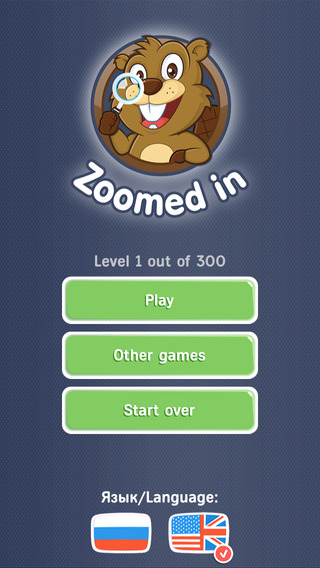
Russian Federation based iPrado announces their new game, Zoomed in! - Close Up Pics! for the iPhone, iPad, and iPod touch. The game will show you a "zoomed in" picture of an object and your task is to figure out what it is. Hundreds of new levels will permanently kill your boredom. Every Zoomed In photo is hand cropped to give you just the right clues. Don't worry about getting stuck. Plenty of hints will help you level up fast.
Obninsk, Russian Federation - iPrado is thrilled to introduce Zoomed in! - Close Up Pics! their new game for the iOS platform. The game will show you a "zoomed in" picture of an object and your task is to figure out what it is! This sounds easy, but some puzzles can be tricky.
If you like picture word games like What's the Pic?, 4 Pics 1 Word, you'll love this new family game!
New:
* Hundreds of new levels will permanently kill your boredom
* Multiple zoom levels give you new ways to solve puzzles
* New hints and helps
Tricky Puzzles. Every Zoomed In photo is hand cropped to give you just the right clues. Some are easy, some are hard. See if you can beat them all.
Beautiful Photos! Nature, food, kittens, and crocodiles - Every Zoomed In photo is exquisite. Hundreds of levels. Good thing, since this photo word game is Addictive. We're always adding more and more so the fun never stops. Helpful hints. Don't worry about getting stuck. Plenty of hints will help you level up fast.
"#1 photo word game!"
"This game is totally addictive and fun!"
"This game rocks!! I am super addicted"
"Incredible! So much fun!!!"
Can you guess the photo? Every picture is a zoomed in photo. Ordinary objects become extraordinary. Test the limits of your nature knowledge with this simple, yet challenging photo quiz game!
Device Requirements:
* iPhone, iPad, and iPod touch
* Requires iOS 6.0 or later
* 90.6 MB
Pricing and Availability:
Zoomed in! - Close Up Pics! 1.0 is free and available worldwide exclusively through the App Store in the Games category.
iPrado: https://www.facebook.com/iprado555
Zoomed in! - Close Up Pics! 1.-: https://itunes.apple.com/app/zoomed-in!-close-up-pics!/id896413028
Screenshot 1: http://a4.mzstatic.com/us/r30/Purple4/v4/b5/4c/09/b54c091a-3028-bf20-25bf-465551afe77c/screen568x568.jpeg
Screenshot 2: http://a5.mzstatic.com/us/r30/Purple1/v4/27/ed/5b/27ed5b7a-90af-67fb-43fa-9d3bf64a620b/screen568x568.jpeg
App Icon: http://a3.mzstatic.com/us/r30/Purple5/v4/ef/ae/88/efae88e6-6eb6-0fb4-4243-506f4aeca9f0/mzl.gawxmpvz.175x175-75.jpg
iPrado is an international developer and publisher of free games for mobile platforms, including iOS and Android. All Material and Software (C) Copyright 2014 iPrado. All Rights Reserved. Apple, the Apple logo, iPhone, iPod and iPad are registered trademarks of Apple Inc. in the U.S. and/or other countries. Other trademarks and registered trademarks may be the property of their respective owners.
*******
Link To Article: http://prmac.com/release-id-70303.htm
*******
---------------------------------------------------------------------------------
Note that you can alter delivered distributions at any time.
Login to your account on prMac to alter your channel selection, or to opt-out at any time.
Zoomed in! - Close Up Pics! for iOS from iPrado - Published on 09/02/14
Russian Federation based iPrado announces their new game, Zoomed in! - Close Up Pics! for the iPhone, iPad, and iPod touch. The game will show you a "zoomed in" picture of an object and your task is to figure out what it is. Hundreds of new levels will permanently kill your boredom. Every Zoomed In photo is hand cropped to give you just the right clues. Don't worry about getting stuck. Plenty of hints will help you level up fast.
Obninsk, Russian Federation - iPrado is thrilled to introduce Zoomed in! - Close Up Pics! their new game for the iOS platform. The game will show you a "zoomed in" picture of an object and your task is to figure out what it is! This sounds easy, but some puzzles can be tricky.
If you like picture word games like What's the Pic?, 4 Pics 1 Word, you'll love this new family game!
New:
* Hundreds of new levels will permanently kill your boredom
* Multiple zoom levels give you new ways to solve puzzles
* New hints and helps
Tricky Puzzles. Every Zoomed In photo is hand cropped to give you just the right clues. Some are easy, some are hard. See if you can beat them all.
Beautiful Photos! Nature, food, kittens, and crocodiles - Every Zoomed In photo is exquisite. Hundreds of levels. Good thing, since this photo word game is Addictive. We're always adding more and more so the fun never stops. Helpful hints. Don't worry about getting stuck. Plenty of hints will help you level up fast.
"#1 photo word game!"
"This game is totally addictive and fun!"
"This game rocks!! I am super addicted"
"Incredible! So much fun!!!"
Can you guess the photo? Every picture is a zoomed in photo. Ordinary objects become extraordinary. Test the limits of your nature knowledge with this simple, yet challenging photo quiz game!
Device Requirements:
* iPhone, iPad, and iPod touch
* Requires iOS 6.0 or later
* 90.6 MB
Pricing and Availability:
Zoomed in! - Close Up Pics! 1.0 is free and available worldwide exclusively through the App Store in the Games category.
iPrado: https://www.facebook.com/iprado555
Zoomed in! - Close Up Pics! 1.-: https://itunes.apple.com/app/zoomed-in!-close-up-pics!/id896413028
Screenshot 1: http://a4.mzstatic.com/us/r30/Purple4/v4/b5/4c/09/b54c091a-3028-bf20-25bf-465551afe77c/screen568x568.jpeg

Screenshot 2: http://a5.mzstatic.com/us/r30/Purple1/v4/27/ed/5b/27ed5b7a-90af-67fb-43fa-9d3bf64a620b/screen568x568.jpeg
App Icon: http://a3.mzstatic.com/us/r30/Purple5/v4/ef/ae/88/efae88e6-6eb6-0fb4-4243-506f4aeca9f0/mzl.gawxmpvz.175x175-75.jpg

iPrado is an international developer and publisher of free games for mobile platforms, including iOS and Android. All Material and Software (C) Copyright 2014 iPrado. All Rights Reserved. Apple, the Apple logo, iPhone, iPod and iPad are registered trademarks of Apple Inc. in the U.S. and/or other countries. Other trademarks and registered trademarks may be the property of their respective owners.
*******
Link To Article: http://prmac.com/release-id-70303.htm
*******
---------------------------------------------------------------------------------
Note that you can alter delivered distributions at any time.
Login to your account on prMac to alter your channel selection, or to opt-out at any time.
DCI Launches E-Book: How to Gain Millions of Users for Your Gaming App
A new article has been published at prMac.
DCI Launches E-Book: How to Gain Millions of Users for Your Gaming App - Published on 09/02/14
Dot Com Infoway announces its new e-book titled "How to Gain Millions of Users for Your Gaming App." The e-book provides developers with valuable information as well as guidelines for success in the app marketplace. The new e-book offers a comprehensive look at the entire process of gaining users, beginning with the app concept. It offers research-supported tips for key points of the development process, including design, usability and revenue models.
New York, New York - Dot Com Infoway (DCI), a globally renowned provider of mobile application, IT and online marketing solutions, has announced the release of its new e-book titled "How to Gain Millions of Users for Your Gaming App." The e-book provides developers with valuable information as well as guidelines for success in the app marketplace.
Developers know that the current market is saturated with millions of different gaming apps that are all vying for gamer attention. DCI recognized the challenges that come with differentiating and marketing new games to help them reach their full potential. As a result, the new e-book offers a comprehensive look at the entire process of gaining users, beginning with the app concept.
"The potential of any app is always determined by the initial app concept," said Dot Com Infoway's CEO, Venkatesh C.R. "This may seem like basic knowledge, but failing to assess the need, originality and overall appeal of a game is the most common mistake for developers. When it comes down to it, you can market the app perfectly, but nothing can save a bad game."
'How to Gain Millions of Users for Your Gaming App' offers research-supported tips for key points of the development process, including design, usability and revenue models that set users up for success before the app even reaches the beta stage. The e-book also emphasizes the importance of "pre-launch preparations," otherwise known as building buzz, before the app is released in the market. Here, developers receive expert insight and ideas for promotions that create awareness, establish credibility and ultimately increase marketplace visibility.
Readers will also learn how to find and use available resources such as social media and the press to create a more impactful app launch. However, the guide doesn't stop there; it also includes a rich set of details for what to do post launch. There's plenty of information for developers who have already launched an app and want to improve their exposure and maintain a competitive edge.
"App trends have a short lifecycle," said Venkatesh. "Developers should know the importance of continued innovation and taking user feedback into serious consideration. Simple improvements can take a good game and turn it into a viral success."
Dot Com Infoway: http://www.dotcominfoway.com/
How to Gain Millions of Users for Your Gaming App: http://www.dotcominfoway.com/blog/ebook-how-to-gain-millions-of-users-for-your-gaming-app
Download ebook: http://www.dotcominfoway.com/ebooks
Mobile Applications Marketing: http://www.dotcominfoway.com/mobile-application-development/mobile-apps-marketing/
Dot Com Infoway (DCI) is a CMMI Level 3 multinational information technology company and a leader in custom software development and mobile application development with offices in India, the United States and Germany. An ISO 9001:2000 certified multi-disciplined professional IT service company, DCI is a Microsoft Gold Partner, Google AdWords Certified Partner, Bing Ads Accredited Professional, and a member of the prestigious NASSCOM and STPI. All Material and Software (C) Copyright 2014 Dot Com Infoway. All Rights Reserved. Other trademarks and registered trademarks may be the property of their respective owners.
*******
Link To Article: http://prmac.com/release-id-70299.htm
*******
---------------------------------------------------------------------------------
Note that you can alter delivered distributions at any time.
Login to your account on prMac to alter your channel selection, or to opt-out at any time.
DCI Launches E-Book: How to Gain Millions of Users for Your Gaming App - Published on 09/02/14
Dot Com Infoway announces its new e-book titled "How to Gain Millions of Users for Your Gaming App." The e-book provides developers with valuable information as well as guidelines for success in the app marketplace. The new e-book offers a comprehensive look at the entire process of gaining users, beginning with the app concept. It offers research-supported tips for key points of the development process, including design, usability and revenue models.
New York, New York - Dot Com Infoway (DCI), a globally renowned provider of mobile application, IT and online marketing solutions, has announced the release of its new e-book titled "How to Gain Millions of Users for Your Gaming App." The e-book provides developers with valuable information as well as guidelines for success in the app marketplace.
Developers know that the current market is saturated with millions of different gaming apps that are all vying for gamer attention. DCI recognized the challenges that come with differentiating and marketing new games to help them reach their full potential. As a result, the new e-book offers a comprehensive look at the entire process of gaining users, beginning with the app concept.
"The potential of any app is always determined by the initial app concept," said Dot Com Infoway's CEO, Venkatesh C.R. "This may seem like basic knowledge, but failing to assess the need, originality and overall appeal of a game is the most common mistake for developers. When it comes down to it, you can market the app perfectly, but nothing can save a bad game."
'How to Gain Millions of Users for Your Gaming App' offers research-supported tips for key points of the development process, including design, usability and revenue models that set users up for success before the app even reaches the beta stage. The e-book also emphasizes the importance of "pre-launch preparations," otherwise known as building buzz, before the app is released in the market. Here, developers receive expert insight and ideas for promotions that create awareness, establish credibility and ultimately increase marketplace visibility.
Readers will also learn how to find and use available resources such as social media and the press to create a more impactful app launch. However, the guide doesn't stop there; it also includes a rich set of details for what to do post launch. There's plenty of information for developers who have already launched an app and want to improve their exposure and maintain a competitive edge.
"App trends have a short lifecycle," said Venkatesh. "Developers should know the importance of continued innovation and taking user feedback into serious consideration. Simple improvements can take a good game and turn it into a viral success."
Dot Com Infoway: http://www.dotcominfoway.com/
How to Gain Millions of Users for Your Gaming App: http://www.dotcominfoway.com/blog/ebook-how-to-gain-millions-of-users-for-your-gaming-app
Download ebook: http://www.dotcominfoway.com/ebooks
Mobile Applications Marketing: http://www.dotcominfoway.com/mobile-application-development/mobile-apps-marketing/
Dot Com Infoway (DCI) is a CMMI Level 3 multinational information technology company and a leader in custom software development and mobile application development with offices in India, the United States and Germany. An ISO 9001:2000 certified multi-disciplined professional IT service company, DCI is a Microsoft Gold Partner, Google AdWords Certified Partner, Bing Ads Accredited Professional, and a member of the prestigious NASSCOM and STPI. All Material and Software (C) Copyright 2014 Dot Com Infoway. All Rights Reserved. Other trademarks and registered trademarks may be the property of their respective owners.
*******
Link To Article: http://prmac.com/release-id-70299.htm
*******
---------------------------------------------------------------------------------
Note that you can alter delivered distributions at any time.
Login to your account on prMac to alter your channel selection, or to opt-out at any time.
Subscribe to:
Posts (Atom)