A new article has been published at prMac.
Steer Physics - A Fun and Challenging One-Of-Its-Kind Puzzler for iOS - Published on 05/28/15
Developer Kenetic Bytes today introduces Steer Physics 1.0, its new game title exclusively for iOS devices. In this challenging puzzler, players simply need to draw lines to maneuver a ball around obstacles to reach a flag. The ball needs to pick up one or more stars along the way. The rules are straightforward. The more stars players collect, the higher they score. The fewer lines they draw, the higher they score. The sooner the ball reaches the flag, the higher they score.
Coconut Creek, Florida - Kenetic Bytes today is proud to announce the release of Steer Physics 1.0, exclusively for iOS devices. Players become immersed in this challenging puzzler, where all they need to do is draw lines to maneuver a ball around obstacles to reach a flag. The ball needs to pick up one or more stars along the way. The rules are straightforward. The more stars players collect, the higher they score. The fewer lines they draw, the higher they score. The sooner the ball reaches the flag, the higher they score. Players should follow these mantras and see how they stack up against others on Game Center.
Gravity could be a double-edged sword, so you will have to use the ball's momentum or other means of propulsion to get through most levels. The ball is fragile and moving obstacles have a tendency to shatter it. This starter pack comes with 50 exciting levels filled with soothing music, amusing sound effects and even explosions. The levels may look easy at first but don't be fooled by their simplicity. Some could take an hour or more to solve and players will find themselves playing well into the night. However, if they have that special knack and happen to breeze through these levels, rest assured, we will be adding more soon.
How to play:
* Touch and drag one finger to draw one or more lines to steer the ball toward the flag
* Double tap or press Play to start or stop the ball
* To erase the lines, swipe across them with two fingers
* Collect at least one star to clear each level
Device Requirements:
* iPhone, iPad, and iPod touch
* Optimized for iPhone 5, iPhone 6, and iPhone 6 Plus
* Requires iOS 7.0 or later
* 15.1 MB
Pricing and Availability:
Steer Physics 1.0 is Free, and is available worldwide exclusively through the App Store in the Games category. As always, feel free to send us your valuable feedback and suggestions.
Kinetic Bytes: http://kineticbytes.com/
Steer Physics 1.0: http://kineticbytes.com/home/steerphysics.aspx
Download from iTunes: https://itunes.apple.com/app/steer-physics/id980578991
Screenshot: http://kineticbytes.com/home/img/steerphysics/image1.png
App Icon: http://kineticbytes.com/home/img/steerphysics/steerme_icon.png
Kinetic Bytes is committed to creating addictive games for mobile platforms. Copyright (C) 2015 Kinetic Bytes. All Rights Reserved. Apple, the Apple logo, iPhone, iPad and iPod are registered trademarks of Apple Inc. in the U.S. and/or other countries.
*******
Link To Article: http://prmac.com/release-id-75179.htm
*******
---------------------------------------------------------------------------------
Note that you can alter delivered distributions at any time.
Login to your account on prMac to alter your channel selection, or to opt-out at any time.



Space Harvest II - A challenging Real Time Strategy (RTS) game for iPad
A new article has been published at prMac.
Space Harvest II - A challenging Real Time Strategy (RTS) game for iPad - Published on 05/28/15
UK based All-Seeing Interactive today introduces Space Harvest II, an old fashioned single player Real Time Strategy (RTS) game for iPad. Players construct buildings, manufacture units and harvest resources to earn credits, all while doing battle with devious AI opponents. Featuring 8 challenging campaign missions with three difficulty settings, the game features high-resolution isometric graphics, positional sound effects and an atmospheric soundtrack that adapts to current game conditions.
London, United Kingdom - All-Seeing Interactive today is proud to announce the release and immediate availability of Space Harvest II - a challenging, old-fashioned single player Real Time Strategy game (RTS) for iPad. Players construct buildings, manufacture units and harvest resources to earn credits, all while doing battle with devious AI opponents. It is available now for iPad in the iTunes App Store, and does not include in-app purchases.
Features include:
* 8 challenging campaign missions with three difficulty settings
* Custom game mode lets players change the rules and battle customisable AI opponents
* Tutorial mission, online help, and a guide to the in-game units, structures and upgrades
* Intelligent AI that adapts to counter the player's current strategy
* Gorgeous high resolution retina graphics (iPad 4 and later) with real-time lighting
* Atmospheric soundtrack that changes according to current game conditions, and positional sound effects
Space Harvest II is the sequel to the highly rated 2010 iPhone/iPod touch/iPad game Space Harvest. Like its predecessor, it offers a challenging isometric RTS experience reminiscent of games from the early 1990s DOS era, but updated for modern mobile devices. The new game was built from scratch on an all new custom engine specifically designed around the capabilities of the iPad.
Space Harvest II is the kind of iPad game its author wanted to play but nobody else seemed to be making. Its challenging missions are intended for longer gameplay sessions than traditional mobile games.
Authors:
The game was made by Ben Copsey (programming / graphics / voiceover), with music and sound effects by Aaron Lemke. The game has been a labour of love, in development on and off since August 2010 (when money & time permitted!)
Device Requirements:
* iPad 2 or later (iPad 2/Mini/3/4/Retina Mini/Air/Air 2)
* Requires iOS 7.0 or later
* 93.0 MB
Pricing and Availability:
Space Harvest II (v1.0) is $4.99 US / 3.99 GBP / 4.99 Euro / $6.49 AUS / $5.79 CAN and available now in the iTunes App Store in the Games category.
All-Seeing Interactive: http://allseeing-i.com
Space Harvest II (v1.0): http://spaceharvest.com
Purchase and Download: https://itunes.apple.com/app/id992193797
Media Assets: http://spaceharvest.com/press
Located in London, United Kingdom, All-Seeing Interactive was founded in 2003 by Ben Copsey, and is a one-person games, apps and web development company. Ben's first game, Space Harvest, published in 2010, offered a challenging RTS experience for the original model iPhone, and has an average rating on the iTunes App Store of 4/5 across more than 500 reviews worldwide. All Material and Software (C) 2010-2015 All-Seeing Interactive Ltd / All Rights Reserved. Apple, the iTunes App Store and the iPad are registered trademarks of Apple Computer in the U.S. and/or other countries.
*******
Link To Article: http://prmac.com/release-id-75178.htm
*******
---------------------------------------------------------------------------------
Note that you can alter delivered distributions at any time.
Login to your account on prMac to alter your channel selection, or to opt-out at any time.
Space Harvest II - A challenging Real Time Strategy (RTS) game for iPad - Published on 05/28/15
UK based All-Seeing Interactive today introduces Space Harvest II, an old fashioned single player Real Time Strategy (RTS) game for iPad. Players construct buildings, manufacture units and harvest resources to earn credits, all while doing battle with devious AI opponents. Featuring 8 challenging campaign missions with three difficulty settings, the game features high-resolution isometric graphics, positional sound effects and an atmospheric soundtrack that adapts to current game conditions.
London, United Kingdom - All-Seeing Interactive today is proud to announce the release and immediate availability of Space Harvest II - a challenging, old-fashioned single player Real Time Strategy game (RTS) for iPad. Players construct buildings, manufacture units and harvest resources to earn credits, all while doing battle with devious AI opponents. It is available now for iPad in the iTunes App Store, and does not include in-app purchases.
Features include:
* 8 challenging campaign missions with three difficulty settings
* Custom game mode lets players change the rules and battle customisable AI opponents
* Tutorial mission, online help, and a guide to the in-game units, structures and upgrades
* Intelligent AI that adapts to counter the player's current strategy
* Gorgeous high resolution retina graphics (iPad 4 and later) with real-time lighting
* Atmospheric soundtrack that changes according to current game conditions, and positional sound effects
Space Harvest II is the sequel to the highly rated 2010 iPhone/iPod touch/iPad game Space Harvest. Like its predecessor, it offers a challenging isometric RTS experience reminiscent of games from the early 1990s DOS era, but updated for modern mobile devices. The new game was built from scratch on an all new custom engine specifically designed around the capabilities of the iPad.
Space Harvest II is the kind of iPad game its author wanted to play but nobody else seemed to be making. Its challenging missions are intended for longer gameplay sessions than traditional mobile games.
Authors:
The game was made by Ben Copsey (programming / graphics / voiceover), with music and sound effects by Aaron Lemke. The game has been a labour of love, in development on and off since August 2010 (when money & time permitted!)
Device Requirements:
* iPad 2 or later (iPad 2/Mini/3/4/Retina Mini/Air/Air 2)
* Requires iOS 7.0 or later
* 93.0 MB
Pricing and Availability:
Space Harvest II (v1.0) is $4.99 US / 3.99 GBP / 4.99 Euro / $6.49 AUS / $5.79 CAN and available now in the iTunes App Store in the Games category.
All-Seeing Interactive: http://allseeing-i.com
Space Harvest II (v1.0): http://spaceharvest.com
Purchase and Download: https://itunes.apple.com/app/id992193797
Media Assets: http://spaceharvest.com/press
Located in London, United Kingdom, All-Seeing Interactive was founded in 2003 by Ben Copsey, and is a one-person games, apps and web development company. Ben's first game, Space Harvest, published in 2010, offered a challenging RTS experience for the original model iPhone, and has an average rating on the iTunes App Store of 4/5 across more than 500 reviews worldwide. All Material and Software (C) 2010-2015 All-Seeing Interactive Ltd / All Rights Reserved. Apple, the iTunes App Store and the iPad are registered trademarks of Apple Computer in the U.S. and/or other countries.
*******
Link To Article: http://prmac.com/release-id-75178.htm
*******
---------------------------------------------------------------------------------
Note that you can alter delivered distributions at any time.
Login to your account on prMac to alter your channel selection, or to opt-out at any time.
Thai Dictionary 12.0 Released with Apple Watch Support
A new article has been published at prMac.
Thai Dictionary 12.0 Released with Apple Watch Support - Published on 05/28/15
iThinkdiff today announces Thai Dictionary 12.0, an update to their popular bilingual dictionary app for iOS. Featuring a large database, Pronunciation, Online Translator, Phrase Book, Flash cards and games, the app helps both students and travelers to translate nearly anything from Thai into English and vice versa. Version 12.0 introduces Apple Watch support. Now anyone can quickly see recent search history, bookmarked words, translation, phrases and word of the day in their watch.
Melaka, Malaysia - iThinkdiff today is proud to announce the release of Thai Dictionary 12.0, an update to their popular bilingual dictionary app for iOS devices. Featuring a large database, Pronunciation, Online Translator, Phrase Book, Flash cards and games, the app helps both students and travelers to translate nearly anything from Thai into English and vice versa. Version 12.0 introduces Apple Watch support. Now anyone can quickly see recent search history, bookmarked words, translation, phrases and word of the day right on their watch.
The leading iPhone, iPad, and iPod touch bilingual dictionary translates between English and Thai now offers extremely useful Apple Watch support. Lead developer Mahmud Ahsan said, "Now the dictionary will be more useful with the new Apple watch feature. Both students and travelers can use Thai Dictionary to translate nearly anything from Thai into English or vice versa."
Key Features:
* Translate individual words, phrases, or whole sentences
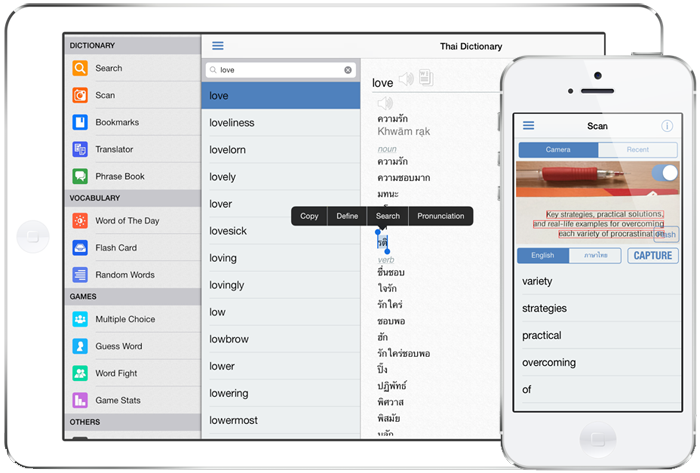
* Scan text in image by pointing your device camera to search in dictionary
* Cross search feature. Touch a word for a while for the menu [Copy | Define | Search | Pronunciation]
* Bookmark and Recent History for instant recall
* Multiple games to help students improve their English or Thai vocabulary
* Online & Offline Pronunciation for English & Thai text
* Flash Card & Word of the Day for vocabulary learning
* Phrase Book
* Apple Watch supported for quick access of saved and recent search words, phrases, translation and word of the day
"Over 40 million people speak Thai, and it is my hope that this dictionary will make communication between Thai speakers and English speakers easier than ever before," continues Mr. Ahsan. "So it was important for us to help users look up words quickly without having to transliterate them into Latin [English] characters first."
Thai Dictionary's core translation function works offline. But when the user's device is online, several extra features become available, such as an online scoring system which helps students earn Achievements for using app features, plus a vocabulary Leaderboard which rewards the most effective students.
"Thai Dictionary was designed for both students and travelers. You can use it as a phrase book for a short trip, or you can use it to learn a language for life. And, at only $4.99 in the App Store, it's cheaper than either a paperback phrase book or even the simplest study guide. A free version with in-app purchase options is also available," said Mr. Ahsan.
English words link to their Wiktionary page to help users discover the history behind words, and built-in app connections let users send their translations to other apps on their device, such as Facebook, Twitter, Email, and SMS. All current iPhones, iPads, iPod touch and Apple Watch are supported. Devices with a Retina display will find Spanish Dictionary automatically optimizes itself for high-resolution text display so users don't need to squint.
Device Requirements:
* iPhone, iPad, iPod touch and Apple Watch
* Optimized for iPhone 5, iPhone 6 and iPhone 6 Plus
* Requires iOS 7.0 or later
* 50.5 MB
Pricing and Availability:
Thai Dictionary 12.0 is $4.99 USD (or equivalent amount in other currencies) and available worldwide exclusively through the App Store in the Education category. A free version with in-app purchase options is also available.
iThinkdiff: http://ithinkdiff.net
Thai Dictionary 12.0: http://ithinkdiff.net/iphone-applications/thai-dictionary/
Purchase and Download: https://search.itunes.apple.com/WebObjects/MZSearch.woa/wa/search?media=all&term=iThinkdiff+Thai+Dictionary
Screenshot: http://2a2cc343f5995d2fb948-5cc402153e846059e29478934321d3c6.r70.cf1.rackcdn.com/2010/11/thai-dic1.png
App Icon: http://a2.mzstatic.com/us/r30/Purple7/v4/90/17/22/90172263-fe5d-0379-5da1-39c91cfe1e14/icon350x350.jpeg
Founded in 2010 by programmer Mahmud Ahsan, iThinkdiff is a leading creator of educational and entertainment apps for iPhones, iPads, and other Apple iOS devices. With over 8 million total downloads, thousands of five-star reviews, and 15 million monthly ad impressions, iThinkdiff games and translation apps are frequently featured on the Apple iTunes homepage. Copyright (C) 2010-2015 iThinkdiff. All Rights Reserved. Apple, the Apple logo, iPhone, iPad, iPad mini, iPod touch, and Mac are registered trademarks of Apple Inc. in the U.S. and/or other countries. Other trademarks and registered trademarks may be the property of their respective owners.
*******
Link To Article: http://prmac.com/release-id-75177.htm
*******
---------------------------------------------------------------------------------
Note that you can alter delivered distributions at any time.
Login to your account on prMac to alter your channel selection, or to opt-out at any time.
Thai Dictionary 12.0 Released with Apple Watch Support - Published on 05/28/15
iThinkdiff today announces Thai Dictionary 12.0, an update to their popular bilingual dictionary app for iOS. Featuring a large database, Pronunciation, Online Translator, Phrase Book, Flash cards and games, the app helps both students and travelers to translate nearly anything from Thai into English and vice versa. Version 12.0 introduces Apple Watch support. Now anyone can quickly see recent search history, bookmarked words, translation, phrases and word of the day in their watch.
Melaka, Malaysia - iThinkdiff today is proud to announce the release of Thai Dictionary 12.0, an update to their popular bilingual dictionary app for iOS devices. Featuring a large database, Pronunciation, Online Translator, Phrase Book, Flash cards and games, the app helps both students and travelers to translate nearly anything from Thai into English and vice versa. Version 12.0 introduces Apple Watch support. Now anyone can quickly see recent search history, bookmarked words, translation, phrases and word of the day right on their watch.
The leading iPhone, iPad, and iPod touch bilingual dictionary translates between English and Thai now offers extremely useful Apple Watch support. Lead developer Mahmud Ahsan said, "Now the dictionary will be more useful with the new Apple watch feature. Both students and travelers can use Thai Dictionary to translate nearly anything from Thai into English or vice versa."
Key Features:
* Translate individual words, phrases, or whole sentences
* Scan text in image by pointing your device camera to search in dictionary
* Cross search feature. Touch a word for a while for the menu [Copy | Define | Search | Pronunciation]
* Bookmark and Recent History for instant recall
* Multiple games to help students improve their English or Thai vocabulary
* Online & Offline Pronunciation for English & Thai text
* Flash Card & Word of the Day for vocabulary learning
* Phrase Book
* Apple Watch supported for quick access of saved and recent search words, phrases, translation and word of the day
"Over 40 million people speak Thai, and it is my hope that this dictionary will make communication between Thai speakers and English speakers easier than ever before," continues Mr. Ahsan. "So it was important for us to help users look up words quickly without having to transliterate them into Latin [English] characters first."
Thai Dictionary's core translation function works offline. But when the user's device is online, several extra features become available, such as an online scoring system which helps students earn Achievements for using app features, plus a vocabulary Leaderboard which rewards the most effective students.
"Thai Dictionary was designed for both students and travelers. You can use it as a phrase book for a short trip, or you can use it to learn a language for life. And, at only $4.99 in the App Store, it's cheaper than either a paperback phrase book or even the simplest study guide. A free version with in-app purchase options is also available," said Mr. Ahsan.
English words link to their Wiktionary page to help users discover the history behind words, and built-in app connections let users send their translations to other apps on their device, such as Facebook, Twitter, Email, and SMS. All current iPhones, iPads, iPod touch and Apple Watch are supported. Devices with a Retina display will find Spanish Dictionary automatically optimizes itself for high-resolution text display so users don't need to squint.
Device Requirements:
* iPhone, iPad, iPod touch and Apple Watch
* Optimized for iPhone 5, iPhone 6 and iPhone 6 Plus
* Requires iOS 7.0 or later
* 50.5 MB
Pricing and Availability:
Thai Dictionary 12.0 is $4.99 USD (or equivalent amount in other currencies) and available worldwide exclusively through the App Store in the Education category. A free version with in-app purchase options is also available.
iThinkdiff: http://ithinkdiff.net
Thai Dictionary 12.0: http://ithinkdiff.net/iphone-applications/thai-dictionary/
Purchase and Download: https://search.itunes.apple.com/WebObjects/MZSearch.woa/wa/search?media=all&term=iThinkdiff+Thai+Dictionary
Screenshot: http://2a2cc343f5995d2fb948-5cc402153e846059e29478934321d3c6.r70.cf1.rackcdn.com/2010/11/thai-dic1.png
App Icon: http://a2.mzstatic.com/us/r30/Purple7/v4/90/17/22/90172263-fe5d-0379-5da1-39c91cfe1e14/icon350x350.jpeg

Founded in 2010 by programmer Mahmud Ahsan, iThinkdiff is a leading creator of educational and entertainment apps for iPhones, iPads, and other Apple iOS devices. With over 8 million total downloads, thousands of five-star reviews, and 15 million monthly ad impressions, iThinkdiff games and translation apps are frequently featured on the Apple iTunes homepage. Copyright (C) 2010-2015 iThinkdiff. All Rights Reserved. Apple, the Apple logo, iPhone, iPad, iPad mini, iPod touch, and Mac are registered trademarks of Apple Inc. in the U.S. and/or other countries. Other trademarks and registered trademarks may be the property of their respective owners.
*******
Link To Article: http://prmac.com/release-id-75177.htm
*******
---------------------------------------------------------------------------------
Note that you can alter delivered distributions at any time.
Login to your account on prMac to alter your channel selection, or to opt-out at any time.
24U releases 24U SimpleDialog Plug-In 5.0 for FileMaker Pro 14
A new article has been published at prMac.
24U releases 24U SimpleDialog Plug-In 5.0 for FileMaker Pro 14 - Published on 05/28/15
24U Software today releases 24U SimpleDialog Plug-In 5.0, a major upgrade to their popular FileMaker plugin for Mac & Windows. 24U SimpleDialog Plug-In enables FileMaker Pro 14 to display dynamically created professionally looking OS-native error messages, input dialogs, and progress bars in both 32-bit and 64-bit modes. Version 5.0 takes full advantage of the 64-bit architecture, as well as offers better stability when multiple copies of the plug-in are accidentally installed at the same time.
Prague, Czech Republic - 24U Software today is proud to announce a major upgrade of 24U SimpleDialog Plug-In to enable FileMaker Pro 14 to display dynamically created professionally looking OS-native error messages, input dialogs, and progress bars in both 32-bit and 64-bit modes.
24U SimpleDialog Plug-In 5.0 has been rewritten to use the latest OS technologies and take the full advantage of the 64-bit architecture, so that it works well with FileMaker Pro 14 and the current and future versions of OS X and Windows. Other improvements include better performance and better stability when multiple copies of the plug-in are accidentally installed at the same time.
Major changes introduced in the version 5.0:
* Full compatibility with FileMaker Pro 14 in both 32-bit and 64-bit modes
* The dialog displaying and handling core updated to use the current OS technologies
* Resolved collision of multiple copies of the plug-in being installed
Other recent changes and new features:
* Full support for text styles in dialog fields (except for color on Windows)
* Dialogs can be updated on the fly without dismissing and re-displaying
* Conditional popup menus
About 64-bit architecture:
FileMaker Pro gained support for 64-bit architecture with the release of version 14. Users can choose whether to use FileMaker Pro 14 as 32-bit or 64-bit application. However, if plug-ins are used they must match the architecture of the FileMaker Pro application. It will take some time before all plug-ins are updated to support 64-bit architecture natively. So, if a user needs to use 32-bit plug-ins with FileMaker Pro 14 it is necessary to run FileMaker Pro in the 32-bit mode as well. On a Mac it is as easy as opening the Get Info dialog for the application and enable the option to run the app in 32-bit mode. On Windows the appropriate architecture needs to be chosen before installing the FileMaker Pro 14.
24U SimpleDialog Plug-In 5.0 addresses the need for different architectures by providing versions for both 32-bit and 64-bit environments, letting users use the version that suits better their actual needs depending on other circumstances.
About 24U SimpleDialog Plug-In:
24U SimpleDialog Plug-In allows FileMaker solutions to interact with users via professionally looking dialogs to provide excellent user experience with minimum development effort. Since its first release back in 2001 the plug-in has grown to a feature rich user interaction addition for FileMaker solutions, while still retaining its ease of use and offering syntax that's as simple as the dialog it is supposed to display.
Most customers use 24U SimpleDialog primarily to save development time and provide better user experience in their solutions...
Vincenzo Menanno, director of FileMaker development at Beezwax, said at FileMaker DevCon 2014: "The biggest value that we get with SimpleDialog is creating solutions that look professional, keep the user informed, and provide us with a great solution for our clients. SimpleDialog is very easy to use and once we use it we use it over and over."
Paul de Halle, CEO of Linear Blue says: "One of the reasons we really like the 24U SimpleDialog Plug-In is not just it's ease of use but its added value to the solutions that we develop for our clients. It allows us to put a level of functionality in some systems, that would not be possible with anything else."
System Requirements and Compatibility:
24U SimpleDialog Plug-in 5.0 requires Mac OS X 10.7 Lion or newer and FileMaker Pro 12 or newer. Recommended is Mac OS X 10.10 and FileMaker Pro 13 Advanced or newer.
Windows XP SP3 and FileMaker Pro 12 are minimum requirements for using the plug-in on the Windows platform. Windows 7 or newer and FileMaker Pro 13 Advanced or newer are recommended.
At least FileMaker Pro 14 is necessary to take advantage of the 64-bit architecture. Older versions of the plug-in are available for FileMaker Pro versions 4 through 11.
Pricing and Availability:
24U SimpleDialog Plug-In 5.0 is immediately available for download free of charge as a fully functional 14-days trial version, which can be activated after purchasing a license. Licenses for 24U SimpleDialog Plug-In start at $49 (USD) per user, volume discounts are available for 5 or more users. Existing customers can upgrade to the new version at 50 % off the regular prices if placing order within 14 days upon release, and 30 % off if buying later. Customers who have bought 24U SimpleDialog Plug-In on or after January 1, 2015 are eligible for free upgrade. Optional Premium Support and Implementation services are available with the purchase of 24U SimpleDialog Plug-In 5.0.
24U Software: http://www.24usoftware.com/
24U SimpleDialog Plug-In 5.0: http://www.24usoftware.com/SimpleDialog
Download for Mac: http://www.24usoftware.com/download/24uSimpleDialogPlugIn50.dmg
Download for Windows: http://www.24usoftware.com/download/24uSimpleDialogPlugIn50.zip
Purchase: http://www.24usoftware.com/SimpleDialog#buy
24U SimpleDialog Plug-In Icon: http://www.24usoftware.com/wp-content/uploads/simd.jpg
24U is a key vendor of plug-ins for FileMaker Pro and a producer of FM Bench, the tool for auditing and optimizing FileMaker solutions. We unveiled the Marvelous Optimization Formula and teach how to efficiently optimize performance of your solution and processes by focusing on real bottlenecks. Optimizing your performance... Inventing unique iOS applications... Helping organizations to get more out of their technologies... Dedicated to creating the easiest to use FileMaker plug-ins... We connect the dare of education with the experience of industry to achieve the impossible. Copyright (C) 2015 24U s.r.o. All rights reserved. 24U, 24U Software, and FM Bench are trademarks of 24U s.r.o. FileMaker is a trademark of FileMaker, Inc., registered in the U.S. and other countries. Apple, the Apple logo, Macintosh and Mac OS X are registered trademarks of Apple Inc. in the U.S. and/or other countries. Other trademarks and registered trademarks may be the property of their respective owners.
*******
Link To Article: http://prmac.com/release-id-75176.htm
*******
---------------------------------------------------------------------------------
Note that you can alter delivered distributions at any time.
Login to your account on prMac to alter your channel selection, or to opt-out at any time.
24U releases 24U SimpleDialog Plug-In 5.0 for FileMaker Pro 14 - Published on 05/28/15
24U Software today releases 24U SimpleDialog Plug-In 5.0, a major upgrade to their popular FileMaker plugin for Mac & Windows. 24U SimpleDialog Plug-In enables FileMaker Pro 14 to display dynamically created professionally looking OS-native error messages, input dialogs, and progress bars in both 32-bit and 64-bit modes. Version 5.0 takes full advantage of the 64-bit architecture, as well as offers better stability when multiple copies of the plug-in are accidentally installed at the same time.
Prague, Czech Republic - 24U Software today is proud to announce a major upgrade of 24U SimpleDialog Plug-In to enable FileMaker Pro 14 to display dynamically created professionally looking OS-native error messages, input dialogs, and progress bars in both 32-bit and 64-bit modes.
24U SimpleDialog Plug-In 5.0 has been rewritten to use the latest OS technologies and take the full advantage of the 64-bit architecture, so that it works well with FileMaker Pro 14 and the current and future versions of OS X and Windows. Other improvements include better performance and better stability when multiple copies of the plug-in are accidentally installed at the same time.
Major changes introduced in the version 5.0:
* Full compatibility with FileMaker Pro 14 in both 32-bit and 64-bit modes
* The dialog displaying and handling core updated to use the current OS technologies
* Resolved collision of multiple copies of the plug-in being installed
Other recent changes and new features:
* Full support for text styles in dialog fields (except for color on Windows)
* Dialogs can be updated on the fly without dismissing and re-displaying
* Conditional popup menus
About 64-bit architecture:
FileMaker Pro gained support for 64-bit architecture with the release of version 14. Users can choose whether to use FileMaker Pro 14 as 32-bit or 64-bit application. However, if plug-ins are used they must match the architecture of the FileMaker Pro application. It will take some time before all plug-ins are updated to support 64-bit architecture natively. So, if a user needs to use 32-bit plug-ins with FileMaker Pro 14 it is necessary to run FileMaker Pro in the 32-bit mode as well. On a Mac it is as easy as opening the Get Info dialog for the application and enable the option to run the app in 32-bit mode. On Windows the appropriate architecture needs to be chosen before installing the FileMaker Pro 14.
24U SimpleDialog Plug-In 5.0 addresses the need for different architectures by providing versions for both 32-bit and 64-bit environments, letting users use the version that suits better their actual needs depending on other circumstances.
About 24U SimpleDialog Plug-In:
24U SimpleDialog Plug-In allows FileMaker solutions to interact with users via professionally looking dialogs to provide excellent user experience with minimum development effort. Since its first release back in 2001 the plug-in has grown to a feature rich user interaction addition for FileMaker solutions, while still retaining its ease of use and offering syntax that's as simple as the dialog it is supposed to display.
Most customers use 24U SimpleDialog primarily to save development time and provide better user experience in their solutions...
Vincenzo Menanno, director of FileMaker development at Beezwax, said at FileMaker DevCon 2014: "The biggest value that we get with SimpleDialog is creating solutions that look professional, keep the user informed, and provide us with a great solution for our clients. SimpleDialog is very easy to use and once we use it we use it over and over."
Paul de Halle, CEO of Linear Blue says: "One of the reasons we really like the 24U SimpleDialog Plug-In is not just it's ease of use but its added value to the solutions that we develop for our clients. It allows us to put a level of functionality in some systems, that would not be possible with anything else."
System Requirements and Compatibility:
24U SimpleDialog Plug-in 5.0 requires Mac OS X 10.7 Lion or newer and FileMaker Pro 12 or newer. Recommended is Mac OS X 10.10 and FileMaker Pro 13 Advanced or newer.
Windows XP SP3 and FileMaker Pro 12 are minimum requirements for using the plug-in on the Windows platform. Windows 7 or newer and FileMaker Pro 13 Advanced or newer are recommended.
At least FileMaker Pro 14 is necessary to take advantage of the 64-bit architecture. Older versions of the plug-in are available for FileMaker Pro versions 4 through 11.
Pricing and Availability:
24U SimpleDialog Plug-In 5.0 is immediately available for download free of charge as a fully functional 14-days trial version, which can be activated after purchasing a license. Licenses for 24U SimpleDialog Plug-In start at $49 (USD) per user, volume discounts are available for 5 or more users. Existing customers can upgrade to the new version at 50 % off the regular prices if placing order within 14 days upon release, and 30 % off if buying later. Customers who have bought 24U SimpleDialog Plug-In on or after January 1, 2015 are eligible for free upgrade. Optional Premium Support and Implementation services are available with the purchase of 24U SimpleDialog Plug-In 5.0.
24U Software: http://www.24usoftware.com/
24U SimpleDialog Plug-In 5.0: http://www.24usoftware.com/SimpleDialog
Download for Mac: http://www.24usoftware.com/download/24uSimpleDialogPlugIn50.dmg
Download for Windows: http://www.24usoftware.com/download/24uSimpleDialogPlugIn50.zip
Purchase: http://www.24usoftware.com/SimpleDialog#buy
24U SimpleDialog Plug-In Icon: http://www.24usoftware.com/wp-content/uploads/simd.jpg

24U is a key vendor of plug-ins for FileMaker Pro and a producer of FM Bench, the tool for auditing and optimizing FileMaker solutions. We unveiled the Marvelous Optimization Formula and teach how to efficiently optimize performance of your solution and processes by focusing on real bottlenecks. Optimizing your performance... Inventing unique iOS applications... Helping organizations to get more out of their technologies... Dedicated to creating the easiest to use FileMaker plug-ins... We connect the dare of education with the experience of industry to achieve the impossible. Copyright (C) 2015 24U s.r.o. All rights reserved. 24U, 24U Software, and FM Bench are trademarks of 24U s.r.o. FileMaker is a trademark of FileMaker, Inc., registered in the U.S. and other countries. Apple, the Apple logo, Macintosh and Mac OS X are registered trademarks of Apple Inc. in the U.S. and/or other countries. Other trademarks and registered trademarks may be the property of their respective owners.
*******
Link To Article: http://prmac.com/release-id-75176.htm
*******
---------------------------------------------------------------------------------
Note that you can alter delivered distributions at any time.
Login to your account on prMac to alter your channel selection, or to opt-out at any time.
Woozy Totem - The Mind-Twisting Running Game Available Now
A new article has been published at prMac.
Woozy Totem - The Mind-Twisting Running Game Available Now - Published on 05/28/15
Yiyi Studios has released its latest game, Woozy Totem 1.0 for iOS and Android devices. Woozy Totem is a mind-twisting game, unlike any other running game. The game urges players to think more before reacting. Control in Woozy Totem is simple, just tap on the left side of the screen to jump to the next totem stage, or tap on the right side to flip to successfully go to the next stages. Woozy Totem is a game to test your reflection, very easy to play. Let's roll over, to challenge your limits!
Los Angeles, California - Yiyi Studios is happy to announce the release of its latest game, Woozy Totem 1.0 for iOS and Android devices. Woozy Totem is a mind-twisting game, unlike any other running game. The game urges players to think more before reacting. Control in Woozy Totem is simple, just tap on the left side of the screen to jump to the next totem stage, or tap on the right side to flip to successfully go to the next stages.
At a time when life hinges on weather-dependent harvest, a long drought could be a life-and-death issue. As such, praying for rain became a grand sacrificial ritual. In the tribe's annual rain praying ceremony, clansman used to jump between totem poles to do a rain dance, to win the favor of god. Woozy Totem is a game to test your reflection, very easy to play. Let's roll over, to challenge your limits!
In Woozy Totem, which side needs to be tapped on depends on the width of the next stage, i.e. if the width of the stage a player is on is exactly the same with the next one, they just need to tap left and directly jump to it, and otherwise players need to tap right to flip. While it really makes players frustrated and puzzled, it addicts them as well.
Device Requirements:
* iPhone, iPad, and iPod touch
* Requires iOS 5.1.1 or later
* 13.7 MB
Pricing and Availability:
Woozy Totem 1.0 is available worldwide through the App Store in the Games category. The game is also available for Android Devices through the Google Play store.
Woozy Totem 1.0: http://www.yiyistudios.com/
Download from iTunes: https://itunes.apple.com/app/woozy-totem/id989699535
Download from Google Play: https://play.google.com/store/apps/details?id=com.game.woozytotem
Youtube Video: https://www.youtube.com/watch?v=gCWZDfJY3pg
Screenshot: http://a1.mzstatic.com/us/r30/Purple1/v4/fc/2f/52/fc2f52b0-e9dc-b6d9-6370-8bc54013b68e/screen568x568.jpeg
App Icon: http://a4.mzstatic.com/us/r30/Purple1/v4/ac/e0/dc/ace0dc3f-8184-fd0c-5405-cf43a182c746/icon175x175.png
Yiyi Studios is a game developer both for iOS and Android. Up to now, Yiyi Studios has released more than 20 games on the App Store and 10 more on Google Play. It also provides services like Software design, Update, SaaS, PC software update, PC software design, User advice, Personal customization and more. Copyright (C) 2015 Yiyi Studios. All Rights Reserved. Apple, the Apple logo, iPhone, iPad and iPod are registered trademarks of Apple Inc. in the U.S. and/or other countries.
*******
Link To Article: http://prmac.com/release-id-75174.htm
*******
---------------------------------------------------------------------------------
Note that you can alter delivered distributions at any time.
Login to your account on prMac to alter your channel selection, or to opt-out at any time.
Woozy Totem - The Mind-Twisting Running Game Available Now - Published on 05/28/15
Yiyi Studios has released its latest game, Woozy Totem 1.0 for iOS and Android devices. Woozy Totem is a mind-twisting game, unlike any other running game. The game urges players to think more before reacting. Control in Woozy Totem is simple, just tap on the left side of the screen to jump to the next totem stage, or tap on the right side to flip to successfully go to the next stages. Woozy Totem is a game to test your reflection, very easy to play. Let's roll over, to challenge your limits!
Los Angeles, California - Yiyi Studios is happy to announce the release of its latest game, Woozy Totem 1.0 for iOS and Android devices. Woozy Totem is a mind-twisting game, unlike any other running game. The game urges players to think more before reacting. Control in Woozy Totem is simple, just tap on the left side of the screen to jump to the next totem stage, or tap on the right side to flip to successfully go to the next stages.
At a time when life hinges on weather-dependent harvest, a long drought could be a life-and-death issue. As such, praying for rain became a grand sacrificial ritual. In the tribe's annual rain praying ceremony, clansman used to jump between totem poles to do a rain dance, to win the favor of god. Woozy Totem is a game to test your reflection, very easy to play. Let's roll over, to challenge your limits!
In Woozy Totem, which side needs to be tapped on depends on the width of the next stage, i.e. if the width of the stage a player is on is exactly the same with the next one, they just need to tap left and directly jump to it, and otherwise players need to tap right to flip. While it really makes players frustrated and puzzled, it addicts them as well.
Device Requirements:
* iPhone, iPad, and iPod touch
* Requires iOS 5.1.1 or later
* 13.7 MB
Pricing and Availability:
Woozy Totem 1.0 is available worldwide through the App Store in the Games category. The game is also available for Android Devices through the Google Play store.
Woozy Totem 1.0: http://www.yiyistudios.com/
Download from iTunes: https://itunes.apple.com/app/woozy-totem/id989699535
Download from Google Play: https://play.google.com/store/apps/details?id=com.game.woozytotem
Youtube Video: https://www.youtube.com/watch?v=gCWZDfJY3pg
Screenshot: http://a1.mzstatic.com/us/r30/Purple1/v4/fc/2f/52/fc2f52b0-e9dc-b6d9-6370-8bc54013b68e/screen568x568.jpeg

App Icon: http://a4.mzstatic.com/us/r30/Purple1/v4/ac/e0/dc/ace0dc3f-8184-fd0c-5405-cf43a182c746/icon175x175.png

Yiyi Studios is a game developer both for iOS and Android. Up to now, Yiyi Studios has released more than 20 games on the App Store and 10 more on Google Play. It also provides services like Software design, Update, SaaS, PC software update, PC software design, User advice, Personal customization and more. Copyright (C) 2015 Yiyi Studios. All Rights Reserved. Apple, the Apple logo, iPhone, iPad and iPod are registered trademarks of Apple Inc. in the U.S. and/or other countries.
*******
Link To Article: http://prmac.com/release-id-75174.htm
*******
---------------------------------------------------------------------------------
Note that you can alter delivered distributions at any time.
Login to your account on prMac to alter your channel selection, or to opt-out at any time.
MCE Complement - All-in-One USB 3 Blu-ray, 2TB HDD Device now $249.00
A new article has been published at prMac.
MCE Complement - All-in-One USB 3 Blu-ray, 2TB HDD Device now $249.00 - Published on 05/28/15
California based MCE Technologies announced today that it has lowered the price to $249.00 on its award-winning MCE Complement all-in-one USB 3 device consisting of a 2 TB Hard Drive, a Blu-ray, DVD, CD Player/Recorder, a USB 3.0 Hub, and SD Card Reader. The MCE Complement incorporates a 2 TB Hard Drive, a Blu-ray, DVD, and CD player-recorder, Mac Blu-ray playback software, a USB 3.0 hub, and SD Card Reader all in one low-profile, space-saving device.
San Dimas, California - MCE Technologies (MCE) announced today that it has lowered pricing to $249.00 on its award-winning MCE Complement all-in-one USB 3 device consisting of a 2 TB Hard Drive, a Blu-ray, DVD, CD Player/Recorder, a USB 3.0 Hub, and SD Card Reader. The MCE Complement's 2 TB hard drive performs as a standard storage device as well as a backup drive and is compatible with Apple Time Machine and other backup software.
The Complement incorporates a Blu-ray player-recorder and includes Mac Blu-ray Player software for the playback of commercial Blu-ray titles directly on the Mac. The Complement is also a full-fledged SuperDrive and reads and writes all CD and DVD formats. The Complement also boasts an integrated USB 3.0 hub as well as an SD Card Reader. The MCE Complement is portable at 5.5 x 6 x 1.25 inches, weighs in at 19 ounces and includes a carrying case for on-the-go use.
"Lower component costs have allowed us to lower the price on our extremely popular Complement USB 3 All-in-one device," stated Arnold Ramirez, president of MCE. "It is truly the Ultimate Mac Peripheral for the flash-storage based, optical drive-less, modern Mac."
The MCE Complement's 2 TB hard drive serves as general storage or backup and is located inside an easy-to-access drive bay on the unit which is designed for use with standard off the shelf 2.5" SATA hard drives or SSDs and makes it easy to extend the storage capacity of the unit. The Complement's optical drive capabilities allow it to record data and video to high capacity 25GB single-layer and 50GB dual-layer write-once Blu-ray BD-R media at 6X (27MB/sec), to 100GB triple-layer and 128GB quad-layer write-once Blu-ray BD-R XL media at 4X (18MB/sec), and to 25GB, 50GB, and 100GB rewritable BD-RE discs at up to 2X (9MB/sec).
It is also compatible with M-Disc Blu-ray media for the permanent archiving of important documents, photos, and videos. The drive is compatible with Apple's DVD Player application for the playback of DVD movies as well as with Finder Burning for burning Blu-ray Discs, DVDs and CDs at the Finder level. The drive is bootable and is fully compatible with all DVD and CD recordable media on the market today. The Complement also includes a USB 3.0 hub that provides two USB 3.0 ports and one USB 2.0 data/charging port. An integrated SD Card reader reads SD, SDHC, and MMC media.
Pricing and Availability:
The MCE Complement is available immediately at the new price of $249.00 (USD) and includes a USB 3.0 Cable, User's Guide, Mac Blu-ray Player Software, carrying case, and carries a two-year warranty.
MCE Complement: http://www.mcetech.com/complement
Purchase: http://store.mcetech.com/mm/merchant.mvc?Store_Code=MTOS&Screen=PROD&Product_Code=COMPLEMENT
Screenshot: http://store.mcetech.com/mm/graphics/00000001/complement_solo_w600xh374_540x337.jpg
MCE Technologies is a leader in the development of innovative storage peripherals and accessories for the Apple Macintosh platform and markets a wide range of Macintosh related products and solutions to distributors, dealers and end users. MCE is based in San Dimas, California and can be reached by telephone at (800) 5000-MAC (800-500-0622) in the U.S. or at (909) 599-3105 internationally. More information about products by MCE Technologies can be found on the the MCE Technologies website. Copyright (C) 2015 MCE Technologies. All Rights Reserved. Apple, the Apple logo, Mac OS X, and Macintosh are registered trademarks of Apple Inc. in the U.S. and/or other countries.
*******
Link To Article: http://prmac.com/release-id-75173.htm
*******
---------------------------------------------------------------------------------
Note that you can alter delivered distributions at any time.
Login to your account on prMac to alter your channel selection, or to opt-out at any time.
MCE Complement - All-in-One USB 3 Blu-ray, 2TB HDD Device now $249.00 - Published on 05/28/15
California based MCE Technologies announced today that it has lowered the price to $249.00 on its award-winning MCE Complement all-in-one USB 3 device consisting of a 2 TB Hard Drive, a Blu-ray, DVD, CD Player/Recorder, a USB 3.0 Hub, and SD Card Reader. The MCE Complement incorporates a 2 TB Hard Drive, a Blu-ray, DVD, and CD player-recorder, Mac Blu-ray playback software, a USB 3.0 hub, and SD Card Reader all in one low-profile, space-saving device.
San Dimas, California - MCE Technologies (MCE) announced today that it has lowered pricing to $249.00 on its award-winning MCE Complement all-in-one USB 3 device consisting of a 2 TB Hard Drive, a Blu-ray, DVD, CD Player/Recorder, a USB 3.0 Hub, and SD Card Reader. The MCE Complement's 2 TB hard drive performs as a standard storage device as well as a backup drive and is compatible with Apple Time Machine and other backup software.
The Complement incorporates a Blu-ray player-recorder and includes Mac Blu-ray Player software for the playback of commercial Blu-ray titles directly on the Mac. The Complement is also a full-fledged SuperDrive and reads and writes all CD and DVD formats. The Complement also boasts an integrated USB 3.0 hub as well as an SD Card Reader. The MCE Complement is portable at 5.5 x 6 x 1.25 inches, weighs in at 19 ounces and includes a carrying case for on-the-go use.
"Lower component costs have allowed us to lower the price on our extremely popular Complement USB 3 All-in-one device," stated Arnold Ramirez, president of MCE. "It is truly the Ultimate Mac Peripheral for the flash-storage based, optical drive-less, modern Mac."
The MCE Complement's 2 TB hard drive serves as general storage or backup and is located inside an easy-to-access drive bay on the unit which is designed for use with standard off the shelf 2.5" SATA hard drives or SSDs and makes it easy to extend the storage capacity of the unit. The Complement's optical drive capabilities allow it to record data and video to high capacity 25GB single-layer and 50GB dual-layer write-once Blu-ray BD-R media at 6X (27MB/sec), to 100GB triple-layer and 128GB quad-layer write-once Blu-ray BD-R XL media at 4X (18MB/sec), and to 25GB, 50GB, and 100GB rewritable BD-RE discs at up to 2X (9MB/sec).
It is also compatible with M-Disc Blu-ray media for the permanent archiving of important documents, photos, and videos. The drive is compatible with Apple's DVD Player application for the playback of DVD movies as well as with Finder Burning for burning Blu-ray Discs, DVDs and CDs at the Finder level. The drive is bootable and is fully compatible with all DVD and CD recordable media on the market today. The Complement also includes a USB 3.0 hub that provides two USB 3.0 ports and one USB 2.0 data/charging port. An integrated SD Card reader reads SD, SDHC, and MMC media.
Pricing and Availability:
The MCE Complement is available immediately at the new price of $249.00 (USD) and includes a USB 3.0 Cable, User's Guide, Mac Blu-ray Player Software, carrying case, and carries a two-year warranty.
MCE Complement: http://www.mcetech.com/complement
Purchase: http://store.mcetech.com/mm/merchant.mvc?Store_Code=MTOS&Screen=PROD&Product_Code=COMPLEMENT
Screenshot: http://store.mcetech.com/mm/graphics/00000001/complement_solo_w600xh374_540x337.jpg

MCE Technologies is a leader in the development of innovative storage peripherals and accessories for the Apple Macintosh platform and markets a wide range of Macintosh related products and solutions to distributors, dealers and end users. MCE is based in San Dimas, California and can be reached by telephone at (800) 5000-MAC (800-500-0622) in the U.S. or at (909) 599-3105 internationally. More information about products by MCE Technologies can be found on the the MCE Technologies website. Copyright (C) 2015 MCE Technologies. All Rights Reserved. Apple, the Apple logo, Mac OS X, and Macintosh are registered trademarks of Apple Inc. in the U.S. and/or other countries.
*******
Link To Article: http://prmac.com/release-id-75173.htm
*******
---------------------------------------------------------------------------------
Note that you can alter delivered distributions at any time.
Login to your account on prMac to alter your channel selection, or to opt-out at any time.
Pomodoro Time Pro 1.3 Time Management App Adds Apple Watch Support
A new article has been published at prMac.
Pomodoro Time Pro 1.3 Time Management App Adds Apple Watch Support - Published on 05/28/15
XwaveSoft today announces Pomodoro Time Pro 1.3, an update to their powerful productivity tool for iOS devices and Apple Watch. Pomodoro Time Pro incorporates the principles of the Pomodoro Technique, a systematic approach to getting things done. Users can easily create tasks, configure breaks, and track progress throughout the day, week or any custom time period. Pomodoro Time Pro 1.3 now supports the Apple Watch, making the same features users know and love available right on their wrist.
Odessa, Ukraine - XwaveSoft today is pleased to announce the release and immediate availability of Pomodoro Time Pro 1.3, an important update to their powerful productivity tool developed specifically for iPhone, iPad and iPod touch devices. Pomodoro Time Pro incorporates the principles of the Pomodoro Technique(TM), which is a systematic approach to getting things done, helping to achieve a user's set goals faster and more efficiently. Anyone can create tasks, configure breaks, and track their progress throughout the day, week or any custom time period. Progress can be tracked via an iPhone, iPad, Apple Watch or Mac - all devices are always in sync.
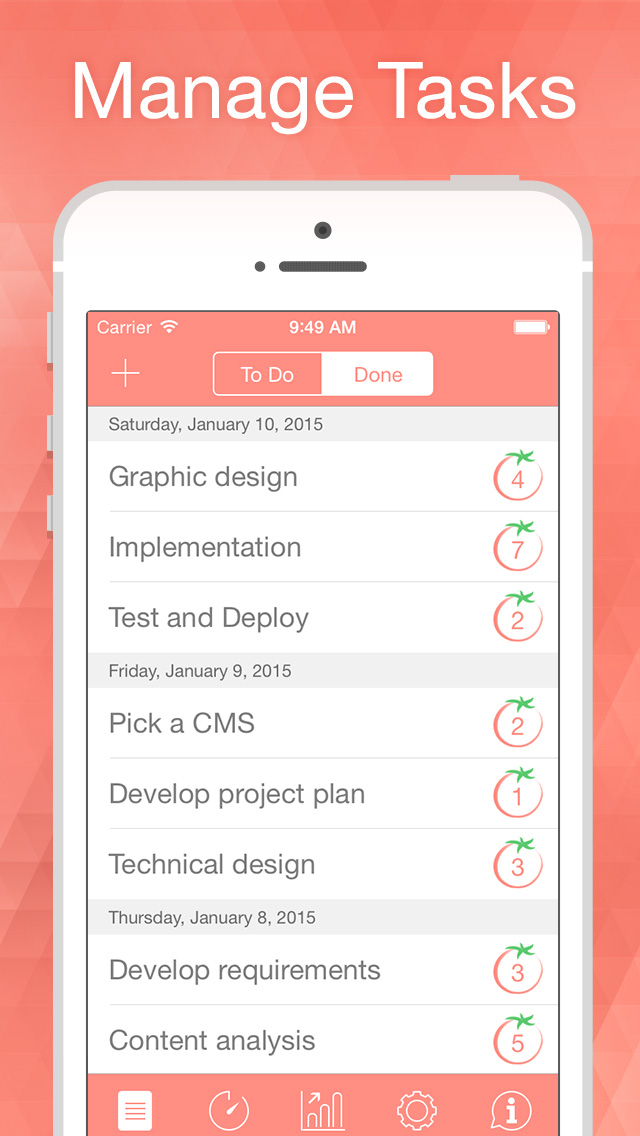
Pomodoro Time Pro 1.3 now supports the Apple Watch, making many of the same features users love about Pomodoro Time now available on their wrist. Any Apple Watch owner can now quickly view the Pomodoro timer information on their wrist, without the need to take their iPhone out of their pocket to view it. This makes keeping track of the time remaining much more efficient.
The basic five steps of the Pomodoro Technique are:
* Define the tasks that you'll be working on
* Set the Pomodoro timer to X minutes (25 minutes by default)
* Start working and continue until the timer rings
* Take a short break (usually 3 to 5 minutes)
* After four Pomodoro alarms, take a longer break (15 to 30 minutes as a rule)
"Before Pomodoro Time Pro, users were forced to use a low-tech approach, using a mechanical timer, paper and pencil," says XwaveSoft owner Denys Yevenko. "However, by making use of the Pomodoro Time Pro app, users can quickly enter their tasks, configure breaks, and track their progress with just a few simple taps and swipes on the screen of their iPhone, iPad, or Apple Watch."
Users can also track the time left, and take short breaks when notified to by the app. They can also track their tasks on their iPhone, iPad, Apple Watch, or Mac, as Pomodoro Time Pro syncs all the information about tasks over all of their devices, making it easy to set goals and to keep track of their tasks, no matter which iOS device or Mac computer they're currently using.
Customize to maximize productivity:
* Pomodoro duration
* Short break duration
* Long break duration
* Number of Pomodoro between long breaks
* Target number of Pomodoro per day
Features:
* Now supports Apple Watch
* Manage your tasks
* Track your progress throughout the day, week or custom period
* Fast and easy goal tracking
* Possibility to start/pause/skip the current Pomodoro
* Original ticking sound (optional)
* Custom alarm sound or vibration
* Alarms sound even if the app is in the background
* Interactive notifications
* Widget in the Notification Center
* Full synchronization between iPad, iPhone, Apple Watch and Mac
* One universal app for iPhone, iPad and Apple Watch
Using Pomodoro Time Pro 1.3 allows users to easily use the Pomodoro technique of getting things done, achieving their goals faster and more efficiently by breaking down tasks into timed periods of activity, followed by short breaks, helping users to power through distractions, gain better focus, and get things done in short periods of time, with frequent opportunities to pause and relax.
Legal Notice:
Pomodoro(TM) and Pomodoro Technique(TM) are registered trademarks of Francesco Cirillo. This app is not affiliated with Pomodoro(TM), Pomodoro Technique(TM) or Francesco Cirillo.
Supported Languages:
* Pomodoro Time Pro supports English language
Device Requirements:
* iPhone, iPad, iPod touch, and Apple Watch
* Optimized for iPhone 5, iPhone 6, and iPhone 6 Plus
* Requires iOS 7.0 or later
* 17.8 MB
Pricing and Availability:
Pomodoro Time Pro 1.3 is $1.99 USD (or equivalent amount in other currencies) and is available exclusively worldwide through the App Store in the Productivity category. A Mac version is also now available for 40% off - A limited time offer.
Pomodoro Time 1.3: http://xwavesoft.com/pomodoro-timer-for-iphone-ipad-mac-os-x.html
Purchase and Download: https://itunes.apple.com/app/pomodoro-time-focus-timer/id953426154
Screenshot 1 (iPhone): http://xwavesoft.com/press/pomodoro-time/pomodoro-time-screen-1.jpg
Screenshot 2 (iPhone): http://xwavesoft.com/press/pomodoro-time/pomodoro-time-screen-4.jpg
Screenshot 3 (Apple Watch): http://xwavesoft.com/press/pomodoro-time/watch.jpg
App Icon: http://xwavesoft.com/press/pomodoro-time/pomodoro-time-icon.png
Based in Odessa, Ukraine, XwaveSoft is a privately owned software development company. Founded in 2009 by Denys Yevenko, XwaveSoft is focused on developing high-quality iOS and OS X applications. Long-term experience and professional expertise of the company's management and personnel guarantee the high quality of its products. All Material and Software (C) Copyright 2015 XwaveSoft. All Rights Reserved. Apple, the Apple logo, iPhone, iPad and iPod are registered trademarks of Apple Inc. in the U.S. and/or other countries.
*******
Link To Article: http://prmac.com/release-id-75172.htm
*******
---------------------------------------------------------------------------------
Note that you can alter delivered distributions at any time.
Login to your account on prMac to alter your channel selection, or to opt-out at any time.
Pomodoro Time Pro 1.3 Time Management App Adds Apple Watch Support - Published on 05/28/15
XwaveSoft today announces Pomodoro Time Pro 1.3, an update to their powerful productivity tool for iOS devices and Apple Watch. Pomodoro Time Pro incorporates the principles of the Pomodoro Technique, a systematic approach to getting things done. Users can easily create tasks, configure breaks, and track progress throughout the day, week or any custom time period. Pomodoro Time Pro 1.3 now supports the Apple Watch, making the same features users know and love available right on their wrist.
Odessa, Ukraine - XwaveSoft today is pleased to announce the release and immediate availability of Pomodoro Time Pro 1.3, an important update to their powerful productivity tool developed specifically for iPhone, iPad and iPod touch devices. Pomodoro Time Pro incorporates the principles of the Pomodoro Technique(TM), which is a systematic approach to getting things done, helping to achieve a user's set goals faster and more efficiently. Anyone can create tasks, configure breaks, and track their progress throughout the day, week or any custom time period. Progress can be tracked via an iPhone, iPad, Apple Watch or Mac - all devices are always in sync.
Pomodoro Time Pro 1.3 now supports the Apple Watch, making many of the same features users love about Pomodoro Time now available on their wrist. Any Apple Watch owner can now quickly view the Pomodoro timer information on their wrist, without the need to take their iPhone out of their pocket to view it. This makes keeping track of the time remaining much more efficient.
The basic five steps of the Pomodoro Technique are:
* Define the tasks that you'll be working on
* Set the Pomodoro timer to X minutes (25 minutes by default)
* Start working and continue until the timer rings
* Take a short break (usually 3 to 5 minutes)
* After four Pomodoro alarms, take a longer break (15 to 30 minutes as a rule)
"Before Pomodoro Time Pro, users were forced to use a low-tech approach, using a mechanical timer, paper and pencil," says XwaveSoft owner Denys Yevenko. "However, by making use of the Pomodoro Time Pro app, users can quickly enter their tasks, configure breaks, and track their progress with just a few simple taps and swipes on the screen of their iPhone, iPad, or Apple Watch."
Users can also track the time left, and take short breaks when notified to by the app. They can also track their tasks on their iPhone, iPad, Apple Watch, or Mac, as Pomodoro Time Pro syncs all the information about tasks over all of their devices, making it easy to set goals and to keep track of their tasks, no matter which iOS device or Mac computer they're currently using.
Customize to maximize productivity:
* Pomodoro duration
* Short break duration
* Long break duration
* Number of Pomodoro between long breaks
* Target number of Pomodoro per day
Features:
* Now supports Apple Watch
* Manage your tasks
* Track your progress throughout the day, week or custom period
* Fast and easy goal tracking
* Possibility to start/pause/skip the current Pomodoro
* Original ticking sound (optional)
* Custom alarm sound or vibration
* Alarms sound even if the app is in the background
* Interactive notifications
* Widget in the Notification Center
* Full synchronization between iPad, iPhone, Apple Watch and Mac
* One universal app for iPhone, iPad and Apple Watch
Using Pomodoro Time Pro 1.3 allows users to easily use the Pomodoro technique of getting things done, achieving their goals faster and more efficiently by breaking down tasks into timed periods of activity, followed by short breaks, helping users to power through distractions, gain better focus, and get things done in short periods of time, with frequent opportunities to pause and relax.
Legal Notice:
Pomodoro(TM) and Pomodoro Technique(TM) are registered trademarks of Francesco Cirillo. This app is not affiliated with Pomodoro(TM), Pomodoro Technique(TM) or Francesco Cirillo.
Supported Languages:
* Pomodoro Time Pro supports English language
Device Requirements:
* iPhone, iPad, iPod touch, and Apple Watch
* Optimized for iPhone 5, iPhone 6, and iPhone 6 Plus
* Requires iOS 7.0 or later
* 17.8 MB
Pricing and Availability:
Pomodoro Time Pro 1.3 is $1.99 USD (or equivalent amount in other currencies) and is available exclusively worldwide through the App Store in the Productivity category. A Mac version is also now available for 40% off - A limited time offer.
Pomodoro Time 1.3: http://xwavesoft.com/pomodoro-timer-for-iphone-ipad-mac-os-x.html
Purchase and Download: https://itunes.apple.com/app/pomodoro-time-focus-timer/id953426154
Screenshot 1 (iPhone): http://xwavesoft.com/press/pomodoro-time/pomodoro-time-screen-1.jpg

Screenshot 2 (iPhone): http://xwavesoft.com/press/pomodoro-time/pomodoro-time-screen-4.jpg
Screenshot 3 (Apple Watch): http://xwavesoft.com/press/pomodoro-time/watch.jpg
App Icon: http://xwavesoft.com/press/pomodoro-time/pomodoro-time-icon.png

Based in Odessa, Ukraine, XwaveSoft is a privately owned software development company. Founded in 2009 by Denys Yevenko, XwaveSoft is focused on developing high-quality iOS and OS X applications. Long-term experience and professional expertise of the company's management and personnel guarantee the high quality of its products. All Material and Software (C) Copyright 2015 XwaveSoft. All Rights Reserved. Apple, the Apple logo, iPhone, iPad and iPod are registered trademarks of Apple Inc. in the U.S. and/or other countries.
*******
Link To Article: http://prmac.com/release-id-75172.htm
*******
---------------------------------------------------------------------------------
Note that you can alter delivered distributions at any time.
Login to your account on prMac to alter your channel selection, or to opt-out at any time.
Subscribe to:
Posts (Atom)