A new article has been published at prMac.
Red Giant Partners With Automatic Duck to Bring Users Two New Products - Published on 09/09/15
Red Giant Partners with Automatic Duck to make project transfer between host apps and locations a dream. With Ximport AE, users can copy entire projects directly from Final Cut Pro X to After Effects in one easy step. Ideal for Final Cut Pro and Avid users, Media Copy 4.0 allows users to copy and move project media by reading the project's AAF or XML export and copying referenced files to a chosen destination, making it easy to back up or move media from one location to another.
Portland, Oregon - Red Giant is partnering with software powerhouse Automatic Duck to bring users two new products: Automatic Duck Ximport AE and Automatic Duck Media Copy 4.0. Both leverage Automatic Duck's rich experience in transferring projects between host applications and locations. Ximport AE instantly transfers entire timelines, including cuts, third-party effects, transitions and more, directly from Final Cut Pro X to Adobe After Effects. Media Copy 4.0 uses AAF and XML to vastly simplify copying and moving media files from any Final Cut Pro 7, Final Cut Pro X or Avid Media Composer/Symphony project. The addition of Ximport AE and Media Copy 4.0 to the Red Giant collection of software plug-ins for visual effects and motion graphics artists are just the first of more exciting products to come between the Red Giant and Automatic Duck collaboration.
"Automatic Duck is one of those iconic brands in post-production that has made a huge impact on the work of so many artists." says Aharon Rabinowitz, Red Giant's head of marketing. "Its workflow solutions have helped countless editors and motion graphics designers work faster so that they can spend more time on the creative aspects of their projects. We're truly excited to work with Automatic Duck to create products that are the best in their class by addressing what artists truly need to get the job done."
"Automatic Duck and Red Giant have been an integral part of the post-production community for many years, and we've also been good friends," said Wes Plate, president of Automatic Duck. "Red Giant has a solid track record of delivering highly successful products like Magic Bullet Suite and Trapcode Suite. We look forward to the opportunities this partnership will make possible for Automatic Duck."
Automatic Duck Ximport AE:
With Ximport AE, users can copy entire projects directly from Final Cut Pro X to After Effects in one easy step, without requiring conversion or XML processing. This means that effects created using third-party plugins, such as those from Red Giant, as well as a number of Final Cut Pro X features, including compound clips, transforms, retimings and more, will be transferred over seamlessly from FCP X to AE. The first comprehensive solution to bringing Final Cut Pro X edited projects into After Effects while retaining edits and added features, Ximport AE provides the best experience between both apps without the hassle of redoing all of one's work.
"With Ximport AE, my entire FCP X timeline transfers over to After Effects as complete as can be, with all edits and effects perfectly intact," says Jaap Reijngoud, motion director at RAAK. "All I have to do is import my FCP X XML and I'm done with the advanced AE work. I don't have to spend time looking for a workaround. It's all there."
Compatibility:
* Host Application Support for Final Cut Pro X, Adobe After Effects
* Operating System Support for Apple Macintosh OS X
* Support for a vast variety of Final Cut Pro X features, including fades, distort, cross dissolve, split edits, text layers, synchronized clips, and much, much more
* Third-Party Plugin Support for Red Giant, Boris FX, Digital Anarchy, FxFactory, PHYX, Yanobox
Automatic Duck Media Copy 4.0
Media Copy 4.0 allows users to copy and move project media by reading the project's AAF or XML export and copying referenced files to a chosen destination, making it easy to back up or move media from one location to another. Ideal for Final Cut Pro and Avid users, Media Copy 4.0 is the quickest and simplest file collector of its kind. Users can also generate HTML reports for a record of copied files, and they have the option to process individual project files or group them all for relocation. It can be a challenge to archive your media, or to cleanly move a project and its media files from one computer or location to another, but Media Copy 4.0 makes it easy.
About Automatic Duck:
Automatic Duck is a father and son team; we are editors, filmmakers, engineers, software developers and we are lucky enough to be a part of an amazing community of artists. We develop software products that simply make lives simpler. Our timeline translation software has been used by thousands of people - from filmmakers, indies, editors, VFX artists and on everything from major motion pictures to indie films to television commercials. We went away for a while to work with our friends at Adobe, although we were never really gone. And now we're back.
Compatibility:
* Host Application Support for Final Cut Pro 7, Final Cut Pro X, Avid Media Composer, Avid Symphony
* Operating System Support for Apple Macintosh, PC/Windows
* Format Support for Avid, Avid OMF 2.0 files, Avid AAF files, Avid project (.avp), Avid bin (.avb), Avid Project Folders, Final Cut Pro 7 or older (XML), Final
* Cut Pro X 10.1.2 or newer (FCPXML)
Pricing and Availability:
Automatic Duck Media Copy 4.0 is available for 99 USD, while existing users can upgrade for 49 USD. Automatic Duck Ximport AE is available for 199 USD.
Red Giant: http://www.redgiant.com/
Automatic Duck: http://www.automaticduck.com/
Automatic Duck Ximport AE and Automatic Duck Media Copy 4.0: http://www.redgiant.com/automatic-duck/
YouTube Video (Getting Started with Ximport AE): https://www.youtube.com/watch?v=8xZjxkLL6ts
YouTube Video (Getting Started with Media Copy): https://www.youtube.com/watch?v=OHIUQF16hfk
YouTube Video (Using Automatic Duck XimportAE and Media Copy Together): https://www.youtube.com/watch?v=KnJAN8dt-iw
Red Giant is a software company made up of talented artists and technologists who collaborate to create unique tools for filmmakers, editors, VFX artists and motion designers. Our company culture is focused on finding balance between work and life - we call it "the double bottom line" - this philosophy helps us ignore complexity in favor of building simple tools that yield giant results. Over the last decade, our products (like Magic Bullet and Trapcode) have become the standard in film and broadcast post-production. With countless users around the world, it's nearly impossible to watch 20 minutes of film or TV without seeing our software in use. From our experiences as artists and filmmakers, we aspire to not only to provide tools for artists, but inspiration as well. All Material and Software (C) Copyright 2015 Red Giant. All Rights Reserved. Apple, the Apple logo, Macintosh and Mac OS X are registered trademarks of Apple Inc. in the U.S. and/or other countries. Other trademarks
and registered trademarks may be the property of their respective owners.
*******
Link To Article: http://prmac.com/release-id-76600.htm
*******
---------------------------------------------------------------------------------
Note that you can alter delivered distributions at any time.
Login to your account on prMac to alter your channel selection, or to opt-out at any time.

Fit Spotting to merge Travel, Hospitality and Fitness through their app
A new article has been published at prMac.
Fit Spotting to merge Travel, Hospitality and Fitness through their app - Published on 09/09/15
Fit Spotting announces Fit Spotting - Hotel Gym Photos and Reviews 2.0.0, their popular travel app developed for iPhone and iPod touch. Fit Spotting - Hotel Gym Photos and Reviews rates and ranks hotels based on their fitness center and overall fitness amenities. The app allows users to explore and discover new hotels based on the hotel gym rating and other user reviews. Users can check hotel gym photos that are being shared through the app.
Los Angeles, California - Fit Spotting is proud to announce the release of Fit Spotting - Hotel Gym Photos and Reviews 2.0.0, their popular travel app developed for iPhone and iPod touch. The company aims to revolutionize and merge travel and hospitality with the fitness industry through their iPhone App. Fit Spotting - Hotel Gym Photos and Reviews rates and ranks hotels based on their fitness center and overall fitness amenities.
Fit Spotting allows users to explore and discover new hotels based on the hotel gym rating and other user reviews. Users can check hotel gym photos that are being shared through the app. Additionally users can check hotel prices, rooms availability and complete their reservations through the app as well. Fit Spotting, as a social media app, makes is easy for users to share focused reviews and photos in regards to the fitness amenities of the hotel. The app wants to help hotels as well by showcasing their hotel gyms and connect them to the health-conscious travelers.
Travelers shouldn't have to neglect their fitness needs whether traveling for business or pleasure. There is an awakening within the hospitality industry to offer more fitness amenities and cater to the fit and health conscious traveler. Many major hotel brands have launched wellness-focused chains such as IHG with EVEN hotels, Wyndham with TRYP in addition to fitness programs launched like the runWESTIN by Westin hotels. Unfortunately, with all the change and inspiration, there wasn't an app to help users find and locate the most suitable option when booking for travel until now. Fit Spotting provides another added benefit to hotel chains by allowing them to hear the voice of the customer when it comes to their fitness offerings.
Fit Spotting offers a new way to search hotels; the app is designed to be extremely intuitive in design and provides important information in a fun and entertaining way.
Device Requirements:
* iPhone, iPad, and iPod touch.
* Optimized for iPhone 5, iPhone 6/6 Plus
* Requires iOS 8.0 or later
* 15.4 MB
Pricing and Availability:
Fit Spotting - Hotel Gym Photos and Reviews 2.0.0 is Free and available worldwide exclusively through the App Store in the Travel category.
Fit Spotting - Hotel Gym Photos and Reviews 2.0.0: http://www.fitspotting.com
Download from iTunes: http://itunes.apple.com/app/fit-spotting/id879914242
YouTube Video: https://www.youtube.com/watch?v=0kdxZUskYjA
Screenshot 1: http://a3.mzstatic.com/us/r30/Purple6/v4/e1/b1/d8/e1b1d83a-21c4-efce-cc2f-59e458ba6636/screen322x572.jpeg
Screenshot 2: http://a5.mzstatic.com/us/r30/Purple3/v4/10/33/30/103330b5-fa03-b4e8-81d4-a5e5b50abafd/screen322x572.jpeg
App Icon: http://a4.mzstatic.com/us/r30/Purple1/v4/42/11/f2/4211f216-bf09-48bb-ec2f-06a3e2192540/icon175x175.png
Fit Spotting was founded in 2014 to bridge the gap between Hospitality and Fitness through innovative mobile apps. All Material and Software (C) Copyright 2015 Fit Spotting. All Rights Reserved. Apple, the Apple logo, iPhone, iPod and iPad are registered trademarks of Apple Inc. in the U.S. and/or other countries. Other trademarks and registered trademarks may be the property of their respective owners.
*******
Link To Article: http://prmac.com/release-id-76593.htm
*******
---------------------------------------------------------------------------------
Note that you can alter delivered distributions at any time.
Login to your account on prMac to alter your channel selection, or to opt-out at any time.
Fit Spotting to merge Travel, Hospitality and Fitness through their app - Published on 09/09/15
Fit Spotting announces Fit Spotting - Hotel Gym Photos and Reviews 2.0.0, their popular travel app developed for iPhone and iPod touch. Fit Spotting - Hotel Gym Photos and Reviews rates and ranks hotels based on their fitness center and overall fitness amenities. The app allows users to explore and discover new hotels based on the hotel gym rating and other user reviews. Users can check hotel gym photos that are being shared through the app.
Los Angeles, California - Fit Spotting is proud to announce the release of Fit Spotting - Hotel Gym Photos and Reviews 2.0.0, their popular travel app developed for iPhone and iPod touch. The company aims to revolutionize and merge travel and hospitality with the fitness industry through their iPhone App. Fit Spotting - Hotel Gym Photos and Reviews rates and ranks hotels based on their fitness center and overall fitness amenities.
Fit Spotting allows users to explore and discover new hotels based on the hotel gym rating and other user reviews. Users can check hotel gym photos that are being shared through the app. Additionally users can check hotel prices, rooms availability and complete their reservations through the app as well. Fit Spotting, as a social media app, makes is easy for users to share focused reviews and photos in regards to the fitness amenities of the hotel. The app wants to help hotels as well by showcasing their hotel gyms and connect them to the health-conscious travelers.
Travelers shouldn't have to neglect their fitness needs whether traveling for business or pleasure. There is an awakening within the hospitality industry to offer more fitness amenities and cater to the fit and health conscious traveler. Many major hotel brands have launched wellness-focused chains such as IHG with EVEN hotels, Wyndham with TRYP in addition to fitness programs launched like the runWESTIN by Westin hotels. Unfortunately, with all the change and inspiration, there wasn't an app to help users find and locate the most suitable option when booking for travel until now. Fit Spotting provides another added benefit to hotel chains by allowing them to hear the voice of the customer when it comes to their fitness offerings.
Fit Spotting offers a new way to search hotels; the app is designed to be extremely intuitive in design and provides important information in a fun and entertaining way.
Device Requirements:
* iPhone, iPad, and iPod touch.
* Optimized for iPhone 5, iPhone 6/6 Plus
* Requires iOS 8.0 or later
* 15.4 MB
Pricing and Availability:
Fit Spotting - Hotel Gym Photos and Reviews 2.0.0 is Free and available worldwide exclusively through the App Store in the Travel category.
Fit Spotting - Hotel Gym Photos and Reviews 2.0.0: http://www.fitspotting.com
Download from iTunes: http://itunes.apple.com/app/fit-spotting/id879914242
YouTube Video: https://www.youtube.com/watch?v=0kdxZUskYjA
Screenshot 1: http://a3.mzstatic.com/us/r30/Purple6/v4/e1/b1/d8/e1b1d83a-21c4-efce-cc2f-59e458ba6636/screen322x572.jpeg

Screenshot 2: http://a5.mzstatic.com/us/r30/Purple3/v4/10/33/30/103330b5-fa03-b4e8-81d4-a5e5b50abafd/screen322x572.jpeg

App Icon: http://a4.mzstatic.com/us/r30/Purple1/v4/42/11/f2/4211f216-bf09-48bb-ec2f-06a3e2192540/icon175x175.png

Fit Spotting was founded in 2014 to bridge the gap between Hospitality and Fitness through innovative mobile apps. All Material and Software (C) Copyright 2015 Fit Spotting. All Rights Reserved. Apple, the Apple logo, iPhone, iPod and iPad are registered trademarks of Apple Inc. in the U.S. and/or other countries. Other trademarks and registered trademarks may be the property of their respective owners.
*******
Link To Article: http://prmac.com/release-id-76593.htm
*******
---------------------------------------------------------------------------------
Note that you can alter delivered distributions at any time.
Login to your account on prMac to alter your channel selection, or to opt-out at any time.
jamstik+ Now Teaches 1,000+ Popular Songs with FourChords Guitar App
A new article has been published at prMac.
jamstik+ Now Teaches 1,000+ Popular Songs with FourChords Guitar App - Published on 09/09/15
Musopia today announced a new partnership with Zivix, the creator of the jamstik smart guitar. The widely acclaimed FourChords Guitar Karaoke App is now compatible with the jamstik+ to play along with your favorite songs. Both Musopia and Zivix share the mission to make music accessible to everyone. The collaboration adds full jamstik+ integration into the FourChords app, and players learning to play guitar with the jamstik+ will now be able to learn 1000+ popular songs songs in a fun way.
Helsinki, Finland - Musopia is very happy to announce a new partnership with Zivix, the creator of the jamstik smart guitar. Widely acclaimed FourChords Guitar Karaoke App is now compatible with the jamstik+ to play along with your favorite songs. Both Musopia and Zivix share the mission to make music accessible to everyone. The collaboration adds full jamstik+ integration into the FourChords app, and players learning to play guitar with the jamstik+ will now be able to learn 1000+ popular songs songs in a fun way.
"Many of the jamstik+ users are first-time guitar players, and after they learn the basics and their first chords with our jamTutor app series, FourChords is the perfect next step for them to start playing their favorite songs," said Matt Cannon, producer at Zivix LLC. "What's better motivation to keep learning an instrument than playing your favorite songs?"
"New technology provides interesting possibilities to accelerate the learning process," said Topi Lopponen, chief executive officer, Musopia. "By combining the new ways of learning chords with jamstik+ as well as new way of learning to play entire songs with FourChords, we can offer an incredibly fast track for users to play their favorite music in record time!"
When playing the songs from the karaoke-style display of the FourChords app, the player will get real time feedback on his performance: jamstik+ smart guitar has a infrared light-sensing technology that "sees" the finger placement, among other useful features.
FourChords Guitar Karaoke has been featured by Apple and Google and liked by individual players and teachers alike. This summer Little Kids Rock, the national nonprofit dedicated to unlock children's inner music makers, started a partnership with FourChords, offering it as a teaching tool for fast and fun learning.
Device Requirements:
* iPhone, iPad, and iPod touch
* Requires iOS 6.0 or later
* 94.4 MB
Pricing and Availability:
FourChords Guitar Karaoke 1.21 is Free (with in-app purchases) and available worldwide through the App Store in the Music category. There is also an Android version available on Google Play. Beginning in September 2015, customers who purchase a jamstik+ will receive a free 30 day VIP subscription to the FourChords App, included in the box ordered at retail or online. A video detailing the jamstik+ guitar lessons apps and the FourChords integration is available.
FourChords Guitar Karaoke 1.21: http://www.fourchords.com
jamstik+: http://jamstik.com/pages/fourchords
Download from iTunes: https://itunes.apple.com/app/fourchords-guitar-karaoke/id537151075
Vimeo Video (jamstik+ Demo): https://vimeo.com/137888826
Promotional Image: http://www.musopia.net/downloads/jamstikfourchords.jpg
Screenshot: http://a4.mzstatic.com/us/r30/Purple2/v4/48/f7/79/48f77956-0d8d-24fc-4e75-3590c922a5c3/screen480x480.jpeg
Based in Helsinki, Finland, Musopia Ltd is a mobile app development studio dedicated to creating fresh and innovative music software. FourChords Guitar Karaoke, ChordShaker Pocket Guitar and Ukeoke Ukulele Karaoke are the first Apple Featured apps from this team of guitar enthusiasts and IT professionals. The next unique apps are under production. All Material and Software (C) Copyright 2015 Musopia Ltd. All Rights Reserved. Apple, the Apple logo, iPhone, iPod and iPad are registered trademarks of Apple Inc. in the U.S. and/or other countries. Other trademarks and registered trademarks may be the property of their respective owners.
*******
Link To Article: http://prmac.com/release-id-76599.htm
*******
---------------------------------------------------------------------------------
Note that you can alter delivered distributions at any time.
Login to your account on prMac to alter your channel selection, or to opt-out at any time.
jamstik+ Now Teaches 1,000+ Popular Songs with FourChords Guitar App - Published on 09/09/15
Musopia today announced a new partnership with Zivix, the creator of the jamstik smart guitar. The widely acclaimed FourChords Guitar Karaoke App is now compatible with the jamstik+ to play along with your favorite songs. Both Musopia and Zivix share the mission to make music accessible to everyone. The collaboration adds full jamstik+ integration into the FourChords app, and players learning to play guitar with the jamstik+ will now be able to learn 1000+ popular songs songs in a fun way.
Helsinki, Finland - Musopia is very happy to announce a new partnership with Zivix, the creator of the jamstik smart guitar. Widely acclaimed FourChords Guitar Karaoke App is now compatible with the jamstik+ to play along with your favorite songs. Both Musopia and Zivix share the mission to make music accessible to everyone. The collaboration adds full jamstik+ integration into the FourChords app, and players learning to play guitar with the jamstik+ will now be able to learn 1000+ popular songs songs in a fun way.
"Many of the jamstik+ users are first-time guitar players, and after they learn the basics and their first chords with our jamTutor app series, FourChords is the perfect next step for them to start playing their favorite songs," said Matt Cannon, producer at Zivix LLC. "What's better motivation to keep learning an instrument than playing your favorite songs?"
"New technology provides interesting possibilities to accelerate the learning process," said Topi Lopponen, chief executive officer, Musopia. "By combining the new ways of learning chords with jamstik+ as well as new way of learning to play entire songs with FourChords, we can offer an incredibly fast track for users to play their favorite music in record time!"
When playing the songs from the karaoke-style display of the FourChords app, the player will get real time feedback on his performance: jamstik+ smart guitar has a infrared light-sensing technology that "sees" the finger placement, among other useful features.
FourChords Guitar Karaoke has been featured by Apple and Google and liked by individual players and teachers alike. This summer Little Kids Rock, the national nonprofit dedicated to unlock children's inner music makers, started a partnership with FourChords, offering it as a teaching tool for fast and fun learning.
Device Requirements:
* iPhone, iPad, and iPod touch
* Requires iOS 6.0 or later
* 94.4 MB
Pricing and Availability:
FourChords Guitar Karaoke 1.21 is Free (with in-app purchases) and available worldwide through the App Store in the Music category. There is also an Android version available on Google Play. Beginning in September 2015, customers who purchase a jamstik+ will receive a free 30 day VIP subscription to the FourChords App, included in the box ordered at retail or online. A video detailing the jamstik+ guitar lessons apps and the FourChords integration is available.
FourChords Guitar Karaoke 1.21: http://www.fourchords.com
jamstik+: http://jamstik.com/pages/fourchords
Download from iTunes: https://itunes.apple.com/app/fourchords-guitar-karaoke/id537151075
Vimeo Video (jamstik+ Demo): https://vimeo.com/137888826
Promotional Image: http://www.musopia.net/downloads/jamstikfourchords.jpg

Screenshot: http://a4.mzstatic.com/us/r30/Purple2/v4/48/f7/79/48f77956-0d8d-24fc-4e75-3590c922a5c3/screen480x480.jpeg

Based in Helsinki, Finland, Musopia Ltd is a mobile app development studio dedicated to creating fresh and innovative music software. FourChords Guitar Karaoke, ChordShaker Pocket Guitar and Ukeoke Ukulele Karaoke are the first Apple Featured apps from this team of guitar enthusiasts and IT professionals. The next unique apps are under production. All Material and Software (C) Copyright 2015 Musopia Ltd. All Rights Reserved. Apple, the Apple logo, iPhone, iPod and iPad are registered trademarks of Apple Inc. in the U.S. and/or other countries. Other trademarks and registered trademarks may be the property of their respective owners.
*******
Link To Article: http://prmac.com/release-id-76599.htm
*******
---------------------------------------------------------------------------------
Note that you can alter delivered distributions at any time.
Login to your account on prMac to alter your channel selection, or to opt-out at any time.
Offline Afrikaans to English Language Dictionary for iOS
A new article has been published at prMac.
Offline Afrikaans to English Language Dictionary for iOS - Published on 09/09/15
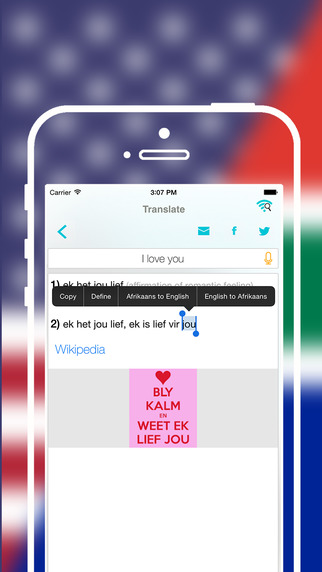
LastThink has released Offline Afrikaans to English Language Dictionary 1.0, their highly customizable Dictionary application for iOS devices. Users can seek and find any word's translation and synonyms anytime and anywhere from their Apple devices. The dictionary offers users a huge collection of words with their translations as well as definitions and synonyms, with well over five hundred thousand synonym variants.
Yerevan, Armenia - LastThink has released Offline Afrikaans to English Language Dictionary 1.0, their highly customizable Dictionary application developed for iPad and iPhone devices. You can seek and find any word's translation and synonyms anytime and anywhere from your Apple devices.
Features:
* Tremendous range of synonyms and antonyms with well over five hundred thousand synonym variants
*Information about the discipline of structural linguistics by suggesting vital enough sentences
*Appropriate translations of colloquial and formal words as well as conjugation of verbs and declension of nouns
*Availability of various word definitions which will exactly influence on your understanding of a Foreign Language in a detailed way
*A distinction of a section named "Favorites" with the possibility of saving as many unknown words as you wish
*Thorough analysis of parts of speech (noun, verb, adjective, adverb) and their grammatical functions (subject, object, etc.)
*A possibility of the following application usage without an internet demand
*Existence of contemporary words such as "Woot", "OMG", "Crunk" and many others
If you however experience any issues, please do not hesitate to contact us if you'd like to share your experience with Offline Dictionaries, or provide suggestions on how we could improve the product further. We will be more than happy to get in touch.
NOTE: We have selected data from the internet and if any assembly or constitution doesn't want us to show the content of the unit, please recommend us to remove it.
Device Requirements:
* iPhone, iPad, and iPod touch
* Optimized for iPhone 5, iPhone 6, and iPhone 6 Plus
* Requires iOS 6.0 or later
* Universal Application
* 21.6 MB
Pricing and Availability:
Offline Afrikaans to English Language Dictionary 1.0 is free and available worldwide exclusively through the App Store in the Education category.
LastThink: http://lastthink.com/
Offline Afrikaans to English Language Dictionary 1.0: https://itunes.apple.com/app/offline-afrikaans-to-english/id1012857757
Screenshot: http://a5.mzstatic.com/us/r30/Purple1/v4/c5/f8/7b/c5f87bb7-bead-8971-fd41-c60eafa2a25c/screen322x572.jpeg
App Icon: http://a2.mzstatic.com/us/r30/Purple1/v4/7e/24/27/7e242772-4cfb-5441-ca8b-641414d8a710/icon175x175.jpeg
LastThink is an IT company with a focus on mobile development. It has extended its list of services since 2012 to offer high-end business process management, system integration, as well as up-to-date communication solutions. LastThink's mission is to deliver maximum business value to its customers by designing, developing, implementing and maintaining efficient and high quality software solutions aligned with their most essential business needs. Their team will always do its best to meet client expectations. Copyright (C) 2015 LastThink LLC. All Rights Reserved. Apple, the Apple logo, iPhone, iPad and iPod are registered trademarks of Apple Inc. in the U.S. and/or other countries.
*******
Link To Article: http://prmac.com/release-id-76582.htm
*******
---------------------------------------------------------------------------------
Note that you can alter delivered distributions at any time.
Login to your account on prMac to alter your channel selection, or to opt-out at any time.
Offline Afrikaans to English Language Dictionary for iOS - Published on 09/09/15
LastThink has released Offline Afrikaans to English Language Dictionary 1.0, their highly customizable Dictionary application for iOS devices. Users can seek and find any word's translation and synonyms anytime and anywhere from their Apple devices. The dictionary offers users a huge collection of words with their translations as well as definitions and synonyms, with well over five hundred thousand synonym variants.
Yerevan, Armenia - LastThink has released Offline Afrikaans to English Language Dictionary 1.0, their highly customizable Dictionary application developed for iPad and iPhone devices. You can seek and find any word's translation and synonyms anytime and anywhere from your Apple devices.
Features:
* Tremendous range of synonyms and antonyms with well over five hundred thousand synonym variants
*Information about the discipline of structural linguistics by suggesting vital enough sentences
*Appropriate translations of colloquial and formal words as well as conjugation of verbs and declension of nouns
*Availability of various word definitions which will exactly influence on your understanding of a Foreign Language in a detailed way
*A distinction of a section named "Favorites" with the possibility of saving as many unknown words as you wish
*Thorough analysis of parts of speech (noun, verb, adjective, adverb) and their grammatical functions (subject, object, etc.)
*A possibility of the following application usage without an internet demand
*Existence of contemporary words such as "Woot", "OMG", "Crunk" and many others
If you however experience any issues, please do not hesitate to contact us if you'd like to share your experience with Offline Dictionaries, or provide suggestions on how we could improve the product further. We will be more than happy to get in touch.
NOTE: We have selected data from the internet and if any assembly or constitution doesn't want us to show the content of the unit, please recommend us to remove it.
Device Requirements:
* iPhone, iPad, and iPod touch
* Optimized for iPhone 5, iPhone 6, and iPhone 6 Plus
* Requires iOS 6.0 or later
* Universal Application
* 21.6 MB
Pricing and Availability:
Offline Afrikaans to English Language Dictionary 1.0 is free and available worldwide exclusively through the App Store in the Education category.
LastThink: http://lastthink.com/
Offline Afrikaans to English Language Dictionary 1.0: https://itunes.apple.com/app/offline-afrikaans-to-english/id1012857757
Screenshot: http://a5.mzstatic.com/us/r30/Purple1/v4/c5/f8/7b/c5f87bb7-bead-8971-fd41-c60eafa2a25c/screen322x572.jpeg
App Icon: http://a2.mzstatic.com/us/r30/Purple1/v4/7e/24/27/7e242772-4cfb-5441-ca8b-641414d8a710/icon175x175.jpeg

LastThink is an IT company with a focus on mobile development. It has extended its list of services since 2012 to offer high-end business process management, system integration, as well as up-to-date communication solutions. LastThink's mission is to deliver maximum business value to its customers by designing, developing, implementing and maintaining efficient and high quality software solutions aligned with their most essential business needs. Their team will always do its best to meet client expectations. Copyright (C) 2015 LastThink LLC. All Rights Reserved. Apple, the Apple logo, iPhone, iPad and iPod are registered trademarks of Apple Inc. in the U.S. and/or other countries.
*******
Link To Article: http://prmac.com/release-id-76582.htm
*******
---------------------------------------------------------------------------------
Note that you can alter delivered distributions at any time.
Login to your account on prMac to alter your channel selection, or to opt-out at any time.
Orbit iPhone Case - A Leather Holster for iPhone 6s/6s Plus by WateField
A new article has been published at prMac.
Orbit iPhone Case - A Leather Holster for iPhone 6s/6s Plus by WateField - Published on 09/09/15
San Francisco based WaterField Designs today announces the leather Orbit iPhone case for the new iPhone 6s and 6s Plus. For hands-free convenience, the iPhone Orbit Case hooks onto belts, pants, or straps for instant access and peace of mind. Made from naturally-tanned, premium leather, this case is lined with supple Ultrasuede and holsters on with a 360 degree-rotating, removable clip. A slim front pocket holds a frequently-used card or two.
San Francisco, California - WaterField Designs, an innovative leader in custom laptop sleeves, bags and cases for digital-minded professionals, announces the leather Orbit iPhone case for the new iPhone 6s and 6s Plus. Made from naturally-tanned, premium leather, the Orbit iPhone Case is lined with supple Ultrasuede(R) and holsters onto belts, pants, or straps with a 360 degree-rotating, removable clip. A slim front pocket holds a frequently-used card or two. The Orbit's sleek, rugged good looks complement jeans, slacks, or suits.
"With the bigger iPhones, our challenge was to design a case to keep the iPhone close by but inconspicuous," explained Gary Waterfield, company owner. "We created the Orbit case with a clip that swivels around so I can re-position it for comfort when I sit. When I want to use it as a sleeve within my briefcase, I can carefully slide the clip out of its leather holder. The Orbit case is nice and thin and keeps my iPhone within easy reach at all times."
The Orbit iPhone case - with its clean lines in full-grain, naturally-tanned black, chocolate or grizzly leather - is an elegant and practical accessory for iPhone users. The optional clip rotates easily for convenience and slides into an opening on the case so that it can be removed - for those wishing to use the Orbit case as a simple sleeve. A bottom opening allows users to keep ear buds attached to the phone at any time. On the front of the case, a thin slit creates a pocket for an oft-used card such as a commuter pass or electronic key card. Inside panels are lined with scratch-free Ultrasuede (R), which adds cushioning and helps clean the iPhone screen as users insert and remove it from the Orbit.
WaterField Designs offers additional iPhone 6s and 6s Plus cases to address a range of style and functionality preferences: the minimalist iPhone Suede Jacket, the Finn Wallet, the iPhone Spinn (for iPhone 5 and 6), and the Cycling Ride Pouch. WaterField will announce custom-fitted cases for the new iPad Pro tomorrow.
Pricing and Availability:
The iPhone Orbit
Price: $49. With clip: $59.
Sizes: iPhone 6s, iPhone 6 Plus. Two sizes for each phone model - one for the 'naked' iPhone and one for the iPhone within a bumper-style case.
Colors and materials: black, chocolate or grizzly, full-grain, naturally-tanned leather. Rugged, reinforced plastic rotating clip.
Dimensions & weight: 6s naked - 3.7 X 5.75. 6s with case - 3.85 X 5.85. 6 s naked - 4.125 X 6.5. 6 s with case - 4.4 x 6.7.
Options: With or without clip.
Available for pre-order at the WaterField online store. Shipping begins one and a half weeks after Apple's ship date.
WaterField Designs: http://www.sfbags.com/
The iPhone Orbit Case: https://www.sfbags.com/products/orbit-iphone-6s-plus-case
Screenshot: https://cdn.shopify.com/s/files/1/0281/2796/products/Orbit-Case-chocolate-card_grande.jpg?v=1441760179
WaterField Designs manufactures custom-fitted cases and bags for a full-range of laptop computers, tablets, smartphones, e-readers, gaming devices, and other digital gear. All products are manufactured to exacting standards entirely in San Francisco. More information is available at the company website under "Our Story." WaterField Designs, SFBags, iPhone Orbit, iPhone Spinn, Suede Jacket, and Cycling Ride Pouch are trademarks of WaterField Designs. Other company and product names may be trademarks of their respective owners. (C) 2015. All rights reserved.
*******
Link To Article: http://prmac.com/release-id-76592.htm
*******
---------------------------------------------------------------------------------
Note that you can alter delivered distributions at any time.
Login to your account on prMac to alter your channel selection, or to opt-out at any time.
Orbit iPhone Case - A Leather Holster for iPhone 6s/6s Plus by WateField - Published on 09/09/15
San Francisco based WaterField Designs today announces the leather Orbit iPhone case for the new iPhone 6s and 6s Plus. For hands-free convenience, the iPhone Orbit Case hooks onto belts, pants, or straps for instant access and peace of mind. Made from naturally-tanned, premium leather, this case is lined with supple Ultrasuede and holsters on with a 360 degree-rotating, removable clip. A slim front pocket holds a frequently-used card or two.
San Francisco, California - WaterField Designs, an innovative leader in custom laptop sleeves, bags and cases for digital-minded professionals, announces the leather Orbit iPhone case for the new iPhone 6s and 6s Plus. Made from naturally-tanned, premium leather, the Orbit iPhone Case is lined with supple Ultrasuede(R) and holsters onto belts, pants, or straps with a 360 degree-rotating, removable clip. A slim front pocket holds a frequently-used card or two. The Orbit's sleek, rugged good looks complement jeans, slacks, or suits.
"With the bigger iPhones, our challenge was to design a case to keep the iPhone close by but inconspicuous," explained Gary Waterfield, company owner. "We created the Orbit case with a clip that swivels around so I can re-position it for comfort when I sit. When I want to use it as a sleeve within my briefcase, I can carefully slide the clip out of its leather holder. The Orbit case is nice and thin and keeps my iPhone within easy reach at all times."
The Orbit iPhone case - with its clean lines in full-grain, naturally-tanned black, chocolate or grizzly leather - is an elegant and practical accessory for iPhone users. The optional clip rotates easily for convenience and slides into an opening on the case so that it can be removed - for those wishing to use the Orbit case as a simple sleeve. A bottom opening allows users to keep ear buds attached to the phone at any time. On the front of the case, a thin slit creates a pocket for an oft-used card such as a commuter pass or electronic key card. Inside panels are lined with scratch-free Ultrasuede (R), which adds cushioning and helps clean the iPhone screen as users insert and remove it from the Orbit.
WaterField Designs offers additional iPhone 6s and 6s Plus cases to address a range of style and functionality preferences: the minimalist iPhone Suede Jacket, the Finn Wallet, the iPhone Spinn (for iPhone 5 and 6), and the Cycling Ride Pouch. WaterField will announce custom-fitted cases for the new iPad Pro tomorrow.
Pricing and Availability:
The iPhone Orbit
Price: $49. With clip: $59.
Sizes: iPhone 6s, iPhone 6 Plus. Two sizes for each phone model - one for the 'naked' iPhone and one for the iPhone within a bumper-style case.
Colors and materials: black, chocolate or grizzly, full-grain, naturally-tanned leather. Rugged, reinforced plastic rotating clip.
Dimensions & weight: 6s naked - 3.7 X 5.75. 6s with case - 3.85 X 5.85. 6 s naked - 4.125 X 6.5. 6 s with case - 4.4 x 6.7.
Options: With or without clip.
Available for pre-order at the WaterField online store. Shipping begins one and a half weeks after Apple's ship date.
WaterField Designs: http://www.sfbags.com/
The iPhone Orbit Case: https://www.sfbags.com/products/orbit-iphone-6s-plus-case
Screenshot: https://cdn.shopify.com/s/files/1/0281/2796/products/Orbit-Case-chocolate-card_grande.jpg?v=1441760179

WaterField Designs manufactures custom-fitted cases and bags for a full-range of laptop computers, tablets, smartphones, e-readers, gaming devices, and other digital gear. All products are manufactured to exacting standards entirely in San Francisco. More information is available at the company website under "Our Story." WaterField Designs, SFBags, iPhone Orbit, iPhone Spinn, Suede Jacket, and Cycling Ride Pouch are trademarks of WaterField Designs. Other company and product names may be trademarks of their respective owners. (C) 2015. All rights reserved.
*******
Link To Article: http://prmac.com/release-id-76592.htm
*******
---------------------------------------------------------------------------------
Note that you can alter delivered distributions at any time.
Login to your account on prMac to alter your channel selection, or to opt-out at any time.
JixiPix Introduces RipPix App featuring Texture, Tone and Ripped Paper
A new article has been published at prMac.
JixiPix Introduces RipPix App featuring Texture, Tone and Ripped Paper - Published on 09/09/15
JixiPix has launched a new photo app called RipPix for Mac, Windows, iOS and Android. Created for the hobbyist but good enough for the professional, this artistic app applies beautiful combinations of Texture and Tone to photos, then brings focus to the subject in the form of a Ripped Paper effect. Easily create simple collages of friends, blend scenery together, or add focus with cutout objects. From the romantic to the whimsical each piece created will have a unique and distinctive touch.
Las Vegas, Nevada - RipPix, designed for the hobbyist but great enough for the professional, applies beautiful combinations of TEXTURE and TONE to give photos a nostalgic quality, then brings focus to the subject in the form of a RIPPED PAPER effect. Cut out a bird, flower, person or tree - by tracing around on the photo - then size, rotate and move the piece on the background image to create a beautiful paper accent with soft shadow.
Use this remarkably easy app to create simple collages of friends, blend scenery together, or add focus with cutout objects. From the romantic to the whimsical each piece created will have a unique and distinctive touch.
Desktop Mac/Win - On Sale $4.99 (Reg $9.99) Download at JixiPix Site
Mac App - On Sale $4.99 (Reg $9.99) Download at the App Store
Apps - On Sale 99 (Reg $2.99) Download at the iTunes Store & Google Play
The new app features:
* Worn and Stained Photo Effect - ranging from simple toning to full-blown distressing of the photograph complete with scratches and surface variations resembling an old or imperfect photo
* Ripped Paper Effect - for a hand-torn edge that follows the path of a traced photo
* Cut Paper Effect - for a scissor-style cut around the edges of a traced photo
* Border Outline - to replace the cut edges for a bolder look
* Drop shadow with adjustable height and strength
RipPix Includes:
* 55 Worn Textures
* 34 Aged Papers
* 20 One-touch presets that pair textures and tone for the background and foreground photo
* The ability to replace the foreground photo (supports .jpg, .tif, .png)
* Rip Tool adds and removes edges to cut photos
* Move Image Tool moves and transforms ripped and bordered pieces
* Three Edge Styles that change on the fly without affecting the ripped pieces
Universal Features:
Every JixiPix app comes with superior customer service, support for high-resolution images and output, quick preview, undo, a randomize button, ready to customize templates and the ability to create and save custom presets.
JixiPix Software: http://www.jixipix.com
RipPix: http://www.jixipix.com/rippix/details.html
Purchase RipPix: http://sites.fastspring.com/jixipix/product/rippix?action=adds
Sample Image: http://jixipix.com/rippix/images/23-full.jpg
App Icon: http://jixipix.com/rippix/images/icon-app-rip-studio.png
Press Kit (zip): http://jixipix.com/press-kits/JixiPix_RipPix.zip
Headquartered in Las Vegas, Nevada, JixiPix Software has a history of developing well known iPhone and iPad Apps marketed to photographers, graphic artists, and multi-media professionals around the world. JixiPix consistently delivers the best photo software on the market with incredible results for all skill levels. Our goal is to be second to none, so our applications are designed with you in mind, nothing less than the best apps at the best value with the best service! JixiPix Software - Creative Tools for Creative Types. Copyright (C) 2015 JixiPix Software. All Rights Reserved. Apple, the Apple logo, iPhone, iPod and iPad are registered trademarks of Apple Inc. in the U.S. and/or other countries.
*******
Link To Article: http://prmac.com/release-id-76551.htm
*******
---------------------------------------------------------------------------------
Note that you can alter delivered distributions at any time.
Login to your account on prMac to alter your channel selection, or to opt-out at any time.
JixiPix Introduces RipPix App featuring Texture, Tone and Ripped Paper - Published on 09/09/15
JixiPix has launched a new photo app called RipPix for Mac, Windows, iOS and Android. Created for the hobbyist but good enough for the professional, this artistic app applies beautiful combinations of Texture and Tone to photos, then brings focus to the subject in the form of a Ripped Paper effect. Easily create simple collages of friends, blend scenery together, or add focus with cutout objects. From the romantic to the whimsical each piece created will have a unique and distinctive touch.
Las Vegas, Nevada - RipPix, designed for the hobbyist but great enough for the professional, applies beautiful combinations of TEXTURE and TONE to give photos a nostalgic quality, then brings focus to the subject in the form of a RIPPED PAPER effect. Cut out a bird, flower, person or tree - by tracing around on the photo - then size, rotate and move the piece on the background image to create a beautiful paper accent with soft shadow.
Use this remarkably easy app to create simple collages of friends, blend scenery together, or add focus with cutout objects. From the romantic to the whimsical each piece created will have a unique and distinctive touch.
Desktop Mac/Win - On Sale $4.99 (Reg $9.99) Download at JixiPix Site
Mac App - On Sale $4.99 (Reg $9.99) Download at the App Store
Apps - On Sale 99 (Reg $2.99) Download at the iTunes Store & Google Play
The new app features:
* Worn and Stained Photo Effect - ranging from simple toning to full-blown distressing of the photograph complete with scratches and surface variations resembling an old or imperfect photo
* Ripped Paper Effect - for a hand-torn edge that follows the path of a traced photo
* Cut Paper Effect - for a scissor-style cut around the edges of a traced photo
* Border Outline - to replace the cut edges for a bolder look
* Drop shadow with adjustable height and strength
RipPix Includes:
* 55 Worn Textures
* 34 Aged Papers
* 20 One-touch presets that pair textures and tone for the background and foreground photo
* The ability to replace the foreground photo (supports .jpg, .tif, .png)
* Rip Tool adds and removes edges to cut photos
* Move Image Tool moves and transforms ripped and bordered pieces
* Three Edge Styles that change on the fly without affecting the ripped pieces
Universal Features:
Every JixiPix app comes with superior customer service, support for high-resolution images and output, quick preview, undo, a randomize button, ready to customize templates and the ability to create and save custom presets.
JixiPix Software: http://www.jixipix.com
RipPix: http://www.jixipix.com/rippix/details.html
Purchase RipPix: http://sites.fastspring.com/jixipix/product/rippix?action=adds
Sample Image: http://jixipix.com/rippix/images/23-full.jpg

App Icon: http://jixipix.com/rippix/images/icon-app-rip-studio.png

Press Kit (zip): http://jixipix.com/press-kits/JixiPix_RipPix.zip
Headquartered in Las Vegas, Nevada, JixiPix Software has a history of developing well known iPhone and iPad Apps marketed to photographers, graphic artists, and multi-media professionals around the world. JixiPix consistently delivers the best photo software on the market with incredible results for all skill levels. Our goal is to be second to none, so our applications are designed with you in mind, nothing less than the best apps at the best value with the best service! JixiPix Software - Creative Tools for Creative Types. Copyright (C) 2015 JixiPix Software. All Rights Reserved. Apple, the Apple logo, iPhone, iPod and iPad are registered trademarks of Apple Inc. in the U.S. and/or other countries.
*******
Link To Article: http://prmac.com/release-id-76551.htm
*******
---------------------------------------------------------------------------------
Note that you can alter delivered distributions at any time.
Login to your account on prMac to alter your channel selection, or to opt-out at any time.
WordCaptain helps to look up, learn and grasp new words in their context
A new article has been published at prMac.
WordCaptain helps to look up, learn and grasp new words in their context - Published on 09/09/15
Indie developer, Hai Pham has introduced WordCaptain 1.0, his new reference app for iOS devices. WordCaptain helps you retain and memorize new words in their context. The app allows you to look up any unfamiliar English words and instantly translate them into your native language when you read on any website from the built-in web browser or reading references listed in the app. WordCaptain supports 22 different languages allowing people around the world to use this app.
Ho Chi Minh City, Vietnam - Indie developer, Hai Pham has launched a new app called WordCaptain available on iOS and coming soon to Android devices. WordCaptain allows you to look up any unfamiliar English words and instantly translates them into your native language when you read on any website from the built-in web browser or reading references listed in the app. Once you find a word to look up, the app will ask you to read through the dictionary page and define the word based off of it. WordCaptain is all about helping you retain and memorize new words in their context. For any new word you look up, a flash card is automatically created and stored that provides you with word pronunciation, meaning and use in context for you to study and master.
"The idea for WordCaptain started in Ho Chi Minh City when I saw a high demand for students to attend English classes." said WordCaptain developer Hai Pham. "By directly interacting with hundreds of students, many of them expressed to me the struggle they feel of trying to acquire a new vocabulary and how it hinders them in all areas such as reading, writing, listening and speaking. I believe WordCaptain will be a great tool and resource that will help these students and other people who struggle with English to really develop in that area."
Featured in WordCaptain are also four tests made from your collected flashcards that you can take to challenge your knowledge. It will test your ability to read, listen, write and pronounce them to ensure you will master them. A test performance is also provided so you know your level of proficiency with each word. Another way to help yourself improve is by enabling the app's notifications where you can choose to set reminders for you to read more or to learn new words you have collected but not yet studied. Undoubtedly, this app removes the frustration of understanding English and it not being your first language. As you continue using WordCaptain, you will surely notice your language skills improve.
About WordCaptain:
WordCaptain is the perfect all in one tool to read, look up and learn new vocabulary in its context. Be able to learn the meaning, pronunciation and context of every word you look up to improve your English day by day.
Device Requirements:
* iPhone, iPad, and iPod touch
* Optimized for iPhone 5, iPhone 6/6 Plus
* Requires iOS 7.0 or later
* 10.7 MB
Pricing and Availability:
WordCaptain 1.0 is Free and available worldwide exclusively through the App Store in the Reference category.
WordCaptain 1.0: http://www.wordcaptain.com/
Download from iTunes: https://itunes.apple.com/app/id1014396354
Screenshot 1: http://a5.mzstatic.com/us/r30/Purple7/v4/ce/20/74/ce2074e8-89bc-b1f1-24a3-e67ed202a7db/screen322x572.jpeg
Screenshot 2: http://a1.mzstatic.com/us/r30/Purple69/v4/29/ba/9b/29ba9b60-a46d-5124-b79f-8b1c6b13b6fa/screen322x572.jpeg
Screenshot 3: http://a3.mzstatic.com/us/r30/Purple69/v4/1e/fc/92/1efc929d-a78c-8ced-07d0-ba3fe9778ae9/screen322x572.jpeg
App Icon: http://a1.mzstatic.com/us/r30/Purple6/v4/cd/91/12/cd9112b0-a5fb-214e-b636-15d89e2432aa/icon175x175.jpeg
Hai Pham is a graduate from Tokyo Institute of Technology who has embraced the Japanese culture of "monozukuri" which is the act of production and the pursuit of improvement. Standing by his culture, he seeks to create tools and apps that diminish existing problems the world faces. All Material and Software (C) Copyright 2015 Hai Pham. All Rights Reserved. Apple, the Apple logo, iPhone, iPod and iPad are registered trademarks of Apple Inc. in the U.S. and/or other countries. Other trademarks and registered trademarks may be the property of their respective owners.
*******
Link To Article: http://prmac.com/release-id-76550.htm
*******
---------------------------------------------------------------------------------
Note that you can alter delivered distributions at any time.
Login to your account on prMac to alter your channel selection, or to opt-out at any time.
WordCaptain helps to look up, learn and grasp new words in their context - Published on 09/09/15
Indie developer, Hai Pham has introduced WordCaptain 1.0, his new reference app for iOS devices. WordCaptain helps you retain and memorize new words in their context. The app allows you to look up any unfamiliar English words and instantly translate them into your native language when you read on any website from the built-in web browser or reading references listed in the app. WordCaptain supports 22 different languages allowing people around the world to use this app.
Ho Chi Minh City, Vietnam - Indie developer, Hai Pham has launched a new app called WordCaptain available on iOS and coming soon to Android devices. WordCaptain allows you to look up any unfamiliar English words and instantly translates them into your native language when you read on any website from the built-in web browser or reading references listed in the app. Once you find a word to look up, the app will ask you to read through the dictionary page and define the word based off of it. WordCaptain is all about helping you retain and memorize new words in their context. For any new word you look up, a flash card is automatically created and stored that provides you with word pronunciation, meaning and use in context for you to study and master.
"The idea for WordCaptain started in Ho Chi Minh City when I saw a high demand for students to attend English classes." said WordCaptain developer Hai Pham. "By directly interacting with hundreds of students, many of them expressed to me the struggle they feel of trying to acquire a new vocabulary and how it hinders them in all areas such as reading, writing, listening and speaking. I believe WordCaptain will be a great tool and resource that will help these students and other people who struggle with English to really develop in that area."
Featured in WordCaptain are also four tests made from your collected flashcards that you can take to challenge your knowledge. It will test your ability to read, listen, write and pronounce them to ensure you will master them. A test performance is also provided so you know your level of proficiency with each word. Another way to help yourself improve is by enabling the app's notifications where you can choose to set reminders for you to read more or to learn new words you have collected but not yet studied. Undoubtedly, this app removes the frustration of understanding English and it not being your first language. As you continue using WordCaptain, you will surely notice your language skills improve.
About WordCaptain:
WordCaptain is the perfect all in one tool to read, look up and learn new vocabulary in its context. Be able to learn the meaning, pronunciation and context of every word you look up to improve your English day by day.
Device Requirements:
* iPhone, iPad, and iPod touch
* Optimized for iPhone 5, iPhone 6/6 Plus
* Requires iOS 7.0 or later
* 10.7 MB
Pricing and Availability:
WordCaptain 1.0 is Free and available worldwide exclusively through the App Store in the Reference category.
WordCaptain 1.0: http://www.wordcaptain.com/
Download from iTunes: https://itunes.apple.com/app/id1014396354
Screenshot 1: http://a5.mzstatic.com/us/r30/Purple7/v4/ce/20/74/ce2074e8-89bc-b1f1-24a3-e67ed202a7db/screen322x572.jpeg

Screenshot 2: http://a1.mzstatic.com/us/r30/Purple69/v4/29/ba/9b/29ba9b60-a46d-5124-b79f-8b1c6b13b6fa/screen322x572.jpeg

Screenshot 3: http://a3.mzstatic.com/us/r30/Purple69/v4/1e/fc/92/1efc929d-a78c-8ced-07d0-ba3fe9778ae9/screen322x572.jpeg

App Icon: http://a1.mzstatic.com/us/r30/Purple6/v4/cd/91/12/cd9112b0-a5fb-214e-b636-15d89e2432aa/icon175x175.jpeg

Hai Pham is a graduate from Tokyo Institute of Technology who has embraced the Japanese culture of "monozukuri" which is the act of production and the pursuit of improvement. Standing by his culture, he seeks to create tools and apps that diminish existing problems the world faces. All Material and Software (C) Copyright 2015 Hai Pham. All Rights Reserved. Apple, the Apple logo, iPhone, iPod and iPad are registered trademarks of Apple Inc. in the U.S. and/or other countries. Other trademarks and registered trademarks may be the property of their respective owners.
*******
Link To Article: http://prmac.com/release-id-76550.htm
*******
---------------------------------------------------------------------------------
Note that you can alter delivered distributions at any time.
Login to your account on prMac to alter your channel selection, or to opt-out at any time.
Subscribe to:
Posts (Atom)