A new article has been published at prMac.
Allies Act Through Embassies in Haypi Kingdom: The Return of the King - Published on 09/29/15
Haypi announces the release of Haypi Kingdom: The Return of the King 1.1.1, an important update to their Massive Multiplayer Online Strategy War Game for iOS devices. Set in the Middle Age, things are restless in this kingdom of magic and darkness. The Rebels are rising, the Orcs are causing havoc, the Demons are pulverizing things on their path, and other Lords are coveting your resources. Version 1.1.1 brings Marching to Oasis, Embassy building, "Guard Your City" activity, bug fixes, and more.
Shanghai, China - Haypi is proud to announce the release of Haypi Kingdom: The Return of the King 1.1.1, an important update to their Massive Multiplayer Online Strategy War Game for iPhone, iPad, and iPod touch devices. Set in the Middle Age, things are restless in this kingdom of magic and darkness. The Rebels are rising, the Orcs are causing havoc, the Demons are pulverizing things on their path, and other Lords are coveting your resources.
All Haypi games are known among players as super enjoyable, challenging and balanced games. This good reputation is stable due to the noticeable care, with which the programming teams carry out the development of each game. Constant updates ensure that the players are entertained and cared for. The continuous polishing provides for the fairness of the gameplay.
Now further optimizations contribute to the fun with the last update of Haypi Kingdom: The Return of the King. The 1.1.1 patch has just hit the App Store! The mobile game is a great MMO, a brother version of Haypi's emblematic superhit Haypi Kingdom.
In the new 1.1.1 version of Haypi Kingdom: The Return of the King, there is a new way of mutual protection among Alliance members. A new building "Embassy" can be built in Home City and all players are recommended to build it. When enemy's troops are on their way, the attacked players can tap on the Embassy to send a request for help from other members. All players in the Alliance will see the call for help in their Embassies. So they will decide whether they can send troops through their own Embassies to go and help the city in need. All troops sent by all helpful members will go to the raided city to protect it. This is Haypi's great innovative way of player interaction. It is fun, and encourages more communication and actual help within the Allies. All Haypi games have always offered ways to interact in individual level, Alliance level and World Level. That's why the game Haypi Kingdom: The Return of the King is so much fun! It actually offers a platform for communication and
mutual support!
Now, Haypi Kingdom: The Return of the King 1.1.1 also offers a new fun activity for the members within an Alliance. In the new version, the Alliance leader or Vice Leader can activate a "Guard Your City" Activity, which puts all allies in defense from an automatic AI attack. The troops altogether will protect the whole alliance against the raid. At the end, everyone will get rewards. This is a great activity because it can further befriend the players in the Haypi community. Alliances form real friendships!
Haypi Kingdom: The Return of the King is even better and more intriguing than before. New features and optimizations have been made, and the game is more mature now. To name a few, in the College building, now players can develop a new technology "Marching to Oasis". It can significantly reduce the time for the troops to reach an Oasis. Apart from that, the game encourages the use of the latest game feature - Royal Spot. For further support of players using the feature, there has been a decrease in the army's crop consumption in Royal Spot. Thus, players can freely enjoy this feature and its benefits. Besides, the anti-scouting feature is much supported, too. For example, in the new version of the game, when the defender uses anti-scouting, and the attacker's troops counts is less than one tenth of the defender's, the attacker won't get the troops info of the defender in scout report. Last, but not least, further optimizations and polishing has made the game even smoother.
Haypi Co., Ltd. provides endless fun for players from all walks of life. The creative developer has released quite a few great hits among the MMOs. Haypi Kingdom: The Return of the King has turned into an emblematic game of the successful developer. The millions of downloads continue to prove the great quality of the game. The iOS hit is free to download from the App Store. Everyone is welcome to join the Haypi Community of Fun!
Device Requirements:
* iPhone, iPad, and iPod touch
* Requires iOS 6.0 or later
* Universal Application
* 43.0 MB
Pricing and Availability:
Haypi Kingdom: The Return of the King 1.1.1 is free, and is available exclusively through the App Store in the Games category. Convenient in-app purchases are available.
Haypi Kingdom: The Return of the King 1.1.1: http://www.haypi.com/rotk/index.htm
Download from iTunes: https://itunes.apple.com/app/haypi-kingdom-return-king/id904874944
Screenshot 1: http://a4.mzstatic.com/us/r30/Purple3/v4/e7/c2/2a/e7c22a5c-27d0-dee7-d518-625b89f6f3a6/screen568x568.jpeg
Screenshot 2: http://a1.mzstatic.com/us/r30/Purple3/v4/40/bf/10/40bf10f4-50ae-fca4-fb05-d21492aa3b9b/screen568x568.jpeg
Screenshot 3: http://a4.mzstatic.com/us/r30/Purple1/v4/c7/7f/a4/c77fa421-1c8d-9264-800e-84fd90f56fc2/screen568x568.jpeg
App Icon: http://a5.mzstatic.com/us/r30/Purple3/v4/96/ad/6c/96ad6c6b-c698-3ba8-7dae-937addef5a34/icon175x175.jpeg
Haypi Co., Ltd. is a private company founded in 2008 and based in China. Haypi is the creator of Haypi Kingdom, Haypi Dragon and Haypi Monster, three popular MMORPGs downloaded over several million times by players from around the world. Copyright (C) 2015 Haypi Inc. All Rights Reserved. Apple, the Apple logo, iPhone, iPod and iPad are registered trademarks of Apple Inc. in the U.S. and/or other countries.
*******
Link To Article: http://prmac.com/release-id-76894.htm
*******
---------------------------------------------------------------------------------
Note that you can alter delivered distributions at any time.
Login to your account on prMac to alter your channel selection, or to opt-out at any time.




MacXDVD Software Gets Overhaul with Support for iPhone 6S and iPad Pro
A new article has been published at prMac.
MacXDVD Software Gets Overhaul with Support for iPhone 6S and iPad Pro - Published on 09/29/15
MacXDVD has completed a major overhaul of its best-of-breed MacX DVD Ripper Pro and MacX Video Converter Pro with as many as 20 new profiles added. Customers are welcome to update to the latest versions for better support of all the latest devices in the spotlight, covering iPhone 6S (Plus), iPad Pro, iPad Mini 4, the New Apple TV, Samsung Galaxy Note 5 and more. MacX Video Converter Pro supports over 370 audio/video codecs - convert any video to any format on Mac.
Chengdu, China - MacXDVD Software leads the industry in instant and comprehensive support of the newly released Apple, Samsung and Sony devices. Its flagship app, MacX DVD Ripper Pro and MacX Video Converter Pro have undergone a major overhaul, presenting a significant leap forward in the scope of DVD ripping and video converting, in particular for the latest iPhone 6S (Plus), iPad Pro, iPad Mini 4 and the new Apple TV 4.
"Customer response to the iPhone 6S and iPhone 6S Plus has been incredibly positive." Said Apple marketing chief Phil Schiller. He was also convinced that preorders of the new models are on pace to beat the record-breaking 10 million iPhone 6 last year. If the information pans out, demand over iPhone 6S-compatible DVD video tools is expected to be on the rise as well. The new overhaul of DVD ripper and video converter that MacXDVD is rolling out is right in time for the increasing needs of building a bridge between videos and the fresh devices.
MacX DVD Ripper Pro is a top-notch DVD ripper specifically designed for Mac OS, covering the newly released El Capitan. It is revamped to be the most up-to-minute with the following highlights:
Copy any DVD, be it homemade, region-encoded or copy-protected, to ISO image, DVD folder and MPEG2 file with selected or all subtitle tracks; digitize DVDs into video/audio files like MP4, AVI, H.264, MOV, WMV, MPEG, FLV, MKV, MP3, etc.; convert DVD movies for playback on over 350 profiles, including iPhone 6S (Plus), iPad Pro, iPad Mini 4, the new Apple TV 4, Samsung Galaxy S6, Galaxy Note 5, Android HTC, Microsoft WP8, Surface Pro 3, Xbox One, Nexus mobiles and tablets, etc.
MacX Video Converter Pro ups the ante in the range of mobile support and is in a state of full readiness as below:
Support 370+ audio/video codecs, including the breathtaking HEVC; convert any video to any format on Mac (El Capitan included), e.g. MKV to MP4, MP4 to MP3, WMV to MOV, AVI to MP4, YouTube to MP3, H.265 to H.264, etc; change video resolutions with no quality degradation, like 8k/4k (2160p) to 1080p HD, 1080p to 720p, etc; simplifies the conversion from 4K UHD, multi-track HD and SD videos to Apple, Android, Microsoft, Google mobiles and tablets, 400 output profiles included; download online videos from YouTube, Facebook, Vimeo, and another 300 video sites; Work as a slideshow maker, video editor and screen recorder.
"We are proud to lead the industry in our fifth consecutive and instant support for every iPhone release and continues our trend with the timely support of the brand-new iPhone 6S, along with other fresh iOS devices, including iPad Pro. Apple users will be facilitated with good video enjoyment to make their new gadgets more usable than ever." Said Jack, CEO of MacXDVD Software. "One more thing, the major upgrade ushers in the flawless support of the attention-getting Samsung Galaxy S6 Edge, Galaxy Note 5, Sony Experia Z4, Z5, C4 and M4." He added.
Pricing and Availability:
MacX DVD Ripper Pro and MacX Video Converter Pro, originally priced at $59.95 and $49.95 for single-user license, are open to all existing users for free update, despite of the history-making update. Others crying for the latest versions can get them at surprisingly 50% off discount by taking advantages of MacXDVD 2015 autumn promotion.
MacX DVD Ripper Pro: http://www.macxdvd.com/mac-dvd-ripper-pro/
MacX Video Converter Pro: http://www.macxdvd.com/mac-video-converter-pro/
2015 Autumn Promo: http://www.macxdvd.com/special-offer/
MacXDVD Software is a division of Digiarty Software Company, owns a professional multimedia software development team, providing a range of products for Macintosh Computer users, including MacX Video Converter, MacX DVD Ripper, DVD Author, DVD backup tools, etc, series of apps for Apple video player, and iPhone, iPad 2D and 3D video games. Copyright (C) 2015 MacXDVD Software. All Rights Reserved. Apple, the Apple logo and Macintosh are registered trademarks of Apple Inc. in the U.S. and/or other countries.
*******
Link To Article: http://prmac.com/release-id-76881.htm
*******
---------------------------------------------------------------------------------
Note that you can alter delivered distributions at any time.
Login to your account on prMac to alter your channel selection, or to opt-out at any time.
MacXDVD Software Gets Overhaul with Support for iPhone 6S and iPad Pro - Published on 09/29/15
MacXDVD has completed a major overhaul of its best-of-breed MacX DVD Ripper Pro and MacX Video Converter Pro with as many as 20 new profiles added. Customers are welcome to update to the latest versions for better support of all the latest devices in the spotlight, covering iPhone 6S (Plus), iPad Pro, iPad Mini 4, the New Apple TV, Samsung Galaxy Note 5 and more. MacX Video Converter Pro supports over 370 audio/video codecs - convert any video to any format on Mac.
Chengdu, China - MacXDVD Software leads the industry in instant and comprehensive support of the newly released Apple, Samsung and Sony devices. Its flagship app, MacX DVD Ripper Pro and MacX Video Converter Pro have undergone a major overhaul, presenting a significant leap forward in the scope of DVD ripping and video converting, in particular for the latest iPhone 6S (Plus), iPad Pro, iPad Mini 4 and the new Apple TV 4.
"Customer response to the iPhone 6S and iPhone 6S Plus has been incredibly positive." Said Apple marketing chief Phil Schiller. He was also convinced that preorders of the new models are on pace to beat the record-breaking 10 million iPhone 6 last year. If the information pans out, demand over iPhone 6S-compatible DVD video tools is expected to be on the rise as well. The new overhaul of DVD ripper and video converter that MacXDVD is rolling out is right in time for the increasing needs of building a bridge between videos and the fresh devices.
MacX DVD Ripper Pro is a top-notch DVD ripper specifically designed for Mac OS, covering the newly released El Capitan. It is revamped to be the most up-to-minute with the following highlights:
Copy any DVD, be it homemade, region-encoded or copy-protected, to ISO image, DVD folder and MPEG2 file with selected or all subtitle tracks; digitize DVDs into video/audio files like MP4, AVI, H.264, MOV, WMV, MPEG, FLV, MKV, MP3, etc.; convert DVD movies for playback on over 350 profiles, including iPhone 6S (Plus), iPad Pro, iPad Mini 4, the new Apple TV 4, Samsung Galaxy S6, Galaxy Note 5, Android HTC, Microsoft WP8, Surface Pro 3, Xbox One, Nexus mobiles and tablets, etc.
MacX Video Converter Pro ups the ante in the range of mobile support and is in a state of full readiness as below:
Support 370+ audio/video codecs, including the breathtaking HEVC; convert any video to any format on Mac (El Capitan included), e.g. MKV to MP4, MP4 to MP3, WMV to MOV, AVI to MP4, YouTube to MP3, H.265 to H.264, etc; change video resolutions with no quality degradation, like 8k/4k (2160p) to 1080p HD, 1080p to 720p, etc; simplifies the conversion from 4K UHD, multi-track HD and SD videos to Apple, Android, Microsoft, Google mobiles and tablets, 400 output profiles included; download online videos from YouTube, Facebook, Vimeo, and another 300 video sites; Work as a slideshow maker, video editor and screen recorder.
"We are proud to lead the industry in our fifth consecutive and instant support for every iPhone release and continues our trend with the timely support of the brand-new iPhone 6S, along with other fresh iOS devices, including iPad Pro. Apple users will be facilitated with good video enjoyment to make their new gadgets more usable than ever." Said Jack, CEO of MacXDVD Software. "One more thing, the major upgrade ushers in the flawless support of the attention-getting Samsung Galaxy S6 Edge, Galaxy Note 5, Sony Experia Z4, Z5, C4 and M4." He added.
Pricing and Availability:
MacX DVD Ripper Pro and MacX Video Converter Pro, originally priced at $59.95 and $49.95 for single-user license, are open to all existing users for free update, despite of the history-making update. Others crying for the latest versions can get them at surprisingly 50% off discount by taking advantages of MacXDVD 2015 autumn promotion.
MacX DVD Ripper Pro: http://www.macxdvd.com/mac-dvd-ripper-pro/
MacX Video Converter Pro: http://www.macxdvd.com/mac-video-converter-pro/
2015 Autumn Promo: http://www.macxdvd.com/special-offer/
MacXDVD Software is a division of Digiarty Software Company, owns a professional multimedia software development team, providing a range of products for Macintosh Computer users, including MacX Video Converter, MacX DVD Ripper, DVD Author, DVD backup tools, etc, series of apps for Apple video player, and iPhone, iPad 2D and 3D video games. Copyright (C) 2015 MacXDVD Software. All Rights Reserved. Apple, the Apple logo and Macintosh are registered trademarks of Apple Inc. in the U.S. and/or other countries.
*******
Link To Article: http://prmac.com/release-id-76881.htm
*******
---------------------------------------------------------------------------------
Note that you can alter delivered distributions at any time.
Login to your account on prMac to alter your channel selection, or to opt-out at any time.
1000 OpenType Fonts Updated on the Mac App Store
A new article has been published at prMac.
1000 OpenType Fonts Updated on the Mac App Store - Published on 09/29/15
California based 128bit Technologies today announces 1000 OpenType Fonts, an update to their popular the custom font preview app for Mac OS X. The font collection includes 240 unique font family styles, with 1000 total fonts. An excellent addition to any font collector's library for use in graphic and logo design, web design, scrapbooks, presentations, invitations, promotional material, advertisements, and more. For a limited time you can save 70% on the new version.
San Francisco, California - 128bit Technologies announced today it has added multiple language support to the custom font preview app included in its 1000 OpenType Fonts collection on the Mac App Store. The font preview app now supports English, French, German, Spanish, Italian, and Japanese. For a limited time, the updated font collection is also available for only $29.99, a discount of 70% from the regular price of $99.
Looking to give your font collection a boost? Tired of using the same fonts in all your design projects? Need fonts you can use royalty free on commercial, for-profit projects? Get creative with a new collection of 1000 OpenType fonts for commercial use. The font collection includes 240 unique font family styles, with 1000 total fonts. An excellent addition to any font collector's library for use in graphic and logo design, web design, scrapbooks, presentations, invitations, promotional material, advertisements, and more.
Each font is in OpenType font format and can be used for any personal and business project on both Mac and PC computers. International character support is standard for nearly every font (bar code fonts and wingding fonts do not include international character support).
Each font in this collection is unique, so you will not find them anywhere else. This collection is completely different from the Premium Fonts and Free Fonts collections also offered by 128bit Technologies.
* New! The custom preview app now supports English, French, Spanish, German, Italian, and Japanese
* 240 unique font families
* All fonts in OpenType font format
* 10 computer, commercial use license
* Cross-platform compatible
* Install and use in all applications that support fonts
* Cursive, creative, classic, headline, poster, gothic and other beautifully crafted styles
* Perfect for presentations, logos, business cards, websites, advertisements, brochures, holidays, weddings, and more
Pricing and Availability:
The updated 1000 OpenType Fonts collection is now available on the Mac App Store, for a limited time discount of $29.99 (USD), a savings of 70% off the full price of $99.
MacAppware: http://www.macappware.com
1000 OpenType Fonts Collection (v2.1): http://macappware.com/software/1000-opentype-fonts/
Purchase and Download (MAS): https://itunes.apple.com/us/app/1000-opentype-fonts-commercial/id664501556
Font Families: http://128bittech.com/fontfamilies.html
Screenshot: http://macappware.com/images/fonts/1kf/1000Fonts_Screen1.jpg
Application Icon: http://macappware.com/images/fonts/1kf/1000FontsAppIcon256.png
MacAppware is a division of 128bit Technologies and a dedicated Mac software developer currently offering Mac software, graphic design bundles and unique commercial use fonts. Copyright (C) 2015 / 128bit Technologies LLC. All Rights Reserved. Apple, the Apple logo, Mac OS X, and Macintosh are registered trademarks of Apple Inc. in the U.S. and/or other countries. All other trademarks are the property of their respective owners.
*******
Link To Article: http://prmac.com/release-id-76880.htm
*******
---------------------------------------------------------------------------------
Note that you can alter delivered distributions at any time.
Login to your account on prMac to alter your channel selection, or to opt-out at any time.
1000 OpenType Fonts Updated on the Mac App Store - Published on 09/29/15
California based 128bit Technologies today announces 1000 OpenType Fonts, an update to their popular the custom font preview app for Mac OS X. The font collection includes 240 unique font family styles, with 1000 total fonts. An excellent addition to any font collector's library for use in graphic and logo design, web design, scrapbooks, presentations, invitations, promotional material, advertisements, and more. For a limited time you can save 70% on the new version.
San Francisco, California - 128bit Technologies announced today it has added multiple language support to the custom font preview app included in its 1000 OpenType Fonts collection on the Mac App Store. The font preview app now supports English, French, German, Spanish, Italian, and Japanese. For a limited time, the updated font collection is also available for only $29.99, a discount of 70% from the regular price of $99.
Looking to give your font collection a boost? Tired of using the same fonts in all your design projects? Need fonts you can use royalty free on commercial, for-profit projects? Get creative with a new collection of 1000 OpenType fonts for commercial use. The font collection includes 240 unique font family styles, with 1000 total fonts. An excellent addition to any font collector's library for use in graphic and logo design, web design, scrapbooks, presentations, invitations, promotional material, advertisements, and more.
Each font is in OpenType font format and can be used for any personal and business project on both Mac and PC computers. International character support is standard for nearly every font (bar code fonts and wingding fonts do not include international character support).
Each font in this collection is unique, so you will not find them anywhere else. This collection is completely different from the Premium Fonts and Free Fonts collections also offered by 128bit Technologies.
* New! The custom preview app now supports English, French, Spanish, German, Italian, and Japanese
* 240 unique font families
* All fonts in OpenType font format
* 10 computer, commercial use license
* Cross-platform compatible
* Install and use in all applications that support fonts
* Cursive, creative, classic, headline, poster, gothic and other beautifully crafted styles
* Perfect for presentations, logos, business cards, websites, advertisements, brochures, holidays, weddings, and more
Pricing and Availability:
The updated 1000 OpenType Fonts collection is now available on the Mac App Store, for a limited time discount of $29.99 (USD), a savings of 70% off the full price of $99.
MacAppware: http://www.macappware.com
1000 OpenType Fonts Collection (v2.1): http://macappware.com/software/1000-opentype-fonts/
Purchase and Download (MAS): https://itunes.apple.com/us/app/1000-opentype-fonts-commercial/id664501556
Font Families: http://128bittech.com/fontfamilies.html
Screenshot: http://macappware.com/images/fonts/1kf/1000Fonts_Screen1.jpg
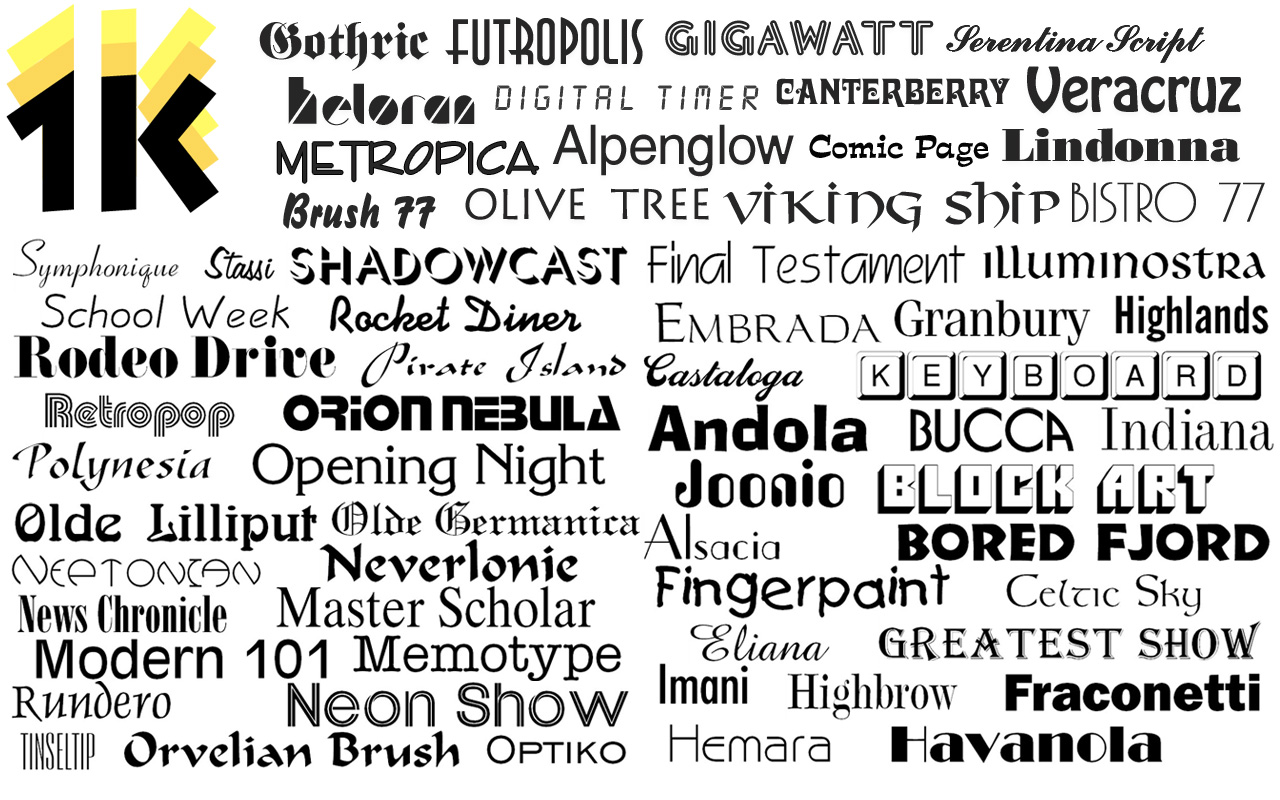
Application Icon: http://macappware.com/images/fonts/1kf/1000FontsAppIcon256.png

MacAppware is a division of 128bit Technologies and a dedicated Mac software developer currently offering Mac software, graphic design bundles and unique commercial use fonts. Copyright (C) 2015 / 128bit Technologies LLC. All Rights Reserved. Apple, the Apple logo, Mac OS X, and Macintosh are registered trademarks of Apple Inc. in the U.S. and/or other countries. All other trademarks are the property of their respective owners.
*******
Link To Article: http://prmac.com/release-id-76880.htm
*******
---------------------------------------------------------------------------------
Note that you can alter delivered distributions at any time.
Login to your account on prMac to alter your channel selection, or to opt-out at any time.
4 or More - Entirely Unique Matching Puzzle Game for iOS
A new article has been published at prMac.
4 or More - Entirely Unique Matching Puzzle Game for iOS - Published on 09/29/15
UK based Red Camel Studios today is thrilled to announce the release of 4 or More - new, entirely unique type of matching puzzle game developed for iPhone, iPad, and iPod touch devices. While progressing through the game, players will be introduced to a variety of game modes. Play at your own pace, race against time, melt ice blocks, and sink anchors. This minimalist, simple, and elegant design, combined with simple swipe controls, offers enjoyable gaming experience for players of all ages.
London, United Kingdom - Match 3 type games have been around for a long time, but basic game play remains the same. Indie game developer, Red Camel Studios today is thrilled to announce the release of 4 or More 1.0.2, a new, entirely unique type of matching puzzle game developed for iPhone, iPad, and iPod touch devices.
Featuring unique idea and innovative gameplay, 4 or More is perfect for anyone who loves puzzle games and is looking for new gaming experience.
While progressing through the game, players will be introduced to a variety of game modes. Play at your own pace, race against time, melt ice blocks, and sink anchors. Gameplay requires both strategy and luck. Sometimes it's quite easy, while at other times players will have to plan several moves ahead.
This minimalist, simple, and elegant design, combined with simple swipe controls, offers enjoyable gaming experience for players of all ages.
"The best way for small indie developers to succeed when competing with big studios is to create something unique and original," says developer of Red Camel Studios. "It took a few months and many prototypes to create the game mechanics for 4 or More. It's both the most challenging and the most exciting part of game development process."
Device Requirements:
* iPhone, iPad, and iPod touch
* Requires iOS 7.0 or later
* 9.1 MB
Pricing and Availability:
4 or More 1.0.2 is free (with in-app purchases) and available worldwide exclusively through the App Store in the Games category.
4 or More 1.0.2: http://www.redcamelstudios.co.uk
Download From iTunes: https://itunes.apple.com/app/4-or-more/id884498495
Screenshot: http://www.redcamelstudios.co.uk/4orMore/iPad_1.jpg
App Icon: http://www.redcamelstudios.co.uk/4orMore/iTunes_icon_1024.png
Based in London, United Kingdom, Red Camel Studios is a one-man independent game studio whose the focus is creating games for the mobile platform. All Material and Software (C) Copyright 2015 Red Camel Studios. All Rights Reserved. Apple, the Apple logo, iPod, the iPod logo, are registered trademarks of Apple Computer in the U.S. and/or other countries.
*******
Link To Article: http://prmac.com/release-id-76879.htm
*******
---------------------------------------------------------------------------------
Note that you can alter delivered distributions at any time.
Login to your account on prMac to alter your channel selection, or to opt-out at any time.
4 or More - Entirely Unique Matching Puzzle Game for iOS - Published on 09/29/15
UK based Red Camel Studios today is thrilled to announce the release of 4 or More - new, entirely unique type of matching puzzle game developed for iPhone, iPad, and iPod touch devices. While progressing through the game, players will be introduced to a variety of game modes. Play at your own pace, race against time, melt ice blocks, and sink anchors. This minimalist, simple, and elegant design, combined with simple swipe controls, offers enjoyable gaming experience for players of all ages.
London, United Kingdom - Match 3 type games have been around for a long time, but basic game play remains the same. Indie game developer, Red Camel Studios today is thrilled to announce the release of 4 or More 1.0.2, a new, entirely unique type of matching puzzle game developed for iPhone, iPad, and iPod touch devices.
Featuring unique idea and innovative gameplay, 4 or More is perfect for anyone who loves puzzle games and is looking for new gaming experience.
While progressing through the game, players will be introduced to a variety of game modes. Play at your own pace, race against time, melt ice blocks, and sink anchors. Gameplay requires both strategy and luck. Sometimes it's quite easy, while at other times players will have to plan several moves ahead.
This minimalist, simple, and elegant design, combined with simple swipe controls, offers enjoyable gaming experience for players of all ages.
"The best way for small indie developers to succeed when competing with big studios is to create something unique and original," says developer of Red Camel Studios. "It took a few months and many prototypes to create the game mechanics for 4 or More. It's both the most challenging and the most exciting part of game development process."
Device Requirements:
* iPhone, iPad, and iPod touch
* Requires iOS 7.0 or later
* 9.1 MB
Pricing and Availability:
4 or More 1.0.2 is free (with in-app purchases) and available worldwide exclusively through the App Store in the Games category.
4 or More 1.0.2: http://www.redcamelstudios.co.uk
Download From iTunes: https://itunes.apple.com/app/4-or-more/id884498495
Screenshot: http://www.redcamelstudios.co.uk/4orMore/iPad_1.jpg

App Icon: http://www.redcamelstudios.co.uk/4orMore/iTunes_icon_1024.png

Based in London, United Kingdom, Red Camel Studios is a one-man independent game studio whose the focus is creating games for the mobile platform. All Material and Software (C) Copyright 2015 Red Camel Studios. All Rights Reserved. Apple, the Apple logo, iPod, the iPod logo, are registered trademarks of Apple Computer in the U.S. and/or other countries.
*******
Link To Article: http://prmac.com/release-id-76879.htm
*******
---------------------------------------------------------------------------------
Note that you can alter delivered distributions at any time.
Login to your account on prMac to alter your channel selection, or to opt-out at any time.
Cocoatech Releases Path Finder 7.2 (El Capitan Edition)
A new article has been published at prMac.
Cocoatech Releases Path Finder 7.2 (El Capitan Edition) - Published on 09/29/15
California based Cocoatech today announces Path Finder 7.2, a free update of their popular file browser for users running OS X El Capitan 10.11. Path Finder allows you to view hidden files, compare, merge and synchronize folders, batch rename and batch select files, use Dual Pane and full keyboard navigation to browse your file system and much more. Path Finder is extremely customizable and allows you to work how you want. Become a master of file management with Path Finder 7.2!
San Francisco, California - Cocoatech is pleased to announce the release of Path Finder 7.2, a free update of their popular file browser for users running OS X El Capitan 10.11. Path Finder allows you to view hidden files, compare, merge and synchronize folders, batch rename and batch select files, use Dual Pane and full keyboard navigation to browse your file system and much more. Path Finder is extremely customizable and allows you to work how you want. Become a master of file management with Path Finder 7.2!
What's new:
* Added OS X El Capitan 10.11 compatibility
* Fixed concurrent execution of more authenticated operations
* Fixed labels/tags names localisation issue
* Other minor fixes, performance and stability improvements
Supported Languages:
Path Finder supports Chinese, Czech, Dutch, English, Finnish, French, German, Italian, Japanese, Korean, Norwegian, Polish, Portuguese, Russian, Spanish and Swedish languages.
System Requirements:
Mac OS X 10.7 or newer
Pricing and Availability:
You can try Path Finder for free for 30 days with all the features available to you during that period. Path Finder costs $39.95 (USD) for a single user license applicable for up to 3 user-owned computers. The software is available for purchase from the Cocoatech online store or from within the application itself. Volume license discounts available.
Path Finder 7.2: http://www.cocoatech.com/
Full Version History: http://support.cocoatech.com/kb/installation-and-compatibility/path-finder-version-history
Download Free Trial: http://cocoatech.com/pathfinder/download
Headquartered in San Francisco, California, Cocoatech LLC is a privately funded software company founded in 2001 by Steve Gehrman. Steve has over 20 years as a software developer, and founded Cocoatech with the intention of bringing this experience to the Mac platform. Copyright 2008-2015 Cocoatech, LLC. All Rights Reserved. Apple, the Apple logo, and Finder are registered trademarks of Apple Computer in the U.S. and/or other countries. Other trademarks and registered trademarks may be the property of their respective owners.
*******
Link To Article: http://prmac.com/release-id-76878.htm
*******
---------------------------------------------------------------------------------
Note that you can alter delivered distributions at any time.
Login to your account on prMac to alter your channel selection, or to opt-out at any time.
Cocoatech Releases Path Finder 7.2 (El Capitan Edition) - Published on 09/29/15
California based Cocoatech today announces Path Finder 7.2, a free update of their popular file browser for users running OS X El Capitan 10.11. Path Finder allows you to view hidden files, compare, merge and synchronize folders, batch rename and batch select files, use Dual Pane and full keyboard navigation to browse your file system and much more. Path Finder is extremely customizable and allows you to work how you want. Become a master of file management with Path Finder 7.2!
San Francisco, California - Cocoatech is pleased to announce the release of Path Finder 7.2, a free update of their popular file browser for users running OS X El Capitan 10.11. Path Finder allows you to view hidden files, compare, merge and synchronize folders, batch rename and batch select files, use Dual Pane and full keyboard navigation to browse your file system and much more. Path Finder is extremely customizable and allows you to work how you want. Become a master of file management with Path Finder 7.2!
What's new:
* Added OS X El Capitan 10.11 compatibility
* Fixed concurrent execution of more authenticated operations
* Fixed labels/tags names localisation issue
* Other minor fixes, performance and stability improvements
Supported Languages:
Path Finder supports Chinese, Czech, Dutch, English, Finnish, French, German, Italian, Japanese, Korean, Norwegian, Polish, Portuguese, Russian, Spanish and Swedish languages.
System Requirements:
Mac OS X 10.7 or newer
Pricing and Availability:
You can try Path Finder for free for 30 days with all the features available to you during that period. Path Finder costs $39.95 (USD) for a single user license applicable for up to 3 user-owned computers. The software is available for purchase from the Cocoatech online store or from within the application itself. Volume license discounts available.
Path Finder 7.2: http://www.cocoatech.com/
Full Version History: http://support.cocoatech.com/kb/installation-and-compatibility/path-finder-version-history
Download Free Trial: http://cocoatech.com/pathfinder/download
Headquartered in San Francisco, California, Cocoatech LLC is a privately funded software company founded in 2001 by Steve Gehrman. Steve has over 20 years as a software developer, and founded Cocoatech with the intention of bringing this experience to the Mac platform. Copyright 2008-2015 Cocoatech, LLC. All Rights Reserved. Apple, the Apple logo, and Finder are registered trademarks of Apple Computer in the U.S. and/or other countries. Other trademarks and registered trademarks may be the property of their respective owners.
*******
Link To Article: http://prmac.com/release-id-76878.htm
*******
---------------------------------------------------------------------------------
Note that you can alter delivered distributions at any time.
Login to your account on prMac to alter your channel selection, or to opt-out at any time.
7 Great Tools for Xojo: Retina Kit, Arbed, and More - Only $79
A new article has been published at prMac.
7 Great Tools for Xojo: Retina Kit, Arbed, and More - Only $79 - Published on 09/29/15
XJBundle for Xojo is a collection of the best add-ons for Xojo development, including Arbed, DtPlugins, Html Edit Control, Lexing Control, Ohanaware Retina Kit v2, RubberViews, and TreeView. This great bundle includes the tools to aid a Xojo developer to build great looking and state of the art apps with the Xojo programming tool. The XJBundle is available from today for a limited time for only $79 until the 31st of October 2015.
Hengchun, Taiwan - The XJBundle for Xojo is a special collection of 7 of the best add-ons for the Xojo development tool. $350 (USD) worth of kit, for only $79 (USD) or Euro 79; with a saving of $270 (USD) or 78%. This great bundle includes the tools to aid a Xojo developer to build great looking and state of the art apps with the Xojo programming tool.
* Arbed Basic Licence (Windows & Mac OS X)
Advanced project editor.
* DtPlugins (Mac OS X)
33 native Cocoa controls for Xojo Desktop
* Html Edit Control (Windows & Mac OS X)
WYSIWYG rich text editor that uses HTML for input and output.
* Lexing Control (Windows & Mac OS X)
A syntax highlighter for a variety of programming languages.
* Ohanaware Retina Kit v2 (Mac OS X)
The best way to create Retina ready OS X apps (with fallback code for Windows and Linux).
* RubberViews (Windows & Mac OS X)
The best way to create dynamic interface to fit multiple window and screen sizes.
* TreeView (Windows & Mac OS X)
Tree View presents a hierarchical view of information. Each item can have an infinite number of subitems.
Availability:
The XJBundle is available from today, until the 31st of October 2015. please visit the XJBundle web site to pick up a copy today.
XJBundle: http://www.xjbundle.com/
Since '06, Joy Sha & Sam Rowlands have been building top ten, award winning apps. Their most notable applications include Funtastic Photos, which set the benchmark for modern photo editing. HDRtist & HDRtist Pro which has over 100,000 users world wide. App Wrapper, which is the #1 third party product to help developers prepare their apps for the App Store. All Material and Software (C) Copyright 2006-2015 Ohanaware Co., Ltd. All Rights Reserved. Apple, the Apple logo, Mac OS X and Macintosh are registered trademarks of Apple Inc. in the U.S. and/or other countries. Other trademarks and registered trademarks may be the property of their respective owners.
*******
Link To Article: http://prmac.com/release-id-76877.htm
*******
---------------------------------------------------------------------------------
Note that you can alter delivered distributions at any time.
Login to your account on prMac to alter your channel selection, or to opt-out at any time.
7 Great Tools for Xojo: Retina Kit, Arbed, and More - Only $79 - Published on 09/29/15
XJBundle for Xojo is a collection of the best add-ons for Xojo development, including Arbed, DtPlugins, Html Edit Control, Lexing Control, Ohanaware Retina Kit v2, RubberViews, and TreeView. This great bundle includes the tools to aid a Xojo developer to build great looking and state of the art apps with the Xojo programming tool. The XJBundle is available from today for a limited time for only $79 until the 31st of October 2015.
Hengchun, Taiwan - The XJBundle for Xojo is a special collection of 7 of the best add-ons for the Xojo development tool. $350 (USD) worth of kit, for only $79 (USD) or Euro 79; with a saving of $270 (USD) or 78%. This great bundle includes the tools to aid a Xojo developer to build great looking and state of the art apps with the Xojo programming tool.
* Arbed Basic Licence (Windows & Mac OS X)
Advanced project editor.
* DtPlugins (Mac OS X)
33 native Cocoa controls for Xojo Desktop
* Html Edit Control (Windows & Mac OS X)
WYSIWYG rich text editor that uses HTML for input and output.
* Lexing Control (Windows & Mac OS X)
A syntax highlighter for a variety of programming languages.
* Ohanaware Retina Kit v2 (Mac OS X)
The best way to create Retina ready OS X apps (with fallback code for Windows and Linux).
* RubberViews (Windows & Mac OS X)
The best way to create dynamic interface to fit multiple window and screen sizes.
* TreeView (Windows & Mac OS X)
Tree View presents a hierarchical view of information. Each item can have an infinite number of subitems.
Availability:
The XJBundle is available from today, until the 31st of October 2015. please visit the XJBundle web site to pick up a copy today.
XJBundle: http://www.xjbundle.com/
Since '06, Joy Sha & Sam Rowlands have been building top ten, award winning apps. Their most notable applications include Funtastic Photos, which set the benchmark for modern photo editing. HDRtist & HDRtist Pro which has over 100,000 users world wide. App Wrapper, which is the #1 third party product to help developers prepare their apps for the App Store. All Material and Software (C) Copyright 2006-2015 Ohanaware Co., Ltd. All Rights Reserved. Apple, the Apple logo, Mac OS X and Macintosh are registered trademarks of Apple Inc. in the U.S. and/or other countries. Other trademarks and registered trademarks may be the property of their respective owners.
*******
Link To Article: http://prmac.com/release-id-76877.htm
*******
---------------------------------------------------------------------------------
Note that you can alter delivered distributions at any time.
Login to your account on prMac to alter your channel selection, or to opt-out at any time.
SketchKey Keyboard Update 1.2 - A drawing keyboard for iOS 9
A new article has been published at prMac.
SketchKey Keyboard Update 1.2 - A drawing keyboard for iOS 9 - Published on 09/29/15
Indie developer, Francis Hart today announces SketchKey Keyboard 1.2.0, an important update to his popular drawing keyboard for iOS 9. Featuring an easy-to-use interface, tools and a gallery of previous sketches, SketchKey lets anyone draw and sketch using a variety of tools within any app and paste their drawing into apps such as iMessage, WhatsApp Messenger, Facebook Messenger and more. Version 1.2 offers small UI and performance improvements, adds a new photo import feature and more.
Swindon, United Kingdom - Independent developer, Francis Hart today is proud to announce the release of SketchKey Keyboard update 1.2, adding new functionality that lets users import images directly into the canvas from their device. Users can then scale, rotate and move the image to exactly how they want before setting it and being able to draw and edit the image all within the keyboard extension! The update also provides stability and performance improvements and small UI improvements.
Since release, SketchKey Keyboard has seen almost 10,000 downloads, maintains a 5-star rating in the UK, and a 4.6-star rating in the US. SketchKey Keyboard has been featured 7 times on the Apple App Store in the US and Canada for iPhone and 6 times on iPad (Source: appannie.com).
SketchKey Keyboard is a drawing keyboard extension first released for iOS 8 devices. SketchKey lets users draw and sketch using a variety of tools in any app and lets users paste their drawing into apps such as iMessage, WhatsApp Messenger, Facebook Messenger and more! SketchKey features an easy to use interface, tools and a gallery of previous sketches.
Use SketchKey to send fun drawings to friends, give directions, play guess the picture or quickly send an idea! Featuring a simple, fast and intuitive interface, drawings can range from quick hand written messages to time consuming masterpieces.
Features list:
* Send hand drawn pictures to personalise your messages
* Import images from you device directly to the canvas
* Works in any app that supports sending images
* Personal gallery of your drawings for use again and again
* Change brush size, colour and opacity to create the perfect drawing
* Undo and trash for those little mistakes
* Universal for iPhone and iPad
* Privacy first - No analytics or data is ever gathered
SketchKey encourages users to tweet their favourite drawings to @sketchkeyapp with the hashtag #sketchkey. Users are also encouraged to contact SketchKey through Twitter to request features or changes to help make SketchKey even better. Development of the next features for SketchKey is well underway and plans for even more features are always in the works! Keep up to date with development news at the website or on Twitter.
Device Requirements:
* iPhone, iPad, and iPod touch
* Requires iOS 9.0 or later
* 4.4 MB
Pricing and Availability:
SketchKey Keyboard 1.2 is only $0.99 USD (or equivalent amount in other currencies) and available worldwide exclusively through the App Store in the Utilities category.
SketchKey Keyboard 1.2.0: http://sketchkey.co
Purchase and Download: https://itunes.apple.com/app/sketchkey-keyboard-draw-doodle/id919682624
Screenshot: http://www.sketchkey.co/screenshot_1_2.png
App Icon: http://www.sketchkey.co/sketchkey_icon.png
Francis Hart is an independent iOS Developer. He is the developer of SketchKey Keyboard, a drawing keyboard for iOS 9 devices. All materials and software (C) Copyright 2015 Francis Hart. Apple, the Apple logo, iPhone, iPod and iPad are registered trademarks of Apple Inc. in the U.S. and/or other countries. Other trademarks and registered trademarks may be the property of their respective owners.
*******
Link To Article: http://prmac.com/release-id-76876.htm
*******
---------------------------------------------------------------------------------
Note that you can alter delivered distributions at any time.
Login to your account on prMac to alter your channel selection, or to opt-out at any time.
SketchKey Keyboard Update 1.2 - A drawing keyboard for iOS 9 - Published on 09/29/15
Indie developer, Francis Hart today announces SketchKey Keyboard 1.2.0, an important update to his popular drawing keyboard for iOS 9. Featuring an easy-to-use interface, tools and a gallery of previous sketches, SketchKey lets anyone draw and sketch using a variety of tools within any app and paste their drawing into apps such as iMessage, WhatsApp Messenger, Facebook Messenger and more. Version 1.2 offers small UI and performance improvements, adds a new photo import feature and more.
Swindon, United Kingdom - Independent developer, Francis Hart today is proud to announce the release of SketchKey Keyboard update 1.2, adding new functionality that lets users import images directly into the canvas from their device. Users can then scale, rotate and move the image to exactly how they want before setting it and being able to draw and edit the image all within the keyboard extension! The update also provides stability and performance improvements and small UI improvements.
Since release, SketchKey Keyboard has seen almost 10,000 downloads, maintains a 5-star rating in the UK, and a 4.6-star rating in the US. SketchKey Keyboard has been featured 7 times on the Apple App Store in the US and Canada for iPhone and 6 times on iPad (Source: appannie.com).
SketchKey Keyboard is a drawing keyboard extension first released for iOS 8 devices. SketchKey lets users draw and sketch using a variety of tools in any app and lets users paste their drawing into apps such as iMessage, WhatsApp Messenger, Facebook Messenger and more! SketchKey features an easy to use interface, tools and a gallery of previous sketches.
Use SketchKey to send fun drawings to friends, give directions, play guess the picture or quickly send an idea! Featuring a simple, fast and intuitive interface, drawings can range from quick hand written messages to time consuming masterpieces.
Features list:
* Send hand drawn pictures to personalise your messages
* Import images from you device directly to the canvas
* Works in any app that supports sending images
* Personal gallery of your drawings for use again and again
* Change brush size, colour and opacity to create the perfect drawing
* Undo and trash for those little mistakes
* Universal for iPhone and iPad
* Privacy first - No analytics or data is ever gathered
SketchKey encourages users to tweet their favourite drawings to @sketchkeyapp with the hashtag #sketchkey. Users are also encouraged to contact SketchKey through Twitter to request features or changes to help make SketchKey even better. Development of the next features for SketchKey is well underway and plans for even more features are always in the works! Keep up to date with development news at the website or on Twitter.
Device Requirements:
* iPhone, iPad, and iPod touch
* Requires iOS 9.0 or later
* 4.4 MB
Pricing and Availability:
SketchKey Keyboard 1.2 is only $0.99 USD (or equivalent amount in other currencies) and available worldwide exclusively through the App Store in the Utilities category.
SketchKey Keyboard 1.2.0: http://sketchkey.co
Purchase and Download: https://itunes.apple.com/app/sketchkey-keyboard-draw-doodle/id919682624
Screenshot: http://www.sketchkey.co/screenshot_1_2.png

App Icon: http://www.sketchkey.co/sketchkey_icon.png

Francis Hart is an independent iOS Developer. He is the developer of SketchKey Keyboard, a drawing keyboard for iOS 9 devices. All materials and software (C) Copyright 2015 Francis Hart. Apple, the Apple logo, iPhone, iPod and iPad are registered trademarks of Apple Inc. in the U.S. and/or other countries. Other trademarks and registered trademarks may be the property of their respective owners.
*******
Link To Article: http://prmac.com/release-id-76876.htm
*******
---------------------------------------------------------------------------------
Note that you can alter delivered distributions at any time.
Login to your account on prMac to alter your channel selection, or to opt-out at any time.
Subscribe to:
Posts (Atom)