A new article has been published at prMac.
IGG Software Announces New Releases iBank for iPad, and iBank for iPhone - Published on 09/30/15
IGG Software, Inc. has released new versions of iBank 3.0 for iPad and iPhone, the most advanced personal finance solutions for the iOS platform. Redesigned for iOS 9, both products will be a free upgrade to users of earlier versions. iBank for iPhone users will now be able to schedule reoccurring bill payments from within the app. iBank for iPad adds support for using your current location to find businesses when entering transactions on the go and more.
Putney, Vermont - IGG Software's new app releases have been redesigned to take advantage of the updated user interface in iOS 9 and Watch OS 2. The releases also include several new features and improvements.
iBank for iPhone 3.0 users will now be able to schedule reoccurring bill payments from within the app, and edit schedules and transaction templates. "Since we released iBank for iPhone 2 we've been continually pressing to make it the best iPhone app for your finances," says IGG's president, Ian Gillespie, "There aren't any games or gimmicks. It's all of your finances and budgets just how you want them with super fast search, Cloud Sync, and Direct Access account updates and aggregation."
iBank for iPad 3.0 adds support for using your current location to find businesses when entering transactions on the go, as well as the new split screen functionality in iOS 9. With this version of iBank for iPad," says Gillespie, "We have our eyes focused squarely on iOS 9. Among some performance and bug fixes, iBank for iPad 3.0 supports the split-screen workflow that is new in iOS 9. When Apple introduced split-screen at WWDC 2015, we knew that iBank should embrace it to give our customers the opportunity to be more productive than ever."
As before, users have full manual editing and entry capabilities, including the ability to split, schedule and categorize transactions; the ability to move different financial "books" between devices; multi-currency support; and many more powerful finance management tools.
A top-selling iOS finance app since its debut in 2012, iBank for iPad has been called "a stellar full-featured financial app" by Macworld.
iBank for iPad version 3.0 is $19.99 (USD) at the App Store exclusively, and will require iOS 9 or higher and iPad 2 or later. iBank for iPhone 3.0 is also available at the App Store exclusively for $9.99. For further information, review licenses, or to schedule interviews with Ian Gillespie or CTO James Gillespie, please contact IGG Marketing online.
IGG Software: http://www.iggsoftware.com
iBank: http://www.iggsoftware.com/products.php
Based in Putney, Vermont, IGG Software, Inc. was founded in 2003 by developer Ian Gillespie to offer intuitive, elegant and powerful applications for individuals and small businesses exclusively for the Mac and for iOS devices. IGG Software, Inc. develops the iBank family of personal finance management solutions exclusively for Mac and iOS devices to empower users to budget and save for the future. All Material and Software (C) Copyright 2015 IGG Software, Inc. All Rights Reserved. Apple, the Apple logo, Mac OS X, iPhone, iPod, iPad and Macintosh are registered trademarks of Apple Inc. in the U.S. and/or other countries. Other trademarks and registered trademarks may be the property of their respective owners.
*******
Link To Article: http://prmac.com/release-id-76846.htm
*******
---------------------------------------------------------------------------------
Note that you can alter delivered distributions at any time.
Login to your account on prMac to alter your channel selection, or to opt-out at any time.

PadKeys: iOS custom keyboard designed for iPad
A new article has been published at prMac.
PadKeys: iOS custom keyboard designed for iPad - Published on 09/30/15
Natural Designs Software has announced PadKeys Keyboard 1.3, an improvement to their well-regarded iOS custom keyboard for iPad. PadKeys uses the extra real estate tablet screens have over phones to provide number, punctuation, and cursor keys in accustomed places, and to display expanded autocorrect suggestions. The innovative layout is ergonomic as well, with frequently-used keys sized larger for typing speed and accuracy. Version 1.3 adds a language quick-toggle for bilingual users.
Valley Cottage, New York - Natural Designs Software has announced PadKeys Keyboard 1.3, an improvement to their well-regarded iOS custom keyboard for iPad users. PadKeys utilizes the extra real estate tablet screens have over phones to provide number, punctuation and cursor keys in accustomed places, and to display expanded autocorrect suggestions. The innovative layout is ergonomic as well, with frequently-used keys sized larger for typing speed and accuracy.
Why PadKeys was Created:
* Typing on an iPad in landscape mode can be surprisingly fast - until one needs to enter a number or common symbol like '%' or ';'. Because there was no room for these keys on the iPhone, the iPad lacks them as well. PadKeys brings these keys back to where they belong, since the tablet screen is nearly as large as a laptop keyboard and has the space.
* Moving the cursor in text has been the subject of many clever and innovative approaches, but when the text is small and fingers large, dedicated arrow keys are still easier to use. PadKeys puts these in the accustomed place on the bottom right.
* The iPad system keyboard displays only three word suggestions in the middle of the screen, but these aren't always useful. PadKeys on the other hand uses the full width of the screen to display suggestions, as in some other mobile operating systems, enhancing the chance of a "hit". PadKeys also uses information about its specific layout as well as the language being used to catch typos when finishing a word.
"PadKeys was stimulated by personal need," explains Adrian Robert, founder and lead developer at Natural Designs, "I own an iPad and like to use it on the road for keeping journals and making notes, but the stock keyboard and switching modes to enter numbers and symbols made this inconvenient. When iOS 8 came out and third-party keyboards started appearing, I looked around for one that addressed the needs of iPad users. I was surprised to find only one option available, and it was clear that only a limited amount of thought and effort had been put into it. I didn't think it would be hard to come up with something better, though of course it was, and it took a lot of refinement to make it work well. But now that iOS 9 has followed with its focus on the iPad and productivity, PadKeys looks quite apropos."
What's New:
Version 1.3 brings enhancements for bilingual and non-English-speaking users. A new language quick-toggle lets users switch languages with a single touch and release. In addition, the Settings Panel and Enter Key labels are now displayed in the primary iPad language.
Supported Languages:
English (US, CA, UK, AU, and NZ), Danish, Dutch, Finnish, French (France and Canada), German, Italian, Norwegian (Bokml), Portuguese (Brazil and Portugal), Spanish, and Swedish.
Device Requirements:
* iPad 2 or later
* iOS 8.2 or later
* 9 MB free space
Pricing and Availability:
PadKeys Keyboard 1.3 is available for $1.99 US (or equivalent in other currencies) exclusively through the App Store in the Utilities category. Review codes are available upon request.
PadKeys Keyboard 1.3: http://padkeys.com
Purchase and Download: https://itunes.apple.com/app/padkeys-keyboard/id975022995
YouTube Video (Intro): https://www.youtube.com/watch?v=9s2DP3YeWug
Media Assets: https://www.dropbox.com/sh/ik15v8i38sivld9/AAARvl7MLYbCCQUgbclgAF9Fa?dl=0
Natural Designs Software, Inc. was founded in 2007 to bring innovative user interfaces to education, entertainment, and utility applications. Software should work the way the user perceives, thinks and acts, not the other way around. The current products are a Chinese language learning program for desktop and iPad, and an iOS custom keyboard extension designed for tablets. Musical and visual art creativity software is in the works. All Material and Software (C) Copyright 2007-2015 Natural Designs Software, Inc. All Rights Reserved. Apple, the Apple logo, iPhone, iPod and iPad are registered trademarks of Apple Inc. in the U.S. and/or other countries. Other trademarks and registered trademarks may be the property of their respective owners.
*******
Link To Article: http://prmac.com/release-id-76844.htm
*******
---------------------------------------------------------------------------------
Note that you can alter delivered distributions at any time.
Login to your account on prMac to alter your channel selection, or to opt-out at any time.
PadKeys: iOS custom keyboard designed for iPad - Published on 09/30/15
Natural Designs Software has announced PadKeys Keyboard 1.3, an improvement to their well-regarded iOS custom keyboard for iPad. PadKeys uses the extra real estate tablet screens have over phones to provide number, punctuation, and cursor keys in accustomed places, and to display expanded autocorrect suggestions. The innovative layout is ergonomic as well, with frequently-used keys sized larger for typing speed and accuracy. Version 1.3 adds a language quick-toggle for bilingual users.
Valley Cottage, New York - Natural Designs Software has announced PadKeys Keyboard 1.3, an improvement to their well-regarded iOS custom keyboard for iPad users. PadKeys utilizes the extra real estate tablet screens have over phones to provide number, punctuation and cursor keys in accustomed places, and to display expanded autocorrect suggestions. The innovative layout is ergonomic as well, with frequently-used keys sized larger for typing speed and accuracy.
Why PadKeys was Created:
* Typing on an iPad in landscape mode can be surprisingly fast - until one needs to enter a number or common symbol like '%' or ';'. Because there was no room for these keys on the iPhone, the iPad lacks them as well. PadKeys brings these keys back to where they belong, since the tablet screen is nearly as large as a laptop keyboard and has the space.
* Moving the cursor in text has been the subject of many clever and innovative approaches, but when the text is small and fingers large, dedicated arrow keys are still easier to use. PadKeys puts these in the accustomed place on the bottom right.
* The iPad system keyboard displays only three word suggestions in the middle of the screen, but these aren't always useful. PadKeys on the other hand uses the full width of the screen to display suggestions, as in some other mobile operating systems, enhancing the chance of a "hit". PadKeys also uses information about its specific layout as well as the language being used to catch typos when finishing a word.
"PadKeys was stimulated by personal need," explains Adrian Robert, founder and lead developer at Natural Designs, "I own an iPad and like to use it on the road for keeping journals and making notes, but the stock keyboard and switching modes to enter numbers and symbols made this inconvenient. When iOS 8 came out and third-party keyboards started appearing, I looked around for one that addressed the needs of iPad users. I was surprised to find only one option available, and it was clear that only a limited amount of thought and effort had been put into it. I didn't think it would be hard to come up with something better, though of course it was, and it took a lot of refinement to make it work well. But now that iOS 9 has followed with its focus on the iPad and productivity, PadKeys looks quite apropos."
What's New:
Version 1.3 brings enhancements for bilingual and non-English-speaking users. A new language quick-toggle lets users switch languages with a single touch and release. In addition, the Settings Panel and Enter Key labels are now displayed in the primary iPad language.
Supported Languages:
English (US, CA, UK, AU, and NZ), Danish, Dutch, Finnish, French (France and Canada), German, Italian, Norwegian (Bokml), Portuguese (Brazil and Portugal), Spanish, and Swedish.
Device Requirements:
* iPad 2 or later
* iOS 8.2 or later
* 9 MB free space
Pricing and Availability:
PadKeys Keyboard 1.3 is available for $1.99 US (or equivalent in other currencies) exclusively through the App Store in the Utilities category. Review codes are available upon request.
PadKeys Keyboard 1.3: http://padkeys.com
Purchase and Download: https://itunes.apple.com/app/padkeys-keyboard/id975022995
YouTube Video (Intro): https://www.youtube.com/watch?v=9s2DP3YeWug
Media Assets: https://www.dropbox.com/sh/ik15v8i38sivld9/AAARvl7MLYbCCQUgbclgAF9Fa?dl=0
Natural Designs Software, Inc. was founded in 2007 to bring innovative user interfaces to education, entertainment, and utility applications. Software should work the way the user perceives, thinks and acts, not the other way around. The current products are a Chinese language learning program for desktop and iPad, and an iOS custom keyboard extension designed for tablets. Musical and visual art creativity software is in the works. All Material and Software (C) Copyright 2007-2015 Natural Designs Software, Inc. All Rights Reserved. Apple, the Apple logo, iPhone, iPod and iPad are registered trademarks of Apple Inc. in the U.S. and/or other countries. Other trademarks and registered trademarks may be the property of their respective owners.
*******
Link To Article: http://prmac.com/release-id-76844.htm
*******
---------------------------------------------------------------------------------
Note that you can alter delivered distributions at any time.
Login to your account on prMac to alter your channel selection, or to opt-out at any time.
Hue Lights v1.8 Creates Fiery Spectacle for Philips Hue
A new article has been published at prMac.
Hue Lights v1.8 Creates Fiery Spectacle for Philips Hue - Published on 09/30/15
California based LapApps, LLC has announced Hue Lights v1.8, an update to its popular lifestyle app for iOS devices. Version 1.8 brings a powerful fire simulator that can reproduce sights and sounds of a fireplace, campfire, brush fire or forest fire. Bring a warm ambiance to smart LED bulbs with customized controls for fire type, fire size, flare-ups and brightness. Each fire type includes unique visual algorithms with professionally recorded sounds.
San Jose, California - LapApps, LLC has announced the release of Hue Lights 1.8, an update to its popular lifestyle app for iOS devices, bringing amazing fire sights and sounds to your smart LED bulbs. The powerful fire simulator that can reproduce the look and feel of a fireplace, campfire, brush fire or forest fire. Bring a warm ambiance to smart LED bulbs with customized controls for fire type, fire size, flare-ups and brightness.
Each fire type includes unique visual algorithms with professionally recorded sounds. Watch lights flicker and change as the fire burns. Lights vary from bright yellow and orange flames to dimmer reddish embers. Flare-up frequency can be changed from 0 to 240 flare-ups per hour. The brightness of both the flames and flare-ups can be independently controlled. Fires can burn forever or automatically shut off lights and audio after the countdown timer expires.
The fire simulator is available as the "Fire" In-App purchase. No other In-App purchase is needed to use the fire simulator. Once purchased all lights recognized by the Philips Hue bridge can be included in the fire. The fire effect works best with ZigBee-compatible LED bulbs that support color. Philips Hue bulbs work great with the fire effect, especially A19, BR30, GU10, LightStrips and Bloom products.
Also included in the v1.8 release are VoiceOver enhancements, group overrides, schedule summaries for scenes, and thunderstorm controls for lightning flashes. With the extensive VoiceOver support lights can be adjusted, thunderstorms started or fires ignited with eyes closed. Any built-in scene can now be temporarily applied to any of the system groups. The number of lights and schedules associated with a scene can be quickly seen on the summary screen. This update also synchronizes lightning flashes with the overall storm brightness.
Hue Lights was first launched in December 2013 and has seen steady growth from a worldwide user base. The app includes Apple Watch support, scene and group activation from a fast widget, native Philips hub scheduling, dynamic lighting and a large selection of custom scenes. Every screen supports portrait and landscape mode on iPhone, iPad and iPod touch devices. The app is optimized for iPhone 5, iPhone 6, iPhone 6 Plus and iPad devices running iOS 7.0 or later. The Hue Lights app requires a "Hue Personal Wireless Lighting Starter Set" to operate. Follow @HueLights on Twitter for the latest news and updates. Visit Hue Lights official website for more documentation and supported hardware.
Hue Lights 1.8: http://huelights.com/
More Info: http://huelights.com/faq.html
Download from iTunes: https://itunes.apple.com/us/app/hue-lights/id762009425
Screenshot: http://huelights.com/img/v1.8/iPhone-4.7-S8.png
App Icon: http://huelights.com/img/AppIcon.png
LapApps, LLC, is a California Limited Liability Company based in San Jose, CA. It was founded by Mark Snycerski in September 2013 and specializes in app development. (C) Copyright 2015 LapApps, LLC. All rights reserved. Apple Watch, iPad, iPhone and iPod touch are trademarks of Apple Inc., registered in the U.S. and other countries. IOS is a trademark or registered trademark of Cisco in the U.S. and other countries and is used under license. Hue Personal Wireless Lighting is a trademark owned by Koninklijke Philips Electronics N.V. LapApps, LLC is in no way affiliated with the Philips organization. Other product and company names mentioned herein may be trademarks of their respective companies.
*******
Link To Article: http://prmac.com/release-id-76843.htm
*******
---------------------------------------------------------------------------------
Note that you can alter delivered distributions at any time.
Login to your account on prMac to alter your channel selection, or to opt-out at any time.
Hue Lights v1.8 Creates Fiery Spectacle for Philips Hue - Published on 09/30/15
California based LapApps, LLC has announced Hue Lights v1.8, an update to its popular lifestyle app for iOS devices. Version 1.8 brings a powerful fire simulator that can reproduce sights and sounds of a fireplace, campfire, brush fire or forest fire. Bring a warm ambiance to smart LED bulbs with customized controls for fire type, fire size, flare-ups and brightness. Each fire type includes unique visual algorithms with professionally recorded sounds.
San Jose, California - LapApps, LLC has announced the release of Hue Lights 1.8, an update to its popular lifestyle app for iOS devices, bringing amazing fire sights and sounds to your smart LED bulbs. The powerful fire simulator that can reproduce the look and feel of a fireplace, campfire, brush fire or forest fire. Bring a warm ambiance to smart LED bulbs with customized controls for fire type, fire size, flare-ups and brightness.
Each fire type includes unique visual algorithms with professionally recorded sounds. Watch lights flicker and change as the fire burns. Lights vary from bright yellow and orange flames to dimmer reddish embers. Flare-up frequency can be changed from 0 to 240 flare-ups per hour. The brightness of both the flames and flare-ups can be independently controlled. Fires can burn forever or automatically shut off lights and audio after the countdown timer expires.
The fire simulator is available as the "Fire" In-App purchase. No other In-App purchase is needed to use the fire simulator. Once purchased all lights recognized by the Philips Hue bridge can be included in the fire. The fire effect works best with ZigBee-compatible LED bulbs that support color. Philips Hue bulbs work great with the fire effect, especially A19, BR30, GU10, LightStrips and Bloom products.
Also included in the v1.8 release are VoiceOver enhancements, group overrides, schedule summaries for scenes, and thunderstorm controls for lightning flashes. With the extensive VoiceOver support lights can be adjusted, thunderstorms started or fires ignited with eyes closed. Any built-in scene can now be temporarily applied to any of the system groups. The number of lights and schedules associated with a scene can be quickly seen on the summary screen. This update also synchronizes lightning flashes with the overall storm brightness.
Hue Lights was first launched in December 2013 and has seen steady growth from a worldwide user base. The app includes Apple Watch support, scene and group activation from a fast widget, native Philips hub scheduling, dynamic lighting and a large selection of custom scenes. Every screen supports portrait and landscape mode on iPhone, iPad and iPod touch devices. The app is optimized for iPhone 5, iPhone 6, iPhone 6 Plus and iPad devices running iOS 7.0 or later. The Hue Lights app requires a "Hue Personal Wireless Lighting Starter Set" to operate. Follow @HueLights on Twitter for the latest news and updates. Visit Hue Lights official website for more documentation and supported hardware.
Hue Lights 1.8: http://huelights.com/
More Info: http://huelights.com/faq.html
Download from iTunes: https://itunes.apple.com/us/app/hue-lights/id762009425
Screenshot: http://huelights.com/img/v1.8/iPhone-4.7-S8.png

App Icon: http://huelights.com/img/AppIcon.png

LapApps, LLC, is a California Limited Liability Company based in San Jose, CA. It was founded by Mark Snycerski in September 2013 and specializes in app development. (C) Copyright 2015 LapApps, LLC. All rights reserved. Apple Watch, iPad, iPhone and iPod touch are trademarks of Apple Inc., registered in the U.S. and other countries. IOS is a trademark or registered trademark of Cisco in the U.S. and other countries and is used under license. Hue Personal Wireless Lighting is a trademark owned by Koninklijke Philips Electronics N.V. LapApps, LLC is in no way affiliated with the Philips organization. Other product and company names mentioned herein may be trademarks of their respective companies.
*******
Link To Article: http://prmac.com/release-id-76843.htm
*******
---------------------------------------------------------------------------------
Note that you can alter delivered distributions at any time.
Login to your account on prMac to alter your channel selection, or to opt-out at any time.
The most ultimate mobile game ever: Udaaku: The destiny of a charm king
A new article has been published at prMac.
The most ultimate mobile game ever: Udaaku: The destiny of a charm king - Published on 09/30/15
Digital World Studio has released Udaaku: The destiny of a charm king 1.0, a new multi-platform 2.5D endless adventure game for iOS and Android devices. Featuring the most realistic water ever on mobile platform, amazing controls and a super addicted gameplay. It is the ultimate game where players save their beloved king Udaaku from those notorious birds and kill them to be on the top in the leaderboards. Hover, fly, collect coins and shoot birds to build the highest score and become a legend!
Limassol, Cyprus - Digital World Studio has released another multi-platform hit game: Udaaku: The destiny of a charm king, which has already started getting an overwhelming response on the store. The game comprises vibrant graphics and an addictive gameplay making it playable for every user.
Udaaku: The destiny of a charm king was developed keeping in mind, the gameplay to be simple yet addictive. The aim of the game is to save Udaaku from those notorious birds and kill them to create the score as high as possible. The idea motivated to develop the game was to make a unique gameplay with unique controls so that it can be equally playable by every age group. The game has the capability to keep you hooked with it with its all time addictive gameplay and super easy controls. It's a great time killer and the challenges to collect coins in several different patterns and killing or avoiding birds make it even more interesting. The game also comprises leaderboards to keep your highest score up to date and also facilitating you to challenge your friends.
Salient Features:
* Easy and fun to play, but a challenge to fully master
* Simple one touch controls: touch right side of the screen to fly Udaaku and left side of the screen to shoot birds
* Exciting powers like the shield to protect you from birds when situation gets really hard and the magnet so that you don't miss collecting a single coin while saving Udaaku
* Enjoy the beautiful 2D background graphics
* Colorful and vivid HD graphics
Powerups that are so much fun:
* Get ingenious power-ups to help you fly further including lives, shields, magnets and of course bullets to KILL crazy haunted birds
* Mystery Boxes: Uncover power ups by collecting mystery boxes
* Extra Life: Get extra life which keeps you continue to fly high in the air and hover Udaaku to land him safely to his home
Device Requirements:
* Compatible with iPhone, iPad and iPod touch
* Universal app designed for all devices
* Requires iOS 6.0 or later
* 83.9 MB
Android:
* Requires Android 3.0 or later
* 25MB
Pricing and Availability:
Udaaku: The destiny of a charm king 1.0 is available for 0.99 (USD) on Apple App Store and on Google Play Store.
Digital World Studio: http://www.digitalworldstudio.com/
Udaaku: The destiny of a charm king 1.0: https://itunes.apple.com/app/udaaku-destiny-charm-king/id1021090752
Download from Google Play: https://play.google.com/store/apps/details?id=com.dws.udaaku
Screenshot: http://www.digitalworldstudio.com/uploads/4/8/5/9/485987/2224395_orig.jpg
App Icon: http://www.digitalworldstudio.com/uploads/4/8/5/9/485987/2673745_orig.png
Digital World Studio Ltd is an independent game development studio based in Cyprus, consisted of high caliber team of experts from several countries around the world with many years of experience in the game development industry. Digital World Studio selectively develop top quality, clever and entertaining games with an aim to become a significant contributor in the game development industry. All Material and Software (C) Copyright 2015 Digital World Studio Ltd. All Rights Reserved. Apple, the Apple logo, iPhone, iPod and iPad are registered trademarks of Apple Inc. in the U.S. and/or other countries. Other trademarks and registered trademarks may be the property of their respective owners.
*******
Link To Article: http://prmac.com/release-id-76842.htm
*******
---------------------------------------------------------------------------------
Note that you can alter delivered distributions at any time.
Login to your account on prMac to alter your channel selection, or to opt-out at any time.
The most ultimate mobile game ever: Udaaku: The destiny of a charm king - Published on 09/30/15
Digital World Studio has released Udaaku: The destiny of a charm king 1.0, a new multi-platform 2.5D endless adventure game for iOS and Android devices. Featuring the most realistic water ever on mobile platform, amazing controls and a super addicted gameplay. It is the ultimate game where players save their beloved king Udaaku from those notorious birds and kill them to be on the top in the leaderboards. Hover, fly, collect coins and shoot birds to build the highest score and become a legend!
Limassol, Cyprus - Digital World Studio has released another multi-platform hit game: Udaaku: The destiny of a charm king, which has already started getting an overwhelming response on the store. The game comprises vibrant graphics and an addictive gameplay making it playable for every user.
Udaaku: The destiny of a charm king was developed keeping in mind, the gameplay to be simple yet addictive. The aim of the game is to save Udaaku from those notorious birds and kill them to create the score as high as possible. The idea motivated to develop the game was to make a unique gameplay with unique controls so that it can be equally playable by every age group. The game has the capability to keep you hooked with it with its all time addictive gameplay and super easy controls. It's a great time killer and the challenges to collect coins in several different patterns and killing or avoiding birds make it even more interesting. The game also comprises leaderboards to keep your highest score up to date and also facilitating you to challenge your friends.
Salient Features:
* Easy and fun to play, but a challenge to fully master
* Simple one touch controls: touch right side of the screen to fly Udaaku and left side of the screen to shoot birds
* Exciting powers like the shield to protect you from birds when situation gets really hard and the magnet so that you don't miss collecting a single coin while saving Udaaku
* Enjoy the beautiful 2D background graphics
* Colorful and vivid HD graphics
Powerups that are so much fun:
* Get ingenious power-ups to help you fly further including lives, shields, magnets and of course bullets to KILL crazy haunted birds
* Mystery Boxes: Uncover power ups by collecting mystery boxes
* Extra Life: Get extra life which keeps you continue to fly high in the air and hover Udaaku to land him safely to his home
Device Requirements:
* Compatible with iPhone, iPad and iPod touch
* Universal app designed for all devices
* Requires iOS 6.0 or later
* 83.9 MB
Android:
* Requires Android 3.0 or later
* 25MB
Pricing and Availability:
Udaaku: The destiny of a charm king 1.0 is available for 0.99 (USD) on Apple App Store and on Google Play Store.
Digital World Studio: http://www.digitalworldstudio.com/
Udaaku: The destiny of a charm king 1.0: https://itunes.apple.com/app/udaaku-destiny-charm-king/id1021090752
Download from Google Play: https://play.google.com/store/apps/details?id=com.dws.udaaku
Screenshot: http://www.digitalworldstudio.com/uploads/4/8/5/9/485987/2224395_orig.jpg

App Icon: http://www.digitalworldstudio.com/uploads/4/8/5/9/485987/2673745_orig.png

Digital World Studio Ltd is an independent game development studio based in Cyprus, consisted of high caliber team of experts from several countries around the world with many years of experience in the game development industry. Digital World Studio selectively develop top quality, clever and entertaining games with an aim to become a significant contributor in the game development industry. All Material and Software (C) Copyright 2015 Digital World Studio Ltd. All Rights Reserved. Apple, the Apple logo, iPhone, iPod and iPad are registered trademarks of Apple Inc. in the U.S. and/or other countries. Other trademarks and registered trademarks may be the property of their respective owners.
*******
Link To Article: http://prmac.com/release-id-76842.htm
*******
---------------------------------------------------------------------------------
Note that you can alter delivered distributions at any time.
Login to your account on prMac to alter your channel selection, or to opt-out at any time.
Outline 3.6 - Support for iOS9 Already Here
A new article has been published at prMac.
Outline 3.6 - Support for iOS9 Already Here - Published on 09/30/15
Gorillized Corporation has announced the new version of Outline, including support for iOS9 and other powerful features. Outline is aimed at efficiency and convenience while using your iPad for note-taking: Outline notebooks resemble the structure of real paper books. You can take typewritten and handwritten notes, annotate, store and organize them into structured notebooks. Outline provides a full range of internal links between pages, sections, groups of sections and even notebooks.
Sacramento, California - Gorillized Corporation has announced the new version of Outline, including support for iOS9 and other powerful features. Outline is aimed at efficiency and convenience while using your iPad for note-taking: Outline notebooks resemble the structure of real paper books. You can take typewritten and handwritten notes, annotate, store and organize them into structured notebooks.
The latest version of iOS brings iPad's owners such handy features as Split View, Slide Over, and Spotlight Search. Up until now, users could launch on iPad only one app at a time. Now, new iOS multitasking features allow to run two apps together or quickly switch between them. With such abilities, Outline becomes not only note-taker, but the great tool to easily collect information from the web, mail, and other apps in one place, or simply complete several tasks simultaneously. For example, you can effortlessly take notes during lecture or meeting and check your e-mail.
Spotlight is another impressive improvement, which makes it easy to search for anything contained in Outline, should it be a word or a phrase, an attachment, text on a picture, or even a PDF printout. Each search result will show you content that corresponds to your search query. When tapping on it, you will be taken directly into Outline.
Besides these major features, Outline is also equipped with additional tools. One of them is a backup option. Outline preserves all your data in iCloud, so you won't need to worry about its safety anymore. You can setup the time for automatic backups or do this manually. Navigation between notes has been moved to a new level as well. New version of Outline provides a full range of internal links between pages, sections, groups of sections and even notebooks. Moreover, it provides an ability to insert Table of Contents, which is generated automatically and ensures enhanced organization and navigation.
Pricing and Availability:
Outline for iPad is available worldwide through the App Store in the Productivity category at the price of $11.99 (or equivalent amount in other currencies). There is also a lite version of Outline, where Microsoft OneNote compatibility is offered via an in-app purchase.
Outline 3.6: http://outline.ws/
Outline + (with OneNote Compatibility): http://itunes.apple.com/app/id538029496
Outline: http://itunes.apple.com/app/id917214908
Screenshot 1: http://outline.ws/blog/wp-content/uploads/2015/09/nature.png
Screenshot 2: http://outline.ws/blog/wp-content/uploads/2015/09/split-view.png
Screenshot 3: http://outline.ws/blog/wp-content/uploads/2015/09/strategies.png
Gorillized Corporation is a new wave technology company that escaped the past and senses the future. The company is inspired by rethinking daily routines in a way that brings back their meaning. Its ideology is focused on delivery of high-quality products and powerful technologies. All Material and Software (C) Copyright 2015 Gorillized Corporation. All Rights Reserved. Apple, the Apple logo, iPhone, iPod and iPad are registered trademarks of Apple Inc. in the U.S. and/or other countries. Other trademarks and registered trademarks may be the property of their respective owners.
*******
Link To Article: http://prmac.com/release-id-76841.htm
*******
---------------------------------------------------------------------------------
Note that you can alter delivered distributions at any time.
Login to your account on prMac to alter your channel selection, or to opt-out at any time.
Outline 3.6 - Support for iOS9 Already Here - Published on 09/30/15
Gorillized Corporation has announced the new version of Outline, including support for iOS9 and other powerful features. Outline is aimed at efficiency and convenience while using your iPad for note-taking: Outline notebooks resemble the structure of real paper books. You can take typewritten and handwritten notes, annotate, store and organize them into structured notebooks. Outline provides a full range of internal links between pages, sections, groups of sections and even notebooks.
Sacramento, California - Gorillized Corporation has announced the new version of Outline, including support for iOS9 and other powerful features. Outline is aimed at efficiency and convenience while using your iPad for note-taking: Outline notebooks resemble the structure of real paper books. You can take typewritten and handwritten notes, annotate, store and organize them into structured notebooks.
The latest version of iOS brings iPad's owners such handy features as Split View, Slide Over, and Spotlight Search. Up until now, users could launch on iPad only one app at a time. Now, new iOS multitasking features allow to run two apps together or quickly switch between them. With such abilities, Outline becomes not only note-taker, but the great tool to easily collect information from the web, mail, and other apps in one place, or simply complete several tasks simultaneously. For example, you can effortlessly take notes during lecture or meeting and check your e-mail.
Spotlight is another impressive improvement, which makes it easy to search for anything contained in Outline, should it be a word or a phrase, an attachment, text on a picture, or even a PDF printout. Each search result will show you content that corresponds to your search query. When tapping on it, you will be taken directly into Outline.
Besides these major features, Outline is also equipped with additional tools. One of them is a backup option. Outline preserves all your data in iCloud, so you won't need to worry about its safety anymore. You can setup the time for automatic backups or do this manually. Navigation between notes has been moved to a new level as well. New version of Outline provides a full range of internal links between pages, sections, groups of sections and even notebooks. Moreover, it provides an ability to insert Table of Contents, which is generated automatically and ensures enhanced organization and navigation.
Pricing and Availability:
Outline for iPad is available worldwide through the App Store in the Productivity category at the price of $11.99 (or equivalent amount in other currencies). There is also a lite version of Outline, where Microsoft OneNote compatibility is offered via an in-app purchase.
Outline 3.6: http://outline.ws/
Outline + (with OneNote Compatibility): http://itunes.apple.com/app/id538029496
Outline: http://itunes.apple.com/app/id917214908
Screenshot 1: http://outline.ws/blog/wp-content/uploads/2015/09/nature.png

Screenshot 2: http://outline.ws/blog/wp-content/uploads/2015/09/split-view.png

Screenshot 3: http://outline.ws/blog/wp-content/uploads/2015/09/strategies.png

Gorillized Corporation is a new wave technology company that escaped the past and senses the future. The company is inspired by rethinking daily routines in a way that brings back their meaning. Its ideology is focused on delivery of high-quality products and powerful technologies. All Material and Software (C) Copyright 2015 Gorillized Corporation. All Rights Reserved. Apple, the Apple logo, iPhone, iPod and iPad are registered trademarks of Apple Inc. in the U.S. and/or other countries. Other trademarks and registered trademarks may be the property of their respective owners.
*******
Link To Article: http://prmac.com/release-id-76841.htm
*******
---------------------------------------------------------------------------------
Note that you can alter delivered distributions at any time.
Login to your account on prMac to alter your channel selection, or to opt-out at any time.
Luxurious cb Softcase is ready for the new iPhone 6S and 6S Plus
A new article has been published at prMac.
Luxurious cb Softcase is ready for the new iPhone 6S and 6S Plus - Published on 09/30/15
cb innovations has announced the cb Softcase, one of the most luxurious smartphone cases for the new iPhone 6S and iPhone 6S Plus. The cb Softcase comes in two editions: Classic Edition and Gold Edition. The Classic Edition comes with 935 sterling silver and in trendy leather colors as Black Night, Happy Orange, Caramel Lion and Cherry Love. The hand-polished 18 Karat fine gold is a truly royal expression of style. This special alloy combines shades of gold from yellow gold to rose gold.
Baden-Baden, Germany - cb innovations has announced one of the most luxurious smartphone cases: The handmade leather sleeve cb Softcase for the new Apple iPhone 6S and iPhone 6S Plus. Innovative development of the classic leather case for smartphones is the focus of cb innovations. This no-compromise leather case brings out the best traits of your favorite device. A combination of innovative, sustainable materials and 935 Sterling silver, this case is the result of first-class processing with the finest Italian premium calf leather.
The cb Softcase comes in two editions: Classic Edition and Gold Edition. The Classic Edition comes with 935 sterling silver and in trendy leather colors as Black Night, Happy Orange, Caramel Lion and Cherry Love. The Gold Edition cannot be compared to anything else for one simple reason: there's nothing else quite like it. The hand-polished 750 (18 Karat) fine gold is a truly royal expression of style. Each button gets founded from a specially formulated alloy by our metallurgists. This special alloy combines shades of gold from yellow gold to rose gold in a unique masterpiece.
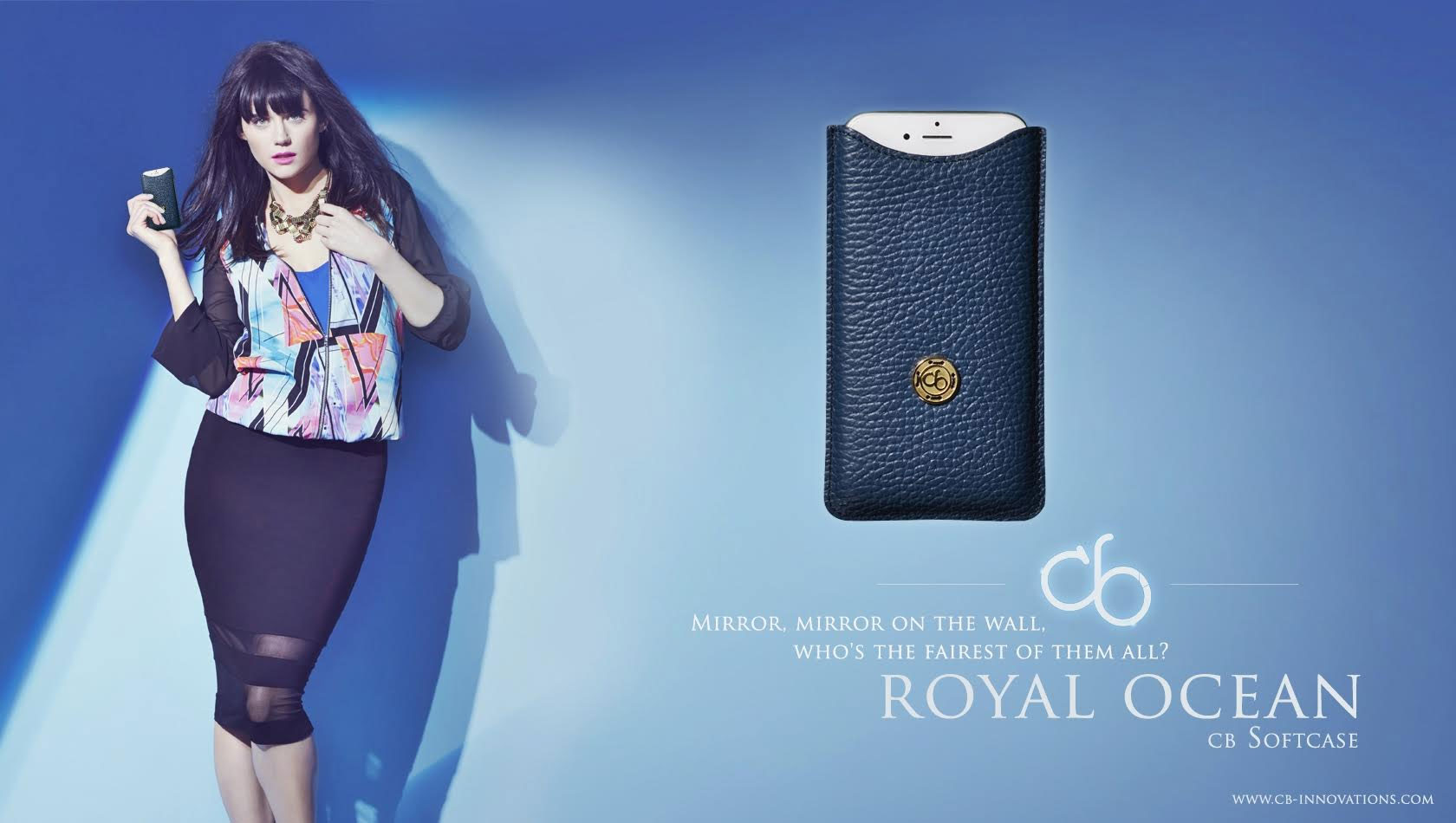
The cb Softcase is available for Apple iPhone 5/5s, iPhone 6/6S, iPhone 6 Plus and iPhone 6S Plus. It is available in two colors Royal Lion and Royal Ocean, and are only produced in a limited run of 500 pieces.
Pricing and Availability:
The cb Softcase is ready to order. The expected shipping will by in October 2015 for Classic Edition and November for the Gold Edition. The Classic Edition is priced $175.00 (USD) and the Gold Edition is $875.00.
cb innovations: http://cb-innovations.com/en/
cb Softcase Classic Edition: http://cb-innovations.com/en/softcase-classic
Overview: http://cb-innovations.com/en/softcase
Online Store: http://cb-innovations.com/en/shop
Banner (Classic Edition): http://cb-innovations.com/images/homePage/banner10.jpg
Banner (Gold Edition): http://cb-innovations.com/images/homePage/banner9.jpg
cb innovations is a German company that publishes exclusive mobile products and luxury accessories. The business model is based on innovation and was founded from a love for technological progress and great design. Being a creative pioneer in our field, we marry advanced technology with great design. Our timeless products prove that we don't follow trends, and on the contrary, the products we make reflect character and a passion for great design. By raising the bar of innovation while getting back to the roots of simple, yet effective design, we create a symbol for quality and the key to great emotion. We use our time to innovate development, support brave ideas and fulfill visions. While doing that, we continually question, simplify and optimize our technologies, work flows and materials. All Material and Software (C) Copyright 2015 cb innovations. All Rights Reserved. Apple, the Apple logo, iPhone, iPod and iPad are registered trademarks of Apple Inc. in the U.S. and/or other
countries.
*******
Link To Article: http://prmac.com/release-id-76840.htm
*******
---------------------------------------------------------------------------------
Note that you can alter delivered distributions at any time.
Login to your account on prMac to alter your channel selection, or to opt-out at any time.
Luxurious cb Softcase is ready for the new iPhone 6S and 6S Plus - Published on 09/30/15
cb innovations has announced the cb Softcase, one of the most luxurious smartphone cases for the new iPhone 6S and iPhone 6S Plus. The cb Softcase comes in two editions: Classic Edition and Gold Edition. The Classic Edition comes with 935 sterling silver and in trendy leather colors as Black Night, Happy Orange, Caramel Lion and Cherry Love. The hand-polished 18 Karat fine gold is a truly royal expression of style. This special alloy combines shades of gold from yellow gold to rose gold.
Baden-Baden, Germany - cb innovations has announced one of the most luxurious smartphone cases: The handmade leather sleeve cb Softcase for the new Apple iPhone 6S and iPhone 6S Plus. Innovative development of the classic leather case for smartphones is the focus of cb innovations. This no-compromise leather case brings out the best traits of your favorite device. A combination of innovative, sustainable materials and 935 Sterling silver, this case is the result of first-class processing with the finest Italian premium calf leather.
The cb Softcase comes in two editions: Classic Edition and Gold Edition. The Classic Edition comes with 935 sterling silver and in trendy leather colors as Black Night, Happy Orange, Caramel Lion and Cherry Love. The Gold Edition cannot be compared to anything else for one simple reason: there's nothing else quite like it. The hand-polished 750 (18 Karat) fine gold is a truly royal expression of style. Each button gets founded from a specially formulated alloy by our metallurgists. This special alloy combines shades of gold from yellow gold to rose gold in a unique masterpiece.
The cb Softcase is available for Apple iPhone 5/5s, iPhone 6/6S, iPhone 6 Plus and iPhone 6S Plus. It is available in two colors Royal Lion and Royal Ocean, and are only produced in a limited run of 500 pieces.
Pricing and Availability:
The cb Softcase is ready to order. The expected shipping will by in October 2015 for Classic Edition and November for the Gold Edition. The Classic Edition is priced $175.00 (USD) and the Gold Edition is $875.00.
cb innovations: http://cb-innovations.com/en/
cb Softcase Classic Edition: http://cb-innovations.com/en/softcase-classic
Overview: http://cb-innovations.com/en/softcase
Online Store: http://cb-innovations.com/en/shop
Banner (Classic Edition): http://cb-innovations.com/images/homePage/banner10.jpg

Banner (Gold Edition): http://cb-innovations.com/images/homePage/banner9.jpg
cb innovations is a German company that publishes exclusive mobile products and luxury accessories. The business model is based on innovation and was founded from a love for technological progress and great design. Being a creative pioneer in our field, we marry advanced technology with great design. Our timeless products prove that we don't follow trends, and on the contrary, the products we make reflect character and a passion for great design. By raising the bar of innovation while getting back to the roots of simple, yet effective design, we create a symbol for quality and the key to great emotion. We use our time to innovate development, support brave ideas and fulfill visions. While doing that, we continually question, simplify and optimize our technologies, work flows and materials. All Material and Software (C) Copyright 2015 cb innovations. All Rights Reserved. Apple, the Apple logo, iPhone, iPod and iPad are registered trademarks of Apple Inc. in the U.S. and/or other
countries.
*******
Link To Article: http://prmac.com/release-id-76840.htm
*******
---------------------------------------------------------------------------------
Note that you can alter delivered distributions at any time.
Login to your account on prMac to alter your channel selection, or to opt-out at any time.
iPhone 6s Guide - Tips book for both iPhone 6s and iPhone 6s Plus
A new article has been published at prMac.
iPhone 6s Guide - Tips book for both iPhone 6s and iPhone 6s Plus - Published on 09/30/15
UK based Stopframe has announced iPhone 6s Guide, a brand new eBook available in the Amazon Kindle Store that reveals a wealth of tips and tutorials for both iPhone 6s and iPhone 6s Plus. Priced at just $3.99/GBP2.49, iPhone 6s Guide is concise and jargon-free, enabling readers to become proficient with iOS 9, 3D Touch, Apple Music and the iPhone 6s hardware in next to no time. It's also packed with large color images that help to visually explain tips and tutorials.
Bournemouth, United Kingdom - Stopframe has announced its latest eBook: iPhone 6s Guide. Brought to you by the expert team at Stopframe, and written by best-selling technology author Tom Rudderham, iPhone 6s Guide is packed with top tips and in-depth tutorials. You'll discover the history of the iPhone, how to use 3D Touch, how to use all its amazing apps, stream music and listen to Beats 1 on Apple Music, what to do if you ever have a problem with your iPhone 6s, plus much more.
iPhone 6s and iPhone 6s Plus are Apples most advanced mobile devices to date. They're packed with the latest technologies, including 3D Touch, the Retina HD display, the 64-bit A9 chip, a camera that can capture 4K video plus more. iPhone 6 sGuide explores these new technologies and explains how they enrich the experience of every user.
You'll also discover some incredibly in-depth tutorials for apps including Safari and Photos, learn how to edit your photos, create and share albums, browse the web in secrecy and more. By the time you've finished reading iPhone 6s Guide you'll be pro in nearly everything iPhone related.
Device Requirements:
* Available on iPhone, iPad, iPod touch, Mac & Kindle Devices
* Print Length: 201 Pages
Pricing and Availability:
iPhone 6s Guide is $3.99 USD (or equivalent amount in other currencies) and available worldwide exclusively through the Kindle Store in the Computers category.
Stopframe: http://www.stopframe.co.uk
iPhone 6s Guide: https://kdp.amazon.com/amazon-dp-action/us/bookshelf.marketplacelink/B015LUJQIK
Image (Book Cover): http://www.stopframe.co.uk/files/iPhone-6s-Guide-Cover.jpg
Launched in 2013, Stopframe publishes eBooks and interactive apps that teach users how to use their iOS devices. Stopframe's most notable books to date include iPad Air 2 Guide, Apple Watch Guide and Amazing Tips & Tricks for Apple Watch. Copyright (C) 2015 Stopframe. All Rights Reserved. Apple, the Apple logo, iPhone, iPod and iPad are registered trademarks of Apple Inc. in the U.S. and/or other countries. Other trademarks and registered trademarks may be the property of their respective owners.
*******
Link To Article: http://prmac.com/release-id-76839.htm
*******
---------------------------------------------------------------------------------
Note that you can alter delivered distributions at any time.
Login to your account on prMac to alter your channel selection, or to opt-out at any time.
iPhone 6s Guide - Tips book for both iPhone 6s and iPhone 6s Plus - Published on 09/30/15
UK based Stopframe has announced iPhone 6s Guide, a brand new eBook available in the Amazon Kindle Store that reveals a wealth of tips and tutorials for both iPhone 6s and iPhone 6s Plus. Priced at just $3.99/GBP2.49, iPhone 6s Guide is concise and jargon-free, enabling readers to become proficient with iOS 9, 3D Touch, Apple Music and the iPhone 6s hardware in next to no time. It's also packed with large color images that help to visually explain tips and tutorials.
Bournemouth, United Kingdom - Stopframe has announced its latest eBook: iPhone 6s Guide. Brought to you by the expert team at Stopframe, and written by best-selling technology author Tom Rudderham, iPhone 6s Guide is packed with top tips and in-depth tutorials. You'll discover the history of the iPhone, how to use 3D Touch, how to use all its amazing apps, stream music and listen to Beats 1 on Apple Music, what to do if you ever have a problem with your iPhone 6s, plus much more.
iPhone 6s and iPhone 6s Plus are Apples most advanced mobile devices to date. They're packed with the latest technologies, including 3D Touch, the Retina HD display, the 64-bit A9 chip, a camera that can capture 4K video plus more. iPhone 6 sGuide explores these new technologies and explains how they enrich the experience of every user.
You'll also discover some incredibly in-depth tutorials for apps including Safari and Photos, learn how to edit your photos, create and share albums, browse the web in secrecy and more. By the time you've finished reading iPhone 6s Guide you'll be pro in nearly everything iPhone related.
Device Requirements:
* Available on iPhone, iPad, iPod touch, Mac & Kindle Devices
* Print Length: 201 Pages
Pricing and Availability:
iPhone 6s Guide is $3.99 USD (or equivalent amount in other currencies) and available worldwide exclusively through the Kindle Store in the Computers category.
Stopframe: http://www.stopframe.co.uk
iPhone 6s Guide: https://kdp.amazon.com/amazon-dp-action/us/bookshelf.marketplacelink/B015LUJQIK
Image (Book Cover): http://www.stopframe.co.uk/files/iPhone-6s-Guide-Cover.jpg

Launched in 2013, Stopframe publishes eBooks and interactive apps that teach users how to use their iOS devices. Stopframe's most notable books to date include iPad Air 2 Guide, Apple Watch Guide and Amazing Tips & Tricks for Apple Watch. Copyright (C) 2015 Stopframe. All Rights Reserved. Apple, the Apple logo, iPhone, iPod and iPad are registered trademarks of Apple Inc. in the U.S. and/or other countries. Other trademarks and registered trademarks may be the property of their respective owners.
*******
Link To Article: http://prmac.com/release-id-76839.htm
*******
---------------------------------------------------------------------------------
Note that you can alter delivered distributions at any time.
Login to your account on prMac to alter your channel selection, or to opt-out at any time.
Subscribe to:
Posts (Atom)