A new article has been published at prMac.
HoudahGeo 5.0: Photo geotagging for Mac - Know where you took that photo - Published on 04/13/16
Houdah Software today releases HoudahGeo 5.0, a major upgrade to the photo geotagging tool for Mac OS X. HoudahGeo tags photos with location coordinates and names. Standard EXIF, XMP and IPTC geotags allow photo cataloging tools to organize and later find photos by location. Version 5.0 introduces Places, Drag & Drop geocoding, reverse geocoding, camera import, Lightroom integration, a new keywords editor, map search, as well as the ability to publish KML to Dropbox and more.
Luxembourg City, Luxembourg - Houdah Software today released HoudahGeo 5.0, a major upgrade to the photo geotagging tool for Mac OS X. HoudahGeo tags photos with location coordinates and names. Standard EXIF, XMP and IPTC geotags allow photo cataloging tools to organize and later find photos by location. HoudahGeo integrates with Apple Photos, iPhoto, Aperture and Adobe Lightroom.
Geotags add to the "story" of a photo. A photo pinned to a map - at the exact spot where it was taken - has context. A series of tagged photos documents the path taken. Geotags allow photo cataloging tools like Apple Photos to group photos by location. Even years from now it will be easy to find these photos.
Photos taken with iPhone are geotagged in-camera. Photos taken with regular digital cameras - sometimes our best photos and most precious memories - lack geotags. This is where HoudahGeo steps in. HoudahGeo tags digital photos with GPS location information. HoudahGeo writes future-proof EXIF and XMP tags to JPEG and RAW image files. Just like a GPS-enabled camera.
HoudahGeo supports many methods of geocoding, ranging from automatic to manual. Use a GPS track log, reference photos taken with iPhone, or pick locations on the built-in map.
HoudahGeo can create Google Earth KML and KMZ files from GPS tracks and photos. This allows for viewing (and showing!) photos "pinned" along the path travelled.
HoudahGeo Feature Highlights:
* Automatic geocoding using GPS track logs
* Geocoding using reference photos taken using iPhone, a smartphone, or a GPS-enabled camera
* Geocoding without a GPS. Use the built-in map to double-check, adjust, or assign locations to your photos
* Write GPS data, location names, title, description and keywords to EXIF, XMP and IPTC tags
* Works with JPEG as well as a large number of RAW file formats. It also supports XMP sidecar files
* Notify Apple iPhoto and Aperture of changes made to photo location information
New in HoudahGeo 5.0:
* Places: Quickly assign photos to favorite places and apply coordinates and location names
* Drag-and-drop geocoding: Drag images to the built-in map and drop them at the location where they were taken
* Reverse geocoding: Look up location names in English, German, Spanish and French
* Camera import: Download photos from your camera. Geotag photos before importing them into your photo library
* Lightroom integration: HoudahGeo reads location metadata directly from the Lightroom catalog
* Keywords editor: The new keywords editor makes it easy to assign keywords in bulk
* Map search: No GPS? No problem! Search for landmarks, cities, as well as your favorite places
* Publish KML to Dropbox: Upload photos and track logs to Dropbox. View in Google Earth and Google My Maps
System Requirements:
* OS X Version 10.10 Yosemite or 10.11 El Capitan
* Digital camera
* Optional GPS track logger
* Optional iPhone, smartphone, or GPS-enabled camera
* 49 MB of disk space
Pricing and Availability:
HoudahGeo 5.0 is priced at $39 for a single-user license. A full-featured demo version is available. Licenses are available from the Houdah Software store. Upgrade from previous versions start at $19. Upgrades are available through in-app purchases. HoudahGeo licenses purchased on or after December 1, 2015 remain valid for HoudahGeo 5. Prices are in USD and exclusive of tax.
HoudahGeo 5.0: https://www.houdah.com/houdahGeo/
Download HoudahGeo: https://www.houdah.com/houdahGeo/download.html
Screenshot: https://www.houdah.com/houdahGeo/assets/HoudahGeo-800x600@2x.jpg
Application Icon: https://www.houdah.com/houdahGeo/assets/HoudahGeo-Icon.png
Press Kit (zip): https://www.houdah.com/houdahGeo/assets/HoudahGeo-Press-Kit.zip
Founded in 2005 by Pierre Bernard, Houdah Software s. r.l is a small company based in Luxembourg, Europe. Houdah Software specializes in quality software for Mac, iPhone and Apple iPad. Our mission is to pair quality products with excellent customer support. All Material and Software Copyright (C) 2005-2016 s. r.l. All Rights Reserved. Apple, the Apple logo, Macintosh, Mac OS X, iPhone, iPod and iPad are registered trademarks of Apple Inc. in the U.S. and/or other countries. Other trademarks and registered trademarks may be the property of their respective owners.
*******
Link To Article: http://prmac.com/release-id-79221.htm
*******
---------------------------------------------------------------------------------
Note that you can alter delivered distributions at any time.
Login to your account on prMac to alter your channel selection, or to opt-out at any time.


Mixmatic 1.0.2 released for iOS - Genre-Based Music Discovery App
A new article has been published at prMac.
Mixmatic 1.0.2 released for iOS - Genre-Based Music Discovery App - Published on 04/13/16
Indie developers, Phil Hudson, Levi Wigchert and Justin Holmes today announce Mixmatic 1.0.2, an update to their popular music discovery app developed for iPhone, iPad and iPod touch devices. Mixmatic gathers thousands of mixes, organised by genre, to help users discover the best mixes out there. Built on top of SoundCloud, Mixmatic offers 29 genres, from Deep House to Hip Hop, Trance to Grime and more. Users can also share their favorite mixes via Twitter and Facebook.
Breda, Netherlands - Independent developers, Phil Hudson, Levi Wigchert and Justin Holmes are proud to announce the release of Mixmatic 1.0.2, an update to their popular music discovery app developed for iPhone, iPad and iPod touch devices. Mixmatic gathers thousands of quality mixes, organized by genre, to help users discover the best mixes out there. The web version of Mixmatic was previously featured on Product Hunt's frontpage. Version 1.0.2 fixes an Analytics issue.
Features:
* Instantly browse 29 genres, from Deep House to Hip Hop, Trance to Grime
* Built on top of SoundCloud - like your favourite mixes for future listening
* Share your favourite mixes via Twitter and Facebook
Phil Hudson, Levi Wigchert and Justin Holmes collaborated on this release and launched Mixmatic under Phil's company, Purple Goldfish Limited. The project started in London in early 2015, when friends Phil, Levi and Justin met at Justin's apartment and built the first prototype in one weekend. Apart from that weekend, the whole of Mixmatic has been entirely remotely. Levi works full time as a Developer and is also working remotely from the Netherlands for the London based company, Ve Interactive. His background is in webdesign and later moved into (front-end) development and UX design. Justin in a Senior Platform/Devops Engineer based in London, founder Nascency and TicketScale.io. Development of Mixmatic will continue to be driven by user requests.
Reviews:
* "4.5/5 - Mixmatic provides an easy way to stream music from Soundcloud for a particular genre..." - I Love Free Software
* "The algorithms are pretty slick." - Twitter User
* "I love music discovery that requires my minimal effort." - Product Hunt Discover Weekly
Device Requirements:
* iPhone, iPad, and iPod touch
* Requires iOS 9.2 or later
* 26.4 MB
Pricing and Availability:
Mixmatic 1.0.2 is Free and available worldwide exclusively through the App Store in the Music category. For more information, please contact Levi Wigchert.
Mixmatic 1.0.2: http://www.mixmatic.io/
Download from iTunes: https://itunes.apple.com/app/mixmatic/id1079773958
Screenshot: http://puu.sh/ofBzM/4525e8b4e4.jpg
App Icon: http://puu.sh/ofBkj/7733287ee8.png
Purple Goldfish Limited is a software development company specialising in apps of all kinds. Phil is the Director and Full Stack Engineer of Purple Goldfish, working remotely and travelling the world simultaneously, aiming to release one app per month and ultimately scale up the business. He is currently based in Ho Chi Minh City, Vietnam. All Material and Software (C) Copyright 2016 Purple Goldfish Limited. All Rights Reserved. Apple, the Apple logo, iPhone, iPod and iPad are registered trademarks of Apple Inc. in the U.S. and/or other countries. Other trademarks and registered trademarks may be the property of their respective owners.
*******
Link To Article: http://prmac.com/release-id-79219.htm
*******
---------------------------------------------------------------------------------
Note that you can alter delivered distributions at any time.
Login to your account on prMac to alter your channel selection, or to opt-out at any time.
Mixmatic 1.0.2 released for iOS - Genre-Based Music Discovery App - Published on 04/13/16
Indie developers, Phil Hudson, Levi Wigchert and Justin Holmes today announce Mixmatic 1.0.2, an update to their popular music discovery app developed for iPhone, iPad and iPod touch devices. Mixmatic gathers thousands of mixes, organised by genre, to help users discover the best mixes out there. Built on top of SoundCloud, Mixmatic offers 29 genres, from Deep House to Hip Hop, Trance to Grime and more. Users can also share their favorite mixes via Twitter and Facebook.
Breda, Netherlands - Independent developers, Phil Hudson, Levi Wigchert and Justin Holmes are proud to announce the release of Mixmatic 1.0.2, an update to their popular music discovery app developed for iPhone, iPad and iPod touch devices. Mixmatic gathers thousands of quality mixes, organized by genre, to help users discover the best mixes out there. The web version of Mixmatic was previously featured on Product Hunt's frontpage. Version 1.0.2 fixes an Analytics issue.
Features:
* Instantly browse 29 genres, from Deep House to Hip Hop, Trance to Grime
* Built on top of SoundCloud - like your favourite mixes for future listening
* Share your favourite mixes via Twitter and Facebook
Phil Hudson, Levi Wigchert and Justin Holmes collaborated on this release and launched Mixmatic under Phil's company, Purple Goldfish Limited. The project started in London in early 2015, when friends Phil, Levi and Justin met at Justin's apartment and built the first prototype in one weekend. Apart from that weekend, the whole of Mixmatic has been entirely remotely. Levi works full time as a Developer and is also working remotely from the Netherlands for the London based company, Ve Interactive. His background is in webdesign and later moved into (front-end) development and UX design. Justin in a Senior Platform/Devops Engineer based in London, founder Nascency and TicketScale.io. Development of Mixmatic will continue to be driven by user requests.
Reviews:
* "4.5/5 - Mixmatic provides an easy way to stream music from Soundcloud for a particular genre..." - I Love Free Software
* "The algorithms are pretty slick." - Twitter User
* "I love music discovery that requires my minimal effort." - Product Hunt Discover Weekly
Device Requirements:
* iPhone, iPad, and iPod touch
* Requires iOS 9.2 or later
* 26.4 MB
Pricing and Availability:
Mixmatic 1.0.2 is Free and available worldwide exclusively through the App Store in the Music category. For more information, please contact Levi Wigchert.
Mixmatic 1.0.2: http://www.mixmatic.io/
Download from iTunes: https://itunes.apple.com/app/mixmatic/id1079773958
Screenshot: http://puu.sh/ofBzM/4525e8b4e4.jpg

App Icon: http://puu.sh/ofBkj/7733287ee8.png

Purple Goldfish Limited is a software development company specialising in apps of all kinds. Phil is the Director and Full Stack Engineer of Purple Goldfish, working remotely and travelling the world simultaneously, aiming to release one app per month and ultimately scale up the business. He is currently based in Ho Chi Minh City, Vietnam. All Material and Software (C) Copyright 2016 Purple Goldfish Limited. All Rights Reserved. Apple, the Apple logo, iPhone, iPod and iPad are registered trademarks of Apple Inc. in the U.S. and/or other countries. Other trademarks and registered trademarks may be the property of their respective owners.
*******
Link To Article: http://prmac.com/release-id-79219.htm
*******
---------------------------------------------------------------------------------
Note that you can alter delivered distributions at any time.
Login to your account on prMac to alter your channel selection, or to opt-out at any time.
LastThink releases Online Uganda TV 3.5 for iOS
A new article has been published at prMac.
LastThink releases Online Uganda TV 3.5 for iOS - Published on 04/13/16
LastThink today announces Online Uganda TV 3.5, their highly customizable TV application for iOS devices. Anyone can directly access their favorite TV channel and watch diverse films, news, programs from their iPad, iPhone and iPod touch anywhere and anytime. Vibes are smart TV and movie playlists. Users can easily record their favorite films, news, talk shows, programs and more. Users can also share what they are watching via Facebook.
Yerevan, Armenia - LastThink today is proud to announce the release of Online Uganda TV 3.5, their highly customizable TV application developed for iPad and iPhone devices. Users can directly access their favorite TV channel and watch diverse films, news, programs from their iPad, iPhone and iPod touch anywhere and anytime.
Features:
* Navigating album photos by sliding your finger right or left on the screen
* Change the device you are streaming the picture to, by taping on the Play button in the upper right corner of your iPad's screen and selecting a desired device
* Screening and shooting any moment of your preferred TV program or film you like
* Altering the boring parts and moving straight to the best part at once - Filter by HD-only and favorite channels
* Rotating channels easily by a mere touch on your screen
* Organize your favorite TV shows, sport teams, movies, and actors and find where you can watch them - on TV and on demand
* Recording your favorite films, news, Talk Shows, programs and etc.
* Sharing what you're watching via Facebook, Twitter, YouTube, Dropbox, email and more - Vibes are smart TV and movie playlists
* The highest quality even with the lowest Internet and HD quality with the normal Internet - You can watch TV channels in HD level
* Editing and cropping videos into smaller parts. In addition to, you can take videos of your favorite program
* Capturing the funniest and most interesting moments of what you are watching with the trim tool
* Searching the content across streaming and broadcast services
* Discovering more than 100 channels of great entertainment beyond the Uganda Online TV app right on your device's touchscreen interface
We have selected data from the internet and if any assembly or constitution doesn't want us to show the content of the unit, please recommend us to remove it. We follow TV regulations and adjustments and we select original TV content data without artificial editions. If you however experience any issues, please do not hesitate to contact us if you'd like to share your experience with live TV channels, or provide suggestions on how we could improve the product further. We will be more than happy to get in touch.
Device Requirements:
* iPhone, iPad, and iPod touch
* Optimized for iPhone 5, iPhone 6, and iPhone 6 Plus
* Requires iOS 6.0 or later
* Universal Application
* 33.2 MB
Pricing and Availability:
Online Uganda TV 3.5 is free and is available worldwide exclusively through the App Store in the Entertainment category.
LastThink: http://lastthink.com/
Online Uganda TV 3.5: https://itunes.apple.com/us/app/online-uganda-tv/id1074217415
Screenshot: http://a2.mzstatic.com/us/r30/Purple49/v4/91/57/87/9157873a-0cf1-100c-7938-4e6bc30d3b45/screen322x572.jpeg
App Icon: http://a3.mzstatic.com/us/r30/Purple69/v4/a7/73/29/a773290d-7e8e-fd28-4aa8-5b51b0ce30ee/icon175x175.png
LastThink is an IT company with a focus on mobile development. It has extended its list of services since 2012 to offer high-end business process management, system integration, as well as up-to-date communication solutions. LastThink's mission is to deliver maximum business value to its customers by designing, developing, implementing and maintaining efficient and high quality software solutions aligned with their most essential business needs. Their team will always do its best to meet client expectations. Copyright (C) 2016 LastThink LLC. All Rights Reserved. Apple, the Apple logo, iPhone, iPad and iPod are registered trademarks of Apple Inc. in the U.S. and/or other countries.
*******
Link To Article: http://prmac.com/release-id-79220.htm
*******
---------------------------------------------------------------------------------
Note that you can alter delivered distributions at any time.
Login to your account on prMac to alter your channel selection, or to opt-out at any time.
LastThink releases Online Uganda TV 3.5 for iOS - Published on 04/13/16
LastThink today announces Online Uganda TV 3.5, their highly customizable TV application for iOS devices. Anyone can directly access their favorite TV channel and watch diverse films, news, programs from their iPad, iPhone and iPod touch anywhere and anytime. Vibes are smart TV and movie playlists. Users can easily record their favorite films, news, talk shows, programs and more. Users can also share what they are watching via Facebook.
Yerevan, Armenia - LastThink today is proud to announce the release of Online Uganda TV 3.5, their highly customizable TV application developed for iPad and iPhone devices. Users can directly access their favorite TV channel and watch diverse films, news, programs from their iPad, iPhone and iPod touch anywhere and anytime.
Features:
* Navigating album photos by sliding your finger right or left on the screen
* Change the device you are streaming the picture to, by taping on the Play button in the upper right corner of your iPad's screen and selecting a desired device
* Screening and shooting any moment of your preferred TV program or film you like
* Altering the boring parts and moving straight to the best part at once - Filter by HD-only and favorite channels
* Rotating channels easily by a mere touch on your screen
* Organize your favorite TV shows, sport teams, movies, and actors and find where you can watch them - on TV and on demand
* Recording your favorite films, news, Talk Shows, programs and etc.
* Sharing what you're watching via Facebook, Twitter, YouTube, Dropbox, email and more - Vibes are smart TV and movie playlists
* The highest quality even with the lowest Internet and HD quality with the normal Internet - You can watch TV channels in HD level
* Editing and cropping videos into smaller parts. In addition to, you can take videos of your favorite program
* Capturing the funniest and most interesting moments of what you are watching with the trim tool
* Searching the content across streaming and broadcast services
* Discovering more than 100 channels of great entertainment beyond the Uganda Online TV app right on your device's touchscreen interface
We have selected data from the internet and if any assembly or constitution doesn't want us to show the content of the unit, please recommend us to remove it. We follow TV regulations and adjustments and we select original TV content data without artificial editions. If you however experience any issues, please do not hesitate to contact us if you'd like to share your experience with live TV channels, or provide suggestions on how we could improve the product further. We will be more than happy to get in touch.
Device Requirements:
* iPhone, iPad, and iPod touch
* Optimized for iPhone 5, iPhone 6, and iPhone 6 Plus
* Requires iOS 6.0 or later
* Universal Application
* 33.2 MB
Pricing and Availability:
Online Uganda TV 3.5 is free and is available worldwide exclusively through the App Store in the Entertainment category.
LastThink: http://lastthink.com/
Online Uganda TV 3.5: https://itunes.apple.com/us/app/online-uganda-tv/id1074217415
Screenshot: http://a2.mzstatic.com/us/r30/Purple49/v4/91/57/87/9157873a-0cf1-100c-7938-4e6bc30d3b45/screen322x572.jpeg

App Icon: http://a3.mzstatic.com/us/r30/Purple69/v4/a7/73/29/a773290d-7e8e-fd28-4aa8-5b51b0ce30ee/icon175x175.png

LastThink is an IT company with a focus on mobile development. It has extended its list of services since 2012 to offer high-end business process management, system integration, as well as up-to-date communication solutions. LastThink's mission is to deliver maximum business value to its customers by designing, developing, implementing and maintaining efficient and high quality software solutions aligned with their most essential business needs. Their team will always do its best to meet client expectations. Copyright (C) 2016 LastThink LLC. All Rights Reserved. Apple, the Apple logo, iPhone, iPad and iPod are registered trademarks of Apple Inc. in the U.S. and/or other countries.
*******
Link To Article: http://prmac.com/release-id-79220.htm
*******
---------------------------------------------------------------------------------
Note that you can alter delivered distributions at any time.
Login to your account on prMac to alter your channel selection, or to opt-out at any time.
A Better Finder Rename 10.06 for Mac OS X adds text range moving
A new article has been published at prMac.
A Better Finder Rename 10.06 for Mac OS X adds text range moving - Published on 04/13/16
publicspace.net today announces A Better Finder Rename version 10.06, an update to their popular batch file renaming solution for Mac OS X. A Better Finder Rename has long been the leading file, photo, video and music renaming utility on the Mac. The app is a sophisticated tool that caters for the full range of file renaming tasks encountered by the creative professional. Version 10 adds improved preview, change highlighting, a new look and a sophisticated multi-step renaming interface.
Luxembourg City, Luxembourg - publicspace.net today is pleased to announce the immediate availability of version 10.06 of its 10th generation batch file renaming solution for the Macintosh. A Better Finder Rename has long been the most complete file renaming solution on the market and has transformed the tedious and time-consuming task of renaming multiple files into a simple matter of seconds for tens of thousands of creative professionals across the world. It is based on twenty years of listening to our users and addressing their requirements to the best of our abilities.
A Better Finder Rename is a sophisticated tool that caters for the full range of file renaming tasks encountered by the modern creative professional. Its streamlined interface includes an instant preview feature that eliminates guess work and reduces error. The tool features capture time and date extraction (EXIF JPEG and most RAW formats) for digital photographers, ID3 tag extraction for music lovers, regular expression support, plain-text file import for renaming from databases and many other advanced features.
The renaming engine is capable of handling very large renaming jobs with ease and it meets file renaming challenges, such as file name conflicts, swaps and dependency cycles that other such tools leave unaddressed, head on. The renaming engine leverages all the latest Mac OS X technologies by using a 64-bit multi-threaded architecture based around the Core Data database system.
Version 10 introduces Change Highlighting within its Instant Preview table to make it easier than ever to dial in the correct settings. The Multi-Step Rename Interface, which enables even the most complex renaming tasks to be addressed, gets a major overhaul to make it much easier and more intuitive to use. The new Preview Pane provides extensive information about any selected file including a graphical preview of the file's contents and its meta-data. Finally, version 10 features a new graphical style that merges seamlessly with the Mac OS X 10.11 El Capitan aesthetics.
Version 10.06 adds the ability to move ranges of text within the file name making some file renaming tasks significantly easier than was previously the case.
"A Better Finder Rename" is ideally suited for creative professionals, digital photographers, web masters, music collectors, audio specialists, users who need to transfer files from Windows or UNIX, as well as for all other Macintosh users who routinely deal with large numbers of files.
System Requirements:
* Mac OS X 10.7 Lion or later
* 15 MB Hard Drive space
Upgrades:
Version 10 is a free upgrade for customers who have purchased A Better Finder Rename after the 1st of January 2015 or who own a forever upgrade. Discounted upgrade prices are available from our web store and start at $12.95 (USD) for a single user license.
Pricing and Availability:
A Better Finder Rename may be purchased for $19.95 (USD). Family, Business and Enterprise licensing is also available. Customers may chose to include a "forever upgrade" with their purchase.
publicspace: http://www.publicspace.net/
A Better Finder Rename 10: http://www.publicspace.net/ABetterFinderRename/index.html
Download A Better Finder Rename 10: http://www.publicspace.net/download/ABFRX10.dmg
Online Store: http://www.publicspace.net/ABetterFinderRename/order.html
Screencast of version 9 (Tool Demonstration): http://www.publicspace.net/movies/abfr9/abfr9_screencast.mov
publicspace was founded by Frank Reiff in 1996 with the aim of producing affordable best-of-breed software for the Macintosh. In the past decade, our A Better Finder series of file utilities and our MacBreakZ personal ergonomic assistant have become familiar fixtures of the Macintosh community. publicspace also produces "The Big Mean Folder Machine" and Vitamin-R. Copyright (C) 2016 publicspace. All Rights Reserved. Apple, the Apple logo and Mac are registered trademarks of Apple Inc. in the U.S. and/or other countries.
*******
Link To Article: http://prmac.com/release-id-79218.htm
*******
---------------------------------------------------------------------------------
Note that you can alter delivered distributions at any time.
Login to your account on prMac to alter your channel selection, or to opt-out at any time.
A Better Finder Rename 10.06 for Mac OS X adds text range moving - Published on 04/13/16
publicspace.net today announces A Better Finder Rename version 10.06, an update to their popular batch file renaming solution for Mac OS X. A Better Finder Rename has long been the leading file, photo, video and music renaming utility on the Mac. The app is a sophisticated tool that caters for the full range of file renaming tasks encountered by the creative professional. Version 10 adds improved preview, change highlighting, a new look and a sophisticated multi-step renaming interface.
Luxembourg City, Luxembourg - publicspace.net today is pleased to announce the immediate availability of version 10.06 of its 10th generation batch file renaming solution for the Macintosh. A Better Finder Rename has long been the most complete file renaming solution on the market and has transformed the tedious and time-consuming task of renaming multiple files into a simple matter of seconds for tens of thousands of creative professionals across the world. It is based on twenty years of listening to our users and addressing their requirements to the best of our abilities.
A Better Finder Rename is a sophisticated tool that caters for the full range of file renaming tasks encountered by the modern creative professional. Its streamlined interface includes an instant preview feature that eliminates guess work and reduces error. The tool features capture time and date extraction (EXIF JPEG and most RAW formats) for digital photographers, ID3 tag extraction for music lovers, regular expression support, plain-text file import for renaming from databases and many other advanced features.
The renaming engine is capable of handling very large renaming jobs with ease and it meets file renaming challenges, such as file name conflicts, swaps and dependency cycles that other such tools leave unaddressed, head on. The renaming engine leverages all the latest Mac OS X technologies by using a 64-bit multi-threaded architecture based around the Core Data database system.
Version 10 introduces Change Highlighting within its Instant Preview table to make it easier than ever to dial in the correct settings. The Multi-Step Rename Interface, which enables even the most complex renaming tasks to be addressed, gets a major overhaul to make it much easier and more intuitive to use. The new Preview Pane provides extensive information about any selected file including a graphical preview of the file's contents and its meta-data. Finally, version 10 features a new graphical style that merges seamlessly with the Mac OS X 10.11 El Capitan aesthetics.
Version 10.06 adds the ability to move ranges of text within the file name making some file renaming tasks significantly easier than was previously the case.
"A Better Finder Rename" is ideally suited for creative professionals, digital photographers, web masters, music collectors, audio specialists, users who need to transfer files from Windows or UNIX, as well as for all other Macintosh users who routinely deal with large numbers of files.
System Requirements:
* Mac OS X 10.7 Lion or later
* 15 MB Hard Drive space
Upgrades:
Version 10 is a free upgrade for customers who have purchased A Better Finder Rename after the 1st of January 2015 or who own a forever upgrade. Discounted upgrade prices are available from our web store and start at $12.95 (USD) for a single user license.
Pricing and Availability:
A Better Finder Rename may be purchased for $19.95 (USD). Family, Business and Enterprise licensing is also available. Customers may chose to include a "forever upgrade" with their purchase.
publicspace: http://www.publicspace.net/
A Better Finder Rename 10: http://www.publicspace.net/ABetterFinderRename/index.html
Download A Better Finder Rename 10: http://www.publicspace.net/download/ABFRX10.dmg
Online Store: http://www.publicspace.net/ABetterFinderRename/order.html
Screencast of version 9 (Tool Demonstration): http://www.publicspace.net/movies/abfr9/abfr9_screencast.mov
publicspace was founded by Frank Reiff in 1996 with the aim of producing affordable best-of-breed software for the Macintosh. In the past decade, our A Better Finder series of file utilities and our MacBreakZ personal ergonomic assistant have become familiar fixtures of the Macintosh community. publicspace also produces "The Big Mean Folder Machine" and Vitamin-R. Copyright (C) 2016 publicspace. All Rights Reserved. Apple, the Apple logo and Mac are registered trademarks of Apple Inc. in the U.S. and/or other countries.
*******
Link To Article: http://prmac.com/release-id-79218.htm
*******
---------------------------------------------------------------------------------
Note that you can alter delivered distributions at any time.
Login to your account on prMac to alter your channel selection, or to opt-out at any time.
Tasa Graphic Arts celebrates National Park Week
A new article has been published at prMac.
Tasa Graphic Arts celebrates National Park Week - Published on 04/13/16
In celebration of National Park Week, Tasa Graphic Arts, Inc. has placed their Arches National Park Geology Tour app and Grand Canyon National Park Geology Tour app on sale through April 24th. Arches National Park Geology Tour app provides an illustrated and narrated introduction to the geology of Arches National Park. Grand Canyon National Park Geology Tour app is a narrated photographic tour of the South Rim of the Grand Canyon with an emphasis on the geology.
Taos, New Mexico - In celebration of National Park Week, Tasa Graphic Arts, Inc. has placed their Arches National Park Geology Tour app and Grand Canyon National Park Geology Tour app on sale through April 24th.
Arches National Park Geology Tour app provides an illustrated and narrated introduction to the geology of Arches National Park. Illustrations, animations, and photos by Dennis Tasa are narrated by geologist Deborah Ragland, Ph.D. of the University of New Mexico, Taos. The sale price is $2.99 (regularly $4.99), a 40% discount!
Grand Canyon National Park Geology Tour app is a narrated photographic tour of the South Rim of the Grand Canyon with an emphasis on the geology. Learn why the rocks display magnificent colors, find out how the interesting pinnacles and buttes formed, and study the different rock layers and their ages. The sale price is $4.99 (regularly $9.99), a 50% discount!
Either as a supplement to your visit or as a planning tool, these apps provide an extensive description of the geology of each park. Listen to the narration as you hike the trails, study the photos and illustrations before your visit, or just take a virtual trip. These apps are completely self-contained! No internet connection required.
We hope our apps enhance your visit to these spectacular National Parks!
Tasa Graphic Arts: http://www.tasagraphicarts.com/
Tasa Apps: http://www.tasagraphicarts.com/apps.html
Promotional Image: http://www.tasagraphicarts.com/natparkpromoimage/NatParkPromo.jpg
In addition to producing iOS apps and multi-touch books, Tasa Graphic Arts, Inc. produces award-winning interactive, educational CD-ROMs covering planetary geology, plate tectonics, topographic maps, rocks and minerals, weather and climate, the processes that shape Earth's surface, and more. Copyright (C) 2016 Tasa Graphic Arts, Inc. All Rights Reserved. All other trademarks and trade names are the property of their respective owners.
*******
Link To Article: http://prmac.com/release-id-79217.htm
*******
---------------------------------------------------------------------------------
Note that you can alter delivered distributions at any time.
Login to your account on prMac to alter your channel selection, or to opt-out at any time.
Tasa Graphic Arts celebrates National Park Week - Published on 04/13/16
In celebration of National Park Week, Tasa Graphic Arts, Inc. has placed their Arches National Park Geology Tour app and Grand Canyon National Park Geology Tour app on sale through April 24th. Arches National Park Geology Tour app provides an illustrated and narrated introduction to the geology of Arches National Park. Grand Canyon National Park Geology Tour app is a narrated photographic tour of the South Rim of the Grand Canyon with an emphasis on the geology.
Taos, New Mexico - In celebration of National Park Week, Tasa Graphic Arts, Inc. has placed their Arches National Park Geology Tour app and Grand Canyon National Park Geology Tour app on sale through April 24th.
Arches National Park Geology Tour app provides an illustrated and narrated introduction to the geology of Arches National Park. Illustrations, animations, and photos by Dennis Tasa are narrated by geologist Deborah Ragland, Ph.D. of the University of New Mexico, Taos. The sale price is $2.99 (regularly $4.99), a 40% discount!
Grand Canyon National Park Geology Tour app is a narrated photographic tour of the South Rim of the Grand Canyon with an emphasis on the geology. Learn why the rocks display magnificent colors, find out how the interesting pinnacles and buttes formed, and study the different rock layers and their ages. The sale price is $4.99 (regularly $9.99), a 50% discount!
Either as a supplement to your visit or as a planning tool, these apps provide an extensive description of the geology of each park. Listen to the narration as you hike the trails, study the photos and illustrations before your visit, or just take a virtual trip. These apps are completely self-contained! No internet connection required.
We hope our apps enhance your visit to these spectacular National Parks!
Tasa Graphic Arts: http://www.tasagraphicarts.com/
Tasa Apps: http://www.tasagraphicarts.com/apps.html
Promotional Image: http://www.tasagraphicarts.com/natparkpromoimage/NatParkPromo.jpg

In addition to producing iOS apps and multi-touch books, Tasa Graphic Arts, Inc. produces award-winning interactive, educational CD-ROMs covering planetary geology, plate tectonics, topographic maps, rocks and minerals, weather and climate, the processes that shape Earth's surface, and more. Copyright (C) 2016 Tasa Graphic Arts, Inc. All Rights Reserved. All other trademarks and trade names are the property of their respective owners.
*******
Link To Article: http://prmac.com/release-id-79217.htm
*******
---------------------------------------------------------------------------------
Note that you can alter delivered distributions at any time.
Login to your account on prMac to alter your channel selection, or to opt-out at any time.
Topnotch App Developer introduces Cubes - A Challenging Puzzle Game
A new article has been published at prMac.
Topnotch App Developer introduces Cubes - A Challenging Puzzle Game - Published on 04/12/16
Intelligent Apps, LLC today introduces Cubes 1.0, a challenging new puzzle game specifically designed for iPad, iPhone, and iPod touch. Designed so that people of all ages will enjoy, Cubes allows players merge cubes to create a new and more colorful cubes. Swipe to move all tiles. When two similar cubes touch, they merge into one. Join the cubes and get to the Rainbow Cube. Cubes offers Game Center support, and is very colorful and easy to play.
Raleigh, North Carolina - Intelligent Apps, LLC today is pleased to announce the launch and immediate availability of Cubes 1.0, a challenging new puzzle game specifically designed for iPad, iPhone, and iPod touch. Available exclusively in the Apple Store, Cubes is an innovative and challenging puzzle game designed so that people of all ages will enjoy. The game allows players merge cubes to create a new and more colorful cubes. Its game play challenges players to reach The Rainbow cube.
Cubes was Inspired by Gabriele Cirulli game. It is a reinvention of the 2048 game and has eliminated the math component from popular puzzle game that often makes it look boring. In Cubes, math is replaced by a colorful visualization of the puzzle. The CEO of Intelligent Apps Sam Aljamal had this to say about the innovative game "We tried to simplify the popular puzzle while adding a colorful components to the game" he also said "Our goal for Cubes is for a 4-year old to easily pick it up while keeping it equally challenging to the 2048 game." The result of creating a sophisticated game by simplifying the concept is the new Cubes - Addictive Puzzle Game.
Supported Languages:
* English, French, German, Japanese, Chinese, Spanish and Russian
Device Requirements:
* iPhone, iPad, and iPod touch
* Requires iOS 8.0 or later
* Universal Application
* 8.6 MB
Pricing and Availability:
Cubes - Addictive Puzzle Game 1.0 is Free and available worldwide exclusively through the App Store in the Games (Board & Puzzle) categories. In-App purchases are available to remove ads. For more information visit Cubes' official website.
Cubes - Addictive Puzzle Game 1.0: http://www.intelligentappsinc.com/Cubes/
Download from iTunes: http://itunes.apple.com/app/id1083085621
YouTube Video (Promo): https://www.youtube.com/watch?v=zAsWl1nP8CI
Screenshot: http://www.intelligentappsinc.com/Cubes/images/sample.png
App Icon: http://www.intelligentappsinc.com/Cubes/images/iTunesArtwork_2x.png
Press Kit (pdf): http://www.intelligentappsinc.com/Cubes/PressKit.pdf
Intelligent Apps is a North Carolina based software design firm dedicated to delivering innovative technology solutions for solving everyday problems. Driven by the passion of constantly inventing new technology, the company offers excellent, high-quality technology products to meet the needs of everyday problems. All Material and Software (C) Copyright 2016 Intelligent Apps, LLC. All Rights Reserved. Apple, the Apple logo, iPhone, iPod and iPad are registered trademarks of Apple Inc. in the U.S. and/or other countries. Other trademarks and registered trademarks may be the property of their respective owners.
*******
Link To Article: http://prmac.com/release-id-79215.htm
*******
---------------------------------------------------------------------------------
Note that you can alter delivered distributions at any time.
Login to your account on prMac to alter your channel selection, or to opt-out at any time.
Topnotch App Developer introduces Cubes - A Challenging Puzzle Game - Published on 04/12/16
Intelligent Apps, LLC today introduces Cubes 1.0, a challenging new puzzle game specifically designed for iPad, iPhone, and iPod touch. Designed so that people of all ages will enjoy, Cubes allows players merge cubes to create a new and more colorful cubes. Swipe to move all tiles. When two similar cubes touch, they merge into one. Join the cubes and get to the Rainbow Cube. Cubes offers Game Center support, and is very colorful and easy to play.
Raleigh, North Carolina - Intelligent Apps, LLC today is pleased to announce the launch and immediate availability of Cubes 1.0, a challenging new puzzle game specifically designed for iPad, iPhone, and iPod touch. Available exclusively in the Apple Store, Cubes is an innovative and challenging puzzle game designed so that people of all ages will enjoy. The game allows players merge cubes to create a new and more colorful cubes. Its game play challenges players to reach The Rainbow cube.
Cubes was Inspired by Gabriele Cirulli game. It is a reinvention of the 2048 game and has eliminated the math component from popular puzzle game that often makes it look boring. In Cubes, math is replaced by a colorful visualization of the puzzle. The CEO of Intelligent Apps Sam Aljamal had this to say about the innovative game "We tried to simplify the popular puzzle while adding a colorful components to the game" he also said "Our goal for Cubes is for a 4-year old to easily pick it up while keeping it equally challenging to the 2048 game." The result of creating a sophisticated game by simplifying the concept is the new Cubes - Addictive Puzzle Game.
Supported Languages:
* English, French, German, Japanese, Chinese, Spanish and Russian
Device Requirements:
* iPhone, iPad, and iPod touch
* Requires iOS 8.0 or later
* Universal Application
* 8.6 MB
Pricing and Availability:
Cubes - Addictive Puzzle Game 1.0 is Free and available worldwide exclusively through the App Store in the Games (Board & Puzzle) categories. In-App purchases are available to remove ads. For more information visit Cubes' official website.
Cubes - Addictive Puzzle Game 1.0: http://www.intelligentappsinc.com/Cubes/
Download from iTunes: http://itunes.apple.com/app/id1083085621
YouTube Video (Promo): https://www.youtube.com/watch?v=zAsWl1nP8CI
Screenshot: http://www.intelligentappsinc.com/Cubes/images/sample.png

App Icon: http://www.intelligentappsinc.com/Cubes/images/iTunesArtwork_2x.png

Press Kit (pdf): http://www.intelligentappsinc.com/Cubes/PressKit.pdf
Intelligent Apps is a North Carolina based software design firm dedicated to delivering innovative technology solutions for solving everyday problems. Driven by the passion of constantly inventing new technology, the company offers excellent, high-quality technology products to meet the needs of everyday problems. All Material and Software (C) Copyright 2016 Intelligent Apps, LLC. All Rights Reserved. Apple, the Apple logo, iPhone, iPod and iPad are registered trademarks of Apple Inc. in the U.S. and/or other countries. Other trademarks and registered trademarks may be the property of their respective owners.
*******
Link To Article: http://prmac.com/release-id-79215.htm
*******
---------------------------------------------------------------------------------
Note that you can alter delivered distributions at any time.
Login to your account on prMac to alter your channel selection, or to opt-out at any time.
Databuzz Releases fmAccounting Link (MYOB AccountRight Edition)
A new article has been published at prMac.
Databuzz Releases fmAccounting Link (MYOB AccountRight Edition) - Published on 04/12/16
Databuzz announces fmAccounting Link (MYOB AccountRight Edition), a FileMaker solution that integrates with the MYOB AccountRight Accounting Software. fmAccounting Link (MYOB AccountRight Edition) allows users to upload and download data between their FileMaker solution and MYOB AccountRight, the powerful accounting software that allows anyone to work off or online. fmAccounting Link (MYOB AccountRight Edition) removes double data entry and human errors saving companies significant time.
Sydney, Australia - Databuzz today announced fmAccounting Link (MYOB AccountRight Edition), a FileMaker solution that integrates with the MYOB AccountRight Accounting Software.
fmAccounting Link (MYOB AccountRight Edition) allows you to upload and download data between your FileMaker solution and MYOB AccountRight, the powerful accounting software with business management capabilities that allows you to work off or online. fmAccounting Link (MYOB AccountRight Edition) removes double data entry and human errors saving your company significant time, money and hassle by automating the exchange of data between FileMaker and MYOB AccountRight.
fmAccounting Link (MYOB AccountRight Edition) is completely unlocked allowing you to integrate it into your FileMaker solution. You can copy and paste examples showing you how to authenticate with the MYOB AccountRight API and upload Contacts, Invoices, Payments and more at the click of a button.
fmAccounting Link (MYOB AccountRight Edition) features include:
* Works with FileMaker Pro v12, v13 and v14
* Completely unlocked
* Can be hosted by FileMaker Pro or FileMaker Server
* Works with Macintosh and Windows
* Works with MYOB AccountRight running in the Cloud or on the Desktop (online and offline)
* Works with MYOB AccountRight Live 2013, 2014, 2015 and 2016
"Previous integrations between FileMaker and MYOB AccountRight have involved manual exports and imports of multiple text files or a Windows only ODBC connection," said Andrew Duncan, Director of Databuzz. "These are now a thing of the past - with fmAccounting Link (MYOB AccountRight Edition) you can push and pull data between FileMaker and MYOB AccountRight at the click of a button."
fmAccounting Link (MYOB AccountRight Edition) includes examples for the following MYOB AccountRight API endpoints:
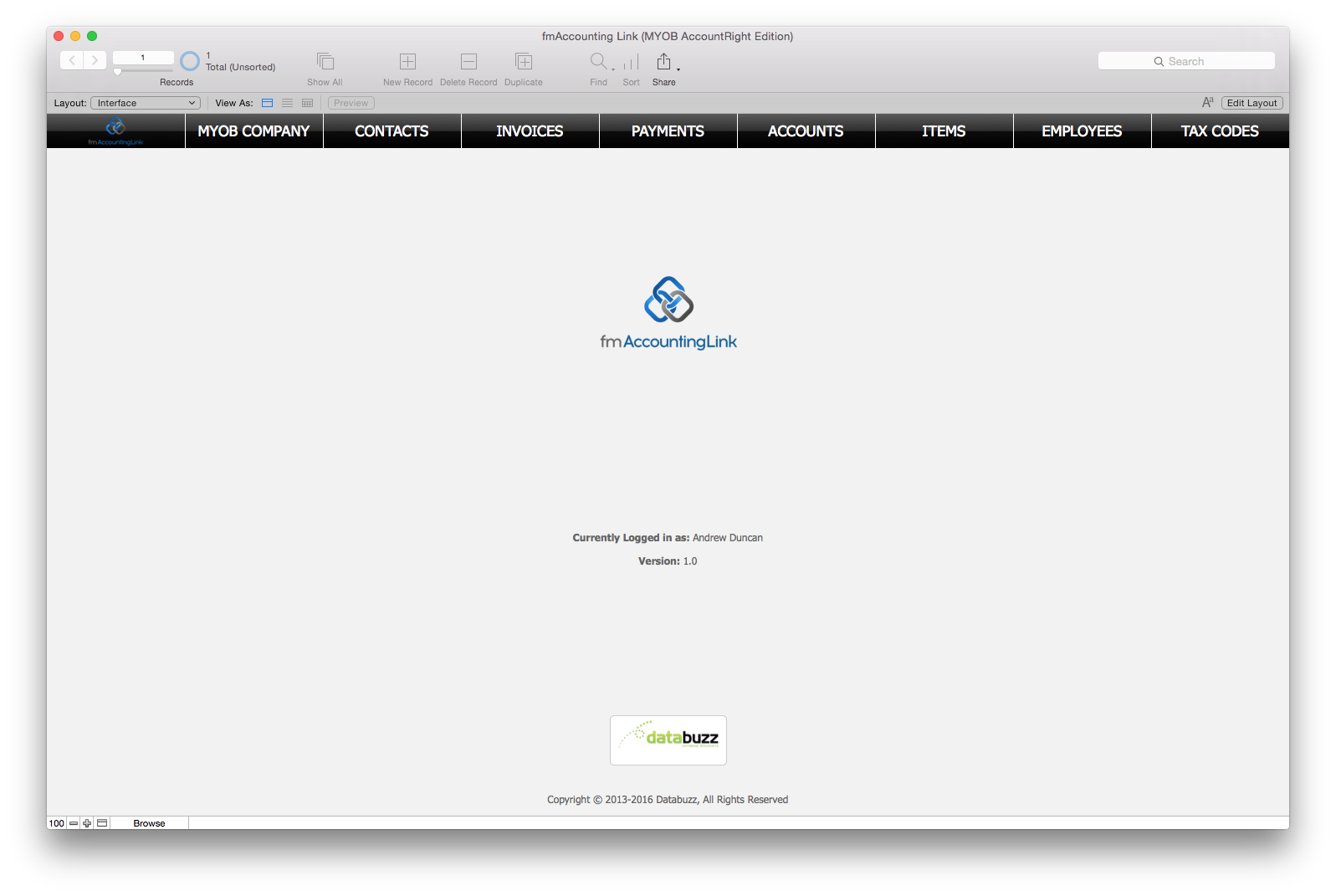
* Company Files: select from all available MYOB AccountRight Company Files that you have access to
* Contacts: download and upload Contacts (Customers and Suppliers)
* Invoices: download and upload Invoices (including Invoice line items)
* Items (Products): download and upload Items (Products price list)
* Payments: download and upload Payments against an Invoice
* Employees: download and upload Employees
* Account Codes: download Account Codes from MYOB AccountRight
* Tax Codes: download Tax Codes from MYOB AccountRight
* Categories: download Categories from MYOB AccountRight
Availability, Pricing, and Compatibility
fmAccounting Link is available in a number of licenses: Company, Vertical Solution and Developer. It is available now from the Databuzz website. Workgroup Licenses start at AUD $495.00. fmAccounting Link (MYOB AccountRight Edition) requires FileMaker Pro v12, v13 or v14 and MYOB AccountRight Live 2013, 2014, 2015 or 2016.
Databuzz: http://www.databuzz.com.au/
fmAccounting Link (MYOB AccountRight Edition): http://www.databuzz.com.au/fmaccounting-link-myob-accountright-edition/
Purchase Link: http://www.databuzz.com.au/shop/
Screenshot: http://www.databuzz.com.au/wp-content/uploads/2016/04/Home.png
Databuzz is a long standing member is a member of the FileMaker Business Alliance and has been developing and deploying FileMaker solutions for clients in Australia and internationally since 1999. Our clients are individuals, small-medium businesses, government agencies and multi-national corporations. Databuzz was founded by Andrew Duncan, a Certified FileMaker 11, 10,9 and 8 Developer. In 2010 Andrew presented a session at the annual FileMaker Developer Conference on integrating SMS/TXT Message Integration with FileMaker. Copyright (C) 2016 Databuzz. All Rights Reserved. FileMaker is a trademark of FileMaker, Inc., registered in the U.S. and other countries. All other trademarks are the property of their respective owners.
*******
Link To Article: http://prmac.com/release-id-79216.htm
*******
---------------------------------------------------------------------------------
Note that you can alter delivered distributions at any time.
Login to your account on prMac to alter your channel selection, or to opt-out at any time.
Databuzz Releases fmAccounting Link (MYOB AccountRight Edition) - Published on 04/12/16
Databuzz announces fmAccounting Link (MYOB AccountRight Edition), a FileMaker solution that integrates with the MYOB AccountRight Accounting Software. fmAccounting Link (MYOB AccountRight Edition) allows users to upload and download data between their FileMaker solution and MYOB AccountRight, the powerful accounting software that allows anyone to work off or online. fmAccounting Link (MYOB AccountRight Edition) removes double data entry and human errors saving companies significant time.
Sydney, Australia - Databuzz today announced fmAccounting Link (MYOB AccountRight Edition), a FileMaker solution that integrates with the MYOB AccountRight Accounting Software.
fmAccounting Link (MYOB AccountRight Edition) allows you to upload and download data between your FileMaker solution and MYOB AccountRight, the powerful accounting software with business management capabilities that allows you to work off or online. fmAccounting Link (MYOB AccountRight Edition) removes double data entry and human errors saving your company significant time, money and hassle by automating the exchange of data between FileMaker and MYOB AccountRight.
fmAccounting Link (MYOB AccountRight Edition) is completely unlocked allowing you to integrate it into your FileMaker solution. You can copy and paste examples showing you how to authenticate with the MYOB AccountRight API and upload Contacts, Invoices, Payments and more at the click of a button.
fmAccounting Link (MYOB AccountRight Edition) features include:
* Works with FileMaker Pro v12, v13 and v14
* Completely unlocked
* Can be hosted by FileMaker Pro or FileMaker Server
* Works with Macintosh and Windows
* Works with MYOB AccountRight running in the Cloud or on the Desktop (online and offline)
* Works with MYOB AccountRight Live 2013, 2014, 2015 and 2016
"Previous integrations between FileMaker and MYOB AccountRight have involved manual exports and imports of multiple text files or a Windows only ODBC connection," said Andrew Duncan, Director of Databuzz. "These are now a thing of the past - with fmAccounting Link (MYOB AccountRight Edition) you can push and pull data between FileMaker and MYOB AccountRight at the click of a button."
fmAccounting Link (MYOB AccountRight Edition) includes examples for the following MYOB AccountRight API endpoints:
* Company Files: select from all available MYOB AccountRight Company Files that you have access to
* Contacts: download and upload Contacts (Customers and Suppliers)
* Invoices: download and upload Invoices (including Invoice line items)
* Items (Products): download and upload Items (Products price list)
* Payments: download and upload Payments against an Invoice
* Employees: download and upload Employees
* Account Codes: download Account Codes from MYOB AccountRight
* Tax Codes: download Tax Codes from MYOB AccountRight
* Categories: download Categories from MYOB AccountRight
Availability, Pricing, and Compatibility
fmAccounting Link is available in a number of licenses: Company, Vertical Solution and Developer. It is available now from the Databuzz website. Workgroup Licenses start at AUD $495.00. fmAccounting Link (MYOB AccountRight Edition) requires FileMaker Pro v12, v13 or v14 and MYOB AccountRight Live 2013, 2014, 2015 or 2016.
Databuzz: http://www.databuzz.com.au/
fmAccounting Link (MYOB AccountRight Edition): http://www.databuzz.com.au/fmaccounting-link-myob-accountright-edition/
Purchase Link: http://www.databuzz.com.au/shop/
Screenshot: http://www.databuzz.com.au/wp-content/uploads/2016/04/Home.png
Databuzz is a long standing member is a member of the FileMaker Business Alliance and has been developing and deploying FileMaker solutions for clients in Australia and internationally since 1999. Our clients are individuals, small-medium businesses, government agencies and multi-national corporations. Databuzz was founded by Andrew Duncan, a Certified FileMaker 11, 10,9 and 8 Developer. In 2010 Andrew presented a session at the annual FileMaker Developer Conference on integrating SMS/TXT Message Integration with FileMaker. Copyright (C) 2016 Databuzz. All Rights Reserved. FileMaker is a trademark of FileMaker, Inc., registered in the U.S. and other countries. All other trademarks are the property of their respective owners.
*******
Link To Article: http://prmac.com/release-id-79216.htm
*******
---------------------------------------------------------------------------------
Note that you can alter delivered distributions at any time.
Login to your account on prMac to alter your channel selection, or to opt-out at any time.
Subscribe to:
Posts (Atom)