A new article has been published at prMac.
CleverTap and App Promo announce global app marketing partnership - Published on 05/03/16
CleverTap and App Promo announce global partnership to help App Developers engage and retain users. The partnership will give access to all of App Promo clients CleverTap's mobile engagement platform. Developers will now have immediate access to CleverTap's world-class analytics to create more personalized mobile experiences and increase user engagement. CleverTap includes out-of-the-box prescriptive campaigns, omni-channel messaging, uninstall data & the industry's largest free messaging tier.
San Francisco, California - CleverTap, a next generation mobile engagement platform, with more than 1500 customers globally, today announced a global partnership with App Promo an award wining app marketing and promotional agency that help developers succeed in the discovery, downloads and monetization of mobile applications. The partnership will give access to all of App Promo clients CleverTap's mobile engagement platform. Developers will now have immediate access to CleverTap's world-class analytics to create more personalized mobile experiences and increase user engagement.
"With developers creating apps from all around the world, it was key to find an app marketing agency that is able to help market their applications not just in the US AppStore but from a global perspective," said Sunil Thomas, co-founder and chief executive officer at CleverTap. "For us, partnering with App Promo is a great way to help developers with a full 360 approach to app marketing from discovery to download to engagement."
For App Promo, the partnership significantly enhances App Promo's post app launch marketing, guiding clients to focus on engagement and retention. "Offering our clients the CleverTap's SDK now allows them up to 1 Million monthly events at No Charge, with unlimited messaging and MAUs," said Gary Yentin, CEO of App Promo. "Now we can help developers not only with the launch of the application but also follow up with post launch engagement, retention and monetization strategies - focusing on the business of the application."
About CleverTap:
CleverTap is the next generation mobile engagement platform. It enables marketers to identify, engage and retain users and provides developers with unprecedented code-level access to build dynamic app experiences for user groups. CleverTap includes out-of-the-box prescriptive campaigns, omni-channel messaging, uninstall data and the industry's largest free messaging tier. To learn more, visit CleverTap online or follow on Facebook and Twitter.
App Promo: http://www.apppromo.com
CleverTap: http://clevertap.com
Since our launch in 2010, App Promo has helped hundreds of app developers, brands, advertisers and content providers in the business of mobile applications, taking their apps to the next level. We understand that each app is unique and each application is a business. App Promo creates custom marketing and advertising solutions to ensure that apps are discovered, downloaded, engaged with and monetized. All Material and Software (C) Copyright 2016 App Promo. All Rights Reserved. Apple, the Apple logo, iPhone, iPod and iPad are registered trademarks of Apple Inc. in the U.S. and/or other countries. Other trademarks and registered trademarks may be the property of their respective owners.
*******
Link To Article: http://prmac.com/release-id-79371.htm
*******
---------------------------------------------------------------------------------
Note that you can alter delivered distributions at any time.
Login to your account on prMac to alter your channel selection, or to opt-out at any time.

Revolutionary new Plate Tectonics Visual Glossary and Atlas app for iOS
A new article has been published at prMac.
Revolutionary new Plate Tectonics Visual Glossary and Atlas app for iOS - Published on 05/03/16
Tasa Graphic Arts, Inc. introduces Plate Tectonics Visual Glossary and Atlas 1.0 for iOS, a comprehensive glossary of terms & definitions related to plate tectonics with visuals that include illustrations, animations, photos, and videos. The app provides a visual experience that encourages discovery by exploration of Earth's surface. Using a 3D globe with surface maps that show Earth's geologic features, terms are related to the features that are a direct result of the motion of tectonic plates.
Taos, New Mexico - Tasa Graphic Arts, Inc. is proud to announce the release of Plate Tectonics Visual Glossary and Atlas 1.0 for iOS, a comprehensive glossary of terms and definitions related to plate tectonics with visuals that include illustrations, animations, photos, and videos. Using a 3D globe with surface maps that show Earth's geologic features, terms are related to the features that are a direct result of the motion of tectonic plates. View terms and definitions from a searchable list or click an icon in the list to go to its specific location on the globe.
The app provides a visual experience that encourages discovery by exploration of Earth's surface. See how changes in plate boundaries cause earthquakes, volcanoes, and mountain building. Select an alternate surface map that shows the sizes and shapes of the major tectonic plates or a map that illustrates the age of the ocean floor. Control the visibility of overlays for plate boundaries, map labels, term icons, and a coordinate grid. Another overlay shows major earthquakes since 1900 which graphically illustrates activity at plate boundaries. Or, just turn off all overlays and explore Earth's surface.
* Surface maps illustrate Earth's physiographic features, plate shapes, or the age of the oceanic lithosphere
* Overlays for: plate boundaries, map labels, terms at geographic locations, a latitude/longitude grid, and major earthquakes since 1900
* Approximately 240 terms and geographic locations with definitions and descriptions
* Most definitions have illustrations, animations, or photos
* Locations have descriptive text and spin the globe to show the location on Earth
* Definitions provide links to related terms
* Simple, intuitive user interface: drag, pinch, tap
* Universal app
* Optimized for large screens, supports all screen sizes and orientations
* Supports side-by-side split-view
* No internet connection required
Correlates to Next Generation Science Standards for Earth Science:
* ESS2.A: Earth Materials and Systems
* ESS2.B: Plate Tectonics and Large-Scale System Interactions
* ESS3.B: Natural Hazards
* ESS1.C: The History of Planet Earth
Supports inquiry-based learning about plate tectonics by providing an exploration of Earth that illustrates the relationship between surface features and plate tectonics. The definitions aid students when writing about or discussing the interaction of Earth's tectonic plates, earthquakes, and volcanoes. The app encourages higher-order thinking skills by displaying data (historical earthquakes, age of the oceans, volcano locations) that requires analysis, supports the formulation of theories, and tests those theories.
Device Requirements:
* iPhone, iPad, and iPod touch
* Requires iOS 8.4 or later
* Universal Application
* 193 MB
Pricing and Availability:
Plate Tectonics Visual Glossary and Atlas 1.0 is $1.99 USD (or equivalent amount in other currencies) and available worldwide exclusively through the App Store in the Education category.
Tasa Graphic Arts: http://www.tasagraphicarts.com/apps.html
Plate Tectonics Visual Glossary and Atlas 1.0: http://www.tasagraphicarts.com/ptglossary.html
Purchase and Download: https://itunes.apple.com/app/plate-tectonics-visual-glossary/id1106583589
YouTube Video: https://www.youtube.com/watch?v=LKlQsS11OSI
Promotional Image: http://www.tasagraphicarts.com/ptGlossaryImages/ptGlossaryScreenshots.png
App Icon: http://www.tasagraphicarts.com/ptGlossaryImages/ptGlossaryImagesIcon.png
In addition to producing iOS apps and multi-touch books, Tasa Graphic Arts, Inc. produces award-winning interactive, educational CD-ROMs covering planetary geology, plate tectonics, topographic maps, rocks and minerals, weather and climate, the processes that shape Earth's surface, and more. Copyright (C) 2016 Tasa Graphic Arts, Inc. All Rights Reserved. All other trademarks and trade names are the property of their respective owners.
*******
Link To Article: http://prmac.com/release-id-79370.htm
*******
---------------------------------------------------------------------------------
Note that you can alter delivered distributions at any time.
Login to your account on prMac to alter your channel selection, or to opt-out at any time.
Revolutionary new Plate Tectonics Visual Glossary and Atlas app for iOS - Published on 05/03/16
Tasa Graphic Arts, Inc. introduces Plate Tectonics Visual Glossary and Atlas 1.0 for iOS, a comprehensive glossary of terms & definitions related to plate tectonics with visuals that include illustrations, animations, photos, and videos. The app provides a visual experience that encourages discovery by exploration of Earth's surface. Using a 3D globe with surface maps that show Earth's geologic features, terms are related to the features that are a direct result of the motion of tectonic plates.
Taos, New Mexico - Tasa Graphic Arts, Inc. is proud to announce the release of Plate Tectonics Visual Glossary and Atlas 1.0 for iOS, a comprehensive glossary of terms and definitions related to plate tectonics with visuals that include illustrations, animations, photos, and videos. Using a 3D globe with surface maps that show Earth's geologic features, terms are related to the features that are a direct result of the motion of tectonic plates. View terms and definitions from a searchable list or click an icon in the list to go to its specific location on the globe.
The app provides a visual experience that encourages discovery by exploration of Earth's surface. See how changes in plate boundaries cause earthquakes, volcanoes, and mountain building. Select an alternate surface map that shows the sizes and shapes of the major tectonic plates or a map that illustrates the age of the ocean floor. Control the visibility of overlays for plate boundaries, map labels, term icons, and a coordinate grid. Another overlay shows major earthquakes since 1900 which graphically illustrates activity at plate boundaries. Or, just turn off all overlays and explore Earth's surface.
* Surface maps illustrate Earth's physiographic features, plate shapes, or the age of the oceanic lithosphere
* Overlays for: plate boundaries, map labels, terms at geographic locations, a latitude/longitude grid, and major earthquakes since 1900
* Approximately 240 terms and geographic locations with definitions and descriptions
* Most definitions have illustrations, animations, or photos
* Locations have descriptive text and spin the globe to show the location on Earth
* Definitions provide links to related terms
* Simple, intuitive user interface: drag, pinch, tap
* Universal app
* Optimized for large screens, supports all screen sizes and orientations
* Supports side-by-side split-view
* No internet connection required
Correlates to Next Generation Science Standards for Earth Science:
* ESS2.A: Earth Materials and Systems
* ESS2.B: Plate Tectonics and Large-Scale System Interactions
* ESS3.B: Natural Hazards
* ESS1.C: The History of Planet Earth
Supports inquiry-based learning about plate tectonics by providing an exploration of Earth that illustrates the relationship between surface features and plate tectonics. The definitions aid students when writing about or discussing the interaction of Earth's tectonic plates, earthquakes, and volcanoes. The app encourages higher-order thinking skills by displaying data (historical earthquakes, age of the oceans, volcano locations) that requires analysis, supports the formulation of theories, and tests those theories.
Device Requirements:
* iPhone, iPad, and iPod touch
* Requires iOS 8.4 or later
* Universal Application
* 193 MB
Pricing and Availability:
Plate Tectonics Visual Glossary and Atlas 1.0 is $1.99 USD (or equivalent amount in other currencies) and available worldwide exclusively through the App Store in the Education category.
Tasa Graphic Arts: http://www.tasagraphicarts.com/apps.html
Plate Tectonics Visual Glossary and Atlas 1.0: http://www.tasagraphicarts.com/ptglossary.html
Purchase and Download: https://itunes.apple.com/app/plate-tectonics-visual-glossary/id1106583589
YouTube Video: https://www.youtube.com/watch?v=LKlQsS11OSI
Promotional Image: http://www.tasagraphicarts.com/ptGlossaryImages/ptGlossaryScreenshots.png

App Icon: http://www.tasagraphicarts.com/ptGlossaryImages/ptGlossaryImagesIcon.png

In addition to producing iOS apps and multi-touch books, Tasa Graphic Arts, Inc. produces award-winning interactive, educational CD-ROMs covering planetary geology, plate tectonics, topographic maps, rocks and minerals, weather and climate, the processes that shape Earth's surface, and more. Copyright (C) 2016 Tasa Graphic Arts, Inc. All Rights Reserved. All other trademarks and trade names are the property of their respective owners.
*******
Link To Article: http://prmac.com/release-id-79370.htm
*******
---------------------------------------------------------------------------------
Note that you can alter delivered distributions at any time.
Login to your account on prMac to alter your channel selection, or to opt-out at any time.
VideoSpoty for iOS - Music Videos for Spotify - Now Available Worldwide
A new article has been published at prMac.
VideoSpoty for iOS - Music Videos for Spotify - Now Available Worldwide - Published on 05/03/16
The Spanish based development studio, The Clash Soft today introduces VideoSpoty 1.0.2 for iOS, an innovative tool for playing music videos from the user's Spotify playlists. Great for parties or similar situations, VideoSpoty allows the user to watch music videos on their device or on a TV using a Google Chromecast dongle. Users only have to login with their Spotify account and VideoSpoty will search for music videos from their saved songs, playlists and all available music.
Madrid, Spain - The Clash Soft today is proud to announce the release of VideoSpoty 1.0.2 for iOS, an innovative tool for playing music videos from the user's Spotify playlists. Up to now, users can only listen music from their Spotify account. Using VideoSpoty for iOS, users now can watch music videos form their Spotify playlists and saved music. VideoSpoty works with both, free and premium VideoSpoty accounts. VideoSpoty also works with the popular Google Chromecast, and the app is able to reproduce all videos on the TV which is great for parties or similar situations.
How it works:
- Login with your Spotify account and VideoSpoty will search for music videos from your saved songs, playlists and all available music.
Main features:
* Watch every music video on your device or on your TV
* Works with AirPlay & Chromecast
* Discover new music videos with ease
* Great for parties
* Designed for iPhone & iPad
Device Requirements:
* iPhone, iPad, and iPod touch
* Optimized for iPhone 5, iPhone 6/6 Plus & iPad
* 100% compatible with AirPlay & Google Chromecast
* Requires iOS 8.0 or later
* 11.4 MB
Pricing and Availability:
For a limited period, VideoSpoty 1.0.2 will cost $0.99. VideoSpoty is now available worldwide exclusively through the App Store in the Music category. Please contact us for a pre-release app version to install on your own devices.
The Clash Soft: http://www.theclashsoft.com
VideoSpoty 1.0.2: https://itunes.apple.com/app/videospoty-music-videos-for/id1099579370
Screenshot: http://theclashsoft.com/videospoty/cap1.png
App Icon: http://theclashsoft.com/videospoty/icon.png
Based in Madrid, Spain, The Clash Soft is a development study founded in 2008. The study develops apps for iOS devices, working every day for bring to the App Store the best casual games and apps. Copyright (C) 2008-2016 The Clash Soft. All Rights Reserved. Apple, the Apple logo, iPhone, iPod and iPad are registered trademarks of Apple Inc. in the U.S. and/or other countries.
*******
Link To Article: http://prmac.com/release-id-79369.htm
*******
---------------------------------------------------------------------------------
Note that you can alter delivered distributions at any time.
Login to your account on prMac to alter your channel selection, or to opt-out at any time.
VideoSpoty for iOS - Music Videos for Spotify - Now Available Worldwide - Published on 05/03/16
The Spanish based development studio, The Clash Soft today introduces VideoSpoty 1.0.2 for iOS, an innovative tool for playing music videos from the user's Spotify playlists. Great for parties or similar situations, VideoSpoty allows the user to watch music videos on their device or on a TV using a Google Chromecast dongle. Users only have to login with their Spotify account and VideoSpoty will search for music videos from their saved songs, playlists and all available music.
Madrid, Spain - The Clash Soft today is proud to announce the release of VideoSpoty 1.0.2 for iOS, an innovative tool for playing music videos from the user's Spotify playlists. Up to now, users can only listen music from their Spotify account. Using VideoSpoty for iOS, users now can watch music videos form their Spotify playlists and saved music. VideoSpoty works with both, free and premium VideoSpoty accounts. VideoSpoty also works with the popular Google Chromecast, and the app is able to reproduce all videos on the TV which is great for parties or similar situations.
How it works:
- Login with your Spotify account and VideoSpoty will search for music videos from your saved songs, playlists and all available music.
Main features:
* Watch every music video on your device or on your TV
* Works with AirPlay & Chromecast
* Discover new music videos with ease
* Great for parties
* Designed for iPhone & iPad
Device Requirements:
* iPhone, iPad, and iPod touch
* Optimized for iPhone 5, iPhone 6/6 Plus & iPad
* 100% compatible with AirPlay & Google Chromecast
* Requires iOS 8.0 or later
* 11.4 MB
Pricing and Availability:
For a limited period, VideoSpoty 1.0.2 will cost $0.99. VideoSpoty is now available worldwide exclusively through the App Store in the Music category. Please contact us for a pre-release app version to install on your own devices.
The Clash Soft: http://www.theclashsoft.com
VideoSpoty 1.0.2: https://itunes.apple.com/app/videospoty-music-videos-for/id1099579370
Screenshot: http://theclashsoft.com/videospoty/cap1.png

App Icon: http://theclashsoft.com/videospoty/icon.png

Based in Madrid, Spain, The Clash Soft is a development study founded in 2008. The study develops apps for iOS devices, working every day for bring to the App Store the best casual games and apps. Copyright (C) 2008-2016 The Clash Soft. All Rights Reserved. Apple, the Apple logo, iPhone, iPod and iPad are registered trademarks of Apple Inc. in the U.S. and/or other countries.
*******
Link To Article: http://prmac.com/release-id-79369.htm
*******
---------------------------------------------------------------------------------
Note that you can alter delivered distributions at any time.
Login to your account on prMac to alter your channel selection, or to opt-out at any time.
ETFE Solar Panels Now Available to Power Apple Equipment On The Move
A new article has been published at prMac.
ETFE Solar Panels Now Available to Power Apple Equipment On The Move - Published on 05/02/16
Being on the move it is easier than ever to charge Apple devices using the ETFE solar panel technology which provides ultra-thin yet UV resistant panels. Solar Panels New Zealand supports charging of all current generation Apple products either directly from the sun, or via a portable battery. Current generation products supported which are supported include MacBook Pro, MacBook Pro Retina, MacBook, MacBook Air, iPad, iPad Mini, iMad Air, iPad Pro, iPhone 3, iPhone 4, iPhone 5 and iPhone 6.
Christchurch, New Zealand - Solar Panels New Zealand based in Christchurch, New Zealand now offers a range of ETFE Solar Panels (including compact solar folders) which will either charge current generation Apple products directly from the sun or via a battery. Current generation products supported which are supported include MacBook Pro, MacBook Pro Retina, MacBook, MacBook Air, iPad, iPad Mini, iPad Air, iPad Pro, iPhone 3, iPhone 4, iPhone 5 and iPhone 6 generation units. Essentially the following charging ports are supported, USB-C, MagSafe v1, MagSafe v2, 30Pin and Lighting.
Being on the move it is easier than ever to charge Apple devices using the ETFE solar panel technology which provides ultra-thin yet UV resistant panels. Solar Panels New Zealand supports charging of all current generation Apple products either directly form the sun or via a portable battery.
Solar Panels New Zealand not only offers off the shelf sized solar panels but are also able to offer customized solar panels of specific sizes for your project or product. The ultra thin ETFE flexible panels are ideal for deployment on boats, cars, RV's, buses, planes and much more. Contact us to learn how we are able to assist you with powering your next adventure.
The complete solutions offered range from consultation right across to development, project specification, custom electronics and if required setup and testing in location. With a range of diverse skill sets our team are able to assist with many aspects of electronics projects. Finally, if you are working on a popular project, you may find that one of our off the shelf kits will directly meet your needs.
ETFE Solar Panel Technology: https://solar-panels.nz/blogs/news/120211331-etfe-solar-panels
Contact Us: http://www.solar-panels.nz/pages/contact
Solar Panels New Zealand is based in Christchurch, New Zealand and for more than 10 years we have been solving solutions for our clients who travel around New Zealand and overseas with Apple hardware. All Material and Software (C) Copyright 2016 Solar Panels New Zealand. All Rights Reserved. Apple, the Apple logo, Macintosh and Mac OS X are registered trademarks of Apple Inc. in the U.S. and/or other countries. Other trademarks and registered trademarks may be the property of their respective owners.
*******
Link To Article: http://prmac.com/release-id-79368.htm
*******
---------------------------------------------------------------------------------
Note that you can alter delivered distributions at any time.
Login to your account on prMac to alter your channel selection, or to opt-out at any time.
ETFE Solar Panels Now Available to Power Apple Equipment On The Move - Published on 05/02/16
Being on the move it is easier than ever to charge Apple devices using the ETFE solar panel technology which provides ultra-thin yet UV resistant panels. Solar Panels New Zealand supports charging of all current generation Apple products either directly from the sun, or via a portable battery. Current generation products supported which are supported include MacBook Pro, MacBook Pro Retina, MacBook, MacBook Air, iPad, iPad Mini, iMad Air, iPad Pro, iPhone 3, iPhone 4, iPhone 5 and iPhone 6.
Christchurch, New Zealand - Solar Panels New Zealand based in Christchurch, New Zealand now offers a range of ETFE Solar Panels (including compact solar folders) which will either charge current generation Apple products directly from the sun or via a battery. Current generation products supported which are supported include MacBook Pro, MacBook Pro Retina, MacBook, MacBook Air, iPad, iPad Mini, iPad Air, iPad Pro, iPhone 3, iPhone 4, iPhone 5 and iPhone 6 generation units. Essentially the following charging ports are supported, USB-C, MagSafe v1, MagSafe v2, 30Pin and Lighting.
Being on the move it is easier than ever to charge Apple devices using the ETFE solar panel technology which provides ultra-thin yet UV resistant panels. Solar Panels New Zealand supports charging of all current generation Apple products either directly form the sun or via a portable battery.
Solar Panels New Zealand not only offers off the shelf sized solar panels but are also able to offer customized solar panels of specific sizes for your project or product. The ultra thin ETFE flexible panels are ideal for deployment on boats, cars, RV's, buses, planes and much more. Contact us to learn how we are able to assist you with powering your next adventure.
The complete solutions offered range from consultation right across to development, project specification, custom electronics and if required setup and testing in location. With a range of diverse skill sets our team are able to assist with many aspects of electronics projects. Finally, if you are working on a popular project, you may find that one of our off the shelf kits will directly meet your needs.
ETFE Solar Panel Technology: https://solar-panels.nz/blogs/news/120211331-etfe-solar-panels
Contact Us: http://www.solar-panels.nz/pages/contact
Solar Panels New Zealand is based in Christchurch, New Zealand and for more than 10 years we have been solving solutions for our clients who travel around New Zealand and overseas with Apple hardware. All Material and Software (C) Copyright 2016 Solar Panels New Zealand. All Rights Reserved. Apple, the Apple logo, Macintosh and Mac OS X are registered trademarks of Apple Inc. in the U.S. and/or other countries. Other trademarks and registered trademarks may be the property of their respective owners.
*******
Link To Article: http://prmac.com/release-id-79368.htm
*******
---------------------------------------------------------------------------------
Note that you can alter delivered distributions at any time.
Login to your account on prMac to alter your channel selection, or to opt-out at any time.
Music Lovers, get Ready for the Best Music Cloud Storage - Loop for VOX
A new article has been published at prMac.
Music Lovers, get Ready for the Best Music Cloud Storage - Loop for VOX - Published on 05/02/16
Are you tired of all cloud services that limit storage and downgrade music quality? Loop for VOX is your solution! It's the unlimited cloud-based storage designed specifically for music! Free your disk space from the heavyweight FLAC files NOW. TODAY is finally the time to try LOOP FOR VOX - the unlimited cloud storage for music. Loop for VOX erases the limits. It stores the unlimited amounts of music. It can be 50,000 songs or 500,000 songs and even more.
Kiev, Ukraine - Amazon Cloud Player, Google Play Music, iTunes Match, and even the regular cloud services like Dropbox, there are so many cloud storages our there that in the modern days it's hard to pick one that will satisfy all your needs. Users can pick the best one for the music lovers NOW - Loop for VOX.
Audiophiles usually have enormous loads of music and they want to free up space on their devices, move music into the cloud. While choosing one of the cloud services mentioned above, it's worth knowing that they might downgrade music quality. (Yup, FLACs can turn into MP3s) These cloud services also put limits on the amounts of storage you can use and charge accordingly.
The days of all these troubles might be gone forever, though. TODAY is finally the time to try LOOP FOR VOX - the unlimited cloud storage for music. Loop for VOX erases the limits. It stores the unlimited amounts of music. It can be 50,000 songs or 500,000 songs and even more, there is no edge for the true audiophile's music in Loop.
There is also no limit on the number of devices you can use Loop on. If you're working in a music recording studio and share the same collection of music samples with your colleagues, and all of you have, say, 6 Macs, 2 Apple Watches and 11 iPhones, how do you get access to the same collection on all devices? Loop for VOX can be the easiest solution.
Loop doesn't downgrade the quality of the audio files you upload into it. The formats you can upload to Loop are very different: aif, aiff, ape, alac, aac, m4a, mp4, caf, flac, mp1, mp2, mp3, mpc, sd2, vorbis ogg, spx, tta, wav, wma. There are some audio formats supported by Loop, but played after downloading only (not streaming): it, mod, m4b, s3m, ay, mo3.
Loop for VOX is available on Mac, iPhone, Apple Watch. While using Loop for streaming music through VOX Player for Mac, it is possible to connect to Sonos audio devices. Android and Windows support is to launch later on this year. Start UPLOADING MUSIC NOW, - download VOX Player for Mac and VOX Player for iPhone to sync music between them and listen to it freely on these devices.
While using Loop along with the VOX Music Player on Mac or iPhone, you can also enjoy these awesome perks:
* SoundCloud integration, and the free access to your SoundCloud feed.
* Radio that hosts over 3,000 stations worldwide.
* LastFM integration
* The opportunity to listen to YouTube music directly through the app. No fees applied for that which makes it a great YouTube Red alternative.
Why choose others when Loop for VOX has got everything users need.
LOOP FOR VOX: http://loop.vox.rocks/?rs=vox;landing;campaign.prmac
REGISTER HERE!: http://loop.vox.rocks/?rs=vox;landing;campaign.prmac
Download for FREE VOX Player for Mac: http://coppertino.com/vox/landings/2/
START UPLOADING MUSIC NOW: http://loop.vox.rocks/?rs=vox;landing;campaign.prmac
Screenshot: http://www.dropbox.com/s/w1ssfu6gvm8bvlz/loop_bozhena.png?dl=0
Application Icon: http://www.dropbox.com/s/zgrujg4vadp8zqt/loop_logo.png?dl=0
Los Angeles based startup known for VOX Music Player - the most successful music player that supports lossless music playback on OS X and iOS platforms. Raised 0.5M seed funding to the date. VOX is the #1 music player on the Mac App Store in US, Japan, Canada, Germany, UK, Italy and many other markets. It has reached over 1 million downloads on Mac and over 200,000 downloads on iPhone. Company's focus is VOX software ecosystem for high-quality music listening. The most recent service launched by Coppertino in April 2015 is Loop - the unlimited cloud-based storage for music. Copyright (C) 2016 Coppertino Inc. All Rights Reserved. Apple, the Apple logo and Macintosh are registered trademarks of Apple Inc. in the U.S. and/or other countries.
*******
Link To Article: http://prmac.com/release-id-79367.htm
*******
---------------------------------------------------------------------------------
Note that you can alter delivered distributions at any time.
Login to your account on prMac to alter your channel selection, or to opt-out at any time.
Music Lovers, get Ready for the Best Music Cloud Storage - Loop for VOX - Published on 05/02/16
Are you tired of all cloud services that limit storage and downgrade music quality? Loop for VOX is your solution! It's the unlimited cloud-based storage designed specifically for music! Free your disk space from the heavyweight FLAC files NOW. TODAY is finally the time to try LOOP FOR VOX - the unlimited cloud storage for music. Loop for VOX erases the limits. It stores the unlimited amounts of music. It can be 50,000 songs or 500,000 songs and even more.
Kiev, Ukraine - Amazon Cloud Player, Google Play Music, iTunes Match, and even the regular cloud services like Dropbox, there are so many cloud storages our there that in the modern days it's hard to pick one that will satisfy all your needs. Users can pick the best one for the music lovers NOW - Loop for VOX.
Audiophiles usually have enormous loads of music and they want to free up space on their devices, move music into the cloud. While choosing one of the cloud services mentioned above, it's worth knowing that they might downgrade music quality. (Yup, FLACs can turn into MP3s) These cloud services also put limits on the amounts of storage you can use and charge accordingly.
The days of all these troubles might be gone forever, though. TODAY is finally the time to try LOOP FOR VOX - the unlimited cloud storage for music. Loop for VOX erases the limits. It stores the unlimited amounts of music. It can be 50,000 songs or 500,000 songs and even more, there is no edge for the true audiophile's music in Loop.
There is also no limit on the number of devices you can use Loop on. If you're working in a music recording studio and share the same collection of music samples with your colleagues, and all of you have, say, 6 Macs, 2 Apple Watches and 11 iPhones, how do you get access to the same collection on all devices? Loop for VOX can be the easiest solution.
Loop doesn't downgrade the quality of the audio files you upload into it. The formats you can upload to Loop are very different: aif, aiff, ape, alac, aac, m4a, mp4, caf, flac, mp1, mp2, mp3, mpc, sd2, vorbis ogg, spx, tta, wav, wma. There are some audio formats supported by Loop, but played after downloading only (not streaming): it, mod, m4b, s3m, ay, mo3.
Loop for VOX is available on Mac, iPhone, Apple Watch. While using Loop for streaming music through VOX Player for Mac, it is possible to connect to Sonos audio devices. Android and Windows support is to launch later on this year. Start UPLOADING MUSIC NOW, - download VOX Player for Mac and VOX Player for iPhone to sync music between them and listen to it freely on these devices.
While using Loop along with the VOX Music Player on Mac or iPhone, you can also enjoy these awesome perks:
* SoundCloud integration, and the free access to your SoundCloud feed.
* Radio that hosts over 3,000 stations worldwide.
* LastFM integration
* The opportunity to listen to YouTube music directly through the app. No fees applied for that which makes it a great YouTube Red alternative.
Why choose others when Loop for VOX has got everything users need.
LOOP FOR VOX: http://loop.vox.rocks/?rs=vox;landing;campaign.prmac
REGISTER HERE!: http://loop.vox.rocks/?rs=vox;landing;campaign.prmac
Download for FREE VOX Player for Mac: http://coppertino.com/vox/landings/2/
START UPLOADING MUSIC NOW: http://loop.vox.rocks/?rs=vox;landing;campaign.prmac
Screenshot: http://www.dropbox.com/s/w1ssfu6gvm8bvlz/loop_bozhena.png?dl=0

Application Icon: http://www.dropbox.com/s/zgrujg4vadp8zqt/loop_logo.png?dl=0

Los Angeles based startup known for VOX Music Player - the most successful music player that supports lossless music playback on OS X and iOS platforms. Raised 0.5M seed funding to the date. VOX is the #1 music player on the Mac App Store in US, Japan, Canada, Germany, UK, Italy and many other markets. It has reached over 1 million downloads on Mac and over 200,000 downloads on iPhone. Company's focus is VOX software ecosystem for high-quality music listening. The most recent service launched by Coppertino in April 2015 is Loop - the unlimited cloud-based storage for music. Copyright (C) 2016 Coppertino Inc. All Rights Reserved. Apple, the Apple logo and Macintosh are registered trademarks of Apple Inc. in the U.S. and/or other countries.
*******
Link To Article: http://prmac.com/release-id-79367.htm
*******
---------------------------------------------------------------------------------
Note that you can alter delivered distributions at any time.
Login to your account on prMac to alter your channel selection, or to opt-out at any time.
Reggie Ashworth releases MAS AppDelete Lite 4.0.4 - Uninstall Anything
A new article has been published at prMac.
Reggie Ashworth releases MAS AppDelete Lite 4.0.4 - Uninstall Anything - Published on 05/02/16
Independent software developer Reggie Ashworth today announces MAS AppDelete Lite 4.0.4, a major update to his popular Mac application deletion utility via the Mac App Store. With a simple Drag & Drop, AppDelete Lite will uninstall anything along with all of the associated items. Mac users will no longer have to hunt through their system to find and delete these items manually. AppDelete Lite is a must-have utility for beta testers and the perfect companion to any Mac fanatic's toolbox.
Anaheim, California - Independent software developer Reggie Ashworth today is thrilled to announce the release and immediate availability of MAS AppDelete Lite 4.0.4, a major update to his very popular application deletion utility for Mac OS X available via the Mac App Store. With a simple Drag & Drop, AppDelete Lite will uninstall anything along with all of the associated items. Mac users will no longer have to hunt through their system to find and delete these items manually.
You can drag any item that can be uninstalled onto AppDelete Lite: Applications, Widgets, Preference Panes, Plugins, Screensavers, etc. You can also activate AppDelete Lite in many ways: dragging items onto main window, onto dock icon, selecting in menu, dragging from Launchpad, and throwing items in the trash. When the preview screen appears you can uncheck any items you would like to exclude.
You also have several choices: delete the items, log only the items, or archive (copy) the items to a .zip file for safekeeping or reinstall at a later date. The items you delete will be moved to the trash and arranged in a folder so that you can see exactly what was deleted and you know exactly where it came from. The items will not be removed from your computer until you empty them from your trash. Note: items requiring an administrator password must be deleted manually to comply with App Store guidelines, but this can be done quickly by clicking the reveal button in the AppDelete Lite Info panel, revealing in Finder, and moving them to the trash.
Version 4.0 has been 100% redesigned and updated and just one look will show you that this is an entirely new AppDelete Lite. AppDelete Lite Version 4.0.4 will run on Lion, Mountain Lion, Mavericks, Yosemite, and El Capitan, and here are a few of the new features included:
New in Version 4.0:
* All-New UI and revised workflow for the best AppDelete Lite experience ever
* Optimized for operation on El Capitan (still backwards compatible with Lion, Mountain Lion, Mavericks, Yosemite)
* Finds more files than ever before with new improved algorithm
* Now sandboxed to meet latest requirements for the Mac App Store
* File sizes and grouping for all items
* All latest technologies being utilized such as Automatic Reference Counting and Grand Central Dispatch
* All-New Genius Search
* Additional Preferences such as Ignore List and Protect Running Apps
* New Korean localization
* Updated Help file to make options more clear to user
* Brings Lite version up-to-date with AppDelete 4.2
* And More... (visit AppDelete Lite website for complete details)
Feature Highlights:
* Optimized for Lion/Mountain Lion/Mavericks/Yosemite/El Capitan
* Helps delete Apps, Widgets, Preference Panes, Plugins, Screensavers, or anything that can be uninstalled and their associated items
* Fifteen included languages (English, Chinese, Czech, Danish, Dutch, Finnish, French, German, Italian, Japanese, Korean, Portuguese (Brazilian), Russian, Spanish, and Swedish)
* 64-bit performance
* Finds associated items that are visible, invisible, or hidden automatically
* Quick panels with filtering in the menu (Name, Size, Kind, Creation Date, Last Used Date)
* Pathnames in AppDelete Lite Info panel are clickable and will Reveal in Finder
* Icons in AppDelete Lite Info panel are clickable and will show Finder Get Info panel
* Quick panels have a search field to find items fast
* Can drop folders onto AppDelete Lite to find items inside for deletion
* Detects Apps and other items placed in trash
* Archive feature for safekeeping and transferring items to another Mac
* Log to record all activity
* Preference to protect Default apps
* And more...
There are various options to make your AppDelete Lite experience complete: Quick search panels to help choose items for deletion, various options in Preferences, and more. AppDelete Lite is a must-have utility for software tinkerers or beta testers and the perfect companion to any Mac fanatic's toolbox.
AppDelete Lite Version 4.0.4 has an improved search algorithm along with other fixes and improvements. For full Release Notes visit website.
Language Support:
AppDelete Lite supports U.S. English, Chinese, Czech, Danish, Dutch, Finnish, French, German, Italian, Japanese, Korean, Portuguese (Brazilian), Russian, Spanish, and Swedish languages.
System Requirements:
* Mac OS X Version 10.7.3 Lion or later (El Capitan Compatible)
* Intel Mac and App Store
* 10.9 MB Hard Drive space
Pricing and Availability:
AppDelete Lite 4.0.4 is only $3.99 (USD) for purchase via the Mac App Store. It is also possible for AppDelete Lite users to upgrade to AppDelete for an additional $3.99 (USD) but only via the AppDelete/AppDelete Lite website.
AppDelete Lite 4.0.4: http://www.reggieashworth.com/appdeletelite
Purchase and Download: http://itunes.apple.com/app/appdelete-lite/id451960925
Screenshot 1: http://a5.mzstatic.com/us/r30/Purple5/v4/70/9c/f4/709cf4a0-c588-47c3-facf-29da10caf239/screen800x500.jpeg
Screenshot 2: http://a5.mzstatic.com/us/r30/Purple3/v4/05/89/5a/05895a29-ad80-27e1-e67d-767e7b2c80bf/screen800x500.jpeg
Screenshot 3: http://a2.mzstatic.com/us/r30/Purple3/v4/96/c2/f7/96c2f7ca-557c-3be3-8a60-3e70b8137f88/screen800x500.jpeg
App Icon: http://a3.mzstatic.com/us/r30/Purple3/v4/5c/64/33/5c64332d-9a35-08bb-336c-c7b076468f3c/icon256.png
Based in sunny Anaheim, California, Reggie Ashworth is an independent software developer whose passion for the Mac platform is only exceeded by his aim to craft simple, yet useful utilities. He is fanatical about total customer satisfaction. Copyright 2006-2016 Reggie Ashworth. All Rights Reserved. Apple, and the Apple logo, and Macintosh are registered trademarks of Apple Computer in the U.S. and/or other countries.
*******
Link To Article: http://prmac.com/release-id-79366.htm
*******
---------------------------------------------------------------------------------
Note that you can alter delivered distributions at any time.
Login to your account on prMac to alter your channel selection, or to opt-out at any time.
Reggie Ashworth releases MAS AppDelete Lite 4.0.4 - Uninstall Anything - Published on 05/02/16
Independent software developer Reggie Ashworth today announces MAS AppDelete Lite 4.0.4, a major update to his popular Mac application deletion utility via the Mac App Store. With a simple Drag & Drop, AppDelete Lite will uninstall anything along with all of the associated items. Mac users will no longer have to hunt through their system to find and delete these items manually. AppDelete Lite is a must-have utility for beta testers and the perfect companion to any Mac fanatic's toolbox.
Anaheim, California - Independent software developer Reggie Ashworth today is thrilled to announce the release and immediate availability of MAS AppDelete Lite 4.0.4, a major update to his very popular application deletion utility for Mac OS X available via the Mac App Store. With a simple Drag & Drop, AppDelete Lite will uninstall anything along with all of the associated items. Mac users will no longer have to hunt through their system to find and delete these items manually.
You can drag any item that can be uninstalled onto AppDelete Lite: Applications, Widgets, Preference Panes, Plugins, Screensavers, etc. You can also activate AppDelete Lite in many ways: dragging items onto main window, onto dock icon, selecting in menu, dragging from Launchpad, and throwing items in the trash. When the preview screen appears you can uncheck any items you would like to exclude.
You also have several choices: delete the items, log only the items, or archive (copy) the items to a .zip file for safekeeping or reinstall at a later date. The items you delete will be moved to the trash and arranged in a folder so that you can see exactly what was deleted and you know exactly where it came from. The items will not be removed from your computer until you empty them from your trash. Note: items requiring an administrator password must be deleted manually to comply with App Store guidelines, but this can be done quickly by clicking the reveal button in the AppDelete Lite Info panel, revealing in Finder, and moving them to the trash.
Version 4.0 has been 100% redesigned and updated and just one look will show you that this is an entirely new AppDelete Lite. AppDelete Lite Version 4.0.4 will run on Lion, Mountain Lion, Mavericks, Yosemite, and El Capitan, and here are a few of the new features included:
New in Version 4.0:
* All-New UI and revised workflow for the best AppDelete Lite experience ever
* Optimized for operation on El Capitan (still backwards compatible with Lion, Mountain Lion, Mavericks, Yosemite)
* Finds more files than ever before with new improved algorithm
* Now sandboxed to meet latest requirements for the Mac App Store
* File sizes and grouping for all items
* All latest technologies being utilized such as Automatic Reference Counting and Grand Central Dispatch
* All-New Genius Search
* Additional Preferences such as Ignore List and Protect Running Apps
* New Korean localization
* Updated Help file to make options more clear to user
* Brings Lite version up-to-date with AppDelete 4.2
* And More... (visit AppDelete Lite website for complete details)
Feature Highlights:
* Optimized for Lion/Mountain Lion/Mavericks/Yosemite/El Capitan
* Helps delete Apps, Widgets, Preference Panes, Plugins, Screensavers, or anything that can be uninstalled and their associated items
* Fifteen included languages (English, Chinese, Czech, Danish, Dutch, Finnish, French, German, Italian, Japanese, Korean, Portuguese (Brazilian), Russian, Spanish, and Swedish)
* 64-bit performance
* Finds associated items that are visible, invisible, or hidden automatically
* Quick panels with filtering in the menu (Name, Size, Kind, Creation Date, Last Used Date)
* Pathnames in AppDelete Lite Info panel are clickable and will Reveal in Finder
* Icons in AppDelete Lite Info panel are clickable and will show Finder Get Info panel
* Quick panels have a search field to find items fast
* Can drop folders onto AppDelete Lite to find items inside for deletion
* Detects Apps and other items placed in trash
* Archive feature for safekeeping and transferring items to another Mac
* Log to record all activity
* Preference to protect Default apps
* And more...
There are various options to make your AppDelete Lite experience complete: Quick search panels to help choose items for deletion, various options in Preferences, and more. AppDelete Lite is a must-have utility for software tinkerers or beta testers and the perfect companion to any Mac fanatic's toolbox.
AppDelete Lite Version 4.0.4 has an improved search algorithm along with other fixes and improvements. For full Release Notes visit website.
Language Support:
AppDelete Lite supports U.S. English, Chinese, Czech, Danish, Dutch, Finnish, French, German, Italian, Japanese, Korean, Portuguese (Brazilian), Russian, Spanish, and Swedish languages.
System Requirements:
* Mac OS X Version 10.7.3 Lion or later (El Capitan Compatible)
* Intel Mac and App Store
* 10.9 MB Hard Drive space
Pricing and Availability:
AppDelete Lite 4.0.4 is only $3.99 (USD) for purchase via the Mac App Store. It is also possible for AppDelete Lite users to upgrade to AppDelete for an additional $3.99 (USD) but only via the AppDelete/AppDelete Lite website.
AppDelete Lite 4.0.4: http://www.reggieashworth.com/appdeletelite
Purchase and Download: http://itunes.apple.com/app/appdelete-lite/id451960925
Screenshot 1: http://a5.mzstatic.com/us/r30/Purple5/v4/70/9c/f4/709cf4a0-c588-47c3-facf-29da10caf239/screen800x500.jpeg
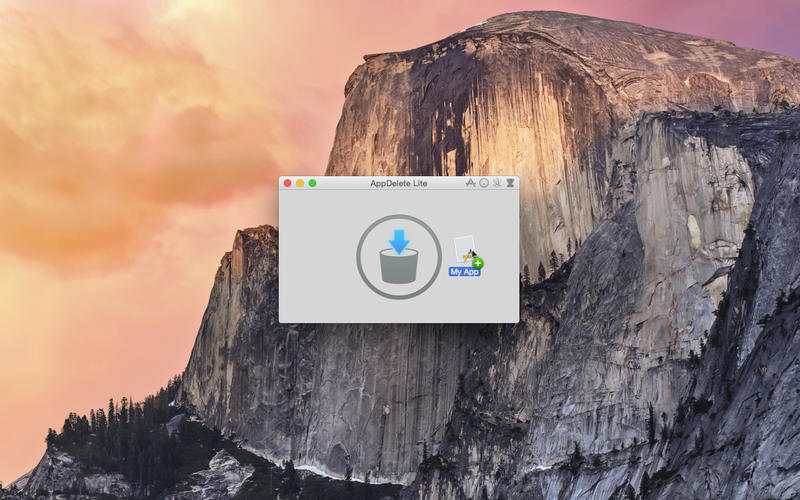
Screenshot 2: http://a5.mzstatic.com/us/r30/Purple3/v4/05/89/5a/05895a29-ad80-27e1-e67d-767e7b2c80bf/screen800x500.jpeg

Screenshot 3: http://a2.mzstatic.com/us/r30/Purple3/v4/96/c2/f7/96c2f7ca-557c-3be3-8a60-3e70b8137f88/screen800x500.jpeg

App Icon: http://a3.mzstatic.com/us/r30/Purple3/v4/5c/64/33/5c64332d-9a35-08bb-336c-c7b076468f3c/icon256.png

Based in sunny Anaheim, California, Reggie Ashworth is an independent software developer whose passion for the Mac platform is only exceeded by his aim to craft simple, yet useful utilities. He is fanatical about total customer satisfaction. Copyright 2006-2016 Reggie Ashworth. All Rights Reserved. Apple, and the Apple logo, and Macintosh are registered trademarks of Apple Computer in the U.S. and/or other countries.
*******
Link To Article: http://prmac.com/release-id-79366.htm
*******
---------------------------------------------------------------------------------
Note that you can alter delivered distributions at any time.
Login to your account on prMac to alter your channel selection, or to opt-out at any time.
Khmer Keyboard 2.0 for iOS Offers Customizable Khmer Entry
A new article has been published at prMac.
Khmer Keyboard 2.0 for iOS Offers Customizable Khmer Entry - Published on 05/02/16
LastThink announces Khmer Keyboard 2.0, an important update to their highly customizable keyboard application for iOS devices. Khmer Keyboard offers users a third-party keyboard for use with iOS apps that allows anyone to modify it to their individual taste. Users can modify the order of the keyboard for more convenient usage. The update includes the ability to save specific words for later use, emoticons, paragraph formatting, word prediction, and more.
Yerevan, Armenia - LastThink is proud to announce the release of Khmer Keyboard 2.0, an important update to their highly customizable keyboard application for iPhone, iPad, and iPod touch devices. The Khmer Keyboard's customization features allow anyone to create the keyboard layout that is perfect for their needs. Features include the ability to change the size, shape, and order of characters; the ability to save specific words for later use; emoticons, word prediction, and more.
Users can change the order of the keyboard's letter layout, and even create handy shortcuts to allow entering words or even entire sentences with just a few keystrokes. The keyboard's Swipe feature allows users to swipe their finger around the keyboard to select letters and form words. The app intelligently predicts what the user intends to enter, greatly enhancing typing speed.
What's New in Version 2.0:
* Change the size, and place, as well as the shape of characters and keyboard separately
* Save any words that are used frequently in the active vocabulary for later use
* Express emotions with emoji characters (emoticons) which will correspond to entered words
* Paragraph formatting: Adjust alignment, line spacing, margins, bullets and numbering
* Optional smart auto correction: Intelligent spell checking for even the sloppiest typing
* Style: Customize the look of the keyboard. Change the color of the keys and background
* Word prediction: The keyboard guesses and displays the appropriate word as the user types
* Share text via Facebook, Twitter, email, Dropbox, and more
"When we set out to create the Khmer Keyboard, we knew we wanted to create a customizable keyboard that would offer users the ability to modify it to their individual tastes," says LastThink founder Grigori Jlavyan. Our keyboard allows Khmer speaking users to easily enter their text messages, emails, and other types of texts via a comprehensive interface, making their day-to-day communications more convenient than ever."
The Khmer Keyboard also offers handy paragraph formatting options, allowing users to adjust the alignment of their text, while also offering the ability to set line spacing, adjust margins, even add bulleted or numbered lists. Optional smart correction makes even the sloppiest speller's text entry become correct. The keyboard also offers a downloadable Khmer font for use with iOS devices, making text entry, editing, and display even more convenient.
Khmer Keyboard emphasizes the user's security above all, and while many third-party iOS keyboard apps require "Full Access" - with the ability to send back keystrokes and other information back to their developer - the Khmer Keyboard does not, protecting the text entry and sensitive user information, keeping their personal information safe from prying eyes.
Device Requirements:
* iPhone, iPad, and iPod touch
* Optimized for iPhone 5, iPhone 6/6 Plus
* Universal Application
* Requires iOS 6.0 or later
* 8.7 MB
Pricing and Availability:
Khmer Keyboard 2.0 is free of charge and available worldwide exclusively through the App Store in the Utilities category. Review codes are available upon request.
LastThink: http://lastthink.com/
Khmer Keypad 2.0: https://www.facebook.com/pages/IosRegion/688324511213130
Download from iTunes: https://itunes.apple.com/app/khmer-keypad/id793706269
Screenshot: http://a2.mzstatic.com/us/r30/Purple4/v4/aa/ad/46/aaad461f-209f-02dc-3344-d0987b1641f0/screen568x568.jpeg
App Icon: http://a4.mzstatic.com/us/r30/Purple4/v4/e8/7c/bb/e87cbbb5-2c20-430b-a409-723eac80006a/icon175x175.jpeg
LastThink is an IT company with a focus on mobile development. It has extended its list of services since 2012 to offer high-end business process management, system integration, as well as up-to-date communication solutions. LastThink's mission is to deliver maximum business value to its customers by designing, developing, implementing and maintaining efficient and high quality software solutions aligned with their most essential business needs. Their team will always do its best to meet client expectations. Copyright (C) 2016 LastThink LLC. All Rights Reserved. Apple, the Apple logo, iPhone, iPad and iPod are registered trademarks of Apple Inc. in the U.S. and/or other countries.
*******
Link To Article: http://prmac.com/release-id-79362.htm
*******
---------------------------------------------------------------------------------
Note that you can alter delivered distributions at any time.
Login to your account on prMac to alter your channel selection, or to opt-out at any time.
Khmer Keyboard 2.0 for iOS Offers Customizable Khmer Entry - Published on 05/02/16
LastThink announces Khmer Keyboard 2.0, an important update to their highly customizable keyboard application for iOS devices. Khmer Keyboard offers users a third-party keyboard for use with iOS apps that allows anyone to modify it to their individual taste. Users can modify the order of the keyboard for more convenient usage. The update includes the ability to save specific words for later use, emoticons, paragraph formatting, word prediction, and more.
Yerevan, Armenia - LastThink is proud to announce the release of Khmer Keyboard 2.0, an important update to their highly customizable keyboard application for iPhone, iPad, and iPod touch devices. The Khmer Keyboard's customization features allow anyone to create the keyboard layout that is perfect for their needs. Features include the ability to change the size, shape, and order of characters; the ability to save specific words for later use; emoticons, word prediction, and more.
Users can change the order of the keyboard's letter layout, and even create handy shortcuts to allow entering words or even entire sentences with just a few keystrokes. The keyboard's Swipe feature allows users to swipe their finger around the keyboard to select letters and form words. The app intelligently predicts what the user intends to enter, greatly enhancing typing speed.
What's New in Version 2.0:
* Change the size, and place, as well as the shape of characters and keyboard separately
* Save any words that are used frequently in the active vocabulary for later use
* Express emotions with emoji characters (emoticons) which will correspond to entered words
* Paragraph formatting: Adjust alignment, line spacing, margins, bullets and numbering
* Optional smart auto correction: Intelligent spell checking for even the sloppiest typing
* Style: Customize the look of the keyboard. Change the color of the keys and background
* Word prediction: The keyboard guesses and displays the appropriate word as the user types
* Share text via Facebook, Twitter, email, Dropbox, and more
"When we set out to create the Khmer Keyboard, we knew we wanted to create a customizable keyboard that would offer users the ability to modify it to their individual tastes," says LastThink founder Grigori Jlavyan. Our keyboard allows Khmer speaking users to easily enter their text messages, emails, and other types of texts via a comprehensive interface, making their day-to-day communications more convenient than ever."
The Khmer Keyboard also offers handy paragraph formatting options, allowing users to adjust the alignment of their text, while also offering the ability to set line spacing, adjust margins, even add bulleted or numbered lists. Optional smart correction makes even the sloppiest speller's text entry become correct. The keyboard also offers a downloadable Khmer font for use with iOS devices, making text entry, editing, and display even more convenient.
Khmer Keyboard emphasizes the user's security above all, and while many third-party iOS keyboard apps require "Full Access" - with the ability to send back keystrokes and other information back to their developer - the Khmer Keyboard does not, protecting the text entry and sensitive user information, keeping their personal information safe from prying eyes.
Device Requirements:
* iPhone, iPad, and iPod touch
* Optimized for iPhone 5, iPhone 6/6 Plus
* Universal Application
* Requires iOS 6.0 or later
* 8.7 MB
Pricing and Availability:
Khmer Keyboard 2.0 is free of charge and available worldwide exclusively through the App Store in the Utilities category. Review codes are available upon request.
LastThink: http://lastthink.com/
Khmer Keypad 2.0: https://www.facebook.com/pages/IosRegion/688324511213130
Download from iTunes: https://itunes.apple.com/app/khmer-keypad/id793706269
Screenshot: http://a2.mzstatic.com/us/r30/Purple4/v4/aa/ad/46/aaad461f-209f-02dc-3344-d0987b1641f0/screen568x568.jpeg

App Icon: http://a4.mzstatic.com/us/r30/Purple4/v4/e8/7c/bb/e87cbbb5-2c20-430b-a409-723eac80006a/icon175x175.jpeg

LastThink is an IT company with a focus on mobile development. It has extended its list of services since 2012 to offer high-end business process management, system integration, as well as up-to-date communication solutions. LastThink's mission is to deliver maximum business value to its customers by designing, developing, implementing and maintaining efficient and high quality software solutions aligned with their most essential business needs. Their team will always do its best to meet client expectations. Copyright (C) 2016 LastThink LLC. All Rights Reserved. Apple, the Apple logo, iPhone, iPad and iPod are registered trademarks of Apple Inc. in the U.S. and/or other countries.
*******
Link To Article: http://prmac.com/release-id-79362.htm
*******
---------------------------------------------------------------------------------
Note that you can alter delivered distributions at any time.
Login to your account on prMac to alter your channel selection, or to opt-out at any time.
Subscribe to:
Posts (Atom)