A new article has been published at prMac.
LittleQuest Limited launches LittleBook to Heal Broken Hearts - Published on 05/19/16
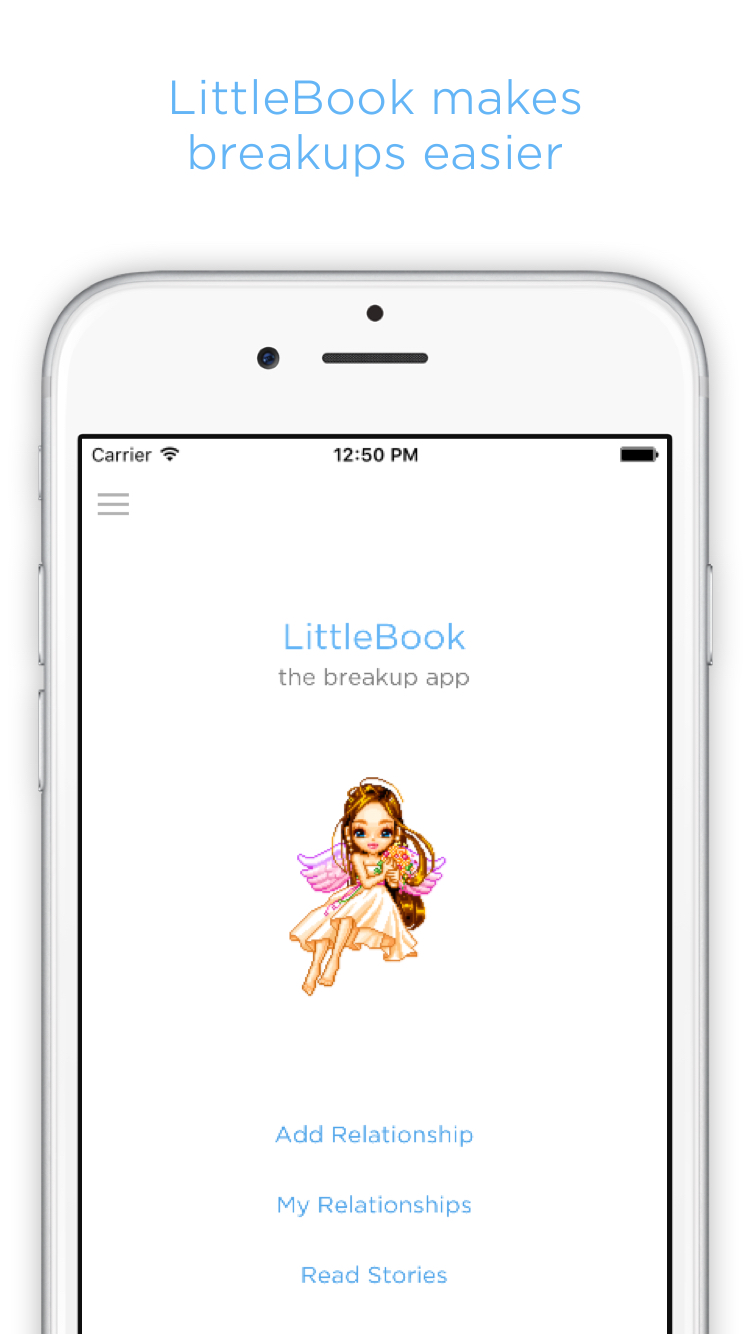
UK based LittleQuest Limited today announces the worldwide launch of LittleBook - The Breakup App 1.0.10 for both iOS and Android. Based on science, LittleBook is a relationship journal app designed to make breakups easier by helping people understand their relationships and giving them a safe place to put past partners, so they can stop carrying around painful memories. LittleBook users can also anonymously read shared stories and share any chapter they write with other users.
London, United Kingdom - LittleQuest Limited today is proud to announce the worldwide launch of LittleBook - The Breakup App 1.0.10 for both iOS and Android. Based on science, LittleBook is a relationship journal app designed to make breakups easier by helping people understand their relationships and giving them a safe place to put past partners, so they can stop carrying around painful memories. LittleBook users can also anonymously read shared stories and share any chapter they write with other users.
Breakups are one of the most painful and difficult things people experience. LittleQuest's survey, which sampled over eleven thousand relationships, found 59% of respondents rated their breakups 8 or higher on a 10-point pain scale (with 10 being the most painful). In fact, scientists have reported that under an MRI scanner, the brains of the heartbroken people resemble the brains of those experiencing cocaine withdrawal.
What if healing from a breakup could be smoother and less damaging?
A 2015 study published in Social Psychological and Personality Science found "reflecting on a recent breakup can help speed the healing process." The discovery was answering questions helped people better process their breakup and develop a stronger sense of independence and self. "That process of feeling complete again, and regaining what you had to let go, is really healthy and drives recovery," the researcher Larson said.
One key approach leveraged by LittleBook is summarised by Lauren Howe on The Atlantic: "The stories we tell ourselves about rejection ... can shape how, and how well, we cope with it. Previous research has illustrated the importance of storytelling in other realms - for example, recovering alcoholics who told redemptive stories in which they learned something from their suffering were more likely to maintain sobriety... Narratives that explained pivotal decisions (including getting married or divorced, and changing jobs) as moving toward a desired future, rather than escaping an undesirable past, were associated with higher life satisfaction."
So what does LittleBook do?
LittleBook was created to help people find meaning, relieve emotional pain, and shorten the recovery journey. By answering questions backed by research and designed by experts, users gain closure and end up with stories that help them see their experiences from a calmer, healthier perspective.
Therapeutic Understanding and Appreciation:
LittleBook asks users questions about their relationship to facilitate understanding, rebuild self-image, and lay the groundwork for moving on. The app also leverages research by Dr. Lewandowski, who showed writing with a focus on the positive aspects of the break-up helps to revive the self and emotionally recover.
"Psychologically, we know that writing about events helps people understand the event more clearly," he says. "In the case of break-up, these writing prompts force people to think about break-up in a way that most people don't. Rather than the more typical experience of wallowing in sadness and ruminating on the negative aspects, these prompts encourage people to focus the good things (and there are always some)," explains Dr. Lewandowski.
Storytelling and Closure:
After answering all the questions, the user is given breakup advice and her "story," stitched from her own answers and always editable. Professor Pennebaker at The University of Texas points out the act of expressing trauma has been part of healing for virtually all cultures, ranging from Native American indigenous cultures to those based on Western and Eastern religious beliefs. He advises, "People who are able to construct a story, to build some kind of narrative ... seem to benefit more than those who don't."
Overcoming Withdrawal:
Psychologists found "the more complete the [users'] accounts about why the relationship ended, the more they felt that the relationships were over and that they had control over their recovery processes." LittleBook encourages users to continue to add details to and edit their stories, especially when they have the "craving" to initiate after-breakup contact, which is disruptive to the healing process. In fact, Dr. Pennebaker discovered those who had worked over several days to develop a more structured story seemed to benefit the most.
Satisfied Mind:
LittleBook makes forgetting is easier too: Early beta users felt less guilty about and became more receptive to forgetting because they knew their stories would always be there, never lost. After all has been written, there's nothing more to carry. The only thing left is to begin to move on.
The app not only helps users gain closure, but also helps them feel connected in some way to their past loves. One early beta user reports finding it especially comforting to be able to revisit loving memories of her ex, like in a "glass menagerie" and to feel the closeness her previous relationship even though it ended.
Users can keep multiple relationships in LittleBook as chapters to gain an overview of their love journey. LittleBook will always be available, so users can safely delete the app when they feel better. Re-download it later with chapters intact whenever needed. All data are private by default. One more thing. LittleBook has group therapy: Users can anonymously read shared stories and share any chapter they write with other users, who may learn from those experiences and feel less alone.
Device Requirements:
* iPhone, iPad, and iPod touch
* Android 4.1 and up
* Requires iOS 6.0 or later
* 4.2 MB
Pricing and Availability:
LittleBook - The Breakup App 1.0.10 is $1.99 (USD) and available worldwide through the Apple App Store and Google Play Store in the Health and Fitness category.
LittleBook - The Breakup App 1.0.10: http://www.thebreakupapp.com/
Purchase and Download (iOS): https://itunes.apple.com/app/littlebook-the-breakup-app/id1033016793
Purchase and Download (Google Play): https://play.google.com/store/apps/details?id=me.littlequest.breakup
Splash Image: http://www.thebreakupapp.com/img-assets/socialthumbnail.jpg
Screenshot: http://www.thebreakupapp.com/img-assets/iOS-0.jpg
App Icon: http://www.thebreakupapp.com/img-assets/LittleBook_Icon.png
LittleQuest Limited is a mobile software development company based in London, United Kingdom. The company is focused on apps that promote both personal and social improvement. All Material and Software (C) Copyright 2016 LittleQuest Limited. All Rights Reserved. Apple, the Apple logo, iPhone, iPod and iPad are registered trademarks of Apple Inc. in the U.S. and/or other countries. Other trademarks and registered trademarks may be the property of their respective owners.
*******
Link To Article: http://prmac.com/release-id-79508.htm
*******
---------------------------------------------------------------------------------
Note that you can alter delivered distributions at any time.
Login to your account on prMac to alter your channel selection, or to opt-out at any time.



SnipNotes 2.0 - Intelligent note-taking for iOS and Apple Watch
A new article has been published at prMac.
SnipNotes 2.0 - Intelligent note-taking for iOS and Apple Watch - Published on 05/19/16
Felix Lisczyk introduces SnipNotes 2.0 for iOS and Apple Watch. SnipNotes combines a highly configurable clipboard manager with an intelligent note-taking app: Users can quickly save any content from their clipboard and more. SnipNotes categorizes notes automatically based on their content and provides a set of actions for each type. SnipNotes integrates into notification center on iPhone and iPad, so users can save content and use actions from anywhere and don't need to open the app first.
Coburg, Germany - Indie software developer, Felix Lisczyk today is proud to announce the release and immediate availability of SnipNotes 2.0, the next major version of his popular productivity app for iOS devices and Apple Watch. SnipNotes combines a highly configurable clipboard manager with an intelligent note-taking app: Users can quickly save any content from their clipboard, text and images from websites, addresses from Maps and much more.
SnipNotes categorizes notes automatically based on their content and provides a set of actions for each type. For example if the user stores a phone number, he can call it or send a SMS. If he saves an address, he can view it in Maps. SnipNotes integrates into notification center on iPhone and iPad, so users can save content and use actions from anywhere and don't need to open the app first.
SnipNotes 2.0 offers a new design and over a dozen new features, which expand the app's note-taking capabilities and intelligence features. Some of the highlights include:
* Actions are now available for popular third-party apps like Chrome, Google Maps and Evernote - They can be customized in the settings menu and are now also accessible in the main app
* SnipNotes now runs natively on Apple Watch, so it can even be used while iPhone is out of range
* Apple Watch users can i.a. view and dictate notes, start navigation to an address and call phone numbers directly from their wrist
* Notes can now be filtered by type or creation date, sorted and searched
* Users can add a passcode or Touch ID to protect their notes
* There is a new auto-import feature, which saves the user's clipboard every time he opens the app or the notification center widget (configurable)
* Notes will be automatically saved during editing to prevent data loss
SnipNotes makes it easy to save new notes anytime. Users can pull down the notification center widget from inside any other app to quickly store text and images from their clipboard, copy notes back into clipboard, delete notes, use actions and quickly open notes in the main app. They can also save content from other apps with the share menu integration and enter their own text notes as well as images. SnipNotes uses secure iCloud synchronization to keep notes accessible and up to date on all iOS devices.
SnipNotes is a premium app without any advertisements or in-app purchases. Synchronization of notes takes place through the user's private iCloud account. Notes are not stored elsewhere and can only be accessed by the user.
Device Requirements:
* iPhone, iPad, or iPod touch; watch app requires Apple Watch
* Optimized for iPhone 6s/6s Plus and iPad Pro
* Requires iOS 8.2 or later, watchOS 2.0 or later
* 27.8 MB
Pricing and Availability:
SnipNotes 2.0 is only $0.99 until 05/26/2016 and $2.99 (USD) afterwards. The app is available worldwide exclusively through the App Store in the Utilities category. Promo Codes are available to members of the press.
SnipNotes 2.0: https://www.snipnotes.de
Purchase and Download: https://itunes.apple.com/app/snipnotes/id967594709
Request Promo Code: http://redeemco.com/r/snipnotes/
Splash Screen: https://www.snipnotes.de/en/images/v20/teaser.png
App Icon: https://www.snipnotes.de/images/appicon-1024.png
Press Kit: https://www.snipnotes.de/en/press-kit/
SnipNotes was made by Felix Lisczyk, an iOS developer living in Germany. All Material and Software (C) Copyright 2016 Felix Lisczyk. All Rights Reserved. Apple, the Apple logo, iPhone, iPod, iPad and Apple Watch are registered trademarks of Apple Inc. in the U.S. and/or other countries. Other trademarks and registered trademarks may be the property of their respective owners.
*******
Link To Article: http://prmac.com/release-id-79506.htm
*******
---------------------------------------------------------------------------------
Note that you can alter delivered distributions at any time.
Login to your account on prMac to alter your channel selection, or to opt-out at any time.
SnipNotes 2.0 - Intelligent note-taking for iOS and Apple Watch - Published on 05/19/16
Felix Lisczyk introduces SnipNotes 2.0 for iOS and Apple Watch. SnipNotes combines a highly configurable clipboard manager with an intelligent note-taking app: Users can quickly save any content from their clipboard and more. SnipNotes categorizes notes automatically based on their content and provides a set of actions for each type. SnipNotes integrates into notification center on iPhone and iPad, so users can save content and use actions from anywhere and don't need to open the app first.
Coburg, Germany - Indie software developer, Felix Lisczyk today is proud to announce the release and immediate availability of SnipNotes 2.0, the next major version of his popular productivity app for iOS devices and Apple Watch. SnipNotes combines a highly configurable clipboard manager with an intelligent note-taking app: Users can quickly save any content from their clipboard, text and images from websites, addresses from Maps and much more.
SnipNotes categorizes notes automatically based on their content and provides a set of actions for each type. For example if the user stores a phone number, he can call it or send a SMS. If he saves an address, he can view it in Maps. SnipNotes integrates into notification center on iPhone and iPad, so users can save content and use actions from anywhere and don't need to open the app first.
SnipNotes 2.0 offers a new design and over a dozen new features, which expand the app's note-taking capabilities and intelligence features. Some of the highlights include:
* Actions are now available for popular third-party apps like Chrome, Google Maps and Evernote - They can be customized in the settings menu and are now also accessible in the main app
* SnipNotes now runs natively on Apple Watch, so it can even be used while iPhone is out of range
* Apple Watch users can i.a. view and dictate notes, start navigation to an address and call phone numbers directly from their wrist
* Notes can now be filtered by type or creation date, sorted and searched
* Users can add a passcode or Touch ID to protect their notes
* There is a new auto-import feature, which saves the user's clipboard every time he opens the app or the notification center widget (configurable)
* Notes will be automatically saved during editing to prevent data loss
SnipNotes makes it easy to save new notes anytime. Users can pull down the notification center widget from inside any other app to quickly store text and images from their clipboard, copy notes back into clipboard, delete notes, use actions and quickly open notes in the main app. They can also save content from other apps with the share menu integration and enter their own text notes as well as images. SnipNotes uses secure iCloud synchronization to keep notes accessible and up to date on all iOS devices.
SnipNotes is a premium app without any advertisements or in-app purchases. Synchronization of notes takes place through the user's private iCloud account. Notes are not stored elsewhere and can only be accessed by the user.
Device Requirements:
* iPhone, iPad, or iPod touch; watch app requires Apple Watch
* Optimized for iPhone 6s/6s Plus and iPad Pro
* Requires iOS 8.2 or later, watchOS 2.0 or later
* 27.8 MB
Pricing and Availability:
SnipNotes 2.0 is only $0.99 until 05/26/2016 and $2.99 (USD) afterwards. The app is available worldwide exclusively through the App Store in the Utilities category. Promo Codes are available to members of the press.
SnipNotes 2.0: https://www.snipnotes.de
Purchase and Download: https://itunes.apple.com/app/snipnotes/id967594709
Request Promo Code: http://redeemco.com/r/snipnotes/
Splash Screen: https://www.snipnotes.de/en/images/v20/teaser.png

App Icon: https://www.snipnotes.de/images/appicon-1024.png

Press Kit: https://www.snipnotes.de/en/press-kit/
SnipNotes was made by Felix Lisczyk, an iOS developer living in Germany. All Material and Software (C) Copyright 2016 Felix Lisczyk. All Rights Reserved. Apple, the Apple logo, iPhone, iPod, iPad and Apple Watch are registered trademarks of Apple Inc. in the U.S. and/or other countries. Other trademarks and registered trademarks may be the property of their respective owners.
*******
Link To Article: http://prmac.com/release-id-79506.htm
*******
---------------------------------------------------------------------------------
Note that you can alter delivered distributions at any time.
Login to your account on prMac to alter your channel selection, or to opt-out at any time.
RedRover App Aims to Teach Children Empathy Towards Animals
A new article has been published at prMac.
RedRover App Aims to Teach Children Empathy Towards Animals - Published on 05/19/16
Sacramento Non-Profit RedRover today launches The Restricted Adventures of Raja children's app to promote empathy and extend their popular RedRover Readers program from schools to consumers. E-Books for Empathy 1.0 is an innovative app to help kids ages 7 to 11 practice empathy skills. Parents & educators can use questions woven into the story to help kids identify the behaviors and emotions of animal and human characters and imagine how the characters are feeling, skills necessary for empathy.
Sacramento, California - RedRover, a national nonprofit organization, today is pleased to announce the release of E-Books for Empathy 1.0 for iOS and Android, an innovative app to help kids ages 7 to 11 practice empathy skills. The Restricted Adventures of Raja includes an interactive graphic novel e-book and a game, both with English and Spanish language options. The app uses curriculum from the highly successful RedRover Readers program. Parents and educators can use questions woven into the story to help kids identify the behaviors and emotions of animal and human characters and imagine how the characters are feeling, skills necessary for empathy.
RedRover helps animals and people in crisis from all over the country, and seeks to enhance the relationships people have with animals as a means to prevent animal suffering and neglect. The organization's CEO, Nicole Forsyth, puts it like this:
"The first step to preventing animal cruelty is to help people have better relationships with animals. Once you understand an animal, you can feel empathy for an animal and naturally begin to treat that animal better. It is important to learn these valuable skills as children, as it not only will effect their interactions with animals all their life, but builds empathy skills for people as well."
Empathy is a critical 21st Century skill and builds positive connections with others. The innovative RedRover Readers program has already helped kids understand the behavior and emotions of animals and people and has developed empathy skills in classrooms across the continent. After a successful Kickstarter in 2014 that raised more than $19,000, RedRover is bringing the program into more classrooms and homes - using everyday mobile technology that will make learning empathy skills easy and fun for kids - and their parents and teachers.
Device Requirements:
* iPhone, iPad, and iPod touch
* Requires iOS 9.0 or later
* 54.5 MB
Pricing and Availability:
E-Books for Empathy 1.0 is $2.99 USD (or equivalent amount in other currencies) and available worldwide through the App Store in the Books category. There is also an Android version available on Google Play.
RedRover: http://www.redrover.org/
E-Books for Empathy 1.0: http://www.redrover.org/e-book
Purchase and Download: https://itunes.apple.com/app/id1074049994
Media Assets: https://www.dropbox.com/sh/met1f650swnr8va/AACIDrJ21U9_iIbu-vjFr8oAa?dl=0
RedRover brings animals from crisis to care and strengthens the bond between people and animals through a number of unique outreach programs. Our volunteer team shelters and cares for animals displaced by natural disasters and reconnects them to owners. We also shelter and care for animals rescued from puppy mills, hoarding cases and other significant abuse situations. With RedRover Readers, We help children explore the bond between people and animals through stories and discussion. RedRover is a four star rated charity by Charity Navigator. All Material and Software (C) Copyright 2016 RedRover. All Rights Reserved. Apple, the Apple logo, iPhone, iPod and iPad are registered trademarks of Apple Inc. in the U.S. and/or other countries. Other trademarks and registered trademarks may be the property of their respective owners.
*******
Link To Article: http://prmac.com/release-id-79507.htm
*******
---------------------------------------------------------------------------------
Note that you can alter delivered distributions at any time.
Login to your account on prMac to alter your channel selection, or to opt-out at any time.
RedRover App Aims to Teach Children Empathy Towards Animals - Published on 05/19/16
Sacramento Non-Profit RedRover today launches The Restricted Adventures of Raja children's app to promote empathy and extend their popular RedRover Readers program from schools to consumers. E-Books for Empathy 1.0 is an innovative app to help kids ages 7 to 11 practice empathy skills. Parents & educators can use questions woven into the story to help kids identify the behaviors and emotions of animal and human characters and imagine how the characters are feeling, skills necessary for empathy.
Sacramento, California - RedRover, a national nonprofit organization, today is pleased to announce the release of E-Books for Empathy 1.0 for iOS and Android, an innovative app to help kids ages 7 to 11 practice empathy skills. The Restricted Adventures of Raja includes an interactive graphic novel e-book and a game, both with English and Spanish language options. The app uses curriculum from the highly successful RedRover Readers program. Parents and educators can use questions woven into the story to help kids identify the behaviors and emotions of animal and human characters and imagine how the characters are feeling, skills necessary for empathy.
RedRover helps animals and people in crisis from all over the country, and seeks to enhance the relationships people have with animals as a means to prevent animal suffering and neglect. The organization's CEO, Nicole Forsyth, puts it like this:
"The first step to preventing animal cruelty is to help people have better relationships with animals. Once you understand an animal, you can feel empathy for an animal and naturally begin to treat that animal better. It is important to learn these valuable skills as children, as it not only will effect their interactions with animals all their life, but builds empathy skills for people as well."
Empathy is a critical 21st Century skill and builds positive connections with others. The innovative RedRover Readers program has already helped kids understand the behavior and emotions of animals and people and has developed empathy skills in classrooms across the continent. After a successful Kickstarter in 2014 that raised more than $19,000, RedRover is bringing the program into more classrooms and homes - using everyday mobile technology that will make learning empathy skills easy and fun for kids - and their parents and teachers.
Device Requirements:
* iPhone, iPad, and iPod touch
* Requires iOS 9.0 or later
* 54.5 MB
Pricing and Availability:
E-Books for Empathy 1.0 is $2.99 USD (or equivalent amount in other currencies) and available worldwide through the App Store in the Books category. There is also an Android version available on Google Play.
RedRover: http://www.redrover.org/
E-Books for Empathy 1.0: http://www.redrover.org/e-book
Purchase and Download: https://itunes.apple.com/app/id1074049994
Media Assets: https://www.dropbox.com/sh/met1f650swnr8va/AACIDrJ21U9_iIbu-vjFr8oAa?dl=0
RedRover brings animals from crisis to care and strengthens the bond between people and animals through a number of unique outreach programs. Our volunteer team shelters and cares for animals displaced by natural disasters and reconnects them to owners. We also shelter and care for animals rescued from puppy mills, hoarding cases and other significant abuse situations. With RedRover Readers, We help children explore the bond between people and animals through stories and discussion. RedRover is a four star rated charity by Charity Navigator. All Material and Software (C) Copyright 2016 RedRover. All Rights Reserved. Apple, the Apple logo, iPhone, iPod and iPad are registered trademarks of Apple Inc. in the U.S. and/or other countries. Other trademarks and registered trademarks may be the property of their respective owners.
*******
Link To Article: http://prmac.com/release-id-79507.htm
*******
---------------------------------------------------------------------------------
Note that you can alter delivered distributions at any time.
Login to your account on prMac to alter your channel selection, or to opt-out at any time.
iOrnament 2.0.2 for iOS: Math-Art Drawing App gets Apple Pencil Support
A new article has been published at prMac.
iOrnament 2.0.2 for iOS: Math-Art Drawing App gets Apple Pencil Support - Published on 05/19/16
Munich based science-to-touch today announces iOrnament 2.0.2, a major update of the popular iOS drawing app. Among other enhancements, the new version of this symmetry drawing tool supports the Apple Pencil and 3D Touch. Using dynamics strokes, iOrnament offers freely configurable control of stroke parameters through external forces. The new concept allows for drawing techniques that are specifically designed for creative pattern generation.
Munich, Germany - science-to-touch today is very pleased to announce the release and immediate availability of iOrnament 2.0.2, a major update of the popular iOS drawing app. Alongside with many improvements, the new version takes full advantage of the Apple Pencil for the iPad and 3D Touch on the iPhone. Through the newly introduced concept of 'dynamic strokes,' the drawing app allows for new drawing techniques that are specifically designed for ornamental and repetitive pattern generation.
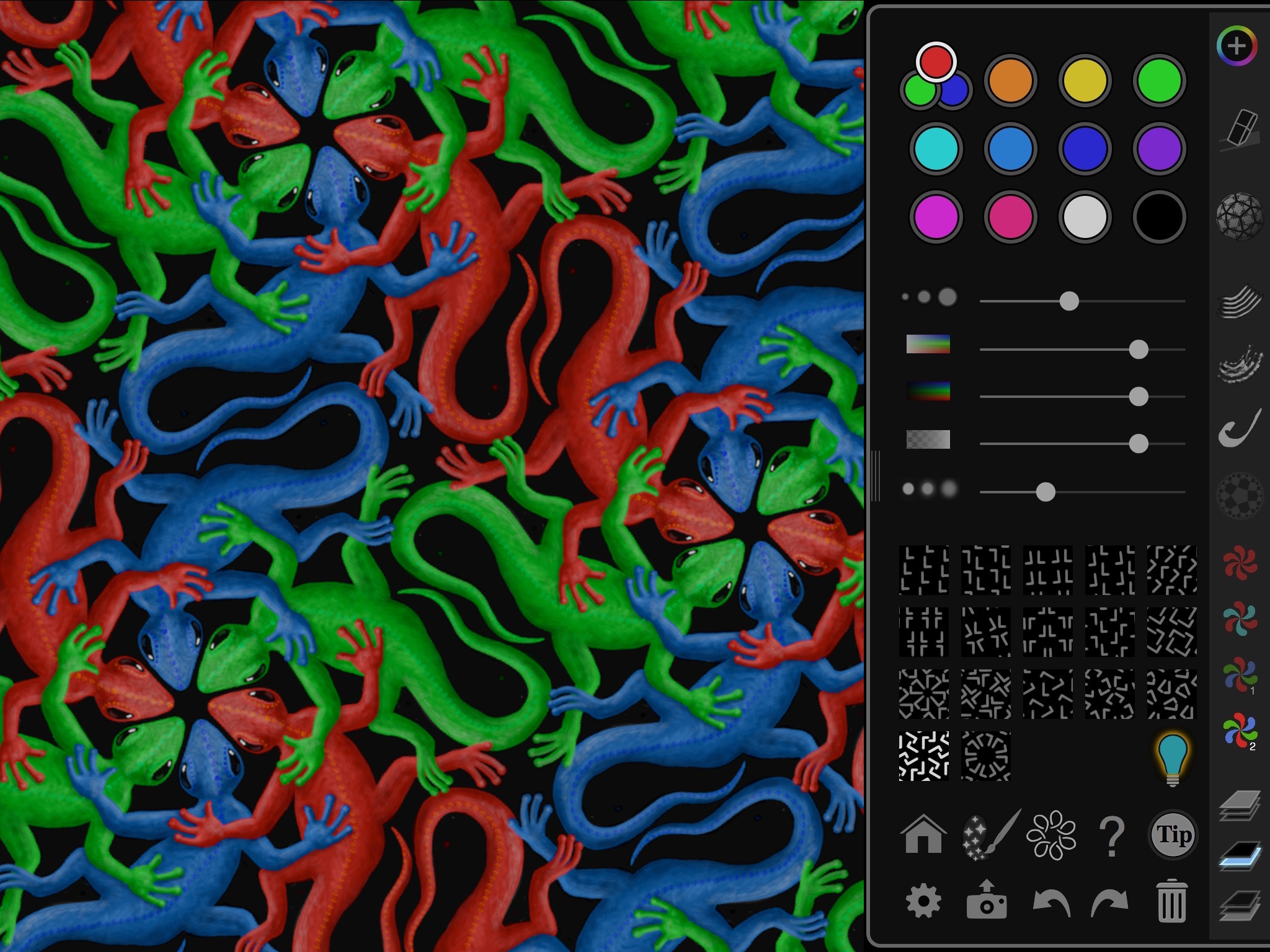
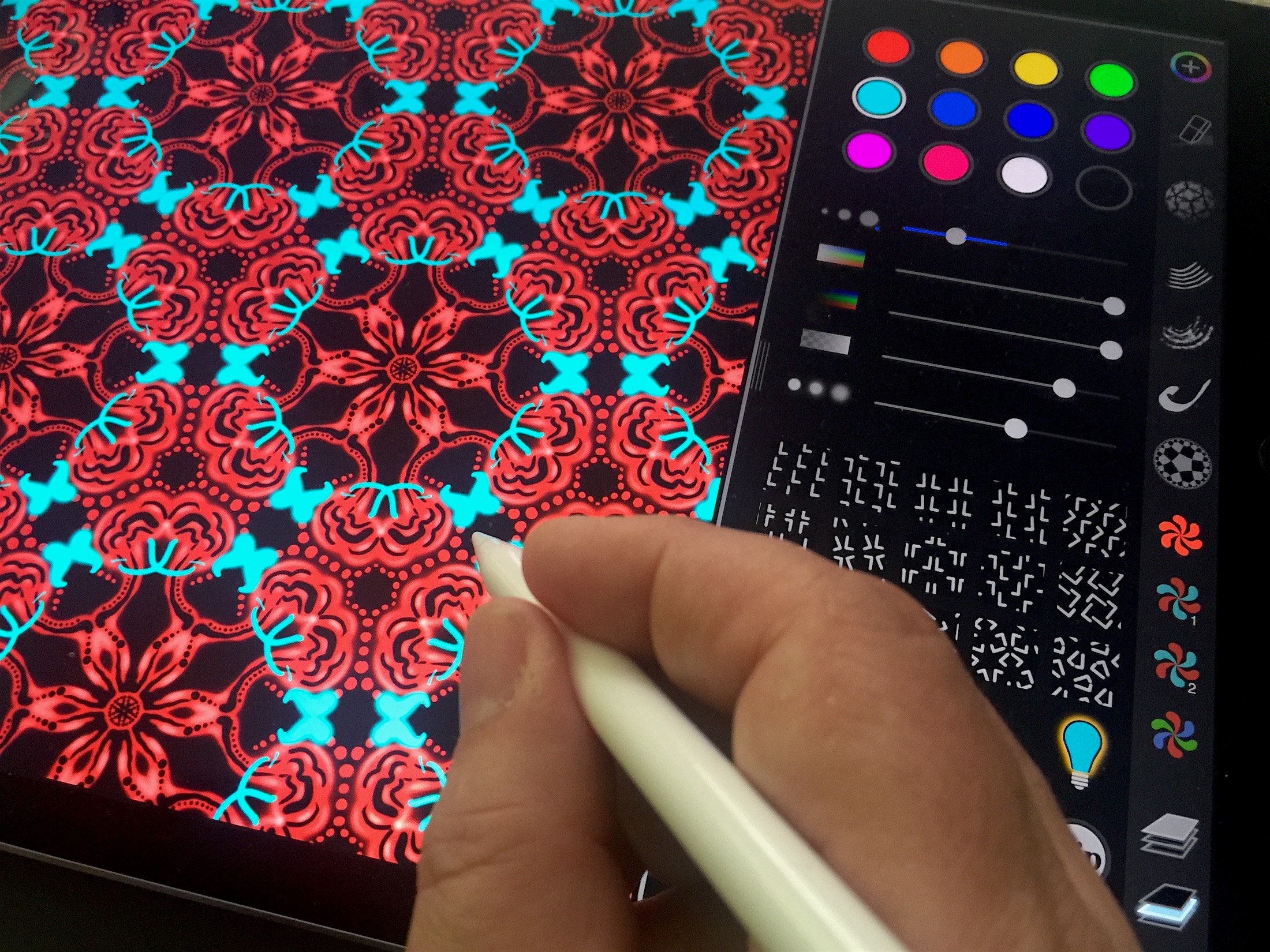
In its basic functionality iOrnament takes strokes drawn by finger or the Apple Pencil and repeats them all over the screen according to rules of symmetry. By this intricate ornamental patterns are generated. Based on mathematical theory the app allows for unique experiences on the borderline of science and art. The new version is designed for expressive drawing that at the same time allows precise control and creative flow.
"It took us several months, to facilitate the possibilities of the Apple Pencil for a perfect and flexible ornamental drawing experience," says chief developer and visualisation expert Jurgen Richter-Gebert, "What we finally got is an innovative blend of flexibility, creativity and strict control. A single stroke has never been that expressive."
A special menu allows for a configurable way to influence stroke parameters by external forces. By this not only stroke width or opacity but also color characteristics can be influenced. In addition the iOrnament app allows users that do not have an Apple Pencil to control pen characteristics also by other parameters, like time or stroke length. Version 2.0.2 also introduces a finer stroke control, a 5x increased internal resolution and the possibility for background colors and patterns.
Since its first release in 2012, the creative drawing app iOrnament attracted almost half a million users. The spectrum of users is very broad and contains artists, scientists, relaxation seekers and got positive and enthusiastic responses through all ages. The new version is a further step into applicability of iOrnament in the sector for professional artists. Major features of iOrnament in its new version include:
* Full support of all 17 wallpaper groups
* Planar, rosette, spherical and hyperbolic symmetries
* Artistic color palette and pen
* Support for Apple Pencil and 3D Touch
* Glow pen to add highlights
* Background colors
* English and German language support
* Export to photos, e-mail, facebook, twitter and instagram
* Export to the Ornament World Exhibition
* Adjustable color palette
* Layers, brushes and color symmetries
* Extensive collection of tips for usage
* Preview of symmetries and fundamental cells
* Animated drawing process
* Change symmetry type on the fly
* Scroll, rotate, very high zoom range
* Slim intuitive user interface
* Unlimited undo/redo
* Full featured iPhone and iPad version
* Interactive tutorial on math backgrounds
* Sampler of classical ornaments
* Based on mathematical theory
Jeff Sidlow, an artist and beta tester who uses iOrnament in several contexts says: "If I had to pick only one app to recommend it would be iOrnament. It's fun and easy to use once you play around with it. The controls are intuitive for the most part. I use iOrnament for my business of selling my artwork at festivals. The new version opens up new possibilities for me and I can't wait for the final release."
The current version of iOrnament got very enthusiastic reviews on the App Store and is listed with 5-star ratings in many major countries, among them the USA, Great Britain, Germany and Canada.
Device Requirements:
* iPad, iPhone and iPod touch
* requires iOS 9.1 or later
* 97.3 MB
Pricing and Availability:
iOrnament 2.0.2 is $3.99 USD (or equivalent amount in other currencies) and available worldwide exclusively through the iTunes App Store in the Education category.
iOrnament 2.0.2: http://www.science-to-touch.com/en/iOrnament.html
Purchase and Download: https://itunes.apple.com/app/id534529876
Demo Video: http://www.science-to-touch.com/press/04_Film/AppPreview.mp4
Screenshot 1: http://www.science-to-touch.com/press/00_Screens/SS1.jpg
Screenshot 2: http://science-to-touch.com/press/06_Fotos/F_00_SM1.jpg
App Icon: http://www.science-to-touch.com/press/Icon.png
Located in Munich, Germany, science-to-touch was founded in 2012 by Jurgen Richter-Gebert, mathematics professor and expert in geometry and visualization. It is a collection of projects which are aimed at interactive visualization of science. The basic philosophy behind the project is that visualization and interactivity makes content accessible, understandable and fun. The Mind the Gap App is the second release of science-to-touch. science-to-touch tries to provide high quality content that helps to get in touch with various interesting topics. All projects should be equally creative, informative and accessible. Copyright (C) 2016 science-to-touch. All Rights Reserved. Apple, the Apple logo, iPhone, iPod and iPad are registered trademarks of Apple Inc. in the U.S. and/or other countries.
*******
Link To Article: http://prmac.com/release-id-79505.htm
*******
---------------------------------------------------------------------------------
Note that you can alter delivered distributions at any time.
Login to your account on prMac to alter your channel selection, or to opt-out at any time.
iOrnament 2.0.2 for iOS: Math-Art Drawing App gets Apple Pencil Support - Published on 05/19/16
Munich based science-to-touch today announces iOrnament 2.0.2, a major update of the popular iOS drawing app. Among other enhancements, the new version of this symmetry drawing tool supports the Apple Pencil and 3D Touch. Using dynamics strokes, iOrnament offers freely configurable control of stroke parameters through external forces. The new concept allows for drawing techniques that are specifically designed for creative pattern generation.
Munich, Germany - science-to-touch today is very pleased to announce the release and immediate availability of iOrnament 2.0.2, a major update of the popular iOS drawing app. Alongside with many improvements, the new version takes full advantage of the Apple Pencil for the iPad and 3D Touch on the iPhone. Through the newly introduced concept of 'dynamic strokes,' the drawing app allows for new drawing techniques that are specifically designed for ornamental and repetitive pattern generation.
In its basic functionality iOrnament takes strokes drawn by finger or the Apple Pencil and repeats them all over the screen according to rules of symmetry. By this intricate ornamental patterns are generated. Based on mathematical theory the app allows for unique experiences on the borderline of science and art. The new version is designed for expressive drawing that at the same time allows precise control and creative flow.
"It took us several months, to facilitate the possibilities of the Apple Pencil for a perfect and flexible ornamental drawing experience," says chief developer and visualisation expert Jurgen Richter-Gebert, "What we finally got is an innovative blend of flexibility, creativity and strict control. A single stroke has never been that expressive."
A special menu allows for a configurable way to influence stroke parameters by external forces. By this not only stroke width or opacity but also color characteristics can be influenced. In addition the iOrnament app allows users that do not have an Apple Pencil to control pen characteristics also by other parameters, like time or stroke length. Version 2.0.2 also introduces a finer stroke control, a 5x increased internal resolution and the possibility for background colors and patterns.
Since its first release in 2012, the creative drawing app iOrnament attracted almost half a million users. The spectrum of users is very broad and contains artists, scientists, relaxation seekers and got positive and enthusiastic responses through all ages. The new version is a further step into applicability of iOrnament in the sector for professional artists. Major features of iOrnament in its new version include:
* Full support of all 17 wallpaper groups
* Planar, rosette, spherical and hyperbolic symmetries
* Artistic color palette and pen
* Support for Apple Pencil and 3D Touch
* Glow pen to add highlights
* Background colors
* English and German language support
* Export to photos, e-mail, facebook, twitter and instagram
* Export to the Ornament World Exhibition
* Adjustable color palette
* Layers, brushes and color symmetries
* Extensive collection of tips for usage
* Preview of symmetries and fundamental cells
* Animated drawing process
* Change symmetry type on the fly
* Scroll, rotate, very high zoom range
* Slim intuitive user interface
* Unlimited undo/redo
* Full featured iPhone and iPad version
* Interactive tutorial on math backgrounds
* Sampler of classical ornaments
* Based on mathematical theory
Jeff Sidlow, an artist and beta tester who uses iOrnament in several contexts says: "If I had to pick only one app to recommend it would be iOrnament. It's fun and easy to use once you play around with it. The controls are intuitive for the most part. I use iOrnament for my business of selling my artwork at festivals. The new version opens up new possibilities for me and I can't wait for the final release."
The current version of iOrnament got very enthusiastic reviews on the App Store and is listed with 5-star ratings in many major countries, among them the USA, Great Britain, Germany and Canada.
Device Requirements:
* iPad, iPhone and iPod touch
* requires iOS 9.1 or later
* 97.3 MB
Pricing and Availability:
iOrnament 2.0.2 is $3.99 USD (or equivalent amount in other currencies) and available worldwide exclusively through the iTunes App Store in the Education category.
iOrnament 2.0.2: http://www.science-to-touch.com/en/iOrnament.html
Purchase and Download: https://itunes.apple.com/app/id534529876
Demo Video: http://www.science-to-touch.com/press/04_Film/AppPreview.mp4
Screenshot 1: http://www.science-to-touch.com/press/00_Screens/SS1.jpg
Screenshot 2: http://science-to-touch.com/press/06_Fotos/F_00_SM1.jpg
App Icon: http://www.science-to-touch.com/press/Icon.png

Located in Munich, Germany, science-to-touch was founded in 2012 by Jurgen Richter-Gebert, mathematics professor and expert in geometry and visualization. It is a collection of projects which are aimed at interactive visualization of science. The basic philosophy behind the project is that visualization and interactivity makes content accessible, understandable and fun. The Mind the Gap App is the second release of science-to-touch. science-to-touch tries to provide high quality content that helps to get in touch with various interesting topics. All projects should be equally creative, informative and accessible. Copyright (C) 2016 science-to-touch. All Rights Reserved. Apple, the Apple logo, iPhone, iPod and iPad are registered trademarks of Apple Inc. in the U.S. and/or other countries.
*******
Link To Article: http://prmac.com/release-id-79505.htm
*******
---------------------------------------------------------------------------------
Note that you can alter delivered distributions at any time.
Login to your account on prMac to alter your channel selection, or to opt-out at any time.
FourChords Guitar Karaoke - Play Guitar Instantly With Free Trial
A new article has been published at prMac.
FourChords Guitar Karaoke - Play Guitar Instantly With Free Trial - Published on 05/19/16
Musopia Ltd today announces FourChords Guitar Karaoke 2.1, an update to their popular Guitar Karaoke app developed for iOS devices. Using the Fourchords app, budding guitarists can quickly play their choice of more than 1500 songs, whether they be rock, metal, country, jazz, pop or traditional. This innovative app has been designed to be the fastest way to learn to play the guitar without the need to read music or know any theory. Version 2.1 offers overall improvements and bug fixes.
Helsinki, Finland - Musopia Ltd today is thrilled to announce the release of FourChords Guitar Karaoke 2.1, an update to their popular Guitar Karaoke app developed for iPhone, iPad and iPod touch devices. Many people would love to learn to play the guitar and take part in all the fun. Using the Fourchords app, budding guitarists can quickly play their choice of more than 1500 songs, whether they be rock, metal, country, jazz, pop or traditional. Tracks from One Direction, Adele, Coldplay, Iron Maiden, Johnny Cash, Oasis and The Beatles are available, with more being added every week. Imagine downloading the latest hit from your favorite artists and playing it with your friends minutes later; picture their reaction!
"With FourChords we want to get people playing, and enjoying, music as quickly as possible," said Paula Lehto, CMO of Musopia. "The app breaks down popular songs from all genres into four simple chords, displaying them in a karaoke style. This Instant Play MethodTM is a fast-track to the fun part of playing." The latest version of Fourchords, the only guitar app with the Instant Play MethodTM, comes with:
* Simplified chords for every song
* Easy Strum patterns
* Adjustable Tempo control
* Karaoke style lyrics
* Improved visuals
* Three different skill levels
* New Learning badge system
* Helpful videos from www.JustinGuitar.com
* Added support for iOS 9 devices, Bluetooth speakers and headphones
* Bonus - Free chromatic guitar tuner
It can be easy to be discouraged when learning to play the guitar. Not anymore! Fourchords is a fun, fast, flexible digital personal guitar teacher in your pocket, which will have you playing guitar in minutes. With overall improvements and bug fixes, version 2.1 offers a new and improved way of discovering songs from its 1500+ song library.
Device Requirements:
* iPhone, iPad, and iPod touch
* Requires iOS 9.0 or later
* 101 MB
Pricing and Availability:
FourChords Guitar Karaoke 2.1 is Free and available worldwide exclusively through the App Store in the Music category.
FourChords Guitar Karaoke 2.1: http://www.fourchords.com
Download from iTunes: https://itunes.apple.com/app/fourchords-guitar-karaoke/id537151075
FourChords Logo: http://www.fourchords.com/downloads/fourchords_logo_slogan_onbright.png
Screenshot: http://www.fourchords.com/downloads/fourchords_playscreen_ipad.png
App Icon: http://www.fourchords.com/downloads/fourchords_icon_2016.png
Based in Helsinki, Finland, Musopia Ltd is a mobile app development studio dedicated to creating fresh and innovative music software that makes playing music easier. FourChords Guitar Karaoke, ChordShaker Pocket Guitar and Ukeoke Ukulele Karaoke are the first apps from this team of guitar enthusiasts and IT professionals. All of these apps have been featured by Apple as "Best Apps" and reached TOP10 Music rankings in more than 40 countries, with millions of jamming sessions on iOS and Android devices. Musopia is working together with the instrument industry and non-profit organisations like Little Kids Rock and Learn to Play Day in order to give more people a chance to enjoy making music. All Material and Software (C) Copyright 2015 Musopia Ltd. All Rights Reserved. Apple, the Apple logo, iPhone, iPod and iPad are registered trademarks of Apple Inc. in the U.S. and/or other countries. Other trademarks and registered trademarks may be the property of their respective owners.
*******
Link To Article: http://prmac.com/release-id-79503.htm
*******
---------------------------------------------------------------------------------
Note that you can alter delivered distributions at any time.
Login to your account on prMac to alter your channel selection, or to opt-out at any time.
FourChords Guitar Karaoke - Play Guitar Instantly With Free Trial - Published on 05/19/16
Musopia Ltd today announces FourChords Guitar Karaoke 2.1, an update to their popular Guitar Karaoke app developed for iOS devices. Using the Fourchords app, budding guitarists can quickly play their choice of more than 1500 songs, whether they be rock, metal, country, jazz, pop or traditional. This innovative app has been designed to be the fastest way to learn to play the guitar without the need to read music or know any theory. Version 2.1 offers overall improvements and bug fixes.
Helsinki, Finland - Musopia Ltd today is thrilled to announce the release of FourChords Guitar Karaoke 2.1, an update to their popular Guitar Karaoke app developed for iPhone, iPad and iPod touch devices. Many people would love to learn to play the guitar and take part in all the fun. Using the Fourchords app, budding guitarists can quickly play their choice of more than 1500 songs, whether they be rock, metal, country, jazz, pop or traditional. Tracks from One Direction, Adele, Coldplay, Iron Maiden, Johnny Cash, Oasis and The Beatles are available, with more being added every week. Imagine downloading the latest hit from your favorite artists and playing it with your friends minutes later; picture their reaction!
"With FourChords we want to get people playing, and enjoying, music as quickly as possible," said Paula Lehto, CMO of Musopia. "The app breaks down popular songs from all genres into four simple chords, displaying them in a karaoke style. This Instant Play MethodTM is a fast-track to the fun part of playing." The latest version of Fourchords, the only guitar app with the Instant Play MethodTM, comes with:
* Simplified chords for every song
* Easy Strum patterns
* Adjustable Tempo control
* Karaoke style lyrics
* Improved visuals
* Three different skill levels
* New Learning badge system
* Helpful videos from www.JustinGuitar.com
* Added support for iOS 9 devices, Bluetooth speakers and headphones
* Bonus - Free chromatic guitar tuner
It can be easy to be discouraged when learning to play the guitar. Not anymore! Fourchords is a fun, fast, flexible digital personal guitar teacher in your pocket, which will have you playing guitar in minutes. With overall improvements and bug fixes, version 2.1 offers a new and improved way of discovering songs from its 1500+ song library.
Device Requirements:
* iPhone, iPad, and iPod touch
* Requires iOS 9.0 or later
* 101 MB
Pricing and Availability:
FourChords Guitar Karaoke 2.1 is Free and available worldwide exclusively through the App Store in the Music category.
FourChords Guitar Karaoke 2.1: http://www.fourchords.com
Download from iTunes: https://itunes.apple.com/app/fourchords-guitar-karaoke/id537151075
FourChords Logo: http://www.fourchords.com/downloads/fourchords_logo_slogan_onbright.png

Screenshot: http://www.fourchords.com/downloads/fourchords_playscreen_ipad.png

App Icon: http://www.fourchords.com/downloads/fourchords_icon_2016.png

Based in Helsinki, Finland, Musopia Ltd is a mobile app development studio dedicated to creating fresh and innovative music software that makes playing music easier. FourChords Guitar Karaoke, ChordShaker Pocket Guitar and Ukeoke Ukulele Karaoke are the first apps from this team of guitar enthusiasts and IT professionals. All of these apps have been featured by Apple as "Best Apps" and reached TOP10 Music rankings in more than 40 countries, with millions of jamming sessions on iOS and Android devices. Musopia is working together with the instrument industry and non-profit organisations like Little Kids Rock and Learn to Play Day in order to give more people a chance to enjoy making music. All Material and Software (C) Copyright 2015 Musopia Ltd. All Rights Reserved. Apple, the Apple logo, iPhone, iPod and iPad are registered trademarks of Apple Inc. in the U.S. and/or other countries. Other trademarks and registered trademarks may be the property of their respective owners.
*******
Link To Article: http://prmac.com/release-id-79503.htm
*******
---------------------------------------------------------------------------------
Note that you can alter delivered distributions at any time.
Login to your account on prMac to alter your channel selection, or to opt-out at any time.
ART Teknika releases iConvolver 1.0 for iOS - Impulse Response Reverb
A new article has been published at prMac.
ART Teknika releases iConvolver 1.0 for iOS - Impulse Response Reverb - Published on 05/19/16
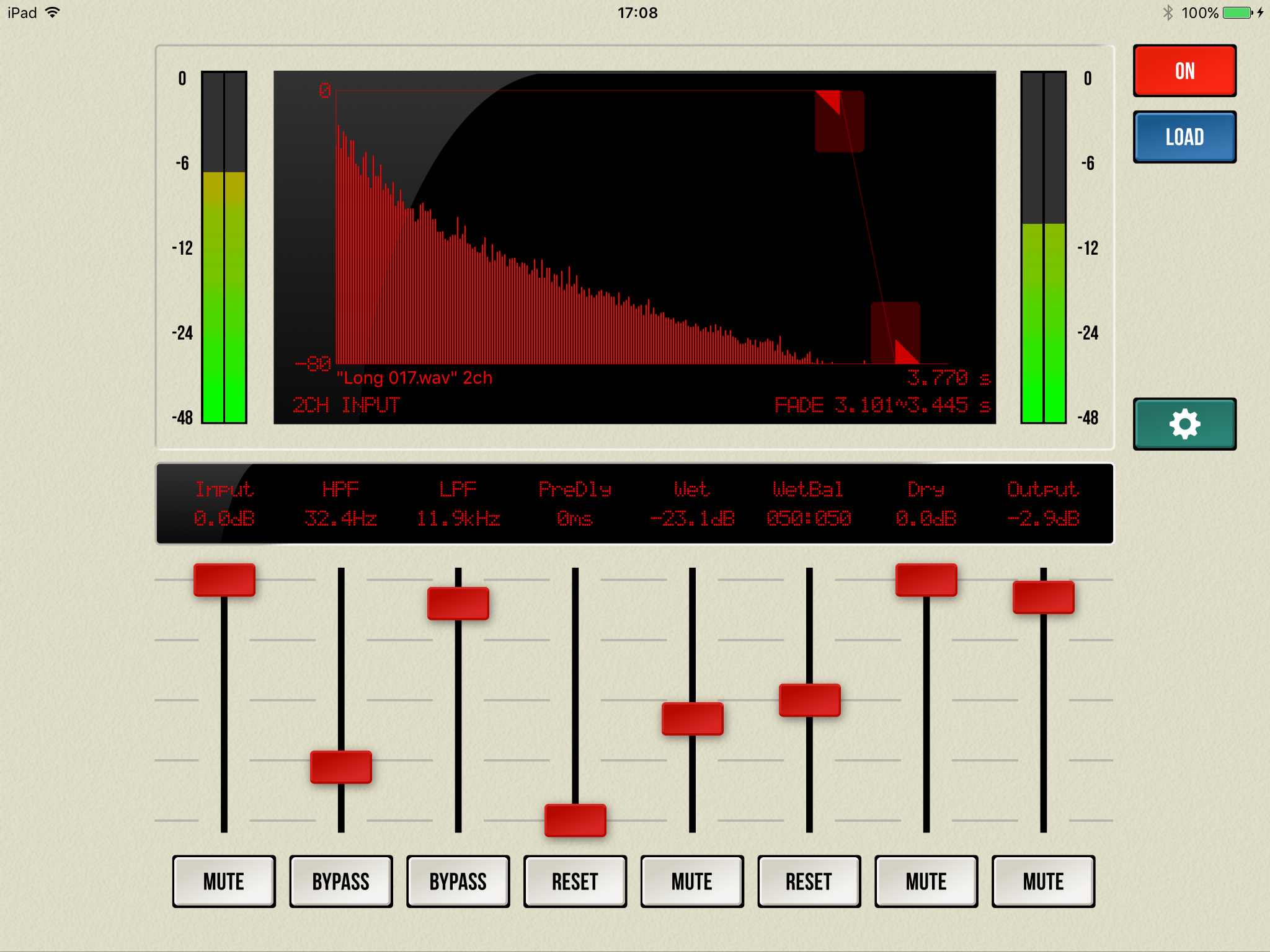
Tokyo based ART Teknika Inc. today introduces iConvolver 1.0, their new app for conveniently utilizing convolution reverb on an iOS device. Using Impulse Response files that records the properties of reverberation from acoustic spaces such as halls and studios, high-grade hardware reverb, spring reverb, speaker cabinets and microphones, iConvolver can reproduce those properties. As iConvolver comes with several Impulse Response files included, you can immediately test out those sounds.
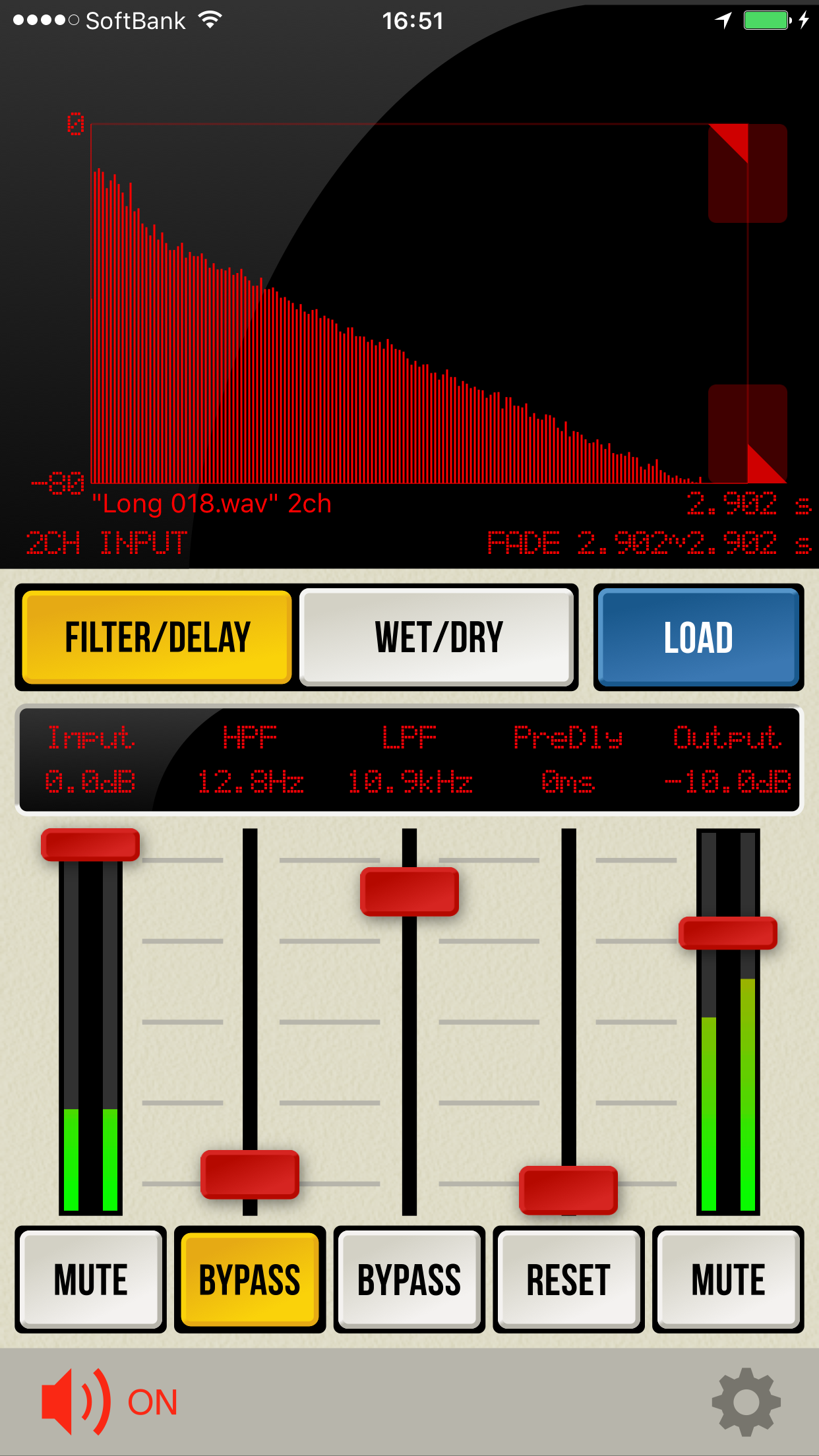
Tokyo, Japan - ART Teknika Inc., a software and content provider, today is proud to announce the release and immediate availability of iConvolver 1.0, their new app for conveniently utilizing convolution reverb on an iOS device. Convolution is an effect that adds sampled reverberative properties to a sound to recreate the original properties of that sound. The data of these reverberative properties are called the Impulse Response, and can record the properties of not only acoustic space but also from such things as hardware and speakers. By recording the properties of reverberation from acoustic spaces such as halls and studios, high-grade hardware reverb, spring reverb, speaker cabinets and microphones, etc. to Impulse Response files, they can be reproduced in iConvolver. As iConvolver comes with several Impulse Response files included, you can immediately test out those sounds.
Main Features:
* Equipped with an original convolution engine
* Zero latency
* Compatible with external Impulse Response files (WAV/AIFF formats (1ch, 2ch, 4ch))
* Open In is compatible with Zip files, and can extract Zip files as well (Not compatible with password-protected Zip files)
* Equipped with low pass and high pass filters for adjusting reverb sound
* Can be used in combination with other apps compatible with Audiobus and Inter-App Audio. Standalone operation also possible
* A universal app that can be used with both iPhone/iPad
* Comes with several original IR files (over 100) included
Main Uses:
* For recreating reverb, acoustic space, speaker cabinet sound, etc.
Hardware Compatibility:
* iConvolver by its nature requires a relatively heavy CPU load
* Devices with 64 bit CPU recommended
* iPhone 6 and above, iPad Air 2 and above are especially recommended
Device Requirements:
* iPhone, iPad, and iPod touch
* Requires iOS 7.0 or later
* Universal Application
* 84.9 MB
Pricing and Availability:
iConvolver 1.0 is $3.99 USD (or equivalent amount in other currencies) and available worldwide exclusively through the App Store in the Music category.
iConvolver 1.0: http://audiosuite.artteknika.com/index_en.html
Purchase and Download: http://itunes.apple.com/app/id1042911823
Screenshot (iPhone): http://audiosuite.artteknika.com/iConvolver_iPhone.png
Screenshot (iPad): http://audiosuite.artteknika.com/iConvolver_iPad.png
App Icon: http://a1.mzstatic.com/us/r30/Purple2/v4/eb/76/20/eb7620b6-2a2d-5005-3340-ab294bb2f2c2/icon175x175.jpeg
Founded in 1994. Under the motto of "Computing power for Audio, Visual and Communications," ART Teknika has experience in a wide variety of fields, from technical development in audiovisual fields and content production. Also involved in development and proposal of systems utilizing iPhones and iPads. Copyright (C) 1994-2016 ART Teknika. All Rights Reserved. Apple, the Apple logo, iPhone, iPod and iPad are registered trademarks of Apple Inc. in the U.S. and/or other countries.
*******
Link To Article: http://prmac.com/release-id-79504.htm
*******
---------------------------------------------------------------------------------
Note that you can alter delivered distributions at any time.
Login to your account on prMac to alter your channel selection, or to opt-out at any time.
ART Teknika releases iConvolver 1.0 for iOS - Impulse Response Reverb - Published on 05/19/16
Tokyo based ART Teknika Inc. today introduces iConvolver 1.0, their new app for conveniently utilizing convolution reverb on an iOS device. Using Impulse Response files that records the properties of reverberation from acoustic spaces such as halls and studios, high-grade hardware reverb, spring reverb, speaker cabinets and microphones, iConvolver can reproduce those properties. As iConvolver comes with several Impulse Response files included, you can immediately test out those sounds.
Tokyo, Japan - ART Teknika Inc., a software and content provider, today is proud to announce the release and immediate availability of iConvolver 1.0, their new app for conveniently utilizing convolution reverb on an iOS device. Convolution is an effect that adds sampled reverberative properties to a sound to recreate the original properties of that sound. The data of these reverberative properties are called the Impulse Response, and can record the properties of not only acoustic space but also from such things as hardware and speakers. By recording the properties of reverberation from acoustic spaces such as halls and studios, high-grade hardware reverb, spring reverb, speaker cabinets and microphones, etc. to Impulse Response files, they can be reproduced in iConvolver. As iConvolver comes with several Impulse Response files included, you can immediately test out those sounds.
Main Features:
* Equipped with an original convolution engine
* Zero latency
* Compatible with external Impulse Response files (WAV/AIFF formats (1ch, 2ch, 4ch))
* Open In is compatible with Zip files, and can extract Zip files as well (Not compatible with password-protected Zip files)
* Equipped with low pass and high pass filters for adjusting reverb sound
* Can be used in combination with other apps compatible with Audiobus and Inter-App Audio. Standalone operation also possible
* A universal app that can be used with both iPhone/iPad
* Comes with several original IR files (over 100) included
Main Uses:
* For recreating reverb, acoustic space, speaker cabinet sound, etc.
Hardware Compatibility:
* iConvolver by its nature requires a relatively heavy CPU load
* Devices with 64 bit CPU recommended
* iPhone 6 and above, iPad Air 2 and above are especially recommended
Device Requirements:
* iPhone, iPad, and iPod touch
* Requires iOS 7.0 or later
* Universal Application
* 84.9 MB
Pricing and Availability:
iConvolver 1.0 is $3.99 USD (or equivalent amount in other currencies) and available worldwide exclusively through the App Store in the Music category.
iConvolver 1.0: http://audiosuite.artteknika.com/index_en.html
Purchase and Download: http://itunes.apple.com/app/id1042911823
Screenshot (iPhone): http://audiosuite.artteknika.com/iConvolver_iPhone.png
Screenshot (iPad): http://audiosuite.artteknika.com/iConvolver_iPad.png
App Icon: http://a1.mzstatic.com/us/r30/Purple2/v4/eb/76/20/eb7620b6-2a2d-5005-3340-ab294bb2f2c2/icon175x175.jpeg

Founded in 1994. Under the motto of "Computing power for Audio, Visual and Communications," ART Teknika has experience in a wide variety of fields, from technical development in audiovisual fields and content production. Also involved in development and proposal of systems utilizing iPhones and iPads. Copyright (C) 1994-2016 ART Teknika. All Rights Reserved. Apple, the Apple logo, iPhone, iPod and iPad are registered trademarks of Apple Inc. in the U.S. and/or other countries.
*******
Link To Article: http://prmac.com/release-id-79504.htm
*******
---------------------------------------------------------------------------------
Note that you can alter delivered distributions at any time.
Login to your account on prMac to alter your channel selection, or to opt-out at any time.
Emojis for Apple Mail: Now Available on MailButler
A new article has been published at prMac.
Emojis for Apple Mail: Now Available on MailButler - Published on 05/18/16
Feingeist Software GmbH has released a new update to MailButler, its productivity boosting add-on for Apple Mail. MailButler is a personal assistant for efficient and productive work with Apple Mail. With its various functions, it simplifies, optimizes and streamlines working with emails in one's daily life. Now users can include emojis into their emails. This can be done with just one click: the emojis button has been added right into the utility bar in the email window.
Berlin, Germany - Feingeist Software GmbH has released a new update to MailButler, its productivity boosting add-on for Apple Mail. Now users can include emojis into their emails. This can be done with just one click: the emojis button has been added right into the utility bar in the email window.
The new option comes in handy for everyone who can't find the right words to express himself in his messages, or just wants to ad some emotions to the text. MailButler offers a great number of images, which express different feelings and gestures, but also show objects, such as food and drinks.
MailButler is a personal assistant for efficient and productive work with Apple Mail. With its various functions, it simplifies, optimizes and streamlines working with emails in one's daily life. MailButler already offers such features as:
* Email Tracking: allows you to know if the recipient has actually opened your email
* Email Scheduling: lets you schedule your emails to be sent at a specific date and time in the future
* Emails To Notes: allows you to easily convert your emails into notes
* Upload to Cloud: allows you to effortlessly send attachments independent of their size
The developers at Feingeist Software promise that more new features are planned and will be added to MailButler in future.
Feingeist Software: https://www.feingeist.io/
MailButler: https://www.feingeist.io/mailbutler
Download MailButler: https://feingeist.io/files/MailButler.zip
Screenshot: https://www.feingeist.io/wp-content/uploads/2016/01/MailButler_Screenshot.png
Application Icon: https://www.feingeist.io/wp-content/uploads/2016/01/MailButler_Logo_256x256.png
Based in Berlin, Germany, Feingeist develops useful software for Mac OS X. The company was founded with the vision to make the life of Mac users easier, and help them complete their daily tasks in the most convenient and elegant way. The developers perceive security, privacy and productivity as the most important modern problems with their main products particularly target these problems. Their software includes an Apple Mail assistant MailButler, and a VPN client Shimo. They have one target: to simplify life and optimize one's daily productivity. All Material and Software (C) Copyright 2016 Feingeist Software GmbH. All Rights Reserved. Apple, the Apple logo, Macintosh and Mac OS X are registered trademarks of Apple Inc. in the U.S. and/or other countries.
*******
Link To Article: http://prmac.com/release-id-79502.htm
*******
---------------------------------------------------------------------------------
Note that you can alter delivered distributions at any time.
Login to your account on prMac to alter your channel selection, or to opt-out at any time.
Emojis for Apple Mail: Now Available on MailButler - Published on 05/18/16
Feingeist Software GmbH has released a new update to MailButler, its productivity boosting add-on for Apple Mail. MailButler is a personal assistant for efficient and productive work with Apple Mail. With its various functions, it simplifies, optimizes and streamlines working with emails in one's daily life. Now users can include emojis into their emails. This can be done with just one click: the emojis button has been added right into the utility bar in the email window.
Berlin, Germany - Feingeist Software GmbH has released a new update to MailButler, its productivity boosting add-on for Apple Mail. Now users can include emojis into their emails. This can be done with just one click: the emojis button has been added right into the utility bar in the email window.
The new option comes in handy for everyone who can't find the right words to express himself in his messages, or just wants to ad some emotions to the text. MailButler offers a great number of images, which express different feelings and gestures, but also show objects, such as food and drinks.
MailButler is a personal assistant for efficient and productive work with Apple Mail. With its various functions, it simplifies, optimizes and streamlines working with emails in one's daily life. MailButler already offers such features as:
* Email Tracking: allows you to know if the recipient has actually opened your email
* Email Scheduling: lets you schedule your emails to be sent at a specific date and time in the future
* Emails To Notes: allows you to easily convert your emails into notes
* Upload to Cloud: allows you to effortlessly send attachments independent of their size
The developers at Feingeist Software promise that more new features are planned and will be added to MailButler in future.
Feingeist Software: https://www.feingeist.io/
MailButler: https://www.feingeist.io/mailbutler
Download MailButler: https://feingeist.io/files/MailButler.zip
Screenshot: https://www.feingeist.io/wp-content/uploads/2016/01/MailButler_Screenshot.png

Application Icon: https://www.feingeist.io/wp-content/uploads/2016/01/MailButler_Logo_256x256.png

Based in Berlin, Germany, Feingeist develops useful software for Mac OS X. The company was founded with the vision to make the life of Mac users easier, and help them complete their daily tasks in the most convenient and elegant way. The developers perceive security, privacy and productivity as the most important modern problems with their main products particularly target these problems. Their software includes an Apple Mail assistant MailButler, and a VPN client Shimo. They have one target: to simplify life and optimize one's daily productivity. All Material and Software (C) Copyright 2016 Feingeist Software GmbH. All Rights Reserved. Apple, the Apple logo, Macintosh and Mac OS X are registered trademarks of Apple Inc. in the U.S. and/or other countries.
*******
Link To Article: http://prmac.com/release-id-79502.htm
*******
---------------------------------------------------------------------------------
Note that you can alter delivered distributions at any time.
Login to your account on prMac to alter your channel selection, or to opt-out at any time.
Subscribe to:
Posts (Atom)