A new article has been published at prMac.
Xojo 2016 Release 2 Available; Adds New Features for iOS and Web Targets - Published on 07/12/16
Xojo, Inc. today announces the availability of Xojo 2016 Release 2, the popular rapid application development tool for making apps for OS X, Windows and Linux, web, iOS, and Raspberry Pi. The latest release adds significant new features for iOS and web, along with 150 improvements overall. In addition, this release continues with HiDPI (Retina) support by adding HiDPI for web apps and dramatic improvements for Windows HiDPI. Xojo for iOS now has significantly improved support for tables.
Austin, Texas - Xojo, Inc., the company that has enabled over 300,000 developers to build native cross-platform applications, today announced the availability of Xojo 2016 Release 2. Xojo is a rapid application development tool for making apps for the desktop (OS X, Windows and Linux), web, iOS, and Raspberry Pi.
The latest release adds significant new features for iOS and web, along with 150 improvements overall. In addition, this release continues with HiDPI (Retina) support by adding HiDPI for web apps and dramatic improvements for Windows HiDPI. Xojo is the easiest way to create iOS apps. Xojo for iOS now has significantly improved support for tables, available in the following new capabilities:
* Row scrolling
* Row actions
* Row editing
* Row re-ordering
* Custom cells
"iOS Tables are the most commonly used user interface control," commented Geoff Perlman, Xojo Founder and CEO. "This release provides Xojo users with the ability to utilize all of the most important features of iOS tables. These are especially important to business app developers who depend on tables more than anyone else."
New iOS controls and features include:
* Location services
* Motion data from the accelerometer and gyroscope
* The PicturePicker control to select pictures from the camera roll, photo library or to let the user take a new picture
* A Scrollable Area that allows for UI layouts that are larger than the size of a view, making it easy for the user to scroll through all the fields and controls
* A SharingPane control to allow your apps to share text, URLs and pictures to other registered apps
"With so many new features that help to round out Xojo's support for developing iOS apps, 2016r2 is a very impressive release," says Tim Dietrich, a custom software developer. "There's a lot in it that developers are going to love, including the ability to easily access a device's camera, photos, and location, improved support for tables, and much more. This is an important step in Xojo's evolution, making it a viable alternative to other iOS development tools, and further solidifying its position as a premier cross-platform programming environment."
Xojo 2016 Release 2 also makes it easier to create toolbars with an all-new visual toolbar editor and simplifies app deployment by removing the need for launch images.
Xojo 2: http://www.xojo.com
Xojo iOS Information: http://www.xojo.com/ios
Download Xojo: http://www.xojo.com/download
Purchase Xojo: http://www.xojo.com/store
Screenshot: http://www.xojo.com/images/XojoAppScreenshot.png
Application Icon: http://www.xojo.com/images/ide_icon_256.png
Xojo, Inc. was founded with the idea that software development should be accessible to anyone. With traditional tools, creating software applications can be a very complicated process, but using Xojo anyone can learn to create high quality, native apps for the web, OS X, Windows, Linux and iOS. With users all over the world, Xojo apps can be found in every conceivable category - from commercial software applications to use in governments, universities, businesses, and the Fortune 500. All Material and Software (C) Copyright 2016 Xojo, Inc. All Rights Reserved. Apple, the Apple logo, iPhone, iPod, iPad and macOS are registered trademarks of Apple Inc. in the U.S. and/or other countries. Other trademarks and registered trademarks may be the property of their respective owners.
*******
Link To Article: http://prmac.com/release-id-79855.htm
*******
---------------------------------------------------------------------------------
Note that you can alter delivered distributions at any time.
Login to your account on prMac to alter your channel selection, or to opt-out at any time.


LastThink Releases Senegal Tv Live 4.5 for iOS - Release Info
A new article has been published at prMac.
LastThink Releases Senegal Tv Live 4.5 for iOS - Release Info - Published on 07/12/16
LastThink today announces Senegal Tv Live 4.5, the important update to their highly customizable TV application for iOS devices. Anyone can directly access their favorite TV channel and watch diverse films, news, programs from their iPad, iPhone and iPod touch anywhere and anytime. Vibes are smart TV and movie playlists. Users can easily record their favorite films, news, talk shows, programs and more. Users can also share what they are watching via Facebook.
Yerevan, Armenia - LastThink today is proud to announce the release of Senegal Tv Live 4.5, the important update to their highly customizable TV application developed for iPhone, iPad, and iPod touch devices. Users can directly access their favorite TV channel and watch diverse films, news, programs from their iPad, iPhone and iPod touch anywhere and anytime.
Features:
* Navigating album photos by sliding your finger right or left on the screen
* Change the device you are streaming the picture to, by taping on the Play button in the upper right corner of your iPad's screen and selecting a desired device
* Screening and shooting any moment of your preferred TV program or film you like
* Altering the boring parts and moving straight to the best part at once - Filter by HD-only and favorite channels
* Rotating channels easily by a mere touch on your screen
* Organize your favorite TV shows, sport teams, movies, and actors and find where you can watch them - on TV and on demand
* Recording your favorite films, news, Talk Shows, programs and etc.
* Sharing what you're watching via Facebook, Twitter, YouTube, Dropbox, email and more - Vibes are smart TV and movie playlists
* The highest quality even with the lowest Internet and HD quality with the normal Internet - You can watch TV channels in HD level
* Editing and cropping videos into smaller parts. In addition to, you can take videos of your favorite program
* Capturing the funniest and most interesting moments of what you are watching with the trim tool
* Searching the content across streaming and broadcast services
* Discovering more than 100 channels of great entertainment beyond the Senegal Tv Live app right on your device's touchscreen interface
We have selected data from the internet and if any assembly or constitution doesn't want us to show the content of the unit, please recommend us to remove it. We follow TV regulations and adjustments and we select original TV content data without artificial editions. If you however experience any issues, please do not hesitate to contact us if you'd like to share your experience with live TV channels, or provide suggestions on how we could improve the product further. We will be more than happy to get in touch.
Device Requirements:
* iPhone, iPad, and iPod touch
* Optimized for iPhone 5, iPhone 6, and iPhone 6 Plus
* Requires iOS 6.0 or later
* Universal Application
* 35.7 MB
Pricing and Availability:
Senegal Tv Live 4.5 is free, and is available worldwide exclusively through the App Store in the Entertainment category.
LastThink: http://lastthink.com/
Senegal Tv Live 4.5: https://www.facebook.com/Online-Senegal-TV-Community-1504113329893196
Download from iTunes: https://itunes.apple.com/app/senegal-tv-live/id1074211877
Screenshot: http://a3.mzstatic.com/us/r30/Purple49/v4/6d/da/da/6ddada39-d608-9cbd-edc6-633daae279ce/screen322x572.jpeg
App Icon: http://a2.mzstatic.com/us/r30/Purple30/v4/99/1d/5a/991d5ae3-6702-2a58-bdfc-bcada680eeb7/icon175x175.jpeg
LastThink is an IT company with a focus on mobile development. It has extended its list of services since 2012 to offer high-end business process management, system integration, as well as up-to-date communication solutions. LastThink's mission is to deliver maximum business value to its customers by designing, developing, implementing and maintaining efficient and high quality software solutions aligned with their most essential business needs. Their team will always do its best to meet client expectations. All Material and Software Copyright (C) 2016 LastThink LLC. All Rights Reserved. Apple, the Apple logo, iPhone, iPad and iPod are registered trademarks of Apple Inc. in the U.S. and/or other countries.
*******
Link To Article: http://prmac.com/release-id-79858.htm
*******
---------------------------------------------------------------------------------
Note that you can alter delivered distributions at any time.
Login to your account on prMac to alter your channel selection, or to opt-out at any time.
LastThink Releases Senegal Tv Live 4.5 for iOS - Release Info - Published on 07/12/16
LastThink today announces Senegal Tv Live 4.5, the important update to their highly customizable TV application for iOS devices. Anyone can directly access their favorite TV channel and watch diverse films, news, programs from their iPad, iPhone and iPod touch anywhere and anytime. Vibes are smart TV and movie playlists. Users can easily record their favorite films, news, talk shows, programs and more. Users can also share what they are watching via Facebook.
Yerevan, Armenia - LastThink today is proud to announce the release of Senegal Tv Live 4.5, the important update to their highly customizable TV application developed for iPhone, iPad, and iPod touch devices. Users can directly access their favorite TV channel and watch diverse films, news, programs from their iPad, iPhone and iPod touch anywhere and anytime.
Features:
* Navigating album photos by sliding your finger right or left on the screen
* Change the device you are streaming the picture to, by taping on the Play button in the upper right corner of your iPad's screen and selecting a desired device
* Screening and shooting any moment of your preferred TV program or film you like
* Altering the boring parts and moving straight to the best part at once - Filter by HD-only and favorite channels
* Rotating channels easily by a mere touch on your screen
* Organize your favorite TV shows, sport teams, movies, and actors and find where you can watch them - on TV and on demand
* Recording your favorite films, news, Talk Shows, programs and etc.
* Sharing what you're watching via Facebook, Twitter, YouTube, Dropbox, email and more - Vibes are smart TV and movie playlists
* The highest quality even with the lowest Internet and HD quality with the normal Internet - You can watch TV channels in HD level
* Editing and cropping videos into smaller parts. In addition to, you can take videos of your favorite program
* Capturing the funniest and most interesting moments of what you are watching with the trim tool
* Searching the content across streaming and broadcast services
* Discovering more than 100 channels of great entertainment beyond the Senegal Tv Live app right on your device's touchscreen interface
We have selected data from the internet and if any assembly or constitution doesn't want us to show the content of the unit, please recommend us to remove it. We follow TV regulations and adjustments and we select original TV content data without artificial editions. If you however experience any issues, please do not hesitate to contact us if you'd like to share your experience with live TV channels, or provide suggestions on how we could improve the product further. We will be more than happy to get in touch.
Device Requirements:
* iPhone, iPad, and iPod touch
* Optimized for iPhone 5, iPhone 6, and iPhone 6 Plus
* Requires iOS 6.0 or later
* Universal Application
* 35.7 MB
Pricing and Availability:
Senegal Tv Live 4.5 is free, and is available worldwide exclusively through the App Store in the Entertainment category.
LastThink: http://lastthink.com/
Senegal Tv Live 4.5: https://www.facebook.com/Online-Senegal-TV-Community-1504113329893196
Download from iTunes: https://itunes.apple.com/app/senegal-tv-live/id1074211877
Screenshot: http://a3.mzstatic.com/us/r30/Purple49/v4/6d/da/da/6ddada39-d608-9cbd-edc6-633daae279ce/screen322x572.jpeg

App Icon: http://a2.mzstatic.com/us/r30/Purple30/v4/99/1d/5a/991d5ae3-6702-2a58-bdfc-bcada680eeb7/icon175x175.jpeg

LastThink is an IT company with a focus on mobile development. It has extended its list of services since 2012 to offer high-end business process management, system integration, as well as up-to-date communication solutions. LastThink's mission is to deliver maximum business value to its customers by designing, developing, implementing and maintaining efficient and high quality software solutions aligned with their most essential business needs. Their team will always do its best to meet client expectations. All Material and Software Copyright (C) 2016 LastThink LLC. All Rights Reserved. Apple, the Apple logo, iPhone, iPad and iPod are registered trademarks of Apple Inc. in the U.S. and/or other countries.
*******
Link To Article: http://prmac.com/release-id-79858.htm
*******
---------------------------------------------------------------------------------
Note that you can alter delivered distributions at any time.
Login to your account on prMac to alter your channel selection, or to opt-out at any time.
SamiApps Announces New Updates to Award-Winning Children's Video Player
A new article has been published at prMac.
SamiApps Announces New Updates to Award-Winning Children's Video Player - Published on 07/12/16
Sami Apps announces the release of Sami Apps Video Player 1.3 for iOS devices. The award-winning Sami Apps Video Player just got better, with exciting new features designed to help children get the most out of YouTube videos while allowing their parents to approve and upload the music, dance and educational videos they choose. The totally redesigned app offers more videos, a new DIY section for kids, expanded language options, and technical improvements that improve the user experience.
Barcelona, Spain - Sami Apps is proud to announce the release of Sami Apps Video Player 1.3 for iPhone, iPad, and iPod touch devices. The award-winning Sami Apps Video Player just got better, with exciting new features designed to help children get the most out of YouTube videos while allowing their parents to approve and upload the music, dance and educational videos they choose. The totally redesigned app offers more videos, a new DIY section for kids, expanded language options, and technical improvements that improve user experience. There's even a timer to set limits on how long your kids are watching videos!
"One of the reasons Sami is a leader in creating educational apps for kids is because we listen to what parents and teachers want," said Lars Gehrmann, founder of Sami Apps. "We responded when we heard them say the benefits of YouTube video experiences for kids - and they are many - were diminished by ads or other content they didn't want children to see. The Video Player offers a simple solution so that adults can choose a broad spectrum of learning and play experiences to delight both parent and child."
A Favorites feature allows children to bookmark the videos they love most from the four different video categories - and a simple timer lets caring adults set limits when they love those cartoons, dance music and educational YouTube videos too much! Among its other advantages, the latest Sami Apps Video Player version is available in English, Spanish, Catalan and German, with plans to add languages soon.
Features:
* Protects kids as they explore YouTube videos with safe, easy parental controls
* Upload exciting videos in approved Learn, Play, Dance and Laugh categories
* Visit new DIY section in the completely redesigned Sami Apps Video Player
* Watch videos in English, Spanish, Catalan and German
Device Requirements:
* iPhone, iPad, and iPod touch.
* Requires iOS 8.0 or later
* Universal Application
* 44.9 MB
Pricing and Availability:
Sami Apps Video Player 1.3 is free, and is available worldwide through the App Store in the Education category. An Android version of the app is also available through Google Play.
Sami Apps Video Player 1.3: http://samiapps.com/en/
Download from iTunes: https://itunes.apple.com/app/sami-apps-video-player-watch/id976236908
Download from Google Play: https://play.google.com/store/apps/details?id=com.samiapps.ksvp
YouTube Demo Video: https://www.youtube.com/watch?v=SAHV-KlqHXM
Screenshot: http://a1.mzstatic.com/us/r30/Purple60/v4/7e/ae/08/7eae0861-aae5-7a6f-b3ee-8b976b39368f/screen640x640.jpeg
App Icon: http://a2.mzstatic.com/us/r30/Purple18/v4/63/0a/52/630a5285-2d51-1794-e156-8b05f33fea26/icon175x175.jpeg
Sami Apps is an award winning educational app company focusing on high quality education content for kids between 1 and 9 years. All Material and Software Copyright (C) 2016 Sami Apps. All Rights Reserved. Apple, the Apple logo, iPhone, iPod and iPad are registered trademarks of Apple Inc. in the U.S. and/or other countries. Other trademarks and registered trademarks may be the property of their respective owners.
*******
Link To Article: http://prmac.com/release-id-79857.htm
*******
---------------------------------------------------------------------------------
Note that you can alter delivered distributions at any time.
Login to your account on prMac to alter your channel selection, or to opt-out at any time.
SamiApps Announces New Updates to Award-Winning Children's Video Player - Published on 07/12/16
Sami Apps announces the release of Sami Apps Video Player 1.3 for iOS devices. The award-winning Sami Apps Video Player just got better, with exciting new features designed to help children get the most out of YouTube videos while allowing their parents to approve and upload the music, dance and educational videos they choose. The totally redesigned app offers more videos, a new DIY section for kids, expanded language options, and technical improvements that improve the user experience.
Barcelona, Spain - Sami Apps is proud to announce the release of Sami Apps Video Player 1.3 for iPhone, iPad, and iPod touch devices. The award-winning Sami Apps Video Player just got better, with exciting new features designed to help children get the most out of YouTube videos while allowing their parents to approve and upload the music, dance and educational videos they choose. The totally redesigned app offers more videos, a new DIY section for kids, expanded language options, and technical improvements that improve user experience. There's even a timer to set limits on how long your kids are watching videos!
"One of the reasons Sami is a leader in creating educational apps for kids is because we listen to what parents and teachers want," said Lars Gehrmann, founder of Sami Apps. "We responded when we heard them say the benefits of YouTube video experiences for kids - and they are many - were diminished by ads or other content they didn't want children to see. The Video Player offers a simple solution so that adults can choose a broad spectrum of learning and play experiences to delight both parent and child."
A Favorites feature allows children to bookmark the videos they love most from the four different video categories - and a simple timer lets caring adults set limits when they love those cartoons, dance music and educational YouTube videos too much! Among its other advantages, the latest Sami Apps Video Player version is available in English, Spanish, Catalan and German, with plans to add languages soon.
Features:
* Protects kids as they explore YouTube videos with safe, easy parental controls
* Upload exciting videos in approved Learn, Play, Dance and Laugh categories
* Visit new DIY section in the completely redesigned Sami Apps Video Player
* Watch videos in English, Spanish, Catalan and German
Device Requirements:
* iPhone, iPad, and iPod touch.
* Requires iOS 8.0 or later
* Universal Application
* 44.9 MB
Pricing and Availability:
Sami Apps Video Player 1.3 is free, and is available worldwide through the App Store in the Education category. An Android version of the app is also available through Google Play.
Sami Apps Video Player 1.3: http://samiapps.com/en/
Download from iTunes: https://itunes.apple.com/app/sami-apps-video-player-watch/id976236908
Download from Google Play: https://play.google.com/store/apps/details?id=com.samiapps.ksvp
YouTube Demo Video: https://www.youtube.com/watch?v=SAHV-KlqHXM
Screenshot: http://a1.mzstatic.com/us/r30/Purple60/v4/7e/ae/08/7eae0861-aae5-7a6f-b3ee-8b976b39368f/screen640x640.jpeg

App Icon: http://a2.mzstatic.com/us/r30/Purple18/v4/63/0a/52/630a5285-2d51-1794-e156-8b05f33fea26/icon175x175.jpeg

Sami Apps is an award winning educational app company focusing on high quality education content for kids between 1 and 9 years. All Material and Software Copyright (C) 2016 Sami Apps. All Rights Reserved. Apple, the Apple logo, iPhone, iPod and iPad are registered trademarks of Apple Inc. in the U.S. and/or other countries. Other trademarks and registered trademarks may be the property of their respective owners.
*******
Link To Article: http://prmac.com/release-id-79857.htm
*******
---------------------------------------------------------------------------------
Note that you can alter delivered distributions at any time.
Login to your account on prMac to alter your channel selection, or to opt-out at any time.
MacXDVD Announces MacX MediaTrans - Big Achievement in iPhone Management
A new article has been published at prMac.
MacXDVD Announces MacX MediaTrans - Big Achievement in iPhone Management - Published on 07/12/16
MacXDVD today announces the official release of MacX MediaTrans, the company's revolutionary new iPad/iPhone content management solution for Mac OS X. Now you can get media files under control. MacXDVD has developed a solution that integrates with up-to-the-minute photo backup, music manager, video transfer and USB drive on demand, thus freeing up an iDevice's space. MacX MediaTrans supports two-way transfer between iOS devices and Mac.
Chengdu, China - MacXDVD today is proud to announce the official release of MacX MediaTrans, the company's revolutionary new iPad/iPhone content management solution for Mac OS X. Photos, videos and music are usually to blame for iPhone storage woes, and managing these media files has always remained challenging for many. Now you can get media files under control. MacXDVD has developed a solution that integrates with up-to-the-minute photo backup, music manager, video transfer and USB drive on demand, thus freeing up an iDevice's space.
"iPhone iPad users still cringe in horror of data erasing when having to sync media file with their computers, just in case of a hard drive crash. On the other hand, they blame for no way of exporting their files to Macs as a backup with iTunes, especially when they need to switch to a new phone, free up their storage space or set about an iOS upgrade." said Jack, CEO of MacXDVD Software. "But we are proud to say that these three can be fixed with MacX MediaTrans, which can backup and manage iPhone iPad iPod users' resources, without erasing, dumping or cluttering their media files."
The release of MacX MediaTrans gives users more efficiency and convenience in iPhone/iPad management: transfer every piece of iOS (10) media content, from a whole library of music to any photo or 4k video:
* Manage music - Create, delete and edit playlist at will; go way beyond what iTunes offer - export music from iPhone iPod to Mac, and reversely, with tracks, artists and genres all under control.
* Transfer video back and forth - Support two-way transfer between iOS (10) devices and Mac; free to put all 4k videos, movies, or MKV HD recordings, right into iPhone 6S or iPad Pro with no format issue; auto rotate sideways video to make it right away up.
* Backup photo - Transfer pictures, live photos or even entire library from iPhone iPad to Mac (macOS Sierra) in batch in bullet-fast speed.
* Use iPhone as a USB Flash - Use iPhone as a USB flash drive in a way more secure to clone all types of items, from Word to PDF, Excel, DMG, EXE, Apps, etc.
On the subjects of speed and easiness during file transfer, Jack added:" The iPhone manager jumps the step and cuts down the transferring time by guiding Mac users to transfer file with drag-n-drop, making it easier than ever to backup, manage, import and export music, videos and videos, all in one location." Internal test shows that it takes only 8 seconds to backup the huge 100 4k photos.
System Requirement:
MacX MediaTrans is effective on even the latest models of the Apple iPhone, iPad and iPod, including iPhone 6S and iPad Pro, and works perfectly with the newest macOS Sierra:
* Mac OS X 10.7 or above (including macOS Sierra)
* iOS 7 or above (including the latest iOS10)
* iTunes 11.2 or above
Pricing and Availability:
MacX MediaTrans is priced at $29.95 (USD) for 1 Mac with one year free upgrade. The iPhone/iPad manager for Mac comes with a lifetime-licensed edition and a family-licensed version, which charge $35.95 with 2 Macs usability and $65.95 applicable to 6 Macs, respectively, yet without any functional or licensing limitations.
MacX MediaTrans: http://www.macxdvd.com/mediatrans/?pr
MacXDVD Software is a division of Digiarty Software Company, owns a professional multimedia software development team, providing a range of products for Macintosh Computer users, including MacX Video Converter, MacX DVD Ripper, DVD Author, DVD backup tools, etc, series of apps for Apple video player, and iPhone, iPad 2D and 3D video games. Copyright (C) 2016 MacXDVD Software. All Rights Reserved. Apple, the Apple logo, iPhone, iPad and Macintosh are registered trademarks of Apple Inc. in the U.S. and/or other countries.
*******
Link To Article: http://prmac.com/release-id-79854.htm
*******
---------------------------------------------------------------------------------
Note that you can alter delivered distributions at any time.
Login to your account on prMac to alter your channel selection, or to opt-out at any time.
MacXDVD Announces MacX MediaTrans - Big Achievement in iPhone Management - Published on 07/12/16
MacXDVD today announces the official release of MacX MediaTrans, the company's revolutionary new iPad/iPhone content management solution for Mac OS X. Now you can get media files under control. MacXDVD has developed a solution that integrates with up-to-the-minute photo backup, music manager, video transfer and USB drive on demand, thus freeing up an iDevice's space. MacX MediaTrans supports two-way transfer between iOS devices and Mac.
Chengdu, China - MacXDVD today is proud to announce the official release of MacX MediaTrans, the company's revolutionary new iPad/iPhone content management solution for Mac OS X. Photos, videos and music are usually to blame for iPhone storage woes, and managing these media files has always remained challenging for many. Now you can get media files under control. MacXDVD has developed a solution that integrates with up-to-the-minute photo backup, music manager, video transfer and USB drive on demand, thus freeing up an iDevice's space.
"iPhone iPad users still cringe in horror of data erasing when having to sync media file with their computers, just in case of a hard drive crash. On the other hand, they blame for no way of exporting their files to Macs as a backup with iTunes, especially when they need to switch to a new phone, free up their storage space or set about an iOS upgrade." said Jack, CEO of MacXDVD Software. "But we are proud to say that these three can be fixed with MacX MediaTrans, which can backup and manage iPhone iPad iPod users' resources, without erasing, dumping or cluttering their media files."
The release of MacX MediaTrans gives users more efficiency and convenience in iPhone/iPad management: transfer every piece of iOS (10) media content, from a whole library of music to any photo or 4k video:
* Manage music - Create, delete and edit playlist at will; go way beyond what iTunes offer - export music from iPhone iPod to Mac, and reversely, with tracks, artists and genres all under control.
* Transfer video back and forth - Support two-way transfer between iOS (10) devices and Mac; free to put all 4k videos, movies, or MKV HD recordings, right into iPhone 6S or iPad Pro with no format issue; auto rotate sideways video to make it right away up.
* Backup photo - Transfer pictures, live photos or even entire library from iPhone iPad to Mac (macOS Sierra) in batch in bullet-fast speed.
* Use iPhone as a USB Flash - Use iPhone as a USB flash drive in a way more secure to clone all types of items, from Word to PDF, Excel, DMG, EXE, Apps, etc.
On the subjects of speed and easiness during file transfer, Jack added:" The iPhone manager jumps the step and cuts down the transferring time by guiding Mac users to transfer file with drag-n-drop, making it easier than ever to backup, manage, import and export music, videos and videos, all in one location." Internal test shows that it takes only 8 seconds to backup the huge 100 4k photos.
System Requirement:
MacX MediaTrans is effective on even the latest models of the Apple iPhone, iPad and iPod, including iPhone 6S and iPad Pro, and works perfectly with the newest macOS Sierra:
* Mac OS X 10.7 or above (including macOS Sierra)
* iOS 7 or above (including the latest iOS10)
* iTunes 11.2 or above
Pricing and Availability:
MacX MediaTrans is priced at $29.95 (USD) for 1 Mac with one year free upgrade. The iPhone/iPad manager for Mac comes with a lifetime-licensed edition and a family-licensed version, which charge $35.95 with 2 Macs usability and $65.95 applicable to 6 Macs, respectively, yet without any functional or licensing limitations.
MacX MediaTrans: http://www.macxdvd.com/mediatrans/?pr
MacXDVD Software is a division of Digiarty Software Company, owns a professional multimedia software development team, providing a range of products for Macintosh Computer users, including MacX Video Converter, MacX DVD Ripper, DVD Author, DVD backup tools, etc, series of apps for Apple video player, and iPhone, iPad 2D and 3D video games. Copyright (C) 2016 MacXDVD Software. All Rights Reserved. Apple, the Apple logo, iPhone, iPad and Macintosh are registered trademarks of Apple Inc. in the U.S. and/or other countries.
*******
Link To Article: http://prmac.com/release-id-79854.htm
*******
---------------------------------------------------------------------------------
Note that you can alter delivered distributions at any time.
Login to your account on prMac to alter your channel selection, or to opt-out at any time.
Handwriting Heroes to the Rescue
A new article has been published at prMac.
Handwriting Heroes to the Rescue - Published on 07/12/16
AppyTherapy today introduces Handwriting Heroes 1.0, an educational iOS app for teaching letter formation through animation, music and interactive stories. Each letter has a clever tale that describes the stroke sequence and explains why the letters are formed the way they are. The playful characters and their humorous antics help children recall the steps for forming the letters. It is part of a multisensory program designed for pre-school thru elementary-aged school children of all abilities.
Rockville, Maryland - AppyTherapy today is thrilled to announce the release of Handwriting Heroes 1.0, an educational iOS application for teaching letter formation through animation, music and interactive stories. The app is part of a highly effective, multisensory program that helps children develop a strong foundation for writing legibly and fluently. Handwriting Heroes is the result of over a decade of practice-based research and development by occupational therapist, Cheryl Bregman.
Across the country, children are struggling with handwriting, as many schools have stopped teaching handwriting. Handwriting Heroes is here to revive handwriting instruction with its easy, step-by-step program that enables even the busiest teacher to include it in their curriculum. Letters are sorted into five groups based on their first stroke. So instead of learning 26 distinct letters, students learn five letter groups containing similarly formed letters. For example, the "bouncers" - h, b, r, n, m, and p - all start by dropping down, then bouncing back up and over. Practicing the letters in their group, while repeating the action words, reinforces the movement pattern and is a big part of the program's success.
The playful characters and their humorous antics help children recall the steps for forming the letters. Each letter has a clever story that describes the stroke sequence and explains WHY the letters are formed the way they are. For example, the letter "l" skydives DOWN, because that's the direction that skydivers go! This naturally cues the student to start their letters at the top. The stories also incorporate the sounds that the letters make. In the letter "r", for example, a ball drops onto a rabbit's head, who groans "rrr", because he is angry about being bopped on the head!
Guided practice is provided in multiple formats. After practicing the letters in the app, students can trace letters using finger puppets, and write the letters on laminated worksheets. Kids also love singing the songs, and playing word games with the letter cards to practice their handwriting. "Handwriting Heroes is a powerful teaching tool that is changing handwriting instruction from a mundane, neglected practice to an active, engaging activity," says Cheryl Bregman.
Program features:
* Integrated visual, kinesthetic, auditory and tactile learning strategies
* Custom Handwriting Heroes font facilitates continuous strokes and decreased letter reversals
* Three levels of difficulty and numerous customization options
* Multiple review and practice opportunities
Device Requirements:
* Compatible with iPad
* iOS 9.1or later
* 92.5 MB
Pricing and Availability:
Handwriting Heroes 1.0 is $2.99 (USD) and is available worldwide exclusively through the App Store in the Education category. Review copies are available upon request.
AppyTherapy: https://appytherapy.com/
Handwriting Heroes 1.0: https://appytherapy.com/handwriting-heroes/
Purchase and Download : https://itunes.apple.com/app/handwriting-heroes/id1057029973
YouTube Video : https://www.youtube.com/watch?v=oflovDgF2VY
Screenshots: https://appytherapy.com/wpdir/wp-content/uploads/2016/06/3.png
App Icon: https://appytherapy.com/wpdir/wp-content/uploads/2016/06/2.png
Located in Rockville, Maryland, AppyTherapy provides occupational therapy services and develops educational tools for struggling writers. The company was founded by Cheryl Bregman, a pediatric occupational therapist who is passionate about finding out-of-the-box solutions to obstacles that students encounter. In 2011, AppyTherapy released Abilipad, the first adaptive notepad and keyboard editor for the iPad, which was featured as one of "the best apps for special needs kids" by The Washington Post. Copyright (C) 2016 AppyTherapy. All Rights Reserved. Apple, the Apple logo, iPhone, iPad and iPod are registered trademarks of Apple Inc. in the U.S. and/or other countries. Other trademarks and registered trademarks may be the property of their respective owners.
*******
Link To Article: http://prmac.com/release-id-79853.htm
*******
---------------------------------------------------------------------------------
Note that you can alter delivered distributions at any time.
Login to your account on prMac to alter your channel selection, or to opt-out at any time.
Handwriting Heroes to the Rescue - Published on 07/12/16
AppyTherapy today introduces Handwriting Heroes 1.0, an educational iOS app for teaching letter formation through animation, music and interactive stories. Each letter has a clever tale that describes the stroke sequence and explains why the letters are formed the way they are. The playful characters and their humorous antics help children recall the steps for forming the letters. It is part of a multisensory program designed for pre-school thru elementary-aged school children of all abilities.
Rockville, Maryland - AppyTherapy today is thrilled to announce the release of Handwriting Heroes 1.0, an educational iOS application for teaching letter formation through animation, music and interactive stories. The app is part of a highly effective, multisensory program that helps children develop a strong foundation for writing legibly and fluently. Handwriting Heroes is the result of over a decade of practice-based research and development by occupational therapist, Cheryl Bregman.
Across the country, children are struggling with handwriting, as many schools have stopped teaching handwriting. Handwriting Heroes is here to revive handwriting instruction with its easy, step-by-step program that enables even the busiest teacher to include it in their curriculum. Letters are sorted into five groups based on their first stroke. So instead of learning 26 distinct letters, students learn five letter groups containing similarly formed letters. For example, the "bouncers" - h, b, r, n, m, and p - all start by dropping down, then bouncing back up and over. Practicing the letters in their group, while repeating the action words, reinforces the movement pattern and is a big part of the program's success.
The playful characters and their humorous antics help children recall the steps for forming the letters. Each letter has a clever story that describes the stroke sequence and explains WHY the letters are formed the way they are. For example, the letter "l" skydives DOWN, because that's the direction that skydivers go! This naturally cues the student to start their letters at the top. The stories also incorporate the sounds that the letters make. In the letter "r", for example, a ball drops onto a rabbit's head, who groans "rrr", because he is angry about being bopped on the head!
Guided practice is provided in multiple formats. After practicing the letters in the app, students can trace letters using finger puppets, and write the letters on laminated worksheets. Kids also love singing the songs, and playing word games with the letter cards to practice their handwriting. "Handwriting Heroes is a powerful teaching tool that is changing handwriting instruction from a mundane, neglected practice to an active, engaging activity," says Cheryl Bregman.
Program features:
* Integrated visual, kinesthetic, auditory and tactile learning strategies
* Custom Handwriting Heroes font facilitates continuous strokes and decreased letter reversals
* Three levels of difficulty and numerous customization options
* Multiple review and practice opportunities
Device Requirements:
* Compatible with iPad
* iOS 9.1or later
* 92.5 MB
Pricing and Availability:
Handwriting Heroes 1.0 is $2.99 (USD) and is available worldwide exclusively through the App Store in the Education category. Review copies are available upon request.
AppyTherapy: https://appytherapy.com/
Handwriting Heroes 1.0: https://appytherapy.com/handwriting-heroes/
Purchase and Download : https://itunes.apple.com/app/handwriting-heroes/id1057029973
YouTube Video : https://www.youtube.com/watch?v=oflovDgF2VY
Screenshots: https://appytherapy.com/wpdir/wp-content/uploads/2016/06/3.png

App Icon: https://appytherapy.com/wpdir/wp-content/uploads/2016/06/2.png

Located in Rockville, Maryland, AppyTherapy provides occupational therapy services and develops educational tools for struggling writers. The company was founded by Cheryl Bregman, a pediatric occupational therapist who is passionate about finding out-of-the-box solutions to obstacles that students encounter. In 2011, AppyTherapy released Abilipad, the first adaptive notepad and keyboard editor for the iPad, which was featured as one of "the best apps for special needs kids" by The Washington Post. Copyright (C) 2016 AppyTherapy. All Rights Reserved. Apple, the Apple logo, iPhone, iPad and iPod are registered trademarks of Apple Inc. in the U.S. and/or other countries. Other trademarks and registered trademarks may be the property of their respective owners.
*******
Link To Article: http://prmac.com/release-id-79853.htm
*******
---------------------------------------------------------------------------------
Note that you can alter delivered distributions at any time.
Login to your account on prMac to alter your channel selection, or to opt-out at any time.
WaterField Designs Introduces Bolt Laptop Backpack for Professionals
A new article has been published at prMac.
WaterField Designs Introduces Bolt Laptop Backpack for Professionals - Published on 07/12/16
WaterField Designs today announces the versatile Bolt Laptop Backpack. The spacious Bolt Backpack carries tech gear plus essentials for airport-to-conference, office-to-gym, or job-to-weekend activities. Featuring an easy-access laptop compartment and multiple pockets, the new Bolt Laptop Backpack is available in waxed canvas or ballistic nylon with full-grain leather accents, offering a relaxed, yet professional look; a welcome departure from typical sports or company-issued backpacks.
San Francisco, California - WaterField Designs, an innovative leader in laptop sleeves, bags and cases for tech gear, announces the versatile Bolt Laptop Backpack designed to accommodate both work and after-work gear in a stylish, professional bag that befits the office, airport, or gym. Ergonomic load-lightening straps and strategically-placed organizational pockets make the spacious Bolt ideal for long days in - and out - of the office.
The Bolt Laptop Backpack's designated, laptop compartment, that fits up to a 15-inch MacBook or other device, is accessible through a unique, quick-access zipper, allowing business travelers to ease through TSA airport security. The Bolt can accommodate everything for short business trips without the need for an extra bag. Available in waxed canvas or ballistic nylon with full-grain leather accents, the Bolt Backpack has a relaxed, yet professional look - a welcome departure from typical sports or company-issued backpacks.
"We had versatility in mind when we envisioned the Bolt Backpack," explained company owner Gary Waterfield. "We designed the Bolt large enough to hold everything a business traveller needs for a short trip, so there's no need to take along an additional travel bag. When you and your Bolt arrive at your destination, you can go straight to a meeting and your bag will look right in place."
The Bolt Backpack's thoughtful design anticipates how busy professionals navigate their days. A streamlined shape masks its large capacity. Ergonomically-designed straps distribute weight evenly for a comfortable, hands-free carry. A spacious main compartment - gold-lined to light up contents - is accessible via two waterproof zippers, easing access to important items. The rear zipper leads to a shock-absorbing, foam-lined laptop compartment that holds up to a 15-inch MacBook Pro and an additional plush-lined tablet compartment that fits up to a 12.9-inch iPad Pro, 12-inch MacBook or similarly-sized device.
This extra, rear zipper provides quick and convenient access to the devices when rushing through TSA airport security. The front zipper opens wide and provides access to other items in the main compartment. A backside anti-sweat, mesh cushion doubles as a rolling suitcase slot for easy transport through airports. A thick leather bottom boot provides structure to the backpack and enhances water-resistance and longevity. Finally, a leather-lined grab handle allows travelers to carry the Bolt suitcase-style in settings that call for a more formal look.
Carefully placed pockets keep travel gear accessible and secure. Low-profile pockets on either side hold a water bottle to help travelers stay hydrated. An exterior, front zippered pocket - protected against the elements from a small, rain-guard flap - holds passports and tickets secure, yet quickly accessible. Two additional front pockets close with hidden magnets and leather tabs to keep other travel items close at hand. Inside, two open-topped hand pockets close with Velcro pads to separate items such as chargers, cords and pens from the main compartment.
Dimensions and Weight:
* 16 x 12.5 x 5.25 inches. 3.2 lbs.
Pricing and Availability:
The Bolt Laptop Travel Backpack is priced at $329 (USD). Colors: Backpack body - tan waxed-cotton-canvas or black ballistic nylon. Accent colors - black, chocolate or grizzly leather. WaterField Designs ships worldwide from its online store. The Bolt Laptop Backpack is available to ship today.
WaterField Designs: http://www.sfbags.com/
The Bolt Laptop Backpack: https://www.sfbags.com/products/bolt-backpack
YouTube Video (Demo): https://www.youtube.com/watch?v=bHi5NGfDHDQ
Screenshot: https://cdn.shopify.com/s/files/1/0281/2796/products/Bolt-Backpack-three-quarters_grande.jpg?v=1467931347
WaterField Designs is an innovative San Francisco designer and manufacturer of bags and cases for tech-savvy consumers who want to stylishly and responsibly transport their technology. WaterField manufactures custom-fitted, high-quality cases and bags for a full-range of laptop computers, smartphones, tablets, gaming devices and other digital gear. All products are manufactured to exacting standards entirely in San Francisco. More information at "Our Story." WaterField Designs and Bolt Laptop Backpack are trademarks of WaterField Designs. Other company and product names may be trademarks of their respective owners. Copyright (C) 2016. All Rights Reserved. Other trademarks and registered trademarks may be the property of their respective owners.
*******
Link To Article: http://prmac.com/release-id-79849.htm
*******
---------------------------------------------------------------------------------
Note that you can alter delivered distributions at any time.
Login to your account on prMac to alter your channel selection, or to opt-out at any time.
WaterField Designs Introduces Bolt Laptop Backpack for Professionals - Published on 07/12/16
WaterField Designs today announces the versatile Bolt Laptop Backpack. The spacious Bolt Backpack carries tech gear plus essentials for airport-to-conference, office-to-gym, or job-to-weekend activities. Featuring an easy-access laptop compartment and multiple pockets, the new Bolt Laptop Backpack is available in waxed canvas or ballistic nylon with full-grain leather accents, offering a relaxed, yet professional look; a welcome departure from typical sports or company-issued backpacks.
San Francisco, California - WaterField Designs, an innovative leader in laptop sleeves, bags and cases for tech gear, announces the versatile Bolt Laptop Backpack designed to accommodate both work and after-work gear in a stylish, professional bag that befits the office, airport, or gym. Ergonomic load-lightening straps and strategically-placed organizational pockets make the spacious Bolt ideal for long days in - and out - of the office.
The Bolt Laptop Backpack's designated, laptop compartment, that fits up to a 15-inch MacBook or other device, is accessible through a unique, quick-access zipper, allowing business travelers to ease through TSA airport security. The Bolt can accommodate everything for short business trips without the need for an extra bag. Available in waxed canvas or ballistic nylon with full-grain leather accents, the Bolt Backpack has a relaxed, yet professional look - a welcome departure from typical sports or company-issued backpacks.
"We had versatility in mind when we envisioned the Bolt Backpack," explained company owner Gary Waterfield. "We designed the Bolt large enough to hold everything a business traveller needs for a short trip, so there's no need to take along an additional travel bag. When you and your Bolt arrive at your destination, you can go straight to a meeting and your bag will look right in place."
The Bolt Backpack's thoughtful design anticipates how busy professionals navigate their days. A streamlined shape masks its large capacity. Ergonomically-designed straps distribute weight evenly for a comfortable, hands-free carry. A spacious main compartment - gold-lined to light up contents - is accessible via two waterproof zippers, easing access to important items. The rear zipper leads to a shock-absorbing, foam-lined laptop compartment that holds up to a 15-inch MacBook Pro and an additional plush-lined tablet compartment that fits up to a 12.9-inch iPad Pro, 12-inch MacBook or similarly-sized device.
This extra, rear zipper provides quick and convenient access to the devices when rushing through TSA airport security. The front zipper opens wide and provides access to other items in the main compartment. A backside anti-sweat, mesh cushion doubles as a rolling suitcase slot for easy transport through airports. A thick leather bottom boot provides structure to the backpack and enhances water-resistance and longevity. Finally, a leather-lined grab handle allows travelers to carry the Bolt suitcase-style in settings that call for a more formal look.
Carefully placed pockets keep travel gear accessible and secure. Low-profile pockets on either side hold a water bottle to help travelers stay hydrated. An exterior, front zippered pocket - protected against the elements from a small, rain-guard flap - holds passports and tickets secure, yet quickly accessible. Two additional front pockets close with hidden magnets and leather tabs to keep other travel items close at hand. Inside, two open-topped hand pockets close with Velcro pads to separate items such as chargers, cords and pens from the main compartment.
Dimensions and Weight:
* 16 x 12.5 x 5.25 inches. 3.2 lbs.
Pricing and Availability:
The Bolt Laptop Travel Backpack is priced at $329 (USD). Colors: Backpack body - tan waxed-cotton-canvas or black ballistic nylon. Accent colors - black, chocolate or grizzly leather. WaterField Designs ships worldwide from its online store. The Bolt Laptop Backpack is available to ship today.
WaterField Designs: http://www.sfbags.com/
The Bolt Laptop Backpack: https://www.sfbags.com/products/bolt-backpack
YouTube Video (Demo): https://www.youtube.com/watch?v=bHi5NGfDHDQ
Screenshot: https://cdn.shopify.com/s/files/1/0281/2796/products/Bolt-Backpack-three-quarters_grande.jpg?v=1467931347

WaterField Designs is an innovative San Francisco designer and manufacturer of bags and cases for tech-savvy consumers who want to stylishly and responsibly transport their technology. WaterField manufactures custom-fitted, high-quality cases and bags for a full-range of laptop computers, smartphones, tablets, gaming devices and other digital gear. All products are manufactured to exacting standards entirely in San Francisco. More information at "Our Story." WaterField Designs and Bolt Laptop Backpack are trademarks of WaterField Designs. Other company and product names may be trademarks of their respective owners. Copyright (C) 2016. All Rights Reserved. Other trademarks and registered trademarks may be the property of their respective owners.
*******
Link To Article: http://prmac.com/release-id-79849.htm
*******
---------------------------------------------------------------------------------
Note that you can alter delivered distributions at any time.
Login to your account on prMac to alter your channel selection, or to opt-out at any time.
Fantagram releases 9cam 1.0 exclusively on the App Store
A new article has been published at prMac.
Fantagram releases 9cam 1.0 exclusively on the App Store - Published on 07/12/16
Seoul based photography startup, Fantagram today introduces 9cam 1.0 for iOS, their new camera app that enables anyone to take expert-level photography with no effort. A slimmer feature-set and simple UI/UX is a deliberate decision to meet the needs of people who just want to focus on taking beautiful pictures with no distraction. With 9cam, you don't have to worry about the filters, exposure, brightness and so on. The Live Filter system will adjust everything for you.
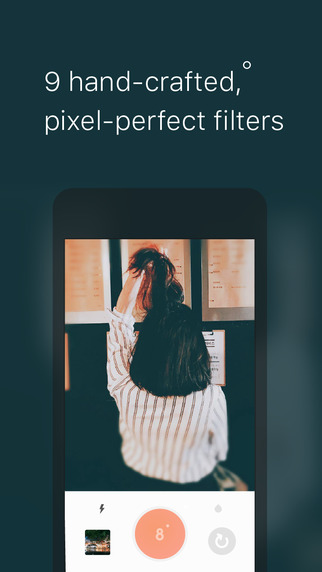
Seoul, Korea - Fantagram, a photography expert startup, today is very proud to announce the release of 9cam 1.0 for iOS, their new camera app that enables anyone to take expert-level photography with no effort. It is noticeable that 9cam only features nine simple filters while the current camera app market is flooded with a handful of special effects and various features. A slimmer feature-set and simple UI/UX is, however, a deliberate decision to meet the needs of people who just want to focus on taking beautiful pictures with no distraction.
All nine filters were developed in-house, on the contrast of most of camera apps that use open source filter parameters. Another noticeable feature is the Live Filter system. 9cam's OpenGL based camera engine analyzes over 260,000 color information on the viewfinder in real time and automatically optimizes the parameters. In short, all the user needs to do to take a great picture with the 9cam is just point and shoot.
Moreover, 9cam provides Double Filter features for the users who want richer colors. You can choose one filter when you take a picture and then choose another after taking it. By combining two filters, the users can find new sentiments and sublimity of the moment. Also, the image processor engine based on OpenGL makes 9cam much faster and lighter than other camera apps.
Namkyu Park, the CEO and developer of 9cam, is an expert on CLUT (Color Look Up Table) and is a veteran photo app developer. He has been developed various photo and video apps for the last 6 years, and many of his apps reached top downloaded apps in many countries, accumulating over 4million paid users in total. "9cam is built-up on my 6-year-experience dedicated to camera apps and on the craftsmanship of keeping the basics." explained Mr. Park.
Up to the official launch date, over 1500 people signed up for using 9cam beta app. According to a survey of the beta users, 89% of respondents answered that they are satisfied with 9cam and are willing to recommend the app to others. Taking a great photo with camera apps could take too much of time and effort. With 9cam, there is no hassle, no compromise, but just awesome pictures.
Device Requirements:
* iPhone, iPad, and iPod touch
* Requires iOS 9.0 or later
* 12.6 MB
Pricing and Availability:
For a limited time, 9cam 1.0 is Free and available worldwide exclusively through the App Store in the Photo & Video category. Available in 5 global languages; English, Korean, Chinese, Japanese and Thai.
9cam 1.0: http://9cam.co/
Download from iTunes: https://itunes.apple.com/app/id1124814346
Screenshot 1: http://a5.mzstatic.com/us/r30/Purple30/v4/cb/7d/8d/cb7d8ddf-2a88-05cd-c916-6d5c67382678/screen322x572.jpeg
Screenshot 2: http://a4.mzstatic.com/us/r30/Purple18/v4/69/b5/b1/69b5b187-8e85-3c43-bfb0-d67d5bfba789/screen322x572.jpeg
Screenshot 3: http://a3.mzstatic.com/us/r30/Purple60/v4/99/b1/d5/99b1d52d-6616-3c70-69fe-92664970f198/screen322x572.jpeg
Screenshot 4: http://a5.mzstatic.com/us/r30/Purple20/v4/90/c7/60/90c76085-36b6-480c-74cc-1c3a25610b81/screen322x572.jpeg
Based in Seou, South Korea, Fantagram is a brand-new photo apps startup. Fatagram was founded in late 2015 by Namkyu Park who has an extensive experience in developing photo/camera apps for last 6 years. Fatagram focuses on enriching yet simplifying user's core photography experience. All Material and Software (C) Copyright 2016 Fantagram Inc. All Rights Reserved. Apple, the Apple logo, iPhone, iPod and iPad are registered trademarks of Apple Inc. in the U.S. and/or other countries. Other trademarks and registered trademarks may be the property of their respective owners.
*******
Link To Article: http://prmac.com/release-id-79852.htm
*******
---------------------------------------------------------------------------------
Note that you can alter delivered distributions at any time.
Login to your account on prMac to alter your channel selection, or to opt-out at any time.
Fantagram releases 9cam 1.0 exclusively on the App Store - Published on 07/12/16
Seoul based photography startup, Fantagram today introduces 9cam 1.0 for iOS, their new camera app that enables anyone to take expert-level photography with no effort. A slimmer feature-set and simple UI/UX is a deliberate decision to meet the needs of people who just want to focus on taking beautiful pictures with no distraction. With 9cam, you don't have to worry about the filters, exposure, brightness and so on. The Live Filter system will adjust everything for you.
Seoul, Korea - Fantagram, a photography expert startup, today is very proud to announce the release of 9cam 1.0 for iOS, their new camera app that enables anyone to take expert-level photography with no effort. It is noticeable that 9cam only features nine simple filters while the current camera app market is flooded with a handful of special effects and various features. A slimmer feature-set and simple UI/UX is, however, a deliberate decision to meet the needs of people who just want to focus on taking beautiful pictures with no distraction.
All nine filters were developed in-house, on the contrast of most of camera apps that use open source filter parameters. Another noticeable feature is the Live Filter system. 9cam's OpenGL based camera engine analyzes over 260,000 color information on the viewfinder in real time and automatically optimizes the parameters. In short, all the user needs to do to take a great picture with the 9cam is just point and shoot.
Moreover, 9cam provides Double Filter features for the users who want richer colors. You can choose one filter when you take a picture and then choose another after taking it. By combining two filters, the users can find new sentiments and sublimity of the moment. Also, the image processor engine based on OpenGL makes 9cam much faster and lighter than other camera apps.
Namkyu Park, the CEO and developer of 9cam, is an expert on CLUT (Color Look Up Table) and is a veteran photo app developer. He has been developed various photo and video apps for the last 6 years, and many of his apps reached top downloaded apps in many countries, accumulating over 4million paid users in total. "9cam is built-up on my 6-year-experience dedicated to camera apps and on the craftsmanship of keeping the basics." explained Mr. Park.
Up to the official launch date, over 1500 people signed up for using 9cam beta app. According to a survey of the beta users, 89% of respondents answered that they are satisfied with 9cam and are willing to recommend the app to others. Taking a great photo with camera apps could take too much of time and effort. With 9cam, there is no hassle, no compromise, but just awesome pictures.
Device Requirements:
* iPhone, iPad, and iPod touch
* Requires iOS 9.0 or later
* 12.6 MB
Pricing and Availability:
For a limited time, 9cam 1.0 is Free and available worldwide exclusively through the App Store in the Photo & Video category. Available in 5 global languages; English, Korean, Chinese, Japanese and Thai.
9cam 1.0: http://9cam.co/
Download from iTunes: https://itunes.apple.com/app/id1124814346
Screenshot 1: http://a5.mzstatic.com/us/r30/Purple30/v4/cb/7d/8d/cb7d8ddf-2a88-05cd-c916-6d5c67382678/screen322x572.jpeg

Screenshot 2: http://a4.mzstatic.com/us/r30/Purple18/v4/69/b5/b1/69b5b187-8e85-3c43-bfb0-d67d5bfba789/screen322x572.jpeg
Screenshot 3: http://a3.mzstatic.com/us/r30/Purple60/v4/99/b1/d5/99b1d52d-6616-3c70-69fe-92664970f198/screen322x572.jpeg

Screenshot 4: http://a5.mzstatic.com/us/r30/Purple20/v4/90/c7/60/90c76085-36b6-480c-74cc-1c3a25610b81/screen322x572.jpeg

Based in Seou, South Korea, Fantagram is a brand-new photo apps startup. Fatagram was founded in late 2015 by Namkyu Park who has an extensive experience in developing photo/camera apps for last 6 years. Fatagram focuses on enriching yet simplifying user's core photography experience. All Material and Software (C) Copyright 2016 Fantagram Inc. All Rights Reserved. Apple, the Apple logo, iPhone, iPod and iPad are registered trademarks of Apple Inc. in the U.S. and/or other countries. Other trademarks and registered trademarks may be the property of their respective owners.
*******
Link To Article: http://prmac.com/release-id-79852.htm
*******
---------------------------------------------------------------------------------
Note that you can alter delivered distributions at any time.
Login to your account on prMac to alter your channel selection, or to opt-out at any time.
Subscribe to:
Posts (Atom)