A new article has been published at prMac.
Excel 2016 Tips series for Apple Numbers users - Published on 07/18/16
ExcelStories today announces Excel 2016 Tips, a set of multi-touch iBooks designed to help Numbers users to get up to speed in Microsoft Excel 2016. Released through iBooks Store, the new series consists of six short-video based iBooks recently published by ExcelStories covering six different areas of Excel features like basics, secrets you did't know about, favorite formulas, snazzy charts, mighty pivot tables, and how to record macros.
Gothenburg, Sweden - ExcelStories today is very proud to announce the release of Excel 2016 Tips, a set of multi-touch iBooks designed to help Numbers users to get up to speed in Microsoft Excel 2016. Released through iBooks Store, the new series consists of six short-video based iBooks recently published by ExcelStories covering six different areas of Excel features like basics, secrets you did't know about, favorite formulas, snazzy charts, mighty pivot tables, and how to record macros.
"We're excited to announce a new collection of short-video based iBooks designed with modern pedagogics," the author Anders Nyby said. "The iBooks include a video-based flyover, study guide, thirty-six short videos, a quiz and mind maps. We are targeting beginners with Basics and Charts as well as intermediate users with Secrets, Formulas, and Pivots. Learning to automate boring Excel steps with macros is another option with Record. The iBooks has been designed with mobile learning in mind and tested from iPhone 6 up to iMac HD. The additional Apple TV App is targeting learning sessions in the couch or in the board room."
About Anders Nyby:
Son of a teacher, with a curious mind and passion to blend know-how with pedagogics and tech. Long time financial IT consultant working with global customers in areas like back office processes, management reports, risk and Treasury software solutions. Co-author of Profitable Growth. Author of the Excel Tips series. Designer of Apple TV App Tips for Excel and iPhone App Key Figures.
Pricing and Availability:
Each book in the series is a $4.99 (USD) download on the iBooks Store. There is also a free starter book "Excel 2016 Tips - Learn" available. The Apple TV App "Tips for Excel - Mac Edition" is a $19.99 (USD) download on the App Store for Apple TV.
ExcelStories: http://www.excelstories.com
Book Series: http://www.excelstories.com/books
Excel 2016 Tips: https://itunes.apple.com/us/book/excel-2016-tips-learn/id1130051397
Promotional Image (Book Series): http://media.excelstories.com/2016/07/Fun-Excel-Learning-Apps-Books-Courses-Stories.png
Cover Image: http://media.excelstories.com/2016/07/ET2_Cover_Mac.jpg
ExcelStories is a registered trademark of Ide System AB, founded by Anders Nyby. Crafted the first App 'For Sale' 1989 with HyperCard on a Mac Plus with a floppy disk. The second a 2D game 'Bee Black Hole' was born when the programming language Swift was revealed in June at WWDC 2014. Working as consultants for global customers in the financial and treasury industry, co-writing books and designing e-learning curses, we have spent a lifetime learning to Excel in practice, now creating tools to get students up to the same level at a fraction of that time. All Material and Software (C) Copyright 2016 Ide System AB. All Rights Reserved. Apple, the Apple logo, macOS, iPhone, iPod and iPad are registered trademarks of Apple Inc. in the U.S. and/or other countries. Other trademarks and registered trademarks may be the property of their respective owners.
*******
Link To Article: http://prmac.com/release-id-79886.htm
*******
---------------------------------------------------------------------------------
Note that you can alter delivered distributions at any time.
Login to your account on prMac to alter your channel selection, or to opt-out at any time.


SYNELOGIS eliminates paperwork in transportation with 24U and FileMaker
A new article has been published at prMac.
SYNELOGIS eliminates paperwork in transportation with 24U and FileMaker - Published on 07/18/16
Czech based logistics company, SYNELOGIS eliminates paperwork in freight transportation with help of 24U Software. SYNELOGIS is achieving its mission to reform European freight transportation by using a custom app developed in partnership with 24U Software using the FileMaker Platform. Dispatchers use the app to plan routes to efficiently deliver shipments to their destinations. Truck drivers use a mobile version of the custom app, based on FileMaker Go, on the iPad.
Las Vegas, Nevada - SYNELOGIS s.r.o., the Czech Republic based logistics company is achieving its mission to reform European freight transportation by using a custom app developed in partnership with 24U Software within 6 weeks using the FileMaker Platform. The SYNELOGIS company strives to bring synergy to logistic processes by using modern technologies and sharing data between sales, transportation, stock, logistics, and the customer in real time.
"Our company can provide information to the customer immediately with the help of modern technologies. Current trends are that in the future we won't need papers. My strive so that the customer does not have to sign a paper he throws away later. We use tablets and these devices help us to minimize the time information needs to flow from the supplier to the customer," says Jiri Simak, SYNELOGIS CEO.
At the beginning of 2016, SYNELOGIS got a new opportunity to replace an inefficient hauler by starting their own freight transportation business. This opportunity was conditioned by the requirement to start the operation from the 1st of March, i.e. in less than two months.
SYNELOGIS partnered with the FileMaker Business Alliance Member 24U s.r.o. to create a custom app called Synetrans within only 6 weeks to achieve the goal of taking advantage of their unique opportunity.
"By using the FileMaker Platform for development, we were not only able to create the app in such a short time, but also to flexibly modify the app in response to requirements coming from the experience after deployment," said Milan Zach, lead developer at 24U.
Dispatchers use the app to plan routes to efficiently deliver shipments to their destinations. Synetrans lets them see an up-to-date analysis of expected cost and profit from the very beginning.
Truck drivers use a mobile version of the custom app, based on FileMaker Go, on the iPad. as a complete replacement for paper waybills. Thanks to the mobile app drivers stay constantly in touch with dispatchers, without compromising their safety while driving or wasting time by unscheduled breaks.
"Undoubted benefit of the app is that both drivers and dispatchers gain new willingness to work. Synetrans has also helped us to analyze a lot of data and disprove some doubts if our processes were efficient and if the shipments we accept to transport using our own trucks are profitable," said Jan ech, CEO at SYNELOGIS
24U is exhibiting at the FileMaker Developer Conference, taking place from July 18 to July 21 in Las Vegas, Nevada, able to show the solution to interested attendees. The whole story is available online at the 24U Software website.
24U Software: http://www.24usoftware.com/
Synelogis: http://www.synelogis.com/
FileMaker: http://www.filemaker.com/
Read the Whole Story: http://www.24usoftware.com/synetrans
YouTube Video (with English subtitles): https://www.youtube.com/watch?v=M1KitL9Az9w
Media Assets: http://www.24usoftware.com/pr/
With a team of full-time testers, web, plug-in, Mac, Windows, Linux, iOS, and Android native app developers, and FileMaker certified developers, led by the FileMaker DevCon 2015 Developer Cup champion, 24U excels in taking care of existing FileMaker solutions, optimizing their performance, identifying and resolving potential issues and liabilities, improving reliability, stability and scalability, integrating them with other systems including various hardware devices, and extending them beyond expectation. We help global businesses around the world to maintain sustainable growth by working with their in-house developers or completely taking care of the maintenance and development of their business solutions. (C) 2016 24U s.r.o. All rights reserved. 24U and 24U Software are trademarks of 24U s.r.o. Synetrans is a trademark of SYNELOGIS s.r.o. FileMaker is a trademark of FileMaker, Inc., registered in the U.S. and other countries. All other trademarks are the property of their
respective owners.
*******
Link To Article: http://prmac.com/release-id-79887.htm
*******
---------------------------------------------------------------------------------
Note that you can alter delivered distributions at any time.
Login to your account on prMac to alter your channel selection, or to opt-out at any time.
SYNELOGIS eliminates paperwork in transportation with 24U and FileMaker - Published on 07/18/16
Czech based logistics company, SYNELOGIS eliminates paperwork in freight transportation with help of 24U Software. SYNELOGIS is achieving its mission to reform European freight transportation by using a custom app developed in partnership with 24U Software using the FileMaker Platform. Dispatchers use the app to plan routes to efficiently deliver shipments to their destinations. Truck drivers use a mobile version of the custom app, based on FileMaker Go, on the iPad.
Las Vegas, Nevada - SYNELOGIS s.r.o., the Czech Republic based logistics company is achieving its mission to reform European freight transportation by using a custom app developed in partnership with 24U Software within 6 weeks using the FileMaker Platform. The SYNELOGIS company strives to bring synergy to logistic processes by using modern technologies and sharing data between sales, transportation, stock, logistics, and the customer in real time.
"Our company can provide information to the customer immediately with the help of modern technologies. Current trends are that in the future we won't need papers. My strive so that the customer does not have to sign a paper he throws away later. We use tablets and these devices help us to minimize the time information needs to flow from the supplier to the customer," says Jiri Simak, SYNELOGIS CEO.
At the beginning of 2016, SYNELOGIS got a new opportunity to replace an inefficient hauler by starting their own freight transportation business. This opportunity was conditioned by the requirement to start the operation from the 1st of March, i.e. in less than two months.
SYNELOGIS partnered with the FileMaker Business Alliance Member 24U s.r.o. to create a custom app called Synetrans within only 6 weeks to achieve the goal of taking advantage of their unique opportunity.
"By using the FileMaker Platform for development, we were not only able to create the app in such a short time, but also to flexibly modify the app in response to requirements coming from the experience after deployment," said Milan Zach, lead developer at 24U.
Dispatchers use the app to plan routes to efficiently deliver shipments to their destinations. Synetrans lets them see an up-to-date analysis of expected cost and profit from the very beginning.
Truck drivers use a mobile version of the custom app, based on FileMaker Go, on the iPad. as a complete replacement for paper waybills. Thanks to the mobile app drivers stay constantly in touch with dispatchers, without compromising their safety while driving or wasting time by unscheduled breaks.
"Undoubted benefit of the app is that both drivers and dispatchers gain new willingness to work. Synetrans has also helped us to analyze a lot of data and disprove some doubts if our processes were efficient and if the shipments we accept to transport using our own trucks are profitable," said Jan ech, CEO at SYNELOGIS
24U is exhibiting at the FileMaker Developer Conference, taking place from July 18 to July 21 in Las Vegas, Nevada, able to show the solution to interested attendees. The whole story is available online at the 24U Software website.
24U Software: http://www.24usoftware.com/
Synelogis: http://www.synelogis.com/
FileMaker: http://www.filemaker.com/
Read the Whole Story: http://www.24usoftware.com/synetrans
YouTube Video (with English subtitles): https://www.youtube.com/watch?v=M1KitL9Az9w
Media Assets: http://www.24usoftware.com/pr/
With a team of full-time testers, web, plug-in, Mac, Windows, Linux, iOS, and Android native app developers, and FileMaker certified developers, led by the FileMaker DevCon 2015 Developer Cup champion, 24U excels in taking care of existing FileMaker solutions, optimizing their performance, identifying and resolving potential issues and liabilities, improving reliability, stability and scalability, integrating them with other systems including various hardware devices, and extending them beyond expectation. We help global businesses around the world to maintain sustainable growth by working with their in-house developers or completely taking care of the maintenance and development of their business solutions. (C) 2016 24U s.r.o. All rights reserved. 24U and 24U Software are trademarks of 24U s.r.o. Synetrans is a trademark of SYNELOGIS s.r.o. FileMaker is a trademark of FileMaker, Inc., registered in the U.S. and other countries. All other trademarks are the property of their
respective owners.
*******
Link To Article: http://prmac.com/release-id-79887.htm
*******
---------------------------------------------------------------------------------
Note that you can alter delivered distributions at any time.
Login to your account on prMac to alter your channel selection, or to opt-out at any time.
App Wrapper 3.6 for OS X, DMG Canvas integration, DMG signing for Sierra
A new article has been published at prMac.
App Wrapper 3.6 for OS X, DMG Canvas integration, DMG signing for Sierra - Published on 07/18/16
Ohanaware Co., Ltd. today announces App Wrapper 3.6, an important update to their popular App Store preparation tool. App Wrapper was designed to simplify the process of preparing applications for submission to the Mac App Store and deploying on web sites. Once configured App Wrapper can perform the following actions either at the click of a button or when an application is built within the Xojo development environment. Version 3.6 updates many legacy frameworks within the app and much more.
Hengchun, Taiwan - Ohanaware Co., Ltd. today is proud to announce the immediate availability of App Wrapper version 3.6, an important update to their popular App Store preparation tool. App Wrapper was designed to simplify the process of preparing applications for submission to the Mac App Store and deploying on web sites. Once configured App Wrapper can perform the following actions either at the click of a button or when an application is built within the Xojo development environment.
App Wrapper version 3.6 adds:
* DMG Canvas integration, once configured pressing the "Wrap" button in App Wrapper, will wrap the app & instruct DMG Canvas to create the DMG Image file
* DMG Code signing, either as part of the DMG Canvas integration or via the separate DMG signing window (*4)
* DMG signature verification, on Sierra uses Gate Keeper, on 10.11.5 uses our own code
* Automatically adds the new compatibility plist options
* DMG Signer uses the newer Code signing identity selector
Improved:
* Updated many of the legacy frameworks within the application
* App Wrapper 3 now ships on a DMG created & signed with the App Wrapper workflow
* Code signs applications and nested code within the application
* Adds entitlements for the App Sandbox
* Clean up permissions of bundled files
* Add App Store required settings and additional property list keys
* Convert HTML files into the Apple Help Book format and inserts into the application
* Performs analysis on the application, to reduce App Store rejection. In same cases App Wrapper can auto fix issues
* Create Zip files, App Store compatible signed installer packages or DMG Image Files via DMG Canvas integration
* Can clean excess files from within the application, such as languages, architectures, specific files, files by extension and even certain file meta data
Additional functionality includes:
* Installer tester, to simplify the process of testing App Store compatible installers
* Xojo compatible script generator, to integrate App Wrapper into Xojo projects
* Application reporting, provides detailed information on an application and nested code
* DMG code signing function for DMG Image files (*4)
System Requirements:
App Wrapper requires OS X 10.9 Mavericks and Xcode 6 (Due to Apple's Code Signing requirements). App Wrapper 3.6 is macOS Sierra compatible. DMG code signing requires Mac OS X El Capitan 10.11.5 or newer.
Pricing and Availability:
App Wrapper is available today from the Ohanaware web site. App Wrapper uses Paddle as the payment processor. There are 3 pricing options:
$49.99 - 1-Year Update Plan (*1)
$9.99 - 30-Day Pay As You Go (*2)
$199.99 - 1-Year Small Team Update Plan (*3)
(*1) allows 3 concurrent activations. At the end of the term, application no longer receives updates.
(*2) allows 3 concurrent activations. At the end of the term, application no longer operates until a new term is purchased.
(*3) allows 13 concurrent activations. At the end of the term, application no longer receives updates.
(*4) DMG code signing requires Mac OS X El Capitan 10.11.5 or newer.
Ohanaware: http://www.ohanaware.com/
App Wrapper 3.6: http://www.ohanaware.com/appwrapper/
Download App Wrapper: http://www.ohanaware.com/appwrapper/appWrapper3.dmg
Purchase App Wrapper: http://www.ohanaware.com/appwrapper/
Screenshot: http://www.ohanaware.com/appwrapper/v3Images/generalFull@2x.png
Application Icon: http://www.ohanaware.com/appwrapper/v3Images/App-Wrapper-3.0-Icon-prototype-1.png
Since '06, Joy Sha & Sam Rowlands have been building top ten, award winning apps. Their most notable applications include Funtastic Photos, which set the benchmark for modern photo editing. HDRtist & HDRtist Pro which has over 100,000 users world wide. App Wrapper, which is the #1 third party product to help developers prepare their apps for the App Store. All Material and Software (C) Copyright 2006-2016 Ohanaware Co., Ltd. All Rights Reserved. Apple, the Apple logo, Mac OS X and Macintosh are registered trademarks of Apple Inc. in the U.S. and/or other countries. Other trademarks and registered trademarks may be the property of their respective owners.
*******
Link To Article: http://prmac.com/release-id-79885.htm
*******
---------------------------------------------------------------------------------
Note that you can alter delivered distributions at any time.
Login to your account on prMac to alter your channel selection, or to opt-out at any time.
App Wrapper 3.6 for OS X, DMG Canvas integration, DMG signing for Sierra - Published on 07/18/16
Ohanaware Co., Ltd. today announces App Wrapper 3.6, an important update to their popular App Store preparation tool. App Wrapper was designed to simplify the process of preparing applications for submission to the Mac App Store and deploying on web sites. Once configured App Wrapper can perform the following actions either at the click of a button or when an application is built within the Xojo development environment. Version 3.6 updates many legacy frameworks within the app and much more.
Hengchun, Taiwan - Ohanaware Co., Ltd. today is proud to announce the immediate availability of App Wrapper version 3.6, an important update to their popular App Store preparation tool. App Wrapper was designed to simplify the process of preparing applications for submission to the Mac App Store and deploying on web sites. Once configured App Wrapper can perform the following actions either at the click of a button or when an application is built within the Xojo development environment.
App Wrapper version 3.6 adds:
* DMG Canvas integration, once configured pressing the "Wrap" button in App Wrapper, will wrap the app & instruct DMG Canvas to create the DMG Image file
* DMG Code signing, either as part of the DMG Canvas integration or via the separate DMG signing window (*4)
* DMG signature verification, on Sierra uses Gate Keeper, on 10.11.5 uses our own code
* Automatically adds the new compatibility plist options
* DMG Signer uses the newer Code signing identity selector
Improved:
* Updated many of the legacy frameworks within the application
* App Wrapper 3 now ships on a DMG created & signed with the App Wrapper workflow
* Code signs applications and nested code within the application
* Adds entitlements for the App Sandbox
* Clean up permissions of bundled files
* Add App Store required settings and additional property list keys
* Convert HTML files into the Apple Help Book format and inserts into the application
* Performs analysis on the application, to reduce App Store rejection. In same cases App Wrapper can auto fix issues
* Create Zip files, App Store compatible signed installer packages or DMG Image Files via DMG Canvas integration
* Can clean excess files from within the application, such as languages, architectures, specific files, files by extension and even certain file meta data
Additional functionality includes:
* Installer tester, to simplify the process of testing App Store compatible installers
* Xojo compatible script generator, to integrate App Wrapper into Xojo projects
* Application reporting, provides detailed information on an application and nested code
* DMG code signing function for DMG Image files (*4)
System Requirements:
App Wrapper requires OS X 10.9 Mavericks and Xcode 6 (Due to Apple's Code Signing requirements). App Wrapper 3.6 is macOS Sierra compatible. DMG code signing requires Mac OS X El Capitan 10.11.5 or newer.
Pricing and Availability:
App Wrapper is available today from the Ohanaware web site. App Wrapper uses Paddle as the payment processor. There are 3 pricing options:
$49.99 - 1-Year Update Plan (*1)
$9.99 - 30-Day Pay As You Go (*2)
$199.99 - 1-Year Small Team Update Plan (*3)
(*1) allows 3 concurrent activations. At the end of the term, application no longer receives updates.
(*2) allows 3 concurrent activations. At the end of the term, application no longer operates until a new term is purchased.
(*3) allows 13 concurrent activations. At the end of the term, application no longer receives updates.
(*4) DMG code signing requires Mac OS X El Capitan 10.11.5 or newer.
Ohanaware: http://www.ohanaware.com/
App Wrapper 3.6: http://www.ohanaware.com/appwrapper/
Download App Wrapper: http://www.ohanaware.com/appwrapper/appWrapper3.dmg
Purchase App Wrapper: http://www.ohanaware.com/appwrapper/
Screenshot: http://www.ohanaware.com/appwrapper/v3Images/generalFull@2x.png

Application Icon: http://www.ohanaware.com/appwrapper/v3Images/App-Wrapper-3.0-Icon-prototype-1.png

Since '06, Joy Sha & Sam Rowlands have been building top ten, award winning apps. Their most notable applications include Funtastic Photos, which set the benchmark for modern photo editing. HDRtist & HDRtist Pro which has over 100,000 users world wide. App Wrapper, which is the #1 third party product to help developers prepare their apps for the App Store. All Material and Software (C) Copyright 2006-2016 Ohanaware Co., Ltd. All Rights Reserved. Apple, the Apple logo, Mac OS X and Macintosh are registered trademarks of Apple Inc. in the U.S. and/or other countries. Other trademarks and registered trademarks may be the property of their respective owners.
*******
Link To Article: http://prmac.com/release-id-79885.htm
*******
---------------------------------------------------------------------------------
Note that you can alter delivered distributions at any time.
Login to your account on prMac to alter your channel selection, or to opt-out at any time.
Tap or Get Trapped - Tiny Traps Released
A new article has been published at prMac.
Tap or Get Trapped - Tiny Traps Released - Published on 07/17/16
Independent game developer, Double Happy announces the release of Tiny Traps 2.0, their new game for casual gamers on iPhone, iPad, and iPod touch devices. This is the first game from the Melbourne based studio. A hungry panda. Ice Creams. Deadly spikes. What can go wrong? Help Yum Yum the panda overcome a multitude of deadly traps, lazer beams and hungry sharks while eating as many ice creams as possible. Tap to avoid obstacles, tap and hold to slide.
Melbourne, Australia - A hungry panda. Ice Creams. Deadly spikes. What can go wrong? Independent game developer, Double Happy is excited to announce the release of Tiny Traps 2.0 their new game for casual gamers on iPhone, iPad, and iPod touch devices. This is the first game from the Melbourne based studio. It's available in all countries and on devices running iOS 7.
Help Yum Yum the panda overcome a multitude of deadly traps, lazer beams and hungry sharks while eating as many ice creams as possible. Tap to avoid obstacles, tap and hold to slide. This fun and fast paced endless runner has a slew of characters to unlock, including a happy maggot, a ninja bear and a miniature rabbit. With randomly selected obstacles, stunning isometric graphics and super simple gameplay Tiny Traps is a great way for adults and kids to spend some downtime.
"Focusing solely on the casual gamer, mixing great graphics and addictive gameplay with our own spin. We are dedicated to making super fun and great looking games" says Dane Flighty creative director and founder of Double Happy.
Features:
* Simple gameplay
* Endless
* Compare your high scores with leaderboards
* Many characters to unlock
* Isometric graphics
Device Requirements:
* iPhone, iPad, and iPod touch
* Requires iOS 7.0 or later
* Universal Application
* 13.1 MB
Pricing and Availability:
Tiny Traps 2.0 is free, and is available worldwide exclusively through the App Store in the Games category.
Tiny Traps 2.0: http://www.tinytrapsgame.com
Download from iTunes: https://itunes.apple.com/app/tiny-traps/id1119063083
YouTube Trailer: https://www.youtube.com/watch?v=xA9wNQojcNc
Press Kit: http://www.tinytrapsgame.com/press-kit.html
Double Happy is an indie game studio dedicated to making super fun and great looking games. We are based in Melbourne, Australia. All Material and Software (C) 2016 Double Happy. All Rights Reserved. Apple, the Apple logo, iPhone, iPod and iPad are registered trademarks of Apple Inc. in the U.S. and/or other countries. Other trademarks and registered trademarks may be the property of their respective owners.
*******
Link To Article: http://prmac.com/release-id-79884.htm
*******
---------------------------------------------------------------------------------
Note that you can alter delivered distributions at any time.
Login to your account on prMac to alter your channel selection, or to opt-out at any time.
Tap or Get Trapped - Tiny Traps Released - Published on 07/17/16
Independent game developer, Double Happy announces the release of Tiny Traps 2.0, their new game for casual gamers on iPhone, iPad, and iPod touch devices. This is the first game from the Melbourne based studio. A hungry panda. Ice Creams. Deadly spikes. What can go wrong? Help Yum Yum the panda overcome a multitude of deadly traps, lazer beams and hungry sharks while eating as many ice creams as possible. Tap to avoid obstacles, tap and hold to slide.
Melbourne, Australia - A hungry panda. Ice Creams. Deadly spikes. What can go wrong? Independent game developer, Double Happy is excited to announce the release of Tiny Traps 2.0 their new game for casual gamers on iPhone, iPad, and iPod touch devices. This is the first game from the Melbourne based studio. It's available in all countries and on devices running iOS 7.
Help Yum Yum the panda overcome a multitude of deadly traps, lazer beams and hungry sharks while eating as many ice creams as possible. Tap to avoid obstacles, tap and hold to slide. This fun and fast paced endless runner has a slew of characters to unlock, including a happy maggot, a ninja bear and a miniature rabbit. With randomly selected obstacles, stunning isometric graphics and super simple gameplay Tiny Traps is a great way for adults and kids to spend some downtime.
"Focusing solely on the casual gamer, mixing great graphics and addictive gameplay with our own spin. We are dedicated to making super fun and great looking games" says Dane Flighty creative director and founder of Double Happy.
Features:
* Simple gameplay
* Endless
* Compare your high scores with leaderboards
* Many characters to unlock
* Isometric graphics
Device Requirements:
* iPhone, iPad, and iPod touch
* Requires iOS 7.0 or later
* Universal Application
* 13.1 MB
Pricing and Availability:
Tiny Traps 2.0 is free, and is available worldwide exclusively through the App Store in the Games category.
Tiny Traps 2.0: http://www.tinytrapsgame.com
Download from iTunes: https://itunes.apple.com/app/tiny-traps/id1119063083
YouTube Trailer: https://www.youtube.com/watch?v=xA9wNQojcNc
Press Kit: http://www.tinytrapsgame.com/press-kit.html
Double Happy is an indie game studio dedicated to making super fun and great looking games. We are based in Melbourne, Australia. All Material and Software (C) 2016 Double Happy. All Rights Reserved. Apple, the Apple logo, iPhone, iPod and iPad are registered trademarks of Apple Inc. in the U.S. and/or other countries. Other trademarks and registered trademarks may be the property of their respective owners.
*******
Link To Article: http://prmac.com/release-id-79884.htm
*******
---------------------------------------------------------------------------------
Note that you can alter delivered distributions at any time.
Login to your account on prMac to alter your channel selection, or to opt-out at any time.
MaBaSoft Releases Currency Assistant 3.2.5
A new article has been published at prMac.
MaBaSoft Releases Currency Assistant 3.2.5 - Published on 07/16/16
MaBaSoft announces Currency Assistant 3.2.5, an update to their currency converter for Mac OS X. Currency Assistant is a very flexible currency conversion calculator that provides 174 currencies, including all major circulating currencies plus the 19 Eurozone legacy currencies, allows the creation of multiple converters, and automatically updates exchange rates over the Internet. Version 3.2.5 introduces the new Belarusian ruble (BYN).
Milano, Italy - MaBaSoft is proud to announce the release of Currency Assistant 3.2.5, an update to their currency converter for Mac OS X. Currency Assistant allows users to easily calculate conversions between 174 world currencies (all major circulating currencies plus the 19 Eurozone legacy currencies) and updates exchange rates automatically over the Internet. Version 3.2.5 replaces the old Belarusian ruble (BYR) with the new Belarusian ruble (BYN). The new ruble was introduced on July 1, 2016 with 1 BYN = 10,000 BYR.
Currency Assistant is a very flexible currency converter; users can define multiple conversion windows which can contain up to 24 currencies. Converters are very easy to set up or edit and have an Action pop-up menu to quickly accomplish recurrent tasks, a Rate pop-up menu to view and copy exchange rates, and a tape in a drawer to log results.
With Currency Assistant users can quickly calculate conversions to multiple currencies and automatically convert the result of expressions. In addition to that, multiple amounts can be copied from a spreadsheet or another document and pasted to the desired input display: Currency Assistant will automatically convert the pasted amounts and log results in the tape. Finally, Currency Assistant can import text files, Word documents, and text clippings containing series of amounts and automatically convert the enclosed values.
Working with results is also very easy. Amounts can be copied from a display or from the tape, conversions can be exported by dragging them from the tape to a document in another application, and the tape can be saved to a RTF or plain text file and printed. Moreover, configurable Copy Special commands allow users to copy results including ISO code, currency name, or symbol and quickly copy frequently used text snippets containing conversion results, ISO codes, currency names, and symbols.
Managing currencies is simple and straightforward with Currency Assistant. The Currencies window allows users to quickly search, sort, edit, batch edit, and restore currencies, set a base currency, and automatically update exchange rates. Currency Assistant uses the rates published by the European Central Bank, the Bank of Canada, the International Monetary Fund, and the Bank of Italy to automatically update exchange rates.
Language Support:
* US English, German, French, Dutch, and Italian
System Requirements:
* Mac OS X 10.6, 10.7, 10.8, 10.9, 10.10, or 10.11 (El Capitan)
Pricing and Availability:
Currency Assistant 3.2.5 is now 50% off and available for just $8.95 (USD) for new users or $4.95 (USD) for Euro Assistant Pro registered users. Version 3.2.5 is a free update for registered version 3 users. Site and world-wide licenses are also available.
Milano, Italy - MaBaSoft is proud to announce the release of Currency Assistant 3.2.5, an update to their currency converter for Mac OS X. Currency Assistant allows users to easily calculate conversions between 174 world currencies (all major circulating currencies plus the 19 Eurozone legacy currencies) and updates exchange rates automatically over the Internet. Version 3.2.5 replaces the old Belarusian ruble (BYR) with the new Belarusian ruble (BYN). The new ruble was introduced on July 1, 2016 with 1 BYN = 10,000 BYR.
Currency Assistant is a very flexible currency converter; users can define multiple conversion windows which can contain up to 24 currencies. Converters are very easy to set up or edit and have an Action pop-up menu to quickly accomplish recurrent tasks, a Rate pop-up menu to view and copy exchange rates, and a tape in a drawer to log results.
With Currency Assistant users can quickly calculate conversions to multiple currencies and automatically convert the result of expressions. In addition to that, multiple amounts can be copied from a spreadsheet or another document and pasted to the desired input display: Currency Assistant will automatically convert the pasted amounts and log results in the tape. Finally, Currency Assistant can import text files, Word documents, and text clippings containing series of amounts and automatically convert the enclosed values.
Working with results is also very easy. Amounts can be copied from a display or from the tape, conversions can be exported by dragging them from the tape to a document in another application, and the tape can be saved to a RTF or plain text file and printed. Moreover, configurable Copy Special commands allow users to copy results including ISO code, currency name, or symbol and quickly copy frequently used text snippets containing conversion results, ISO codes, currency names, and symbols.
Managing currencies is simple and straightforward with Currency Assistant. The Currencies window allows users to quickly search, sort, edit, batch edit, and restore currencies, set a base currency, and automatically update exchange rates. Currency Assistant uses the rates published by the European Central Bank, the Bank of Canada, the International Monetary Fund, and the Bank of Italy to automatically update exchange rates.
Language Support:
* US English, German, French, Dutch, and Italian
System Requirements:
* Mac OS X 10.6, 10.7, 10.8, 10.9, 10.10, or 10.11 (El Capitan)
Pricing and Availability:
Currency Assistant 3.2.5 is now 50% off and available for just $8.95 (USD) for new users or $4.95 (USD) for Euro Assistant Pro registered users. Version 3.2.5 is a free update for registered version 3 users. Site and world-wide licenses are also available.
MaBaSoft: https://www.mabasoft.net/
Currency Assistant 3.2.5: https://www.mabasoft.net/products/currencyAssistant.html
Purchase Currency Assistant: https://store.kagi.com/?2H_LIVE
Direct Download: https://www.mabasoft.net/downloads/files/Currency_Assistant_3.2.5.dmg
Release Notes: https://www.mabasoft.net/releaseNotes/currencyAssistant.html
Media Assets: https://www.mabasoft.net/pressImages/currencyAssistant.html
MaBaSoft, based in Milano, Italy, is a small independent company founded by Marco Damaschi and Barbara Canino in 1997. MaBaSoft develops quality system utilities and applications for the Macintosh. Copyright 1997-2016 MaBaSoft. All Rights Reserved. Apple, the Apple logo, Macintosh and Mac OS X are registered trademarks of Apple Inc. in the U.S. and/or other countries. Other trademarks and registered trademarks may be the property of their respective owners.
*******
Link To Article: http://prmac.com/release-id-79883.htm
*******
---------------------------------------------------------------------------------
Note that you can alter delivered distributions at any time.
Login to your account on prMac to alter your channel selection, or to opt-out at any time.
MaBaSoft Releases Currency Assistant 3.2.5 - Published on 07/16/16
MaBaSoft announces Currency Assistant 3.2.5, an update to their currency converter for Mac OS X. Currency Assistant is a very flexible currency conversion calculator that provides 174 currencies, including all major circulating currencies plus the 19 Eurozone legacy currencies, allows the creation of multiple converters, and automatically updates exchange rates over the Internet. Version 3.2.5 introduces the new Belarusian ruble (BYN).
Milano, Italy - MaBaSoft is proud to announce the release of Currency Assistant 3.2.5, an update to their currency converter for Mac OS X. Currency Assistant allows users to easily calculate conversions between 174 world currencies (all major circulating currencies plus the 19 Eurozone legacy currencies) and updates exchange rates automatically over the Internet. Version 3.2.5 replaces the old Belarusian ruble (BYR) with the new Belarusian ruble (BYN). The new ruble was introduced on July 1, 2016 with 1 BYN = 10,000 BYR.
Currency Assistant is a very flexible currency converter; users can define multiple conversion windows which can contain up to 24 currencies. Converters are very easy to set up or edit and have an Action pop-up menu to quickly accomplish recurrent tasks, a Rate pop-up menu to view and copy exchange rates, and a tape in a drawer to log results.
With Currency Assistant users can quickly calculate conversions to multiple currencies and automatically convert the result of expressions. In addition to that, multiple amounts can be copied from a spreadsheet or another document and pasted to the desired input display: Currency Assistant will automatically convert the pasted amounts and log results in the tape. Finally, Currency Assistant can import text files, Word documents, and text clippings containing series of amounts and automatically convert the enclosed values.
Working with results is also very easy. Amounts can be copied from a display or from the tape, conversions can be exported by dragging them from the tape to a document in another application, and the tape can be saved to a RTF or plain text file and printed. Moreover, configurable Copy Special commands allow users to copy results including ISO code, currency name, or symbol and quickly copy frequently used text snippets containing conversion results, ISO codes, currency names, and symbols.
Managing currencies is simple and straightforward with Currency Assistant. The Currencies window allows users to quickly search, sort, edit, batch edit, and restore currencies, set a base currency, and automatically update exchange rates. Currency Assistant uses the rates published by the European Central Bank, the Bank of Canada, the International Monetary Fund, and the Bank of Italy to automatically update exchange rates.
Language Support:
* US English, German, French, Dutch, and Italian
System Requirements:
* Mac OS X 10.6, 10.7, 10.8, 10.9, 10.10, or 10.11 (El Capitan)
Pricing and Availability:
Currency Assistant 3.2.5 is now 50% off and available for just $8.95 (USD) for new users or $4.95 (USD) for Euro Assistant Pro registered users. Version 3.2.5 is a free update for registered version 3 users. Site and world-wide licenses are also available.
Milano, Italy - MaBaSoft is proud to announce the release of Currency Assistant 3.2.5, an update to their currency converter for Mac OS X. Currency Assistant allows users to easily calculate conversions between 174 world currencies (all major circulating currencies plus the 19 Eurozone legacy currencies) and updates exchange rates automatically over the Internet. Version 3.2.5 replaces the old Belarusian ruble (BYR) with the new Belarusian ruble (BYN). The new ruble was introduced on July 1, 2016 with 1 BYN = 10,000 BYR.
Currency Assistant is a very flexible currency converter; users can define multiple conversion windows which can contain up to 24 currencies. Converters are very easy to set up or edit and have an Action pop-up menu to quickly accomplish recurrent tasks, a Rate pop-up menu to view and copy exchange rates, and a tape in a drawer to log results.
With Currency Assistant users can quickly calculate conversions to multiple currencies and automatically convert the result of expressions. In addition to that, multiple amounts can be copied from a spreadsheet or another document and pasted to the desired input display: Currency Assistant will automatically convert the pasted amounts and log results in the tape. Finally, Currency Assistant can import text files, Word documents, and text clippings containing series of amounts and automatically convert the enclosed values.
Working with results is also very easy. Amounts can be copied from a display or from the tape, conversions can be exported by dragging them from the tape to a document in another application, and the tape can be saved to a RTF or plain text file and printed. Moreover, configurable Copy Special commands allow users to copy results including ISO code, currency name, or symbol and quickly copy frequently used text snippets containing conversion results, ISO codes, currency names, and symbols.
Managing currencies is simple and straightforward with Currency Assistant. The Currencies window allows users to quickly search, sort, edit, batch edit, and restore currencies, set a base currency, and automatically update exchange rates. Currency Assistant uses the rates published by the European Central Bank, the Bank of Canada, the International Monetary Fund, and the Bank of Italy to automatically update exchange rates.
Language Support:
* US English, German, French, Dutch, and Italian
System Requirements:
* Mac OS X 10.6, 10.7, 10.8, 10.9, 10.10, or 10.11 (El Capitan)
Pricing and Availability:
Currency Assistant 3.2.5 is now 50% off and available for just $8.95 (USD) for new users or $4.95 (USD) for Euro Assistant Pro registered users. Version 3.2.5 is a free update for registered version 3 users. Site and world-wide licenses are also available.
MaBaSoft: https://www.mabasoft.net/
Currency Assistant 3.2.5: https://www.mabasoft.net/products/currencyAssistant.html
Purchase Currency Assistant: https://store.kagi.com/?2H_LIVE
Direct Download: https://www.mabasoft.net/downloads/files/Currency_Assistant_3.2.5.dmg
Release Notes: https://www.mabasoft.net/releaseNotes/currencyAssistant.html
Media Assets: https://www.mabasoft.net/pressImages/currencyAssistant.html
MaBaSoft, based in Milano, Italy, is a small independent company founded by Marco Damaschi and Barbara Canino in 1997. MaBaSoft develops quality system utilities and applications for the Macintosh. Copyright 1997-2016 MaBaSoft. All Rights Reserved. Apple, the Apple logo, Macintosh and Mac OS X are registered trademarks of Apple Inc. in the U.S. and/or other countries. Other trademarks and registered trademarks may be the property of their respective owners.
*******
Link To Article: http://prmac.com/release-id-79883.htm
*******
---------------------------------------------------------------------------------
Note that you can alter delivered distributions at any time.
Login to your account on prMac to alter your channel selection, or to opt-out at any time.
Masalasoft Releases myOffice - Microsoft Office Edition Version 2.2
A new article has been published at prMac.
Masalasoft Releases myOffice - Microsoft Office Edition Version 2.2 - Published on 07/16/16
Masalasoft (Pvt) Limited announces myOffice - Microsoft Office Edition, Office Viewer, Word Processor and PDF Maker, Version 2.2 for iOS devices. The application features a Rich Text Editor, Document Manager, PDF Expert, Spreadsheets, Document Scanner, Voice Recorder, PDF Converter, File Manager and a Cloud Sharing Framework. Version 2.2 brings a documents scanner, the ability to crearte and edit spreadsheets, and more.
Santa Clara, CA, USA - Masalasoft (Pvt) Limited, The leader in mobile consumer apps is thrilled to announce the release of its latest application update, myOffice - Microsoft Office Edition, Office Viewer, Word Processor and PDF Maker, Version 2.2 for iPhone, iPad and iPod touch devices.
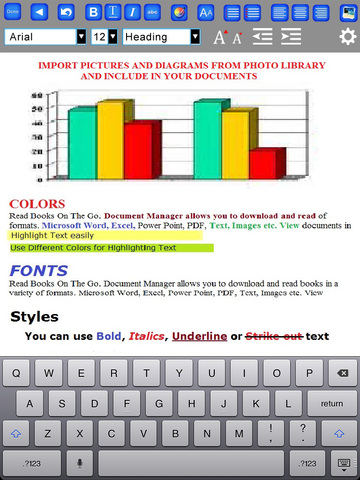
The application features a Rich Text Editor, Document Manager, PDF Expert, Spreadsheets, Document Scanner, Voice Recorder, PDF Converter, File Manager and a Cloud Sharing Framework through which users can seamlessly work with cloud based storage systems like Dropbox and Google Drive.
Users can create professional quality documents in Open Standard Format that can be Viewed or Edited in Adobe PDF, Microsoft Word, Open Office or any other Standard Word Processing Application. The App also features a high quality viewer for Microsoft Word, Excel, Power Point, PDF, Text and a wide variety of Image file formats. Users can download files from virtually anywhere: from the internet, from a computer through a USB cable or from an external file management system like Dropbox or Google Docs.
Whats New in Version 2.2 :
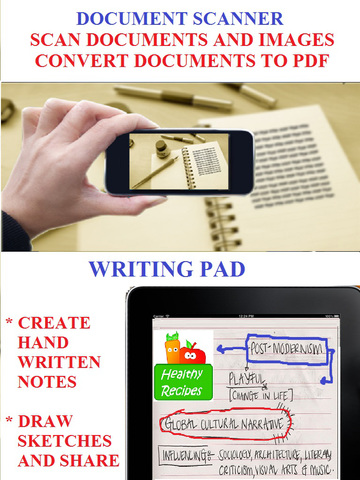
* Documents Scanner
* Fax documents from within the app
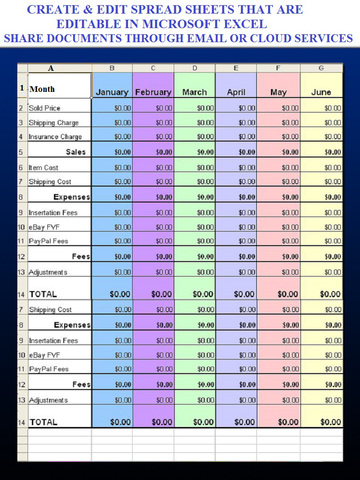
* Create/Edit Spreadsheets
* Box and Sugar-Sync integration
"Smart Phones have the potential to change the way we live our lives," said Irfan Farooqi, the Vice President of Corporate Strategy and Marketing for Masalasoft (Pvt) Limited."
"With more and more computing power and rich hardware capability in smart phones, the innovation in applications is taking the benefits of mobile technology directly to common users.Our next generation of mobile business apps aim to take the burden of content management off from the users by creating amazingly simple mobile interfaces for our customers."
Device Requirements:
* iPhone, iPad, and iPod touch
* Requires iOS 6.0 or later
* Universal Application
* 28.4 MB
Pricing and Availability:
myOffice - Microsoft Office Edition, Office Viewer, Word Processor and PDF Maker, Version 2.2 is $6.99 USD (or an equivalent amount in other currencies), and is available worldwide through the App Store in the Productivity category.
myOffice - Microsoft Office Edition 2.2: https://itunes.apple.com/app/myoffice-microsoft-office/id785157453
Screenshot 1: http://a2.mzstatic.com/us/r30/Purple3/v4/7c/2b/c7/7c2bc75f-c932-b362-83ce-369faa830d58/screen480x480.jpeg
Screenshot 2: http://a1.mzstatic.com/us/r30/Purple5/v4/11/48/ef/1148ef3e-bd31-d883-10e7-29d7a7ecc670/screen480x480.jpeg
Screenshot 3: http://a2.mzstatic.com/us/r30/Purple5/v4/e7/ba/67/e7ba6725-8764-99b7-a3ae-17e7ae07dd92/screen480x480.jpeg
Screenshot 4: http://a5.mzstatic.com/us/r30/Purple5/v4/5e/85/8d/5e858d67-8b6c-39ee-d181-d8366b87e13e/screen480x480.jpeg
App Icon: http://a3.mzstatic.com/us/r30/Purple3/v4/87/d7/65/87d765c5-f73f-2a14-28e9-ca65f3f19ad5/icon512x512.png
Masalasoft (Pvt) Limited is a software development and IT consulting firm dedicated to helping customers effectively execute, manage and support their Product Lifecycle Management, Engineering Services and Enterprise Application Programs. All Material and Software (C) 2016 Masalasoft. All Rights Reserved. Apple, the Apple logo, iPhone, iPod and iPad are registered trademarks of Apple Inc. in the U.S. and/or other countries. Other trademarks and registered trademarks may be the property of their respective owners.
*******
Link To Article: http://prmac.com/release-id-79882.htm
*******
---------------------------------------------------------------------------------
Note that you can alter delivered distributions at any time.
Login to your account on prMac to alter your channel selection, or to opt-out at any time.
Masalasoft Releases myOffice - Microsoft Office Edition Version 2.2 - Published on 07/16/16
Masalasoft (Pvt) Limited announces myOffice - Microsoft Office Edition, Office Viewer, Word Processor and PDF Maker, Version 2.2 for iOS devices. The application features a Rich Text Editor, Document Manager, PDF Expert, Spreadsheets, Document Scanner, Voice Recorder, PDF Converter, File Manager and a Cloud Sharing Framework. Version 2.2 brings a documents scanner, the ability to crearte and edit spreadsheets, and more.
Santa Clara, CA, USA - Masalasoft (Pvt) Limited, The leader in mobile consumer apps is thrilled to announce the release of its latest application update, myOffice - Microsoft Office Edition, Office Viewer, Word Processor and PDF Maker, Version 2.2 for iPhone, iPad and iPod touch devices.
The application features a Rich Text Editor, Document Manager, PDF Expert, Spreadsheets, Document Scanner, Voice Recorder, PDF Converter, File Manager and a Cloud Sharing Framework through which users can seamlessly work with cloud based storage systems like Dropbox and Google Drive.
Users can create professional quality documents in Open Standard Format that can be Viewed or Edited in Adobe PDF, Microsoft Word, Open Office or any other Standard Word Processing Application. The App also features a high quality viewer for Microsoft Word, Excel, Power Point, PDF, Text and a wide variety of Image file formats. Users can download files from virtually anywhere: from the internet, from a computer through a USB cable or from an external file management system like Dropbox or Google Docs.
Whats New in Version 2.2 :
* Documents Scanner
* Fax documents from within the app
* Create/Edit Spreadsheets
* Box and Sugar-Sync integration
"Smart Phones have the potential to change the way we live our lives," said Irfan Farooqi, the Vice President of Corporate Strategy and Marketing for Masalasoft (Pvt) Limited."
"With more and more computing power and rich hardware capability in smart phones, the innovation in applications is taking the benefits of mobile technology directly to common users.Our next generation of mobile business apps aim to take the burden of content management off from the users by creating amazingly simple mobile interfaces for our customers."
Device Requirements:
* iPhone, iPad, and iPod touch
* Requires iOS 6.0 or later
* Universal Application
* 28.4 MB
Pricing and Availability:
myOffice - Microsoft Office Edition, Office Viewer, Word Processor and PDF Maker, Version 2.2 is $6.99 USD (or an equivalent amount in other currencies), and is available worldwide through the App Store in the Productivity category.
myOffice - Microsoft Office Edition 2.2: https://itunes.apple.com/app/myoffice-microsoft-office/id785157453
Screenshot 1: http://a2.mzstatic.com/us/r30/Purple3/v4/7c/2b/c7/7c2bc75f-c932-b362-83ce-369faa830d58/screen480x480.jpeg

Screenshot 2: http://a1.mzstatic.com/us/r30/Purple5/v4/11/48/ef/1148ef3e-bd31-d883-10e7-29d7a7ecc670/screen480x480.jpeg
Screenshot 3: http://a2.mzstatic.com/us/r30/Purple5/v4/e7/ba/67/e7ba6725-8764-99b7-a3ae-17e7ae07dd92/screen480x480.jpeg
Screenshot 4: http://a5.mzstatic.com/us/r30/Purple5/v4/5e/85/8d/5e858d67-8b6c-39ee-d181-d8366b87e13e/screen480x480.jpeg
App Icon: http://a3.mzstatic.com/us/r30/Purple3/v4/87/d7/65/87d765c5-f73f-2a14-28e9-ca65f3f19ad5/icon512x512.png

Masalasoft (Pvt) Limited is a software development and IT consulting firm dedicated to helping customers effectively execute, manage and support their Product Lifecycle Management, Engineering Services and Enterprise Application Programs. All Material and Software (C) 2016 Masalasoft. All Rights Reserved. Apple, the Apple logo, iPhone, iPod and iPad are registered trademarks of Apple Inc. in the U.S. and/or other countries. Other trademarks and registered trademarks may be the property of their respective owners.
*******
Link To Article: http://prmac.com/release-id-79882.htm
*******
---------------------------------------------------------------------------------
Note that you can alter delivered distributions at any time.
Login to your account on prMac to alter your channel selection, or to opt-out at any time.
Flowmotion's Epic Deli Restaurant Mobile Game Available Now
A new article has been published at prMac.
Flowmotion's Epic Deli Restaurant Mobile Game Available Now - Published on 07/16/16
Flowmotion Entertainment announces DELI DASH! Cafe Chef Cooking Scramble and Restaurant Food Fever 1.0 for iOS and Android devices. Become a rising star chef in the most happening Deli Restaurant in town. The game offers more personal restaurant management experience. Players can join the cooking adventure and build their restaurant empire. You will have the best ingredients at your disposal and serve delicious treats. The game is simple to play, yet challenging to master.
Vancouver, BC, Canada - Flowmotion Entertainment announces the release of DELI DASH! Cafe Chef Cooking Scramble and Restaurant Food Fever 1.0 for iPhone, iPad, iPod touch and Android devices. Players can join the cooking adventure and build their restaurant empire. You will have the best ingredients at your disposal and serve delicious treats. DELI DASH! Cafe Chef Cooking Scramble is simple to play yet challenging to master.
Food Court fever fans can now play and cook exotic dishes in the new Deli restaurants, decorate it and explore new locations. "DELI DASH! Cooking Scramble" brings bright, spirited HD graphics, and super engaging characters. This is not your average restaurant simulation game, it provides a spectacular Deli restaurant theme with lots of crazy characters. The game is beautifully designed, easy to play and awesomely rewarding.
"DELI DASH is an exciting addition to Flowmotion's Food Court Fever series," said, Dario Pavan, CEO of Flowmotion Entertainment. "The game is packed with cooking frenzy. And the team is extremely proud of the new title and offers a unique cooking experience. So much detail have gone into designing the game, that the food is enough to make players hungry."
Key Features:
* Play 70 different levels with increasing star challenge
* Feed the world with 7 different restaurants to master the challenge and unlock
* Tons of different exotic food ingredients to shop and unlock
* Earn coins & gems to decorate your own restaurant
* Plus play mini game challenges
The game currently features 70 different levels across 7 locations. The earned coins and gems can be used to purchase ingredients making your menu more appealing. The game also provides several in-game boosters to serve your customers faster. These can be earned or bought using in-app purchases.
This all-new restaurant game comes with HD graphics, sound and game play. "DELI DASH! Cooking Scramble" is sleek, challenging & feature rich to provide players with a frenzied multi-tasking experience. The app is available for both iOS and Android devices. This cooking game is free for all users and has options for in-app purchases.
Device Requirements:
* iPhone, iPad, and iPod touch
* Requires iOS 8.4 or later
* Universal Application
* 128 MB
Pricing and Availability:
DELI DASH! Cafe Chef Cooking Scramble and Restaurant Food Fever 1.0 is free, and is available worldwide through the App Store in the Games category. An Android version is available through Google Play.
Flowmotion Entertainment: http://flowmotionentertainment.com/
Download from iTunes: https://itunes.apple.com/app/deli-dash!-cafe-chef-cooking/id1128028294
Download from Google Play: https://play.google.com/store/apps/details?id=com.fme.deli.dash&hl=en
Screenshot: http://a3.mzstatic.com/us/r30/Purple18/v4/38/d4/9e/38d49ec4-e153-1346-9f2b-7f208843439a/screen640x640.jpeg
App Icon: http://a4.mzstatic.com/us/r30/Purple30/v4/bd/54/a8/bd54a8d3-ba4b-1adb-101b-c1a57ecf623a/icon175x175.jpeg
Flowmotion Entertainment Inc. is committed to building fun games that can be enjoyed by the whole family and by boys and girls, men and women, of all age groups - kids, adults, and older generations. The company was founded in 2014, and is a fast growing mobile game studio, which has published dozens of games enjoyed by over 5 million people around the world! All Material and Software (C) 2016 Flowmotion Entertainment Inc. All Rights Reserved. Apple, the Apple logo, iPhone, iPod and iPad are registered trademarks of Apple Inc. in the U.S. and/or other countries. Other trademarks and registered trademarks may be the property of their respective owners.
*******
Link To Article: http://prmac.com/release-id-79881.htm
*******
---------------------------------------------------------------------------------
Note that you can alter delivered distributions at any time.
Login to your account on prMac to alter your channel selection, or to opt-out at any time.
Flowmotion's Epic Deli Restaurant Mobile Game Available Now - Published on 07/16/16
Flowmotion Entertainment announces DELI DASH! Cafe Chef Cooking Scramble and Restaurant Food Fever 1.0 for iOS and Android devices. Become a rising star chef in the most happening Deli Restaurant in town. The game offers more personal restaurant management experience. Players can join the cooking adventure and build their restaurant empire. You will have the best ingredients at your disposal and serve delicious treats. The game is simple to play, yet challenging to master.
Vancouver, BC, Canada - Flowmotion Entertainment announces the release of DELI DASH! Cafe Chef Cooking Scramble and Restaurant Food Fever 1.0 for iPhone, iPad, iPod touch and Android devices. Players can join the cooking adventure and build their restaurant empire. You will have the best ingredients at your disposal and serve delicious treats. DELI DASH! Cafe Chef Cooking Scramble is simple to play yet challenging to master.
Food Court fever fans can now play and cook exotic dishes in the new Deli restaurants, decorate it and explore new locations. "DELI DASH! Cooking Scramble" brings bright, spirited HD graphics, and super engaging characters. This is not your average restaurant simulation game, it provides a spectacular Deli restaurant theme with lots of crazy characters. The game is beautifully designed, easy to play and awesomely rewarding.
"DELI DASH is an exciting addition to Flowmotion's Food Court Fever series," said, Dario Pavan, CEO of Flowmotion Entertainment. "The game is packed with cooking frenzy. And the team is extremely proud of the new title and offers a unique cooking experience. So much detail have gone into designing the game, that the food is enough to make players hungry."
Key Features:
* Play 70 different levels with increasing star challenge
* Feed the world with 7 different restaurants to master the challenge and unlock
* Tons of different exotic food ingredients to shop and unlock
* Earn coins & gems to decorate your own restaurant
* Plus play mini game challenges
The game currently features 70 different levels across 7 locations. The earned coins and gems can be used to purchase ingredients making your menu more appealing. The game also provides several in-game boosters to serve your customers faster. These can be earned or bought using in-app purchases.
This all-new restaurant game comes with HD graphics, sound and game play. "DELI DASH! Cooking Scramble" is sleek, challenging & feature rich to provide players with a frenzied multi-tasking experience. The app is available for both iOS and Android devices. This cooking game is free for all users and has options for in-app purchases.
Device Requirements:
* iPhone, iPad, and iPod touch
* Requires iOS 8.4 or later
* Universal Application
* 128 MB
Pricing and Availability:
DELI DASH! Cafe Chef Cooking Scramble and Restaurant Food Fever 1.0 is free, and is available worldwide through the App Store in the Games category. An Android version is available through Google Play.
Flowmotion Entertainment: http://flowmotionentertainment.com/
Download from iTunes: https://itunes.apple.com/app/deli-dash!-cafe-chef-cooking/id1128028294
Download from Google Play: https://play.google.com/store/apps/details?id=com.fme.deli.dash&hl=en
Screenshot: http://a3.mzstatic.com/us/r30/Purple18/v4/38/d4/9e/38d49ec4-e153-1346-9f2b-7f208843439a/screen640x640.jpeg

App Icon: http://a4.mzstatic.com/us/r30/Purple30/v4/bd/54/a8/bd54a8d3-ba4b-1adb-101b-c1a57ecf623a/icon175x175.jpeg

Flowmotion Entertainment Inc. is committed to building fun games that can be enjoyed by the whole family and by boys and girls, men and women, of all age groups - kids, adults, and older generations. The company was founded in 2014, and is a fast growing mobile game studio, which has published dozens of games enjoyed by over 5 million people around the world! All Material and Software (C) 2016 Flowmotion Entertainment Inc. All Rights Reserved. Apple, the Apple logo, iPhone, iPod and iPad are registered trademarks of Apple Inc. in the U.S. and/or other countries. Other trademarks and registered trademarks may be the property of their respective owners.
*******
Link To Article: http://prmac.com/release-id-79881.htm
*******
---------------------------------------------------------------------------------
Note that you can alter delivered distributions at any time.
Login to your account on prMac to alter your channel selection, or to opt-out at any time.
Subscribe to:
Posts (Atom)