A new article has been published at prMac.
Photo Sense 2 for Mac - Easy and efficient batch photo enhancement - Published on 08/22/16
VeprIT today announces Photo Sense 2 for Mac, a new generation of the easy and efficient batch photo enhancement tool. The automatic-first approach enables users to choose their preferred workflow complexity, from completely automatic to manual, and thus appeals both to novice and more advanced photographers. New efficient batch adjustment tools, image settings synchronization, and custom presets save a lot of time. New customization tools offer more creative freedom and achieve better results.
Zoetermeer, Netherlands - VeprIT today is very pleased to announce the release of Photo Sense 2.0.0 for Mac, a major upgrade of its flagship product. Photo Sense is an easy and efficient batch photo enhancement tool for Mac and iOS devices.
Photo Sense advocates the automatic-first approach: instead of adjusting every image manually, it enhances all photos automatically, and offers effective tools to customize the results as much as the user wishes. This approach enables users to choose their preferred workflow complexity, from completely automatic (just select and save good auto results) to semi-automatic to manual fine-tuning. Hence Photo Sense appeals both to novice and more advanced photographers. The former appreciate how easy it is to enhance photos (mostly automatically), and the latter appreciate how efficient and flexible the workflow is, how much time it saves.
"I am proud of what we achieved with Photo Sense 2, both the Mac and iOS versions," says Dr. Demid Borodin, VeprIT owner. "Years of development efforts brought a significant result! We managed to make Photo Sense even more efficient, flexible, and powerful than the first version. Our beta testers and early users seem to share this opinion!"
Photo Sense 2.0.0 for Mac Feature Highlights:
* Flexible workflow allowing to choose the preferred complexity
* Efficient automatic-first photo enhancement workflow - The user only needs to adjust the auto enhancement imperfections, if any, rather than doing everything manually from scratch
* Quick and easy basic adjustments in batch mode
* More advanced manual adjustments on image by image basis
* Artistic effects applied with a single click in batch mode
* Artistic effects can be combined and customized as the user wishes, achieving unique creative results
* Copying any desired settings between images, including selected adjustments, crop & straighten configuration, artistic effects, and metadata
* Custom presets defining any desired image settings, including selected adjustments, crop aspect ratio, artistic effects, and metadata
* Collection of predefined presets offering various photo styles and artistic effects
* Batch rotation and flipping
* Direct sharing on social media services
* Export to other software, including Photos and Lightroom
* Flexible export options, including powerful filename generation options and image size constraints defining dimensions, megapixel count, and even file size
* Custom export presets to keep and quickly access any export configurations
* Export image settings to configuration files and restore all the settings in Photo Sense later
* Non-destructive operation
* Simple and efficient user interface
Testimonials:
"Photo Sense is a nifty, automated photo editing app for OS X that can bring forgotten photos back to life. It's great for those that don't want a high-end app's expense or steep learning curve." - Mel Martin, The Unofficial Apple Weblog (TUAW).
"Photo Sense is so easy to use that anyone can get the gist and make vast improvements to their pictures in just a couple of minutes." - Jimmy Hayes, issue #95 of the iCreate magazine.
"While Photo Sense isn't cheap, it is competitive with other image editors that are more complicated and don't always give such good results." - Mel Martin, The Unofficial Apple Weblog (TUAW).
"A great app for batch processing, simplistically built and very easy to use." - Jimmy Hayes, issue #95 of the iCreate magazine.
"Contrary to what one might imagine, there are not so many applications dedicated to automatic image correction, and Photo Sense is almost an exception - a quality one." - Mathieu Lavant, issue #68 of the Vous et Votre Mac magazine (translated from French).
"Photo Sense is one of the most simplistic apps you're ever likely to encounter on the Mac."
- Jimmy Hayes, issue #95 of the iCreate magazine.
"Photo Sense is an excellent program that I recommend to all those who feel no particular interest in photo correction, but want to significantly improve the quality of their images without spending hours." - Mathieu Lavant, issue #68 of the Vous et Votre Mac magazine (translated from French).
"Overwhelmed With Complicated Photo Software? Try Photo Sense!" - Sue Megrund, AppAdvice.com.
"Intuitive user interface, beautiful design and interesting photo enhancement algorithm combined with the batch processing function make Photo Sense a useful application for any Mac user who would like to perform a quality photo correction without much effort." - ANJUL, appstudio.org (translated from Russian).
"If you are not interested in learning how to make changes and adjustments to your photos on your own, Photo Sense lives up to its name and makes a great solution." - Sue Megrund, AppAdvice.com.
"We are quite successful in using your software for product photography. The workflow is remarkably intuitive and produces good results even with operators who don't have a photography background." - Dr. Roderich Bott, Dr. Bott KG.
"Very cool app. Makes your photos look like you knew how to use a camera." - mac-ho, Photo Sense user (from a Mac App Store review).
New in Photo Sense 2.0.0:
Photo Sense 2.0.0 can achieve better results while saving the user even more time compared to the first version. It provides control over the automatic processing, adapting it for individual needs. Significantly improves the customization capabilities and performance. Introduces a completely redesigned, more powerful and efficient user interface. Brings new image adjustment tools capable to achieve better results, and many new features, most notably:
* More flexible batch image adjustment controls
* More flexible manual adjustments with multiple new tools
* Artistic effects can now be combined (stacked together), enabling the user to achieve very creative results
* Fine-grain artistic effects customization
* Copy & paste any desired settings between images, including selected adjustments, crop & straighten configuration, artistic effects, and metadata. This makes the workflow more efficient and saves a lot of time
* Custom presets defining any desired image settings, including selected adjustments, crop aspect ratio, artistic effects, and metadata. Presets make the workflow more efficient and save a lot of time
* Collection of predefined presets offering various photo styles and artistic effects
* Direct sharing on social media services
* Export to other software, including Photos and Lightroom
* Export image settings to configuration files and restore all the settings in Photo Sense later
* Flexible image size constraints when exporting to files, including various dimensions, megapixel count, and even file size limitation
* Custom export presets to keep and quickly access any export configurations
To thank those who supported the initial development, the upgrade is free for the existing users.
Device Requirements:
* 64-bit Mac computer
* macOS 10.9 (Mavericks) or later
* 16 MB disk space
Pricing and Availability:
Photo Sense 2.0.0 is Free (with in-app purchases) on the Mac App Store, available worldwide in the Photography category. Advanced features can be enabled with in-app purchases. Licenses including all features may be purchased on the VeprIT website for $24.99 (USD). A free full-feature trial version (which adds a watermark to exported images) is available on the website.
VeprIT: http://veprit.com
Photo Sense 2.0.0: http://veprit.com/photosense
Download from Mac App Store: https://itunes.apple.com/app/photo-sense/id425404097
YouTube Video: https://www.youtube.com/watch?v=EWvzSzXaZ1k
Screenshot: http://veprit.com/photosense/images/screenshot-1.jpg
Press kit (zip): http://veprit.com/photosense/presskit-photosense.zip
VeprIT develops image processing software for Mac and iOS devices (iPhone/iPad/iPod touch) since early 2011. It aims at producing powerful and flexible products, while hiding all the complexity behind a very simple and intuitive user interface. VeprIT also offers custom software development and consulting services focusing on Mac OS, iOS, and embedded systems. Copyright (C) 2011-2016 VeprIT. All Rights Reserved. Apple, the Apple logo, iPhone, iPod, iPad and Macintosh are registered trademarks of Apple Inc. in the U.S. and/or other countries.
*******
Link To Article: http://prmac.com/release-id-80070.htm
*******
---------------------------------------------------------------------------------
Note that you can alter delivered distributions at any time.
Login to your account on prMac to alter your channel selection, or to opt-out at any time.


Cisdem PDFConverterOCR Half Price in Back to School Sale 2016
A new article has been published at prMac.
Cisdem PDFConverterOCR Half Price in Back to School Sale 2016 - Published on 08/22/16
Developer of productivity and video applications for Mac, Cisdem today announces a special back-to-school discount with software bundles and up to 70% off discount. One of its best-selling apps, Cisdem PDFConverterOCR is also 50% Off right now. Cisdem PDFConverterOCR is the tool to convert both normal and scanned PDF documents into editable and well formatted Word, Text, PowerPoint, Excel, RTFD, ePub, HTML, Keynote, Pages, and more.
Madelia, Minnesota - Cisdem, an innovative software developer in the field of Mac productivity and multimedia tools, has recently announced their 2016 Back-to-School promotion. Cisdem PDFConverterOCR, one of its best-selling apps, is also in 50% OFF promotion now. By converting both normal and scanned PDF /image documents into searchable and editable formats, it's ideal for students and educators to greatly improve learning and working productivity.
"Optical character recognition (OCR) might be the most plausible method in building databases from printed documents" , said John Lee, the project manager of Cisdem PDF Project, "Cisdem PDFConverterOCR is designed to change your way to create documents - not typing, but scanning and converting. Use your mobile phone or camera as a scanner and then convert the scanned files to editable formats with Cisdem PDFConverterOCR. Fewer errors and time-saving!"
Cisdem PDFConverterOCR Features and Benefits:
* Convert both native and scanned PDFs (even the encrypted PDFs) or images to 15 popular formats
* Detect areas automatically based on text input, images and tables
* Preview/zoom the source files and the extracted content before conversion
* The converted documents look exactly like the original - tables, columns and graphics
* Support scanning and recognizing PDFs in 49 languages
* Save and resume your process to continue the editing next time
* Extract text from images and convert into editable Word, Excel, PPT, etc.
* Easily rotate images or pages in the direction you like
* Fully support OS X 10.7, 10.8, 10.9. 10.10 and 10.11
With OCR ability, Cisdem PDFConverterOCR is the tool to convert both normal and scanned PDF documents into editable and well-formatted Word, Text, PowerPoint, Excel, Rtfd, ePub, HTML, keynote, pages, etc. Have a try!
Pricing and Availability:
The Cisdem 2016 Back-to-School promotion starts on Tuesday, Aug. 8th and ends on Wednesday, Aug. 31st. In this promotion, Cisdem offers limited time HALF PRICE (regular price 59.99 - Now 29.99) for Cisdem PDFConvertOCR in its official website. A free trial version is available. Besides, additional 20% OFF discounts for students and educators from qualified educational institutions.
Cisdem: http://www.cisdem.com/
Cisdem 2016 Back to School Sale : https://www.cisdem.com/special-offer.html
Cisdem PDFConverterOCR: https://www.cisdem.com/pdf-converter-ocr-mac.html
Download PDFConverterOCR: https://www.cisdem.com/download/cisdem-pdfconverterocr.dmg
Promotional Image: https://www.cisdem.com/resource/attach/file/images/cisdem%20PDFConverterOCR.png
Cisdem provides productivity and business software that helps Mac users to get their job done faster. Cisdem products include top rated software centered on PDF Conversion, PDF Management, Data Recovery, and File Management. The company is dedicated in building highly efficient Mac software that make life easier and processes simpler. All Material and Software (C) Copyright 2016 Cisdem. All Rights Reserved. Apple, the Apple logo, Mac OS X and Macintosh are registered trademarks of Apple Inc. in the U.S. and/or other countries. Other trademarks and registered trademarks may be the property of their respective owners.
*******
Link To Article: http://prmac.com/release-id-80069.htm
*******
---------------------------------------------------------------------------------
Note that you can alter delivered distributions at any time.
Login to your account on prMac to alter your channel selection, or to opt-out at any time.
Cisdem PDFConverterOCR Half Price in Back to School Sale 2016 - Published on 08/22/16
Developer of productivity and video applications for Mac, Cisdem today announces a special back-to-school discount with software bundles and up to 70% off discount. One of its best-selling apps, Cisdem PDFConverterOCR is also 50% Off right now. Cisdem PDFConverterOCR is the tool to convert both normal and scanned PDF documents into editable and well formatted Word, Text, PowerPoint, Excel, RTFD, ePub, HTML, Keynote, Pages, and more.
Madelia, Minnesota - Cisdem, an innovative software developer in the field of Mac productivity and multimedia tools, has recently announced their 2016 Back-to-School promotion. Cisdem PDFConverterOCR, one of its best-selling apps, is also in 50% OFF promotion now. By converting both normal and scanned PDF /image documents into searchable and editable formats, it's ideal for students and educators to greatly improve learning and working productivity.
"Optical character recognition (OCR) might be the most plausible method in building databases from printed documents" , said John Lee, the project manager of Cisdem PDF Project, "Cisdem PDFConverterOCR is designed to change your way to create documents - not typing, but scanning and converting. Use your mobile phone or camera as a scanner and then convert the scanned files to editable formats with Cisdem PDFConverterOCR. Fewer errors and time-saving!"
Cisdem PDFConverterOCR Features and Benefits:
* Convert both native and scanned PDFs (even the encrypted PDFs) or images to 15 popular formats
* Detect areas automatically based on text input, images and tables
* Preview/zoom the source files and the extracted content before conversion
* The converted documents look exactly like the original - tables, columns and graphics
* Support scanning and recognizing PDFs in 49 languages
* Save and resume your process to continue the editing next time
* Extract text from images and convert into editable Word, Excel, PPT, etc.
* Easily rotate images or pages in the direction you like
* Fully support OS X 10.7, 10.8, 10.9. 10.10 and 10.11
With OCR ability, Cisdem PDFConverterOCR is the tool to convert both normal and scanned PDF documents into editable and well-formatted Word, Text, PowerPoint, Excel, Rtfd, ePub, HTML, keynote, pages, etc. Have a try!
Pricing and Availability:
The Cisdem 2016 Back-to-School promotion starts on Tuesday, Aug. 8th and ends on Wednesday, Aug. 31st. In this promotion, Cisdem offers limited time HALF PRICE (regular price 59.99 - Now 29.99) for Cisdem PDFConvertOCR in its official website. A free trial version is available. Besides, additional 20% OFF discounts for students and educators from qualified educational institutions.
Cisdem: http://www.cisdem.com/
Cisdem 2016 Back to School Sale : https://www.cisdem.com/special-offer.html
Cisdem PDFConverterOCR: https://www.cisdem.com/pdf-converter-ocr-mac.html
Download PDFConverterOCR: https://www.cisdem.com/download/cisdem-pdfconverterocr.dmg
Promotional Image: https://www.cisdem.com/resource/attach/file/images/cisdem%20PDFConverterOCR.png

Cisdem provides productivity and business software that helps Mac users to get their job done faster. Cisdem products include top rated software centered on PDF Conversion, PDF Management, Data Recovery, and File Management. The company is dedicated in building highly efficient Mac software that make life easier and processes simpler. All Material and Software (C) Copyright 2016 Cisdem. All Rights Reserved. Apple, the Apple logo, Mac OS X and Macintosh are registered trademarks of Apple Inc. in the U.S. and/or other countries. Other trademarks and registered trademarks may be the property of their respective owners.
*******
Link To Article: http://prmac.com/release-id-80069.htm
*******
---------------------------------------------------------------------------------
Note that you can alter delivered distributions at any time.
Login to your account on prMac to alter your channel selection, or to opt-out at any time.
Agenda Announced for the Ninth Annual Amsterdam SuperMeet, 11 September
A new article has been published at prMac.
Agenda Announced for the Ninth Annual Amsterdam SuperMeet, 11 September - Published on 08/22/16
The agenda has now been set for the Ninth Annual Amsterdam SuperMeet, to take place during IBC2016 on Sunday, 11 September at the Hotel Krasnapolsky in Amsterdam, NL. The agenda will feature presentations on 360 VR filmmaking, including the making of "Pure McCartney VR." Also on stage will be user driven presentations from Blackmagic Design, Adobe, HP/NVIDIA, Lumaforge, and fayteq. To purchase tickets and for complete details, please visit the SuperMeet web site.
Los Angele CA/Boston MA - 360� VR filmmaking is the theme at this year's SuperMeet highlighted by the making of "Pure McCartney VR" and "Giant," a virtual reality experience inspired by real events
The stage show agenda has now been set for the Ninth Annual Amsterdam SuperMeet, to take place during IBC2016 on Sunday, 11 September at the Hotel Krasnapolsky in the heart of Amsterdam, NL. The SuperMeet agenda will feature presentations on 360 VR filmmaking, including the making of "Pure McCartney VR," a series of VR documentary shorts, directed by Tony Kaye featuring Sir Paul McCartney. Tickets to the the Amsterdam SuperMeet can be purchased at the SuperMeet website. Doors open at 16:30 and SuperMeet stage show begins at 19:00.
Scheduled to appear on stage will be editor and creative director Duncan Shepherd. Duncan will provide some unique insight into the creative process of editing and compositing stereoscopic 360 video for music videos and short-form documentaries, bringing together many different elements from various sources to create unique and compelling VR video experiences. Duncan will focus his presentation on the six part "Pure McCartney VR," a series of documentary shorts he edited. Directed by noted music video director Tony Kaye (best known for directing American History X) "Pure McCartney VR," take us into the studio to film Sir Paul McCartney sharing stories behind some of his most famous songs. The shorts were edited using Apple Final Cut Pro X and produced in association with Jaunt VR.
HP and NVIDIA will present the VR experience "GIANT." Inspired by real events, this immersive virtual-reality experience, which mixes both game engine and live-action video, transports the viewer into the family's makeshift basement shelter. Giant had its world premiere at 2016 Sundance Film Festival New Frontier, and its European premiere at Cannes Film Festival where it garnered strong emotional responses from both the general public and the press. Filmmakers and the creators of Giant, Milica Zec and Winslow Porter, will present.
Longtime SuperMeet sponsor Blackmagic Design will present the making of "Playing with Fire." Cinematographer Klaus B. Pedersen will be the presenter and give us an exclusive preview of his documentary short featuring Katalin Konya, the three-time world amateur champion in kickboxing. Bearing all the hallmarks of a challenging shoot, not only will Klaus tell us why he chose to shoot with the Blackmagic Design URSA Mini, but how and why he used DaVinci Resolve, to craft his creSymplyative vision.
Adobe's Bronwyn Lewis will take the SuperMeet stage for the very first time. She intends to show how Adobe Creative Cloud empowers you to create visually stunning videos faster with industry-leading video and audio apps, including Premiere Pro, After Effects, Audition and Media Encoder. Bronwyn will demonstrate the latest innovations in Premiere Pro CC.
In a special presentation, Sam Mestman, CEO of Lumaforge will be demonstrating the ShareStation, a "new normal" for collaboration for post production professionals.
fayteq, the highly acclaimed pioneer of real-time video modification will have free lance editor Adam Garstone show off fayIN, a motion tracking and compositing plug-in that is simple enough to be used in the edit, but powerful enough for finished graphics.
Doors will open at 16:30 for the SuperMeet Digital Showcase featuring 18 software and hardware developers including Adobe, Blackmagic Design, HP/NVIDIA, Lumaforge, Fayteq Symply, Audio Network, Avid, B&H, BorisFX, Dashwood Cinema Solutions, The Future Store, Intelligent Assistance, Imagineer Systems, Lumberjack, KeyFlow Pro, Mettle, OWC, and ShareStation. Here, attendees can enjoy a few cocktails, mingle and party with industry peers, network one on one with leading manufacturers and learn about the latest trends in collaborative editing workflows for post production and broadcast markets.
Rounding out the evening will be the always wild "World Famous Raffle," where currently over Euro62,000 Euros worth of valuable software and hardware, including a Lumaforge ShareStation Jellyfish HD 24TB, UltraStudio 4K Extreme and Atomos Ninja Flame will be handed out to dozens of lucky winners. In addition there will be a FREE bonus door raffle sponsored by HP/NVIDIA. The first 300 people through the doors before 18:00, (whichever comes first) will be eligible to win a fully loaded HP ZBook 15 workstation.
Tickets are only 15.00 Euros each (includes 2 raffle tickets) for General Admission and 7.00 Euros for students and Teachers and are on sale online only. It will be 20.00 Euros each at the door assuming any tickets are left as historically every SuperMeet sells out. Food (appetizers) and cash bars will be available throughout the evening. To purchase tickets and for complete details on the SuperMeet including updated agenda, a current list of raffle prizes and directions to the Hotel Krasnapolsky, go to the SuperMeet web site.
SuperMeet: http://supermeet.com
Pure McCartney VR : https://www.jauntvr.com/lobby/PaulMcCartney
Blackmagic Design: https://www.blackmagicdesign.com
Giant: http://giantofficial.com
Adobe Creative Cloud: http://www.adobe.com/creativecloud.html
HP/NVIDIA: http://www8.hp.com/us/en/workstations/overview.html?jumpid=ex_r11260_go_zworkstations
SuperMeets are networking gatherings of Final Cut Studio, Adobe and Avid editors, gurus and digital filmmakers from throughout the world who use or want to learn to use Macintosh-based workflows and solutions such as Apple's Final Cut Studio suite of applications. SuperMeets are held annually in San Francisco, Austin, Las Vegas, Amsterdam, London and Boston. The SuperMeet agenda usually includes demos of new products, digital video tips and tricks, and filmmaker show and tells, including a SuperMeet Digital Showcase with vendors and small developers providing workflow solutions for digital filmmakers and content creators. All product and company names herein may be trademarks of their respective owners.
*******
Link To Article: http://prmac.com/release-id-80066.htm
*******
---------------------------------------------------------------------------------
Note that you can alter delivered distributions at any time.
Login to your account on prMac to alter your channel selection, or to opt-out at any time.
Agenda Announced for the Ninth Annual Amsterdam SuperMeet, 11 September - Published on 08/22/16
The agenda has now been set for the Ninth Annual Amsterdam SuperMeet, to take place during IBC2016 on Sunday, 11 September at the Hotel Krasnapolsky in Amsterdam, NL. The agenda will feature presentations on 360 VR filmmaking, including the making of "Pure McCartney VR." Also on stage will be user driven presentations from Blackmagic Design, Adobe, HP/NVIDIA, Lumaforge, and fayteq. To purchase tickets and for complete details, please visit the SuperMeet web site.
Los Angele CA/Boston MA - 360� VR filmmaking is the theme at this year's SuperMeet highlighted by the making of "Pure McCartney VR" and "Giant," a virtual reality experience inspired by real events
The stage show agenda has now been set for the Ninth Annual Amsterdam SuperMeet, to take place during IBC2016 on Sunday, 11 September at the Hotel Krasnapolsky in the heart of Amsterdam, NL. The SuperMeet agenda will feature presentations on 360 VR filmmaking, including the making of "Pure McCartney VR," a series of VR documentary shorts, directed by Tony Kaye featuring Sir Paul McCartney. Tickets to the the Amsterdam SuperMeet can be purchased at the SuperMeet website. Doors open at 16:30 and SuperMeet stage show begins at 19:00.
Scheduled to appear on stage will be editor and creative director Duncan Shepherd. Duncan will provide some unique insight into the creative process of editing and compositing stereoscopic 360 video for music videos and short-form documentaries, bringing together many different elements from various sources to create unique and compelling VR video experiences. Duncan will focus his presentation on the six part "Pure McCartney VR," a series of documentary shorts he edited. Directed by noted music video director Tony Kaye (best known for directing American History X) "Pure McCartney VR," take us into the studio to film Sir Paul McCartney sharing stories behind some of his most famous songs. The shorts were edited using Apple Final Cut Pro X and produced in association with Jaunt VR.
HP and NVIDIA will present the VR experience "GIANT." Inspired by real events, this immersive virtual-reality experience, which mixes both game engine and live-action video, transports the viewer into the family's makeshift basement shelter. Giant had its world premiere at 2016 Sundance Film Festival New Frontier, and its European premiere at Cannes Film Festival where it garnered strong emotional responses from both the general public and the press. Filmmakers and the creators of Giant, Milica Zec and Winslow Porter, will present.
Longtime SuperMeet sponsor Blackmagic Design will present the making of "Playing with Fire." Cinematographer Klaus B. Pedersen will be the presenter and give us an exclusive preview of his documentary short featuring Katalin Konya, the three-time world amateur champion in kickboxing. Bearing all the hallmarks of a challenging shoot, not only will Klaus tell us why he chose to shoot with the Blackmagic Design URSA Mini, but how and why he used DaVinci Resolve, to craft his creSymplyative vision.
Adobe's Bronwyn Lewis will take the SuperMeet stage for the very first time. She intends to show how Adobe Creative Cloud empowers you to create visually stunning videos faster with industry-leading video and audio apps, including Premiere Pro, After Effects, Audition and Media Encoder. Bronwyn will demonstrate the latest innovations in Premiere Pro CC.
In a special presentation, Sam Mestman, CEO of Lumaforge will be demonstrating the ShareStation, a "new normal" for collaboration for post production professionals.
fayteq, the highly acclaimed pioneer of real-time video modification will have free lance editor Adam Garstone show off fayIN, a motion tracking and compositing plug-in that is simple enough to be used in the edit, but powerful enough for finished graphics.
Doors will open at 16:30 for the SuperMeet Digital Showcase featuring 18 software and hardware developers including Adobe, Blackmagic Design, HP/NVIDIA, Lumaforge, Fayteq Symply, Audio Network, Avid, B&H, BorisFX, Dashwood Cinema Solutions, The Future Store, Intelligent Assistance, Imagineer Systems, Lumberjack, KeyFlow Pro, Mettle, OWC, and ShareStation. Here, attendees can enjoy a few cocktails, mingle and party with industry peers, network one on one with leading manufacturers and learn about the latest trends in collaborative editing workflows for post production and broadcast markets.
Rounding out the evening will be the always wild "World Famous Raffle," where currently over Euro62,000 Euros worth of valuable software and hardware, including a Lumaforge ShareStation Jellyfish HD 24TB, UltraStudio 4K Extreme and Atomos Ninja Flame will be handed out to dozens of lucky winners. In addition there will be a FREE bonus door raffle sponsored by HP/NVIDIA. The first 300 people through the doors before 18:00, (whichever comes first) will be eligible to win a fully loaded HP ZBook 15 workstation.
Tickets are only 15.00 Euros each (includes 2 raffle tickets) for General Admission and 7.00 Euros for students and Teachers and are on sale online only. It will be 20.00 Euros each at the door assuming any tickets are left as historically every SuperMeet sells out. Food (appetizers) and cash bars will be available throughout the evening. To purchase tickets and for complete details on the SuperMeet including updated agenda, a current list of raffle prizes and directions to the Hotel Krasnapolsky, go to the SuperMeet web site.
SuperMeet: http://supermeet.com
Pure McCartney VR : https://www.jauntvr.com/lobby/PaulMcCartney
Blackmagic Design: https://www.blackmagicdesign.com
Giant: http://giantofficial.com
Adobe Creative Cloud: http://www.adobe.com/creativecloud.html
HP/NVIDIA: http://www8.hp.com/us/en/workstations/overview.html?jumpid=ex_r11260_go_zworkstations
SuperMeets are networking gatherings of Final Cut Studio, Adobe and Avid editors, gurus and digital filmmakers from throughout the world who use or want to learn to use Macintosh-based workflows and solutions such as Apple's Final Cut Studio suite of applications. SuperMeets are held annually in San Francisco, Austin, Las Vegas, Amsterdam, London and Boston. The SuperMeet agenda usually includes demos of new products, digital video tips and tricks, and filmmaker show and tells, including a SuperMeet Digital Showcase with vendors and small developers providing workflow solutions for digital filmmakers and content creators. All product and company names herein may be trademarks of their respective owners.
*******
Link To Article: http://prmac.com/release-id-80066.htm
*******
---------------------------------------------------------------------------------
Note that you can alter delivered distributions at any time.
Login to your account on prMac to alter your channel selection, or to opt-out at any time.
App remembers, you pack: uPackingList for IOS
A new article has been published at prMac.
App remembers, you pack: uPackingList for IOS - Published on 08/21/16
NIX Solutions announces uPackingList free 4.0.1, the important update of their packing organization app for iOS devices. You need to quickly get ready for that unexpected business trip, that last-minute weekend getaway or that long-awaited grand vacation. There are so many things you need to bring and chores you need to do that you try to juggle these lists in your head. You get mad, irritated and tired. Fortunately, the uPackingList application from NIX Solutions can help you through it all.
Kharkov, Ukraine - NIX Solutions is proud to announce the release of uPackingList free 4.0.1, the important update of their packing organization app for iPhone, iPad, and iPod touch devices. Everyone has gone through this: you need to quickly get ready for that unexpected business trip, that last-minute weekend getaway or that long-awaited grand vacation. There are so many things you need to bring and chores you need to do that you try to juggle these lists in your head. You get mad, irritated and tired. Fortunately, the uPackingList application from NIX Solutions can help you through it all.
We made sure the app is convenient and easy to use. uPackingList begins with creation of new list, through which a number of default items can be selected. They are divided into categories: trip, food, tools, electronics, money, accessories and to-do list before you leave. If you don't find the item or electronic gadget in default lists, don't worry. You can always add a new category or a new item with a few simple clicks.
The application also takes into account the purpose of trip and the destination location, and selects the most suitable items accordingly.
When you've completed the list, just press the "Pack" button and move on to luggage selection, noting the neatly arranged hats, toothbrushes, and dozens of other essential things.
So, avoid the packing madness and the hassle of forgetting to pack certain items or do certain errands. With the uPackingList application, you can simply enjoy any trip from start to finish!
Device Requirements:
* iPhone, iPad, and iPod touch
* Requires iOS 9.0 or later
* Universal Application
* 15.9 MB
Pricing and Availability:
uPackingList free 4.0.1 is free, and is available worldwide exclusively through the App Store in the Travel category.
NIX Solutions: http://www.nixsolutions.com
uPackingList 4.0.1: http://upackinglist.nixsolutions.mobi/
Download from iTunes: https://itunes.apple.com/app/upackinglist-free/id323363997
Screenshot: http://a5.mzstatic.com/us/r30/Purple71/v4/05/c3/09/05c309eb-a2ba-032f-6ef8-b6fc9a5d483e/screen696x696.jpeg
App Icon: http://a4.mzstatic.com/us/r30/Purple71/v4/8b/56/4c/8b564c70-c7f0-43c2-6203-c3e79c49521f/icon175x175.png
Located in historic Kharkov, Ukraine, NIX Solutions Limited is a privately held company founded in 1994. Leveraging their longtime experience in both development and systems integration, NIX Solutions provides solutions for e-commerce, business automation, enterprise resource planning, data storing and processing, e-entertainment, decision support and other domains. Copyright (C) 1994-2016 NIX Solutions Limited. All Rights Reserved. Apple, the Apple logo, iPhone and iPod are registered trademarks of Apple Inc. in the U.S. and/or other countries.
*******
Link To Article: http://prmac.com/release-id-80068.htm
*******
---------------------------------------------------------------------------------
Note that you can alter delivered distributions at any time.
Login to your account on prMac to alter your channel selection, or to opt-out at any time.
App remembers, you pack: uPackingList for IOS - Published on 08/21/16
NIX Solutions announces uPackingList free 4.0.1, the important update of their packing organization app for iOS devices. You need to quickly get ready for that unexpected business trip, that last-minute weekend getaway or that long-awaited grand vacation. There are so many things you need to bring and chores you need to do that you try to juggle these lists in your head. You get mad, irritated and tired. Fortunately, the uPackingList application from NIX Solutions can help you through it all.
Kharkov, Ukraine - NIX Solutions is proud to announce the release of uPackingList free 4.0.1, the important update of their packing organization app for iPhone, iPad, and iPod touch devices. Everyone has gone through this: you need to quickly get ready for that unexpected business trip, that last-minute weekend getaway or that long-awaited grand vacation. There are so many things you need to bring and chores you need to do that you try to juggle these lists in your head. You get mad, irritated and tired. Fortunately, the uPackingList application from NIX Solutions can help you through it all.
We made sure the app is convenient and easy to use. uPackingList begins with creation of new list, through which a number of default items can be selected. They are divided into categories: trip, food, tools, electronics, money, accessories and to-do list before you leave. If you don't find the item or electronic gadget in default lists, don't worry. You can always add a new category or a new item with a few simple clicks.
The application also takes into account the purpose of trip and the destination location, and selects the most suitable items accordingly.
When you've completed the list, just press the "Pack" button and move on to luggage selection, noting the neatly arranged hats, toothbrushes, and dozens of other essential things.
So, avoid the packing madness and the hassle of forgetting to pack certain items or do certain errands. With the uPackingList application, you can simply enjoy any trip from start to finish!
Device Requirements:
* iPhone, iPad, and iPod touch
* Requires iOS 9.0 or later
* Universal Application
* 15.9 MB
Pricing and Availability:
uPackingList free 4.0.1 is free, and is available worldwide exclusively through the App Store in the Travel category.
NIX Solutions: http://www.nixsolutions.com
uPackingList 4.0.1: http://upackinglist.nixsolutions.mobi/
Download from iTunes: https://itunes.apple.com/app/upackinglist-free/id323363997
Screenshot: http://a5.mzstatic.com/us/r30/Purple71/v4/05/c3/09/05c309eb-a2ba-032f-6ef8-b6fc9a5d483e/screen696x696.jpeg

App Icon: http://a4.mzstatic.com/us/r30/Purple71/v4/8b/56/4c/8b564c70-c7f0-43c2-6203-c3e79c49521f/icon175x175.png

Located in historic Kharkov, Ukraine, NIX Solutions Limited is a privately held company founded in 1994. Leveraging their longtime experience in both development and systems integration, NIX Solutions provides solutions for e-commerce, business automation, enterprise resource planning, data storing and processing, e-entertainment, decision support and other domains. Copyright (C) 1994-2016 NIX Solutions Limited. All Rights Reserved. Apple, the Apple logo, iPhone and iPod are registered trademarks of Apple Inc. in the U.S. and/or other countries.
*******
Link To Article: http://prmac.com/release-id-80068.htm
*******
---------------------------------------------------------------------------------
Note that you can alter delivered distributions at any time.
Login to your account on prMac to alter your channel selection, or to opt-out at any time.
LastThink Releases Guatemala TV Online 4.5 for iOS
A new article has been published at prMac.
LastThink Releases Guatemala TV Online 4.5 for iOS - Published on 08/21/16
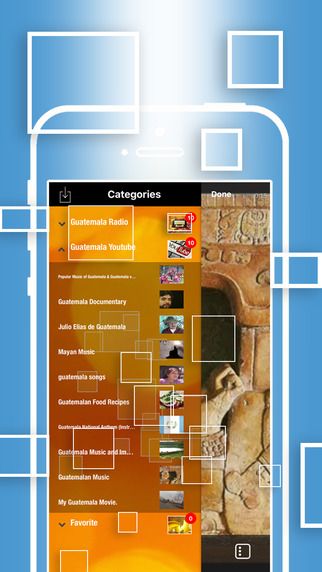
LastThink announces Guatemala TV Online 4.5, the update to their highly customizable TV application for iOS devices. Anyone can directly access their favorite TV channel and watch diverse films, news, programs from their iPad, iPhone and iPod touch anywhere and anytime. Vibes are smart TV and movie playlists. Users can easily record their favorite films, news, talk shows, programs and more. Users can also share what they are watching via Facebook.
Yerevan, Armenia - LastThink is proud to announce the release of Guatemala TV Online 4.5, the important update to their highly customizable TV application developed for iPhone, iPad, and iPod touch devices. Users can directly access their favorite TV channel and watch diverse films, news, programs from their iPad, iPhone and iPod touch anywhere and anytime.
Features:
* Navigating album photos by sliding your finger right or left on the screen
* Change the device you are streaming the picture to, by taping on the Play button in the upper right corner of your iPad's screen and selecting a desired device
* Screening and shooting any moment of your preferred TV program or film you like
* Altering the boring parts and moving straight to the best part at once - Filter by HD-only and favorite channels
* Rotating channels easily by a mere touch on your screen
* Organize your favorite TV shows, sport teams, movies, and actors and find where you can watch them - on TV and on demand
* Recording your favorite films, news, Talk Shows, programs and etc.
* Sharing what you're watching via Facebook, Twitter, YouTube, Dropbox, email and more - Vibes are smart TV and movie playlists
* The highest quality even with the lowest Internet and HD quality with the normal Internet - You can watch TV channels in HD level
* Editing and cropping videos into smaller parts. In addition to, you can take videos of your favorite program
* Capturing the funniest and most interesting moments of what you are watching with the trim tool
* Searching the content across streaming and broadcast services
* Discovering more than 100 channels of great entertainment beyond the Guatemala TV Online app right on your device's touchscreen interface
We have selected data from the internet and if any assembly or constitution doesn't want us to show the content of the unit, please recommend us to remove it. We follow TV regulations and adjustments and we select original TV content data without artificial editions. If you however experience any issues, please do not hesitate to contact us if you'd like to share your experience with live TV channels, or provide suggestions on how we could improve the product further. We will be more than happy to get in touch.
Device Requirements:
* iPhone, iPad, and iPod touch
* Optimized for iPhone 5, iPhone 6, and iPhone 6 Plus
* Requires iOS 6.0 or later
* Universal Application
* 35.7 MB
Pricing and Availability:
Guatemala TV Online 4.5 is free and is available worldwide exclusively through the App Store in the Entertainment category.
LastThink: http://lastthink.com/
Guatemala TV Online 4.5: https://www.facebook.com/Guatemala-TV-LIve-1704289873174282
Direct Download Link: https://itunes.apple.com/app/guatemala-tv-online/id1115113632
Screenshot: http://a2.mzstatic.com/us/r30/Purple18/v4/1a/de/56/1ade56a8-81d3-a502-6aa9-14a4abdbf9e4/screen322x572.jpeg
App Icon: http://a5.mzstatic.com/us/r30/Purple18/v4/e2/23/f9/e223f979-8a15-6113-6947-cb46eb206ead/icon175x175.png
LastThink is an IT company with a focus on mobile development. It has extended its list of services since 2012 to offer high-end business process management, system integration, as well as up-to-date communication solutions. LastThink's mission is to deliver maximum business value to its customers by designing, developing, implementing and maintaining efficient and high quality software solutions aligned with their most essential business needs. Their team will always do its best to meet client expectations. All Material and Software Copyright (C) 2016 LastThink LLC. All Rights Reserved. Apple, the Apple logo, iPhone, iPad and iPod are registered trademarks of Apple Inc. in the U.S. and/or other countries.
*******
Link To Article: http://prmac.com/release-id-80067.htm
*******
---------------------------------------------------------------------------------
Note that you can alter delivered distributions at any time.
Login to your account on prMac to alter your channel selection, or to opt-out at any time.
LastThink Releases Guatemala TV Online 4.5 for iOS - Published on 08/21/16
LastThink announces Guatemala TV Online 4.5, the update to their highly customizable TV application for iOS devices. Anyone can directly access their favorite TV channel and watch diverse films, news, programs from their iPad, iPhone and iPod touch anywhere and anytime. Vibes are smart TV and movie playlists. Users can easily record their favorite films, news, talk shows, programs and more. Users can also share what they are watching via Facebook.
Yerevan, Armenia - LastThink is proud to announce the release of Guatemala TV Online 4.5, the important update to their highly customizable TV application developed for iPhone, iPad, and iPod touch devices. Users can directly access their favorite TV channel and watch diverse films, news, programs from their iPad, iPhone and iPod touch anywhere and anytime.
Features:
* Navigating album photos by sliding your finger right or left on the screen
* Change the device you are streaming the picture to, by taping on the Play button in the upper right corner of your iPad's screen and selecting a desired device
* Screening and shooting any moment of your preferred TV program or film you like
* Altering the boring parts and moving straight to the best part at once - Filter by HD-only and favorite channels
* Rotating channels easily by a mere touch on your screen
* Organize your favorite TV shows, sport teams, movies, and actors and find where you can watch them - on TV and on demand
* Recording your favorite films, news, Talk Shows, programs and etc.
* Sharing what you're watching via Facebook, Twitter, YouTube, Dropbox, email and more - Vibes are smart TV and movie playlists
* The highest quality even with the lowest Internet and HD quality with the normal Internet - You can watch TV channels in HD level
* Editing and cropping videos into smaller parts. In addition to, you can take videos of your favorite program
* Capturing the funniest and most interesting moments of what you are watching with the trim tool
* Searching the content across streaming and broadcast services
* Discovering more than 100 channels of great entertainment beyond the Guatemala TV Online app right on your device's touchscreen interface
We have selected data from the internet and if any assembly or constitution doesn't want us to show the content of the unit, please recommend us to remove it. We follow TV regulations and adjustments and we select original TV content data without artificial editions. If you however experience any issues, please do not hesitate to contact us if you'd like to share your experience with live TV channels, or provide suggestions on how we could improve the product further. We will be more than happy to get in touch.
Device Requirements:
* iPhone, iPad, and iPod touch
* Optimized for iPhone 5, iPhone 6, and iPhone 6 Plus
* Requires iOS 6.0 or later
* Universal Application
* 35.7 MB
Pricing and Availability:
Guatemala TV Online 4.5 is free and is available worldwide exclusively through the App Store in the Entertainment category.
LastThink: http://lastthink.com/
Guatemala TV Online 4.5: https://www.facebook.com/Guatemala-TV-LIve-1704289873174282
Direct Download Link: https://itunes.apple.com/app/guatemala-tv-online/id1115113632
Screenshot: http://a2.mzstatic.com/us/r30/Purple18/v4/1a/de/56/1ade56a8-81d3-a502-6aa9-14a4abdbf9e4/screen322x572.jpeg
App Icon: http://a5.mzstatic.com/us/r30/Purple18/v4/e2/23/f9/e223f979-8a15-6113-6947-cb46eb206ead/icon175x175.png

LastThink is an IT company with a focus on mobile development. It has extended its list of services since 2012 to offer high-end business process management, system integration, as well as up-to-date communication solutions. LastThink's mission is to deliver maximum business value to its customers by designing, developing, implementing and maintaining efficient and high quality software solutions aligned with their most essential business needs. Their team will always do its best to meet client expectations. All Material and Software Copyright (C) 2016 LastThink LLC. All Rights Reserved. Apple, the Apple logo, iPhone, iPad and iPod are registered trademarks of Apple Inc. in the U.S. and/or other countries.
*******
Link To Article: http://prmac.com/release-id-80067.htm
*******
---------------------------------------------------------------------------------
Note that you can alter delivered distributions at any time.
Login to your account on prMac to alter your channel selection, or to opt-out at any time.
PixCompare for iOS - Remove Duplicate Photos
A new article has been published at prMac.
PixCompare for iOS - Remove Duplicate Photos - Published on 08/20/16
Lakehorn AG announces PixCompare 1.1.2 for iOS devices. With PixCompare, users can easily search for duplicate and similar photos on their iPhones and iPads. Photos can then be selected for batch deletion. PixCompare will save actual space on the user's device. PixCompare is based on a very fast algorithm that was developed and improved by Lakehorn over the past 20 years on the Mac platform.
Bern, Switzerland - Lakehorn AG is pleased to announce the new release of PixCompare for iOS version 1.1.2. With PixCompare, users can easily search for duplicate and similar photos on their iPhones and iPads. Photos can then be selected for batch deletion. PixCompare will save actual space on the user's device.
PixCompare is based on a very fast algorithm that was developed and improved by Lakehorn over the past 20 years on the Mac platform. It only uses parts of the actual photo to compare them to one another, plus additional photo properties, like location and date. This results in an excellent performance, e.g. on a fast iPhone, loading and comparing 1.000 photos takes less than 6 seconds.
The whole comparison process executes on the user's devices - photos are never transmitted to any third party, therefore the privacy of the photos is guaranteed.
Main features include
* compare up to 10.000 pictures
* compare any album, the camero roll, or the full library
* display results in groups or pairs of similar photos
* display up to 500 potential duplicate photos
PixCompare is also available for the Mac.
Language Support:
PixCompare is localized into English, French, German, and Italian. Japanese coming soon.
Device Requirements:
* Compatible with iPhone, iPad, and iPod touch
* Requires iOS 8.4 or later
* Universal application
* 4.6 MB
Pricing and Availability:
PixCompare 1.1.2 is free, and is available worldwide exclusively through the App Store in the Photo and Video category. There is only a one-time in-app purchase of $0.99 to activate the delete function.
Lakehorn AG: http://www.lakehorn.com
PixCompare 1.1.2: http://www.lakehorn.com/products/ipixcompare/
Download from iTunes: https://itunes.apple.com/app/apple-store/id1102847784
Purchase and Download (MAS): https://itunes.apple.com/app/pixcompare/id975627221
Example: http://www.lakehorn.com/wp-content/uploads/2016/08/pixcompare_example1.jpg
Screenshots: http://www.lakehorn.com/wp-content/uploads/2016/08/PixCompare_Banner2.jpg
Lakehorn AG is a software development company based in Bern, Switzerland. The company provides apps for all iOS platforms and the Mac, mainly focusing on apps for the aviation community. Our main product line AeroWeather has more than 1 million users. All Material and Software (C) Copyright 2016 Lakehorn AG. All Rights Reserved. Apple, the Apple logo, Mac OS X and Macintosh are registered trademarks of Apple Inc. in the U.S. and/or other countries. Other trademarks and registered trademarks may be the property of their respective owners.
*******
Link To Article: http://prmac.com/release-id-80065.htm
*******
---------------------------------------------------------------------------------
Note that you can alter delivered distributions at any time.
Login to your account on prMac to alter your channel selection, or to opt-out at any time.
PixCompare for iOS - Remove Duplicate Photos - Published on 08/20/16
Lakehorn AG announces PixCompare 1.1.2 for iOS devices. With PixCompare, users can easily search for duplicate and similar photos on their iPhones and iPads. Photos can then be selected for batch deletion. PixCompare will save actual space on the user's device. PixCompare is based on a very fast algorithm that was developed and improved by Lakehorn over the past 20 years on the Mac platform.
Bern, Switzerland - Lakehorn AG is pleased to announce the new release of PixCompare for iOS version 1.1.2. With PixCompare, users can easily search for duplicate and similar photos on their iPhones and iPads. Photos can then be selected for batch deletion. PixCompare will save actual space on the user's device.
PixCompare is based on a very fast algorithm that was developed and improved by Lakehorn over the past 20 years on the Mac platform. It only uses parts of the actual photo to compare them to one another, plus additional photo properties, like location and date. This results in an excellent performance, e.g. on a fast iPhone, loading and comparing 1.000 photos takes less than 6 seconds.
The whole comparison process executes on the user's devices - photos are never transmitted to any third party, therefore the privacy of the photos is guaranteed.
Main features include
* compare up to 10.000 pictures
* compare any album, the camero roll, or the full library
* display results in groups or pairs of similar photos
* display up to 500 potential duplicate photos
PixCompare is also available for the Mac.
Language Support:
PixCompare is localized into English, French, German, and Italian. Japanese coming soon.
Device Requirements:
* Compatible with iPhone, iPad, and iPod touch
* Requires iOS 8.4 or later
* Universal application
* 4.6 MB
Pricing and Availability:
PixCompare 1.1.2 is free, and is available worldwide exclusively through the App Store in the Photo and Video category. There is only a one-time in-app purchase of $0.99 to activate the delete function.
Lakehorn AG: http://www.lakehorn.com
PixCompare 1.1.2: http://www.lakehorn.com/products/ipixcompare/
Download from iTunes: https://itunes.apple.com/app/apple-store/id1102847784
Purchase and Download (MAS): https://itunes.apple.com/app/pixcompare/id975627221
Example: http://www.lakehorn.com/wp-content/uploads/2016/08/pixcompare_example1.jpg

Screenshots: http://www.lakehorn.com/wp-content/uploads/2016/08/PixCompare_Banner2.jpg

Lakehorn AG is a software development company based in Bern, Switzerland. The company provides apps for all iOS platforms and the Mac, mainly focusing on apps for the aviation community. Our main product line AeroWeather has more than 1 million users. All Material and Software (C) Copyright 2016 Lakehorn AG. All Rights Reserved. Apple, the Apple logo, Mac OS X and Macintosh are registered trademarks of Apple Inc. in the U.S. and/or other countries. Other trademarks and registered trademarks may be the property of their respective owners.
*******
Link To Article: http://prmac.com/release-id-80065.htm
*******
---------------------------------------------------------------------------------
Note that you can alter delivered distributions at any time.
Login to your account on prMac to alter your channel selection, or to opt-out at any time.
Tanzania Radio Live 1.0 for iOS - Release Info
A new article has been published at prMac.
Tanzania Radio Live 1.0 for iOS - Release Info - Published on 08/20/16
LastThink announces the release of Tanzania Radio Live 1.0, their highly customizable Radio app for iOS devices. Users can Listen to the most popular Tanzania Music, Talk Shows and News on your iPhone, iPad, iPod touch with our Tanzania Live Radio, which is definitely the best one among Free Radio Station. The app offers event channels, news and media channels, events and music channels, weather programs, daily news, latest hits and also contemporary commercials.
Yerevan, Armenia - LastThink is proud to announce the release of Tanzania Radio Live 1.0, their highly customizable Radio application developed for iPhone, iPad, and iPod touch devices. From now on you don't have to tune to the right station you want, as finding your favorite station is simply a click away.
Features:
* You have any doubts concerning the quality and the effectiveness of our Tanzania Live Radio? Believe us all our Radio stations work properly. Moreover, they are always tested by our highly qualified professionals.
* You discover a new song, but you don't know the name of it? This application solves that problem and provides you the adequate information about the song you are listening to.
* You want to share your preferable songs or whatever you listen to with your friends or relatives? That's not a matter of concern as long as you are with us. Our innovative application will grant you an opportunity of sharing anything you like right from the app on your Facebook, Twitter or any other web-page.
* You are easily bored by the same radio stations? Our frequent updates, new features and diverse stations will not let you get disappointed.
We grant you a chance of enjoying event channels, news and media channels, events and music channels, which provide its listeners with weather programs, daily news, latest hits and also contemporary commercials.
If you however experience any issues, please do not hesitate to contact us if you'd like to share your experience with Online Radio Stations, or provide suggestions on how we could improve the product further. We will be more than happy to get in touch.
NOTE: We have selected data from the internet and if any assembly or constitution doesn't want us to show the content of the unit, please recommend us to remove it.
Device Requirements:
* iPhone, iPad, and iPod touch
* Requires iOS 7.0 or later
* Universal Application
* 17.6 MB
Pricing and Availability:
Tanzania Radio Live 1.0 is free and available worldwide exclusively through the App Store in the Music category.
LastThink: http://lastthink.com/
Tanzania Radio Live 1.0: https://www.facebook.com/IphoneRegion
Download from iTunes: https://itunes.apple.com/app/tanzania-radio-live/id906628330
Screenshot: http://a1.mzstatic.com/us/r30/Purple4/v4/27/8b/2d/278b2d0c-57c8-59f5-365d-6e958785e259/screen568x568.jpeg
App Icon: http://a3.mzstatic.com/us/r30/Purple3/v4/c2/e9/cd/c2e9cddf-b1ec-79cf-d974-4ef2214c6481/icon175x175.jpeg
LastThink is an IT company with a focus on mobile development. It has extended its list of services since 2012 to offer high-end business process management, system integration, as well as up-to-date communication solutions. LastThink's mission is to deliver maximum business value to its customers by designing, developing, implementing and maintaining efficient and high quality software solutions aligned with their most essential business needs. Their team will always do its best to meet client expectations. All Material and Software Copyright (C) 2016 LastThink LLC. All Rights Reserved. Apple, the Apple logo, iPhone, iPad and iPod are registered trademarks of Apple Inc. in the U.S. and/or other countries.
*******
Link To Article: http://prmac.com/release-id-80064.htm
*******
---------------------------------------------------------------------------------
Note that you can alter delivered distributions at any time.
Login to your account on prMac to alter your channel selection, or to opt-out at any time.
Tanzania Radio Live 1.0 for iOS - Release Info - Published on 08/20/16
LastThink announces the release of Tanzania Radio Live 1.0, their highly customizable Radio app for iOS devices. Users can Listen to the most popular Tanzania Music, Talk Shows and News on your iPhone, iPad, iPod touch with our Tanzania Live Radio, which is definitely the best one among Free Radio Station. The app offers event channels, news and media channels, events and music channels, weather programs, daily news, latest hits and also contemporary commercials.
Yerevan, Armenia - LastThink is proud to announce the release of Tanzania Radio Live 1.0, their highly customizable Radio application developed for iPhone, iPad, and iPod touch devices. From now on you don't have to tune to the right station you want, as finding your favorite station is simply a click away.
Features:
* You have any doubts concerning the quality and the effectiveness of our Tanzania Live Radio? Believe us all our Radio stations work properly. Moreover, they are always tested by our highly qualified professionals.
* You discover a new song, but you don't know the name of it? This application solves that problem and provides you the adequate information about the song you are listening to.
* You want to share your preferable songs or whatever you listen to with your friends or relatives? That's not a matter of concern as long as you are with us. Our innovative application will grant you an opportunity of sharing anything you like right from the app on your Facebook, Twitter or any other web-page.
* You are easily bored by the same radio stations? Our frequent updates, new features and diverse stations will not let you get disappointed.
We grant you a chance of enjoying event channels, news and media channels, events and music channels, which provide its listeners with weather programs, daily news, latest hits and also contemporary commercials.
If you however experience any issues, please do not hesitate to contact us if you'd like to share your experience with Online Radio Stations, or provide suggestions on how we could improve the product further. We will be more than happy to get in touch.
NOTE: We have selected data from the internet and if any assembly or constitution doesn't want us to show the content of the unit, please recommend us to remove it.
Device Requirements:
* iPhone, iPad, and iPod touch
* Requires iOS 7.0 or later
* Universal Application
* 17.6 MB
Pricing and Availability:
Tanzania Radio Live 1.0 is free and available worldwide exclusively through the App Store in the Music category.
LastThink: http://lastthink.com/
Tanzania Radio Live 1.0: https://www.facebook.com/IphoneRegion
Download from iTunes: https://itunes.apple.com/app/tanzania-radio-live/id906628330
Screenshot: http://a1.mzstatic.com/us/r30/Purple4/v4/27/8b/2d/278b2d0c-57c8-59f5-365d-6e958785e259/screen568x568.jpeg

App Icon: http://a3.mzstatic.com/us/r30/Purple3/v4/c2/e9/cd/c2e9cddf-b1ec-79cf-d974-4ef2214c6481/icon175x175.jpeg

LastThink is an IT company with a focus on mobile development. It has extended its list of services since 2012 to offer high-end business process management, system integration, as well as up-to-date communication solutions. LastThink's mission is to deliver maximum business value to its customers by designing, developing, implementing and maintaining efficient and high quality software solutions aligned with their most essential business needs. Their team will always do its best to meet client expectations. All Material and Software Copyright (C) 2016 LastThink LLC. All Rights Reserved. Apple, the Apple logo, iPhone, iPad and iPod are registered trademarks of Apple Inc. in the U.S. and/or other countries.
*******
Link To Article: http://prmac.com/release-id-80064.htm
*******
---------------------------------------------------------------------------------
Note that you can alter delivered distributions at any time.
Login to your account on prMac to alter your channel selection, or to opt-out at any time.
Subscribe to:
Posts (Atom)