A new article has been published at prMac.
StoneFly Announces StoneWAN Bandwidth Accelerator - Published on 03/19/18
StoneFly, Inc. the original pioneer of the iSCSI protocol, Virtual Storage Appliances and hyper-converged storage solutions announces StoneWAN, bandwidth acceleration appliance that can deliver up to 100x faster transfer speeds for migration of large volumes of data between branch offices. Using StoneWAN, users get maximum throughput possible from a WAN link, without increasing capacity of the physical link.
Hayward, California - StoneFly, Inc. the original pioneer of the iSCSI protocol, Virtual Storage Appliances and hyper-converged storage solutions announces StoneWAN, bandwidth acceleration appliance that can deliver up to 100x faster transfer speeds for migration of large volumes of data between branch offices.
Existing Wide Area Networks' (WAN) acceleration technologies usable in cloud servers have not been able to sufficiently raise the effective transfer rate. Although connections in WAN between clouds are moving from 1Gbps lines to 10Gbps lines, but with the recent advances in digital technology, including AI and IoT, there is an even greater demand for faster high speed data transfers as huge volumes of data are collected in the cloud.
"Let's consider an organization with multiple branch offices connected to each other via either a T1, MPLS or VPN. In such scenario, some branches host specific services. For example, one branch could be hosting an FTP server, and another one could be hosting an email server. StoneWan allows us to have an improved data transfer speed for any service between accelerated branch offices." said Mo Tahmasebi, CEO of StoneFly Inc.
StoneWAN introduces features that enhance communications between branch offices. One feature is that it operates at layer 2 of the multilayered communication model. This allows StoneWAN appliance to be easily incorporated within an existing branch office setup, without affecting the existing networking configuration.
StoneWAN performs compression and de-duplication on each TCP packet received. It compresses the TCP payload of the packet, resulting in a reduced packet size and then passes the packet through a de-duplication engine, which removes the redundant data from the TCP payload.
Once both these steps are complete, the resulting TCP payload is considerably reduced as compared to the original TCP packet. This optimized packet is transmitted on the WAN link to the destination branch office.
Using StoneWAN, users get maximum throughput possible from a WAN link, without increasing capacity of the physical link. With this technology, it is possible to transfer data at high-speeds between cloud to cloud, local to cloud and cloud to local, including data sharing and backups, enabling the creation of next generation cloud services that share and utilize large volumes of data across a variety of companies and locations.
StoneFly: https://stonefly.com
StoneFly WAN Accelerator: https://stonefly.com/wan-acelerator
StoneFly, Inc., headquartered in California, was founded to deliver upon the vision of simple and affordable storage optimization and disaster recovery protection through IP SAN solutions. StoneFly is a business division of Dynamic Network Factory, Inc. (DNF), a leading maker of high-performance network attached storage, storage area networks, RAID and iSCSI systems. All Material and Software (C) Copyright 2018 StoneFly, Inc. All Rights Reserved. Apple, the Apple logo, Macintosh Mac OS X and macOS are registered trademarks of Apple Inc. in the U.S. and/or other countries. Other trademarks and registered trademarks may be the property of their respective owners.
*******
Link To Article: https://prmac.com/release-id-82565.htm
*******
---------------------------------------------------------------------------------
Note that you can alter delivered distributions at any time.
Login to your account on prMac to alter your channel selection, or to opt-out at any time.

Dejal Time Out 2.4 Adds Statistics and More Options
A new article has been published at prMac.
Dejal Time Out 2.4 Adds Statistics and More Options - Published on 03/19/18
Portland based Dejal today announces Time Out 2.4, an update to their popular break reminder app for macOS. Using a computer for hours on end can lead to eye, back, and neck strain. Time Out 2 offers users gentle reminders to take breaks, allowing them to stretch and relax. Version 2.4 adds the ability to get statistics about the number of times a break has been postponed, skipped, and done, disable the postpone/skip buttons briefly, and more.
Portland, Oregon - Dejal Systems, LLC today is proud to announce the release and immediate availability of Time Out 2.4, an important update to their popular break reminder app for macOS. This free app sits in the background tracking the last time the user took a break. At regular intervals, it reminds users to take a short respite from their current tasks. Users can take the time to stand, stretch, and move around a bit, in order to refresh themselves. They can also schedule both long and short breaks, offering flexibility for the user's own personal preferences.
Time Out offers two types of breaks by default. A "Normal" break by default will occur every hour, lasting for 10 minutes each time. This allows users to get up, move about, stretch, and even take a quick restroom break. "Micro" breaks occur every 15 minutes, lasting for a short 15 second period. This gives users the opportunity to adjust their posture, look away from the screen, and relax their focus. Both types of breaks are adjustable, and can be delayed, disabled, or deleted by the user at any time. Users can also add their own custom breaks, of any delay and length, and at any specific time. This feature is handy for reminders about fixed breaks such as lunch, or mid-morning and mid-afternoon breaks.
When a break is due, Time Out slowly dims the screen, and displays a customizable break theme. During the break, the app's progress bar displays the remaining break time, and also offers optional buttons to allow a break to be postponed or skipped, if needed. Once the break is over, the break screen then fades, allowing the user to return to work. Time Out then begins marking off the time until the next scheduled break.
"It's very easy for users to fall into bad habits when using a computer for hours on end. People strive to complete their tasks on time, pushing themselves to the limit," says Time Out developer David Sinclair. "The human body just isn't built to sit in one spot for hours at a time, staring at a monitor and typing at a keyboard. That's why I created Time Out. It offers a gentle and customizable way to remind users to take much needed breaks, reducing stress and increasing their productivity."
Time Out has an option to show the time until the next break in the menu bar. By clicking the timer, users can access the app's preferences, allowing them to make quick adjustments to the app's settings if needed.
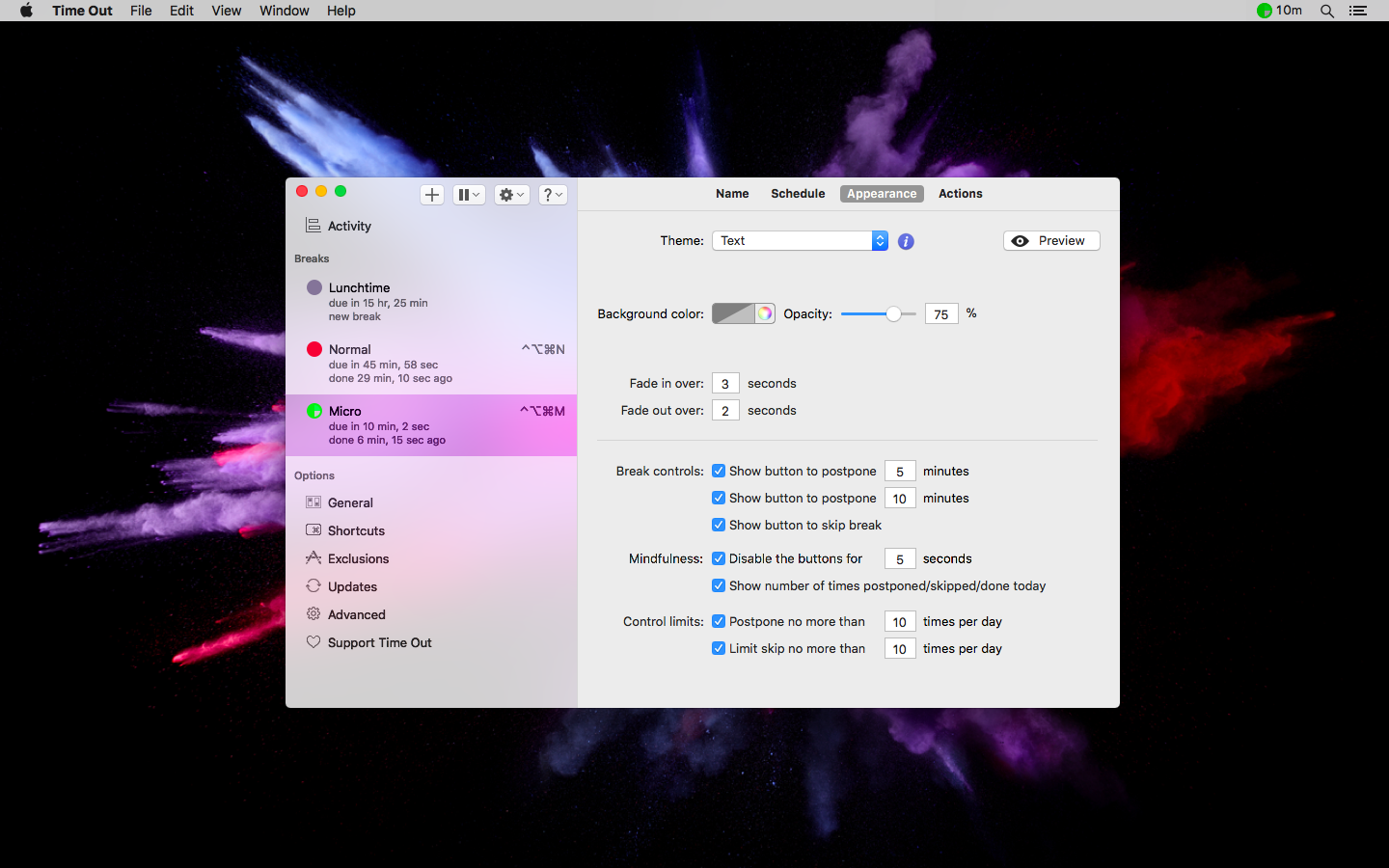
Version 2.4 further extends the enhancements to the postpone and skip options introduced in version 2.3, including a new option to disable those buttons for a few seconds at the start of each break. You may find this helpful if you are habitually clicking the Postpone or Skip buttons, without taking a moment to decide if you really need to defer the break. It's common to see the start of the break as an unwelcome interruption... but you installed the app in the first place because you recognized that you need to take regular breaks for your health and wellbeing. You can activate this option to give you a few seconds to make a more mindful decision.
Another much-requested change in this release is the ability to customize the time to detect natural breaks, i.e. how long the computer is idle.
Something that might help in deciding how you're doing in taking breaks is a new Statistics feature. This is within the Activity section, and includes the number of times you've postponed, skipped, or done breaks, and the total time spent in breaks. These amounts will start being calculated in version 2.4, so take a look after a few days. It also includes a fascinating line chart, for a graphical representation (see below).
Plus a number of other enhancements and fixes.
The app offers several break themes, which use web standards such as HTML, CSS, and JavaScript, so users can customize the themes as they like. Themes can also make use of local web pages, or even pages from sites on the internet, so the amount of customization available is almost unlimited.
Customization doesn't end with appearance; Time Out can also be set to perform various actions before, during, or after a break. The app can display a notification, speak text, play a sound, or even run an Automator or AppleScript action. All actions can be chained, allowing users to set as many, or as few actions as they prefer. What's more, these actions can be set to execute at any time, be it just before a break, after a break starts, just before a break ends, or after it's over. A number of useful scripts are included with the app, and custom scripts created by Time Out users are also available for download from the Time Out website.
The Preferences window allows users to view the breaks and their options, and it includes buttons along the top to quickly add a break, pause all breaks, postpone or skip the upcoming break, or get help. Users can also post about the app on Facebook and Twitter, as well as visit the Dejal social media pages.
Color-coded labels can be applied to any break to visually indicate which type of break is due next. Users can also view when the break is next due, how long ago the last break was, and also use hover buttons to start, postpone, disable, skip, or delete a break. Users can also apply and edit a global keyboard shortcut to immediately start a specific break. Other options include scheduling features that set the length of a break, how often it occurs, what time of day it occurs, and even the next date and time it is due to occur.
One customization option that will be especially useful for corporate users is the ability to add any app to an Exclusions list that tells Time Out to not allow break reminders when any app included in the list is open, or is the frontmost app. This option is particularly handy when users are performing such tasks as FaceTime calls, viewing videos, or making presentations.
Time Out keeps users at their best. It reminds them to make better use of their time by taking regular breaks in order to remain mentally sharp, productive, and healthy. Version 2.4's new features make creating, scheduling, and controlling regular breaks an easy-to-include part of any workday.
System Requirements:
* macOS Yosemite (10.10) or later; ready for High Sierra (10.13)
* 64-bit Processor
* 13.8 MB
Pricing and Availability:
Time Out 2.4 is free, and is available worldwide through the Mac App Store in the Health and Fitness category, as well as the Dejal website. Advanced features are available via easy in-app donations. Review codes are available upon request.
Dejal Time Out 2.4: http://www.dejal.com/timeout/
Download Time Out: http://www.dejal.com/download/?prod=timeout&op=show&ref=pr
Download from the Mac App Store: https://itunes.apple.com/app/time-out-break-reminders/id402592703?mt=12&at=10l5Kg&ct=timeout
Screenshot: http://www.dejal.com/timeout/images/full/appearance.png
Application Icon: http://www.dejal.com/timeout/images/icons/1024px.png
Media Assets: http://www.dejal.com/timeout/media/
Founded by David Sinclair in 1991, Dejal Systems, LLC was originally established in New Zealand, and later moved to Portland, Oregon in 2001. With a focus on the macOS and iOS platforms, Dejal specializes in user-friendly and flexible utility software. Copyright 2018 Dejal Systems, LLC. All Rights Reserved. Dejal, the Dejal logo, and Time Out are trademarks of Dejal Systems, LLC. Apple, the Apple logo, are registered trademarks of Apple Computer in the U.S. and/or other countries.
*******
Link To Article: https://prmac.com/release-id-82563.htm
*******
---------------------------------------------------------------------------------
Note that you can alter delivered distributions at any time.
Login to your account on prMac to alter your channel selection, or to opt-out at any time.
Dejal Time Out 2.4 Adds Statistics and More Options - Published on 03/19/18
Portland based Dejal today announces Time Out 2.4, an update to their popular break reminder app for macOS. Using a computer for hours on end can lead to eye, back, and neck strain. Time Out 2 offers users gentle reminders to take breaks, allowing them to stretch and relax. Version 2.4 adds the ability to get statistics about the number of times a break has been postponed, skipped, and done, disable the postpone/skip buttons briefly, and more.
Portland, Oregon - Dejal Systems, LLC today is proud to announce the release and immediate availability of Time Out 2.4, an important update to their popular break reminder app for macOS. This free app sits in the background tracking the last time the user took a break. At regular intervals, it reminds users to take a short respite from their current tasks. Users can take the time to stand, stretch, and move around a bit, in order to refresh themselves. They can also schedule both long and short breaks, offering flexibility for the user's own personal preferences.
Time Out offers two types of breaks by default. A "Normal" break by default will occur every hour, lasting for 10 minutes each time. This allows users to get up, move about, stretch, and even take a quick restroom break. "Micro" breaks occur every 15 minutes, lasting for a short 15 second period. This gives users the opportunity to adjust their posture, look away from the screen, and relax their focus. Both types of breaks are adjustable, and can be delayed, disabled, or deleted by the user at any time. Users can also add their own custom breaks, of any delay and length, and at any specific time. This feature is handy for reminders about fixed breaks such as lunch, or mid-morning and mid-afternoon breaks.
When a break is due, Time Out slowly dims the screen, and displays a customizable break theme. During the break, the app's progress bar displays the remaining break time, and also offers optional buttons to allow a break to be postponed or skipped, if needed. Once the break is over, the break screen then fades, allowing the user to return to work. Time Out then begins marking off the time until the next scheduled break.
"It's very easy for users to fall into bad habits when using a computer for hours on end. People strive to complete their tasks on time, pushing themselves to the limit," says Time Out developer David Sinclair. "The human body just isn't built to sit in one spot for hours at a time, staring at a monitor and typing at a keyboard. That's why I created Time Out. It offers a gentle and customizable way to remind users to take much needed breaks, reducing stress and increasing their productivity."
Time Out has an option to show the time until the next break in the menu bar. By clicking the timer, users can access the app's preferences, allowing them to make quick adjustments to the app's settings if needed.
Version 2.4 further extends the enhancements to the postpone and skip options introduced in version 2.3, including a new option to disable those buttons for a few seconds at the start of each break. You may find this helpful if you are habitually clicking the Postpone or Skip buttons, without taking a moment to decide if you really need to defer the break. It's common to see the start of the break as an unwelcome interruption... but you installed the app in the first place because you recognized that you need to take regular breaks for your health and wellbeing. You can activate this option to give you a few seconds to make a more mindful decision.
Another much-requested change in this release is the ability to customize the time to detect natural breaks, i.e. how long the computer is idle.
Something that might help in deciding how you're doing in taking breaks is a new Statistics feature. This is within the Activity section, and includes the number of times you've postponed, skipped, or done breaks, and the total time spent in breaks. These amounts will start being calculated in version 2.4, so take a look after a few days. It also includes a fascinating line chart, for a graphical representation (see below).
Plus a number of other enhancements and fixes.
The app offers several break themes, which use web standards such as HTML, CSS, and JavaScript, so users can customize the themes as they like. Themes can also make use of local web pages, or even pages from sites on the internet, so the amount of customization available is almost unlimited.
Customization doesn't end with appearance; Time Out can also be set to perform various actions before, during, or after a break. The app can display a notification, speak text, play a sound, or even run an Automator or AppleScript action. All actions can be chained, allowing users to set as many, or as few actions as they prefer. What's more, these actions can be set to execute at any time, be it just before a break, after a break starts, just before a break ends, or after it's over. A number of useful scripts are included with the app, and custom scripts created by Time Out users are also available for download from the Time Out website.
The Preferences window allows users to view the breaks and their options, and it includes buttons along the top to quickly add a break, pause all breaks, postpone or skip the upcoming break, or get help. Users can also post about the app on Facebook and Twitter, as well as visit the Dejal social media pages.
Color-coded labels can be applied to any break to visually indicate which type of break is due next. Users can also view when the break is next due, how long ago the last break was, and also use hover buttons to start, postpone, disable, skip, or delete a break. Users can also apply and edit a global keyboard shortcut to immediately start a specific break. Other options include scheduling features that set the length of a break, how often it occurs, what time of day it occurs, and even the next date and time it is due to occur.
One customization option that will be especially useful for corporate users is the ability to add any app to an Exclusions list that tells Time Out to not allow break reminders when any app included in the list is open, or is the frontmost app. This option is particularly handy when users are performing such tasks as FaceTime calls, viewing videos, or making presentations.
Time Out keeps users at their best. It reminds them to make better use of their time by taking regular breaks in order to remain mentally sharp, productive, and healthy. Version 2.4's new features make creating, scheduling, and controlling regular breaks an easy-to-include part of any workday.
System Requirements:
* macOS Yosemite (10.10) or later; ready for High Sierra (10.13)
* 64-bit Processor
* 13.8 MB
Pricing and Availability:
Time Out 2.4 is free, and is available worldwide through the Mac App Store in the Health and Fitness category, as well as the Dejal website. Advanced features are available via easy in-app donations. Review codes are available upon request.
Dejal Time Out 2.4: http://www.dejal.com/timeout/
Download Time Out: http://www.dejal.com/download/?prod=timeout&op=show&ref=pr
Download from the Mac App Store: https://itunes.apple.com/app/time-out-break-reminders/id402592703?mt=12&at=10l5Kg&ct=timeout
Screenshot: http://www.dejal.com/timeout/images/full/appearance.png
Application Icon: http://www.dejal.com/timeout/images/icons/1024px.png

Media Assets: http://www.dejal.com/timeout/media/
Founded by David Sinclair in 1991, Dejal Systems, LLC was originally established in New Zealand, and later moved to Portland, Oregon in 2001. With a focus on the macOS and iOS platforms, Dejal specializes in user-friendly and flexible utility software. Copyright 2018 Dejal Systems, LLC. All Rights Reserved. Dejal, the Dejal logo, and Time Out are trademarks of Dejal Systems, LLC. Apple, the Apple logo, are registered trademarks of Apple Computer in the U.S. and/or other countries.
*******
Link To Article: https://prmac.com/release-id-82563.htm
*******
---------------------------------------------------------------------------------
Note that you can alter delivered distributions at any time.
Login to your account on prMac to alter your channel selection, or to opt-out at any time.
Play the Minimal Puzzle Game btw. To Cross Challenging Levels
A new article has been published at prMac.
Play the Minimal Puzzle Game btw. To Cross Challenging Levels - Published on 03/16/18
Independent developer, Alexandr Kozlov announces btw. 1.0.1 his entertaining game for iOS touch devices. Btw. is an easy puzzle game. Anybody can play this game to enjoy the free time and relax the mind. There is nothing like rocket science in the game. There are no complex strategies in the game. If you want to feel the fun then play this game and have a fun experience.
Ukraine - Independent developer, Alexandr Kozlov is proud to announce the release and availability of btw. 1.0.1 his entertaining game for iPhone, iPad, and iPod touch devices. Playing the game on mobile is a really good source of mind refreshing. There are lots of different categories but the most amazing one is maze puzzle game. This type of games has no target only they are meant for fun & time pass. There are no complex strategies in the game. Other than this, these games are safe for children and they can also play it. It's not age specific game.
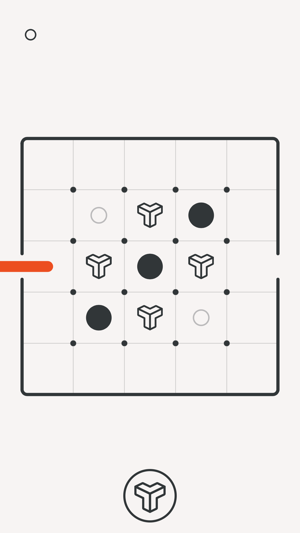
One of such is btw. which is available in the Apple store for iOS version. It is very simple to play. The user-interface is quite friendly. The game is all about collecting the circles in the field through swiping the line. There are different levels and the user will automatically move further to next level when all the circles are collected. It's really a fun oriented game.
The user can play this game anytime & anywhere. It can also make you addictive, as it is with the fantastic approach. Once you will play, you will get things clear. You can also move back to the previous level if you wish so.
Now move further to check out some of the facts about this game. The game is all full of good features which are useful from the user point of view.
Check out some interesting features about the game:
* Easy to play
* Dozens of different levels
* Good sound and music which is suitable to the game
* The mute option is there to stop music and sound
* You can move the line backwards
* Toggles to switch the light
* No target, no war & no violence
* Easy to understand for everyone
* Mind refreshing game
Device Requirements:
* iPhone, iPad, and iPod touch
* Requires iOS 10.0 or later
* Universal Application
* 24.4 MB
Pricing and Availability:
btw. 1.0.1 is just $0.99 USD (or an equivalent amount in other currencies) and is available worldwide exclusively through the App Store in the Games category.
btw. 1.0.1: https://twitter.com/btw_game
Purchase and Download from iTunes: https://itunes.apple.com/app/btw/id1137739981
Screenshot: https://is5-ssl.mzstatic.com/image/thumb/Purple128/v4/ee/3c/00/ee3c00d9-1da0-ef36-59a8-d1e5e87017f6/pr_source.png/300x0w.png
App Icon: https://is5-ssl.mzstatic.com/image/thumb/Purple62/v4/4e/54/59/4e5459c7-c0f6-1859-b9a9-f86f9c534048/AppIcon-2-1x_U007emarketing-0-0-GLES2_U002c0-512MB-sRGB-0-0-0-85-220-0-0-0-6.png/246x0w.jpg
Alexandr Kozlov is one of the app developers which offer unique apps with the entire user-friendly features. Our main aim is to provide the best to the user. Our two popular apps are btw. and choon �" smart music player. Our dedicated team always engaged in providing the improved features as per the user review. Kindly support us by reviewing our apps to provide the best outcomes. Keep in touch with us to get more of the other best apps. All Material and Software (C) Copyright 2018 Alexandr Kozlov. All Rights Reserved. Apple, the Apple logo, iPhone, iPod and iPad are registered trademarks of Apple Inc. in the U.S. and/or other countries. Other trademarks and registered trademarks may be the property of their respective owners.
*******
Link To Article: https://prmac.com/release-id-82560.htm
*******
---------------------------------------------------------------------------------
Note that you can alter delivered distributions at any time.
Login to your account on prMac to alter your channel selection, or to opt-out at any time.
Play the Minimal Puzzle Game btw. To Cross Challenging Levels - Published on 03/16/18
Independent developer, Alexandr Kozlov announces btw. 1.0.1 his entertaining game for iOS touch devices. Btw. is an easy puzzle game. Anybody can play this game to enjoy the free time and relax the mind. There is nothing like rocket science in the game. There are no complex strategies in the game. If you want to feel the fun then play this game and have a fun experience.
Ukraine - Independent developer, Alexandr Kozlov is proud to announce the release and availability of btw. 1.0.1 his entertaining game for iPhone, iPad, and iPod touch devices. Playing the game on mobile is a really good source of mind refreshing. There are lots of different categories but the most amazing one is maze puzzle game. This type of games has no target only they are meant for fun & time pass. There are no complex strategies in the game. Other than this, these games are safe for children and they can also play it. It's not age specific game.
One of such is btw. which is available in the Apple store for iOS version. It is very simple to play. The user-interface is quite friendly. The game is all about collecting the circles in the field through swiping the line. There are different levels and the user will automatically move further to next level when all the circles are collected. It's really a fun oriented game.
The user can play this game anytime & anywhere. It can also make you addictive, as it is with the fantastic approach. Once you will play, you will get things clear. You can also move back to the previous level if you wish so.
Now move further to check out some of the facts about this game. The game is all full of good features which are useful from the user point of view.
Check out some interesting features about the game:
* Easy to play
* Dozens of different levels
* Good sound and music which is suitable to the game
* The mute option is there to stop music and sound
* You can move the line backwards
* Toggles to switch the light
* No target, no war & no violence
* Easy to understand for everyone
* Mind refreshing game
Device Requirements:
* iPhone, iPad, and iPod touch
* Requires iOS 10.0 or later
* Universal Application
* 24.4 MB
Pricing and Availability:
btw. 1.0.1 is just $0.99 USD (or an equivalent amount in other currencies) and is available worldwide exclusively through the App Store in the Games category.
btw. 1.0.1: https://twitter.com/btw_game
Purchase and Download from iTunes: https://itunes.apple.com/app/btw/id1137739981
Screenshot: https://is5-ssl.mzstatic.com/image/thumb/Purple128/v4/ee/3c/00/ee3c00d9-1da0-ef36-59a8-d1e5e87017f6/pr_source.png/300x0w.png
App Icon: https://is5-ssl.mzstatic.com/image/thumb/Purple62/v4/4e/54/59/4e5459c7-c0f6-1859-b9a9-f86f9c534048/AppIcon-2-1x_U007emarketing-0-0-GLES2_U002c0-512MB-sRGB-0-0-0-85-220-0-0-0-6.png/246x0w.jpg

Alexandr Kozlov is one of the app developers which offer unique apps with the entire user-friendly features. Our main aim is to provide the best to the user. Our two popular apps are btw. and choon �" smart music player. Our dedicated team always engaged in providing the improved features as per the user review. Kindly support us by reviewing our apps to provide the best outcomes. Keep in touch with us to get more of the other best apps. All Material and Software (C) Copyright 2018 Alexandr Kozlov. All Rights Reserved. Apple, the Apple logo, iPhone, iPod and iPad are registered trademarks of Apple Inc. in the U.S. and/or other countries. Other trademarks and registered trademarks may be the property of their respective owners.
*******
Link To Article: https://prmac.com/release-id-82560.htm
*******
---------------------------------------------------------------------------------
Note that you can alter delivered distributions at any time.
Login to your account on prMac to alter your channel selection, or to opt-out at any time.
Teleprompter 2.0 for iOS - Teleprompter + Record + Auto Subtitles
A new article has been published at prMac.
Teleprompter 2.0 for iOS - Teleprompter + Record + Auto Subtitles - Published on 03/15/18
UK based VideoGo Ltd today announces Teleprompter Auto Subtitler 2.0, an update to the company's professional level standalone teleprompter and video recording app developed exclusively for iOS devices. VideoGo Teleprompter Auto Subtitles is a great solution for the perfect video recording. Not only can you use the teleprompter to help read your script, the app also features a recording option and a final option to automatically burn you script into subtitles for you final video output.
Letchworth Garden City, Hertfordshire, United Kingdom - VideoGo Ltd today is proud to announce the release of Teleprompter Auto Subtitles 2.0, an update to the company's professional level standalone teleprompter & video recording app developed exclusively for iPhone, iPad and iPod touch devices. VideoGo Teleprompter is the ultimate series of video apps to create and share your own branded broadcast quality videos quickly and easily from your mobile device.
Perfect for vloggers, small business and the corporate sector, VideoGo Teleprompter Auto Subtitles offers a nicely designed interface that is simple to operate. It ships with a variety of features which are easy to understand and fits well within multiple environments. VideoGo Teleprompter is essentially three products in one. Flip between the standalone teleprompter for those with a separate camera, or use the built-in recording app with a teleprompter by its side. Lastly you have the option to burn your script into your final video render, a massive time saver from the usual captioning software and .SRT files processes.
Features include:
* Text only or Record Mode
* Text Size and Text Speed
* Pause snippet
* Rotate and Reflect Mode
* Scale Video up or down for more real estate
* Save your presets, no need to start from scratch if you would like to create several tests
* Share via email or your favourite social media platforms
* Countdown Timer
* Clock
* Option to Burn Script in Final Video Render Automatically
"Our team have over 40 years experience in the broadcast, television and video industries. And with the expanding mobile market, decided to create a suite of video apps for use with your mobile device," explained Joph Hord, co-founder of UK VideoGo Ltd. "With a template structure in mind, we create apps which enable our customers to speed up their workflow and produce consistency in their brand."
In version 2.0, Now with Auto Subtitling - Add Subtitles to your video recordings direct from your script. Automatically burn subtitles to your final videos as an option.
Device Requirements:
* iPhone 5s or later, iPad, and iPod touch
* Requires iOS 11.1 or later
* 22.5 MB
Pricing and Availability:
Teleprompter Auto Subtitles is GBP9.99 GBP (or equivalent amount in other currencies) and available worldwide exclusively through the App Store in the Business category. Promo codes are available to members of the press. For more information, please contact Joph Hord or Russell Leak.
VideoGo Technology: http://www.videogo.technology
Teleprompter Auto Subtitles 2.0: https://itunes.apple.com/app/videogo-teleprompter-best-script-prompter/id1184814134
YouTube Video: https://www.youtube.com/channel/UCu3kkOGz9S9TN2bFzCMkziw
Screenshot: http://www.videogo.technology/wp-content/uploads/2018/03/2.png
App Icon: http://is3.mzstatic.com/image/thumb/Purple122/v4/cb/16/00/cb1600f5-7fc3-aee8-7f67-5db15a3485f9/source/175x175bb.jpg
Located in the United Kingdom, VideoGo Ltd was founded in 2016 by Joph Hord and Russell Leak. Collectively the VideoGo team have over 40 years experience in the broadcast, television and video industries, working in graphics, production, directing and presentation. All Material and Software (C) 2016-2018 VideoGo / All Rights Reserved. Apple, the Apple logo, iPhone, iPod and iPad are registered trademarks of Apple Inc. in the U.S. and/or other countries. Other trademarks and registered trademarks may be the property of their respective owners.
*******
Link To Article: https://prmac.com/release-id-82561.htm
*******
---------------------------------------------------------------------------------
Note that you can alter delivered distributions at any time.
Login to your account on prMac to alter your channel selection, or to opt-out at any time.
Teleprompter 2.0 for iOS - Teleprompter + Record + Auto Subtitles - Published on 03/15/18
UK based VideoGo Ltd today announces Teleprompter Auto Subtitler 2.0, an update to the company's professional level standalone teleprompter and video recording app developed exclusively for iOS devices. VideoGo Teleprompter Auto Subtitles is a great solution for the perfect video recording. Not only can you use the teleprompter to help read your script, the app also features a recording option and a final option to automatically burn you script into subtitles for you final video output.
Letchworth Garden City, Hertfordshire, United Kingdom - VideoGo Ltd today is proud to announce the release of Teleprompter Auto Subtitles 2.0, an update to the company's professional level standalone teleprompter & video recording app developed exclusively for iPhone, iPad and iPod touch devices. VideoGo Teleprompter is the ultimate series of video apps to create and share your own branded broadcast quality videos quickly and easily from your mobile device.
Perfect for vloggers, small business and the corporate sector, VideoGo Teleprompter Auto Subtitles offers a nicely designed interface that is simple to operate. It ships with a variety of features which are easy to understand and fits well within multiple environments. VideoGo Teleprompter is essentially three products in one. Flip between the standalone teleprompter for those with a separate camera, or use the built-in recording app with a teleprompter by its side. Lastly you have the option to burn your script into your final video render, a massive time saver from the usual captioning software and .SRT files processes.
Features include:
* Text only or Record Mode
* Text Size and Text Speed
* Pause snippet
* Rotate and Reflect Mode
* Scale Video up or down for more real estate
* Save your presets, no need to start from scratch if you would like to create several tests
* Share via email or your favourite social media platforms
* Countdown Timer
* Clock
* Option to Burn Script in Final Video Render Automatically
"Our team have over 40 years experience in the broadcast, television and video industries. And with the expanding mobile market, decided to create a suite of video apps for use with your mobile device," explained Joph Hord, co-founder of UK VideoGo Ltd. "With a template structure in mind, we create apps which enable our customers to speed up their workflow and produce consistency in their brand."
In version 2.0, Now with Auto Subtitling - Add Subtitles to your video recordings direct from your script. Automatically burn subtitles to your final videos as an option.
Device Requirements:
* iPhone 5s or later, iPad, and iPod touch
* Requires iOS 11.1 or later
* 22.5 MB
Pricing and Availability:
Teleprompter Auto Subtitles is GBP9.99 GBP (or equivalent amount in other currencies) and available worldwide exclusively through the App Store in the Business category. Promo codes are available to members of the press. For more information, please contact Joph Hord or Russell Leak.
VideoGo Technology: http://www.videogo.technology
Teleprompter Auto Subtitles 2.0: https://itunes.apple.com/app/videogo-teleprompter-best-script-prompter/id1184814134
YouTube Video: https://www.youtube.com/channel/UCu3kkOGz9S9TN2bFzCMkziw
Screenshot: http://www.videogo.technology/wp-content/uploads/2018/03/2.png

App Icon: http://is3.mzstatic.com/image/thumb/Purple122/v4/cb/16/00/cb1600f5-7fc3-aee8-7f67-5db15a3485f9/source/175x175bb.jpg

Located in the United Kingdom, VideoGo Ltd was founded in 2016 by Joph Hord and Russell Leak. Collectively the VideoGo team have over 40 years experience in the broadcast, television and video industries, working in graphics, production, directing and presentation. All Material and Software (C) 2016-2018 VideoGo / All Rights Reserved. Apple, the Apple logo, iPhone, iPod and iPad are registered trademarks of Apple Inc. in the U.S. and/or other countries. Other trademarks and registered trademarks may be the property of their respective owners.
*******
Link To Article: https://prmac.com/release-id-82561.htm
*******
---------------------------------------------------------------------------------
Note that you can alter delivered distributions at any time.
Login to your account on prMac to alter your channel selection, or to opt-out at any time.
Best Free Workout Timer App for Home, HIIT, Yoga, or 7 Minute Workouts
A new article has been published at prMac.
Best Free Workout Timer App for Home, HIIT, Yoga, or 7 Minute Workouts - Published on 03/15/18
Seattle based Prajnu, Inc. today introduces FlexTimer+, a free workout timer app for iOS devices. Perfect for HIIT, Interval Training, Tabata, Cross-fit, Yoga, or Meditation, FlexTimer+ is a fully customizable workout timer for any type of workout or activity for everyone. The user simply creates a workout and the app will guide them through the workout they created with sound cues, exercise names, and images. FlexTimer+ works with most music apps, including Pandora, Spotify and more.
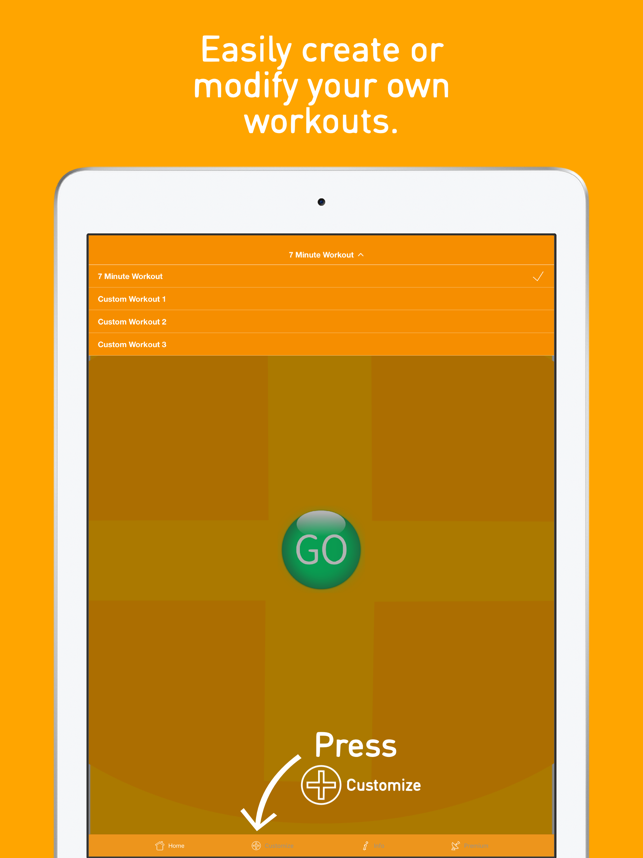
Seattle, Washington - Prajnu, Inc. is pleased to announce FlexTimer+, a free workout timer app now available on the Apple App Store. FlexTimer+ is a fully customizable workout timer for any type of workout or activity (HIIT, Interval, Tabata, Cross-fit, Yoga, Meditation) the user would like to create. It also comes preloaded with a 7 minute workout template that can be easily modified to the user's preferences.
Once the user creates a workout or modifies the 7 minute workout template to fit their personal goals, the app will guide them through the workout with sound cues, exercise names, and any static images loaded in. After the workout is complete (with the user's permission) the workout and/or mindful minutes (meditation, breathing, etc.) are recorded to the Apple Health app. The user can also use FlexTimer+ with their favorite music app (Apple Music, Pandora, Amazon Music, Spotify, Etc.)
The app is the creation of Rick Nanda, Co-Founder of Prajnu, who was diagnosed as prediabetic a few years ago. A healthier diet combined with a variety of high intensity and kettlebell workouts have led to 30 pounds of weight loss and better health. When he looked for an app to help him manage these workouts he only found apps with preloaded exercises that were primarily subscription based. So he and Prajnu Co-Founder, Spencer Leu, decided to create a fully customizable free workout timer app. The result is FlexTimer+.
Device Requirements:
* iPhone, iPad, iPod touch
*Requires iOS 10.0 or later
* 33.7 MB
Pricing and Availability:
FlexTimer+ 1.0 is free and available worldwide exclusively through the Apple App Store in the Health & Fitness category. For more information, please contact Spencer Leu.
Prajnu: http://prajnu.wixsite.com/visulax
FlexTimer+ 1.0: http://prajnu.wixsite.com/visulax/flextimer
Download from iTunes: https://itunes.apple.com/app/flextimer-workout-timer/id1248889561
Screenshot: https://is1-ssl.mzstatic.com/image/thumb/Purple128/v4/36/00/4f/36004f27-058d-65cb-45a5-6d96edf424aa/pr_source.png/643x0w.png
App Icon: https://is2-ssl.mzstatic.com/image/thumb/Purple62/v4/9b/d5/a9/9bd5a9e9-509b-4998-06a8-c15cc281f7e8/AppIcon-1x_U007emarketing-0-0-GLES2_U002c0-512MB-sRGB-0-0-0-85-220-0-0-0-6.png/246x0w.jpg
Prajnu, Inc. is a privately held Washington-based company focused on creating innovative self improvement apps for mobile devices. Prajnu's mission is to improve life. All Material and Software Copyright (C) 2018 Prajnu, Inc. All Rights Reserved. Apple, the Apple logo, iPhone, iPod and iPad are registered trademarks of Apple Computer in the U.S. and/or other countries. Other trademarks and registered trademarks may be the property of their respective owners.
*******
Link To Article: https://prmac.com/release-id-82559.htm
*******
---------------------------------------------------------------------------------
Note that you can alter delivered distributions at any time.
Login to your account on prMac to alter your channel selection, or to opt-out at any time.
Best Free Workout Timer App for Home, HIIT, Yoga, or 7 Minute Workouts - Published on 03/15/18
Seattle based Prajnu, Inc. today introduces FlexTimer+, a free workout timer app for iOS devices. Perfect for HIIT, Interval Training, Tabata, Cross-fit, Yoga, or Meditation, FlexTimer+ is a fully customizable workout timer for any type of workout or activity for everyone. The user simply creates a workout and the app will guide them through the workout they created with sound cues, exercise names, and images. FlexTimer+ works with most music apps, including Pandora, Spotify and more.
Seattle, Washington - Prajnu, Inc. is pleased to announce FlexTimer+, a free workout timer app now available on the Apple App Store. FlexTimer+ is a fully customizable workout timer for any type of workout or activity (HIIT, Interval, Tabata, Cross-fit, Yoga, Meditation) the user would like to create. It also comes preloaded with a 7 minute workout template that can be easily modified to the user's preferences.
Once the user creates a workout or modifies the 7 minute workout template to fit their personal goals, the app will guide them through the workout with sound cues, exercise names, and any static images loaded in. After the workout is complete (with the user's permission) the workout and/or mindful minutes (meditation, breathing, etc.) are recorded to the Apple Health app. The user can also use FlexTimer+ with their favorite music app (Apple Music, Pandora, Amazon Music, Spotify, Etc.)
The app is the creation of Rick Nanda, Co-Founder of Prajnu, who was diagnosed as prediabetic a few years ago. A healthier diet combined with a variety of high intensity and kettlebell workouts have led to 30 pounds of weight loss and better health. When he looked for an app to help him manage these workouts he only found apps with preloaded exercises that were primarily subscription based. So he and Prajnu Co-Founder, Spencer Leu, decided to create a fully customizable free workout timer app. The result is FlexTimer+.
Device Requirements:
* iPhone, iPad, iPod touch
*Requires iOS 10.0 or later
* 33.7 MB
Pricing and Availability:
FlexTimer+ 1.0 is free and available worldwide exclusively through the Apple App Store in the Health & Fitness category. For more information, please contact Spencer Leu.
Prajnu: http://prajnu.wixsite.com/visulax
FlexTimer+ 1.0: http://prajnu.wixsite.com/visulax/flextimer
Download from iTunes: https://itunes.apple.com/app/flextimer-workout-timer/id1248889561
Screenshot: https://is1-ssl.mzstatic.com/image/thumb/Purple128/v4/36/00/4f/36004f27-058d-65cb-45a5-6d96edf424aa/pr_source.png/643x0w.png
App Icon: https://is2-ssl.mzstatic.com/image/thumb/Purple62/v4/9b/d5/a9/9bd5a9e9-509b-4998-06a8-c15cc281f7e8/AppIcon-1x_U007emarketing-0-0-GLES2_U002c0-512MB-sRGB-0-0-0-85-220-0-0-0-6.png/246x0w.jpg

Prajnu, Inc. is a privately held Washington-based company focused on creating innovative self improvement apps for mobile devices. Prajnu's mission is to improve life. All Material and Software Copyright (C) 2018 Prajnu, Inc. All Rights Reserved. Apple, the Apple logo, iPhone, iPod and iPad are registered trademarks of Apple Computer in the U.S. and/or other countries. Other trademarks and registered trademarks may be the property of their respective owners.
*******
Link To Article: https://prmac.com/release-id-82559.htm
*******
---------------------------------------------------------------------------------
Note that you can alter delivered distributions at any time.
Login to your account on prMac to alter your channel selection, or to opt-out at any time.
Natural Designs Software brings modern on-screen keyboard to iPhone
A new article has been published at prMac.
Natural Designs Software brings modern on-screen keyboard to iPhone - Published on 03/15/18
Natural Designs Software today announces a port of their well-regarded iPad custom keyboard app "PadKeys" to the iPhone. Numbers, punctuation, and cursor keys are now available without layout flipping. Smart phones have much larger screens than they did a decade ago when Apple brought out the first iPhone, but the keyboard design hasn't changed - until now. PadKeys provides additional keys for numbers and more in a carefully designed ergonomic layout to make typing easier and more efficient.
Valley Cottage, New York - For all fans of PadKeys and non-fans of switching between ABC and 123 layouts, Natural Designs Software has announced a port of their well-regarded iPad custom keyboard app to the iPhone. Numbers, punctuation, and cursor keys are now available without layout flipping. The existing PadKeys Keyboard app previously only available for iPad is now a universal app.
Smart phones are different, much larger devices than they were a decade ago, but the on-screen keyboard hasn't evolved. To satisfy requests from users frustrated with traditional ABC-123 layout swapping, PadKeys improves the iPhone typing experience in several ways:
* A number row: no more need to switch screens to enter part of an address, tracking number, or other alphanumeric text.
* Punctuation and symbols on the same screen: no more layout flipping just to type something in "quotes" or use a simple character like +, -, or *.
* Cursor keys: Easier to use than any of the alternatives smartphone makers have introduced.
* Word swipe input: One of the most efficient ways to enter text on a small screen.
* Enhanced autocorrect: As on the iPad, PadKeys iPhone displays as many suggestions as your screen has room for - no artificial limitation to three.
* Multilingual: PadKeys iPhone supports the same dozen-plus common languages and keyboard layouts as the iPad version, and lets you swap quickly between your two most-frequently used.
Success of the original PadKeys was driven by a simple idea. The stock iOS keyboard design was optimized for the original 3.5" iPhone and doesn't make good use of space on larger tablet displays. PadKeys took the opposite approach, shrinking a full laptop layout to ergonomically provide numbers, punctuation, and also cursor keys on one screen in familiar places. This was well received by iPad users, making PadKeys one of the highest-rated keyboards in the App Store. However, modern iPhones are also much larger than the original that inspired the screen-switching design, and users asked for PadKeys to be brought to their phones as well.
Making this happen was not as simple as shrinking down the same layout to phone size. Simplifications had to be made to avoid making the keys too small to hit, and also existing functionality like word swipe had to be enhanced to deal with the "sloppier" input that comes from a smaller screen. A long beta testing phase has honed the initial prototype to a practical tool.
"As you can guess from the name, we initially developed PadKeys to be a kind of 'anti-' phone keyboard, inspired by conventional laptop/netbook layouts," says Adrian Robert, founder and lead developer at Natural Designs. "So I was surprised when users started asking us to bring it to their phones. But actually the trend has been towards ever-bigger screens. The display size on the Plus series is over double that of the original iPhone, and the standard model isn't far behind. Yet keyboard designs haven't evolved. It's high time they do."
Supported Languages:
PadKeys Keyboard supports English (US, CA, UK, AU, and NZ), Danish, Dutch, Finnish, French (France and Canada), German, Italian, Norwegian (Bokml), Portuguese (Brazil and Portugal), Spanish, and Swedish.
Device Requirements:
* Any device supporting iOS 10 or above
Pricing and Availability:
PadKeys Keyboard universal for iPad and iPhone is available at phone launch promotional pricing in the iOS App Store for $1.99 USD (or equivalent in other currencies). Regular price is $4.99. Review codes available upon request.
PadKeys Keyboard 4.0: http://padkeyskeyboard.com
Purchase and Download: https://itunes.apple.com/app/padkeys-keyboard/id975022995
YouTube Video (PadKeys Keyboard with iPhone): https://www.youtube.com/watch?v=hjI8-hKmlpQ
Media Assets: https://docs.google.com/document/d/1qp0nCl9g1WYyql18wf7Pz6cZIPZTKj5Q__LuBicraOc
Natural Designs Software, Inc. was founded in 2007 to bring innovative user interfaces to education, entertainment, and utility applications. Software should work the way the user sees, thinks and acts, not the other way around. The current products are a Chinese language learning program for desktop and iPad, and an iOS custom keyboard extension designed for tablets. Musical and visual art creativity software is in the works. All Material and Software (C) Copyright 2007-2018 Natural Designs Software, Inc. All Rights Reserved. Apple, the Apple logo, iPhone, iPod and iPad are registered trademarks of Apple Inc. in the U.S. and/or other countries. Other trademarks and registered trademarks may be the property of their respective owners.
*******
Link To Article: https://prmac.com/release-id-82558.htm
*******
---------------------------------------------------------------------------------
Note that you can alter delivered distributions at any time.
Login to your account on prMac to alter your channel selection, or to opt-out at any time.
Natural Designs Software brings modern on-screen keyboard to iPhone - Published on 03/15/18
Natural Designs Software today announces a port of their well-regarded iPad custom keyboard app "PadKeys" to the iPhone. Numbers, punctuation, and cursor keys are now available without layout flipping. Smart phones have much larger screens than they did a decade ago when Apple brought out the first iPhone, but the keyboard design hasn't changed - until now. PadKeys provides additional keys for numbers and more in a carefully designed ergonomic layout to make typing easier and more efficient.
Valley Cottage, New York - For all fans of PadKeys and non-fans of switching between ABC and 123 layouts, Natural Designs Software has announced a port of their well-regarded iPad custom keyboard app to the iPhone. Numbers, punctuation, and cursor keys are now available without layout flipping. The existing PadKeys Keyboard app previously only available for iPad is now a universal app.
Smart phones are different, much larger devices than they were a decade ago, but the on-screen keyboard hasn't evolved. To satisfy requests from users frustrated with traditional ABC-123 layout swapping, PadKeys improves the iPhone typing experience in several ways:
* A number row: no more need to switch screens to enter part of an address, tracking number, or other alphanumeric text.
* Punctuation and symbols on the same screen: no more layout flipping just to type something in "quotes" or use a simple character like +, -, or *.
* Cursor keys: Easier to use than any of the alternatives smartphone makers have introduced.
* Word swipe input: One of the most efficient ways to enter text on a small screen.
* Enhanced autocorrect: As on the iPad, PadKeys iPhone displays as many suggestions as your screen has room for - no artificial limitation to three.
* Multilingual: PadKeys iPhone supports the same dozen-plus common languages and keyboard layouts as the iPad version, and lets you swap quickly between your two most-frequently used.
Success of the original PadKeys was driven by a simple idea. The stock iOS keyboard design was optimized for the original 3.5" iPhone and doesn't make good use of space on larger tablet displays. PadKeys took the opposite approach, shrinking a full laptop layout to ergonomically provide numbers, punctuation, and also cursor keys on one screen in familiar places. This was well received by iPad users, making PadKeys one of the highest-rated keyboards in the App Store. However, modern iPhones are also much larger than the original that inspired the screen-switching design, and users asked for PadKeys to be brought to their phones as well.
Making this happen was not as simple as shrinking down the same layout to phone size. Simplifications had to be made to avoid making the keys too small to hit, and also existing functionality like word swipe had to be enhanced to deal with the "sloppier" input that comes from a smaller screen. A long beta testing phase has honed the initial prototype to a practical tool.
"As you can guess from the name, we initially developed PadKeys to be a kind of 'anti-' phone keyboard, inspired by conventional laptop/netbook layouts," says Adrian Robert, founder and lead developer at Natural Designs. "So I was surprised when users started asking us to bring it to their phones. But actually the trend has been towards ever-bigger screens. The display size on the Plus series is over double that of the original iPhone, and the standard model isn't far behind. Yet keyboard designs haven't evolved. It's high time they do."
Supported Languages:
PadKeys Keyboard supports English (US, CA, UK, AU, and NZ), Danish, Dutch, Finnish, French (France and Canada), German, Italian, Norwegian (Bokml), Portuguese (Brazil and Portugal), Spanish, and Swedish.
Device Requirements:
* Any device supporting iOS 10 or above
Pricing and Availability:
PadKeys Keyboard universal for iPad and iPhone is available at phone launch promotional pricing in the iOS App Store for $1.99 USD (or equivalent in other currencies). Regular price is $4.99. Review codes available upon request.
PadKeys Keyboard 4.0: http://padkeyskeyboard.com
Purchase and Download: https://itunes.apple.com/app/padkeys-keyboard/id975022995
YouTube Video (PadKeys Keyboard with iPhone): https://www.youtube.com/watch?v=hjI8-hKmlpQ
Media Assets: https://docs.google.com/document/d/1qp0nCl9g1WYyql18wf7Pz6cZIPZTKj5Q__LuBicraOc
Natural Designs Software, Inc. was founded in 2007 to bring innovative user interfaces to education, entertainment, and utility applications. Software should work the way the user sees, thinks and acts, not the other way around. The current products are a Chinese language learning program for desktop and iPad, and an iOS custom keyboard extension designed for tablets. Musical and visual art creativity software is in the works. All Material and Software (C) Copyright 2007-2018 Natural Designs Software, Inc. All Rights Reserved. Apple, the Apple logo, iPhone, iPod and iPad are registered trademarks of Apple Inc. in the U.S. and/or other countries. Other trademarks and registered trademarks may be the property of their respective owners.
*******
Link To Article: https://prmac.com/release-id-82558.htm
*******
---------------------------------------------------------------------------------
Note that you can alter delivered distributions at any time.
Login to your account on prMac to alter your channel selection, or to opt-out at any time.
Blox Shock released for iOS - Fun and Addictive Puzzle Game
A new article has been published at prMac.
Blox Shock released for iOS - Fun and Addictive Puzzle Game - Published on 03/15/18
UK based Notus Games Ltd announces Blox Shock 1.0.6, an important update to their fun-to-play block elimination game developed exclusively for iPhone, iPad and iPod touch devices. Blox Shock is a simple and addicting puzzle game for everyone. Players drag colorful blocks of different shapes to create lines. Completed lines are immediately blasted away to free space for more blocks. Version 1.0.6 sports an improved user interface, improved performance and minor bug fixes.
Sheffield, United Kingdom - Notus Games Ltd is proud to announce the release of Blox Shock 1.0.6, an important update to their fun-to-play block elimination game developed exclusively for iPhone, iPad and iPod touch devices. Blox Shock is a simple and addicting puzzle game for everyone. It is easy and relaxing to play, but try to use the full power of your strategic thinking and logic to get the best results.
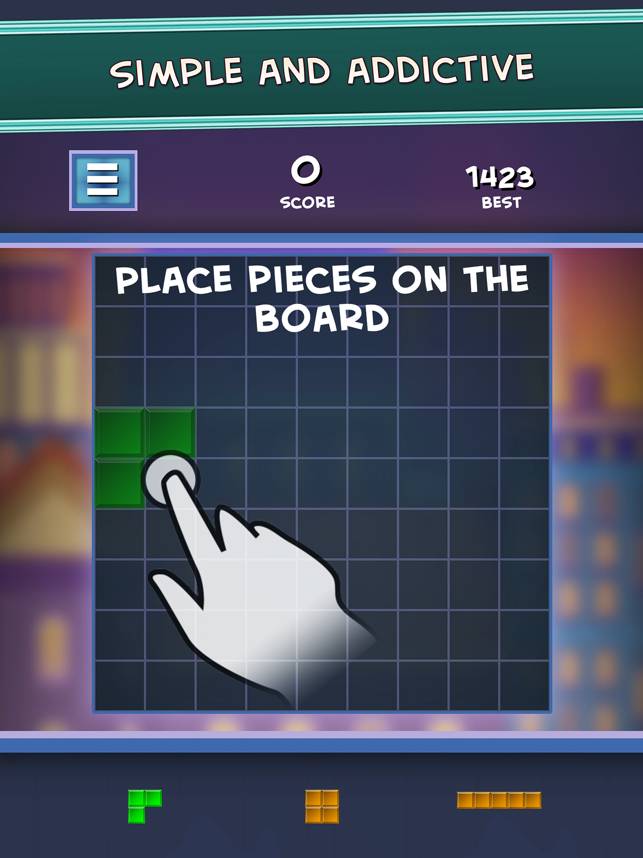
Players drag colorful blocks of different shapes to create lines. Completed lines are immediately blasted away to free space for more blocks. Shapes become trickier as the game progresses, but the more lines cleared the more points they gain. Removing several lines with one move gives extra points. The round ends when there is no more place for blocks.
Players can compare their results with other players worldwide. There are no time limits or other restrictions. It's a fun and effective way to train your brain!
Features:
* Colorful and simple puzzle game
* Worldwide leaderboard
* Neat design
* Upbeat music track
* Free game with no limits
* Global leaderboard
* You can play anytime and anywhere
Device Requirements:
* Optimized both for iPads and for iPhones (Supports iPhone X)
* iPhone 5s or later and iPod touch
* iPad 5th Generation or later
* High definition Retina graphics
* Requires iOS 11.0 or later
* 17.9 MB
Pricing and Availability:
Blox Shock 1.0.6 is Free (With In-App Purchases) and available worldwide exclusively through the App Store in the Games category. Currently available in English, but Spanish, French, Italian, Ukrainian, Chinese, Russian and other localizations are already being developed. We really hope you enjoy it! Don't hesitate to try! For more information, please contact Oleksandr Movchan.
Notus Games: http://notusgames.com/
Blox Shock 1.0.6: https://itunes.apple.com/app/blox-shock-block-elimination/id1338714008
Screenshot: https://is2-ssl.mzstatic.com/image/thumb/Purple128/v4/55/e0/ac/55e0ac6d-44f8-76b3-a3f4-940def14062b/pr_source.png/643x0w.png
App Icon: https://is2-ssl.mzstatic.com/image/thumb/Purple62/v4/b4/ae/40/b4ae40d2-85ca-7e48-6961-332d7049fb08/AppIcon-1x_U007emarketing-0-0-GLES2_U002c0-512MB-sRGB-0-0-0-85-220-0-0-0-6.png/246x0w.jpg
Notus Games Ltd is a rapidly developing company founded in 2010. Copyright (C) 2010-2018 Notus Games Ltd. All Rights Reserved. Apple, the Apple logo, iPhone, iPod and iPad are registered trademarks of Apple Inc. in the U.S. and/or other countries.
*******
Link To Article: https://prmac.com/release-id-82557.htm
*******
---------------------------------------------------------------------------------
Note that you can alter delivered distributions at any time.
Login to your account on prMac to alter your channel selection, or to opt-out at any time.
Blox Shock released for iOS - Fun and Addictive Puzzle Game - Published on 03/15/18
UK based Notus Games Ltd announces Blox Shock 1.0.6, an important update to their fun-to-play block elimination game developed exclusively for iPhone, iPad and iPod touch devices. Blox Shock is a simple and addicting puzzle game for everyone. Players drag colorful blocks of different shapes to create lines. Completed lines are immediately blasted away to free space for more blocks. Version 1.0.6 sports an improved user interface, improved performance and minor bug fixes.
Sheffield, United Kingdom - Notus Games Ltd is proud to announce the release of Blox Shock 1.0.6, an important update to their fun-to-play block elimination game developed exclusively for iPhone, iPad and iPod touch devices. Blox Shock is a simple and addicting puzzle game for everyone. It is easy and relaxing to play, but try to use the full power of your strategic thinking and logic to get the best results.
Players drag colorful blocks of different shapes to create lines. Completed lines are immediately blasted away to free space for more blocks. Shapes become trickier as the game progresses, but the more lines cleared the more points they gain. Removing several lines with one move gives extra points. The round ends when there is no more place for blocks.
Players can compare their results with other players worldwide. There are no time limits or other restrictions. It's a fun and effective way to train your brain!
Features:
* Colorful and simple puzzle game
* Worldwide leaderboard
* Neat design
* Upbeat music track
* Free game with no limits
* Global leaderboard
* You can play anytime and anywhere
Device Requirements:
* Optimized both for iPads and for iPhones (Supports iPhone X)
* iPhone 5s or later and iPod touch
* iPad 5th Generation or later
* High definition Retina graphics
* Requires iOS 11.0 or later
* 17.9 MB
Pricing and Availability:
Blox Shock 1.0.6 is Free (With In-App Purchases) and available worldwide exclusively through the App Store in the Games category. Currently available in English, but Spanish, French, Italian, Ukrainian, Chinese, Russian and other localizations are already being developed. We really hope you enjoy it! Don't hesitate to try! For more information, please contact Oleksandr Movchan.
Notus Games: http://notusgames.com/
Blox Shock 1.0.6: https://itunes.apple.com/app/blox-shock-block-elimination/id1338714008
Screenshot: https://is2-ssl.mzstatic.com/image/thumb/Purple128/v4/55/e0/ac/55e0ac6d-44f8-76b3-a3f4-940def14062b/pr_source.png/643x0w.png
App Icon: https://is2-ssl.mzstatic.com/image/thumb/Purple62/v4/b4/ae/40/b4ae40d2-85ca-7e48-6961-332d7049fb08/AppIcon-1x_U007emarketing-0-0-GLES2_U002c0-512MB-sRGB-0-0-0-85-220-0-0-0-6.png/246x0w.jpg

Notus Games Ltd is a rapidly developing company founded in 2010. Copyright (C) 2010-2018 Notus Games Ltd. All Rights Reserved. Apple, the Apple logo, iPhone, iPod and iPad are registered trademarks of Apple Inc. in the U.S. and/or other countries.
*******
Link To Article: https://prmac.com/release-id-82557.htm
*******
---------------------------------------------------------------------------------
Note that you can alter delivered distributions at any time.
Login to your account on prMac to alter your channel selection, or to opt-out at any time.
Subscribe to:
Posts (Atom)