A new article has been published at prMac.
FmPro Migrator 9.12 Adds FileMaker 19 Table Consolidation on Catalina - Published on 09/18/20
California based .com Solutions Inc. has released FmPro Migrator Developer Edition 9.12. FmPro Migrator is a stand-alone application which quickly and accurately migrates FileMaker Pro, Access, VFP databases to MySQL, Oracle, SQL Server, Sybase, DB2 and more. Version 9.12 is a maintenance release adding support for FileMaker 19 table consolidation projects on macOS Catalina and AppleScript automation. The GUI automation features are also used to facilitate importing and more.
Fremont, California - .com Solutions Inc. has released FmPro Migrator Developer Edition 9.12 as a maintenance release adding support for FileMaker 19 table consolidation projects on macOS Catalina. This release supports FileMaker Pro Advanced 11 - 19 on macOS.
Consolidating a multi-file solution into a single file improves FileMaker developer productivity because user accounts/privilege sets only need to be updated within a single file instead of dozens of files. Single-file solutions can also be easier to backup/move between computers and even send to users via an email attachment.
FmPro Migrator Developer Edition implements automated batch capture and creation features using AppleScript (macOS) and clipboard XML for Tables/Fields, Table Occurrences, Relationships, Value Lists, Custom Functions, Layouts and Script Workspace Scripts using FileMaker Pro Advanced 11 - 19 on macOS.
On macOS, the built-in AppleScripts which automate the complete Table Consolidation feature set have been updated to account for the name change from "FileMaker Pro Advanced" to "FileMaker Pro".
The GUI automation features are also used to facilitate the Importing of entire FileMaker solutions into FmPro Migrator in preparation for complete database conversion projects which use FmPro Migrator Platinum Edition features. These Platinum Edition conversion features include: LiveCode Conversion, PHP Conversion, FileMaker Access Conversion, and .NET Conversion. Visual FoxPro to FileMaker Pro and Microsoft Access to FileMaker Pro conversions also use these GUI automation features to build a new FileMaker database from other development tools. The GUI automation features included in FmPro Migrator also facilitate FileMaker database rebuild projects.
Pricing and Availability:
FmPro Migrator Developer Edition is priced at $199 (USD) per developer, FmPro Migrator Platinum Edition is priced at $599 per developer, and both versions are available immediately. A functional demo version of FmPro Migrator may be downloaded online.
FmPro Migrator 9.12: https://www.fmpromigrator.com/products/fmpro_migrator/index.html
FileMaker Table Consolidation Feature: https://www.fmpromigrator.com/products/fmpro_migrator/index.html#table_consolidation
Download FmPro Migrator: https://www.fmpromigrator.com/downloads/demo_software/index.html#fmpro_migrator_demo
Purchase: https://sites.fastspring.com/fmpromigrator/instant/fmpromigratorde_year_sub_fs1
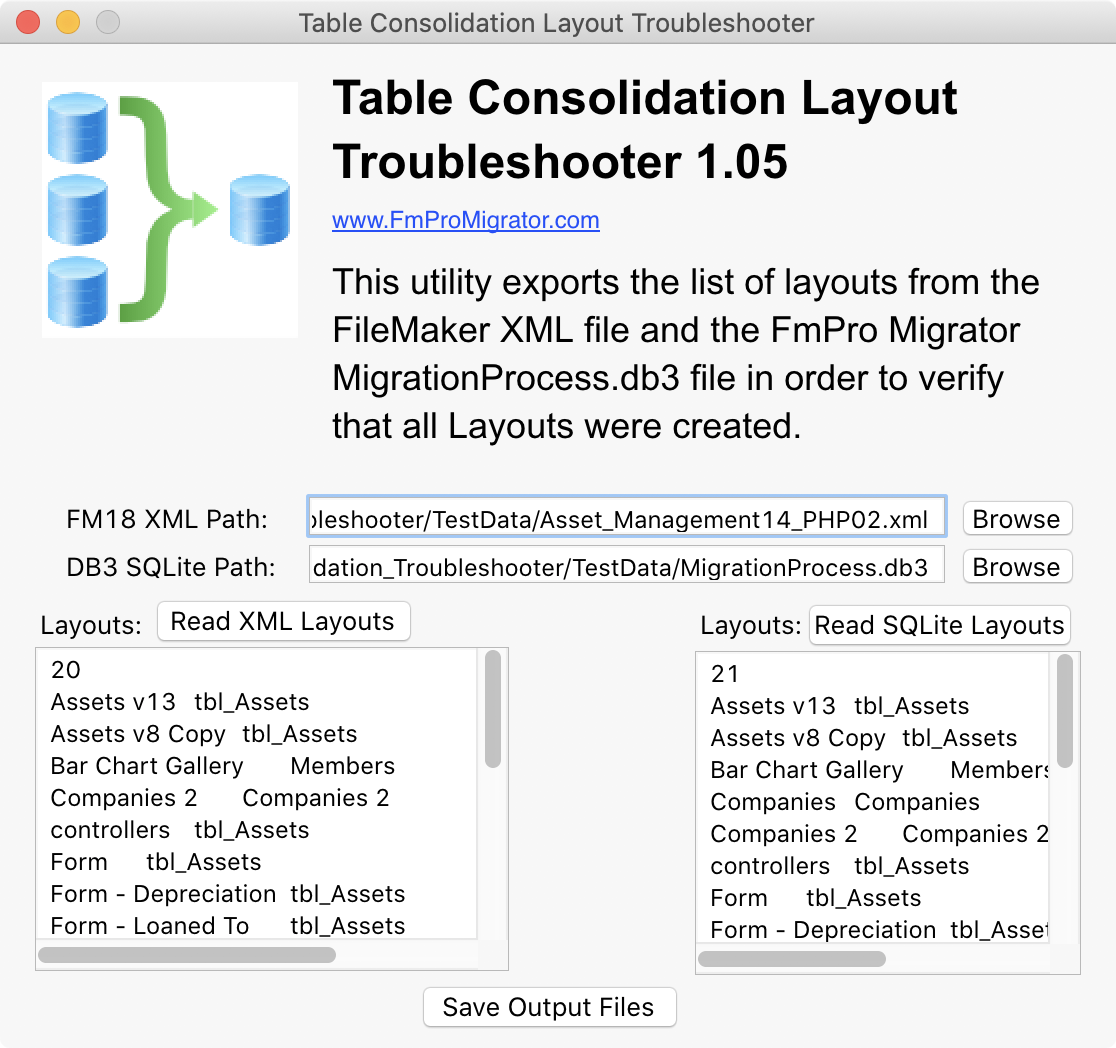
Screenshot (Table Consolidation Troubleshooter): https://www.fmpromigrator.com/images/fmpro_migrator/TCT_105_screenshot_1116_1048.png
TCT Icon: https://www.fmpromigrator.com/images/fmpro_migrator/TCTicon_512_512_04.png
Founded in 1999 by David Simpson in Sunny California, .com Solutions Inc. develops multi-platform graphical applications supporting FileMaker Pro, SQLite, Oracle, MySQL, Access, SQL Server, Sybase, DB2, PostgreSQL, VB6, LiveCode and Visual FoxPro developers. FmPro Script Diff, compares and edits FileMaker Pro scripts. SQLite Diff compares SQLite database schema and data. Copyright (C) 1999-2020 / .com Solutions Inc. All Rights Reserved. FileMaker is a registered trademark of FileMaker, Inc. - An Apple Subsidiary. Apple, the Apple logo and macOS platforms are trademarks of Apple Inc. in the U.S. and/or other countries.
*******
Link To Article: https://prmac.com/release-id-84131.htm
*******
---------------------------------------------------------------------------------
Note that you can alter delivered distributions at any time.
Login to your account on prMac to alter your channel selection, or to opt-out at any time.

Zevrix InDesign Automation Bundle on StackSocial Sale Until September 22
A new article has been published at prMac.
Zevrix InDesign Automation Bundle on StackSocial Sale Until September 22 - Published on 09/17/20
Zevrix Solutions, a developer of automation plug-ins for Adobe InDesign, has partnered with StackSocial to offer InDesign users a highly discounted bundle of company's workflow automation tools. Users can get LinkOptimizer, Output Factory, Package Central and InPreflight Pro for $49 only until September 22. The deal saves customers $630 with a 92% discount. The apps automate InDesign image workflow and output tasks, allow file collection from hot folders, and offer expert preflight options.
Toronto, Canada - Zevrix Solutions, a developer of automation tools for Adobe InDesign, announces today that it has partnered with StackSocial to offer a highly discounted bundle of company's workflow automation plug-ins. InDesign users can get LinkOptimizer, Output Factory, Package Central and InPreflight Pro for $49 only until September 22. The deal saves customers $630 - a 92% discount. Zevrix software helps users reduce InDesign link size, automate image and output workflows, streamline document packaging, and eliminate repetitive tasks.
"Zevrix software is the best kept secret for the Graphic Design industry," says Darren Rath, a design studio owner in Melbourne, Australia. "Thanks to Zevrix products, every piece of artwork that flies out of here requires no intervention by the prepress departments."
The bundle is available on StackSocial Shop which enables people to organically discover products and brands they love on the publications and media they engage with every day. StackSocial is a leading destination for software packages and other one-of-a-kind products at highly competitive prices. The shop carries a bundle of four Zevrix InDesign automation tools:
* LinkOptimizer lets users reduce InDesign link size by eliminating excess image data, perform image adjustments and convert file formats. The software automatically scales and crops the images in Photoshop to match their dimensions in InDesign, changes resolution to the specified target, and reimports images to InDesign at 100%.
* Output Factory automates printing and exporting from InDesign and offers batch output, layer versioning, single page export, preflighting, variable file names and more.
* InPreflight for InDesign offers advanced preflighting as well as automatic packaging of multiple files. InPreflight helps users eliminate errors, save disk space and collect all linked files into a single location.
* The last product on sale is Package Central which automates InDesign file packaging by processing files from watched hot folders. The software offloads file packaging from InDesign to a central system leaving operator workstations free from the collection process.
Pricing and Availability:
Zevrix InDesign bundle can be purchased on StackSocial for $49 (USD) until September 22, 2020. Product trials are also available for download. All products require macOS 10.8-10.15 and Adobe InDesign CS5-CC 2020 software.
Zevrix Workflow App Bundle For Adobe InDesign: https://stacksocial.com/sales/zevrix-adobe-indesign-app-bundle
Promotional Image: https://cdnp2.stackassets.com/fc57c640b37db5de533ce96e553fa83815e6d816/store/fitb/360/270/56aed4a76bf3f7dc65731259e5ad51a228da32d5ff55df3b919a250faa55/sale_27675_primary_image.jpg
Located in Toronto, Canada, Zevrix Solutions provides automation and productivity solutions for Adobe Creative Cloud and Creative Suite software, PDF workflows, graphic file diagnostics and Microsoft Office output on Mac OS. Zevrix is dedicated to help professionals increase their profits through automating everyday tasks, producing error-free documents, saving disk space and cutting production costs. For more information, visit their website. Copyright (C) 2020 Zevrix Solutions. All Rights Reserved. Other trademarks and registered trademarks may be the property of their respective owners.
*******
Link To Article: https://prmac.com/release-id-84130.htm
*******
---------------------------------------------------------------------------------
Note that you can alter delivered distributions at any time.
Login to your account on prMac to alter your channel selection, or to opt-out at any time.
Zevrix InDesign Automation Bundle on StackSocial Sale Until September 22 - Published on 09/17/20
Zevrix Solutions, a developer of automation plug-ins for Adobe InDesign, has partnered with StackSocial to offer InDesign users a highly discounted bundle of company's workflow automation tools. Users can get LinkOptimizer, Output Factory, Package Central and InPreflight Pro for $49 only until September 22. The deal saves customers $630 with a 92% discount. The apps automate InDesign image workflow and output tasks, allow file collection from hot folders, and offer expert preflight options.
Toronto, Canada - Zevrix Solutions, a developer of automation tools for Adobe InDesign, announces today that it has partnered with StackSocial to offer a highly discounted bundle of company's workflow automation plug-ins. InDesign users can get LinkOptimizer, Output Factory, Package Central and InPreflight Pro for $49 only until September 22. The deal saves customers $630 - a 92% discount. Zevrix software helps users reduce InDesign link size, automate image and output workflows, streamline document packaging, and eliminate repetitive tasks.
"Zevrix software is the best kept secret for the Graphic Design industry," says Darren Rath, a design studio owner in Melbourne, Australia. "Thanks to Zevrix products, every piece of artwork that flies out of here requires no intervention by the prepress departments."
The bundle is available on StackSocial Shop which enables people to organically discover products and brands they love on the publications and media they engage with every day. StackSocial is a leading destination for software packages and other one-of-a-kind products at highly competitive prices. The shop carries a bundle of four Zevrix InDesign automation tools:
* LinkOptimizer lets users reduce InDesign link size by eliminating excess image data, perform image adjustments and convert file formats. The software automatically scales and crops the images in Photoshop to match their dimensions in InDesign, changes resolution to the specified target, and reimports images to InDesign at 100%.
* Output Factory automates printing and exporting from InDesign and offers batch output, layer versioning, single page export, preflighting, variable file names and more.
* InPreflight for InDesign offers advanced preflighting as well as automatic packaging of multiple files. InPreflight helps users eliminate errors, save disk space and collect all linked files into a single location.
* The last product on sale is Package Central which automates InDesign file packaging by processing files from watched hot folders. The software offloads file packaging from InDesign to a central system leaving operator workstations free from the collection process.
Pricing and Availability:
Zevrix InDesign bundle can be purchased on StackSocial for $49 (USD) until September 22, 2020. Product trials are also available for download. All products require macOS 10.8-10.15 and Adobe InDesign CS5-CC 2020 software.
Zevrix Workflow App Bundle For Adobe InDesign: https://stacksocial.com/sales/zevrix-adobe-indesign-app-bundle
Promotional Image: https://cdnp2.stackassets.com/fc57c640b37db5de533ce96e553fa83815e6d816/store/fitb/360/270/56aed4a76bf3f7dc65731259e5ad51a228da32d5ff55df3b919a250faa55/sale_27675_primary_image.jpg

Located in Toronto, Canada, Zevrix Solutions provides automation and productivity solutions for Adobe Creative Cloud and Creative Suite software, PDF workflows, graphic file diagnostics and Microsoft Office output on Mac OS. Zevrix is dedicated to help professionals increase their profits through automating everyday tasks, producing error-free documents, saving disk space and cutting production costs. For more information, visit their website. Copyright (C) 2020 Zevrix Solutions. All Rights Reserved. Other trademarks and registered trademarks may be the property of their respective owners.
*******
Link To Article: https://prmac.com/release-id-84130.htm
*******
---------------------------------------------------------------------------------
Note that you can alter delivered distributions at any time.
Login to your account on prMac to alter your channel selection, or to opt-out at any time.
Jersey Pocket Tool Case Stylishly Stows iPhone, Cycling Tools, Cash, Key
A new article has been published at prMac.
Jersey Pocket Tool Case Stylishly Stows iPhone, Cycling Tools, Cash, Key - Published on 09/16/20
San Francisco based manufacturer, WaterField Designs kicks off the fall cycling season with the sleek iPhone Jersey Pocket Tool Case. Available in two sizes for small or large iPhones, this custom-fitted case holds a cycling tool kit, iPhone, and personal essentials in a water-resistant, easy-to-access, and incredibly comfortable pouch that is suitable for either on or off a bike. Soft, no-scratch material lines the dedicated iPhone pocket to keep the device protected in transit.
San Francisco, California - WaterField Designs, a local San Francisco manufacturer of laptop sleeves, bags, and cases for digital gear, introduces the iPhone Jersey Pocket Tool Case, an upscale pouch for an iPhone, cycling tool kit, cash, cards, and key. Available in two sizes for small or large iPhones, this intuitively-designed, ballistic nylon and full-grain leather case is so comfortable that after a few miles of cycling, it virtually disappears. Soft, no-scratch material lines the dedicated iPhone pocket to keep the device protected in transit.
Phones have become vital necessities on bike rides for checking Strava or for emergencies, so the new case includes a dedicated, scratch-free iPhone compartment. The stunning leather design befits work attire just as easily as it does a decked-out cycling set up.
"Exercise and getting outdoors are so important to our well-being right now and cycling is an excellent way to get both," said company owner Gary Waterfield. "When I'm out on a ride, efficiency is key, whether I need to change a flat or to just check my iPhone. Reaching around to quickly grab the case with one finger is easy thanks to a convenient loop at the top. And the front zippered pocket lets me access my key, cash, and cards quickly."
Features:
* Main compartment includes a soft-lined iPhone pocket and additional pockets to stow a mini pump, spare tube, CO2 cartridge, patches, multi-tool, and tire levers
* Zippered front pocket stows cash, cards, ID, and a glasses cleaning cloth
* Full-grain leather panel adds a touch of luxury
* Sturdy ballistic nylon helps block sweat and keep contents dry
* Gold interior liner brightens interior for increased visibility
* Case slides easily out of a jersey pocket or work bag using a clever top finger loop
* Smooth-gliding waterproof zippers grant easy access
* Two sizes fit small or large iPhones; both fit narrow European jersey pockets
The Jersey Pocket Tool Case maintains a barely-there feel while carrying everything a cyclist needs while out on a ride. The new case joins the WaterField Cycling Collection and iPhone Case Collection, each created to support customers in their busy lives.
Colors and Materials:
Full-grain, distressed leather; black, red, grizzly, blue. Black ballistic nylon. Lightly-padded, no scratch iPhone liner. Waterproof zippers. Gold rip-stop nylon interior. It is available in two sizes: Pro: 7 x 1 x 3.75 inches; 3 oz. Pro Max: 7.5 x 1 x 4 inches; 3.1 oz.
Pricing and Availability:
The Jersey Pocket Tool Case is priced at only $69 (USD). For more information please contact Heidi Marzke.
WaterField Designs: http://www.sfbags.com/
Jersey Pocket Tool Case: https://www.sfbags.com/products/jersey-pocket-tool-case
YouTube Video (Demo): https://www.youtube.com/watch?v=j-vMnuq6ysM
Screenshot: https://cdn.shopify.com/s/files/1/0281/2796/products/LargePouchinJersey_b50e8a40-b966-46f9-ab43-d9d472a5c32d_1800x1800.jpg
WaterField Designs is an innovative San Francisco designer and manufacturer of bags and cases for tech-savvy consumers who want to stylishly and responsibly transport their technology. WaterField manufactures custom-fitted, high-quality cases and bags for a full-range of laptop computers, smartphones, tablets, gaming devices, and other digital gear. All products are manufactured to exacting standards entirely in San Francisco. Company founder Gary Waterfield is an avid lifelong cyclist who has logged thousands and thousands of miles on his bike in the U.S., Canada, Europe, Australia, and New Zealand. More information at "Our Story." WaterField Designs and Jersey Pocket Tool Case are trademarks of WaterField Designs. Copyright (C) 1998-2020 WaterField Designs. All Rights Reserved. Other trademarks and registered trademarks may be the property of their respective owners.
*******
Link To Article: https://prmac.com/release-id-84129.htm
*******
---------------------------------------------------------------------------------
Note that you can alter delivered distributions at any time.
Login to your account on prMac to alter your channel selection, or to opt-out at any time.
Jersey Pocket Tool Case Stylishly Stows iPhone, Cycling Tools, Cash, Key - Published on 09/16/20
San Francisco based manufacturer, WaterField Designs kicks off the fall cycling season with the sleek iPhone Jersey Pocket Tool Case. Available in two sizes for small or large iPhones, this custom-fitted case holds a cycling tool kit, iPhone, and personal essentials in a water-resistant, easy-to-access, and incredibly comfortable pouch that is suitable for either on or off a bike. Soft, no-scratch material lines the dedicated iPhone pocket to keep the device protected in transit.
San Francisco, California - WaterField Designs, a local San Francisco manufacturer of laptop sleeves, bags, and cases for digital gear, introduces the iPhone Jersey Pocket Tool Case, an upscale pouch for an iPhone, cycling tool kit, cash, cards, and key. Available in two sizes for small or large iPhones, this intuitively-designed, ballistic nylon and full-grain leather case is so comfortable that after a few miles of cycling, it virtually disappears. Soft, no-scratch material lines the dedicated iPhone pocket to keep the device protected in transit.
Phones have become vital necessities on bike rides for checking Strava or for emergencies, so the new case includes a dedicated, scratch-free iPhone compartment. The stunning leather design befits work attire just as easily as it does a decked-out cycling set up.
"Exercise and getting outdoors are so important to our well-being right now and cycling is an excellent way to get both," said company owner Gary Waterfield. "When I'm out on a ride, efficiency is key, whether I need to change a flat or to just check my iPhone. Reaching around to quickly grab the case with one finger is easy thanks to a convenient loop at the top. And the front zippered pocket lets me access my key, cash, and cards quickly."
Features:
* Main compartment includes a soft-lined iPhone pocket and additional pockets to stow a mini pump, spare tube, CO2 cartridge, patches, multi-tool, and tire levers
* Zippered front pocket stows cash, cards, ID, and a glasses cleaning cloth
* Full-grain leather panel adds a touch of luxury
* Sturdy ballistic nylon helps block sweat and keep contents dry
* Gold interior liner brightens interior for increased visibility
* Case slides easily out of a jersey pocket or work bag using a clever top finger loop
* Smooth-gliding waterproof zippers grant easy access
* Two sizes fit small or large iPhones; both fit narrow European jersey pockets
The Jersey Pocket Tool Case maintains a barely-there feel while carrying everything a cyclist needs while out on a ride. The new case joins the WaterField Cycling Collection and iPhone Case Collection, each created to support customers in their busy lives.
Colors and Materials:
Full-grain, distressed leather; black, red, grizzly, blue. Black ballistic nylon. Lightly-padded, no scratch iPhone liner. Waterproof zippers. Gold rip-stop nylon interior. It is available in two sizes: Pro: 7 x 1 x 3.75 inches; 3 oz. Pro Max: 7.5 x 1 x 4 inches; 3.1 oz.
Pricing and Availability:
The Jersey Pocket Tool Case is priced at only $69 (USD). For more information please contact Heidi Marzke.
WaterField Designs: http://www.sfbags.com/
Jersey Pocket Tool Case: https://www.sfbags.com/products/jersey-pocket-tool-case
YouTube Video (Demo): https://www.youtube.com/watch?v=j-vMnuq6ysM
Screenshot: https://cdn.shopify.com/s/files/1/0281/2796/products/LargePouchinJersey_b50e8a40-b966-46f9-ab43-d9d472a5c32d_1800x1800.jpg

WaterField Designs is an innovative San Francisco designer and manufacturer of bags and cases for tech-savvy consumers who want to stylishly and responsibly transport their technology. WaterField manufactures custom-fitted, high-quality cases and bags for a full-range of laptop computers, smartphones, tablets, gaming devices, and other digital gear. All products are manufactured to exacting standards entirely in San Francisco. Company founder Gary Waterfield is an avid lifelong cyclist who has logged thousands and thousands of miles on his bike in the U.S., Canada, Europe, Australia, and New Zealand. More information at "Our Story." WaterField Designs and Jersey Pocket Tool Case are trademarks of WaterField Designs. Copyright (C) 1998-2020 WaterField Designs. All Rights Reserved. Other trademarks and registered trademarks may be the property of their respective owners.
*******
Link To Article: https://prmac.com/release-id-84129.htm
*******
---------------------------------------------------------------------------------
Note that you can alter delivered distributions at any time.
Login to your account on prMac to alter your channel selection, or to opt-out at any time.
Typinator 8.5 is ready for macOS Big Sur and supports tables
A new article has been published at prMac.
Typinator 8.5 is ready for macOS Big Sur and supports tables - Published on 09/15/20
Ergonis Software today releases Typinator 8.5, an update to their highly acclaimed text expander. Typinator is a powerful, yet elegantly simple solution that automates the process of inserting frequently used text and auto-correcting typing errors. Version 8.5 is ready for macOS version Big Sur and offers many further enhancements. It now supports direct editing of tables in formatted text expansions and improves overall stability and compatibility with third-party applications and more.
Perg, Austria - Ergonis Software today released Typinator 8.5, an improved version of their highly acclaimed text expander. Although it's just a minor update, Typinator 8.5 is yet another milestone in the more than 15 years of development and enhancement of the popular text expansion tool - Typinator 8.5 is ready for Apple's next big macOS version Big Sur, which is expected to launch later this year.
Besides enhancements and tweaks to make Typinator a first-class citizen on Big Sur, the new version brings a number of other enhancements. It now supports direct editing of tables in formatted text expansions and improves overall stability and compatibility with third-party applications like CopyPaste Pro, Parallels Client, and others. Typinator 8.5 also corrects an incorrect replacement in the TidBITS AutoCorrection sets and includes fixes and workarounds for user-reported issues. Visit Ergonis Software's website to learn more about the changes in this release and to download and try the new version.
Typinator is a powerful, yet elegantly simple solution that boosts your productivity by automating the process of inserting frequently used text and auto-correcting typing errors. Across all applications, it detects specific sequences of typed characters and automatically replaces them with text snippets, graphics, URLs, dates and special characters.
System Requirements:
Typinator 8.5 requires OS X Mountain Lion (10.8) or newer, is recommended for macOS Catalina (10.15), and is compatible with the current beta versions of macOS Big Sur (11.0).
Availability and Ordering:
Typinator can be purchased securely on the Ergonis Software website. The upgrade to Typinator 8.5 is free for anyone who purchased a license for Typinator on or after January 1st, 2019. Upgrade paths are available for owners of older licenses. For information about purchases, including enterprise licenses, volume discounts, and upgrade pricing offers, see the company's web site.
Ergonis Software: https://www.ergonis.com/
Typinator 8.5: https://www.ergonis.com/products/typinator
Download Typinator: https://www.ergonis.com/downloads/typinator-install.dmg
Purchase Typinator: https://store.ergonis.com/products/typinator
Screenshot (Typinator - define abbreviations): https://www.ergonis.com/press/2020/20200915/typinator-screen.png
Headquartered in Perg, Austria, Ergonis Software Gmbh is a privately held software development company founded in 2002. With a focus on innovation, Ergonis develops ergonomic and intuitive software that boosts the productivity of Mac and PC users alike. Copyright 2002-2020 Ergonis Software Gmbh. All Rights Reserved. Ergonis products are either registered trademarks or trademarks of Ergonis Software GmbH. Other company and product names may be trademarks of their respective owners.
*******
Link To Article: https://prmac.com/release-id-84128.htm
*******
---------------------------------------------------------------------------------
Note that you can alter delivered distributions at any time.
Login to your account on prMac to alter your channel selection, or to opt-out at any time.
Typinator 8.5 is ready for macOS Big Sur and supports tables - Published on 09/15/20
Ergonis Software today releases Typinator 8.5, an update to their highly acclaimed text expander. Typinator is a powerful, yet elegantly simple solution that automates the process of inserting frequently used text and auto-correcting typing errors. Version 8.5 is ready for macOS version Big Sur and offers many further enhancements. It now supports direct editing of tables in formatted text expansions and improves overall stability and compatibility with third-party applications and more.
Perg, Austria - Ergonis Software today released Typinator 8.5, an improved version of their highly acclaimed text expander. Although it's just a minor update, Typinator 8.5 is yet another milestone in the more than 15 years of development and enhancement of the popular text expansion tool - Typinator 8.5 is ready for Apple's next big macOS version Big Sur, which is expected to launch later this year.
Besides enhancements and tweaks to make Typinator a first-class citizen on Big Sur, the new version brings a number of other enhancements. It now supports direct editing of tables in formatted text expansions and improves overall stability and compatibility with third-party applications like CopyPaste Pro, Parallels Client, and others. Typinator 8.5 also corrects an incorrect replacement in the TidBITS AutoCorrection sets and includes fixes and workarounds for user-reported issues. Visit Ergonis Software's website to learn more about the changes in this release and to download and try the new version.
Typinator is a powerful, yet elegantly simple solution that boosts your productivity by automating the process of inserting frequently used text and auto-correcting typing errors. Across all applications, it detects specific sequences of typed characters and automatically replaces them with text snippets, graphics, URLs, dates and special characters.
System Requirements:
Typinator 8.5 requires OS X Mountain Lion (10.8) or newer, is recommended for macOS Catalina (10.15), and is compatible with the current beta versions of macOS Big Sur (11.0).
Availability and Ordering:
Typinator can be purchased securely on the Ergonis Software website. The upgrade to Typinator 8.5 is free for anyone who purchased a license for Typinator on or after January 1st, 2019. Upgrade paths are available for owners of older licenses. For information about purchases, including enterprise licenses, volume discounts, and upgrade pricing offers, see the company's web site.
Ergonis Software: https://www.ergonis.com/
Typinator 8.5: https://www.ergonis.com/products/typinator
Download Typinator: https://www.ergonis.com/downloads/typinator-install.dmg
Purchase Typinator: https://store.ergonis.com/products/typinator
Screenshot (Typinator - define abbreviations): https://www.ergonis.com/press/2020/20200915/typinator-screen.png

Headquartered in Perg, Austria, Ergonis Software Gmbh is a privately held software development company founded in 2002. With a focus on innovation, Ergonis develops ergonomic and intuitive software that boosts the productivity of Mac and PC users alike. Copyright 2002-2020 Ergonis Software Gmbh. All Rights Reserved. Ergonis products are either registered trademarks or trademarks of Ergonis Software GmbH. Other company and product names may be trademarks of their respective owners.
*******
Link To Article: https://prmac.com/release-id-84128.htm
*******
---------------------------------------------------------------------------------
Note that you can alter delivered distributions at any time.
Login to your account on prMac to alter your channel selection, or to opt-out at any time.
Tropical Software releases iAddressX 4 for macOS
A new article has been published at prMac.
Tropical Software releases iAddressX 4 for macOS - Published on 09/15/20
Longtime Florida based developer, Tropical Software today announces iAddressX 4 for macOS. Use iAddressX to navigate contacts from a small icon in the system menu, and to initiate various tasks including printing of Dymo labels, dialing iPhone and/or Skype calls, sending SMS messages to Skype pals or friend's cell phone, and more. Now a 64-bit only app, the new version adds a new preferences option to dial iPhone via FaceTime, a new Maps feature, and much more.
Atlantic Beach, Florida - Tropical Software today is pleased to announce that iAddressX 4 is available for macOS. Use iAddressX to navigate contacts from a small icon in the system menu, and to initiate various tasks including printing of Dymo labels, dialing iPhone and/or Skype calls, sending SMS messages to Skype pals or friend's cell phone, and more. Interested users can visit the Tropical Software website to try reliable iAddressX 4 for free today.
System Menu Convenience and iAddressX:
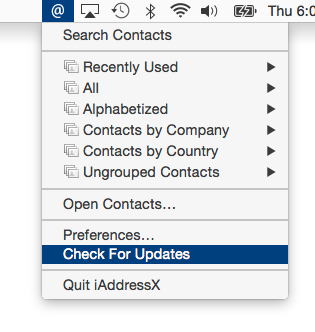
From the first release of Macintosh computers, the main menu bar, also called the system menu, has been a central Mac navigational feature. iAddressX has now returned to the Mac system menu as a status item, allowing easy access to almost everything related to contacts from hierarchical menus.
Navigate Contacts:
* Navigate contacts from a small icon in the system menu and access many contact options
Dymo Support:
* Print to your Dymo Label printer right from iAddressX.
Dial iPhone:
* Dial using Facetime, iPhone, Skype or an old-fashioned landline
Search:
* Search your contacts directly from the menu bar
Skype:
* Initiate a call or chat using Skype
* Send SMS messages to Skype pals
Maps:
* View any contact's location on Apple or Google Maps
A Brief History of iAddressX:
Tropical Software President James Lee explains the return of iAddressX: "iAddressX was developed by Michael Balle-Pedersen, a Software Engineer at Apple Inc. Before he worked at Apple, Michael released versions running in macOS 10.3 and 10.4. I discovered iAddressX languishing after Michael went to work for Apple and we were able to acquire iAddressX. We immediately developed a version that ran under macOS 10.5 (Leopard) that is still available. Thanks to help from many friends, we were able to get iAddressX working in macOS 10.7 through 10.15. In-house expert Lewis Garrett inserted the "Check for Update" and registration code, and put the final touches on this release."
iAddressX 4 has the following changes:
New Features:
* iAddressX is now a 64-bit App only. Do not install this update if your system is 32-bit only.
* Added Preferences option to Dial iPhone using Apple's "FaceTime" dialing options
* Maps feature that allows selecting Apple or Google Maps of a contact address.
* Changes required by macOS 10.15 (Catalina).
* Enabled "Hardened Runtime" to protect the runtime integrity by preventing certain classes of exploits, like code injection, dynamically linked library (DLL) hijacking, and process memory space tampering.
* Granted a trial period to try out iAddressX 4.0 prior to purchase.
Changed Features:
* Updated "Check for Update" to address latest security vulnerabilities.
* Include build number in version string displayed in About.
* Modify Dial menu command to include the Dialing method.
* Change "Map Of using:" Menu command default selection to "Apple Maps".
* Change Dialing default from "Speaker" to "FaceTime via iPhone".
* Moved Preferences "About" tab to be first tab.
Fixed:
* Problem that caused registration to become lost.
* "View Read Me" menu command appeared not to be working because its window was obscured by other windows. The ReadMe.rtf window will now be forced to the front.
* Corrected misspelling in "Display Order:" menu item.
* Improved display of menu bar iAddressX @ icon when Appearance is Dark Mode.
* "View Read Me" menu command when Appearance is Dark Mode displayed Read Me was too dark to read.
iAddressX- Reviews:
iAddressX was reviewed a few times many years ago and we hope it will once again get good reviews for its design and convenience. We are looking for feedback from prior iAddressX customers and new users for what they would like to see us develop in the future.
Pricing and Availability:
Try Tropical Software's reliable iAddressX 4 for free today! iAddressX 4 is only $19.95 (USD) from our web site.
iAddressX 4: http://www.tropic4.com/iaddressx.html
Download Free Trial (Zip): http://www.tropic4.com/download/iAddressX.zip
Purchase iAddressX: http://sites.fastspring.com/tropic4/product/iAddressX
Screenshot: http://www.tropic4.com/images/MainiAXmenuthumb.png
Application Icon: http://www.tropic4.com/images/iaddressx.png
Tropical Software makes the award-winning TopXNotes, a modern personal Mac note manager with state of the art proprietary encryption technology for the ultimate in securing personal information. We also offer KitchenTimer, a general-purpose timer, 2Remember, a lightweight easy to use reminder app with a minimal screen footprint, and iAddressX for navigating and accessing your contacts. Located in Atlantic Beach, Florida, Tropical Software is owned and operated by former Apple employee James Lee, and is dedicated to improving the lives of its customers by offering easy to use productivity software for Macs and Apple touch devices including iPhone, iPod touch and iPad. Copyright (C) 2020 Tropical Software-All Rights Reserved. Apple, the Apple logo, macOS, iPhone, iPod, iPad and Macintosh are registered trademarks of Apple Inc. in the U.S. and/or other countries.
*******
Link To Article: https://prmac.com/release-id-84127.htm
*******
---------------------------------------------------------------------------------
Note that you can alter delivered distributions at any time.
Login to your account on prMac to alter your channel selection, or to opt-out at any time.
Tropical Software releases iAddressX 4 for macOS - Published on 09/15/20
Longtime Florida based developer, Tropical Software today announces iAddressX 4 for macOS. Use iAddressX to navigate contacts from a small icon in the system menu, and to initiate various tasks including printing of Dymo labels, dialing iPhone and/or Skype calls, sending SMS messages to Skype pals or friend's cell phone, and more. Now a 64-bit only app, the new version adds a new preferences option to dial iPhone via FaceTime, a new Maps feature, and much more.
Atlantic Beach, Florida - Tropical Software today is pleased to announce that iAddressX 4 is available for macOS. Use iAddressX to navigate contacts from a small icon in the system menu, and to initiate various tasks including printing of Dymo labels, dialing iPhone and/or Skype calls, sending SMS messages to Skype pals or friend's cell phone, and more. Interested users can visit the Tropical Software website to try reliable iAddressX 4 for free today.
System Menu Convenience and iAddressX:
From the first release of Macintosh computers, the main menu bar, also called the system menu, has been a central Mac navigational feature. iAddressX has now returned to the Mac system menu as a status item, allowing easy access to almost everything related to contacts from hierarchical menus.
Navigate Contacts:
* Navigate contacts from a small icon in the system menu and access many contact options
Dymo Support:
* Print to your Dymo Label printer right from iAddressX.
Dial iPhone:
* Dial using Facetime, iPhone, Skype or an old-fashioned landline
Search:
* Search your contacts directly from the menu bar
Skype:
* Initiate a call or chat using Skype
* Send SMS messages to Skype pals
Maps:
* View any contact's location on Apple or Google Maps
A Brief History of iAddressX:
Tropical Software President James Lee explains the return of iAddressX: "iAddressX was developed by Michael Balle-Pedersen, a Software Engineer at Apple Inc. Before he worked at Apple, Michael released versions running in macOS 10.3 and 10.4. I discovered iAddressX languishing after Michael went to work for Apple and we were able to acquire iAddressX. We immediately developed a version that ran under macOS 10.5 (Leopard) that is still available. Thanks to help from many friends, we were able to get iAddressX working in macOS 10.7 through 10.15. In-house expert Lewis Garrett inserted the "Check for Update" and registration code, and put the final touches on this release."
iAddressX 4 has the following changes:
New Features:
* iAddressX is now a 64-bit App only. Do not install this update if your system is 32-bit only.
* Added Preferences option to Dial iPhone using Apple's "FaceTime" dialing options
* Maps feature that allows selecting Apple or Google Maps of a contact address.
* Changes required by macOS 10.15 (Catalina).
* Enabled "Hardened Runtime" to protect the runtime integrity by preventing certain classes of exploits, like code injection, dynamically linked library (DLL) hijacking, and process memory space tampering.
* Granted a trial period to try out iAddressX 4.0 prior to purchase.
Changed Features:
* Updated "Check for Update" to address latest security vulnerabilities.
* Include build number in version string displayed in About.
* Modify Dial menu command to include the Dialing method.
* Change "Map Of using:" Menu command default selection to "Apple Maps".
* Change Dialing default from "Speaker" to "FaceTime via iPhone".
* Moved Preferences "About" tab to be first tab.
Fixed:
* Problem that caused registration to become lost.
* "View Read Me" menu command appeared not to be working because its window was obscured by other windows. The ReadMe.rtf window will now be forced to the front.
* Corrected misspelling in "Display Order:" menu item.
* Improved display of menu bar iAddressX @ icon when Appearance is Dark Mode.
* "View Read Me" menu command when Appearance is Dark Mode displayed Read Me was too dark to read.
iAddressX- Reviews:
iAddressX was reviewed a few times many years ago and we hope it will once again get good reviews for its design and convenience. We are looking for feedback from prior iAddressX customers and new users for what they would like to see us develop in the future.
Pricing and Availability:
Try Tropical Software's reliable iAddressX 4 for free today! iAddressX 4 is only $19.95 (USD) from our web site.
iAddressX 4: http://www.tropic4.com/iaddressx.html
Download Free Trial (Zip): http://www.tropic4.com/download/iAddressX.zip
Purchase iAddressX: http://sites.fastspring.com/tropic4/product/iAddressX
Screenshot: http://www.tropic4.com/images/MainiAXmenuthumb.png
Application Icon: http://www.tropic4.com/images/iaddressx.png

Tropical Software makes the award-winning TopXNotes, a modern personal Mac note manager with state of the art proprietary encryption technology for the ultimate in securing personal information. We also offer KitchenTimer, a general-purpose timer, 2Remember, a lightweight easy to use reminder app with a minimal screen footprint, and iAddressX for navigating and accessing your contacts. Located in Atlantic Beach, Florida, Tropical Software is owned and operated by former Apple employee James Lee, and is dedicated to improving the lives of its customers by offering easy to use productivity software for Macs and Apple touch devices including iPhone, iPod touch and iPad. Copyright (C) 2020 Tropical Software-All Rights Reserved. Apple, the Apple logo, macOS, iPhone, iPod, iPad and Macintosh are registered trademarks of Apple Inc. in the U.S. and/or other countries.
*******
Link To Article: https://prmac.com/release-id-84127.htm
*******
---------------------------------------------------------------------------------
Note that you can alter delivered distributions at any time.
Login to your account on prMac to alter your channel selection, or to opt-out at any time.
Package Central for Adobe InDesign Fixes Image Relinking Anomaly
A new article has been published at prMac.
Package Central for Adobe InDesign Fixes Image Relinking Anomaly - Published on 09/15/20
Zevrix Solutions announces Package Central 1.11.18, a maintenance update to company's file packaging automation solution for Adobe InDesign. The software collects InDesign documents along with their fonts and links from hot folders. Package Central serves unlimited users on a network and offers variable folder names, email alerts, PDF export, and more. The new version abandons the use of intermediate temporary folder names, which could result in incorrect image linkage in the final job folder.
Toronto (ON), Canada - Zevrix Solutions today announces Package Central 1.11.18, a maintenance update to company's document packaging automation solution for Adobe InDesign. Originally developed for a major publishing house in the United States, the software automates InDesign workflows by collecting files from hot folders. Package Central offloads InDesign packaging to a central system leaving operator workstations free from the collection process.
The new version abandons the use of intermediate temporary folder names which were initially assigned to the InDesign package folders. Users reported that under some rare conditions it could result to incorrect link paths in the collected InDesign files. With the new update, Package Central assigns the final variable folder names right away, which ensures the correct image relinking in final InDesign files at any time. Package Central lets users compose variable package names based on InDesign file name, date, current user and other tokens.
Package Central solves the problem of centralized packaging and archiving of InDesign projects in a workgroup environment while serving unlimited users on a network. The software lets prepress operators, production artists, and designers simply submit files to watched hot folders that reside on a network. The app then automatically collects InDesign files along with their fonts and links into the destination folder with dynamically assigned variable name.
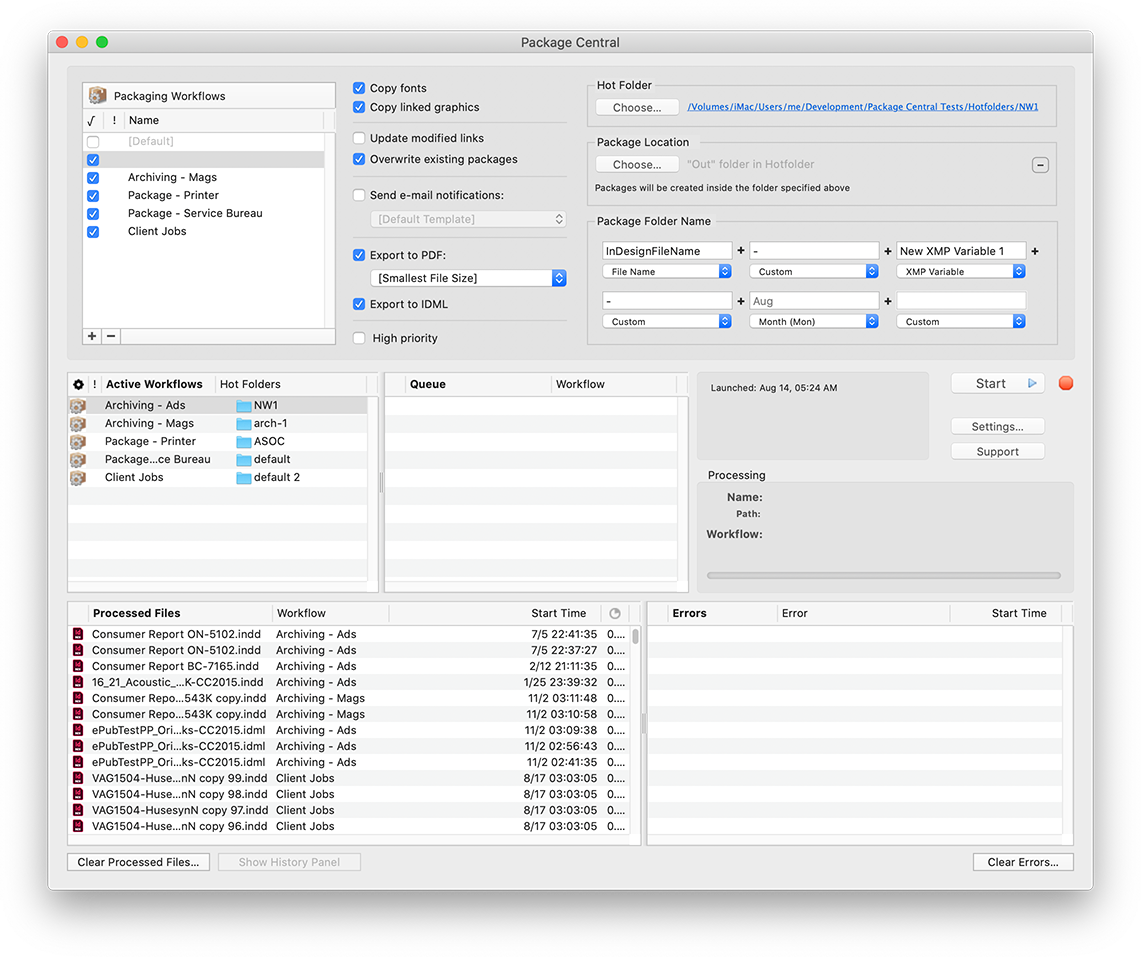
Package Central runs on a dedicated Mac station and watches hot folders for incoming InDesign files. The software offers the following key features and benefits:
* Automatically collect InDesign files from hot folders
* Update modified links automatically
* Create IDML and PDF files on the fly
* Automatic email notifications of process stages and errors
* Serves unlimited users on a network
* Variable folder names
* Detailed processing history
Pricing and Availability:
Package Central can be purchased for $149.95 (USD) from Zevrix website as well as from authorized resellers. Trial is also available for download. The update is free for registered users. Package Central requires macOS 10.8-10.15 and Adobe InDesign CS5-2020.
Zevrix Solutions: https://zevrix.com
Package Central 1.11.18: https://zevrix.com/packagecentral
Download Package Central: https://zevrix.com/downloads/PackageCentral.dmg
Purchase: https://zevrix.com/store
Screenshot: https://zevrix.com/wp-content/uploads/2020/08/pac-main-1141-tall.png
Located in Toronto, Canada, Zevrix Solutions provides automation and productivity solutions for Adobe Creative Cloud and Creative Suite software, PDF workflows, graphic file diagnostics and Microsoft Office output on Mac OS. Zevrix is dedicated to help professionals increase their profits through automating everyday tasks, producing error-free documents, saving disk space and cutting production costs. For more information, visit their website. Copyright (C) 2020 Zevrix Solutions. All Rights Reserved. Other trademarks and registered trademarks may be the property of their respective owners.
*******
Link To Article: https://prmac.com/release-id-84126.htm
*******
---------------------------------------------------------------------------------
Note that you can alter delivered distributions at any time.
Login to your account on prMac to alter your channel selection, or to opt-out at any time.
Package Central for Adobe InDesign Fixes Image Relinking Anomaly - Published on 09/15/20
Zevrix Solutions announces Package Central 1.11.18, a maintenance update to company's file packaging automation solution for Adobe InDesign. The software collects InDesign documents along with their fonts and links from hot folders. Package Central serves unlimited users on a network and offers variable folder names, email alerts, PDF export, and more. The new version abandons the use of intermediate temporary folder names, which could result in incorrect image linkage in the final job folder.
Toronto (ON), Canada - Zevrix Solutions today announces Package Central 1.11.18, a maintenance update to company's document packaging automation solution for Adobe InDesign. Originally developed for a major publishing house in the United States, the software automates InDesign workflows by collecting files from hot folders. Package Central offloads InDesign packaging to a central system leaving operator workstations free from the collection process.
The new version abandons the use of intermediate temporary folder names which were initially assigned to the InDesign package folders. Users reported that under some rare conditions it could result to incorrect link paths in the collected InDesign files. With the new update, Package Central assigns the final variable folder names right away, which ensures the correct image relinking in final InDesign files at any time. Package Central lets users compose variable package names based on InDesign file name, date, current user and other tokens.
Package Central solves the problem of centralized packaging and archiving of InDesign projects in a workgroup environment while serving unlimited users on a network. The software lets prepress operators, production artists, and designers simply submit files to watched hot folders that reside on a network. The app then automatically collects InDesign files along with their fonts and links into the destination folder with dynamically assigned variable name.
Package Central runs on a dedicated Mac station and watches hot folders for incoming InDesign files. The software offers the following key features and benefits:
* Automatically collect InDesign files from hot folders
* Update modified links automatically
* Create IDML and PDF files on the fly
* Automatic email notifications of process stages and errors
* Serves unlimited users on a network
* Variable folder names
* Detailed processing history
Pricing and Availability:
Package Central can be purchased for $149.95 (USD) from Zevrix website as well as from authorized resellers. Trial is also available for download. The update is free for registered users. Package Central requires macOS 10.8-10.15 and Adobe InDesign CS5-2020.
Zevrix Solutions: https://zevrix.com
Package Central 1.11.18: https://zevrix.com/packagecentral
Download Package Central: https://zevrix.com/downloads/PackageCentral.dmg
Purchase: https://zevrix.com/store
Screenshot: https://zevrix.com/wp-content/uploads/2020/08/pac-main-1141-tall.png
Located in Toronto, Canada, Zevrix Solutions provides automation and productivity solutions for Adobe Creative Cloud and Creative Suite software, PDF workflows, graphic file diagnostics and Microsoft Office output on Mac OS. Zevrix is dedicated to help professionals increase their profits through automating everyday tasks, producing error-free documents, saving disk space and cutting production costs. For more information, visit their website. Copyright (C) 2020 Zevrix Solutions. All Rights Reserved. Other trademarks and registered trademarks may be the property of their respective owners.
*******
Link To Article: https://prmac.com/release-id-84126.htm
*******
---------------------------------------------------------------------------------
Note that you can alter delivered distributions at any time.
Login to your account on prMac to alter your channel selection, or to opt-out at any time.
Teleconferencing? Upgrade Your Webcam With Filters and FX - macOS
A new article has been published at prMac.
Teleconferencing? Upgrade Your Webcam With Filters and FX - macOS - Published on 09/14/20
Calgary based developer, Stonelight Pictures today introduces Webcam Effects Live 1.0.5, a new tool for video conferencing that improves the image of webcams in macOS 10.15. Webcam Effects Live is designed to enhance webcam video, and help get the best possible image when teleconferencing, streaming live, or recording video. Webcam Effects Live works with any 3rd party webcam or video source that is supported by the macOS system, and works with any built-in FaceTime HD camera.
Calgary, Canada - Stonelight Pictures today is proud to announce the release of Webcam Effects Live, its new video tool to enhance the video coming from webcams while teleconferencing, streaming live, or recording video. Intuitive controls allow adjustment of the look and feel of the video stream. 65 professional looks, each can be customized and saved in a filter library. Zoom, pan, and tilt with any webcam. Webcam Effects Live creates a virtual camera with an image adjusted video stream to send video to 3rd party apps.
Filter adjustment ranges from subtle to extreme, allowing for maximum control of the webcam image. Webcam Effects Live works with any 3rd party webcam or video source that is supported by the macOS system, and works with any built-in FaceTime HD camera. Webcam Effects Live is available from Stonelight Pictures today.
Other Features Include:
* 65 Professional cinema-grade customizable camera "Looks"
* System-wide menu-bar access
* Mirror Image
* Brightness, contrast, gamma, saturation, hue, sharpness, and white balance control
* Works with external webcams and built-in FaceTime HD webcams
* Before/After toggle, to compare adjusted video stream to original
System Requirements:
* macOS X 10.15
* 30 MB
Pricing and Availability:
Webcam Effects Live is only $9.99 (USD) from Stonelight Pictures online. Promo codes are available to members of the press. For more information, please contact Terry Demco.
Webcam Effects Live 1.0.5: http://stonelightpictures.com
Download Webcam Effects Live: http://stonelightpictures.com/WebcamEffects/WebcamEffectsLive.zip
Screenshot 1: http://stonelightpictures.com/images/Screenshot1.png
Screenshot 2: http://stonelightpictures.com/images/Screenshot2.png
Screenshot 3: http://stonelightpictures.com/images/Split.png
Application Icon: http://stonelightpictures.com/images/WebcamEffectsLiveLogo.png
Located in Alberta, Canada, Stonelight Pictures is a software development company bringing new and exciting apps to iOS and macOS for the last 12 years. All Material and Software (C) Copyright 2020 Stonelight Pictures. All Rights Reserved. Apple, the Apple logo, macOS, iPhone, iPod, iPad and Macintosh are registered trademarks of Apple Inc. in the U.S. and/or other countries. Other trademarks and registered trademarks may be the property of their respective owners.
*******
Link To Article: https://prmac.com/release-id-84125.htm
*******
---------------------------------------------------------------------------------
Note that you can alter delivered distributions at any time.
Login to your account on prMac to alter your channel selection, or to opt-out at any time.
Teleconferencing? Upgrade Your Webcam With Filters and FX - macOS - Published on 09/14/20
Calgary based developer, Stonelight Pictures today introduces Webcam Effects Live 1.0.5, a new tool for video conferencing that improves the image of webcams in macOS 10.15. Webcam Effects Live is designed to enhance webcam video, and help get the best possible image when teleconferencing, streaming live, or recording video. Webcam Effects Live works with any 3rd party webcam or video source that is supported by the macOS system, and works with any built-in FaceTime HD camera.
Calgary, Canada - Stonelight Pictures today is proud to announce the release of Webcam Effects Live, its new video tool to enhance the video coming from webcams while teleconferencing, streaming live, or recording video. Intuitive controls allow adjustment of the look and feel of the video stream. 65 professional looks, each can be customized and saved in a filter library. Zoom, pan, and tilt with any webcam. Webcam Effects Live creates a virtual camera with an image adjusted video stream to send video to 3rd party apps.
Filter adjustment ranges from subtle to extreme, allowing for maximum control of the webcam image. Webcam Effects Live works with any 3rd party webcam or video source that is supported by the macOS system, and works with any built-in FaceTime HD camera. Webcam Effects Live is available from Stonelight Pictures today.
Other Features Include:
* 65 Professional cinema-grade customizable camera "Looks"
* System-wide menu-bar access
* Mirror Image
* Brightness, contrast, gamma, saturation, hue, sharpness, and white balance control
* Works with external webcams and built-in FaceTime HD webcams
* Before/After toggle, to compare adjusted video stream to original
System Requirements:
* macOS X 10.15
* 30 MB
Pricing and Availability:
Webcam Effects Live is only $9.99 (USD) from Stonelight Pictures online. Promo codes are available to members of the press. For more information, please contact Terry Demco.
Webcam Effects Live 1.0.5: http://stonelightpictures.com
Download Webcam Effects Live: http://stonelightpictures.com/WebcamEffects/WebcamEffectsLive.zip
Screenshot 1: http://stonelightpictures.com/images/Screenshot1.png

Screenshot 2: http://stonelightpictures.com/images/Screenshot2.png

Screenshot 3: http://stonelightpictures.com/images/Split.png

Application Icon: http://stonelightpictures.com/images/WebcamEffectsLiveLogo.png

Located in Alberta, Canada, Stonelight Pictures is a software development company bringing new and exciting apps to iOS and macOS for the last 12 years. All Material and Software (C) Copyright 2020 Stonelight Pictures. All Rights Reserved. Apple, the Apple logo, macOS, iPhone, iPod, iPad and Macintosh are registered trademarks of Apple Inc. in the U.S. and/or other countries. Other trademarks and registered trademarks may be the property of their respective owners.
*******
Link To Article: https://prmac.com/release-id-84125.htm
*******
---------------------------------------------------------------------------------
Note that you can alter delivered distributions at any time.
Login to your account on prMac to alter your channel selection, or to opt-out at any time.
Subscribe to:
Posts (Atom)